Adding a citation is simple: you give credit where credit is due.
In your text, you drop in a quick note—something like (Author, Year)—and then you list the full source details in a reference list at the end. It’s a tiny action that has a massive impact, building trust and giving your content some serious weight.
Why Smart Citations Are Your Secret Weapon for Growth
If you're a content creator—making videos for YouTube, recording podcasts, or writing blog posts—learning how to add a citation is way more than just some stuffy academic rule. Think of it as a strategic move that lifts your work out of the sea of unsupported opinions online and helps you build a more valuable, monetizable content library.
When you properly credit your sources, you're doing more than just dodging plagiarism. You’re building a rock-solid foundation of trust with your audience. Every single citation acts as a verifiable proof point. It shows your viewers or readers that you've actually done the homework.
This simple process transforms your content from just another personal take into a credible, go-to resource. Instead of just vaguely saying "studies show," you're pointing directly to the data. You’re inviting your audience to dig deeper themselves. For anyone trying to go from a hobbyist to a professional creator, that kind of transparency is gold. It cements you as an authority in your niche and turns your entire content library into a reliable, evergreen asset.
Building Authority and Value
Picture your content library as an interconnected ecosystem. Every video, podcast episode, or article you create is a valuable asset. Smart citations are the threads weaving these assets into the bigger conversation happening in your field, helping you reignite your library and create new value from work you've already done.
By linking out to authoritative studies, expert interviews, and original data, you hit several key goals at once:
- Boost Credibility: You're showing your audience that your insights are grounded in facts, not just feelings.
- Enhance SEO: Linking to high-authority domains can be a positive signal to search engines, telling them your content is well-researched and trustworthy.
- Increase Engagement: You give curious followers a path to explore, keeping them hooked on your topic for longer.
This whole practice of attribution has a long history of validating knowledge. Formal citation really took off in the 20th century. To give you an idea, the Web of Science indexed a mere 1 million records in 1970 but exploded to 16 million by 2000. That jump shows just how critical verifiable sourcing has become in our world. If you want to dive into the data, check out Clarivate's research on scholarly impact.
As you organize and grow your library, each citation you add strengthens the value of the whole collection, making it far more robust for future repurposing and monetization.
Choosing the Right Citation Style for Your Content
Picking the right citation style can feel like trying to order from a menu in a language you don't speak. You see a jumble of acronyms—APA, MLA, Chicago—and it’s not always clear which one actually fits your project. Let's clear up the confusion so you can choose the right one with confidence.
Think of citation styles as different formatting languages, each designed for a specific kind of conversation. Your choice sends a signal to your audience about the content they're engaging with. For us creators, this isn't just about following rules; it's about building trust and clarity.
But before you even worry about the style, when do you need a citation in the first place? This simple decision tree clears it up.
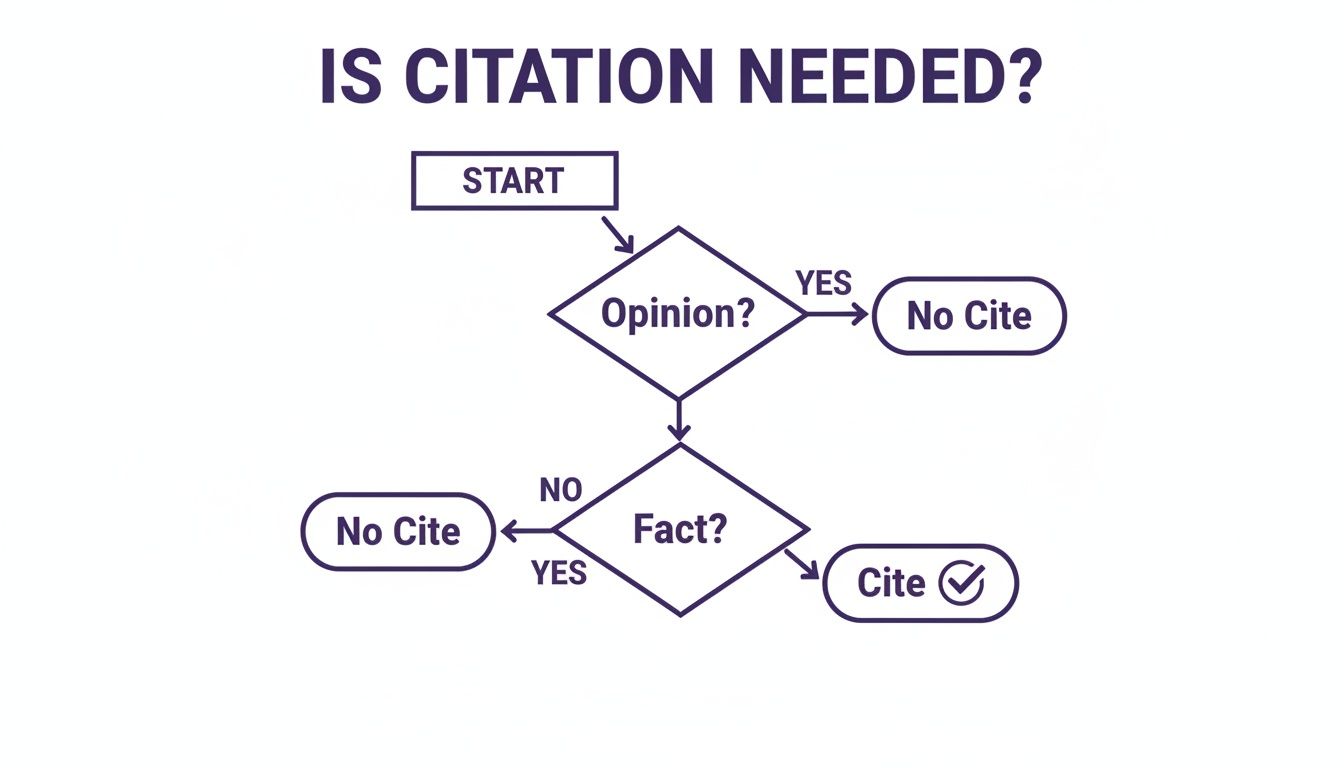
The flowchart shows a clear rule of thumb: if you’re stating a verifiable fact, not just your opinion, you need to back it up with a source. Simple as that.
Matching the Style to Your Niche
Instead of getting bogged down in memorizing endless rules, let’s match the "big three" styles to real-world creator scenarios. This approach makes the choice much more intuitive.
-
APA (American Psychological Association): This is the go-to for social sciences, business, and tech content. If you're a content marketer breaking down a new consumer behavior study or a tech vlogger reviewing the latest research, APA is your best friend. It puts a heavy emphasis on the date of publication, which is absolutely crucial for topics where timeliness is everything.
-
MLA (Modern Language Association): This one is perfect for the humanities—think literature, film analysis, and arts commentary. If you’re a YouTuber dissecting a movie's symbolism or a blogger analyzing a classic novel, MLA is your style. It focuses on the author and page numbers, which is ideal for referencing specific moments in creative works.
-
Chicago Manual of Style: This is the most flexible of the bunch and is often used in history, fine arts, and even some business writing. A podcaster detailing a historical event or an author writing a deep-dive article would likely use Chicago. It’s unique because it offers two systems: notes-bibliography (footnotes/endnotes) or author-date.
To make it even simpler, here's a quick cheat sheet.
Quick Guide to Common Citation Styles
| Style | Primary Use Case | In-Text Citation Example | Bibliography Title |
|---|---|---|---|
| APA | Social sciences, business, education, tech | (Smith, 2023) | References |
| MLA | Humanities (literature, arts, film) | (Smith 42) | Works Cited |
| Chicago | History, fine arts, some business | Footnote/endnote or (Smith 2023) | Bibliography |
This table should help you make a quick decision based on the kind of content you're creating.
For creators whose content leans heavily on academic or formal sources, getting the details right is key. If you need to dig into the specifics of a particular format, something like an ultimate guide to APA footnote citations can be a lifesaver.
How to Add Citations in Word and Google Docs
Alright, let's get down to the brass tacks. Theory is great, but actually doing it is what matters. Most of us are writing our content in either Microsoft Word or Google Docs, and the good news is, both have surprisingly solid, built-in citation tools that can make your life a whole lot easier.
Seriously, these features are your starting block. They take the headache out of formatting so you can stay focused on creating something credible and high-quality. I'll walk you through exactly how to get it done in both.
Adding Citations in Microsoft Word
If you’re drafting posts or e-books in Word, you'll find a pretty robust reference manager hiding in plain sight under the 'References' tab. I use this all the time—it's perfect for keeping your sources straight without having to jump to another app.
First, just click your cursor right where you want the in-text citation to go. Then, look up at the ribbon and head over to the 'References' tab. You'll spot a section labeled 'Citations & Bibliography'.
From there, it’s a simple flow:
- Click 'Insert Citation' and then choose 'Add New Source'.
- A little box pops up asking for the source type—is it a book, a journal, a website? Pick the right one.
- Fill out the fields it gives you: author, title, year, URL, and so on.
- Hit 'OK', and boom. Word drops a perfectly formatted in-text citation right where you need it.
This is what that 'Create Source' box looks like. You just fill in the blanks.
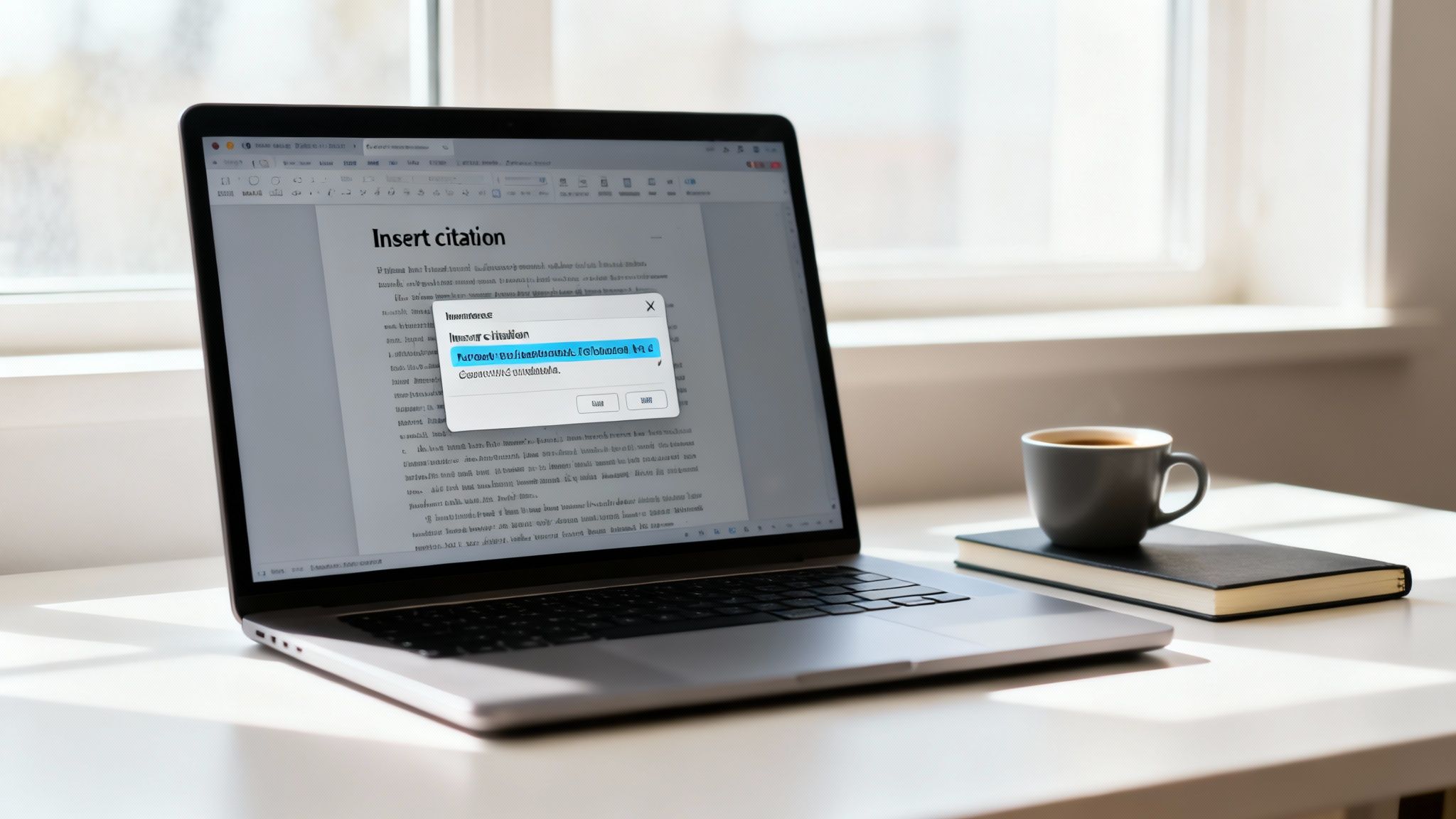
As you can see, Word tailors the fields based on what kind of source you're using, which helps make sure you don't miss any critical info. The best part? After you’ve added all your sources this way, you can generate a full bibliography with a single click. No more manual formatting nightmares.
Using the Citation Tool in Google Docs
For those who live in the collaborative, cloud-based world of Google Docs, you've got a similar tool at your fingertips. It's a lifesaver for teams co-writing articles or scripts, keeping all the sources neat and tidy in one shared space.
The process is just as easy. In your doc, navigate to Tools > Citations. A handy sidebar will pop up on the right.
That sidebar is your command center for a few key things:
- First, pick your citation style—it offers APA, MLA, and Chicago.
- Click '+ Add citation source' to punch in the details for your source.
- Once you’ve added a source, just hover over it in the list and a 'Cite' button will appear. Click that, and the in-text citation pops right into your document.
Pro Tip: The real magic of these built-in tools is their memory. Once you add a source, it's saved in that document’s source manager. You can cite it again and again without ever re-typing the information.
Just like Word, Google Docs can whip up a perfectly formatted bibliography from all the sources you've entered. Honestly, for most day-to-day content creation, these features are more than enough to look professional and show your audience you’ve done your homework.
Scaling Up with Advanced Citation Managers
Once your content library starts to really grow, leaning on the built-in tools in Word or Google Docs feels a lot like trying to organize a warehouse with sticky notes. It works for a bit, but it just doesn't scale.
This is where dedicated citation managers like Zotero, Mendeley, or EndNote step in. They’re the professional-grade solution for creators who are building a serious, long-term content ecosystem and want to organize their library to create new value.
Think of a citation manager as a central, intelligent database for every single source you've ever found valuable. I'm not just talking about academic papers; this is for articles, YouTube videos, podcast episodes, and market reports. Instead of re-finding sources for every new project, you build a personal, searchable library that becomes a money-making asset over time. This is how you shift from one-off projects to a truly organized content operation.
Why a Dedicated Manager Is a Game Changer
For professional creators, the real power of these tools isn't just about formatting—it’s about workflow efficiency and collaboration.
Imagine you're planning a five-part video series on a complex topic. With a citation manager, you can spin up a dedicated folder for that series, saving all your research in one spot. You can add your own notes, tag sources with keywords like "intro-hook" or "data-point," and even save PDFs or web snapshots directly.
This process of organizing your research materials systematically is an absolute cornerstone of efficient content creation. It's how you build buckets of successful concepts and experiment with new ones to hit the next viral thing.
These tools also shine when you're working with a team. A citation manager lets you create shared libraries, which is perfect for collaborating on a whitepaper or co-writing a script. Everyone pulls from the same pool of vetted sources, ensuring consistency and accuracy across the board. This isn't just a "nice-to-have." Data from the U.S. National Science Board shows that internationally coauthored work consistently gets higher citation rates, which just highlights the impact of shared knowledge. You can find more details in the full report on international collaboration and citations.
A Look Inside Zotero
Zotero is a popular free, open-source option that creators love for its flexibility and powerful browser integration. With a single click, you can snatch a source from your browser and drop it right into your library, complete with all its metadata.
Here’s a quick glimpse of the Zotero interface, where you can see sources neatly organized into different collections or folders.
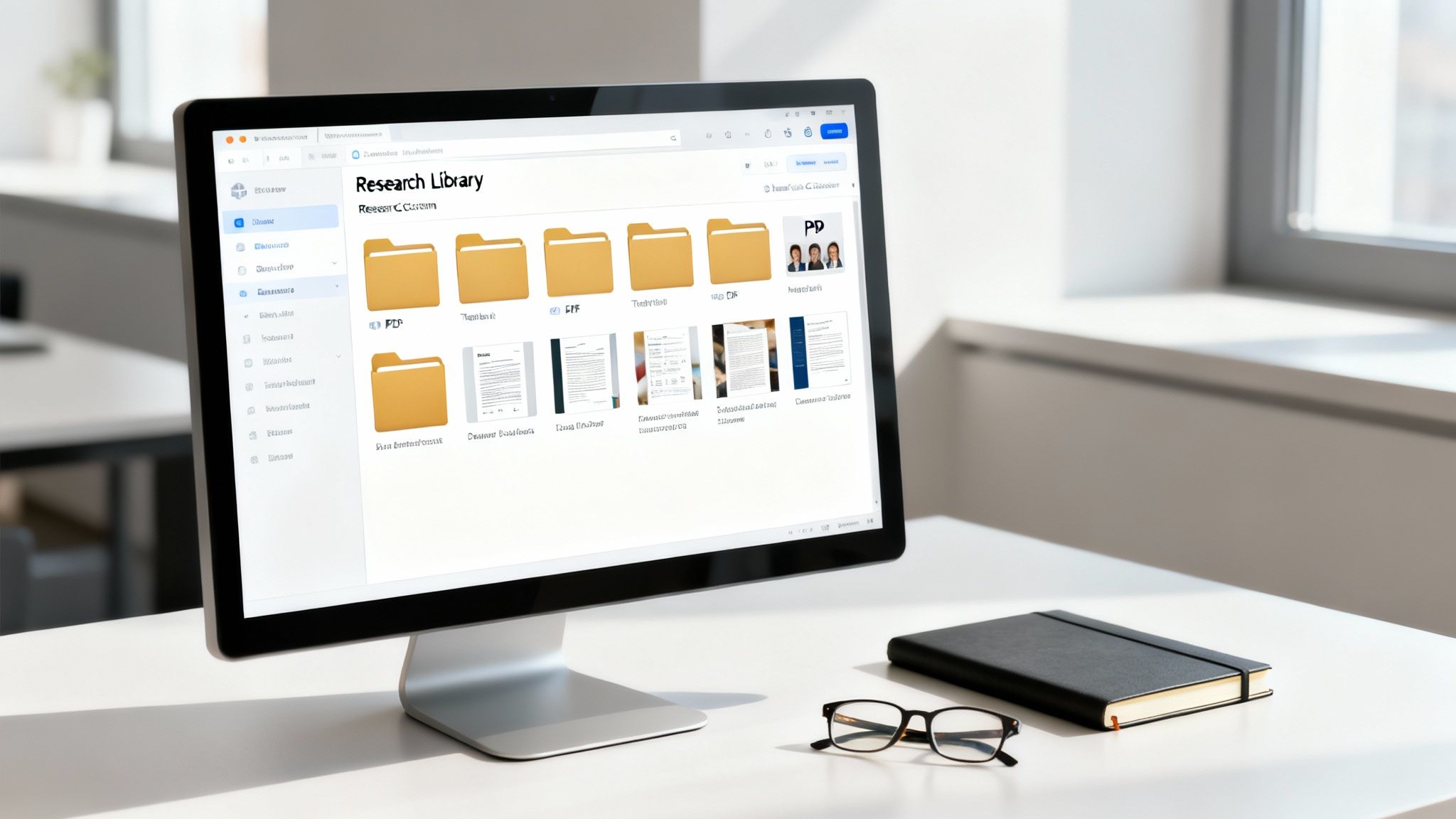
The clean, three-panel layout makes it incredibly easy to navigate your library, view source details, and manage attachments. This organized structure is the key to turning a chaotic pile of research into a manageable, reusable asset that fuels all your future content.
Citation Best Practices for Blogs and Digital Media
When you’re creating content online, citations aren't about following dusty old academic rules. It’s about being smart, transparent, and user-friendly.
In the world of blogs, YouTube descriptions, and podcasts, a formal bibliography just feels clunky. It interrupts the flow and pulls your audience out of the experience. The best way to handle sources in digital media is almost always a simple hyperlink.
Instead of a clunky parenthetical like (Author, Year), you just embed the source directly into your text. It’s clean, keeps things readable, and gives your audience an instant way to dig deeper if they want to. A good citation becomes an interactive part of the experience, not a speed bump.
Hyperlinks are the New Standard
For pretty much any digital content you can think of, a well-placed hyperlink is the perfect in-text citation. It’s direct, efficient, and even gives you a little SEO boost.
When you link out to authoritative, relevant websites, you're sending a signal to search engines that your content is well-researched and connected to other credible sources in your niche.
Here’s a quick checklist for doing it right:
- Use Descriptive Anchor Text: Don't just link the word "here." Link the actual concept, something like "a recent study on audience engagement." This tells both readers and search engines what to expect.
- Link to the Original Source: Always try to track down and link to the primary source—the original study or report—not a secondary article that just talks about it. This builds more trust with your audience.
- Ensure Links Open in a New Tab: This is a small but mighty user experience tweak. It lets your audience check out your source without losing their place on your page.
The goal is to give credit seamlessly. You want to back up your claims and build authority without ever making your reader feel like they've stumbled into a textbook.
Crediting Non-Traditional Sources
Content creators pull inspiration from all over the place—podcast episodes, social media posts, or even other YouTube videos. These sources absolutely need credit, too.
The approach is pretty much the same: link directly whenever you can. If you’re referencing a podcast, link to that specific episode's page. Citing a tweet? Link straight to that tweet.
The way we measure impact is changing, too. In the digital world, traditional citation counts are now supplemented by altmetrics, which track social shares and online attention. It's a whole new ecosystem for measuring influence.
For modern creators, integrating tools can make this process even smoother. For example, you can explore Citemet AI share buttons for easier digital media citation to help streamline things.
And when a direct link in the text doesn't feel right, a simple "Sources" or "References" section at the end of your blog post or in your video description is a perfect catch-all for these less-formal sources.
Frequently Asked Questions About Citations
Even after you get the hang of it, weird citation questions always seem to pop up right before a deadline. Let’s walk through some of the most common dilemmas creators run into.
Think of this as your personal cheat sheet for those tricky "what do I do now?" moments.
Do I Really Need to Cite Common Knowledge?
Generally, no. You don't need a citation for facts that are widely known and easy to find in any general source. For example, you wouldn't cite the fact that "water boils at 100 degrees Celsius at sea level."
But here’s a fantastic rule of thumb for any creator: if you had to look it up to be sure, your audience probably doesn't know it offhand. It's always a smart move to add the citation. It only takes a second and it boosts your credibility.
How Do I Cite Something I Found in Another Source?
Ah, the classic secondary citation puzzle. This happens all the time. The absolute best practice is always to hunt down the original source and cite it directly. That way, you know you're getting the information firsthand, without anyone else's filter.
But sometimes, you just can't get your hands on the original. When that happens, you have to be transparent. If you're using APA style, for instance, your in-text citation would look like this: (Johnson's study, as cited in Smith, 2023). Then, in your reference list at the end, you'd only include the source you actually read—in this case, Smith's 2023 work.
The key is transparency. Always make it clear to your audience which source you personally consulted, even if it refers to another, older work.
What Is the Difference Between a Reference List and a Bibliography?
This is a subtle distinction, but an important one. People often use the terms interchangeably, but they're not quite the same thing.
- A Reference List includes only the sources you specifically cited in your content. Every single entry on this list should match up with an in-text citation you made.
- A Bibliography is much broader. It often includes all the sources you looked at during your research, even if you didn't end up quoting or paraphrasing them in the final piece.
For most online content like blog posts, video descriptions, or podcast show notes, a simple "References" or "Sources" list is all you need. It's more direct and useful for your audience, showing them exactly where you got the information you presented.
Can I Use AI Tools to Help with Citations?
Absolutely. Tools like Zotero or the citation features in Word can be a massive time-saver. They’re fantastic for handling the tedious parts of formatting and keeping everything consistent.
However, you have to treat them as a helpful assistant, not the final authority. You are still the editor-in-chief of your content. Always—and I mean always—proofread what an AI tool spits out. They can make mistakes with names, dates, or quirky formatting rules. Your final check is what ensures everything is accurate and looks professional.
Ready to turn your entire content library into a well-organized, searchable, and monetizable asset? Contesimal is a revolutionary platform that helps you and your team collaborate with AI to discover new value in your existing work. Organize. Understand. Take Action. Explore the platform at Contesimal.ai and see how you can upcycle your old content and make it work smarter for you.