A Spotify podcast transcript isn't just a simple text file of your audio—it’s the secret weapon for growing your show. For creators looking to transition from hobbyist to professional, a transcript is the key that unlocks the value trapped inside your audio files, making your content discoverable, accessible, and the perfect launchpad for a ton of new material.
Why Your Podcast Needs a Transcript
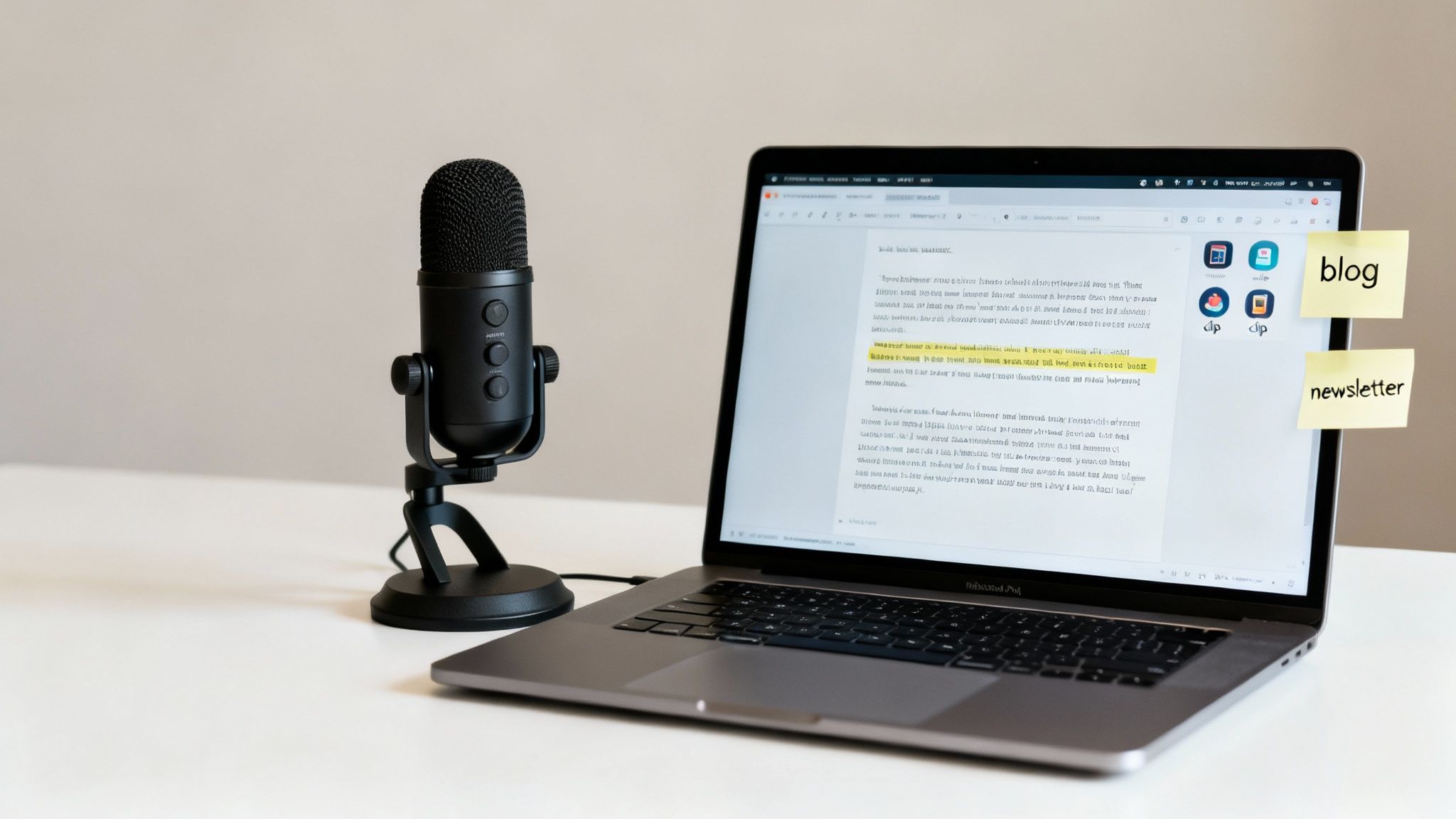
If you're looking to move your podcast from a hobby to a revenue-generating entity, transcripts are no longer optional. They're a core part of a smart growth strategy. Sure, they make your show accessible, which is hugely important, but the real magic happens when that text file helps you reignite your content library.
Without a transcript, all the brilliant insights, expert interviews, and funny stories you share are completely invisible to search engines like Google. A transcript makes every single word you say indexable content. Suddenly, new listeners can find your show just by searching for the topics you talk about. For a deeper dive, you can check out some best practices for optimizing content for search engines.
Unlocking Your Content Library
For ambitious creators, the biggest win is turning your back catalog into an engine for new ideas and new value. A single episode transcript can be chopped up, remixed, and repurposed into dozens of fresh content pieces across platforms. This is how you stop the endless grind of brainstorming and start to upcycle your old content.
Imagine being able to instantly create:
- Blog Posts: Pull the main talking points and create a detailed article that expands on the episode.
- Social Media Snippets: Grab those killer quotes, surprising stats, or hilarious moments for posts that actually get engagement.
- Email Newsletters: Whip up a summary of key takeaways or share a compelling story from your latest recording.
- Video Scripts: Use the transcript as a ready-made script for short-form videos on TikTok or Instagram Reels.
This completely changes your workflow. Instead of staring at a blank page, you have an organized library of your own best material to pull from. That’s where tools like Contesimal come in, revolutionizing research collaboration by helping you and your team quickly search your entire library to find the perfect clips and patterns across all your recordings.
When you treat your transcript library like a searchable knowledge base, you stop just producing content. You start building a valuable, evergreen asset that keeps working for you long after you hit "stop recording."
The New Standard of Discoverability
This isn't just theory. Spotify’s own auto-transcription feature has changed the game for how listeners find new shows. This one feature led to a 31% year-over-year jump in podcast discoverability simply by making spoken words searchable inside the app.
With over 100 million regular podcast listeners on Spotify worldwide, you can't afford for your content to be invisible. Having a text version of your show is now a critical part of reaching that massive audience.
Ultimately, a Spotify podcast transcript is the first step toward building a more efficient and powerful content engine. It helps you get organized, understand your own material at a deeper level, and take action to grow your audience.
Getting Your Hands on Spotify's Built-In Transcripts
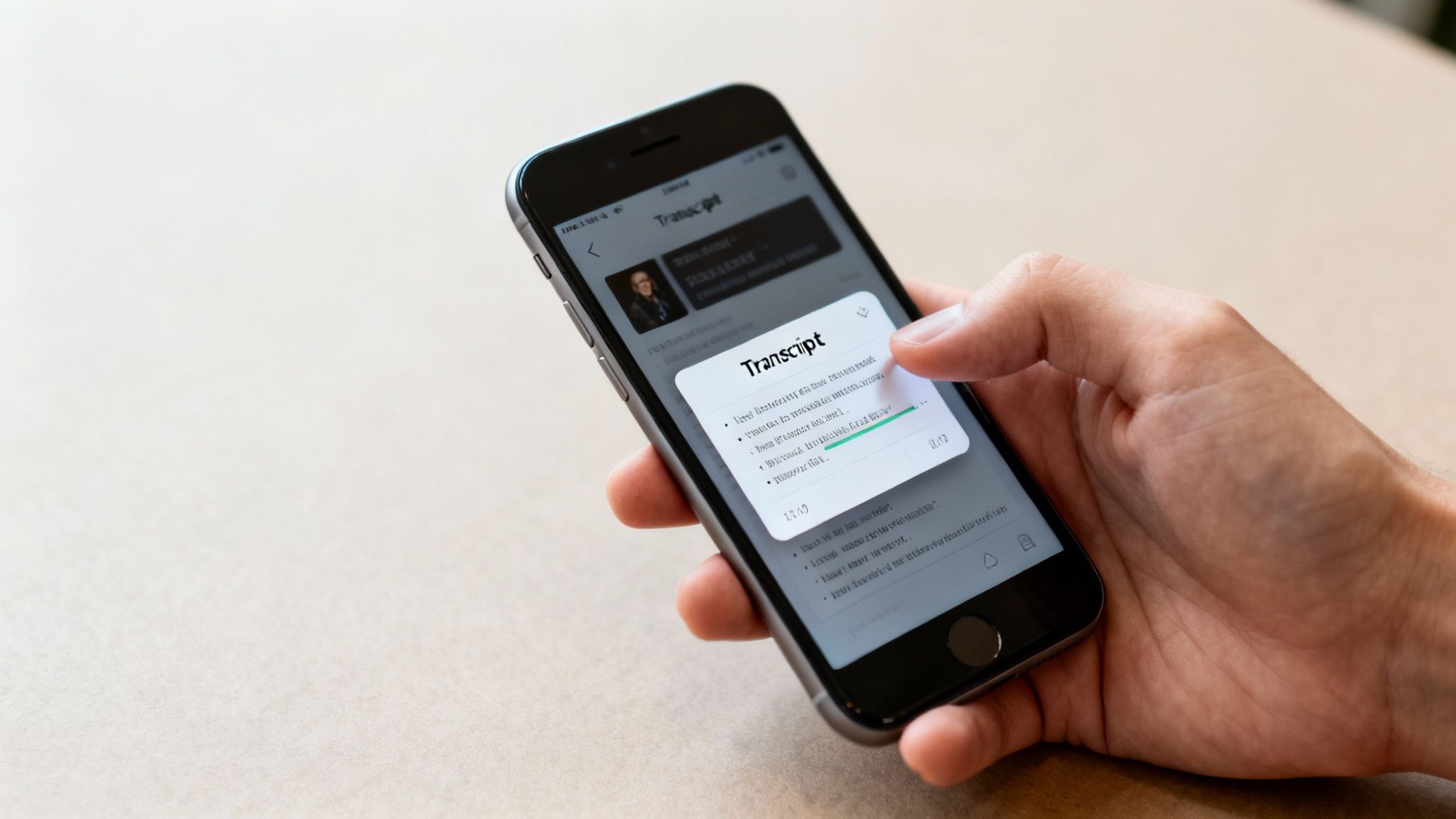
Spotify has been making a real push to bake transcripts right into its platform, and it's a huge win for both listeners and us creators. They clearly see the value. While it's not on every single episode just yet, finding the native Spotify podcast transcript is dead simple when it's there.
Honestly, this built-in tool is a game-changer for repurposing content. It lets you snag quotes and double-check key moments without ever having to leave the app. The real-time sync between the audio and text is especially slick—it makes finding that one perfect soundbite so much easier. Less time scrubbing through audio means more time actually creating new value.
How to Find Transcripts on the Mobile App
If you're like me and often working from your phone, you'll be happy to know that accessing transcripts on the Spotify mobile app is super intuitive. It’s built right into the episode page, feeling like a natural part of the listening experience.
Here’s the quick-and-dirty guide for your iOS or Android device:
- Head to an Episode: Pop open the Spotify app and find the specific podcast episode you need.
- Look for the Transcript Card: Scroll down the episode's page, right past the description and show notes. You'll see a big card displaying the transcript.
- Tap to Expand: Just tap that card, and you'll get the full-screen, time-synced transcript.
Once it's open, the text highlights as the episode plays, so you can follow along word for word. But here's the best part: you can tap on any line of text, and the audio will instantly jump to that exact spot. It turns a static document into a killer navigation tool for your own content library.
Finding Transcripts on the Desktop App
The desktop experience is just as solid, perfect for when you're deep in a content planning session at your computer. The feature is easy to find, though it’s tucked away in a slightly different spot than on mobile.
When you've got an episode playing on the Spotify desktop app, you’ll want to be in the "Now Playing" view. As the audio rolls, keep an eye out for a small microphone icon or a button that just says "Transcript." Give that a click, and the full, scrolling text of the episode will pop up, also synced in real time.
Being able to pull up a transcript on your desktop while the audio plays is a massive efficiency boost. You can listen while you copy and paste key phrases, data points, or compelling stories directly into your content planner, blog draft, or social media scheduler.
This immediate access is really the first step for any creator looking to organize their library. Before you even think about jumping into powerful tools like Contesimal to analyze your content, you need the raw text. Spotify's native feature is the fastest way to grab that initial material, setting the stage for turning your spoken words into a whole new range of assets to grow your audience across platforms.
How to Create Your Own Podcast Transcripts
So, Spotify's native transcript feature is great, but let's be real—it's not everywhere yet. What happens when it hasn't rolled out to your favorite show, or you need something more flexible, like a plain text file or a Word doc you can actually edit?
This is where the pros take matters into their own hands.
Creating your own spotify podcast transcript puts you back in the driver's seat. It means every single episode in your back catalog can have a text version, ready to be sliced and diced for blog posts, social media, or plugged into a content hub like Contesimal. It’s a non-negotiable step for building a complete, searchable archive of your work so you can organize your content library and ultimately make money with it.
Tapping Into AI-Powered Transcription
For most creators, AI transcription services hit that sweet spot of speed, cost, and quality. These tools have gotten scarily good, often spitting out transcripts with over 95% accuracy in just a few minutes. But don't just shop on price.
When you're picking a service, look for a few key things:
- Speaker Identification: Does it automatically figure out who's talking? This is a huge time-saver, especially if you do a lot of interviews. No more manually labeling "Host:" and "Guest:".
- Timestamping: Word-level timestamps are a game-changer. They make it ridiculously easy to find the exact audio clip you need when you're making audiograms or video snippets for social media.
- Custom Vocabulary: If your show is full of niche jargon, company names, or unique spellings, find a service that lets you build a custom dictionary. It'll massively cut down on your editing time.
These tools are pretty much essential for any modern creator. If you're looking to build a more efficient workflow, our guide to the best AI tools for content creators is a great place to start digging in.
The Human Touch: Manual and Hybrid Methods
Does this mean manual transcription is dead? Not quite.
Hiring a professional human transcriber is still the gold standard for accuracy, but it's slow and expensive. This route really only makes sense for high-stakes content—think legal depositions, academic research, or that one flagship episode you're pitching to a major publication where every word has to be perfect.
For everyone else, a hybrid approach is the smartest play.
Start by running your audio through a quality AI service to get a cheap, fast first draft. Then, you or a freelance editor can give it a final proofread against the audio. You'll catch any weird errors, fix names, and clean up the formatting. This gets you near-perfect accuracy for a fraction of the cost.
Making the Right Choice for Your Workflow
Ultimately, your choice comes down to your budget, your timeline, and what you plan to do with the transcript. If your goal is to build a massive, repurposable library of your content, AI services give you the speed and scale to chew through your back catalog without breaking the bank.
If you’re just getting started, some of the more detailed podcast transcription guides out there can really help you nail down a consistent process.
By turning your audio into text, you're not just making a document. You're laying the foundation for a more organized, valuable, and searchable content library. You’re unlocking the ability to analyze and collaborate across your entire history of recordings, turning old conversations into brand new opportunities.
Turning Your Transcript into a Real Asset
Getting a raw Spotify podcast transcript from an automated service is a fantastic starting point, but it's just that—a start. An unedited, machine-generated text file is functional, sure, but a polished transcript is a genuine content asset that reflects the quality of your brand. This is where the real work begins, transforming a simple document into a professional, readable resource that’s primed for your audience and ready for repurposing.
Think of an automated transcript as a rough draft. It captures the words, but it often misses the nuance, flow, and clarity that make a conversation feel human. If you skip a proper edit, you risk publishing something riddled with errors that can confuse readers and chip away at your authority.
From Raw Text to Polished Gold
First things first: the initial cleanup is all about catching the obvious mistakes that transcription AI tools almost always make. These errors might seem small, but they add up fast, creating a clunky reading experience that can turn people off. The best way to tackle this is to do a thorough proofread where you listen to the audio while reading the text.
Keep an eye out for these common slip-ups:
- Misspelled Names: AI often stumbles over unique names, brands, or niche jargon. Fixing these is a non-negotiable for showing respect to your guests and topics.
- Homophones: Words that sound the same but mean different things (like "their," "there," and "they're") are classic AI trip-ups.
- Punctuation Pandemonium: Automated systems can drop commas, periods, and question marks in all the wrong places, completely changing the meaning of a sentence. A quick punctuation pass makes your text flow like it’s supposed to.
This isn’t just about fixing typos; it's about making sure the text is a faithful reflection of what was actually said.
Making It Readable and Easy to Scan
Once you've squashed the basic errors, it's time to work on the structure and readability. Let's be honest, a wall of text is intimidating and nobody wants to read it. Your goal here is to make the transcript as easy and enjoyable to read as a well-written blog post.
Start by breaking up those long, dense paragraphs. Chop them into shorter, digestible chunks of just one to three sentences. This simple change adds much-needed white space and makes the whole thing feel way more approachable.
A great transcript shouldn't just be accurate; it should be scannable. By adding clear speaker labels, removing filler words, and using strategic subheadings, you turn a verbatim record into a piece of content that invites engagement and is easy to navigate.
Adding clear speaker labels is essential, especially for interviews or shows with multiple hosts. Ditch the generic "Speaker 1" and use actual names (e.g., "Host:" or "Sarah:"). This gives the reader instant context and makes the conversation easy to follow. While you're at it, consider cutting out the verbal fluff—the endless "ums," "ahs," "likes," and "you knows" that pepper natural speech. You want to keep the tone authentic, but trimming the excess filler makes for a much cleaner, more professional final product.
Finally, sprinkle in some strategic headings and subheadings. This not only breaks up the text but also acts as a roadmap for your readers, helping them find the sections they care about most. This formatting gets your transcript ready for its ultimate purpose: becoming a cornerstone asset for your content strategy. It's the final step before you can upload it into a system like Contesimal, where it can be analyzed, searched, and sliced into countless new pieces of content.
Turn Your Transcript Library Into New Content
You've got the transcripts. Now what?
This is where the pros pull away from the hobbyists. Having a folder full of polished text is a great start, but the real magic happens when you activate that library. You need to turn it into a living, breathing asset that fuels your entire content strategy.
Stop thinking of each spotify podcast transcript as a standalone file. Instead, picture your entire back catalog as a single, unified knowledge base. This shift in perspective is everything. It's about building a system where you can instantly find the perfect quote, pinpoint recurring themes, or even rediscover a brilliant idea you forgot you had six months ago.
Build Your Central Content Hub
First things first: get all your transcripts into one place. And I don't just mean dropping them into a shared Google Drive folder. You need to create a centralized, collaborative environment where your content can actually be used. A platform like Contesimal is built for this exact scenario, letting you and your team upload the whole library and make it instantly searchable.
Once everything is in one spot, the game changes. Suddenly you can:
- Search Across Episodes: Need to find every single time you mentioned a specific guest, tool, or concept? A quick search can pull up every instance across dozens—or even hundreds—of episodes in seconds.
- Collaborate with Your Team: Your editor, social media manager, and writers can all work from the same source of truth. No more emailing files back and forth. This empowers your team to find and create content on their own.
- Spot Hidden Patterns: When you see all your content together, you start to notice things. You might discover a topic that resonates with your audience way more than you realized, giving you a clear signal for your next big episode or blog series.
The simple flowchart below shows the basic workflow for prepping your transcripts before they go into your hub.
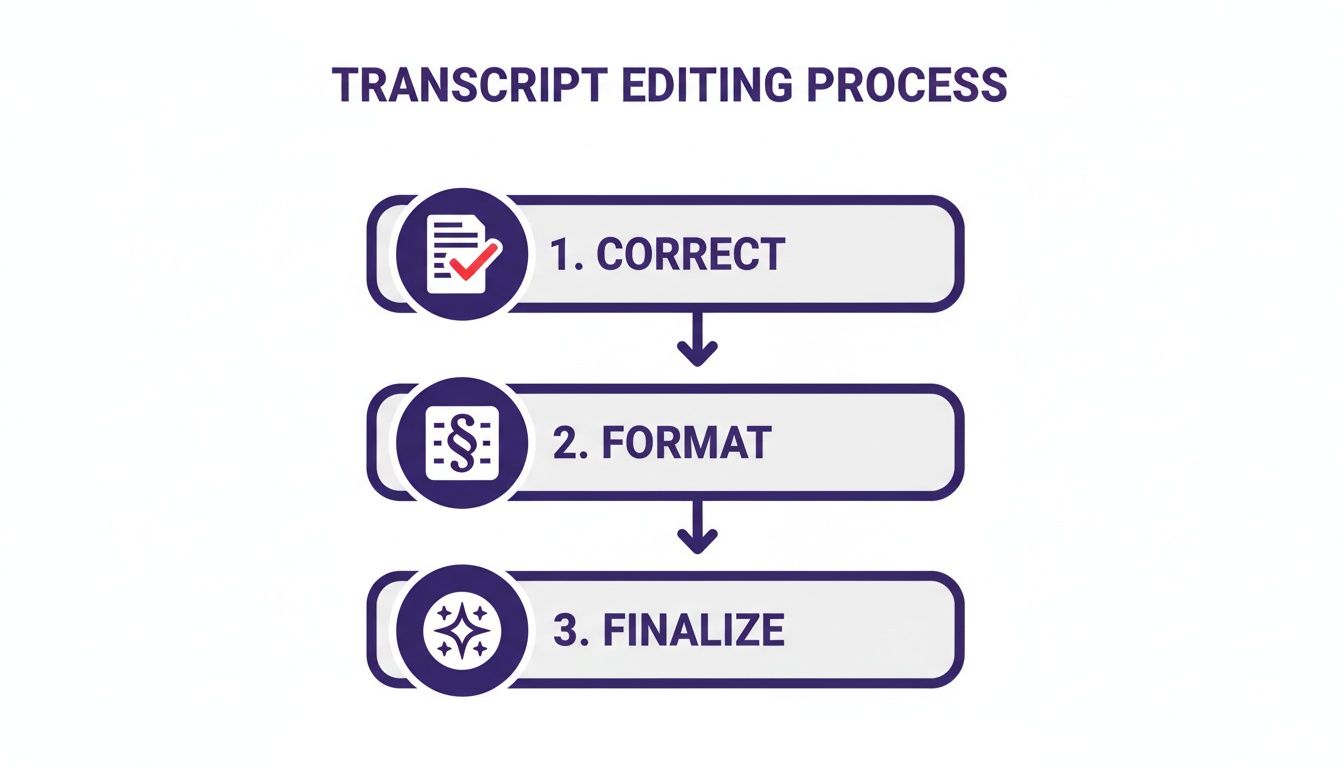
Following this process ensures every transcript you add is clean, accurate, and ready to be sliced and diced into new content. It’s all about maximizing the power of your searchable library.
From Transcript to Actionable Content
With an organized and searchable library, you can finally step off the content creation treadmill. Instead of constantly brainstorming from scratch, your own past work becomes the wellspring for all future content. This is the secret to how top creators scale their output without burning out.
To really squeeze the value out of your library, digging into effective content repurposing strategies is a must. A centralized hub makes putting those strategies into practice almost effortless.
A transcript library isn't just an archive; it's an idea factory. It's where you find the perfect soundbite for a viral social clip, the three key points for a compelling newsletter, and the foundational research for a deep-dive blog post.
Here’s how this works in the real world:
- Create Social Media Clips: Search your hub for a powerful quote or a surprising statistic. When you find the perfect line, the timestamps in your transcript tell you the exact moment in the audio to clip for a shareable audiogram or video.
- Generate New Blog Posts: Identify a theme that pops up across several episodes. You can then pull insights from each of those transcripts to create a comprehensive "ultimate guide" on that topic. We talk more about how content repurposing adds value in our detailed guide.
- Brainstorm Future Episodes: Use your library to analyze which topics get the most engagement or which questions guests frequently ask. This data-driven approach helps you plan future content that you know your audience already wants.
The table below breaks down how a single transcript can be spun into multiple assets when you have a central hub to work from.
Repurposing Your Spotify Podcast Transcript
A look at how to transform a single podcast transcript into multiple content assets using a centralized platform.
| Original Content | Repurposed Format | How a Central Hub Helps | Target Platform |
|---|---|---|---|
| 60-min Interview | 1-min Video Clip | Search for a punchy quote; timestamps pinpoint the exact audio segment. | TikTok, Instagram Reels, YouTube Shorts |
| 60-min Interview | Blog Post | Pull key themes and supporting quotes from the transcript to build an article. | Your Website, Medium, LinkedIn |
| 60-min Interview | Quote Graphics | Identify the most shareable lines and hand them to your designer. | Instagram, X (Twitter), Facebook |
| 60-min Interview | Email Newsletter | Extract 3-5 key takeaways to create a value-packed email for subscribers. | Your Email List |
This strategic approach is what we mean when we talk about reigniting your content library. You’re not just storing old files; you’re creating infinite value from the hard work you’ve already put in. Your past content becomes your most powerful tool for future growth.
Wrapping Up: Your Top Questions Answered
Alright, let's clear up some of the common questions that pop up around Spotify podcast transcripts. Getting these details straight can save you a ton of headaches, whether you're a creator trying to build out your content or just a listener who wants to follow along. Think of this as your quick-reference cheat sheet.
We'll cover availability, the tricky legal stuff, and the practical side of formatting. Nailing these three areas is key for anyone who's serious about using transcripts to grow.
Does Every Single Podcast on Spotify Have a Transcript?
Not quite. The short answer is no, at least not yet.
Spotify is definitely making a big push to auto-generate transcripts for millions of episodes, which is fantastic. But the feature is still rolling out and isn't a sure thing for every show. If you pop open an episode and don't see that transcript card, it's usually for one of two reasons: Spotify’s system just hasn't gotten to that episode yet, or the feature simply isn’t enabled for that specific podcast.
This is exactly why knowing how to create your own transcript is such a powerful move. For creators, it means you don't have to wait for Spotify to catch up. You can make sure every single piece of your content is accessible and primed for repurposing right now.
Owning the transcription process puts you back in the driver's seat. It guarantees your entire back catalog can be indexed for SEO, searched for killer quotes, and mined for new content ideas. It turns your archive into a living, breathing asset.
Can I Just Use a Transcript from Someone Else's Podcast?
This one is a big deal, touching on both legal and ethical lines you don't want to cross. The main rule here is simple: podcast transcripts are protected by copyright, just like the audio itself. The original creator owns the rights to that text.
So, if you're thinking of grabbing a full transcript from another show and publishing it on your blog to pull in traffic, just don't. That's a clear copyright violation and could land you in hot water.
But there’s a bit of a gray area. Here's what's usually okay:
- Quoting Small Snippets: Using short, attributed excerpts for commentary, a review, or to make an educational point typically falls under fair use. It's the same principle as quoting a few lines from a book you're reviewing.
- Just Ask for Permission: This is always the safest bet. If you want to use a more significant chunk of a transcript, just shoot an email to the creator and get their permission in writing. Most are happy to share if you ask nicely.
And remember, as a creator, this copyright protection works for you, too. It gives you full control over how your hard work gets used by others.
What’s the Best Format to Save a Podcast Transcript In?
The "best" format really depends on what you want to do with it. There’s no one-size-fits-all answer here; the right file type is all about your end goal.
Let's break it down by a few common scenarios:
- For a Blog Post: A clean, simple format like a .txt file or a Microsoft Word document (.docx) is perfect. The goal is readability, so things like clear speaker labels, short paragraphs, and good headings matter more than the file extension.
- For Video Subtitles: If you're making audiograms or chopping up clips for social media, you absolutely need a time-stamped format. SRT (.srt) or VTT (.vtt) files are the industry standard because they sync the text perfectly to the audio.
- For a Searchable Content Hub: When you’re building a knowledge base to find clips and ideas, clean text is your friend again. Uploading a .txt or .docx file into a platform like Contesimal lets the system index every single word, making it dead simple to find that perfect quote you vaguely remember from six months ago.
Picking the right format from the get-go makes your entire workflow smoother and gets your transcript ready for whatever you have planned.
By turning your audio archive into a library of searchable, collaborative assets, you open up a world of possibilities. Contesimal is the platform that makes it happen, helping you organize your content, work with your team, and pull new value from the library you've already built. Ready to turn your content history into your next big idea? Get started at contesimal.ai.