
You know the feeling. You open an old content library and find a graveyard of videos, blog posts, podcast episodes, and half-forgotten playlists that still get referenced in meetings but rarely get connected to anything useful. The content is good, maybe even great, but it's sitting in disconnected little islands, which means new work has to do all the heavy lifting while the archive collects dust.
That's where an internal linking strategy earns its keep. The best version of it doesn't feel like SEO busywork, it feels like finally wiring the basement so the lights turn on everywhere at once. A page with too few internal links is easy to ignore, while a well-connected page becomes easier to discover, easier to trust, and easier to keep pulling value from long after the first publish date.
The story most creators live through is simple. They make one strong piece, publish it, share it once, and then move on to the next thing because the calendar is already shouting. Internal linking is the quiet fix for that chaos, because it turns a library into a network instead of a pile of isolated assets.
Internal Linking Strategy Basics for Content Creators
A creator I know had a folder full of 200 videos and a blog that looked active from the outside, but inside it was basically a maze with no signs. New viewers found one episode, watched it, and left. Older posts had no route back to newer work, and the only thing connecting everything was the creator's memory, which is a dangerous place to store site architecture.
That's the basic problem an internal linking strategy solves. It connects content you already own so search engines and people can move from one useful page to the next without getting lost. Internal links are links between pages on the same domain, and they pass authority, context, and relevance through both anchor text and surrounding copy, which makes them a mechanical SEO signal, not just a navigation aid TeraKEET's explanation of internal linking.
Why archived content stops working
Most libraries don't fail because the content is bad. They fail because the content is scattered, under-linked, or buried under newer uploads that never point backward. A page with no internal links is harder to discover, and Google says every page you care about should have a link from at least one other page on your site Google's crawlable links guidance.
That's why creators who treat their archives like a working system see better results than creators who treat the archive like a storage closet. A linked library keeps older material alive, gives new pages somewhere to inherit context from, and makes it easier to build around themes instead of random one-offs. The point isn't to add more links for decoration, it's to create a path people can follow.
Practical rule: if a piece matters enough to mention in a meeting, it matters enough to connect to from somewhere else on the site.
The mental model that makes this less annoying
Think in layers. Your homepage or main hub sits at the top, your pillar pages sit underneath, and your supporting articles, episodes, clips, and posts fill in the edges. That structure helps you organize old work into something searchable, reusable, and easier to monetize later.
This is also where content-library tools become useful, because they can help teams classify assets instead of relying on memory and scattered spreadsheets. When your archive is tagged and grouped cleanly, internal links stop being random errands and start becoming a repeatable editorial habit. The shift is small on paper and huge in practice, because it turns “What should I link to?” into “Which connected piece should get the next nudge?”
Audit Your Existing Content Library
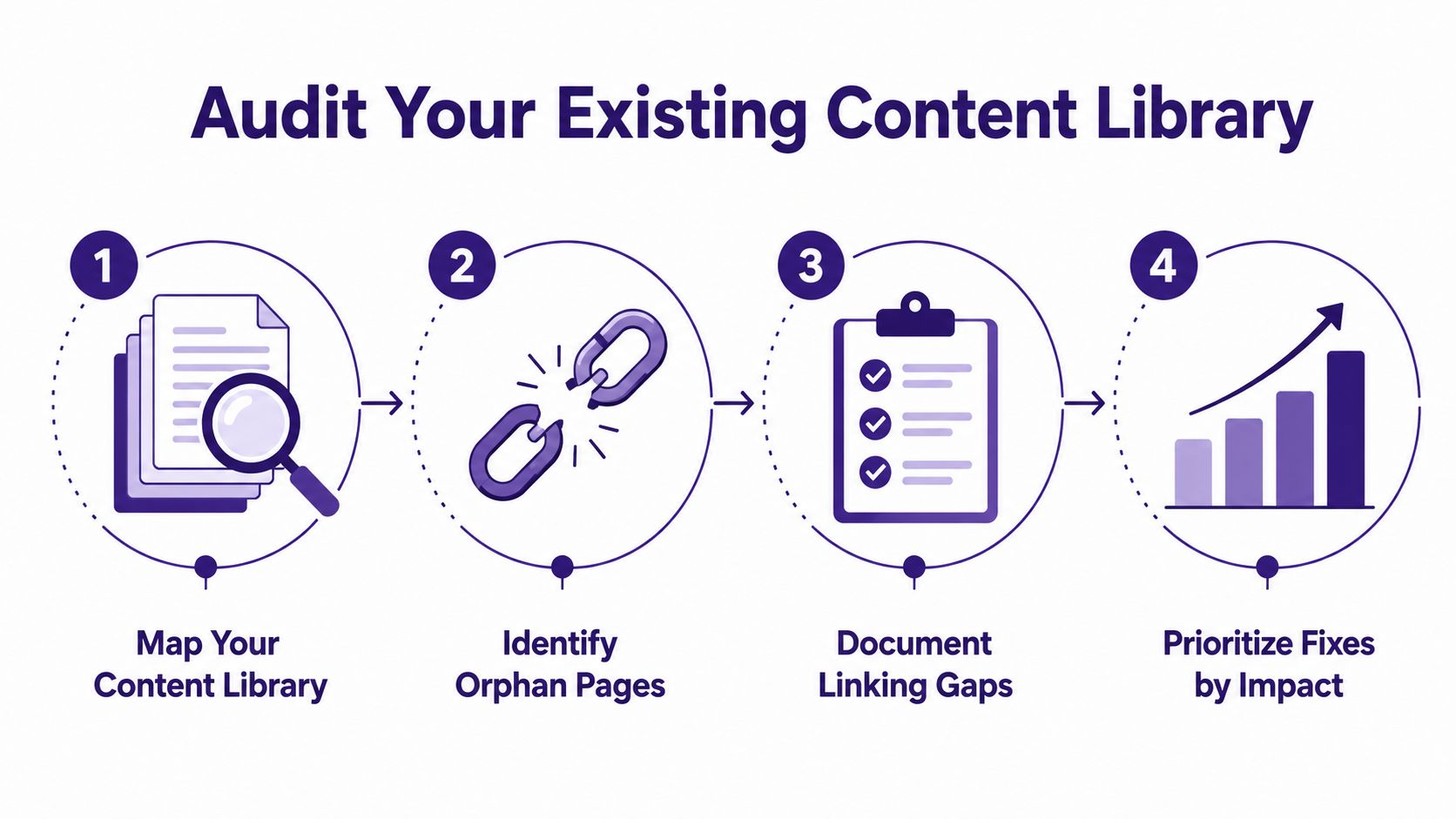
The fastest way to feel overwhelmed by an archive is to stare at it all at once. The better move is to audit it like a mechanic checking a used car, one system at a time, with a flashlight and no illusions. Start by mapping the full library, then look for pages that have no incoming internal links, pages that only have one, and pages that sit several clicks away from anything important.
The scale of the problem is usually worse than people expect. A large Zyppy study analyzed 23 million internal links across 1,800 websites and about 520,000 URLs. In that dataset, URLs with 0 to 4 internal links received only 2 Google clicks on average, while pages with 40 to 44 internal links received 4 times more clicks, and after 45 to 50 internal links traffic began to decline Zyppy internal linking study. That pattern is a loud reminder that under-linked pages don't just look neglected, they tend to underperform.
Start with a simple inventory
Pull every important URL into one place. For a YouTuber with 200 videos, that means listing the videos, the companion blog posts, the category pages, the playlists, and the best-performing older pieces that still get traffic. Then mark which items already have obvious routes in and which ones are effectively orphaned.
A practical audit usually starts with these checks:
- Map the content library: Group pages by topic, format, and business value.
- Identify orphan pages: Find pages with no internal links pointing to them.
- Document the gaps: Note which topic clusters have weak connections.
- Prioritize by impact: Fix pages that are important, buried, or close to ranking first.
This is the point where a clean taxonomy system helps a lot, because AI-assisted classification can sort large libraries faster than manual tagging. If you want a deeper checklist, keep a running reference such as Contesimal's content audit checklist handy during the audit.
Look for the obvious breakpoints
Broken links, redirect chains, and pages with only one incoming internal link deserve attention early. Industry summaries drawing on Ahrefs and Zyppy note that 66.2% of web pages have only one internal link pointing to them, while Zyppy's dataset also found that 53% of URLs have 3 or fewer internal links pointing to them industry summary of internal-linking statistics. That doesn't mean every page needs a flood of links, but it does mean most libraries are structurally thin.
A quarterly audit is usually enough to keep the archive from drifting back into chaos.
The goal is to leave this pass with a ranked backlog. You don't need every link fixed today. You need a list that tells you which pages deserve attention first, which ones are buried but valuable, and which older assets could start carrying weight for newer work right away.
Design Taxonomy with Pillar and Spoke Pages
One creator I worked with had a library full of podcast episodes, blog posts, and clip recaps about the same broad theme, yet the site treated each one like a solo act. Readers kept landing on near-duplicate pages, and the archive started to look like a drawer full of labeled cords, all tangled anyway. That's the kind of mess a pillar and spoke structure is built to clean up.
A pillar and spoke setup gives one core page the lead role, then connects it to related subtopic pages that cover the narrower angles. Yoast describes this as a hierarchy built around a pillar page, supporting cluster pages, and clear link relationships that help the site make sense Yoast's internal linking guide. For big archives, it also gives AI-assisted classification a map to work from, so the same topic can be grouped, tagged, and linked without everyone guessing from memory.
Build the hierarchy first
Start by naming the core topic. If the subject is content repurposing, that pillar page becomes the home base for the theme. Then split the surrounding material into spokes, such as blog posts, episode recaps, how-to pages, or format-specific guides that each cover one slice of the larger idea.
For readers who want a broader framing on site structure, how to organize digital content is a useful companion concept because it treats pages as part of a system rather than isolated assets. That matters once a library grows past what one editor can hold in their head, or what one spreadsheet can rescue without tears.
A simple hierarchy might look like this:
- Pillar page: The broad, central topic.
- Spoke pages: Subtopics that expand the pillar.
- Supporting content: Smaller assets that reinforce each spoke.
- Lateral links: Connections between related spokes where the overlap is real.
The structure works best when the labels stay steady. If one cluster is organized by format, another by funnel stage, and a third by random mood, the archive will feel clever for about five minutes and then become a filing cabinet with the drawers swapped around.
Use the structure to reduce duplication
This model helps when a creator keeps returning to the same themes in different formats. A podcast episode about content repurposing can sit under the pillar, while a separate page about short-form clips links upward to the pillar and sideways to a page about newsletter snippets. The library starts to behave like a knowledge base instead of a pile of uploads.
That also makes editorial review easier. When a new draft appears, the team can ask a simple question, which page owns the main topic, and which spoke should support it. If the answer is unclear, the taxonomy is doing too little work.
A discovery layer helps too, because teams need to see which content belongs together before they can link it together. That is why content discovery platforms matter for large libraries, especially when older work has to be reclassified without losing the context readers still need.
Scale Link Implementation with Editorial Workflows
The easiest part of internal linking is the theory. The hard part starts when a creator opens a back catalog of half-finished posts, old campaign pages, and articles that still get traffic but never got tied into the rest of the library. I have seen teams spend an afternoon “finding linking opportunities” and end up rediscovering their own work like it was buried in a storage unit.

Editorial workflow is what turns that mess into something repeatable. Google's guidance says important pages should be reachable through crawlable links, and practitioner guidance keeps stressing contextual links instead of links that exist only for navigation Google on crawlable links, practitioner guidance on internal linking. In practice, that means the linking plan has to live inside the production process, not in somebody's memory or a sticky note that disappears after lunch.
Assign the work to the workflow, not the writer's memory
The cleanest setup is to make internal linking part of the publishing checklist. One editor can scan for link opportunities, another can confirm that the destination fits the topic, and a final pass can catch broken paths or anchors that sound like they were written by a robot having a bad day. For large archives, that kind of handoff matters more than inspiration.
The workflow gets even more useful when the library grows beyond what one person can hold in their head. Teams can use editorial workflow software to route drafts, flag missing links, and keep revisions visible, which is why tools like editorial workflow management software fit neatly into a scaled linking process. The point is not to automate judgment out of the job. The point is to keep good judgment from getting buried under volume.
A practical yardstick from recent guides is to keep important pages within roughly 3 clicks of the homepage and to avoid stuffing pages with too many links Upward Engine internal linking best practices. Another guide suggests 2 to 5 contextual links per 1,000 words and keeping total links under 150 per page Verlua internal linking strategy guide. Those are not universal laws, but they help editorial teams keep the structure sane when every draft seems to want one more link.
Make new content get connected quickly
A new article should not sit there like it missed the group chat. One guide recommends adding 3 to 5 topically relevant existing links within the first 48 hours after publishing new content Verlua internal linking strategy guide. That gives the page context right away and helps it join the rest of the archive before it turns into another orphan.
AI-assisted taxonomy starts earning its keep here. A creator with hundreds or thousands of archived pieces can let software surface candidate links, cluster related posts, and point to older pages that still deserve attention, then have an editor decide what belongs. That kind of workflow is a lot closer to a newsroom desk than a random content dump, and it keeps the linking process from becoming a scavenger hunt only one exhausted editor knows how to run.
A publisher does not need more heroics. It needs a repeatable lane where internal links are handled during planning, drafting, and review, instead of being left for cleanup weeks later when everyone has already moved on to the next pile.
Optimize Anchor Text and Link Context
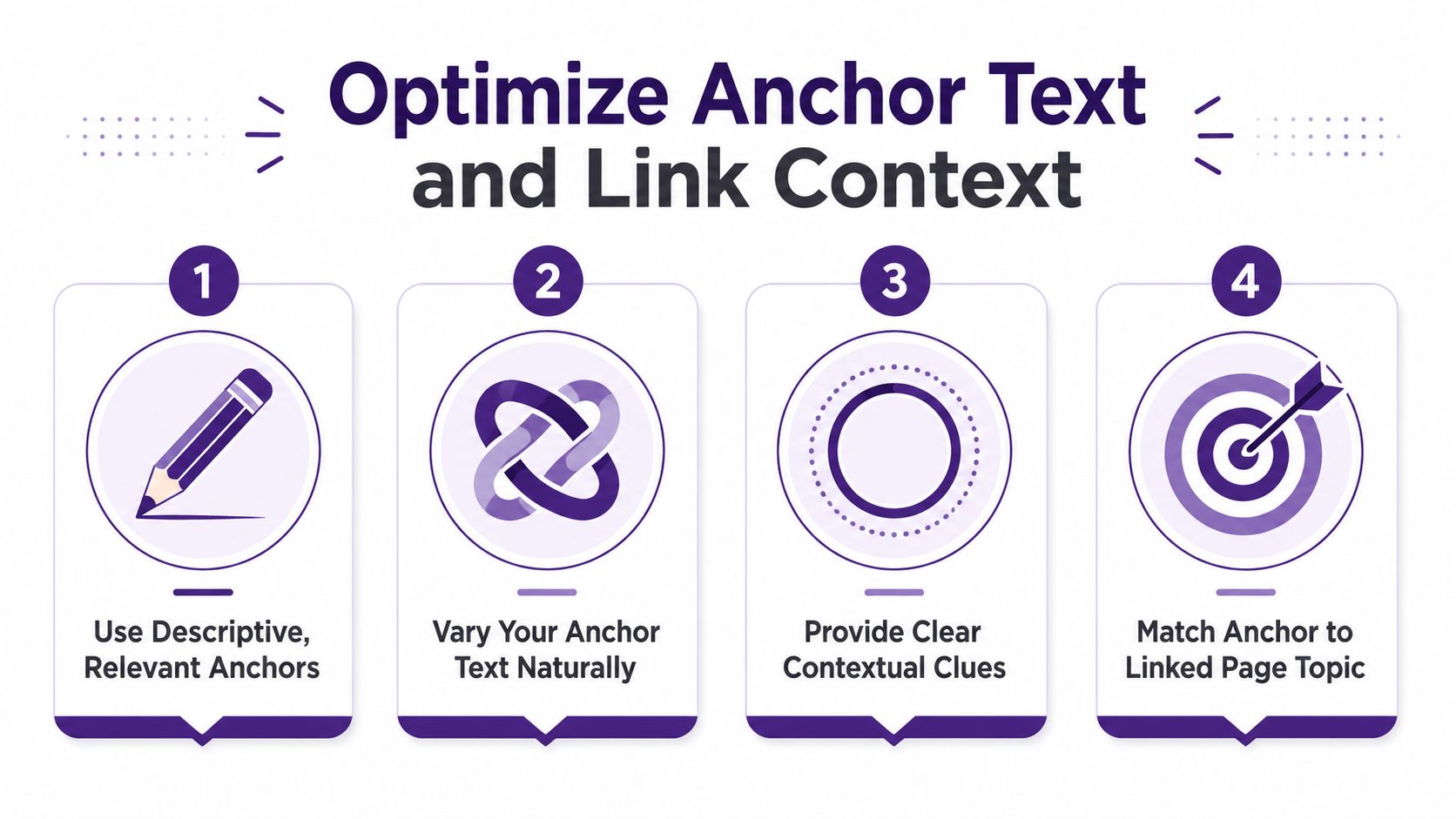
A link can point to the right page and still do a weak job if the surrounding words are lazy. “Click here” and “read more” don't tell anyone much, and they definitely don't help a library of serious content look organized. Descriptive anchor text gives search engines a cleaner clue about what the target page covers, and the text around the link reinforces that clue.
If you want the rule in one sentence, this is it. Anchor text and context matter more than raw link count when the goal is to make pages understandable, not just connected. That fits the broader pattern already visible in the audit data and the crawl guidance, where pages need both discoverability and relevance to earn the payoff.
Replace vague links with descriptive ones
A lazy version might say, “For more details, click here.” A stronger version names the destination, like “see the content repurposing workflow” or “review the publishing taxonomy.” The second version helps readers decide whether to click, and it helps search engines read the connection in plain language.
The wording should be natural, not stuffed. The goal is descriptive variety, not a repeated phrase shoved into every paragraph like it's being paid by the keyword. A few good anchors spread through a page usually do more than a hundred robotic ones.
Keep the page readable and the links useful
The link should fit the sentence, not hijack it. That's why contextual links tend to outperform random footer clutter, because they appear where the reader is already thinking about the related topic. It also keeps the page from feeling like a pinball machine.
A practical way to test the copy is to ask whether a human would still understand the sentence if the link disappeared. If the answer is yes, the sentence probably works. If the answer is no, the anchor is carrying too much of the meaning on its back.
Descriptive anchors make the site easier to scan, and they make the destination easier to trust.
One more useful guardrail is page depth. Practitioner guidance commonly recommends keeping important pages within about 3 clicks of the homepage and avoiding excessive link density so the page doesn't become noise Upward Engine internal linking best practices. That's less about perfection and more about usability, because nobody wants to read a post that looks like a subway map.
Measure SEO and Engagement Impact
The nice thing about internal links is that they leave fingerprints. You can see them in crawl behavior, click patterns, and how often readers move from one page to the next. That gives you something rare in content strategy, a way to measure whether the archive is getting better instead of just feeling busier.
The Zyppy study is the clearest signal here. Again, URLs with 0 to 4 internal links received only 2 Google clicks on average, while pages with 40 to 44 internal links received 4 times more clicks, and traffic started to decline after 45 to 50 internal links Zyppy internal linking study. The headline is not “add more links forever.” The headline is that internal-link volume has a useful range, then diminishing returns show up.
Read the numbers like a publisher, not a technician
If you manage a blog, a video archive, or a podcast network, this data gives you a working scorecard. Pages with too few internal links are likely too hard to discover, and pages with enough strategic links can move more traffic without any new production sprint. That's especially useful for older assets that still deserve attention but no longer get promoted by default.
The best measurement routine is simple. Check which pages are still under-linked, which important pages are already carrying traffic, and which posts deserve a new route from one high-value asset to another. Then compare those patterns over time instead of chasing every individual spike.
Watch how links affect engagement across formats
When a blog post sends readers to a related podcast episode or a video description points back to a deeper guide, the site stops behaving like a dead end. Readers can keep moving through the archive, and that creates more chances for watch time, page depth, and conversions to improve. The exact outcome depends on the format and the library, but the directional effect is easy to understand.
A simple quarterly review works well:
- Check under-linked pages: Find assets that need more internal routes.
- Review high-authority pages: Use strong pages to support weaker but valuable ones.
- Inspect click depth: Keep important content close to the surface.
- Trim overlinked pages: Remove noise where the page feels bloated.
The goal is not just SEO health. It's keeping the content network alive enough that each new reader has somewhere sensible to go next.
Key Takeaways for Sustainable Content Growth
A neglected archive usually shows its symptoms in plain sight. One post still gets traffic, another useful guide sits three clicks deep, and a podcast episode that should support both of them is buried like it never existed. A strong internal linking strategy fixes that by turning old posts, episodes, and videos into a connected system that keeps sending readers to the next useful piece.
For creators and publishers who have moved past hobby mode, the key shift is this. The archive stops being a pile of isolated files and starts behaving like a knowledge network that can keep compounding value. That matters most when the goal is to build a library that earns its keep instead of collecting dust.
The pattern holds across the whole workflow. Audit first, because you cannot improve what you have not mapped. Design taxonomy next, because random links do not scale in a large archive. Then build linking into the editorial process, because memory fades and priorities change. Finish by checking the numbers, because the archive should show that it is getting healthier.
A practical checklist for the next quarter
A content library is easier to repair when the process stays plain and repeatable.
- Map the library: Know what exists before you link it.
- Find orphan pages: Every important page needs a route in.
- Build pillar pages: Give each major topic a home base.
- Add contextual links: Use the body copy to reinforce relevance.
- Audit regularly: Catch broken paths and thin coverage early.
That checklist is enough to keep a large archive from sliding back into chaos. It also gives editors and strategists a clearer way to work together, because once the structure is visible, the team can decide what deserves attention instead of guessing.
The best part is how often neglected libraries were ignored by accident, not by design. They usually need a system that notices what is already there and connects it before the next shiny idea takes over the calendar. A good internal linking strategy does that, and it keeps older work from turning into expensive storage.
If your content library is full of strong work that never quite reaches the next page, Contesimal helps you organize, classify, and connect that archive so it can create new value instead of collecting digital dust. Visit Contesimal to turn buried content into a clearer, smarter system for discovery, collaboration, and revenue-minded reuse.