Project management collaboration is just a fancy way of saying teams need to work together without tripping over each other to get a project done. It’s all about clear communication, knowing who’s responsible for what, and using tools that actually help instead of hinder—especially critical for creative teams, YouTubers, and podcasters moving from hobbyist to professional.
The New Rules of Creative Collaboration
Forget the old days of rigid, top-down project management. That world, where tasks were handed down from a mysterious ivory tower and teams worked in total isolation, just doesn't fly anymore. For today's content creators, YouTubers, and publishers, that old-school model is a creativity killer.
The speed of content creation demands something more fluid, more dynamic. It requires true project management collaboration.
This isn't about Gantt charts and endless status meetings. It's about building a shared ecosystem where everyone—from the writer brainstorming a script to the video editor in the final stages—understands their role and how it connects to the bigger picture. We’re talking about a massive shift from strict control to shared ownership and turning your old longform content into a money maker today.
Why Old Methods Fail Creative Teams
Let’s be real: traditional project management is famous for creating bottlenecks. A script gets stuck waiting for one person’s approval. A graphic designer can’t start because they don't have the right assets. The marketing team is completely out of the loop on the production schedule. All this friction just kills momentum.
The modern approach is built on a different foundation:
- Agility: You need the ability to pivot on a dime. If a new video concept is suddenly trending, you can’t afford to wade through bureaucratic red tape to jump on it to generate more audience engagement across platforms.
- Transparency: When everyone has access to the same information, it builds trust. It also empowers people to make smart decisions on their own without needing constant hand-holding.
- Integration: Your tools have to talk to each other. Think of a central content library in Contesimal that connects directly to your project boards. This simple link eliminates confusion and creates a single source of truth for the entire team.
This collaborative mindset isn’t just a nice-to-have; it's the engine that drives both efficiency and innovation. It’s how you reignite your content library, upcycle old assets, and bring it all to life to create infinite content value.
It's no surprise that the demand for professionals who get this is exploding. Companies are finally recognizing that great collaboration is what separates winning teams from the rest, with projections showing a need for 25 to 30 million more project managers by 2035.
If you're looking to adapt to modern work models, especially with distributed teams, it's worth checking out some effective remote teamwork strategies that work. This massive growth in demand just goes to show how much value companies are placing on building collaborative systems that actually deliver results.
Defining Clear Roles for Frictionless Handoffs
Nothing brings a creative project to a screeching halt faster than ambiguity.
The moment a team member has to ask, "Wait, who owns this part?" you're not just losing time—you're losing creative momentum. Solid project management collaboration depends on everyone knowing their exact role and what’s expected of them, especially during those critical handoff moments.
Without that clarity, projects get messy. You end up with a frustrating cycle of missed deadlines and duplicated work. In fact, misalignment right at the start is one of the biggest reasons projects fail, with teams jumping into tasks before anyone really knows who's responsible for what. This is where defining roles becomes your most powerful tool for a smooth, efficient workflow.
This is the shift we're aiming for: moving from isolated silos to dynamic teams that actually drive revenue.
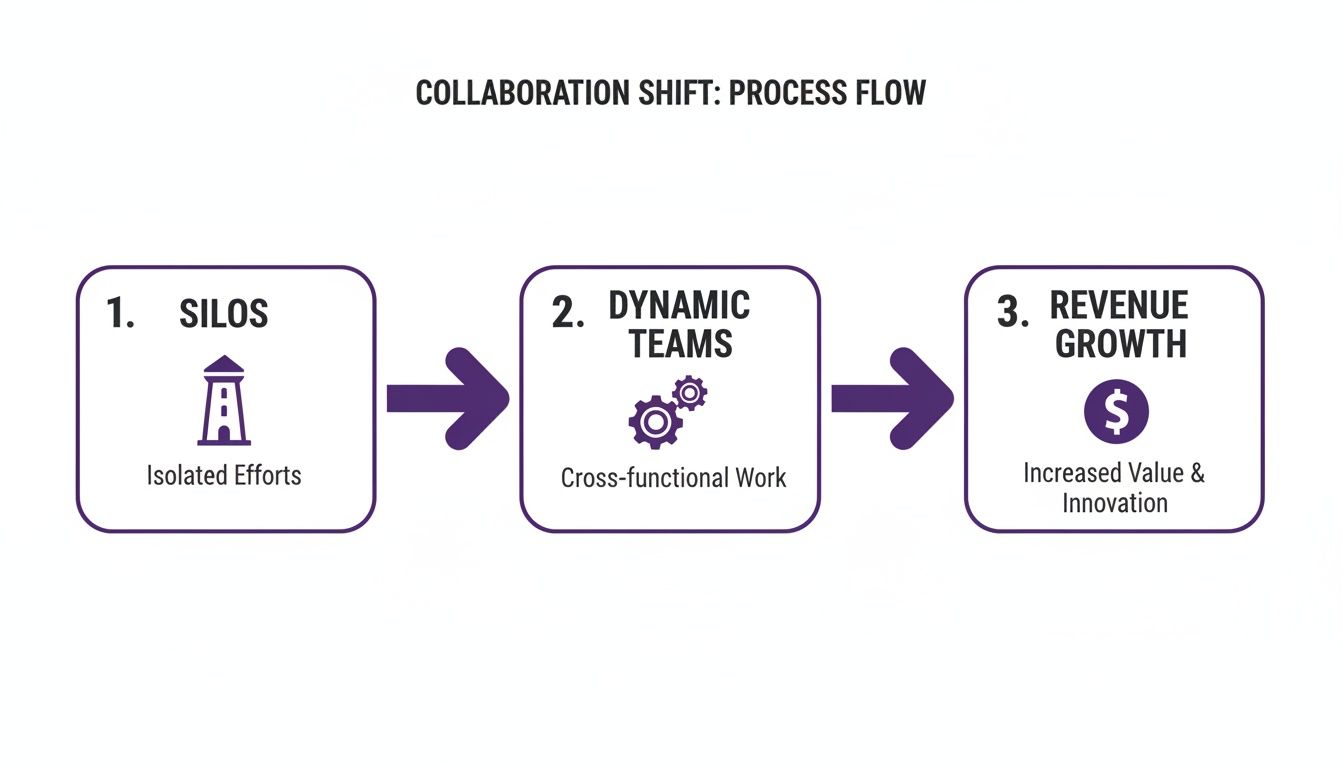
The image really drives the point home—when you break down walls and create interconnected teams, you unlock the ability to generate real value from your projects.
Adapting Frameworks for Creative Teams
Generic job titles just don't cut it. To truly get rid of bottlenecks, you need a system. A popular one that works wonders is RACI, which stands for Responsible, Accountable, Consulted, and Informed. It’s a simple but incredibly effective way to map out who does what for any given task.
- Responsible: This is the person doing the actual work.
- Accountable: This is the person who owns the work and gives the final thumbs-up. There should only be one "A" per task to avoid confusion.
- Consulted: These are your subject matter experts who provide input before the work gets done. Think of them as your advisors.
- Informed: These are the people who need to be kept in the loop on progress after the work is done. No action is needed from them, just awareness.
By clearly assigning these roles before a project kicks off, you replace confusion with confidence. Team members can move forward on their own, knowing exactly who to loop in and when. It turns chaotic handoffs into seamless, predictable transitions.
Let's make this real. Imagine you’re a podcaster turning a popular audio series into a new YouTube channel. A RACI chart for the "Script Adaptation" phase might look something like this:
| Task | Responsible | Accountable | Consulted | Informed |
|---|---|---|---|---|
| Adapt Audio Script | Freelance Writer | Head of Content | Host, Video Editor | Marketing Team |
| Gather Visual Assets | Video Producer | Head of Content | Graphic Designer | Freelance Writer |
| Review Final Script | Head of Content | Head of Content | Host, Legal Team | Entire Project Team |
This simple chart instantly clears things up. The writer knows they need input from the host and editor. The Head of Content has the final sign-off. The marketing team stays updated without becoming a roadblock.
This is the foundation of frictionless project management collaboration—a system where everyone contributes at the right time, keeping the project moving forward without a hitch.
Building a Communication Rhythm That Works
Constant pings, non-stop emails, and back-to-back meetings aren't signs of great project management collaboration—they're symptoms of chaos. Effective communication isn’t about being “always on.” It's about creating a deliberate rhythm that keeps everyone in the loop without causing burnout or killing creative energy.
This all comes down to finding the sweet spot between synchronous and asynchronous communication.
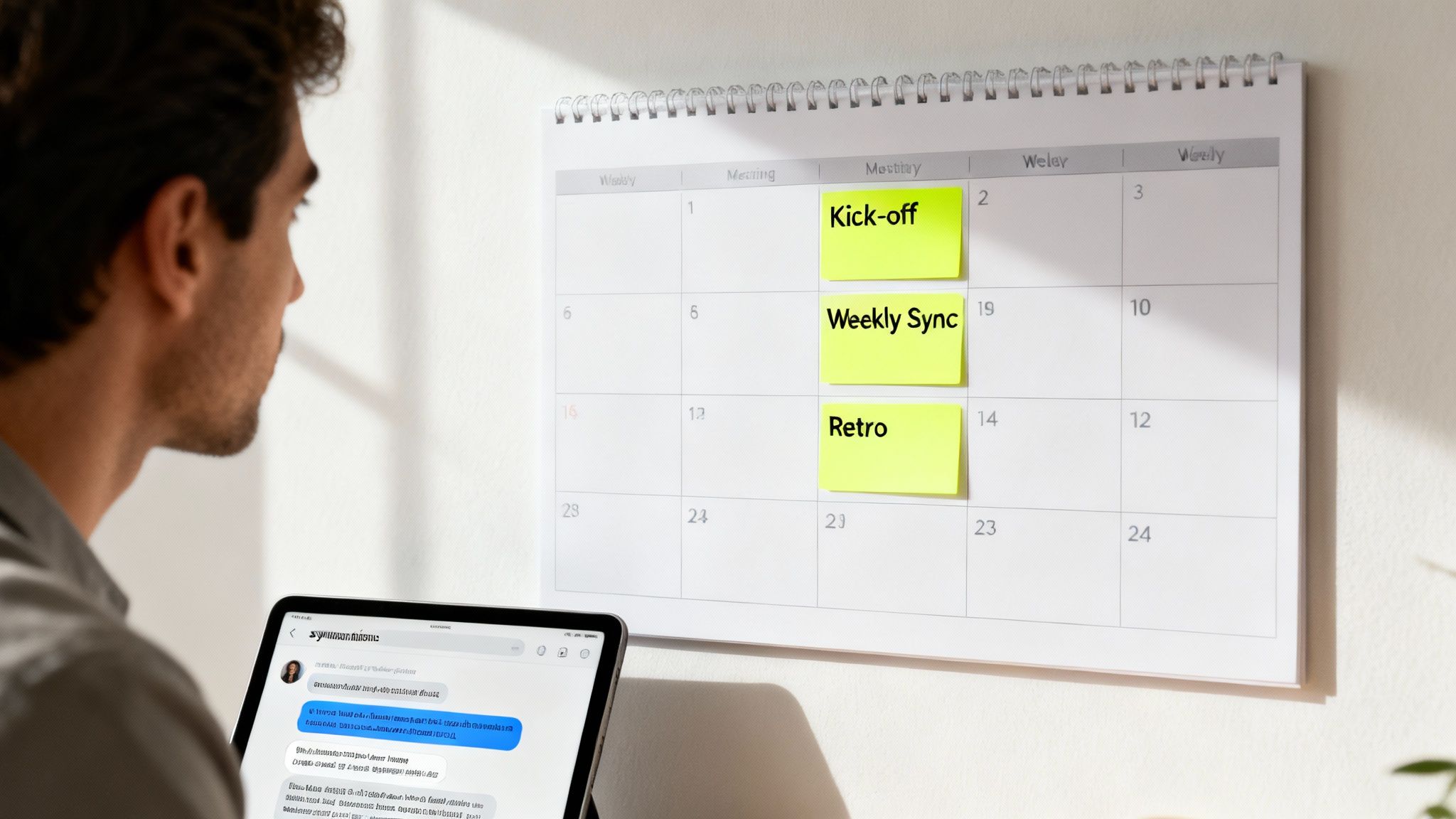
Here's how I think about it: synchronous communication is for connection, while asynchronous is for progress. One builds relationships and untangles complex problems in real time, while the other protects focus and allows for deep, thoughtful work.
Sync vs. Async: When to Use Each
Knowing which communication style to use is a game-changer, especially for creative teams. Wasting everyone's time on a meeting that could have been a quick update in your project tool is a major source of friction.
Here’s a simple breakdown I use to guide my team’s interactions:
-
Go Synchronous for:
- Project Kick-offs: You need that live energy to build excitement, align on the vision, and hash out initial roles.
- Complex Problem-Solving: When you need a rapid back-and-forth to brainstorm solutions and bounce ideas off each other.
- Team-Building and Retrospectives: These are all about fostering connection and discussing sensitive feedback, which is best done face-to-face (even virtually).
-
Go Asynchronous for:
- Daily or Weekly Status Updates: Let people share progress without derailing their entire morning. A dedicated channel works wonders.
- Sharing Feedback on a Draft: This gives reviewers time to provide thoughtful, detailed notes on their own schedule. No one feels put on the spot.
- General Announcements: For non-urgent info that the team can catch up on when they have a moment.
Getting this balance right is critical because when employees collaborate effectively, the results are undeniable. Research shows that well-collaborating teams see 73% produce better work, 60% become more innovative, and 56% report higher job satisfaction. On the flip side, a staggering 86% of leaders point to a lack of collaboration as the main reason for workplace failures. If you want to dive deeper into the data, you can discover more about these impactful statistics.
Establishing a Predictable Cadence
A consistent communication schedule takes the guesswork and anxiety out of the equation. Everyone knows when to expect updates and when they need to be available for meetings. That predictability fosters trust and empowers people to make decisions on their own.
The goal is to make communication feel like a steady, reliable pulse—not a series of random, jarring alarms. A well-designed rhythm gives your team the structure they need to be creative.
For a content team, this might look like a simple, repeatable schedule:
- Monday Morning Kick-off (Synchronous): A quick 20-minute meeting to set priorities and get everyone aligned for the week ahead.
- Daily Stand-ups (Asynchronous): Each team member posts a brief update on their progress and any blockers in a dedicated Slack or Teams channel. No meeting required.
- Friday Retrospective (Synchronous): A 30-minute meeting to celebrate wins, talk through challenges, and fine-tune processes for next week.
By designing a communication cadence that respects your team's time and focus, you create an environment where true project management collaboration can actually happen. The result? Better content and a happier, more productive team.
Integrating Your Tools for a Single Source of Truth
If your team has to jump between five different apps just to get a read on a project's status, your tools are working against you. That constant context-switching is a momentum killer, plain and simple. It creates confusion and drains creative energy.
True project management collaboration depends on building a unified tech stack—a single source of truth where everyone can find what they need without a scavenger hunt.
The goal is to create an ecosystem where information flows effortlessly between your chat apps, project boards, and content hubs. When you get this right, tracking tasks, finding assets, and checking on progress all happen in one cohesive space.
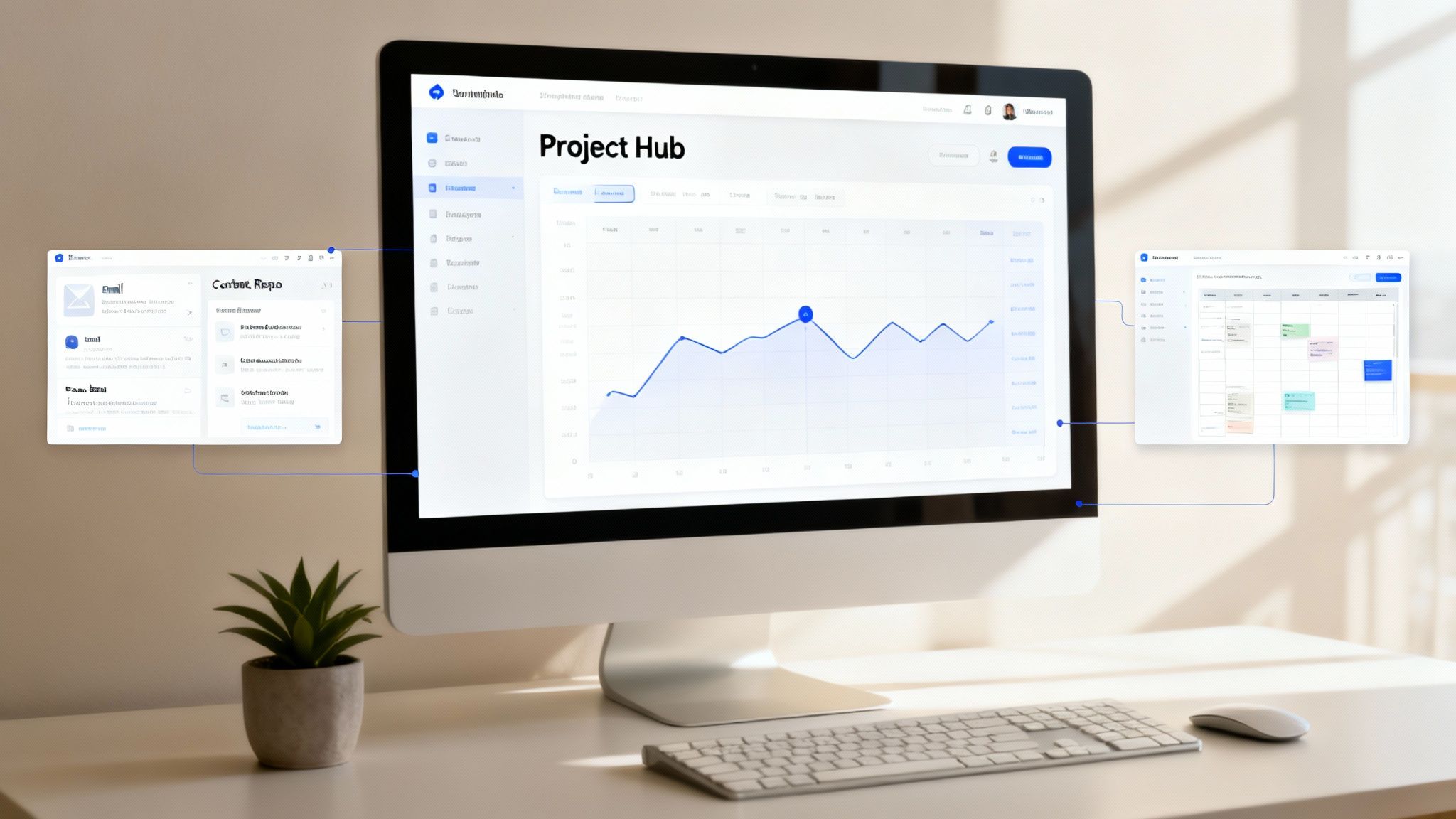
This kind of integration isn't just a "nice-to-have." It cuts out the mind-numbing manual updates and frees up your team to focus on what they do best: creating incredible work.
Connecting Your Core Workflow
For most creative and marketing teams I've worked with, the collaboration stack really comes down to three key areas. Getting these three pillars talking to each other is the first, most critical step toward a smooth workflow.
- Communication Hub (like Slack or Microsoft Teams): This is where the real-time conversations, brainstorms, and quick questions live. When you connect it to your project tool, a brilliant idea tossed out in a chat can become an assigned task in seconds—without anyone leaving the conversation.
- Project Management Platform (like Asana, Trello, or Monday.com): This is mission control. It’s where work gets organized, assigned, and tracked. Linking this to your content library means you can attach the exact asset directly to a task, so an editor knows precisely which video file or graphic to grab.
- Content Repository (like Contesimal or Google Drive): This is home base for all your creative assets—scripts, videos, graphics, you name it. A well-organized, connected repository is the foundation for your entire operation.
To really nail this, you might look into dedicated marketing collaboration software designed to centralize assets and tie these workflows together. It ensures every piece of the puzzle is connected.
Building a Centralized Asset Hub
A scattered content library is a productivity black hole. I’ve seen it a hundred times: final videos are in one place, raw footage is in another, and the scripts are buried in someone’s email. It’s a recipe for disaster.
This is where a dedicated digital asset management (DAM) system becomes a game-changer. For content teams, a platform like Contesimal can act as the central nervous system for your entire library. By connecting it to your other tools, you ensure everyone is always pulling from the same, up-to-date source.
If you’re exploring options, our guide on the best digital asset management software is a great place to start.
A single source of truth isn't just a tech buzzword; it's a strategic advantage. It reduces errors, speeds up production cycles, and gives your team the confidence to move quickly without second-guessing their information.
For example, imagine a world where updating a project status in Asana automatically pings the right channel in Slack. Or when a new graphic is uploaded to your DAM, the link is instantly added to the relevant Trello card.
These small automations add up to massive time savings and a huge drop in human error. That's what real project management collaboration looks like in action.
Essential Collaboration Tool Integration Checklist
To get a clearer picture of your own setup, it helps to do a quick audit. Use this checklist to map out where your tools are already connected and, more importantly, where the gaps are.
| Integration Point | Purpose | Example Tools | Status (Integrated/Needs Integration) |
|---|---|---|---|
| Chat <> PM Tool | Turn conversations into actionable tasks instantly. | Slack <> Asana | |
| PM Tool <> DAM | Attach specific, version-controlled assets to tasks. | Monday.com <> Contesimal | |
| DAM <> Creative Suite | Pull approved assets directly into design software. | Contesimal <> Adobe CC | |
| Email <> PM Tool | Convert client requests or feedback into new tasks. | Gmail <> Trello | |
| Calendar <> PM Tool | Sync project deadlines with team calendars. | Google Calendar <> Asana | |
| Analytics <> PM Tool | See performance data right next to the campaign tasks. | Google Analytics <> Monday.com |
Walking through this exercise will give you a concrete action plan for building a truly integrated system. It’s the first step toward stopping the tool-switching madness for good.
Measuring Collaboration to Drive Real Results
Great collaboration feels productive, but how do you prove it's actually moving the needle? If you're relying on gut feelings, you're missing the real story. To understand the impact of your teamwork, you need to look at the data.
This means getting serious about key performance indicators (KPIs) that connect your collaborative efforts to tangible outcomes. It's time to move beyond vanity metrics like "tasks completed" and start tracking the numbers that reveal the true health of your workflow.
Key Collaboration KPIs to Track
To get started, focus on metrics that expose friction or highlight efficiency in your content creation process. These numbers will give you a baseline, making it easy to spot improvements or identify new bottlenecks as you go.
Here are a few powerful indicators I always recommend tracking:
- Time Spent in Revision Cycles: How long does a piece of content—whether it's a video script or a new landing page—get stuck in review? High numbers here are a red flag. It often points to a fuzzy initial brief or a breakdown in communication during the feedback stage.
- Asset Completion Velocity: What’s the average time it takes to get from project kickoff to final delivery? If you can speed this up without sacrificing quality, it's a crystal-clear sign your handoffs and teamwork are getting smoother.
- Team Project Sentiment Scores: After a big project wraps, send out a simple, anonymous survey. Ask your team to rate the collaboration process on a 1-10 scale. This is a surprisingly effective way to gauge morale and uncover frustrations simmering below the surface.
Measuring collaboration turns it from a "soft skill" into a hard business driver. When you can show a 20% reduction in revision time, you’re not just talking about teamwork; you’re talking about saving real time and money.
Linking Collaboration to Business Outcomes
Ultimately, the goal is to tie these improvements directly to business results. And don't worry, this isn't just wishful thinking—the connection between highly engaged, collaborative teams and financial success is well-documented.
In fact, high-performing teams in the top engagement quartile see roughly 23% higher profitability, 18% greater sales productivity, and 14% higher production output than teams in the bottom quartile. The data is clear: fostering and measuring collaboration pays off. For a deeper dive into these numbers, you can read the full research on team collaboration statistics.
By tracking your collaboration KPIs right alongside your content's success metrics, you can start drawing some powerful conclusions. You might discover that projects with higher team sentiment scores also happen to perform better with your audience. If you want to get started, check out our guide on how to analyze content performance and see how these two datasets can tell a story together.
This approach lets you make smarter decisions. You can pinpoint which collaborative habits lead to the best results, double down on what works, and continuously fine-tune your process for maximum impact.
Making New Processes Stick with Smart Change Management
A brilliant new workflow is completely useless if nobody on the team actually uses it. You can define perfect roles and build the best tech stack, but the final, most crucial piece of effective project management collaboration is always the human element. Getting your team to actually want to adopt new systems requires some thoughtful change management.
The key is to make the "right way" of doing things the "easy way." This isn't about enforcing rules from on high; it's about reducing friction until the new process becomes the path of least resistance.
Start with Simple Templates and Playbooks
Instead of just telling your team about a new process, you have to give them the tools to execute it effortlessly. This is where simple, repeatable templates and playbooks become a game-changer for adoption. Think of them less as rigid instruction manuals and more as starter kits for success.
For instance, a "New YouTube Video Project" template could come pre-loaded with:
- Key tasks: Scripting, filming, editing, thumbnail creation.
- Role assignments: Automatically tag the video editor and social media manager.
- Checklists: A quick list of required assets, like B-roll clips and brand graphics.
This immediately removes the mental gymnastics of starting from a blank slate. Team members can just grab the template and run with it. This builds consistency and helps the new workflow feel natural right from day one. If you're looking for inspiration, you can find some excellent process documentation examples to get your own playbooks started.
Communicate the "Why" and Champion Early Adopters
People are far more likely to embrace change when they understand the reason behind it. You have to clearly communicate how this new system will make their jobs easier, cut down on frustrating bottlenecks, and help everyone create better content faster.
Don't just announce a change; sell the vision. Focus on the benefits for the team, not just the business. When your team feels empowered rather than burdened, you create genuine buy-in.
Look for the enthusiasts on your team—you know, the ones who get genuinely excited about trying new tools and processes. Make them your champions. Give them early access, ask for their feedback, and let them help guide their peers. Their positive energy is contagious and way more effective than any top-down mandate.
This human-centered approach is especially critical today. Project management is evolving fast, with hybrid models really taking hold. By 2024, 31.5% of companies were already using them. And looking forward, 73% of organizations plan to lean even more on hybrid practices, which demands strategies that help teams navigate constant change. Your ability to manage this shift will ultimately decide if your investment in better collaboration pays off.
Common Questions About Project Management Collaboration
Even with the best plan in place, shifting how your team works together is going to stir up some questions. It always does. Here are some of the most common ones we hear from creative teams and publishers, along with some straight-up answers from our experience.
How Do We Handle Resistance to New Tools?
Look, nobody likes being told the way they've always done things is suddenly wrong. Resistance is a totally normal human reaction, especially when your team is already comfortable with their current workflow.
The trick is to stop pushing the what and start selling the why. You have to clearly show how this shiny new tool will actually fix a real, frustrating bottleneck they deal with every single day. Make it about them, not about the tool.
Instead of a company-wide mandate, try starting small. Find a single, enthusiastic team to pilot the new software. Their success stories and genuine excitement will do more to win over the skeptics than any top-down order ever could. Organic buy-in is always more powerful.
What’s the Ideal Number of Collaboration Tools?
There isn't a magic number, but the real goal here is consolidation. If your team has to jump between more than three core platforms just to get their daily work done—say, a chat app, a project management board, and a content hub like Contesimal—you're probably dealing with tool sprawl.
Your aim should be a tightly integrated tech stack. The tools need to talk to each other to create a single source of truth, not a jumble of disconnected information silos. This cuts down on the constant context switching that kills focus and creates confusion.
The best tech stack isn't the one with the most bells and whistles. It's the one that feels completely seamless to your team. Focus on deep integration over just accumulating more software.
How Can We Improve Collaboration with Freelancers?
When you're working with external partners, it all comes down to two things: clarity and access. The biggest friction points usually stem from one of these two breaking down.
Make sure you have a solid onboarding process that gets freelancers set up in your core project management tool from day one. They need crystal-clear instructions on how you expect them to communicate updates, submit their work, and ask questions.
And please, treat them like they're part of the team. Give them access to the project files and documentation they need to do their job well. Use a simple RACI chart to define their role and bring them into the relevant kickoff meetings. A little proactive effort here prevents those painful misunderstandings that lead to endless revision cycles and blown deadlines.
Ready to build a central hub where your team can actually find what they need? Contesimal helps humans and AI to collaborate and discover in a healthy and seamless way. Organize your entire content library, make it easier to discover assets, create new work, and generate real value from your existing content. See how it works at https://contesimal.ai.