
Enterprise content management solutions are strategic systems built to capture, manage, store, and deliver an organization's most important information. For content creators and publishers, this means transforming a chaotic library of videos, podcasts, and articles into a lean, high-efficiency studio ready for monetization and growth.
What Is Enterprise Content Management
Picture your entire content library as a sprawling workshop. It’s filled with years of projects, tools, and raw materials. Videos are stacked in one corner, podcast audio files in another, and blog post drafts are scattered across various workbenches.
Finding the right clip or quote feels like a treasure hunt without a map. This isn’t just disorganized—it actively stops you from building new value from the assets you already own.
Enterprise Content Management (ECM) is the master plan that brings order to this creative chaos. It’s so much more than basic cloud storage like Dropbox or Google Drive. An ECM provides a strategic framework to manage every single piece of content throughout its lifecycle, from the initial spark of an idea to its final publication and eventual archiving.
More Than Just a Digital Filing Cabinet
For creators, publishers, and marketers, a good ECM system acts as a central command center. It’s the single place where every asset is intelligently ingested, tagged with metadata, and secured. The whole point is to tear down data silos, where valuable content gets trapped on individual hard drives or completely forgotten in old project folders.
By providing a single source of truth, an ECM ensures your entire team—whether they're writers, editors, or marketers—is working from the same playbook. This consistency crushes version confusion and makes collaboration feel effortless, especially as your team grows from a solo act into a professional media operation.
Turning Your Library Into a Strategic Asset
When your library is properly organized, it’s no longer just a passive archive; it becomes an active, strategic tool you can use every single day. With a solid ECM in place, you can finally get a real grip on your creative output. This control is the first step toward reigniting your content library and bringing it back to life.
Here are the immediate wins you get from adopting an ECM mindset:
- Improved Discoverability: Instantly find specific clips, quotes, or articles using advanced search functions. This saves countless hours you’d otherwise spend searching manually.
- Enhanced Collaboration: Give team members access to the most current versions of content, smoothing out workflows from creation all the way to distribution.
- Foundation for Monetization: An organized library is absolutely essential for upcycling old content into new, revenue-generating formats like compilations, social media clips, or e-books.
Ultimately, enterprise content management solutions help you organize, understand, and take action on the creative assets you’ve worked so hard to produce. For a deeper dive, this guide on Mastering Enterprise Content Management Solutions offers a great look at the strategic framework.
Platforms that add AI into the mix take this a huge step further, creating a true content intelligence platform that doesn't just store your work—it actually analyzes it and helps you find hidden opportunities.
Understanding The Core Components Of An ECM
To really get how an enterprise content management solution can turn a messy digital library into a well-oiled creative machine, you have to look under the hood. At their heart, these platforms run on a five-part cycle that handles every piece of content you create, from the first draft to the final delivery. Think of it as the ultimate production assistant, stepping in to handle all the boring organizational stuff so you can get back to creating.
Each part of this cycle has a specific job, and they all work together to build a system that organizes, protects, and squeezes every drop of value out of your content. Once you understand this flow, you'll see that an ECM is way more than just a place to dump files—it’s a strategic powerhouse for your entire operation.
This diagram breaks down how an ECM captures, organizes, and secures all your information and assets in one interconnected system.
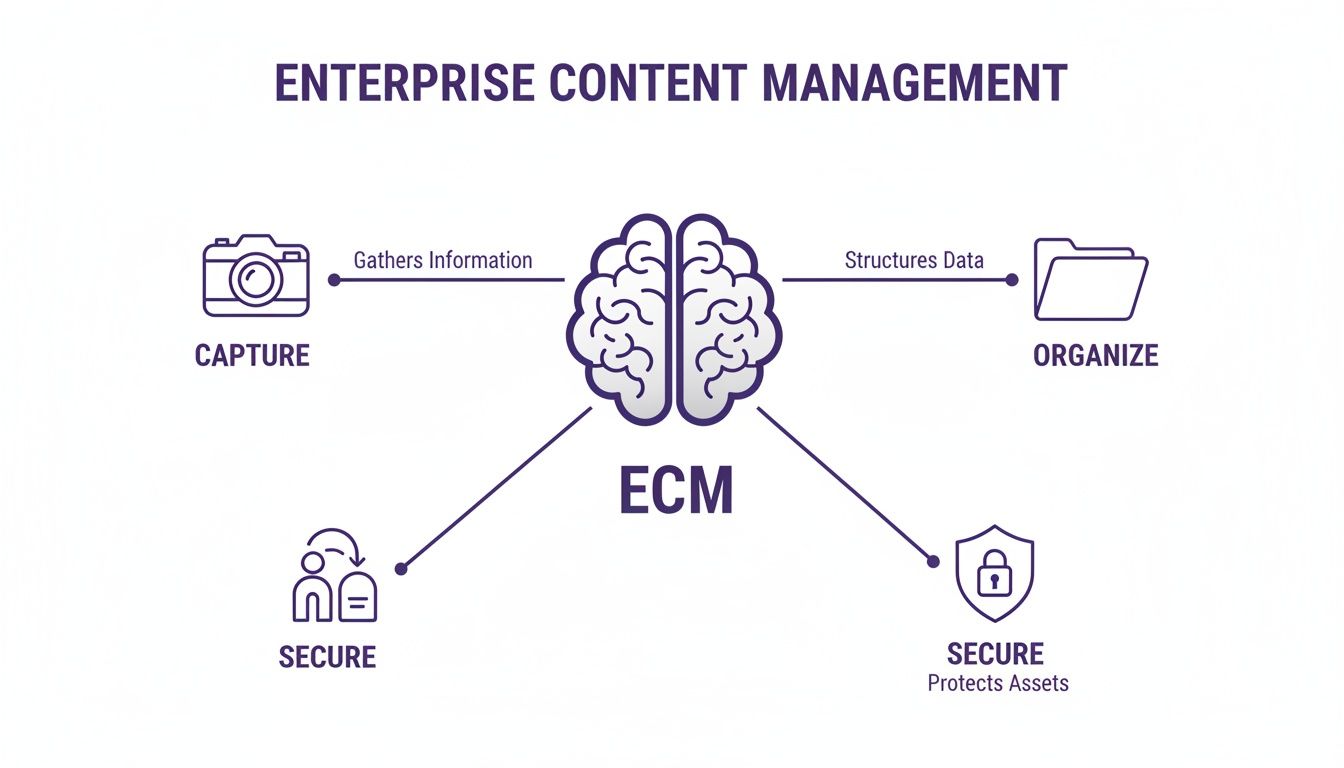
The image makes it clear that a good ECM isn't just a digital filing cabinet. It’s a dynamic environment where your content is actively managed and protected from start to finish.
Capture and Manage Your Content
The first two steps, Capture and Manage, are where order starts to form out of all the chaos. The capture phase is all about getting your content into the system without a fuss. We're not talking about endless dragging and dropping; modern ECMs automate a ton of this work.
For instance, the moment you upload a new podcast episode, the system can automatically pull it in, transcribe it, and index it for you. This works for video files, blog drafts, scanned contracts—you name it.
Once the content is in, the Manage function kicks in. This is where the platform’s real brainpower is on display. Instead of just sitting in a folder named "Final_V2_Draft_NoReallyThisTime," your content gets tagged with metadata, sorted into categories, and linked to other related assets. A huge piece of this is keeping everything secure with robust access control policies, which control who can see, edit, or publish what. This stops unauthorized changes in their tracks and keeps sensitive projects under lock and key until you’re ready to go public.
An ECM’s management function acts like a brilliant librarian for your digital assets. It doesn't just know where a video is; it knows what's inside the video, who worked on it, and which other assets are related to it, making discovery instant and intuitive.
Store and Preserve Your Library
With your content captured and managed, the next steps are all about keeping it safe and sound for the long haul. The Store function gives you a secure, central home for all your files. This immediately gets rid of the risk of losing valuable assets that are scattered across random hard drives or personal cloud accounts.
This isn't just cold storage, either. It’s dynamic, built for active content your team needs to grab and modify all the time. It includes version control, so you can easily track edits on a script or jump back to an earlier cut of a video without any confusion. For creators with growing teams, having this single source of truth is a game-changer for collaboration.
Next up is the Preserve component, which focuses on long-term archiving. This is more than a simple backup. It’s about making sure a video you shot five years ago is still accessible, viewable, and usable down the road, no matter how much file formats or technology change. For publishers and creators who need to keep historical records for compliance—or want to monetize their back catalog for years—this is absolutely critical.
Deliver Your Content to the World
Finally, the Deliver component makes sure your finished content gets to the right people, on the right channels, at the right time. A smart ECM plugs right into your distribution tools, making it simple to publish a blog post, schedule a bunch of social media clips, or send a final video cut to a client. This function closes the loop, turning your beautifully organized library into real-world output that drives engagement and brings in revenue. By handling the entire process, an ECM helps you unlock infinite content value from the work you do.
Why Your Content Library Needs An ECM Strategy
If you're a professional creator transitioning from a hobbyist, you know the journey. What started as a passion project quickly snowballed into a massive library of videos, podcasts, and articles. This content is probably scattered across a dozen hard drives and cloud folders—a digital mess that’s more than just disorganized. It's a huge missed opportunity.
Without a real strategy, your most valuable assets are buried, impossible to find, and a pain to monetize. This is where an enterprise content management (ECM) strategy isn't just a "nice-to-have," it's a critical business move. It’s the framework that turns your chaotic archive into an organized, searchable goldmine. You're not just tidying up files; you're building the foundation to scale your business, work with a team, and upcycle the content you've already made.
This isn’t some niche idea, either. The global ECM market is set to explode, projected to climb from around USD 50.15 billion in 2025 to a staggering USD 190.87 billion by 2035. This growth signals just how vital these tools are becoming for podcasters, publishers, and video creators drowning in their own success. You can dig into the full report on the enterprise content management market's growth if you're curious.
Unlock Your Content Goldmine for Monetization
Think about it: a well-organized content library is the bedrock of smart content repurposing. Imagine trying to stitch together a "greatest hits" compilation from five years of footage without being able to find your best clips. It would be a nightmare of sifting through folders and praying you remember the right file names.
An ECM strategy makes this process simple. By tagging assets with rich metadata—like topics, guests, or even audience reactions—you can instantly pull every relevant clip you need.
Suddenly, a world of repurposing opportunities opens up:
- Spin-off Content: Easily grab old footage to create short-form videos for TikTok, Instagram Reels, or YouTube Shorts, breathing new life into your long-form work.
- Curated Compilations: Quickly assemble highlight reels, themed playlists, or "throwback" episodes that re-engage your audience with content you know works.
- Product Creation: Pinpoint your most popular topics and use that content to build new products like e-books, online courses, or premium newsletters.
Organizing your library is like creating a menu of content assets. You can pick and choose what to serve your audience to generate fresh revenue streams.
Drive Smarter Content Creation with Data
Beyond just making money from old content, an ECM system becomes an analytical beast that can shape your future strategy. When your library is centralized, you can analyze performance data to spot the hidden patterns that lead to your next viral hit.
I know a YouTuber whose channel growth had completely flatlined. By using an ECM to tag and analyze their most-watched videos, they found a common thread: their highest-engagement videos all followed a specific tutorial style. Armed with that insight, they launched a new series based on that format, and it quickly became their most popular content ever.
This is what happens when you turn your content history into actionable intelligence. An ECM helps you ditch the guesswork and start making data-backed decisions about what to create next. You end up focusing your energy on what actually resonates with your audience.
Scale Your Team with Seamless Collaboration
As a creator's brand grows, so does the team. Suddenly you've got editors, writers, and social media managers who all need to access the same stuff. Without a central system, you're trapped in an endless cycle of emailing massive files, wrestling with version control, and dealing with inconsistent branding.
An ECM strategy cuts through that chaos by creating a single source of truth. Everyone works from the same playbook, with clear permissions and workflows.
An editor can find approved B-roll in seconds. A writer can access the latest script revision without asking. A marketer can pull brand assets without sending a single Slack message. This level of organization is non-negotiable for any creator trying to grow from a one-person show into a professional media business. It ensures that as your team gets bigger, your work gets better and more efficient, not slower.
How AI Is Revolutionizing Content Management
Think of older enterprise content management systems like a library's card catalog. They were a huge leap from messy digital folders, sure. They could tell you where something was, but only if you knew exactly what you were looking for. Today, artificial intelligence is turning these digital filing cabinets into something more like a savvy research partner—one that actually understands your content.
AI completely flips the script by automating the grunt work that used to be painfully manual. Remember having to watch a whole video just to add tags like "marketing tips" or "audience growth"? AI does that on its own. It listens to the audio, watches the visuals, and reads the text to generate rich, descriptive metadata in a flash.
This isn't just a time-saver. It's about unlocking a layer of insight in your content library that was impossible to get to before.
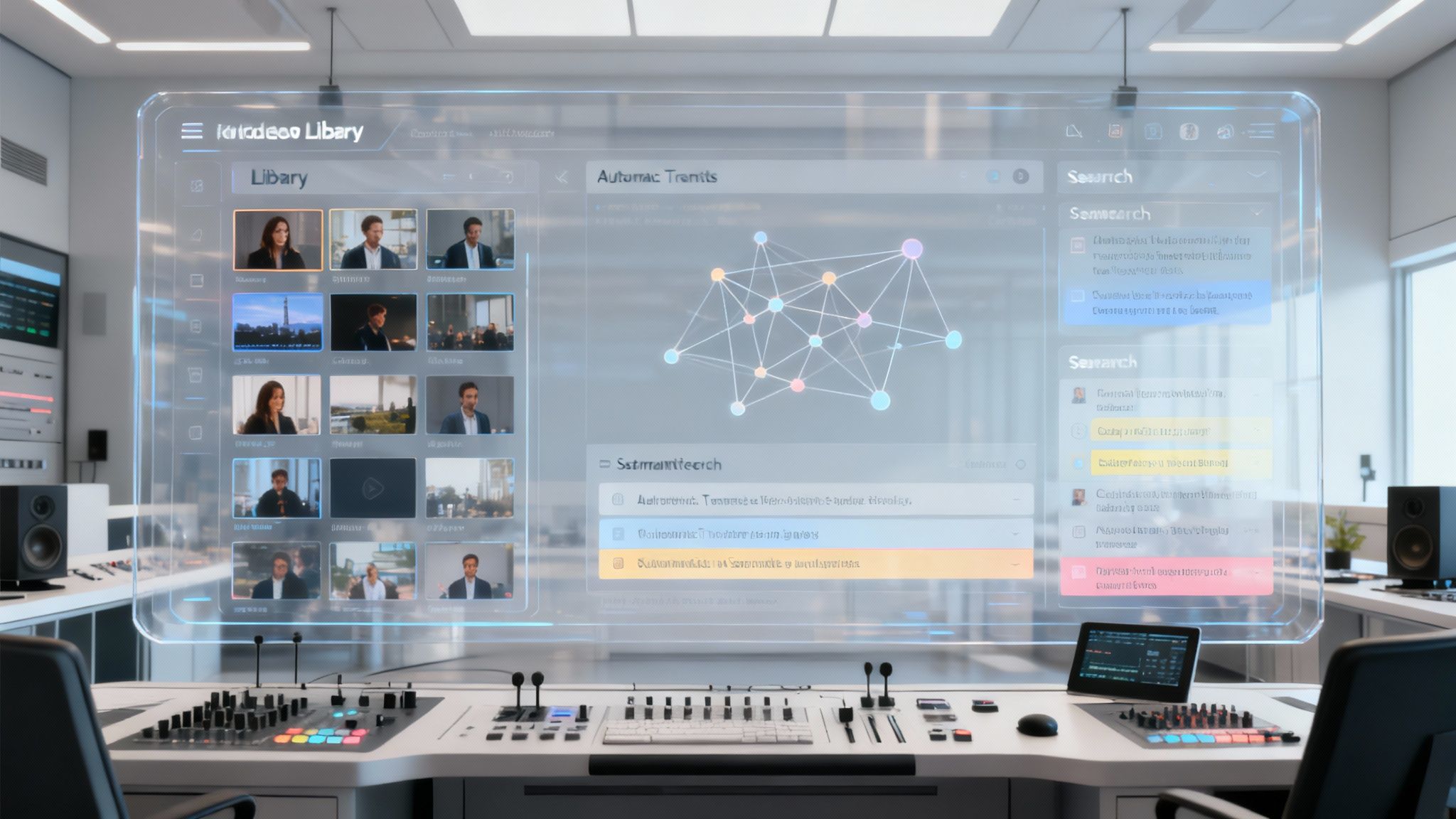
This image isn't just sci-fi fluff; it's a great visual for how AI sees your content—not as a simple list of files, but as an interconnected web of knowledge. It can spot patterns and draw lines between different videos, text files, and images all at once.
The Power of Semantic Search
One of the biggest shifts AI brings to the table is the move from keyword search to semantic search. A classic ECM might find a video if the title has the exact phrase "audience growth strategies." But what if you talked about the same idea using different words, like "expanding your viewership" or "finding new subscribers"? The old system would come up empty.
Semantic search gets the meaning and context behind what you're asking. It’s like having a research assistant who has watched every single second of your content.
You can literally ask your entire library questions like:
- "Show me all the clips where I sounded most excited about a new project."
- "Find the moments in my podcasts where a guest talked about monetization."
- "Pull every instance where I compared two different software tools."
This kind of understanding turns your content archive from a silent storage locker into an active, conversational partner. It makes finding what you need less of a chore and more of a creative spark.
An AI-powered ECM doesn't just find what you ask for; it anticipates what you might need. It can suggest related concepts, identify recurring themes in your most successful content, and even highlight clips with strong emotional sentiment that would be perfect for a promotional trailer.
From Document Management to Intelligent Discovery
AI is also changing how we handle all the documents that support our content—contracts, scripts, reports, you name it. A process called Intelligent Document Processing (IDP) uses AI to pull out and make sense of information locked inside these files. If you want to see just how much this is shaking up workflows, check out our deep dive on what is intelligent document processing. The goal is to make every piece of information in your ecosystem searchable and useful.
This intelligence layer lets an enterprise content management solution do more than just hold files. It actively helps you create new value from what you already have. For instance, an AI might analyze all your past video scripts and suggest blog post topics that have already proven to hit home with your audience.
The Creative Co-Pilot
At the end of the day, AI-driven content management is a creative co-pilot. For creators and publishers making the jump from hobbyist to pro, this is a massive leg up. It helps you get your assets organized, understand what makes your best content tick, and take smart, decisive actions to grow your brand.
Platforms like Contesimal are built on this exact idea—helping humans and AI collaborate seamlessly to find new opportunities. By turning your library into a goldmine of insights, AI-powered tools empower you to upcycle old content, spark new ideas, and create infinite value from the assets you already own.
Choosing The Right ECM Solution For Your Creative Team
Finding the right enterprise content management solution isn't a one-size-fits-all deal, especially when you’re running a creative team. Let's be honest, most traditional platforms were built for corporate IT departments, not for creators. A modern publisher or creator needs a system that speaks their language—one that’s all about smooth media handling and easy collaboration, not clunky, rigid frameworks.
The real goal here is to find more than just a tool. You need a partner in your workflow, something that helps your team organize, actually understand, and act on your mountain of content to drive real growth. That means looking past the generic feature lists and honing in on what truly matters for a media-heavy operation.

Prioritize a User Experience Built for Creatives
Your team practically lives in editing software, design tools, and content calendars. If you drop an ECM on them that feels like a tax portal, you're going to create friction and kill adoption before it even starts. Look for a solution with an intuitive interface that makes sense to visual thinkers, writers, and producers—not just system admins.
A clean, easy-to-navigate dashboard is non-negotiable. The platform should make it dead simple to upload huge video files, preview different asset types without downloading them, and find specific clips using plain English. If your team has to crack open a 100-page manual just to get started, it’s the wrong tool. Period.
Ensure Seamless Integrations with Your Creative Stack
Your ECM can't be an island. It has to connect effortlessly with the tools your team already uses every single day. A truly valuable enterprise content management solution acts as the central hub that feeds your entire creative ecosystem.
Key integrations to keep an eye out for include:
- Editing Software: Direct connections to tools like Adobe Premiere Pro or Final Cut Pro are a game-changer. They let editors pull assets from the central library without ever leaving their workflow.
- Distribution Platforms: The ability to push content directly to YouTube, social media, or your CMS saves countless hours of manual uploading and scheduling.
- Collaboration Tools: Hooking into platforms like Slack or Asana can automate notifications for reviews, approvals, and new content uploads, keeping everyone perfectly in sync.
The less your team has to jump between tabs and apps, the more efficient they'll be. This is also where you'll find some powerful alternatives to traditional ECMs; it's worth exploring the best digital asset management software out there, as many are built from the ground up for creative workflows.
Look for True Collaboration and Scalability
As your content library blows up, so does the headache of managing it. Your chosen solution must be able to handle a massive, ever-expanding volume of large media files without grinding to a halt. Scalability isn't just about storage space; it's about maintaining snappy performance as your team and asset count grow.
A great ECM fosters true collaboration. It gives you granular permissions, version control for scripts and video edits, and crystal-clear approval workflows. It moves your team beyond emailing links around and into a structured, efficient production cycle.
Large enterprises figured this out a long time ago, which is why they dominate the ECM landscape, holding a 79.64% revenue share in 2025 due to massive data volumes. But there’s a playbook here for creators: adopting enterprise-level strategies for organizing and distributing content can unlock some serious growth. For podcasters and YouTubers, this means using these tools to organize historical libraries and apply AI for pattern recognition, turning dusty archives into actionable intelligence.
Got Questions About ECM? We've Got Answers.
Stepping into the world of enterprise content management can feel like a massive leap, especially when you're used to juggling files across a dozen different apps. It's totally normal to wonder if these systems are overkill, how they're any different from the tools you already use, and where you'd even start.
We get it. Let's cut through the noise and answer the most common questions we hear from creative teams. Our goal is to show you how the right platform isn't just another piece of software—it's a partner in your growth.
Aren't ECMs Just for Giant Corporations?
Not anymore. That used to be the case, back when ECMs were clunky, expensive beasts that only massive companies could afford or understand. But the game has completely changed. Modern platforms are now built specifically with content creators, publishers, and growing media teams in mind.
Today's solutions are cloud-based, way more affordable, and have clean interfaces designed for creatives, not just IT pros. This shift means powerful organization and collaboration tools are finally within reach for everyone, from a solo YouTuber to a small publishing house.
How Is an ECM Different from Google Drive or Dropbox?
Think of Google Drive or Dropbox as a digital filing cabinet—it’s a great place to store your stuff. An enterprise content management solution is the entire intelligent office built around that cabinet. It adds powerful layers that basic cloud storage just can't touch.
For example, a real ECM gives you strategic advantages like:
- Automated Transcription: It can actually listen to your videos and podcasts, turning spoken words into searchable text. Good luck asking Dropbox to do that.
- Advanced Semantic Search: You can find content inside your media files—like a specific phrase in a video—not just by searching for a file name.
- Version Control: It tracks every single change to a script or video edit, so you never have to wonder which "Final_Final_v3" is the actual final version.
- Collaborative Workflows: It creates structured processes for review and approval, which is a lifesaver when you're working with a growing team.
Basically, an ECM isn’t just about storing your content. It’s built to help you manage its entire lifecycle and squeeze every last drop of value out of it.
What's the First Step to Implementing an ECM?
The most critical first step is a content audit. Seriously, don't skip this. Before you can manage your assets, you have to know what you have and where it all lives. This means mapping out everything—videos, audio files, blog posts, graphics—scattered across various hard drives, cloud services, and platforms.
A good content audit is more than just making a list. It shines a spotlight on your biggest organizational headaches and helps you set clear, practical goals for what you want the ECM to fix, whether that's finding clips faster, making content repurposing easier, or just getting your team on the same page.
Ready to turn that chaotic content library into a strategic asset? Contesimal is an AI-powered platform designed to help creators and publishers organize, understand, and create new value from their content. Discover how our intelligent tools can help you reignite your library and collaborate more effectively. Learn more at https://contesimal.ai.