
You know the clip exists. Maybe it was buried in an old podcast episode, tucked inside a video project folder, or published in an article whose title no longer matches the idea you remember. You type the obvious keyword, search the archive, and get either nothing useful or a swamp of loosely related files.
That problem gets worse as a creator's library grows. A back catalog contains different formats, inconsistent titles, partial transcripts, old folder structures, and ideas described in language nobody uses anymore. Learning how to search archives effectively means treating search as a research workflow, not as a single box waiting for the perfect phrase.
Why Searching a Big Archive Feels Impossible
Ordinary web search assumes that pages have been created for discovery. Archive search often starts with material created for another purpose. A podcast recording may be labeled with a date and guest name but not the memorable story buried in minute forty. A digitized newspaper may have a searchable transcript, but the scan can be too damaged for the exact phrase you remember. A folder may be described carefully while the individual documents inside it remain invisible to keyword search.
That's why a creator can remember a sentence, image, or argument with complete confidence and still fail to retrieve it. The archive may contain the object, but its metadata may describe only the container, the collection, or the original administrative context. Searching for the modern idea in your head won't work if the catalog uses an older institutional term.
Large-scale digitization changed this field by moving collections from physically mediated finding aids toward searchable digital surrogates. The Library of Congress launched its National Digital Library in late 1994 with a target of digitizing 5 million items, and by the end of the 1990s it had put well over 5 million items online. The program established a model that repositories still follow, scan, index, and expose collections through public access systems. The Library of Congress describes this transition in its account of the National Digital Library.
The four-part workflow
A reliable archive search has four connected stages:
- Understand the archive. Identify what has been digitized, how it was described, and what may be missing.
- Query smartly. Use names, dates, identifiers, variants, and contextual terms instead of one remembered phrase.
- Narrow structurally. Apply collection levels, formats, dates, sources, and your own taxonomy.
- Refine with AI. Use semantic relationships and enrichment to surface material that literal keywords miss, while keeping a human in charge of relevance.
The important shift is psychological. A failed query isn't proof that the item is absent. It may be evidence that the archive's language, hierarchy, or transcription quality doesn't match yours.
Diagnose Your Archive Before You Query It
A better query can't repair an archive that never described the relevant material at item level. Before searching, find out what the system knows about its holdings. Check the collection overview, finding aid, scope note, catalog hierarchy, digitization policy, and any explanation of transcription or OCR quality.

The first question is what was selected for digitization. An online catalog is rarely a neutral mirror of everything an institution holds. Some series may be fully represented, others may have only sample items, and some may remain available only through a reading room or staff request. Metadata can also reflect the person or department that created it, which means the catalog's terminology may preserve administrative priorities rather than the language researchers use today.
Audit the description, not just the search box
Look for these signals before you trust a zero-result search:
- Container-level description: The record identifies a box, folder, series, or collection, but not the contents of every item inside it.
- Coverage gaps: The collection overview indicates that only selected materials or formats are online.
- Unclear transcription: The interface offers text without explaining whether it came from OCR, human transcription, handwritten text recognition, or a later edit.
- Hidden uncertainty: Search results present clean titles and snippets without showing confidence, missing pages, or ambiguous readings.
- Terminology drift: The archive uses historical names, abbreviations, former place names, or institutional labels that differ from current usage.
A quick provenance audit also helps teams reduce friction around shared knowledge. Guidance on how to reduce team friction with KM is useful here because archive work becomes much easier when everyone records naming conventions, decisions, and source locations in the same way.
If you're managing a private content library, make the same audit explicit. Record who added the files, whether titles were manually assigned, which episodes have transcripts, and whether older uploads follow a different naming convention. A search system can only retrieve what its index can represent.
The online archive field is substantial. A 2023 survey found that 93% of participating archives offered online access to catalogues and finding aids, while 87% provided free online access to archival content. Those figures come from research on online archival access and user preferences, but availability shouldn't be confused with complete discoverability.
Use a document index when file relationships matter, especially if a record points to attachments, transcripts, or derivative files. A practical explanation of what document indexing does can help you decide whether your problem is a weak query or an incomplete index.
When you've mapped the archive's limits, your search becomes an informed interrogation. You're no longer asking only, “What words should I type?” You're asking, “What could this system reasonably know, and where might the missing description live?”
Here's a short video that reinforces the importance of examining the archive before relying on search results:
Crafting Queries That Actually Surface Results
Archive queries work best when you build them from several kinds of evidence. Start with the exact information you know, then add the contextual information that helps the system distinguish one record from another.
A useful pattern is:
identifier or name + topic variant + date or period + material type
For a podcast library, begin with a guest's name, then try the topic as it might have appeared in conversation. If you remember an episode about burnout but the title says “creative recovery,” search the guest, “creative recovery,” and the episode date. If you know the recording identifier, use it first. Titles, call numbers, episode codes, file names, and collection references are often more reliable than remembered wording.
Treat keywords as a first pass
Many archive systems combine multiple keywords with AND by default. The National Archives explains that adding a topic plus a date or record type narrows results rather than broadening them in its catalog search tips. That behavior matters because people often keep adding words when they want to find more. In an archive, extra terms can eliminate the correct record if one term isn't present in the metadata.
For a digitized newspaper collection, test queries in layers:
- Search the person's surname alone.
- Add a place or organization name.
- Add a date range or publication title.
- Try spelling variants and historical terminology.
- Search the surrounding event rather than the sentence you remember.
A podcast example might be “Maya Chen” plus “independent publishing.” If that fails, try the show title, the guest's company, a recurring segment name, or the episode date. A newspaper example might replace “housing crisis” with “rent,” “tenement,” “relief,” or the name of the neighborhood.
Practical rule: Use literal keyword search when you have a stable identifier. Use meaning-based search when you're working from memory, paraphrase, or changing terminology.
Keyword search is precise but brittle. Semantic search works from meaning and relationships, so it can connect “creative recovery” with “burnout,” even when the exact word you entered never appears. It can also help with multilingual collections, approximate recollections, and interviews where the important idea appears only in a long transcript. A clear comparison of semantic search versus keyword search can help you choose the right mode for each investigation.
Don't treat the first successful hit as the end of the search. Open the record, inspect neighboring items, note the terms used in its description, and rerun the query with those terms. The archive often teaches you its vocabulary through the records you do find.
Narrowing Results with Filters and Taxonomies
Too many results create a different kind of failure. A broad search may technically retrieve the right material, but the relevant item is buried among records that share only a person's name or a common topic. At that point, adding more words isn't always the answer. Structure usually does a better job.
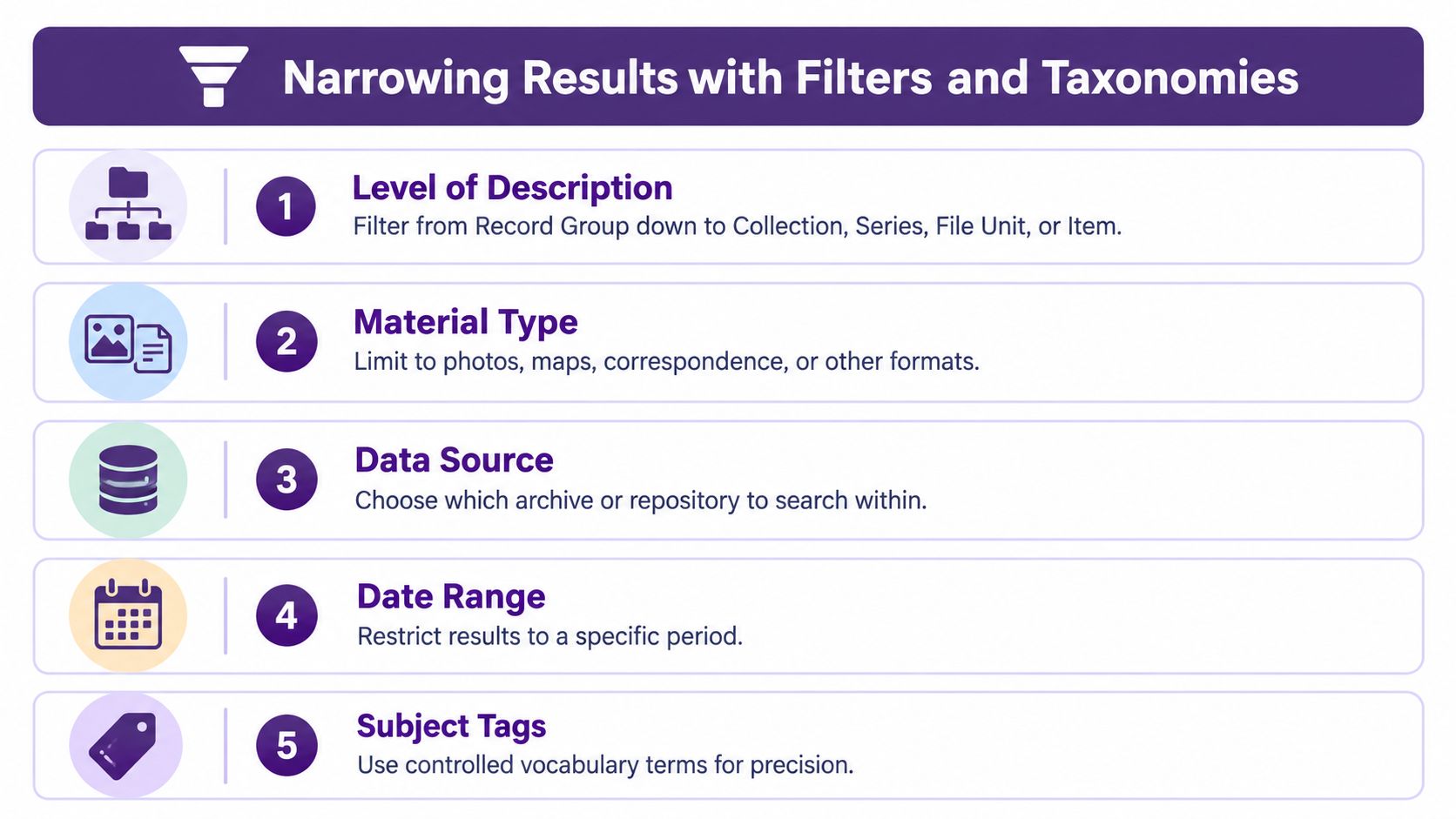
Archive interfaces often let you narrow by the level of description. You may begin at a Record Group, move into a Collection, then a Series, File Unit, or Item. The National Archives documents these levels alongside filters for material type, collection membership, record group, data source, file format, and year ranges in its guide to using the National Archives Catalog.
Filter in an order that preserves context
Start broad enough to understand where the results live. Then narrow in a sequence that removes noise without stripping away the collection's meaning:
- Choose the data source. Separate repositories or archive systems if the search crosses multiple collections.
- Select the level of description. Move from a broad record group toward a series, file unit, or item.
- Limit material type. Distinguish correspondence, photographs, maps, audio, video, newspapers, or other formats.
- Set a date range. Use the period connected to the event, creator, or production cycle.
- Apply file format or subject terms. Reserve these for the final pass when the archive uses them consistently.
Suppose a search returns thousands of records about a recurring topic in a publisher's library. Instead of stacking more uncertain keywords, filter first by the relevant content series, then by format, then by campaign or publication period. The result may become a manageable cluster of items that you can browse together. The point isn't to force the result count down as far as possible. It's to create a result set whose members share a useful context.
Build a taxonomy for your own library
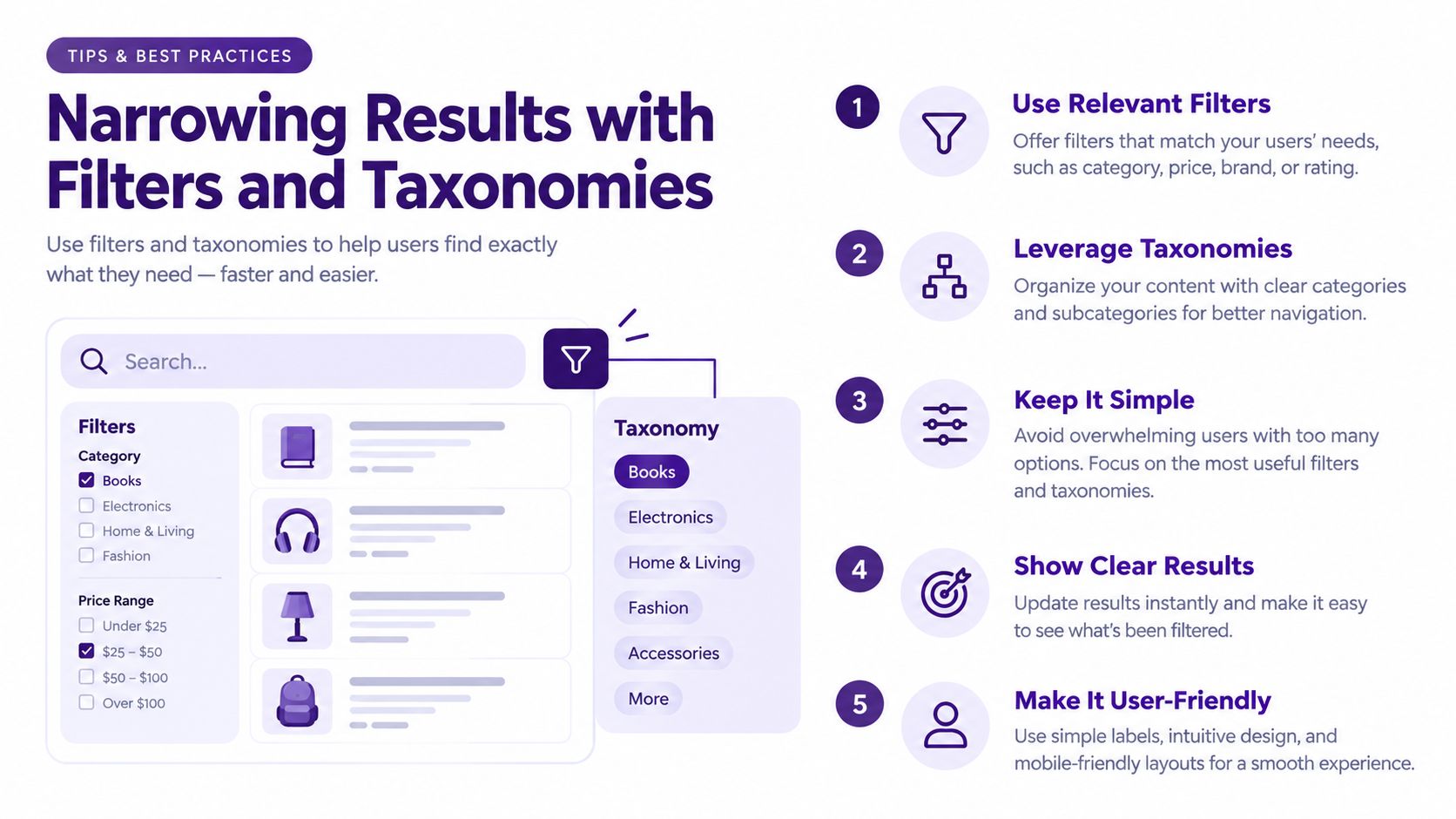
Personal and team archives need a second layer because folders rarely capture how creators retrieve ideas later. A video producer might organize by topic, format, guest, audience, campaign, and reuse status. A podcaster might add episode theme, notable quote, sponsor category, and follow-up potential. These labels don't replace filenames. They give the library several paths back to the same material.
Use controlled terms where the distinction matters. Decide whether the library uses “short-form video” or “shorts,” “interview” or “guest episode,” and whether a person's name has one standard spelling. Record those decisions so collaborators don't create parallel labels that fragment future searches.
Stop filtering when the remaining results share enough context to browse intelligently. Over-filtering can hide the item you want if one metadata field is incomplete. A good archive search alternates between narrowing and browsing, rather than assuming every discovery must come from a perfect final query.
Refining Weak Results with AI-Assisted Search
AI becomes useful when the archive contains meaning that its metadata doesn't express. A transcript may mention a concept without naming it directly. A video may show an object that no one added to the title. Several interviews may discuss the same person under different spellings or roles. In these cases, enrichment, entity linking, and contextual browsing can produce a more useful discovery layer than literal matching alone.
The strongest workflow is iterative, not automatic:
- Run a semantic query based on the idea you remember.
- Inspect the surfaced passages, files, people, and related topics.
- Correct the system when a result is irrelevant or a name is ambiguous.
- Feed useful terms, entities, and dates back into the search.
- Explore neighboring items that share a person, theme, event, or source.
- Verify the original file before treating the discovery as evidence.
This loop handles the messy middle between “the archive has no metadata” and “the archive has perfect metadata.” The machine can compare language across a large library and suggest relationships that would take a person far too long to test manually. The researcher still decides whether a passage is relevant, whether an entity match is correct, and whether the source supports the intended claim.
A creator's refinement loop
A podcaster looking for a forgotten interview segment might start with a question such as, “Which conversations discussed leaving a stable career to build an independent business?” A literal search could miss the segment because the guests used phrases such as “going solo,” “quitting the safe job,” or “building from scratch.”
An AI-assisted search can surface passages connected by meaning, then group them around guests, episodes, companies, and recurring themes. The podcaster reviews those results, marks the strongest wording, and asks a narrower follow-up about a specific guest or time period. The next search is better because the first search exposed the archive's own vocabulary.
This approach is especially valuable when metadata describes only the container. If a file is labeled with a date and episode number, contextual search can inspect its transcript, notes, captions, or linked assets and create discoverable relationships that the original catalog never recorded.
Research on incomplete metadata highlights why this matters. Digitized collections can contain coverage gaps, uneven detail, and weak standardization, making ordinary keyword search unreliable. Work on AI-assisted approaches to archival metadata and discovery points toward enrichment, entity linking, and contextual browsing as ways to handle uncertain or semantically messy collections.
A chat-style research workflow can make this refinement loop easier because you can ask follow-up questions instead of rebuilding every query from scratch. A guide to AI-powered search offers useful background on that interaction model.
Don't outsource judgment to the model. Ask it to show the source passage, preserve the original file reference, distinguish an exact match from an inferred relationship, and flag uncertainty. Human interpretation and machine-scale pattern finding work well together when neither pretends to be the other.
Troubleshooting Archive Search Failures
Archive search failures usually have a recognizable cause. Recent, cleanly transcribed material tends to be easier to retrieve than older or degraded material, while a successful search today can fail later if someone changes metadata, indexing rules, or access settings.
A study of archival search performance found that users located material from 2010–2026 87% of the time, compared with 72% for 1990–2009, 54% for 1970–1989, and 38% for pre-1970 holdings. The comparison appears in this discussion of search performance across archival material ages.
| Material age | Search success rate | Best tactic |
|---|---|---|
| 2010–2026 | 87% | Search exact names, titles, and identifiers |
| 1990–2009 | 72% | Add date variants and related terminology |
| 1970–1989 | 54% | Browse series structure and verify surrounding records |
| Pre-1970 | 38% | Use contextual terms, spelling variants, and page images |
OCR creates another silent failure. The same study reported an 18% average OCR error rate, roughly 73% error in advertisements, and sentence-level search success below 50% when character recognition degraded. At about 20% word error, sentence retrieval fell to nearly 20% success. These figures explain why a newspaper search can miss a clearly visible name or phrase.
Match the symptom to the fix
- No result for an obvious phrase: Try spelling variants, abbreviations, dates, nearby places, and the event surrounding the phrase.
- A result appears but the wording looks strange: Open the page image or scan. Treat OCR as a lead, not as a verified transcription.
- Older material produces almost nothing: Move from exact text to collection structure, creator names, series descriptions, and neighboring records.
- A previous query suddenly fails: Check whether titles, tags, permissions, or indexing changed. Preserve your earlier search terms and identifiers.
- You found the item but can't retrieve it: Record the repository, collection, series, box, folder, item, and access conditions.
Archival guidance also recommends documenting exact source locations, including box and folder numbers, while following registration and access rules. Sage's practical guide to archival research is a useful reference for that part of the process. A search result without a stable location is a lead, not a finished citation.
Turn Archive Search into New Content Value
A searchable archive changes what “new content” means. The next episode may already exist as an overlooked interview segment. The next social clip may be a clear explanation buried in an old recording. A past article may contain the foundation for a follow-up, a comparison, or a sharper update.
Use this compact checklist:
- Understand: Know what the archive includes and how it describes material.
- Query: Combine identifiers, topic variants, dates, and contextual terms.
- Narrow: Use hierarchy, format, source, time period, and controlled labels.
- Refine: Apply semantic discovery, entity relationships, and human review.
- Verify: Preserve the original file and exact source location.
- Reuse: Turn verified discoveries into episodes, clips, articles, newsletters, or research notes.
Transcription quality matters when you're trying to make spoken archives reusable. If you're comparing tools, this guide to a top transcription pick for iPhone provides a practical starting point for capturing new material in a form that can be searched later.
The payoff isn't just faster retrieval. Once old content has reliable descriptions and relationships, your library becomes a working resource for planning, collaboration, audience development, and repurposing. You can organize successful themes into playlists, identify unfinished ideas, and give a new project a stronger research base without starting from an empty document.
Your archive isn't a graveyard of files. It's an asset that becomes more valuable each time you make its contents easier to find, understand, and reuse.
Contesimal helps creators and content teams organize documents, podcasts, videos, articles, and other archived assets with layered taxonomies, AI-assisted search, and collaborative research workflows. Turn the material you already own into searchable evidence and fresh content ideas by visiting Contesimal.