
You leave a planning meeting feeling good. The podcast episode has a clear angle, the blog team found three repurposing ideas, and someone suggested turning last quarter's best webinar into a video series. Then two days pass, and the energy is gone. Nobody knows who owns the guest outreach, the transcript cleanup is still sitting in a shared doc, and the newsletter mention never made it onto anyone's calendar.
That's the moment when a creative team learns whether it has ideas or a system.
An action items list is that system. For content creators, publishers, editors, and marketers, it does more than capture meeting notes. It turns conversation into output, output into assets, and assets into something you can reuse, package, and monetize across platforms. If you run a podcast, a publication, a YouTube channel, or a growing content operation with a real archive behind it, the list is where organization starts to create value.
From Ideas to Impact with Your Action Items List
Creative teams rarely fail because they lack ideas. They fail because ideas leave the room with no owner, no deadline, and no definition of done.
That gap is especially expensive for teams with a deep content library. A half-finished repurposing plan means an old interview never becomes a short video series. A vague “look into this” note means a strong blog post never gets updated and relaunched. A loose follow-up from an editorial meeting means the same good concepts keep getting rediscovered instead of shipped.
Why content teams need a different kind of list
A standard meeting notes document isn't enough for modern content work. Podcasters need post-interview tasks tied to clips, transcripts, guest approvals, and publishing deadlines. Bloggers need research, drafts, edits, SEO passes, artwork, and distribution lined up in sequence. Publishers need a clean handoff from editorial planning to production.
That's why the best teams don't just record decisions. They prioritize tasks and action items in a way that connects each task to a concrete publishing outcome, which is where a practical framework like this guide on prioritize tasks and action items becomes useful.
If you're also trying to build a stronger pipeline from your archive, it helps to pair your meeting discipline with a repeatable ideation process. One smart starting point is how to find content ideas, especially when your best next piece may already be hiding inside something you published months ago.
Great meetings create momentum. Good action lists keep that momentum alive long enough to become content.
What an action items list really does
Used well, an action items list becomes the operating layer between strategy and production. It helps a team:
- Organize fast-moving decisions so podcast, blog, video, and social workflows don't split apart
- Understand what matters now instead of reacting to the loudest request
- Take action on existing assets by turning old content into new formats, campaigns, and products
That's where the true advantage lies. Not in having more notes, but in having a list that moves valuable work forward.
Capturing Actionable Tasks from Meetings
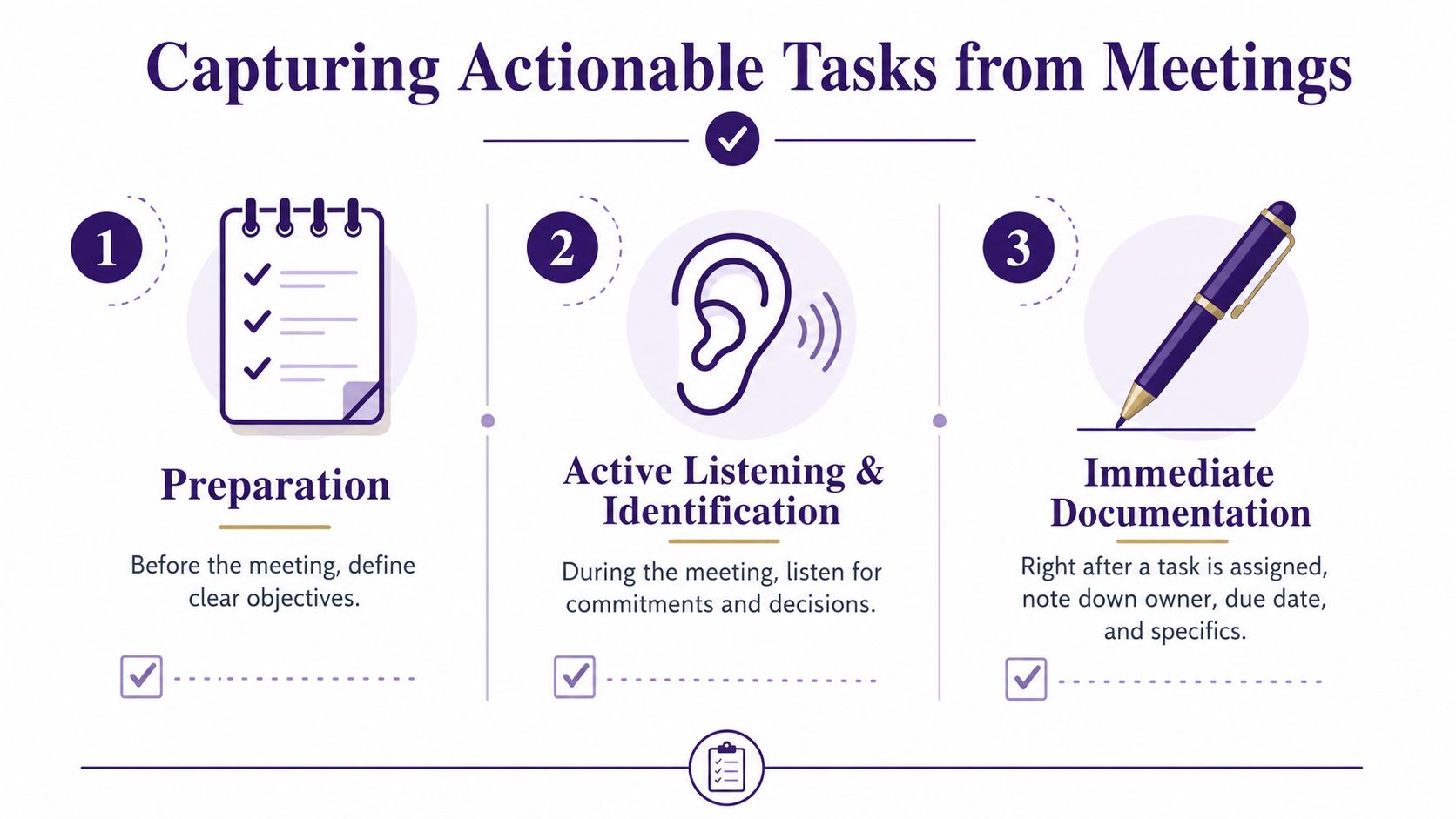
Most bad action lists are broken at the moment of capture. The meeting ends, someone posts rough notes, and the team spends the next day translating vague language into actual work.
A better approach is to capture the task correctly the first time.
Use the four-field minimum
The simplest standard I've seen hold up across editorial, production, and marketing teams is the one described by Weekblast's action item methodology. It requires every item to include an action verb, a single owner, a firm due date, and a measurable success marker.
That changes everything. “Newsletter promo” becomes “Draft newsletter blurb, Maya, May 14, approved in final send doc.” “Podcast clips” becomes “Cut three short clips, Andre, Friday, uploaded to review folder.”
Many meetings go wrong. People capture topics, not tasks.
Listen for commitments, not discussion
In content meetings, action items usually show up in ordinary language:
- “I can pull the quotes from that interview.”
- “Let's get the blog update live before the new episode drops.”
- “Someone should reach out to that guest's publicist.”
- “We need the transcript cleaned up before we slice the short clips.”
Those aren't side comments. They're commitments in disguise.
If you use AI transcription for meeting notes to support capture, treat the transcript as a backup, not the final system. The transcript helps you recover details. It doesn't assign ownership for you, and it won't decide what “done” means.
A clean recording also matters when your team works remotely or across freelancers. If you need a tighter process there, how to record Google Meet is a practical reference.
Confirm the task before the meeting ends
The best action item capture is verbal. Once a task appears, lock it down in real time.
Use a quick script like this:
Name the action
“So the task is draft the guest outreach email.”Name the owner
“Priya owns that.”Name the due date
“Due Tuesday.”Name the finish line
“Done means the email is sent and logged in the outreach tracker.”
That takes a few seconds and removes a lot of cleanup later.
Practical rule: If the assignee doesn't hear their name and deadline out loud, the task probably isn't real yet.
Write the item the way work actually happens
Short titles work best, especially in a busy content environment. Start with the verb, then make the scope specific enough that another editor or producer can understand it at a glance.
A few examples:
| Weak note | Strong action item |
|---|---|
| YouTube repurposing | Cut 2 Shorts from interview |
| SEO updates | Refresh H2s on pricing article |
| Social promo | Draft 5 launch posts for LinkedIn |
| Guest follow-up | Send release form to guest |
This discipline may feel rigid in a creative room. It isn't. It protects creative energy by making sure decisions survive the meeting.
Structuring Your List for Ultimate Accountability
An action items list fails when it becomes a group wish list. The fastest way to ruin accountability is to assign a task to a team, a department, or two people at once.
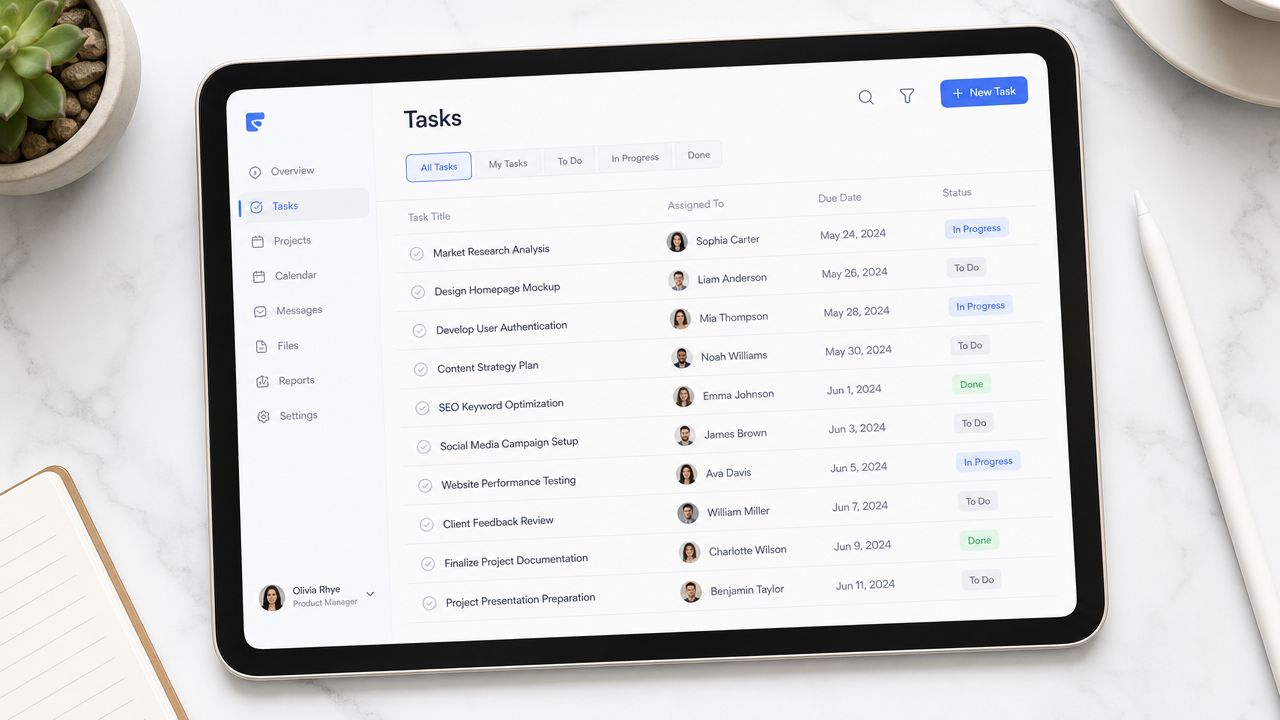
For content operations, this shows up everywhere. “Editorial will review.” “Marketing and social will handle launch assets.” “Sam and Jordan can split the metadata cleanup.” It sounds collaborative, but it weakens follow-through.
According to Glinky's research on action items lists, action items without single ownership fail to close at a rate of approximately 60–70%, whereas enforcing “one name, one owner” accountability increases completion success rates by 35–40% in meeting-driven environments.
The five columns that matter
You don't need a complex project stack to run a sharp list. A spreadsheet, Notion database, Airtable view, or project board can all work if the structure is consistent.
The core fields should be:
Task
Start with a verb. Keep it concrete.Owner
One person. Not a team name.Due date
A calendar date, not “this week.”Status
Not started, in progress, blocked, complete.Notes
Context, links, dependencies, or approval details.
That structure looks simple because it is. The value comes from forcing clarity at the point where teams usually stay vague.
Why strict formatting helps creative work
Creative people often resist rigid systems because they don't want bureaucracy wrapped around editorial work. Fair concern. But a standardized list doesn't kill creativity. It protects it.
When a producer knows exactly who owns transcript cleanup, the editor can start scripting clips on time. When the blog lead has a due date for source pulls, the writer can draft without chasing context. When one person owns thumbnail testing, the YouTube release doesn't stall in a vague “someone still needs to do that” state.
If your team is already feeling overloaded, it helps to study systems built for turning project chaos into success, especially when creative work now crosses platforms, formats, and contributors.
For teams managing cross-functional publishing work, project management collaboration becomes less about software choice and more about making ownership visible enough that work can move without meetings.
A task assigned to two people usually becomes a task neither person believes they fully own.
A simple accountability test
Before an item stays on the list, ask three questions:
- Can one person say, “I own this”?
- Can the team tell when it's complete?
- Can someone scan the row and understand it without opening three other documents?
If the answer is no, the item needs rewriting.
That's the discipline that turns a list from administrative overhead into a production tool.
How to Prioritize What Actually Matters
Content teams don't usually struggle to find work. They struggle to protect the work that matters most.
A comment thread blows up on YouTube. A sponsor needs a quick asset revision. A Slack message asks for copy on a social card. Meanwhile, the higher-value work sits untouched. The archive never gets organized, the evergreen post never gets refreshed, and the research for the next big series keeps slipping.
That's why the Eisenhower Matrix works so well for an action items list. It forces you to sort by urgent and important, not by noise.
Sort your list into four buckets
Use these four categories:
| Category | What belongs there for a content team |
|---|---|
| Urgent and important | Fixing a broken podcast upload, sponsor deadline assets, legal review needed before publication |
| Important but not urgent | Updating top-performing evergreen articles, tagging your archive, planning next quarter's series |
| Urgent but not important | Minor formatting requests, reactive status pings, low-impact admin interruptions |
| Neither urgent nor important | Old ideas with no strategic fit, duplicate follow-ups, tasks nobody can justify |
The second bucket is where long-term value gets built. It's also the bucket that tends to be neglected.
Protect the work that compounds
Library organization, transcript tagging, editorial research, and repurposing workflows often don't scream for attention today. But they create the base for tomorrow's output. A publisher that knows its archive can relaunch old work intelligently. A podcaster with searchable transcripts can pull themes faster. A blogger with a structured back catalog can update winners instead of starting from zero every week.
Teams that skip prioritization pay for it in wasted effort. Ignoring prioritization wastes 20–30% of cycle time on low-value “urgent but not important” tasks, as noted in the earlier research cited on action item management.
A practical triage method for weekly reviews
Use a short weekly pass on every open item:
- Move now if the task directly affects a scheduled publish date
- Schedule deliberately if the task builds future reach, audience value, or reusable assets
- Delegate or defer if the task is time-sensitive but doesn't require your best creative attention
- Delete if nobody can explain why it still matters
The loudest task in your queue is rarely the one with the highest publishing value.
Examples from real content work
A few common decisions:
- A podcast producer may feel pressure to answer every last-minute platform request. The smarter move might be scheduling transcript cleanup and clip extraction for a high-performing episode.
- A newsletter editor may spend an hour tweaking minor wording on social promotion. The more valuable task might be outlining a repurposed article from an older issue with proven reader interest.
- A magazine team may rush to react to a daily trend. Sometimes that's right. Other times the better decision is to finish the research package that supports a stronger feature pipeline.
Good prioritization isn't about doing less work. It's about making sure your action items list reflects your actual strategy, not just today's interruptions.
Action Item Workflows for Modern Content Creators
An action items list proves itself in the messiest part of creative work. Not in theory, but in the handoff between idea, asset, and publication.
This is what that looks like in practice across different creator workflows.
The podcaster after a strong guest interview
A podcaster finishes a great recording. The guest gave crisp stories, a few quotable lines, and one segment that could easily become short-form video. Without a structured list, the team usually remembers the obvious task, edit the episode, and drops the rest.
A better action items list might include:
- Clean transcript and mark standout moments for quotes and clip pulls
- Edit full episode audio and export final master
- Draft show notes with links, summary, and timestamps
- Create guest approval email with release assets attached
- Cut short clips for YouTube Shorts, Reels, or TikTok
- Write newsletter teaser tied to the episode theme
- Add transcript and tags to content library so future research can find it
That last item matters more than teams think. If the episode disappears into a folder with no useful metadata, it can't help later with topic planning, ad packages, or series development.
The blogger planning a repurposed article
A blogger or content marketer often starts from a different kind of meeting. The team reviews analytics, notices an older post still aligns with current audience questions, and decides to revive it.
The strongest list doesn't stop at “update article.” It breaks the work into production-ready actions.
For example:
| Action item | Owner | Done means |
|---|---|---|
| Audit old article for outdated sections | Editor | Revision notes approved |
| Pull new examples from recent campaign | Strategist | Examples added to source doc |
| Rewrite intro and H2 structure | Writer | New draft in CMS |
| Refresh on-page SEO elements | SEO lead | Metadata and headings updated |
| Schedule newsletter promo | Audience manager | Send date confirmed |
A content library starts generating fresh value. The article isn't just maintained. It's repositioned, redistributed, and brought back into circulation.
The publisher managing editorial handoffs
In publishing teams, the problem usually isn't ideation. It's coordination.
An editor in chief leaves a planning meeting with ten strong ideas across features, newsletter extensions, and social packaging. If those next steps stay trapped in discussion notes, production stalls. The editorial vision is there, but nobody can execute from a paragraph of summary.
A tighter list separates strategic intent from operational work:
- Commission feature draft to named writer
- Assign fact-check review
- Request art brief with cover image direction
- Prepare excerpt for subscriber email
- Queue archive links that support the feature
- Draft social copy variations by channel
- Confirm publication date and approvals
A team can then see the content as a workflow, not a pile of disconnected tasks.
Here's a useful walkthrough of how that kind of orchestration can look in motion:
What these workflows have in common
The format changes by medium, but the principles stay stable:
- One clear owner per task
- A finish line that's visible
- Tasks tied to actual publishing outcomes
- Follow-ups that preserve future reuse, not just immediate launch
That's what separates an action items list from a generic task dump. It becomes the central operating record for how a creative team turns raw material into repeatable value.
Tracking, Closing, and Learning from Your List
A healthy action items list should shrink, move, and teach you something. If it only grows, your team is collecting obligations, not managing work.
One benchmark is especially useful here. According to Project Management Formula's action item tracker guidance, when an action item tracker accumulates more than 20 to 25 open items for a single team or workstream, it signals that the list is capturing too much or closing too little. At that point, focus starts to erode.
Keep the list active, not historical
The active list should show current reality. That means reviewing it on a regular cadence and making decisions quickly.
A lightweight rhythm works well:
- During the week update status when work moves, not days later
- In a short check-in flag blockers, stale items, and handoff risks
- At closeout archive completed work so the active view stays clean
Old completed items and abandoned tasks create visual noise. Such clutter causes people to stop trusting the list.
Close loops aggressively
Content teams often treat completion loosely. A draft exists, so the task feels done. A transcript is generated, so the item gets checked off. But partial completion creates hidden backlog.
Use completion standards that match the actual workflow. “Draft article” means the draft is in the CMS and ready for edit. “Publish clips” means the files are uploaded, titled, and scheduled. “Tag archive assets” means someone can retrieve them later without asking around.
If a completed item can't support the next person in the workflow, it probably wasn't fully completed.
Use the list to learn, not just track
Once you manage the list well, it starts producing operational insight. You see which stage of your podcast workflow keeps getting blocked. You notice that blog refreshes move faster than net-new drafts. You learn that video repurposing stalls when title, thumbnail, and clip selection sit with too many people.
That's where a dynamic system becomes powerful. A living action items list can show patterns in your process, reveal where your archive is underused, and help teams spot the next best opportunity instead of waiting for another brainstorming session.
If your team is sitting on a growing archive of episodes, articles, videos, transcripts, and research, Contesimal helps turn that library into something usable. It gives creators and publishers a way to organize, search, classify, and collaborate around existing content so action items don't stop at task completion. They can lead to fresh ideas, stronger repurposing, and new value from work you've already done.