
You've probably got a library that feels richer than your workflow. The episodes are there, the articles are there, the clips are there, but the value sits scattered across folders, playlists, transcripts, and old drafts that nobody has time to reread. AI content analysis is what helps a creator finally make sense of that sprawl, because it reads, tags, and connects the material so you can reuse it with purpose instead of guessing where the next idea lives.
For podcasters, publishers, and video teams, this isn't just about cleaning up text. It's about turning a mixed-media archive into something searchable, explainable, and reusable across formats. A good system can help you see which topics recur, which assets belong together, and where a buried segment could become a new post, a clip, a chapter, or a series.
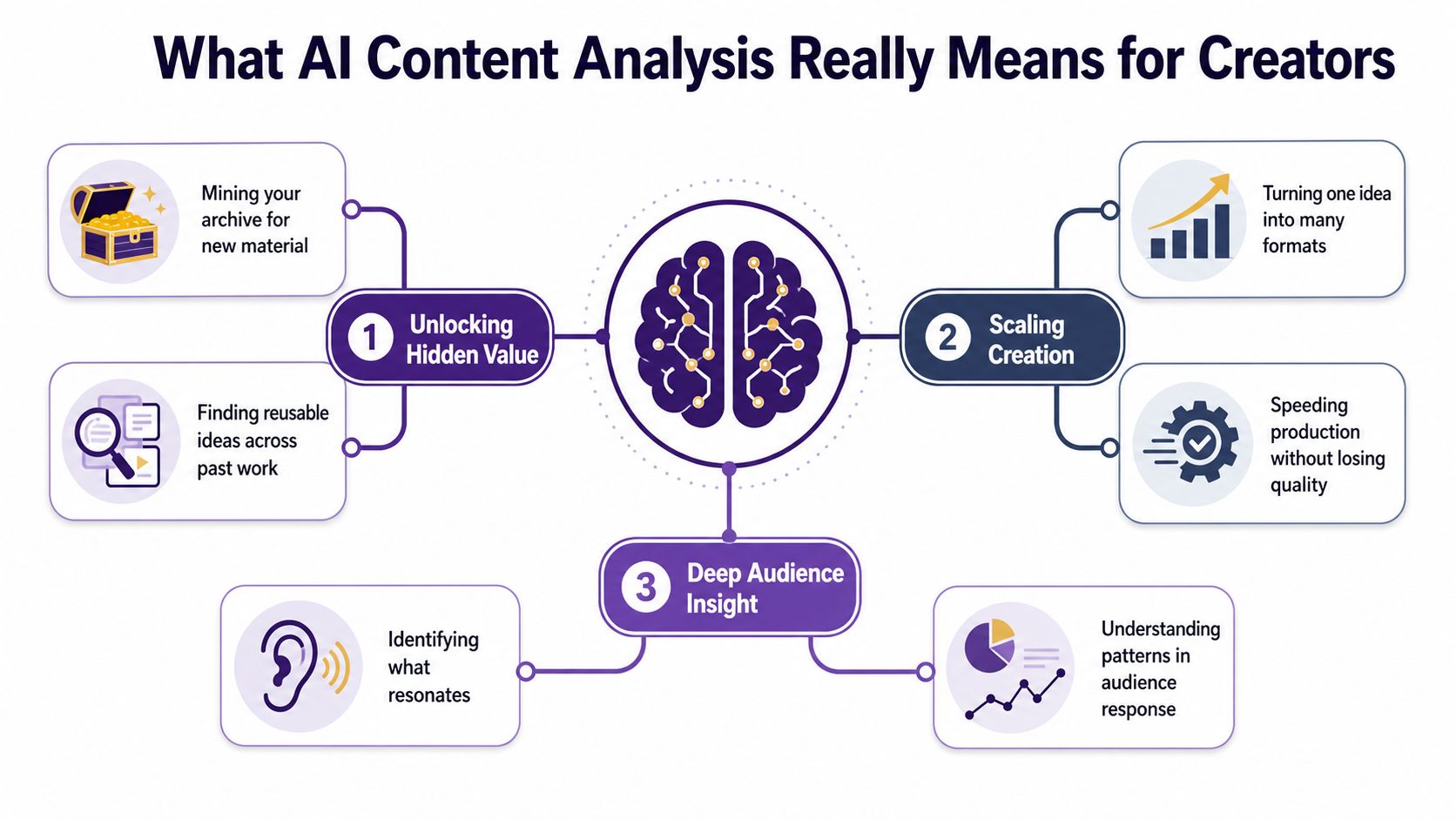
What AI Content Analysis Really Means for Creators
A lot of creators picture a chaotic archive the way they picture a cluttered studio shelf. You know the good gear is in there somewhere, but every box looks the same until you pull things apart by hand. AI content analysis is the system that does that sorting at scale, then hands you a map instead of a pile.
At the simplest level, it's machine reading for a content library. It can identify themes, connect related assets, flag entities, and help you understand what's inside podcasts, videos, articles, and books without forcing a human to open every file first. That's a very different job from a grammar checker or a plagiarism tool, because it works on the whole library, not just one draft at a time.
For creators who want to repurpose smarter, this matters immediately. A podcast transcript can become a blog post, a blog post can become a clip script, and a book chapter can become a newsletter thread if the system knows what each piece is about. A useful way to think about it is as a catalog that keeps learning from your library.
If you want a deeper companion piece on the broader content stack, the framing in content intelligence platforms is a useful next read. And if you're already working on generation workflows, mastering AI content generation shows how the analysis layer and the creation layer fit together without turning into one blurry tool.
Practical rule: if your team spends more time finding content than using it, you don't have a creation problem. You have an analysis problem.
The easiest test is simple. If you can't quickly answer, “What do we have, what's connected, and what should we make next?”, then the library is still acting like storage, not infrastructure. That's where AI content analysis becomes essential rather than optional.
The Core Techniques Behind the Magic
Think of the engine like a very fast editorial assistant that never gets tired, a filing system that can read context, and a producer who notices when two pieces of content belong in the same episode arc. The magic comes from several techniques working together, not one all-knowing detector.
Reading the script, sorting the pile
Natural language processing is the fast, patient intern that reads every script, caption, transcript, and summary. It helps the system understand words, sentence structure, and what a piece is trying to say, which is why it's the base layer for most text-heavy libraries. For a publisher, that means it can read around a topic instead of just spotting keywords.
Topic modeling is the drawer organizer. It looks across many pieces and groups them into recurring themes, so your archive stops feeling like a random stack of notes and starts looking like a set of usable collections. For a magazine, that could mean separating audience growth stories from monetization stories even when both appear in the same editorial season.
Sentiment analysis is like reading the room at a live event. It helps the system notice whether a discussion is positive, critical, cautious, or excited, which matters when you're reviewing audience comments, interview clips, or brand mentions. A creator doesn't always need this on every asset, but it's useful when tone shapes reuse.
A transcript can be accurate and still be unhelpful if the system can't tell what part of it matters.
Names, relationships, and near-matches
Entity extraction works like a highlighter that marks every name, place, product, and person worth tracking. For podcasters and publishers, it can surface the guests, brands, shows, and locations that recur across the library, which makes cross-referencing much easier.
Embedding-based similarity is the curator's instinct turned into software. It helps the system understand when two pieces belong together even if they don't use the same exact words, which is vital for mixed libraries where one episode, one article, and one chapter might all answer the same audience question in different formats. That's where machine reading becomes especially useful for repurposing.
If you want a practical companion on machine reading itself, what is natural language processing is a good reference point. And if your team is also checking whether a piece was human-edited or AI-assisted, practical workflows for AI detection is worth comparing against your own review process.
How a Real Analysis Workflow Runs
A real workflow does not begin with a dashboard. It starts with a stack of files that need to be made readable, then moves through a series of choices that either sharpen a creator's library or turn it into a tidier version of the same confusion.
From upload to usable categories
The first step is ingest and clean. Bring transcripts, captions, article text, episode notes, PDFs, and images into one place, then strip out the clutter, duplicate files, broken formatting, and inconsistent labels. If the source material is messy, the analysis will carry that mess forward. That is why taxonomy design needs attention early, before the library gets larger and harder to sort.
After that comes classification. A video can be tagged by topic, format, guest, and intent at the same time, but only if the categories are clear enough for software and useful enough for the people who will search and reuse the content. Many teams get stuck here because they build a taxonomy that sounds neat in a meeting but falls apart when real episodes, articles, and clips have to pass through it.
Practical rule: if two editors can't agree on what a category means, software won't fix it.
Then comes enrichment and search. The system pulls out entities, topics, and relationships between assets, so you can search by meaning instead of only by file name. A transcript with speaker labels becomes more useful than a raw audio file, and a chaptered video becomes easier to reuse than a flat upload. For a creator library, that means the archive starts working like a shelf with good index cards instead of a pile of unlabeled boxes.
Why the human still matters
Human review sits in the middle of the workflow, not at the end. That is the point where your team checks edge cases, corrects ambiguous tags, and decides whether the machine's reading matches the creative intent. A practical review and response workflow helps here because it keeps the judgment step attached to the analysis step, where it can correct mistakes before they spread through the library.
The final step is action and distribution. Analysis should lead to real editorial moves, a new episode cluster, a refreshed title, a clip plan, or a repurposed series. If the output does not change what your team publishes, then the workflow is just record-keeping with extra steps.
Metrics and KPIs Creators Should Track
A creator can have strong views, likes, and watch time, yet still feel stuck when the library is hard to search or reuse. Those numbers matter for reach, but they do not show whether ai content analysis is doing its real work, which is helping you sort the archive, find the right clip or chapter, and turn older material into something new.
Measure the system, not just the post
Start with tagging accuracy. This is the share of items that land in the right topic, format, or audience bucket after human review. If the tags are fuzzy, every later decision gets less reliable, especially when a transcript needs speaker labels or a video needs chapter markers.
Next is coverage. That means how much of the library has been analyzed and made searchable. A few well-tagged assets do not help much if the rest of the archive still sits out of reach.
Then look at retrieval precision, which asks whether the system returns the right asset when a creator searches for a theme, guest, or format. For creator teams, that matters more than filling the screen with every possible match, because time is usually tighter than data.
The last layer is repurposing velocity and downstream engagement. If analysis helps your team publish clips, posts, newsletters, or episode spinoffs faster, that shows the archive is feeding production instead of just sitting in storage. If you want a wider view of how tools compare, you can compare AI SEO platforms, then map the ones that understand mixed-media libraries to your own workflow.
| Metric Family | What It Measures | Early Benchmark to Watch |
|---|---|---|
| Tagging quality | Whether items are classified correctly | A small reviewed sample that feels trustworthy |
| Library coverage | How much of the archive is searchable | More than just the newest uploads |
| Retrieval precision | Whether search returns the right assets | Fewer irrelevant results in creator search |
| Repurposing velocity | How fast old content becomes new output | Less friction between archive and draft |
| Business impact | Whether analysis leads to new attention | More reuse of older assets in live publishing |
A simple dashboard usually serves creators better than a crowded one. Track one quality metric, one coverage metric, and one business metric. That is enough to show whether the system is paying its way without turning the team into report readers.
Choosing Tools and Avoiding the Common Traps
A good demo looks calm. A useful tool looks honest. The difference shows up when you ask what file types it handles, how it evaluates output, and whether your team can inspect the logic instead of trusting a black box.
What to check before you commit
For mixed-media libraries, schema limits matter more than most marketing pages admit. Azure AI Content Understanding, for example, supports up to 1,000 fields per document/text/image/audio/video analyzer, up to 300 classify categories, and training data capped at 1 GB total or 50,000 pages/images service limits. Those are not abstract specs, they're reminders that taxonomy choices directly affect what the system can handle.
You should also compare whether a platform can work across formats, not just articles. A tool that handles text beautifully may still struggle with podcasts, video archives, or long-form books, which is where creator libraries usually get messy.
Here's a short checklist that keeps demos grounded:
- Handles your file types: transcripts, audio, video, articles, and PDFs should all fit the workflow.
- Shows clear evaluation methods: you need to know how tagging and retrieval are being checked.
- Lets humans review output: the team should be able to fix, approve, or override machine tags.
- Keeps an audit trail: you'll want to see what changed, when, and why.
- Fits your taxonomy: if the categories fight your content structure, the tool won't save it.
Pattern detection is a starting point, not proof.
That's the trap many teams fall into. A system can surface something that looks right without supporting the claim, so every meaningful result still needs verification. For comparing broader content platforms, compare AI SEO platforms can help you separate marketing language from practical capability.
Real Use Cases From Podcasters, Publishers, and Video Teams
A podcast host with a few hundred episodes doesn't usually need more ideas. They need a better way to hear the archive. Once the transcripts are tagged for recurring themes and guest names, the producer can pull evergreen segments, group similar conversations, and build new season arcs from topics the audience already cared about.
A magazine publisher faces a different problem. Ten years of articles can look impressive until no one can tell which story is the best source for a new brief. When the archive is analyzed by similarity and theme, duplicate coverage becomes easier to spot, topic gaps become visible, and editorial planning stops leaning on memory alone.
A video creator has a different kind of shelf to manage. Their best moments often live inside long recordings that never got chaptered properly. Once the transcripts are analyzed, the team can identify natural cut points, tighten titles, and turn a single long video into a set of smaller assets without guessing where the strongest sections sit.
The useful part isn't the feature list. It's the shift in weekly work. Instead of hunting through old assets when the next post is due, the team starts from an organized library that already knows what it contains. That changes ideation, production, and repurposing at the same time.
How Contesimal Fits Into the Analysis Stack
Contesimal sits in the part of the workflow where messy libraries need to become usable knowledge. Its chat-based research layer lets teams interrogate large sets of podcasts, videos, articles, and books in a way that feels more like asking an assistant than querying a database, which is useful when creators need speed and context together.
The platform's programmatic uploads and fast ingestion fit the early part of the pipeline, when raw material has to be brought in and prepared for analysis. Its layered taxonomies support the classification stage, especially when a library needs more than one way to sort the same asset, such as topic, audience, and format.
Contesimal also works well when human and AI collaborators need to meet in the middle. The system can surface patterns, themes, and search results, while the team keeps editorial judgment in the loop. That makes it a practical option for creators who want to move from scattered archives toward a more deliberate research and repurposing process.
Bringing It All Together Without Losing the Human
The biggest mistake people make with ai content analysis is assuming it replaces editorial judgment. It doesn't. It gives you pattern detection, faster sorting, and better discovery, but the decision about what matters still belongs to the creator, editor, or producer who understands the audience.
That's why the most reliable workflows treat the machine like a tireless collaborator, not an oracle. If you want the library to pay off, start with one archive, define one taxonomy, run one analysis pass, check it against a gold sample, and ship one repurposed piece from what you found. That sequence keeps the work real, which is the only way it becomes repeatable.
The next layer is verification. Claims, labels, and surfaced themes should all be checked against source material, because a confident tag is still just a tag until someone confirms it. Once that habit is in place, the library stops feeling like storage and starts acting like a growth engine.
If you want to organize a podcast, video, or publishing library into something your team can search, compare, and reuse, Contesimal is built for that kind of work. Visit Contesimal to see how it helps creators turn archived content into new research, new formats, and new opportunities.