
Trying to find a specific moment in a podcast can feel like searching for a needle in a haystack. The secret to actually finding what you're looking for is to stop relying on the basic search bar in your podcast app. A truly effective approach combines a few different methods, using everything from transcripts and show notes to more advanced search tools.
This strategy completely flips the script on audio's biggest weakness—the fact that you can't just "Ctrl+F" it, and it's key for any creator looking to reignite their content library and upcycle old content for new value.
Why Your Podcast Search Is Failing and How to Fix It

We’ve all been there. You know a guest mentioned a brilliant insight or a key statistic somewhere in an hour-long episode, but you just can't track it down. You're left endlessly scrubbing the timeline, trying to catch that one specific phrase. It's a massive headache for anyone—content marketers, YouTubers, professional creators—who needs to pull valuable bits from audio.
The problem is simple: most podcast apps don't search the actual conversation.
When you type a keyword into Spotify or Apple Podcasts, you're really only searching through episode titles and descriptions. While that's fine for finding a particular show or guest, it’s next to useless for pinpointing moments within the audio itself. You’re essentially searching the box, not the contents inside.
For creators and publishers, this is a huge missed opportunity. Your entire back catalog is a goldmine of clips for social media, ideas for blog posts, and soundbites for sizzle reels. But if you can't find anything, that content stays locked away, unable to generate new value.
Shift from Topic Hunting to Moment Finding
The fix starts with a mental shift. You have to stop searching for broad topics and start hunting for specific moments. This means looking beyond the app's search bar and getting a bit more strategic. Before you jump to fancy tools, it's best to master the fundamentals.
Start with the low-hanging fruit:
- Detailed Show Notes: Many hosts put a ton of effort into their show notes, listing out key topics, resources, and sometimes even rough timestamps. This should always be your first stop to narrow the search.
- Community Timestamps: For popular shows, check the comment sections on YouTube or fan communities on platforms like Reddit. Listeners will often post helpful timestamps for standout moments, doing the hard work for you.
The real value isn't just in finding an episode; it's in finding the exact 30-second clip that can become a viral social media post, a key point in a new article, or the perfect soundbite for a highlight reel.
These basic tactics are the foundation of smart podcast searching. They get you thinking like a detective, piecing together clues from metadata and community chatter. For any creator with a growing archive, this is the first step in turning your library from a dusty, forgotten shelf into an active, searchable resource that can make money.
Podcast Search Methods at a Glance
To help you choose the right approach, here's a quick breakdown of different search techniques. We'll start with the basics covered here and move toward more advanced methods later in this guide.
| Search Method | Best For | Difficulty | Example Use Case |
|---|---|---|---|
| App-Native Search | Finding specific shows or episodes by title. | Easy | Searching "The Daily" to find the show itself. |
| Show Notes & Timestamps | Getting a rough idea of an episode's structure. | Easy | Skimming show notes to see if an episode on "marketing" covers "SEO." |
| Transcript Search | Pinpointing exact phrases or keywords within an episode. | Medium | Searching a transcript for every mention of "Q4 earnings report." |
| Advanced Search Operators | Filtering search results across the web for specific shows/topics. | Medium | Using site:nytimes.com "Ezra Klein" "generative AI" in Google. |
| AI Indexing Tools | Full-text search across your entire audio/video library. | Varies | Finding every time you've mentioned a specific competitor across 200+ episodes. |
As you can see, the simple app search has its place, but it quickly falls short. Mastering these other techniques is what truly unlocks the value hidden in your audio. By getting these fundamentals down, you're setting yourself up for the powerful, high-leverage tools that can completely change how you work with your content.
Mastering Search Within Spotify, Apple, and YouTube
Before you even think about paying for a fancy new tool, let’s talk about the apps you probably already have open. Most creators barely scratch the surface of what Spotify, Apple Podcasts, and YouTube can do with their search bars. Learning to navigate their little quirks can save you from mind-numbing manual scrubbing and turn these everyday apps into powerful research tools.
Think about it: this is where your audience lives and finds new content. Platform-native search and recommendations are responsible for a massive 30% to 60% of all first-time show discoveries. With YouTube alone driving up to 55% of initial exposure for video podcasts, getting good at searching these platforms isn't just a "nice-to-have"—it's essential for research and understanding what people are actually finding. You can dig into more detailed podcast statistics that really highlight these trends.
Unlocking Platform-Specific Search Tricks
Every platform has its hidden commands that go way beyond just typing a keyword. A universal power move I use constantly is wrapping my search term in quotation marks. Searching for "brand partnerships" will only show you episodes where that exact phrase appears in the title or show notes, instantly cutting out all the noise.
This is a lifesaver for targeted research. Let's say you want to see every time your main competitor, "Innovate Corp," was a guest on a podcast. Instead of just searching their name, try Innovate Corp guest. You’ll get much cleaner results focused on guest appearances, not just passing mentions.
The goal isn't just to find a show; it's to find the right episode and the right information inside it. Mastering the native search functions of major platforms is the first step toward turning your listening habit into a powerful research workflow.
Advanced Operators and Filters
Once you've got the basics down, you can start layering on filters to really slice and dice the results. On YouTube and Spotify, you can almost always filter by upload date, duration, or even content type (like episode, playlist, or channel). This is a deceptively simple way to find the most recent conversation on a topic or to isolate a short clip instead of a two-hour interview.
Here are a few real-world scenarios where these little tricks make a huge difference:
- Finding Data Points: Need to pull up that discussion about last year's Q3 earnings? A quick search for
Your Show Name "Q3 earnings" 2023will get you there fast. - Locating Guest Spots: To track where an expert or influencer has been featured, using a combination like
("Guest Name" AND "Interview")helps pinpoint actual conversations. - Topic-Specific Searches: This is a fantastic and underused feature on YouTube. Go directly to a specific channel's page, click their search icon (it's separate from the main site search), and type your keyword. This searches only within that creator’s library.
Making these small adjustments to your search habits will radically improve your efficiency. If you're a content creator or marketer, this means you can instantly check if you've already covered a topic, find out what competitors are saying, or pull specific examples from your own back catalog to repurpose. And you can do it all without ever leaving the apps you're already using.
Using Transcripts to Search Spoken Words
We’ve all been there: trying to find that one specific thing someone said in a long podcast episode. You end up scrubbing back and forth, guessing at timestamps, and wasting valuable time. Audio's greatest weakness has always been that you can't search what's actually being said inside the file.
That is, until you introduce a transcript.
A transcript turns a dense, opaque audio file into a completely transparent and searchable document. Suddenly, every spoken word is at your fingertips, ready to be found in seconds. For any creator who works with a content library, this isn't just helpful—it's transformative.
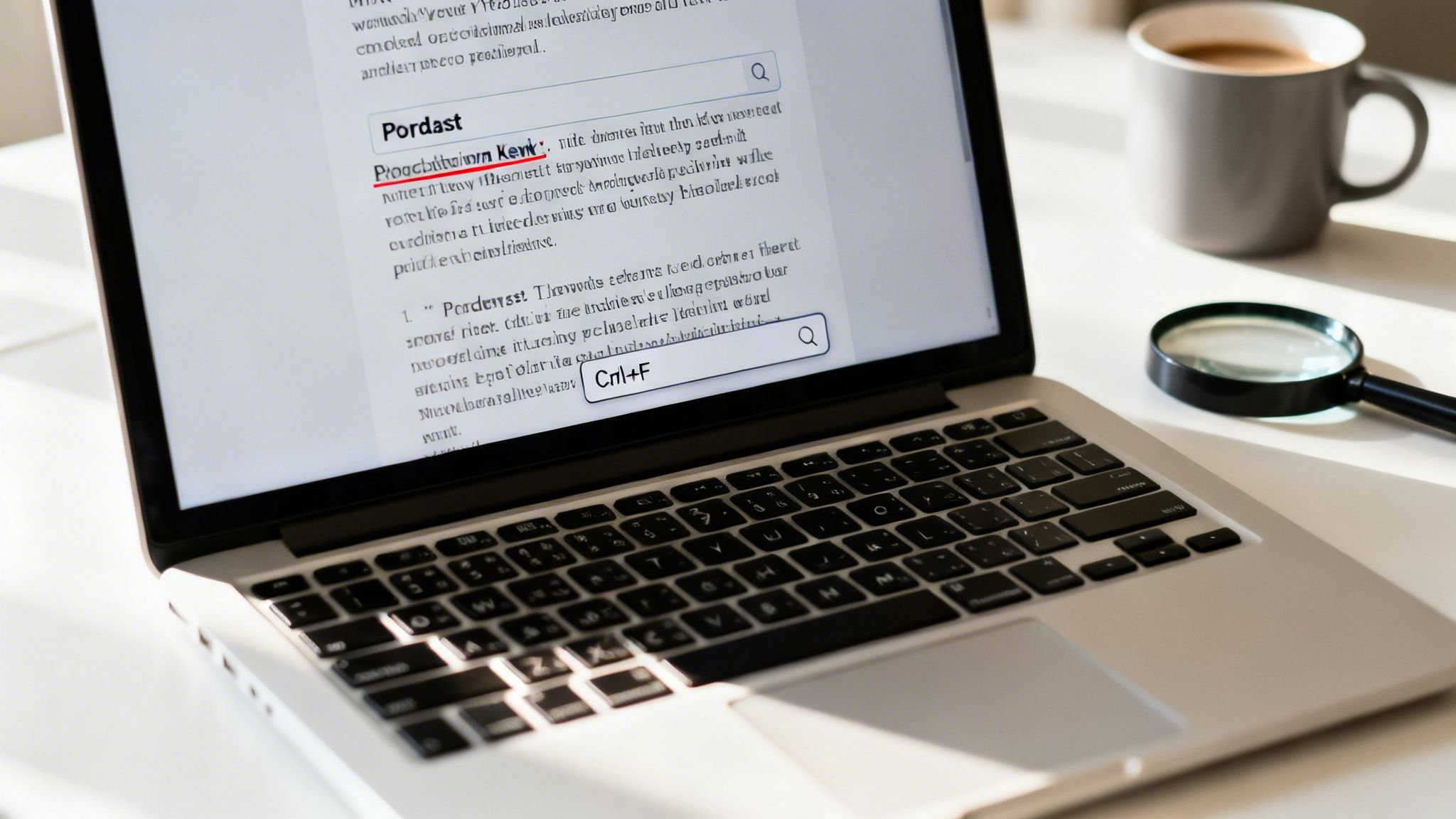
Finding transcripts is also getting much easier. Platforms like YouTube offer auto-generated transcripts that, while not perfect, are often more than enough for a quick keyword search. For more critical work, you can always turn to dedicated services for human-verified transcripts that include speaker labels and higher accuracy.
Pinpoint Mentions with Simple Commands
The simplest and most powerful way to use a transcript is with a keyboard command you already know: Ctrl+F (or Cmd+F on a Mac). It sounds almost too basic, but applying this to a full podcast transcript is a revelation.
Imagine you're trying to find every time a guest mentioned a competitor's brand, a key statistic, or a specific project. Instead of spending an hour listening, you can just search the text. In seconds, you can jump to every single instance.
This workflow is a lifesaver for tasks like:
- Fact-checking: Quickly verifying a quote or data point for a follow-up blog post.
- Clip Isolation: Finding the exact start and end of a great segment you want to repurpose for a social media video.
- Quote Pulling: Effortlessly grabbing the most compelling soundbites for your show notes or marketing materials.
A well-formatted transcript transforms an opaque audio file into a clear, indexable asset. Suddenly, your entire content library isn't just a collection of recordings; it's a searchable knowledge base waiting to be mined for new value.
Scale Your Search Across the Web
This trick isn't limited to just one episode at a time. You can use advanced Google search operators to scan thousands of public transcripts at once.
For example, let's say a podcast hosts its transcripts on its website. A simple search like site:podcastwebsite.com "exact phrase" tells Google to only look for that specific phrase on pages within that website.
This is how content teams can perform powerful research across a show's entire history. Need to find every episode where the host discussed "content repurposing"? A quick search operator will give you a list in moments. It’s an incredible way to breathe new life into your back catalog, find connections between old conversations, and create new content from discussions you had years ago.
Using AI to Unlock Your Audio Archive
Let's be honest: manual searching and scanning transcripts will only get you so far. When you have a massive back catalog of audio, a simple keyword search starts to feel like looking for a needle in a haystack. It can find a word, sure, but it has no idea what that word actually means in context.
This is where AI-powered search tools completely change the game. Instead of just matching keywords, they're built to understand the intent and meaning behind what was said. It's the difference between searching for a word and having a conversation with your entire content library. For any professional creator sitting on a huge archive of episodes, this turns a pile of old audio files into a living, breathing knowledge base.
Finding Meaning, Not Just Words
The real magic of using AI for podcast search is its ability to grasp semantics. It doesn't just find every time you said the word "sustainability." It can pinpoint segments where you discussed environmental goals, green initiatives, or corporate responsibility—even if the specific keyword "sustainability" was never mentioned.
Think about what that lets you do. You could ask your entire archive a direct question, just like you'd ask a research assistant:
"Find every time our founder talked about our sustainability goals in interviews from last year."
An AI-powered tool can chew through hundreds of hours of audio in seconds and return a precise list of timestamped clips from dozens of different episodes that fit your query. This is something that would be literally impossible for a human to do manually. It’s not about finding words anymore; it’s about finding answers.
Turn Your Archive into a Strategic Asset
Your back catalog is one of your most valuable assets. It's packed with your best ideas, incredible guest insights, and foundational brand stories. But if you can't easily find and reuse that content, its value is effectively locked away. AI indexing tools are designed to give you the key.
Platforms like our own Contesimal work by ingesting your entire library of audio and video, automatically transcribing it, and building a sophisticated search index. This process transforms your archive from a static collection into an interactive resource your whole team can tap into, helping you organize your content library to create new value.
Here are a few ways we see professional creators using this to completely reshape their workflow:
- Spotting Content Gold: Find those recurring themes and topics that really click with your audience. This is fantastic data for deciding what to create next.
- Tracking Your Reach: Instantly locate every single mention of your brand, products, or key people across all your guest appearances on other podcasts.
- Creating Effortless Content: Quickly pull powerful quotes and expert soundbites from past episodes to fuel new blog posts, social media clips, and newsletters.
For any creator transitioning from a hobbyist into a professional, revenue-generating entity, this kind of organization is essential. It's the perfect blend of human creativity and AI efficiency, allowing your team to find information, spark new ideas, and bring your entire content library back into the spotlight. You can finally organize, understand, and act on the wealth of knowledge you've worked so hard to create.
Building a Searchable Library for Your Team
One-off searches are fine for finding a single clip, but the real power comes from building a system. If you're a content creator, publisher, or part of a marketing team, your podcast archive can be so much more than a cost center. By turning it into a centralized, searchable library, you transform that back catalog into a living asset that fuels your content engine.
It all starts with getting your house in order. The first step is to pull your entire audio and video back catalog into one place. Once everything is consolidated, the goal is standardization. This means running every single episode through a high-quality transcription service to create a consistent, reliable foundation for your library.
This is how you unlock the full potential of your past work and upcycle your old content.
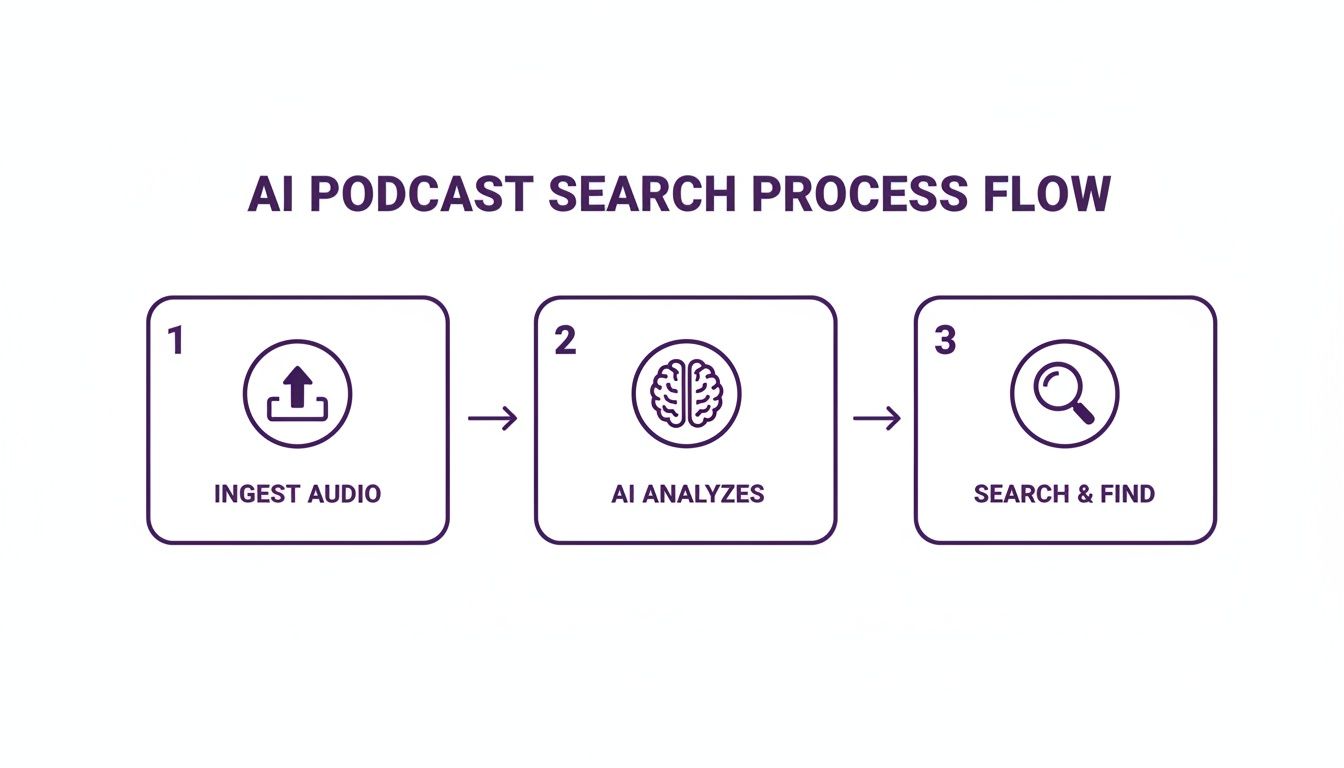
The process looks simple because it is: feed the system your audio, let an AI do the heavy lifting of analysis, and then let your team search and find what they need. You’re no longer dealing with isolated episodes; you're building an interconnected knowledge base that anyone on your team can tap into.
Creating a Smart Content Taxonomy
With your content ingested and transcribed, it's time to get organized. A smart tagging system—what we call a taxonomy—is what makes your library truly usable. This goes way beyond adding a few generic tags. It’s about building a structured hierarchy of topics, themes, guests, and even product mentions that are specific to your brand.
For instance, a good taxonomy might look something like this:
- High-Level Topics: Marketing, Leadership, Technology
- Specific Sub-Topics: SEO, Brand Strategy, AI Ethics
- Internal References: Product Names, Campaign Slogans
- Guest Information: Guest Name, Company, Area of Expertise
This kind of structure means your team can find what they need without having to remember which episode it was in. A social media manager can search for a concept like "brand strategy" and find every relevant clip, not just the episodes with that phrase in the title.
By creating a centralized and well-organized library, you empower your team to collaborate more effectively. It becomes the single source of truth for your best ideas, ensuring brand consistency and sparking a constant stream of new content.
Collaborative Research in Your Private Content Cloud
This is where the right tools make all the difference. Platforms like Contesimal are designed for this exact workflow, enabling collaboration between humans and AI. Instead of just a search bar, it offers a collaborative, chat-based interface that sits on top of your private content repository. Your team can ask questions, test ideas, and find connections in your content almost like they’re brainstorming with a research assistant who has a perfect memory.
This approach is more important than ever. Listeners spend an average of 7 hours weekly with podcasts, and with 86.1% tuning in on mobile devices, you need your content to be ready for discovery at a moment's notice. You can dive deeper into these numbers on podcast consumption habits and market trends.
Ultimately, building a searchable library is about creating a system that scales. It’s the difference between your archive being a digital graveyard and an active, money-making asset that maximizes the ROI of every single episode you’ve ever produced.
Common Podcast Search Questions, Answered
Even with the best strategies, you're bound to hit a few snags when digging for specific audio clips. Let's tackle some of the most common hurdles creators and content marketers run into when trying to search through podcasts.
How Can I Find a Podcast If I Only Remember a Guest's Name?
We've all been there. You remember a great interview but can't for the life of you recall the name of the show. Don't worry, you have a few options.
Your first stop should be a quick Google search. The trick is to be specific. Try searching for "Guest Name" podcast interview. Wrapping the name in quotation marks tells Google to find that exact phrase, and it's surprisingly effective at digging up guest appearances.
If that doesn't work, head over to a dedicated podcast directory. Most podcast apps will scan episode descriptions for guest names, but a tool like Podchaser is built for this. It has a massive, indexed database of guests, making it easy to see every show they've ever been on. Of course, if you're searching your own back catalog, a proper content platform makes this a breeze by letting you search for names across all your transcripts.
What Is the Best Way to Search for a Topic Across Different Podcasts?
This really depends on what you’re trying to accomplish: broad discovery or deep research.
For casting a wide net to see what various shows are saying about a topic, a podcast search engine like Listen Notes is fantastic. You can pop in a keyword and then filter the results by date, language, or region to get a good overview of the public conversation.
But if you're doing a deep dive—say, for competitive research or to understand a topic across your own library—you need something more powerful. This is where AI-driven platforms really shine. A tool like Contesimal doesn't just look for keywords in a title. It searches the full transcripts for thematic connections, showing you how a topic is being discussed, not just that it was mentioned. The difference in insight is night and day.
Can I Search for Spoken Words Inside an Episode?
Absolutely. In fact, this capability is the entire reason modern podcast search is so powerful. We're finally moving beyond just searching titles and show notes.
You're seeing this pop up in more places now. Platforms like Spotify and YouTube are increasingly offering searchable, auto-generated transcripts that scroll along with the audio.
For the most accurate and reliable results with your own content, nothing beats a dedicated transcription service or an AI content platform. It creates a perfectly searchable text version of your audio, letting you pinpoint the exact moment a word or phrase was spoken.
This simple step transforms your entire audio archive from a collection of files into a fully indexable database. You can instantly find quotes, pull stats, or locate specific moments without having to scrub through hours of audio. It's the secret to unlocking the true value of your content, making it ridiculously easy to repurpose old conversations into brand-new material.
Ready to stop hunting and start finding? Contesimal helps you organize, understand, and act on your entire content library. Turn your old longform content into a money-maker today by creating a searchable, intelligent archive. Learn more at https://contesimal.ai.