
So you're ready to get your podcast on Spotify. It's a huge step for any creator looking to grow, but the path is more straightforward than you might think. It really boils down to three things: getting your audio files and artwork right, picking a podcast host, and submitting your RSS feed through Spotify for Podcasters.
Let's walk through exactly what you need to have in place to make your launch smooth and successful, turning your passion into a revenue-generating asset.
Your Essential Pre-Launch Checklist for Spotify
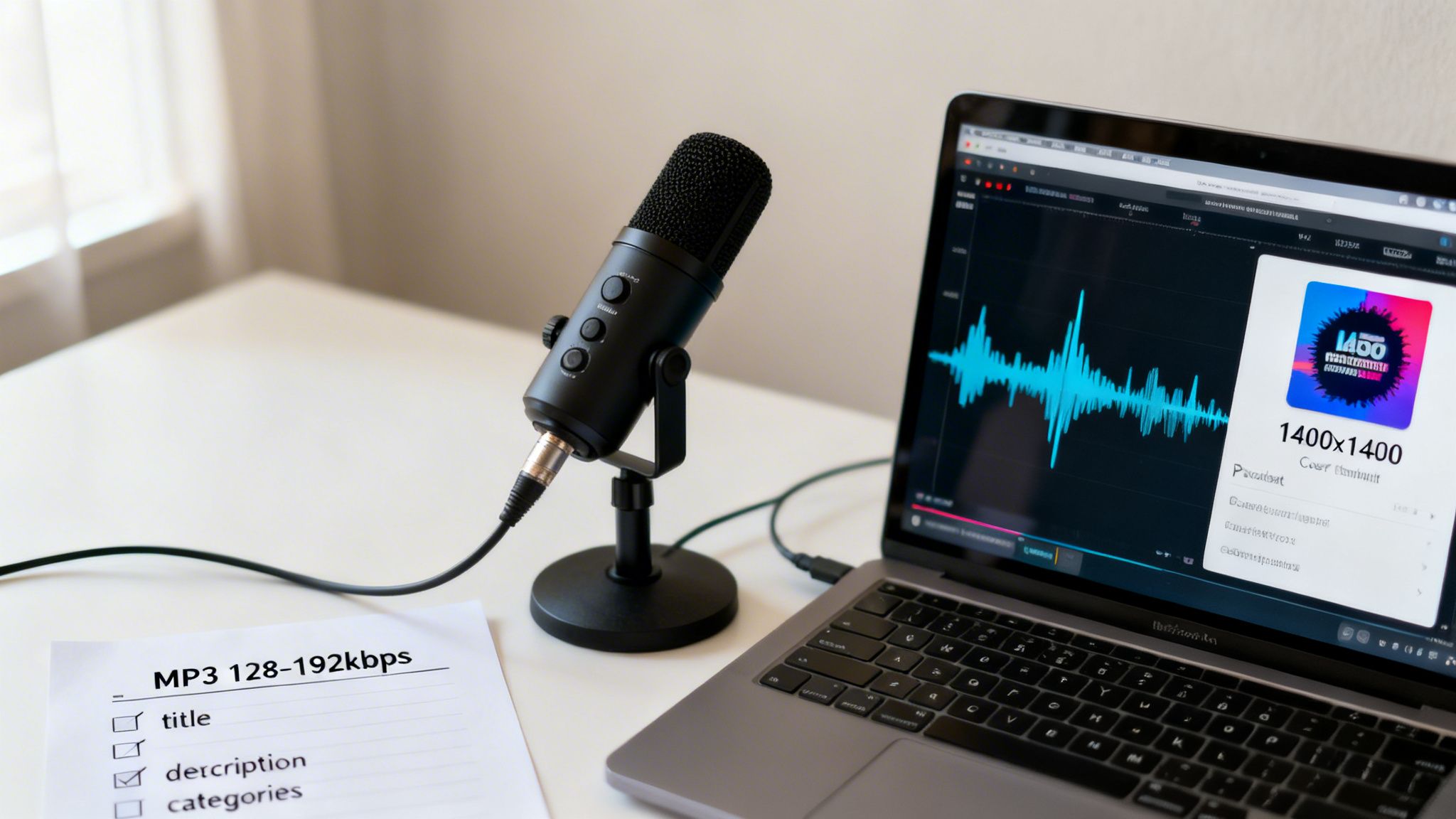
Before you hit that submit button, a little prep work goes a long way. This isn’t just about having an episode recorded; it’s about setting up a professional foundation that makes your show look and sound polished from day one, helping you transition from a hobbyist to a professional creator.
Think of it as laying the groundwork. Getting this stuff right now prevents headaches later and sets you up to create new value from your content.
Master Your Audio and Artwork
First up, your audio files. Spotify has specific requirements, and you need to meet them. All your episodes must be in MP3 format. I've found that a bitrate of 128 kbps is the sweet spot—it keeps your audio sounding crisp and clear without creating huge files that take forever to download.
Your cover art is just as critical. It’s the very first thing potential listeners see, and you only get one chance to make a first impression. Make sure it's a 1:1 square JPEG or PNG file, with a minimum size of 1400×1400 pixels. A killer image can be the difference between someone scrolling past and someone hitting play.
The top 1% of podcasts get an average of 4,824 downloads in their first 7 days. The median? Just 30. Hitting those bigger numbers starts with sweating the small stuff, like having eye-catching artwork and metadata that grabs attention.
A solid setup is half the battle. If you're still piecing things together, this guide to the perfect podcast studio setup is a great resource.
Spotify Podcast Asset Requirements at a Glance
Use this quick reference guide to ensure all your podcast assets meet Spotify's technical specifications before submission.
| Asset Type | Spotify Requirement | Pro Tip |
|---|---|---|
| Episode Audio | MP3 format with a bitrate of 128 kbps or higher. | Export at 128 kbps for the best balance of quality and file size. Listeners on mobile data will thank you. |
| Cover Art | 1:1 square image (JPEG or PNG). Minimum size 1400×1400 pixels. | Use high-contrast colors and minimal text. Your artwork will often be seen as a tiny thumbnail, so make it pop. |
| Show Title | Memorable and descriptive. Should not include guest names or episode numbers. | Keep it concise. A long, complicated title is hard to remember and looks cluttered in podcast apps. |
| Show Description | A clear summary of your podcast. Can include relevant keywords. | This is your elevator pitch. Hook new listeners in the first two sentences and tell them exactly what to expect. |
| Category Selection | Choose up to 3 relevant categories from Spotify's list of over 20 genres. | Your primary category is most important for charting. Choose wisely based on your core topic. |
Nailing these specs is non-negotiable. It shows you're a serious creator and makes the whole submission process a breeze.
Craft Your Core Metadata
Your podcast’s metadata is what feeds Spotify’s discovery algorithms, helping the right people find your show. Don’t rush this part.
There are three main pieces to get right:
- Show Title: Make it memorable, descriptive, and easy for people to find when they search.
- Show Description: This is your sales pitch. Clearly explain what the show is about, who it’s for, and why they should tune in. Weave in keywords naturally.
- Categories: You can pick up to three categories from Spotify’s list of over 20 genres. This is how you get surfaced in charts and recommendations, so choose the ones that best fit your content.
Getting these elements right before you submit is a must. They are the backbone of your show's identity and its ability to be discovered on the platform.
Once you have a library of episodes, a system can help you organize and pull value from your existing work, making it easier to plan future content. And if you’re still finalizing your gear, check out our other guide on the essential https://contesimal.ai/blog/tag/equipment-needed-for-a-podcast/ to round out your pre-launch prep.
Choosing the Right Podcast Hosting Service
So, you’ve recorded your first few episodes and you're ready to get on Spotify. Here’s a piece of advice I wish I had when I started: you don’t upload your audio files directly to Spotify. It just doesn't work that way.
You actually need a dedicated podcast host. This service is the digital home for your audio files. More importantly, it’s what generates the all-important RSS feed that Spotify and other podcast directories use to find and distribute your show.
Think of it this way: your podcast host is your show's home base. Spotify is the massive highway that brings listeners to your front door. You can't get on the highway without a home first. This is a non-negotiable step for any professional creator.
What to Look for in a Podcast Host
Picking a host isn't just about finding a place to dump your MP3s. The right service can make your life so much easier, give you deep insights into who’s listening, and even help you start making money from your content library.
As you move from a hobby to something more serious, your host choice impacts everything. Here’s what I always compare:
- Storage and Upload Limits: Some hosts give you unlimited storage, which sounds great, but others charge based on the hours you upload each month. Think about your release schedule. Are you dropping a 30-minute episode weekly or a 3-hour deep dive once a month?
- Analytics and Statistics: Good stats are more than just a vanity download number. You want IAB-certified analytics that show listener demographics, where they are, and what apps they're using. This data is pure gold for figuring out how to grow your audience across platforms.
- Monetization Tools: Are you planning to run ads or offer paid subscriptions? Look for a host with built-in tools for dynamic ad insertion or listener support. It saves a massive headache down the line.
- Ease of Use: Your time is better spent creating, not fumbling with a clunky interface. A clean, intuitive dashboard is essential for content marketers and busy creators.
Remember, to get your show on Spotify, you submit the RSS feed URL your host—like Buzzsprout, Libsyn, or Spotify's own platform—gives you. You'll plug that link into the Spotify for Podcasters portal. You can find more data on why this ecosystem is so important by exploring these insights on Spotify's ecosystem.
Comparing Top Podcast Hosting Platforms
The market is full of great options, and the "best" one really depends on you. Are you a YouTuber turning videos into audio? A publisher with a huge content library? There’s a host built for your specific needs.
Let’s break down a few of the big players.
Spotify for Podcasters (Formerly Anchor)
This is Spotify’s own free hosting platform. For beginners, it's a fantastic starting point. It's 100% free with unlimited storage and hosting, and the integration with Spotify is obviously seamless. The trade-off? Its analytics are pretty basic compared to paid options, which can be a deal-breaker if you're serious about audience data and generating revenue.
Buzzsprout
Buzzsprout is a fan favorite for a reason—it’s incredibly user-friendly and has top-notch customer support. Their plans are based on how many hours you upload each month, and they pack in powerful features like automatic episode optimization, fantastic analytics, and even transcription services. It’s a solid choice for podcasters who are ready to invest a little in their growth.
Libsyn
Libsyn (short for Liberated Syndication) is one of the original players in the game, and they are built like a tank. It’s a platform for serious podcasters and publishing professionals who prioritize reliability above all else. While some say the interface feels a bit dated, their advanced tools and rock-solid performance make them a go-to for pros and large media companies.
Choosing a host is a strategic decision. Ask yourself: "Where do I see my show in one year?" A hobbyist just having fun will be perfectly happy with a free service. But if you have bigger ambitions and want to make money with your content, you need a platform that can scale with you.
For creators with a massive back catalog of content—videos, blog posts, or old podcast seasons—your host is only one piece of the puzzle. To really squeeze value out of what you've already made, you need to organize and understand it. A platform like Contesimal works alongside your host, helping you analyze and collaborate on your entire content archive to find themes, pull promotional clips, and spark ideas for new episodes. It turns your old work into a perpetual engine for new creativity.
Getting Your Show Onto Spotify for Podcasters
Alright, you've done the hard work. Your first episodes are polished, and your podcast host is all set up and storing your files. Now for the fun part—getting your show officially listed on Spotify. This is where you connect your podcast to the 270 million users who listen on the platform.
The whole process goes down on the Spotify for Podcasters website. It’s a pretty clear path, but knowing the exact steps before you start makes it foolproof. This is the moment you hand over your RSS feed, the key that unlocks your show's spot in their massive library.
Kicking Off the Submission
First thing's first, you need a Spotify for Podcasters account. If you already have a personal Spotify account for listening to music, you can use that to log in. It keeps things nice and simple. If not, no worries—creating a new one takes just a minute.
Once you’re in, the site will prompt you to add your podcast. You’ll land on a page asking for your RSS feed link. This is that special URL you copied from your podcast host, like Buzzsprout or Libsyn.
This little flowchart breaks down the basic journey: from you, the creator, to your host, and finally to Spotify.
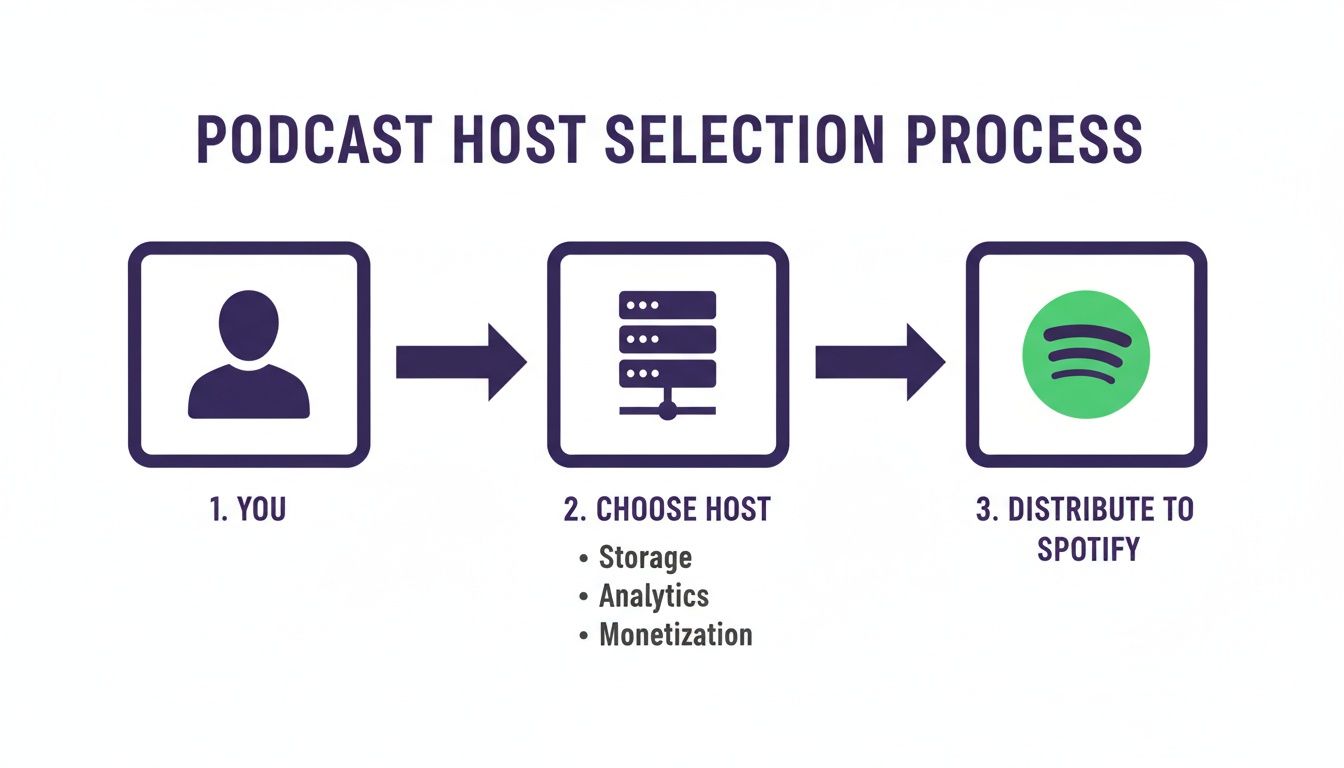
Think of your podcast host as the essential bridge. It’s what connects the audio files you create to the millions of listeners waiting on Spotify.
Handing Over Your RSS Feed
This next part is the most important, so pay close attention. You'll paste that RSS feed URL into the field on the screen and hit "Next." Spotify immediately gets to work, pulling in all your podcast's info—the title, description, cover art, and all your episode data—straight from the feed.
Take a second to review everything. Does the artwork look sharp? Is the description showing up correctly? If anything seems off, you need to head back to your podcast hosting service and fix it there. Spotify is just a mirror; it only shows what's in your feed.
After you confirm the details look good, Spotify needs to verify that you actually own this podcast. It’s a simple security step. They do this by sending a verification code to the email address that's listed inside your RSS feed.
Pro-tip: Before you even start this process, log into your podcast host and make sure the email address in your settings is one you can access right away. I've seen creators get stuck here because they used a generic or old email. Double-check it first.
You'll get an email with a unique code. Just copy that, paste it back into the Spotify for Podcasters page, and you've officially proven you're the owner.
Finalizing Your Podcast Details
Once you're verified, you’re on the home stretch. Spotify will ask you to confirm a few more details that help listeners discover your show. This is where you’ll lock in your podcast's primary language, country, and the categories you chose earlier.
Be deliberate here. These details are what the Spotify algorithm uses to suggest your show to new people. For example, if you pick "Business" and "Marketing," you’re telling the algorithm to show your podcast to people who are already listening to other business and marketing shows.
Here’s a quick rundown of what you’ll finalize:
- Confirm Categories: You can pick up to three, but your primary category is the most important one for charting and discovery.
- Select Language: Choose the main language spoken in your podcast.
- Choose Country: Select the country your podcast is based out of.
Give everything one last look, take a deep breath, and hit that final "Submit" button. That’s it! Your podcast is now on its way to Spotify. Approval is usually surprisingly fast—sometimes just a few hours—but can occasionally take a day or two. You’ll get an email the second it’s live and ready for the world to hear.
Troubleshooting Common Submission Errors
You’ve done all the work, you paste your RSS feed, hit submit, and… an error message pops up. It’s a total gut-punch, but it happens to more podcasters than you’d think, especially when first learning how to get a podcast on Spotify.
Don't worry—these issues are almost always simpler than they appear. A submission error is just Spotify's way of saying something in your RSS feed doesn't match its technical checklist. Think of it as a quality control check. Let's walk through the most common errors and get them fixed fast.
The "Invalid RSS Feed" Headache
This is by far the most common (and most vague) error you'll run into. It just means Spotify’s system tried to read your RSS feed and stumbled on something it couldn't process. It could be a tiny typo in the code or a major missing piece of information.
Your first move is to run your feed through an RSS feed validator. These are free online tools that scan your feed for technical problems and tell you exactly what’s broken. Most of the time, the culprit is missing information.
- Check Your Host: Head back to your podcast hosting dashboard.
- Confirm Required Fields: Make sure your show's title, description, and at least one category are filled out completely.
- Verify Episode Status: You need at least one published episode. A draft or a scheduled episode won't count.
Solving Artwork and Email Mismatches
Two other frequent hiccups involve your cover art and the email address tied to your feed. If Spotify flags an issue with your artwork, it's almost always a problem with the file's specifications.
Go back to your host and re-upload your cover art. Double-check that it’s a square JPEG or PNG file and that it’s at least 1400×1400 pixels in size.
An "email address mismatch" error pops up during the verification step. Spotify sends a code to the email listed in your RSS feed to prove you own the show. If that email is old, misspelled, or one you can't access, you’re stuck.
To prevent this, log in to your podcast host before you even start the submission process. Find the RSS feed settings and confirm the owner's email address is one you check regularly. This single pre-flight check saves a ton of headaches.
Once you’ve made a fix in your hosting service, give it a few minutes for the RSS feed to update itself. Then, head back to Spotify for Podcasters and try submitting again. These simple checks solve the vast majority of submission problems.
For creators with a huge back catalog, keeping track of these details across hundreds of episodes can be a real challenge. A platform like Contesimal can help audit your entire library, ensuring all your metadata is consistent and ready for distribution. It helps you organize your content library, prevent these errors, and create new value from your existing assets.
Optimizing Your Podcast for Discovery on Spotify
So, you did it. Your podcast is officially live on Spotify. That’s a huge milestone, but it’s just getting you into the stadium. The real game—getting discovered—starts now. This is where you reignite your content and bring it to life for a wider audience.
With millions of shows out there, just showing up isn’t enough. You have to actively work to catch the ear of the right listeners. This is about moving beyond the basic setup and using the very features Spotify’s algorithm loves to see to generate more engagement and audience across platforms.
Tap Into Spotify's Interactive Tools
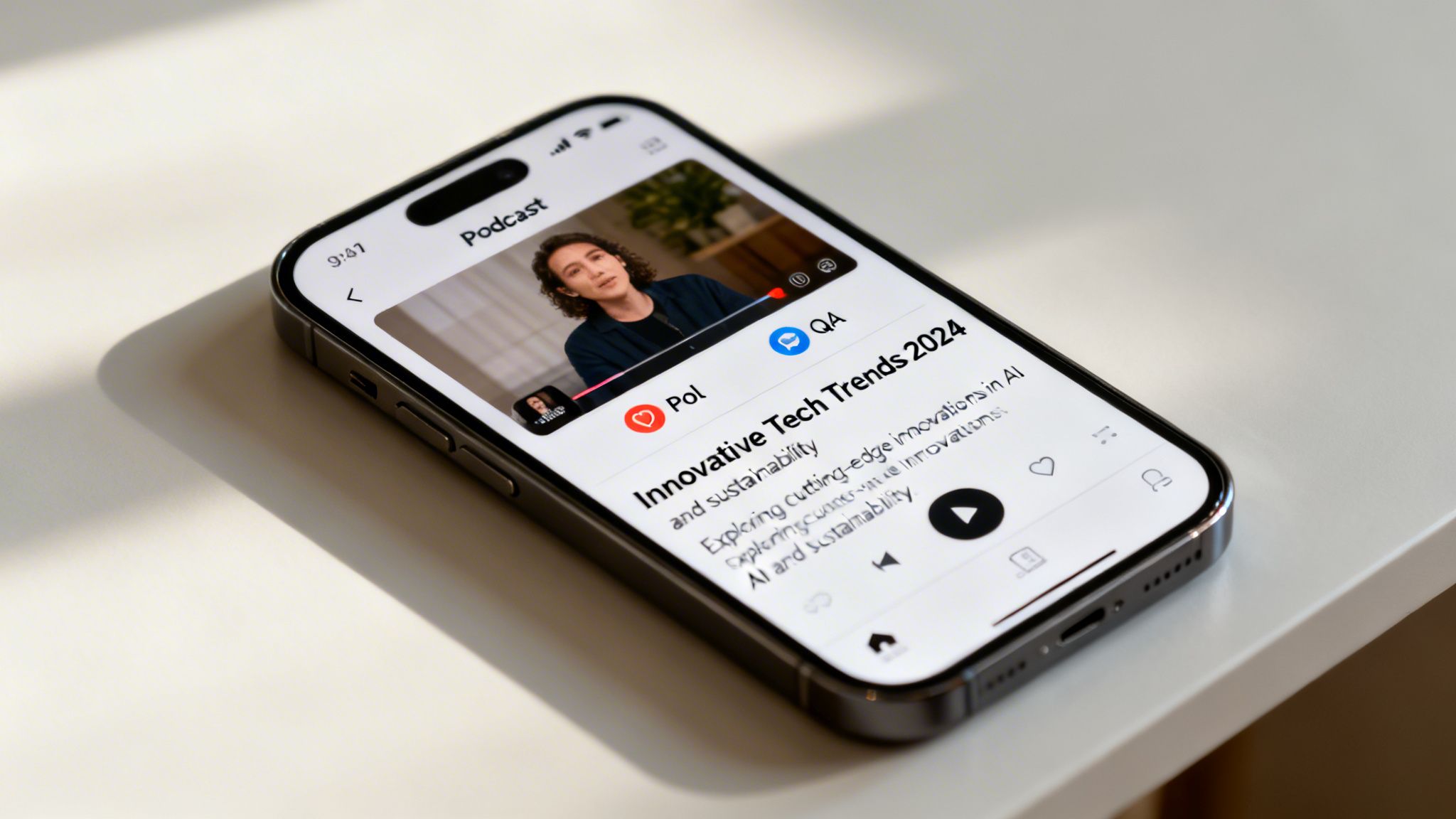
Spotify has built-in features like Polls and Q&As for a reason. They’re designed to turn a passive listen into an active experience, and the platform’s algorithm pays close attention when your audience engages.
You can set these up right from your Spotify for Podcasters dashboard. After you’ve dropped a controversial take, why not add a poll asking, "Which side are you on?" Or after an expert interview, pop in a Q&A: "What was your biggest takeaway from this conversation?"
These aren't just gimmicks; they're discovery magnets. High engagement sends a strong signal to Spotify that your episode is hitting the mark, making it more likely to get recommended to new people.
The trick is to bake these prompts right into your show. A quick mention in your outro is all it takes to send listeners to the episode page to participate, and that simple call to action can make a huge difference in your engagement numbers.
Embrace the Power of Video Podcasts
If you're serious about growing on Spotify, you can't afford to ignore video. It's a core part of Spotify's strategy to keep users on the app longer, and the numbers don't lie. The platform now hosts over 330,000 video shows for 270 million users, and 60% of the top podcasts have a video version.
For creators like YouTubers, vloggers, and filmmakers, this is a golden opportunity. If you're already filming your episodes for YouTube, getting them on Spotify is a no-brainer. Just upload the video file to your podcast host the same way you do with your audio to take your long-form content across platforms in one click.
And don't worry if you don't have a high-end production setup. A simple "talking head" recording from a decent webcam or your phone is all you need to get started. That visual connection makes your show feel more personal and can hook listeners in a way audio alone can't.
Spotify is clearly betting on these features to drive engagement and discovery. To make it easier to decide where to focus your energy, here’s a quick breakdown of how these different tools stack up.
Spotify Discovery Feature Comparison
| Feature | Potential Impact on Discovery | Effort Level | Best For |
|---|---|---|---|
| Polls & Q&As | Medium | Low | Sparking quick community interaction and signaling high engagement rates. |
| Video Podcasts | High | High | Creators who want to build a deeper connection and tap into a growing trend. |
| Keyword Optimization | High | Low | Every podcaster. This is a foundational tactic for being found via search. |
| Playlists | Medium | Medium | Shows with a large back catalog who want to guide listeners through topics. |
As you can see, you don't have to do everything at once. Start with the low-effort, high-impact tactics and build from there. The goal is to give Spotify as many positive signals as possible.
Master Your Titles and Descriptions
While new features are exciting, don't sleep on the fundamentals of good old-fashioned search. Your episode titles and descriptions are your front line for getting found by listeners actively looking for your topics.
Ditch the clever but vague titles like "Episode 47: The Big One." Instead, be specific and pack in the keywords. A much better title would be something like, "How to Invest Your First $1,000 in Real Estate | Expert Tips." It tells both the listener and the algorithm exactly what to expect.
Here’s a simple way to think about it:
- Think Like a Listener: What would someone actually type into the search bar to find your show?
- Get Specific: Always include guest names, key topics, and the main benefit of tuning in.
- Use Your Descriptions: The description is your space to expand on those keywords with a clear, compelling summary of the episode.
Transcribing your episodes can also be an SEO goldmine. While the full text isn't displayed on Spotify, knowing the common words and phrases you use helps you craft better, more targeted titles and descriptions. You can dig deeper into how this works in our article on the value of a Spotify podcast transcript.
Turn Your Back Catalog into a Growth Engine
If you’ve been at this for a while, you’re sitting on a mountain of content. Many creators just let old episodes collect digital dust, but your archive is a sleeping giant. Upcycle your old content and create new value.
This is where a content intelligence platform like Contesimal can be a game-changer. Instead of manually combing through hundreds of hours of audio, you can analyze your entire library to find popular topics, recurring themes, and evergreen gems. That insight lets you get strategic.
For example, you could:
- Create Themed Playlists: Group your best episodes on a single topic, like "Our Top 5 Episodes on Digital Marketing," to guide new listeners and build on successful concepts.
- Find Spin-Off Show Ideas: You might discover a niche topic you've touched on multiple times that could support its own show, helping you figure out what new video or podcast to create next.
- Repurpose "Greatest Hits": Re-release a fan-favorite episode with a new intro or updated commentary to get it in front of a fresh audience.
When you start to organize and understand your content library, old episodes stop being a liability and start becoming one of your most valuable assets for making money. To really take your visibility to the next level, you'll also want to implement some powerful podcast marketing strategies beyond just Spotify.
Answering Your Top Spotify Podcast Questions
Getting your show on the biggest audio platform in the world is a huge step, but it naturally brings up a few questions. I've seen creators run into the same handful of queries time and again.
Let's clear the air and give you some straight answers on everything from timelines to costs.
How Long Does Spotify Approval Really Take?
This is the big one, isn't it? You've done the work, you've hit submit, and now you're refreshing your email every five minutes. The good news is that Spotify's approval process can be surprisingly fast—I've seen shows go live in just a few hours.
That said, the official line is to allow up to 5 business days. What's the biggest variable? The quality of your submission. If your RSS feed is clean and your cover art nails all the specs, you'll probably fly through.
If you’re still waiting after a couple of days, your first move should be to check your email, and don't forget the spam folder. A delay is almost always a sign that something in your feed needs a quick fix, and Spotify will let you know.
Does It Cost Money to Put a Podcast on Spotify?
Nope. Getting your podcast listed on Spotify is completely free. They don't charge you a dime for hosting or distributing your show to their massive audience.
Your only real expense here is your podcast hosting service—the company that actually stores your audio files and generates that all-important RSS feed. While there are free hosts out there, creators serious about growth usually invest in a paid plan. The extra cost gets you better analytics, reliable support, and features that actually help you grow your show from a hobby into a business.
Think of it this way: Spotify gives you the stage for free. Your hosting service is the backstage crew making sure the show goes off without a hitch. Sometimes, it pays to have the best crew you can find.
Can I See Who Listens to My Podcast?
You can't see that your Aunt Carol from Ohio just tuned in—and for good privacy reasons, you wouldn't want to. But the analytics inside the Spotify for Podcasters dashboard are the next best thing. It’s a goldmine of information about your audience.
Once your podcast is live, you'll unlock a dashboard that shows you:
- Core Metrics: Total streams, unique listeners, and how many followers you're gaining over time.
- Audience Demographics: Anonymized data on the age and gender breakdown of your audience.
- Geographic Location: Find out which countries and even cities your listeners are tuning in from.
This data is invaluable. Knowing who is listening helps you shape your content and gives you solid numbers to bring to potential sponsors. For anyone looking to grow, knowing how to promote a podcast effectively starts right here, with this data.
How Do My New Episodes Get on Spotify?
This part often trips up new podcasters, but it’s beautifully simple. You never have to manually upload a new episode to Spotify. Once your show is approved, the entire process is automatic.
When you publish a new episode to your podcast host (like Buzzsprout or Libsyn), your host automatically updates your RSS feed. Spotify's system constantly "crawls" that feed, looking for new episodes. As soon as it finds one, it pulls the episode onto your show's page. This usually happens within an hour, so your latest content gets to your listeners without you lifting a finger.
As your podcast library gets bigger, figuring out what truly clicks with your audience gets more complicated. Contesimal is an AI platform built for creators who want to go deeper. It helps you organize your entire content archive—podcasts, videos, articles—to uncover hidden patterns, spark new ideas, and help you collaborate to repurpose your best work for more impact. Turn your content history into a clear roadmap for what to create next, and start to generate new value from your existing library. See what’s possible at https://contesimal.ai.