
Editing audio for a podcast means organizing the raw tracks, making a rough cut, cleaning noise, shaping dialogue pacing, adding music, then applying EQ and limiting before checking loudness and exporting. Keep the original recordings untouched and edit a working copy, so you can revise the episode, create new versions, or reuse ad slots later. Markers and versioned masters make those changes easier to track.
The Podcast Editing Workflow From Raw Files to Master
A 30-minute episode can take 2.5 hours to produce, including editing, according to figures published by World Metrics. Use that as a planning reference, not a promise: recording conditions, speaker count, and the amount of restructuring all affect the work. A stage-by-stage budget makes the workload visible and helps you identify where an episode needs more time.
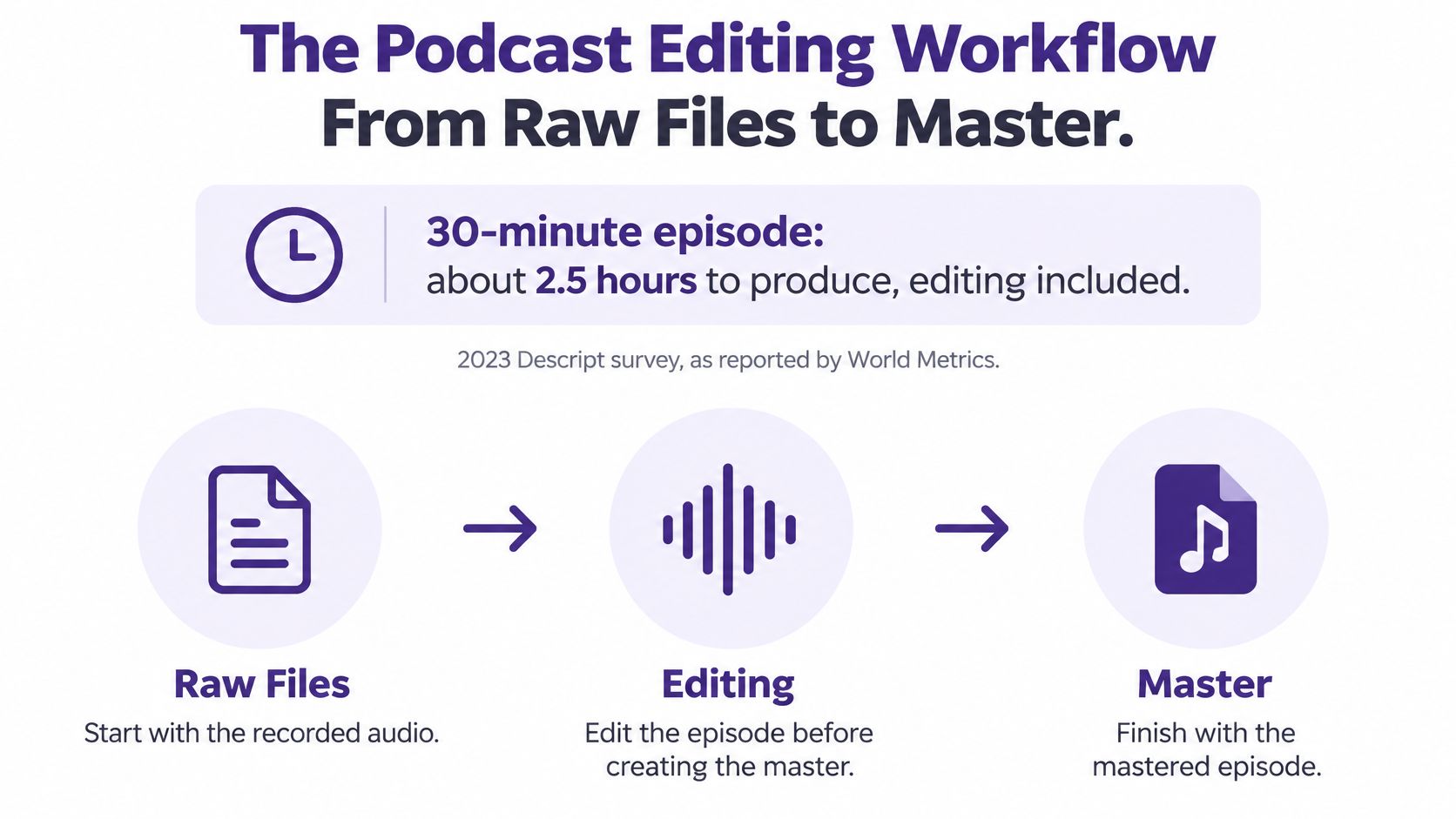
The table's timings are an illustrative planning budget, not survey-based typical times. Adjust them for the material in front of you, and keep edit decisions reversible so the session can support a new cut or master later.
| Stage | Main task | Illustrative planning budget |
|---|---|---|
| 1. Organize and import | Sort raw tracks, name files, build session | 15 min |
| 2. Rough cut | Trim false starts and tangents from the transcript | 30 min |
| 3. Noise cleanup | Hum notch, noise reduction, clicks, room tone fills | 20 min |
| 4. Dialogue and pacing | Tighten pauses, check breaths, remove filler | 35 min |
| 5. Music and transitions | Beds, intro, outro, stings, ad markers | 20 min |
| 6. EQ, compression, limiting | Per-speaker chain and final peak control | 15 min |
| 7. Loudness check and export | LUFS measurement, true peak, encode, listen | 15 min |
Why This Order Works
Clean noise before EQ, or you may boost hiss along with the voice. Finish the dialogue before mixing music, so the bed sits under the lines that remain. Apply limiting after the mix is settled, when it can catch the final peaks rather than peaks that disappear in another edit.
Keep the workflow in this order:
- Organize: Build the session and protect the raw files.
- Rough cut: Decide what stays, while preserving the original recordings.
- Cleanup: Reduce noise without damaging voices.
- Dialogue pacing: Make speech flow naturally.
- Music and transitions: Add beds, stings, and ad markers.
- EQ, compression, limiting: Shape tone and control peaks.
- Loudness check and export: Measure, encode, and listen.
Leave the edit open until the cut is locked. Changes to gain, loud laughs, or music can shift the final mix, so measuring loudness too early means repeating the check. Save versioned masters and retain ad markers, and you can re-cut, re-export, or replace an ad slot without rebuilding the episode.
Practical rule: A stage is finished when it leaves a file, a marked transcript, or a clear decision you can revisit.
Organize Your Session Before the First Cut
Editing directly on the raw file is the fastest way to make every later fix destructive. You cut something, save over it, and six months later nobody can rebuild the good take you swear existed. Don't do that to future you.
Build three folders and keep them boring. Put untouched recordings in Raw, never opened for editing. Put DAW sessions in Sessions. Put approved masters in Exports. A naming pattern like EP42_Host_Raw_v01 tells a collaborator the episode, speaker, status, and version at a glance, and you bump the version every time a cut is approved.
Pair that habit with a podcast episode planning template so file names, guest names, segments, and release dates match the plan instead of living in someone's memory.
Track Layout That Saves Rework
Give every speaker a separate track. Add separate tracks for music, sound effects, intro and outro, and an ad marker track or marker lane. That separation lets you duck music, replace a sting, or move an ad slot without touching dialogue.
Record and edit at a matching sample rate, commonly 48 kHz for voice work. Match the session to the recorder's setting so you aren't resampling by accident and blaming the microphone.
Save a reusable template once. In Reaper, save a track template so bus routing, names, and colors carry over. In Audacity, keep a blank labeled project you duplicate. In Adobe Audition, save a multitrack session with preset tracks.
For back-catalog work, batch-check raw files before reuse:
- Level jumps: Scan for sections that suddenly shout or vanish.
- Clipped peaks: Flag damaged moments before you build clips around them.
- Room noise shifts: Note microphone or codec changes that will clash in compilations.
Finish with the 3-2-1 backup rule, three copies, two media types, one off-site. Keep a transcript beside each raw file, because a searchable transcript is how an old episode becomes findable again instead of just old.
Clean Up Noise and Room Sound Without Artifacts
A little steady noise is better than a damaged voice. That's the rule tutorials skip when they push a slider until the waveform looks clean and the host sounds like they're talking underwater.
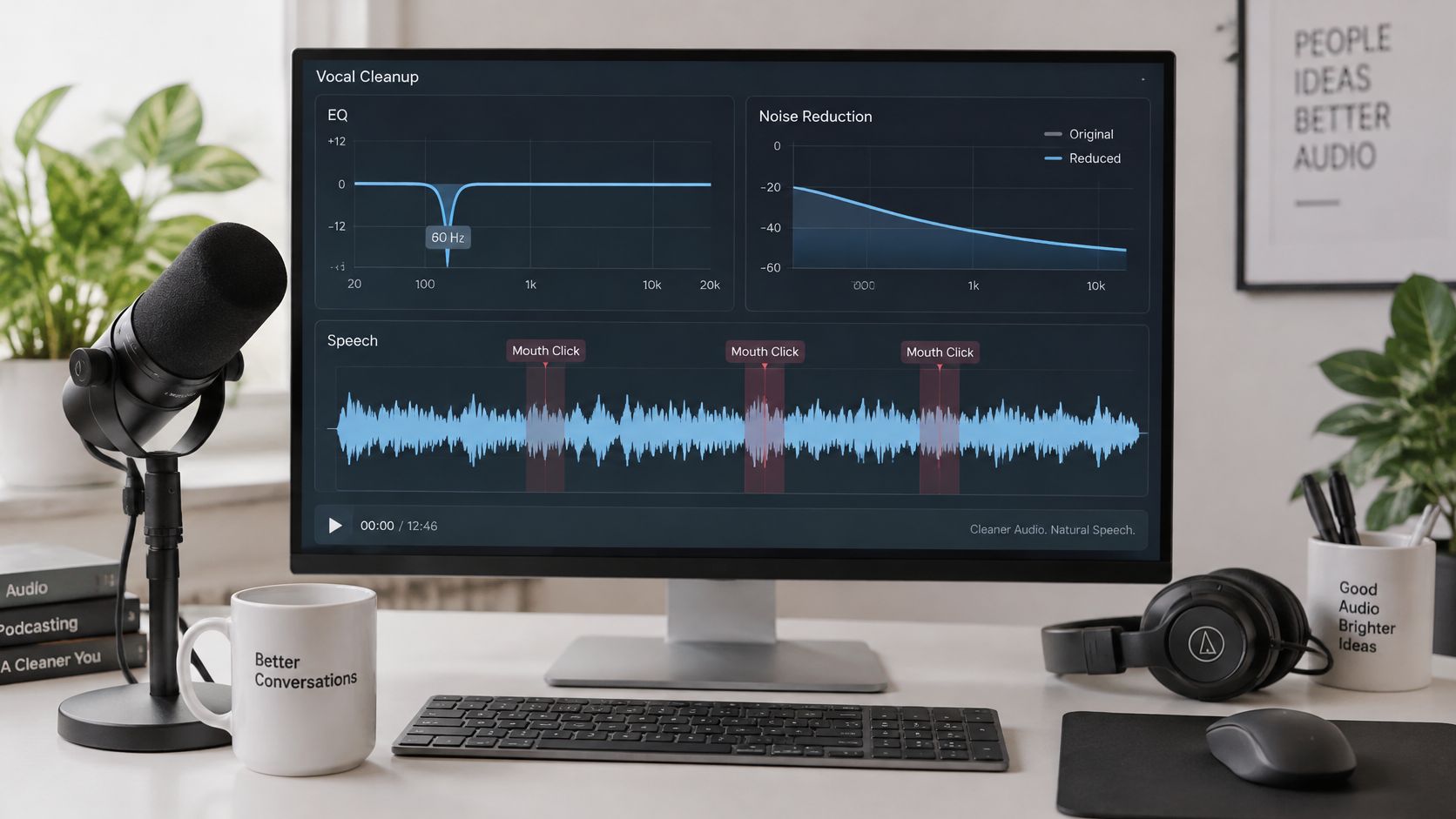
Start by naming the noise, because each type needs a different tool. Hum sits at 50 or 60 Hz with harmonics. Hiss is broadband and constant. Rumble comes from rooms, traffic, and handling. Clicks and mouth noise are short events, not a floor you can filter away.
The Cleanup Order
- Notch hum: Use a narrow EQ cut at 50 or 60 Hz and its harmonics.
- Capture room tone: Take one to two seconds of silent room tone for your noise profile.
- Reduce conservatively: Start noise reduction around 6 dB and increase only while the voice stays natural.
- Repair clicks: Use click removal or a manual cut for pops and mouth sounds.
- High-pass the voice: Roll off around 80 Hz to remove rumble and handling noise.
- Process speakers separately: Clean each voice before the mix, since rooms differ.
- Fill hard edits: Patch cuts with matching room tone so the edit doesn't sound like a hole.
Heavy spectral reduction creates metallic or watery artifacts that distract more than low, steady noise. And don't trust the waveform alone. A noisy consonant and a meaningful pause can look identical on screen, which is why you audition edits instead of deleting shapes.
This session walkthrough shows how those small cleanup choices sound in context before you commit to them:
If you're also cutting spoken tracks for video, it helps to compare software for video voice overs because voice cleanup tools differ in how aggressively they process speech.
Test every cleanup pass the same way. Compare processed and unprocessed voices at matched loudness, then listen on headphones and a phone speaker. Louder usually sounds better in the moment, even when it's worse.
Dialogue Pacing and Pauses That Still Sound Human
Start with a transcript-assisted rough pass, not waveform surgery. Mark false starts, repeated phrases, long silences, mouth noises, and tangents on the page first. You'll spot a circular answer in text in seconds. In audio, you might politely listen to it three times.
Cut on phrase boundaries with short crossfades. Don't mechanically delete every gap. Over-tightened speech sounds robotic, room tone jumps at every edit, and listeners tire because nobody gets a beat to think.
| Context | Target length or treatment | Why it matters |
|---|---|---|
| Between speaker turns | 0.3-0.5 s | Keeps turn-taking clear without dead air |
| Within one answer | 0.2-0.4 s | Preserves the rhythm of a thought |
| After a question | 0.8-1.2 s | Gives the listener room to answer |
| Before a key point or punchline | 0.8-1.5 s | Works as emphasis, so do not trim it |
| Tech pauses and dead air | Cut to 0.5-1 s | Removes drag without losing the line |
| Breaths | Keep, or lower 3-6 dB if loud | Removing all breaths sounds unnatural |
Exceptions Worth Protecting
A pause after a question isn't dead air. It's where the listener forms their own answer. A pause before a key point is emphasis, not a mistake to iron flat. Trim those and the episode gets faster but weaker, which isn't really a trade you wanted.
Breaths deserve the same restraint. Lower a loud breath when it shouts over the sentence. Remove every breath and your host sounds oddly breathless in the wrong places, delivering long lines with no human punctuation.
Read the edited line aloud with the transcript open. If you stumble or the meaning changes, the cut failed, however tidy it looks.
Protect the work as you go. Keep an untouched original, an edit decision list or timestamped transcript, and a versioned master. A disputed cut should be reversible in minutes, not rebuilt from memory at midnight.
Use the pause numbers as starting points, then adjust by ear. Pacing is a listening decision, not a waveform measurement.
Music Beds, Transitions and Ad Markers
A music bed should support the voice, not compete with it. As a starting point, set it 12 to 18 dB below the voice, then adjust by ear on headphones and ordinary speakers. Duck the bed a little further under speech and let it rise in pauses. If the listener notices the music before the sentence, lower it.
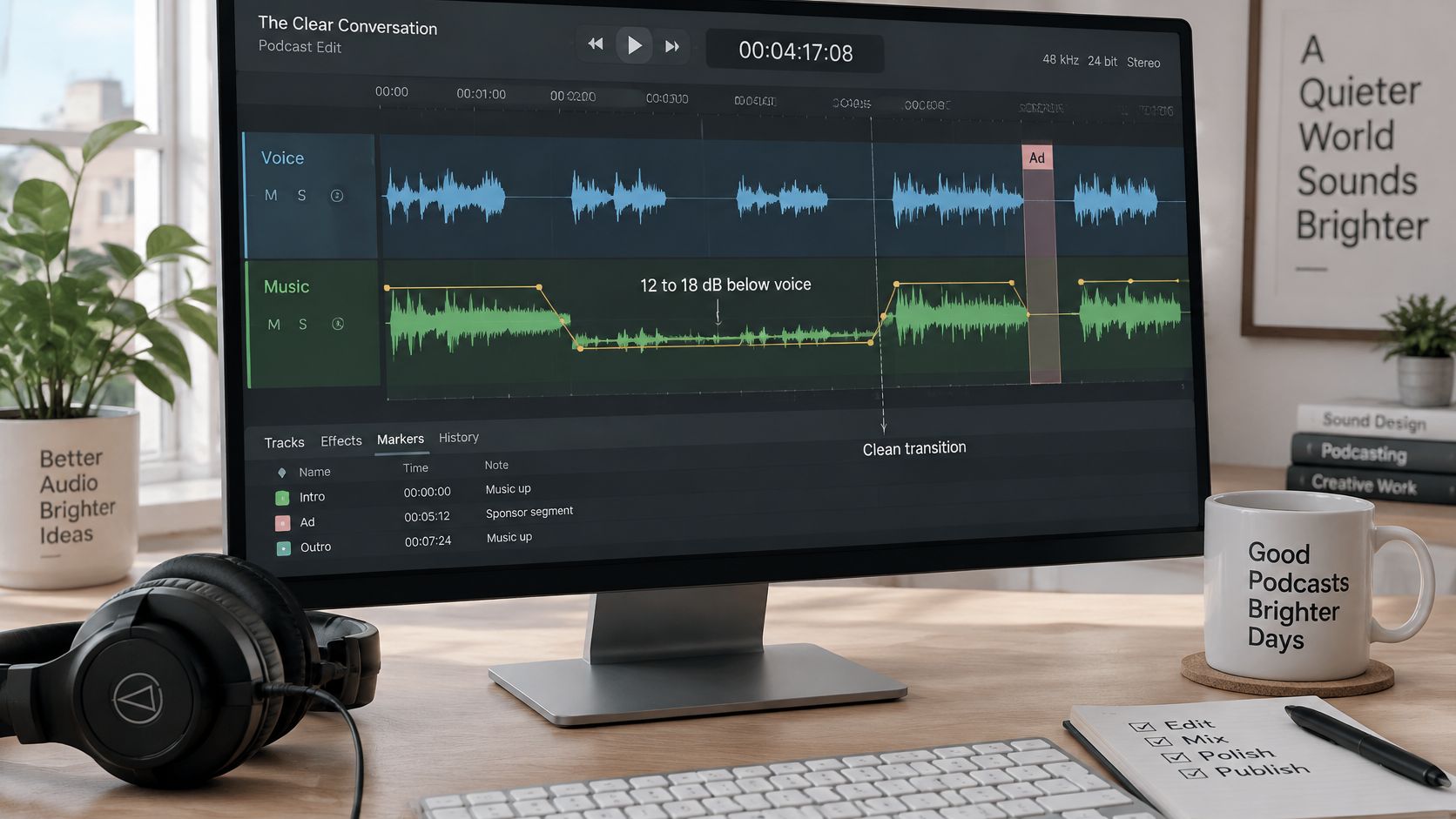
Build the intro as a 15 to 30 second hook, bringing the voice in over a fading bed rather than cutting in cold. A 1 to 3 second crossfade can smooth transitions between segments. Use a short sting for chapter changes, and retain matching room tone under hard joins so the acoustic space does not suddenly disappear.
Check the usage terms before reusing a bed. Keep the background music licensing for creators guide with your production notes, and save each track's license in the session folder. Preserve the original music and session versions, so you can replace a bed or re-cut an episode without rebuilding the edit. A revived episode should not carry an unlicensed track into a new campaign.
Markers That Protect Future Revenue
Dynamic ad insertion places a slot in an episode so campaign audio can be inserted at download, instead of being permanently embedded in the file. Markers make those slots reusable as campaigns change, while keeping the episode itself intact.
Mark pre-roll, mid-roll, and post-roll positions in the session. Leave one to two seconds of clean silence or room tone around each marker, with no music crossing the boundary. Save the markers and episode metadata alongside the session, and retain a versioned master without embedded ads. That setup lets you re-cut, re-export, or re-monetize an episode later without editing the back catalog from scratch.
EQ, Compression and Limiting in the Right Order
Order matters because each processor reacts to what came before it. Cleanup first, tone second, level control third, limiter last. Reverse that and you'll compress room noise, EQ a moving target, then wonder why the voice pumps every time the guest breathes.
| Processor | Starting setting for speech | What it solves |
|---|---|---|
| High-pass filter | 80 to 100 Hz | Rumble, handling noise, mic thump |
| Corrective EQ cut | Small cut at 200 to 400 Hz | Boxy or muddy room tone |
| Presence boost | 3-5 kHz, +2 to +3 dB | Clarity on phone and car speakers |
| De-esser | 5-8 kHz, only when audible | Harsh sibilance on s and t sounds |
| Compressor | 2:1 to 3:1, 3 to 6 dB gain reduction | Level variation between speakers |
| Limiter | Ceiling -1 dBTP, fast release | True-peak overs after encoding |
A high-pass around 80 to 100 Hz clears rumble without thinning most voices. A small cut in the 200 to 400 Hz range reduces boxiness from small rooms and desk reflections. A gentle boost around 3 to 5 kHz helps intelligibility on phone speakers, where much of your audience judges the mix.
Use a de-esser only where sibilance is intrusive, around 5 to 8 kHz. Leaving it on everywhere dulls consonants that carry meaning. The same restraint shows up in film work, where polishing sound for cinematic brand films depends on fixing specific problems rather than processing every second by default.
When Defaults Need to Move
For compression, try a 2:1 to 3:1 ratio, 10 to 20 ms attack, and 150 to 250 ms release. Aim for 3 to 6 dB of gain reduction so emphasis survives. A very close mic with strong proximity bass needs a deeper low cut. A quiet guest needs more gain before compression, not more ratio.
Set the limiter ceiling to -1 dBTP so encoding doesn't create clipping. Then listen for pumping on music beds, especially under laughs. If the bed ducks and swells, the limiter is doing rhythm work nobody asked for.
Chain test: Bypass each processor at matched loudness. Keep only the moves you can still defend when louder stops flattering them.
Export and Check Before You Publish
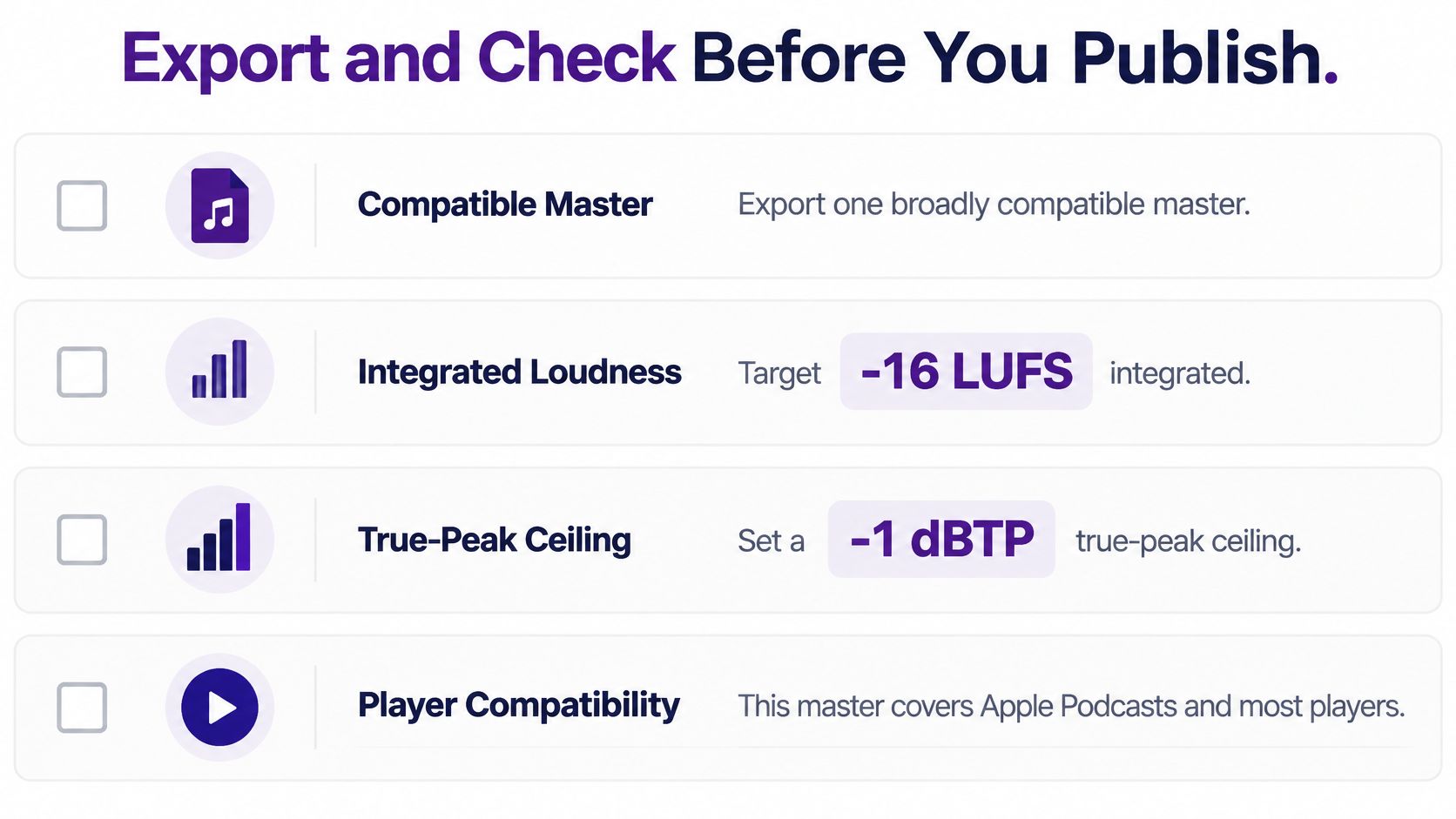
One broadly compatible master at -16 LUFS integrated with a -1 dBTP true-peak ceiling covers Apple Podcasts and most players, while Spotify and YouTube use approximately -14 LUFS, according to platform loudness targets for podcasters. Export a platform-specific version separately if you need it. Don't guess from waveform height or monitor volume.
| Export target | Integrated loudness | True-peak ceiling | Use when |
|---|---|---|---|
| Single broad master | -16 LUFS (about ±1 LU) | -1 dBTP | One file for Apple Podcasts and most players |
| Platform reference | About -14 LUFS | -1 dBTP | Spotify or YouTube versions |
Apple's commonly cited tolerance is approximately ±1 LU, so a file at -15 to -17 LUFS still falls in range. That tolerance isn't permission to skip measuring. It's a small landing zone, not a field.
The Pre-Publish Checklist
- Measure the whole episode: Check integrated loudness across the finished file, not a sample.
- Check after encoding: Decode the exported MP3 or AAC and verify true peak, since encoding can add overs.
- Scan level jumps: Check intros, music, and ad positions for abrupt changes.
- Listen twice: Hear the full episode on headphones and a phone speaker.
- Save the version: Store the approved master beside the session and transcript.
Use the same file naming in your podcast show notes template so published notes, timestamps, and master versions point to the same episode. In Audacity, apply Loudness Normalization at -16 LUFS, export, then re-measure the encoded file because the reading can shift.
For archives, batch-measure old episodes against the same target before clips move into social video, newsletters, or compilations. Old microphones, codecs, and habits will otherwise announce themselves in the first five seconds.
Describe Non-Speech Audio in Transcripts and Captions
Music, laughter, overlapping voices, and meaningful silence all shape an episode. Transcripts and captions should describe those sounds so readers can follow the scene, not just the spoken words.
As you edit, log non-speech cues with start and end times when timing matters. Use clear labels such as [music bed fades in, 0:00-0:22], [overlapping speech, two hosts], [deliberate 2 second pause before the answer], and [host laughs]. Add emotional cues like [sarcastic] or [quiet, hesitant] when they change how a line reads.
Keep the cue list beside the original audio and transcript in the session folder. That way, a re-cut or alternate mix can reuse the descriptions. Show notes can summarize the audio structure, one line per segment. When preparing a Spotify podcast transcript, check the captions while playing the finished episode. Would someone who cannot hear the music miss important context?
Research on deaf and hard-of-hearing audio engineers examines their work in podcast audio engineering. For transcripts and captions, describe non-speech sounds that carry meaning. A cleaner edit can be less accessible if removing breaths, pauses, or background texture erases emphasis, emotion, or chronology.
Keep originals, transcripts, cue lists, ad markers, and versioned masters together. That makes it easier to recut an episode, build a compilation, or reuse an ad slot for a later sponsorship. Contesimal helps organize, search, and collaborate across a podcast library with human and AI contributors, so archived episodes can become publishable ideas again.