
Choosing the right audio editor is a pivotal step in transforming your podcast from a simple recording into a polished, professional show that captivates listeners. With countless options available, from free open-source tools to industry-standard digital audio workstations (DAWs), the decision can feel overwhelming. Whether you're a hobbyist transitioning to a professional or a seasoned content creator aiming to streamline your workflow, the perfect software is out there.
This guide breaks down the top contenders for the best editing software for podcasts, analyzing their unique strengths, ideal use cases, and how they fit into different production workflows. We've done the research to help you find the right tool for your specific needs, skill level, and budget. Inside, you'll find detailed breakdowns of each platform, complete with screenshots and direct links to get you started faster.
We'll explore everything from AI-powered text-based editing that saves hours of time to surgical audio repair tools that can rescue flawed recordings. Our goal is to help you make an informed choice that aligns with your creative goals. We also touch on how a well-organized content library, managed with tools like Contesimal, can supercharge your editing process by making assets, metadata, and past episodes easily accessible for repurposing. This comprehensive resource is designed to cut through the noise and guide you directly to the software that will elevate your podcast's sound and simplify your production.
1. Adobe Audition (Official)
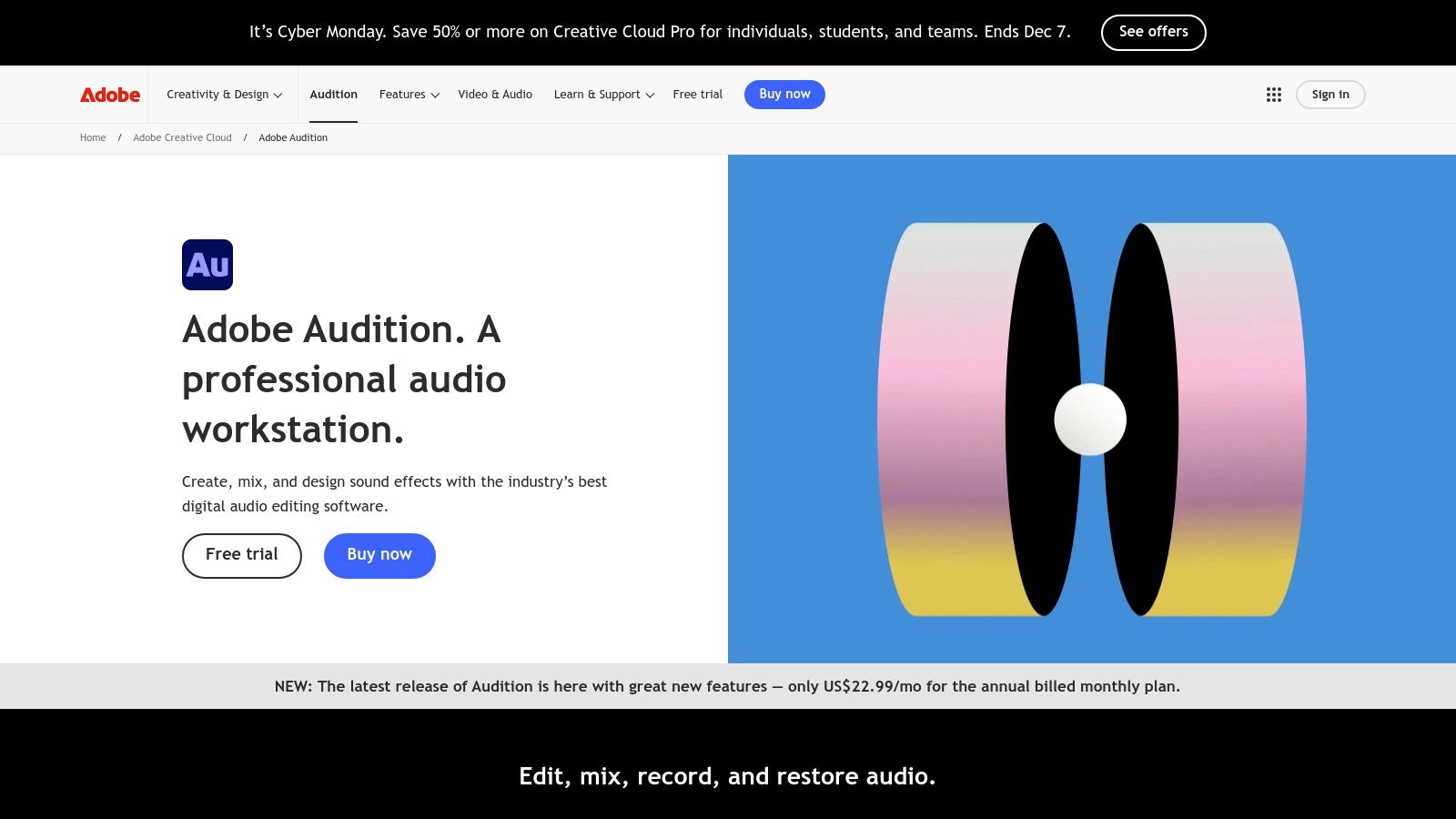
Adobe Audition is a professional-grade digital audio workstation (DAW) that has become an industry standard for podcast post-production, audio cleanup, and mixing. It's the go-to choice for creators who require granular control and advanced repair tools, making it one of the best editing software for podcasts that demand a polished, broadcast-quality sound. Audition excels at fixing common audio problems with surgical precision, from removing background hum and harsh plosives to reducing reverb in poorly treated recording spaces.
Its deep integration within the Adobe Creative Cloud ecosystem is a significant advantage, particularly for video podcasters or content marketers already using Premiere Pro. The "round-trip" workflow allows for seamless audio editing and mixing without ever leaving the video project, streamlining the entire production process for creators managing multiple content formats.
Key Features & Use Case
Adobe Audition is built for podcasters who need more than just basic cutting and trimming. Its powerful multitrack editor allows for complex arrangements with music, sound effects, and multiple vocal tracks, while the Waveform and Spectral Frequency Display provide a detailed view of your audio to isolate and eliminate unwanted sounds.
- Best Use Case: Ideal for professional podcasters, audio engineers, and video creators who need advanced audio restoration and a seamless workflow with video editing software like Premiere Pro.
- Standout Features: The Adaptive Noise Reduction tool is incredibly effective at cleaning up persistent background noise. Additionally, features like Auto-Ducking automatically lower music volume when dialogue is present, saving significant time during mixing.
- Practical Tip: Use the Diagnostics panel to quickly find and fix common audio issues like clipping or clicks. The Loudness Matching tool ensures your final episode meets industry standards for platforms like Spotify and Apple Podcasts.
Pricing & Platform Availability
- Pricing: Subscription-only. Available as a standalone app for $22.99/month or as part of the Adobe Creative Cloud "All Apps" plan, which starts at $59.99/month.
- Platforms: macOS and Windows.
| Feature Analysis | Rating & Summary |
|---|---|
| Ease of Use | ★★★☆☆ (Steep learning curve but powerful once mastered) |
| AI & Automation | ★★★★☆ (Excellent AI-powered tools for noise reduction, remixing, and auto-ducking) |
| Professional Toolset | ★★★★★ (Industry-standard tools for restoration, mixing, and mastering) |
| Value for Cost | ★★★☆☆ (The subscription model can be costly for hobbyists or beginners) |
| Visit Adobe Audition |
Pros:
- Industry-grade tools for professional post-production.
- Powerful audio restoration and cleanup capabilities.
- Seamless integration with Adobe Premiere Pro.
Cons:
- Subscription-only model adds up over time.
- The extensive feature set presents a steep learning curve for beginners.
2. Descript (Official)
Descript revolutionizes podcast editing by transforming audio and video into a text document. This innovative approach allows creators to edit their recordings simply by editing the transcript, making it one of the most intuitive and fastest editing software for podcasts, especially for those focused on dialogue. Instead of manipulating waveforms, you can cut, copy, paste, and delete spoken words in the text, and the underlying audio and video files are edited automatically. This workflow drastically lowers the barrier to entry for content creators transitioning from hobbyist to professional.
Its all-in-one platform bundles powerful AI features with recording and collaboration tools, streamlining the entire production process from start to finish. With integrated SquadCast for high-quality remote recording and features like automatic filler word removal, Descript is built for speed and efficiency. This makes it an ideal choice for podcasters who need to turn around episodes quickly without sacrificing quality, as its AI-powered "Studio Sound" can make amateur recordings sound professionally treated.
Key Features & Use Case
Descript's core strength is its text-based editing, which simplifies the process for interview, narrative, and talk-based shows. The multitrack editor functions like a collaborative document, allowing team members to leave comments and make edits asynchronously. It also excels at creating promotional assets by generating short, engaging video clips for social media with animated captions directly from your main content.
- Best Use Case: Perfect for podcasters, YouTubers, and content marketers who prioritize speed and collaboration, especially for dialogue-heavy content like interviews and panel discussions.
- Standout Features: The "Studio Sound" feature is a one-click audio enhancement tool that removes background noise and reverb with remarkable accuracy. The "Overdub" feature allows you to correct misspoken words by typing the correction, using an AI-generated clone of your voice.
- Practical Tip: Use the "Find filler words" feature to highlight all instances of "um," "uh," and other repeated words, then remove them all with a single click to instantly tighten up your dialogue.
Pricing & Platform Availability
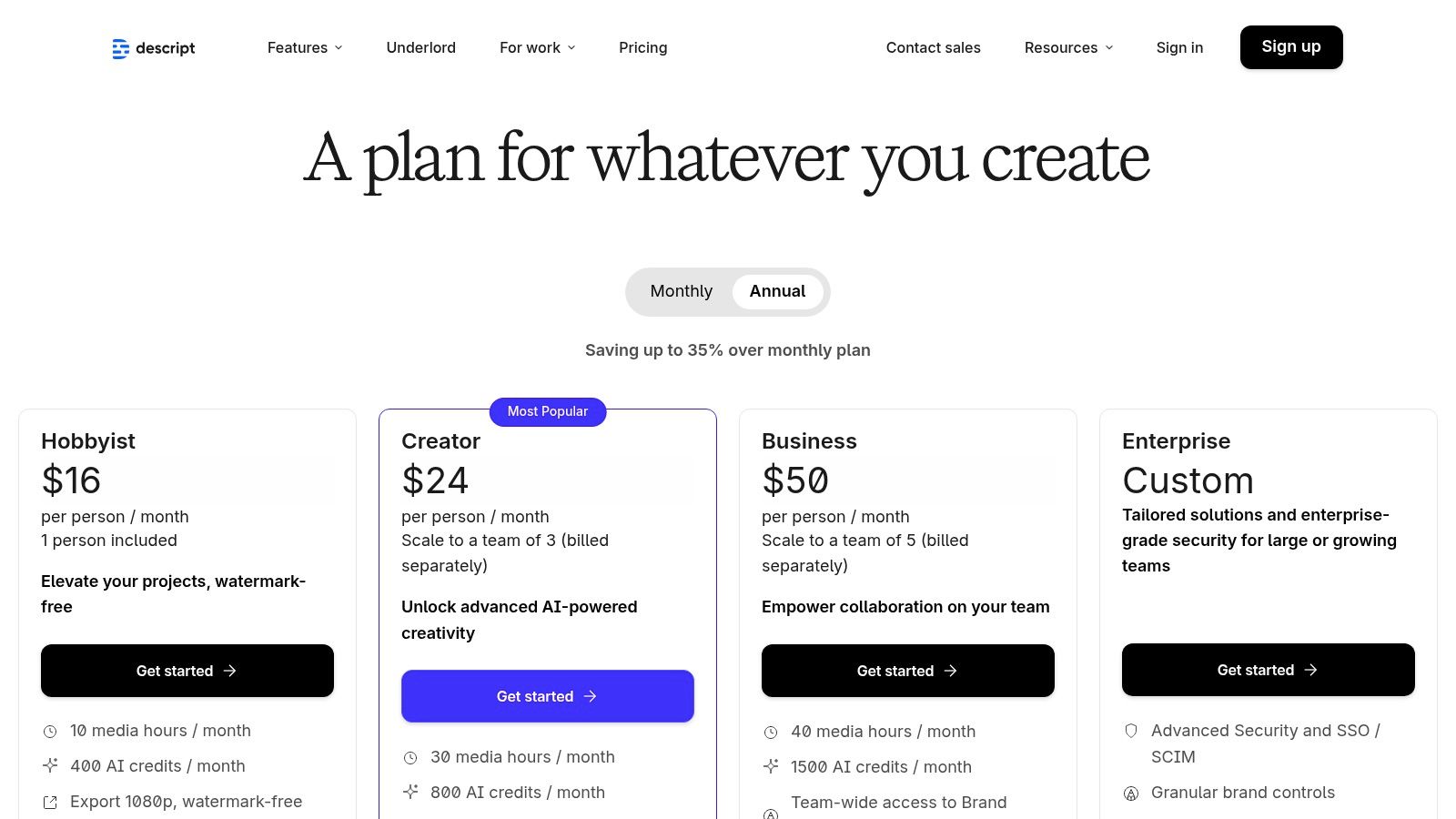
- Pricing: Offers a free plan with limited features. Paid plans start with the Creator tier at $15/month and the Pro tier at $30/month, which include more transcription hours and advanced features. Custom Enterprise plans are also available.
- Platforms: macOS, Windows, and a web-based version for collaboration.
| Feature Analysis | Rating & Summary |
|---|---|
| Ease of Use | ★★★★★ (Extremely intuitive, text-based editing is easy for anyone to learn) |
| AI & Automation | ★★★★★ (Best-in-class AI for transcription, filler word removal, and audio cleanup) |
| Professional Toolset | ★★★☆☆ (Excellent for dialogue editing, but lacks advanced audio repair tools of a traditional DAW) |
| Value for Cost | ★★★★☆ (Affordable plans provide a massive amount of value, though usage is capped) |
| Visit Descript |
3. Hindenburg PRO 2 (Official)
Hindenburg PRO 2 is a digital audio workstation (DAW) engineered specifically for spoken-word audio, making it a powerful choice for journalists, narrative storytellers, and podcasters. Unlike general-purpose DAWs that cater to music production, Hindenburg’s entire workflow is optimized for voice. It simplifies complex tasks like loudness normalization and story assembly, positioning it as one of the best editing software for podcasts focused on interviews and narrative content.
Its design philosophy is centered on speed and efficiency for audio storytellers. Features are purpose-built to remove technical hurdles, allowing creators to concentrate on assembling compelling narratives rather than getting lost in complex settings. This focus on spoken-word production makes it a uniquely effective tool for anyone producing interview-based shows, radio-style documentaries, or audiobooks.
Key Features & Use Case
Hindenburg PRO 2 is built for podcasters who need an efficient, no-fuss workflow for assembling and polishing dialogue-heavy episodes. Its non-destructive editor and intuitive features like automatic leveling ensure that vocal tracks sound consistent and professional without requiring deep audio engineering knowledge.
- Best Use Case: Ideal for journalists, narrative podcasters, and interview-based shows where story construction and vocal clarity are the top priorities.
- Standout Features: The Clipboard is a standout tool, allowing users to organize and arrange audio clips like a storyboard, which is perfect for building narrative segments. Its Automatic Loudness management ensures your final export meets broadcast standards with one click.
- Practical Tip: Use the integrated call recorder add-ons to capture remote interviews directly within the software. Leverage the one-click publish feature to send your finished episode directly to supported podcast hosts, streamlining your distribution process.
Pricing & Platform Availability
- Pricing: Offers both subscription and perpetual license options. The PRO plan is available for $12/month (billed annually) or as a perpetual license for $399.
- Platforms: macOS and Windows.
| Feature Analysis | Rating & Summary |
|---|---|
| Ease of Use | ★★★★★ (Extremely intuitive and purpose-built for spoken-word workflows) |
| AI & Automation | ★★★★☆ (Excellent automated leveling, loudness, and voice profiling tools) |
| Professional Toolset | ★★★★☆ (Top-tier for narrative editing but lacks some advanced music production tools) |
| Value for Cost | ★★★★☆ (Flexible pricing with a perpetual license option offers great long-term value) |
| Visit Hindenburg PRO 2 |
Pros:
- Purpose-built UI that significantly speeds up spoken-word editing.
- Excellent automated loudness management for consistent, compliant audio.
- Offers a perpetual license, which is rare for modern DAWs.
Cons:
- Smaller third-party plug-in ecosystem compared to generalist DAWs.
- Transcription hours are limited and may require purchasing additional packages.
4. Auphonic (Official)
Auphonic isn't a traditional digital audio workstation (DAW), but rather an intelligent, cloud-based audio post-production service. It acts as an automated final polish for your edited podcast, using sophisticated algorithms to deliver a consistent, professional, and broadcast-ready sound. Instead of manual tweaking, you upload your audio, and Auphonic automatically handles complex tasks like loudness normalization, noise reduction, and leveling, making it an essential final step for creators who want consistent quality without a deep dive into audio engineering.
This "set-it-and-forget-it" approach is its greatest strength, saving podcasters countless hours. It ensures every episode, whether recorded in a professional studio or a less-than-ideal space, meets industry loudness standards for platforms like Spotify and Apple Podcasts. For podcasters who have already handled the creative edits, Auphonic is the perfect tool to ensure technical perfection before publishing.
Key Features & Use Case
Auphonic shines as a final mastering tool that complements your primary editing software. Its core function is to analyze and process audio to fix common problems automatically, from balancing volume differences between speakers to removing unwanted hum and reverb. The multitrack processing is particularly powerful, treating each track individually before mixing for a cleaner final product.
- Best Use Case: Ideal for podcasters of all levels who want to automate the final mastering and technical polishing stage to ensure consistent, broadcast-standard audio for every episode.
- Standout Features: The Adaptive Leveler intelligently balances volume between different speakers and segments. Its Loudness Normalization is top-tier, ensuring compliance with LUFS targets for all major podcasting platforms.
- Practical Tip: Connect Auphonic directly to your podcast host (like Libsyn or Blubrry) or cloud storage (like Dropbox) for a fully automated workflow. Once your production is complete, it can automatically publish the final mastered file.
Pricing & Platform Availability
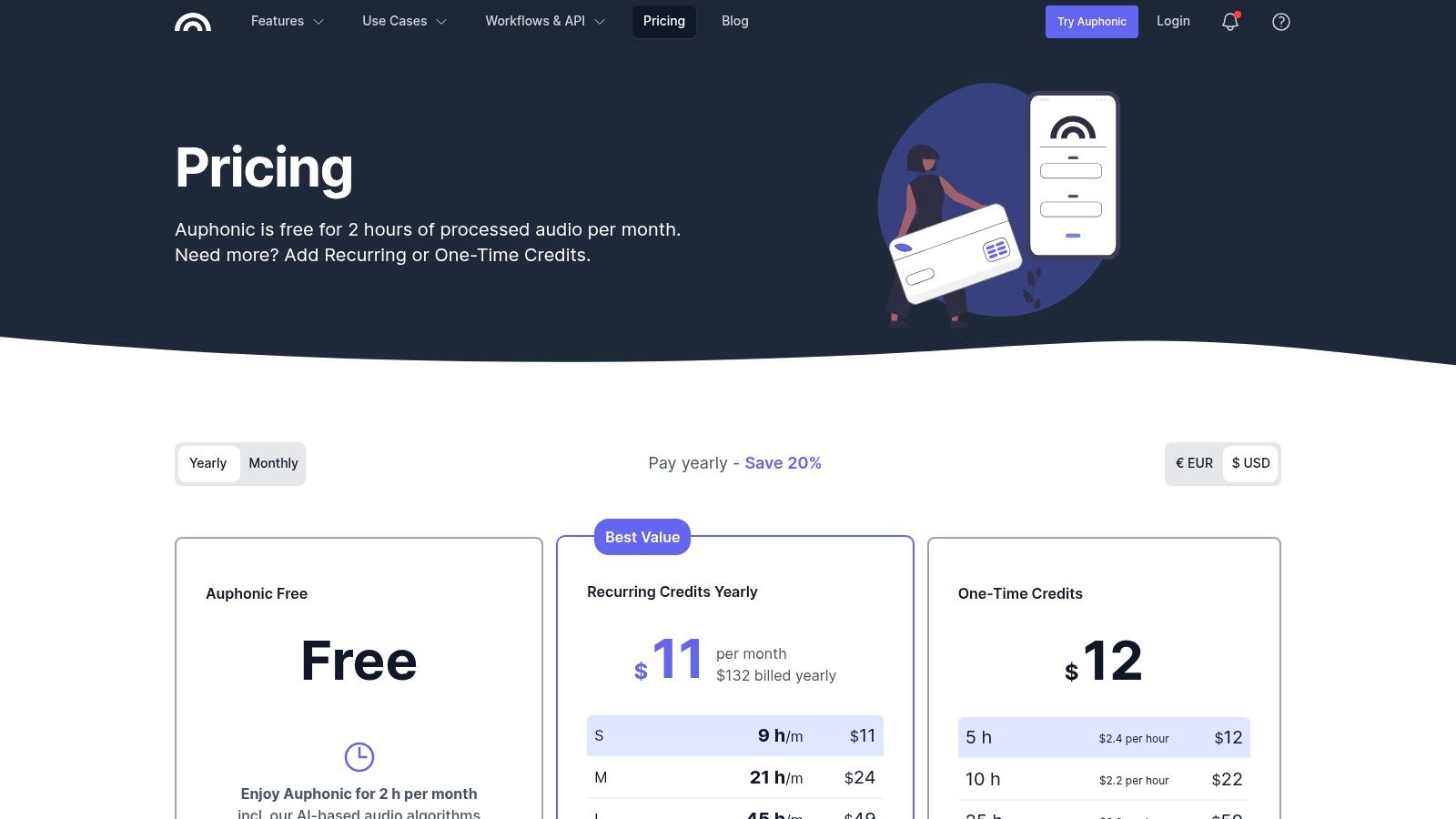
- Pricing: Offers 2 hours of free processing each month. Paid plans start at $11/month for 9 hours of audio credits, with larger plans available. One-time credits can also be purchased.
- Platforms: Web-based (works on any operating system).
| Feature Analysis | Rating & Summary |
|---|---|
| Ease of Use | ★★★★★ (Extremely simple upload-and-process interface) |
| AI & Automation | ★★★★★ (Entire platform is built on intelligent algorithms for leveling, noise reduction, and mastering) |
| Professional Toolset | ★★★☆☆ (Not an editor, but provides professional-grade mastering and finalization tools) |
| Value for Cost | ★★★★★ (The free tier is generous, and paid plans are affordable for the time saved) |
| Visit Auphonic |
Pros:
- Automates complex audio mastering and polishing tasks.
- Produces consistent, broadcast-standard audio quality.
- Free monthly allowance is perfect for many podcasters.
Cons:
- Not an editing tool; it's a post-production processor.
- Processing is cloud-based and requires uploading files.
5. Alitu (Official)
Alitu is a unique "podcast maker" tool designed to automate and simplify the entire podcast production process, from recording to publishing. It's built for creators who want a fast, straightforward path to a finished episode without getting bogged down in technical details. Alitu automatically handles audio cleanup, including leveling, noise reduction, and loudness mastering, which makes it one of the best editing software for podcasts for those prioritizing speed and simplicity over granular control.
The platform streamlines episode assembly with a drag-and-drop interface, allowing users to easily arrange recorded segments, intro/outro music, and ads. By integrating recording, editing, and hosting into a single subscription, Alitu offers a comprehensive solution that can replace multiple separate tools, making it an excellent choice for solo creators, small businesses, and anyone new to the podcasting space.
Key Features & Use Case
Alitu’s core philosophy is to remove technical barriers. Its automated audio processing applies equalization and compression to make voices sound clear and professional with zero user input. The editor is designed for assembling pre-recorded blocks of audio rather than making complex, surgical edits.
- Best Use Case: Perfect for beginners, hobbyists, and business owners who need an efficient, all-in-one system to produce a clean-sounding podcast quickly. Learn more about how tools like this fit into the ecosystem of podcasting for small business.
- Standout Features: The automated audio cleanup is the main draw, instantly improving raw recordings. Its built-in hosting and one-click publishing to major directories like Apple Podcasts and Spotify removes a significant logistical hurdle for new podcasters.
- Practical Tip: Record your audio segments directly in Alitu or upload them, then use the visual editor to quickly trim mistakes from the beginning or end of clips before dragging them into your episode timeline.
Pricing & Platform Availability
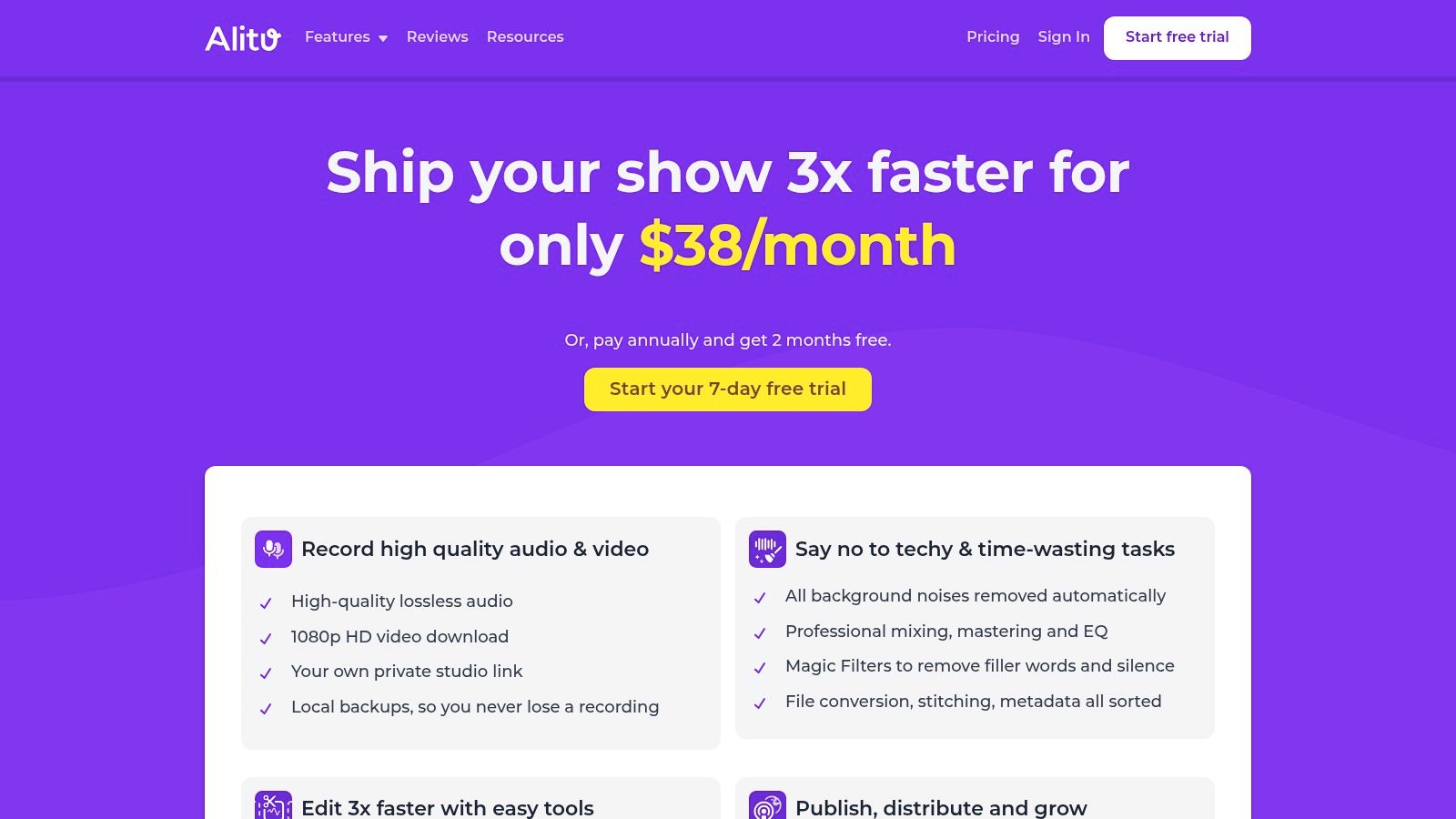
- Pricing: A single all-inclusive plan is available for $38/month or $380/year, which includes all features, hosting, and unlimited use. A 7-day free trial is offered.
- Platforms: Web-based (works in any modern browser on macOS, Windows, and Linux).
| Feature Analysis | Rating & Summary |
|---|---|
| Ease of Use | ★★★★★ (Extremely intuitive and designed for absolute beginners) |
| AI & Automation | ★★★★★ (Fully automates audio processing, cleanup, and loudness standards) |
| Professional Toolset | ★★☆☆☆ (Lacks the advanced tools and granular control of a traditional DAW) |
| Value for Cost | ★★★★☆ (Excellent value if you use its all-in-one features like hosting) |
| Visit Alitu |
Pros:
- Incredibly easy to learn, with a near-zero learning curve.
- All-in-one platform includes editing, hosting, and publishing.
- Automated audio processing saves significant editing time.
Cons:
- Limited editing control compared to professional DAWs.
- Advanced users may find the simplified toolset restrictive.
6. Audacity (Official)
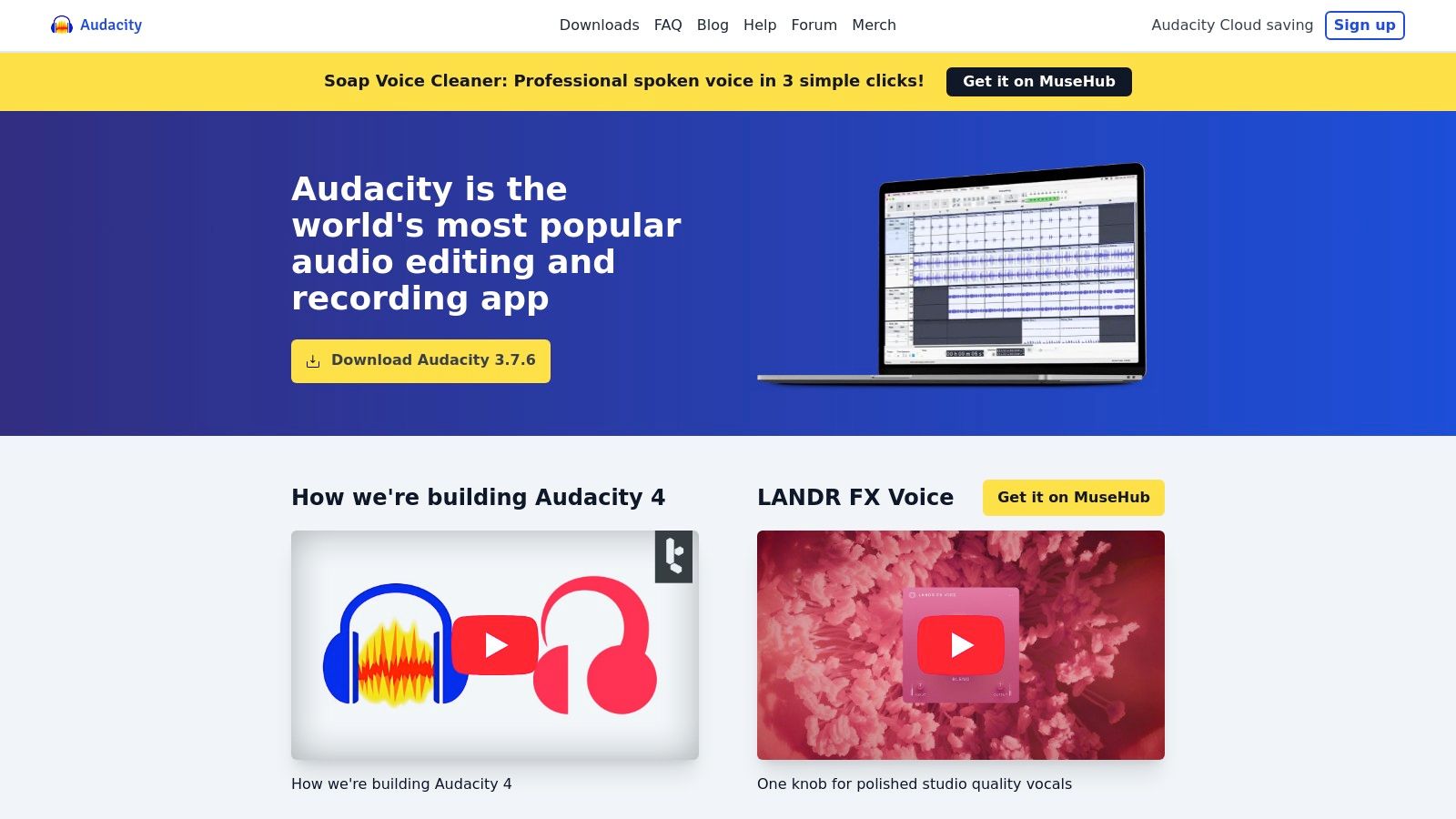
Audacity is a free, open-source digital audio workstation that has served as the entry point for countless podcasters over the years. As a no-cost, community-supported platform, it provides all the essential tools for recording, editing, and mixing audio without any financial commitment. It stands out as one of the best editing software for podcasts for beginners or creators on a tight budget who need a reliable, cross-platform tool to get started. While its interface may seem dated compared to modern DAWs, its functionality is robust and dependable for core podcast production tasks.
The open-source nature of Audacity means it benefits from a large, active community that creates extensive tutorials and support documentation. This makes it incredibly accessible for newcomers who are learning the ropes of audio editing. It supports multitrack recording and editing, allowing users to layer voice tracks with music, intros, and sound effects, and its compatibility with third-party VST plugins expands its capabilities even further.
Key Features & Use Case
Audacity is built for straightforward, effective audio editing. Its destructive editing workflow is simple to grasp, allowing users to cut, copy, paste, and delete audio segments directly on the waveform. The software also includes a decent suite of built-in effects like noise reduction, equalization, and compression to help improve audio quality.
- Best Use Case: Perfect for hobbyist podcasters, students, and beginners who need a free, powerful tool for basic to intermediate audio editing without a subscription.
- Standout Features: The Noise Reduction effect is surprisingly effective for a free tool at cleaning up steady background noise like fan hum. Its Spectrogram view helps visually identify and remove unwanted clicks or pops.
- Practical Tip: Always download Audacity from the official website, audacityteam.org, to avoid impostor sites bundled with malware. Use the "Label Track" feature to mark edit points or segment your episode before you start cutting.
Pricing & Platform Availability
- Pricing: Completely free. Audacity is open-source software maintained by volunteers.
- Platforms: Windows, macOS, and Linux.
| Feature Analysis | Rating & Summary |
|---|---|
| Ease of Use | ★★★★☆ (Intuitive for basic tasks, but the UI is dated) |
| AI & Automation | ★☆☆☆☆ (Lacks the one-click AI features found in modern paid software) |
| Professional Toolset | ★★☆☆☆ (Covers the essentials but lacks advanced restoration and mixing tools) |
| Value for Cost | ★★★★★ (Unbeatable value as it is completely free and fully functional) |
| Visit Audacity |
Pros:
- Completely free with no hidden costs or subscriptions.
- Large community base with abundant free tutorials.
- Lightweight and runs well on most computers.
Cons:
- The user interface looks and feels outdated.
- Lacks advanced AI-powered cleanup and automation features.
7. REAPER by Cockos (Official)
REAPER (Rapid Environment for Audio Production, Engineering, and Recording) is a powerful and lightweight digital audio workstation (DAW) celebrated for its efficiency, deep customization, and incredible value. It has a devoted following among podcasters and audio engineers who prioritize speed and a tailored workflow over flashy interfaces. While it might not have the out-of-the-box simplicity of some rivals, its performance on modest hardware and endlessly configurable nature make it some of the best editing software for podcasts for technically-minded creators.
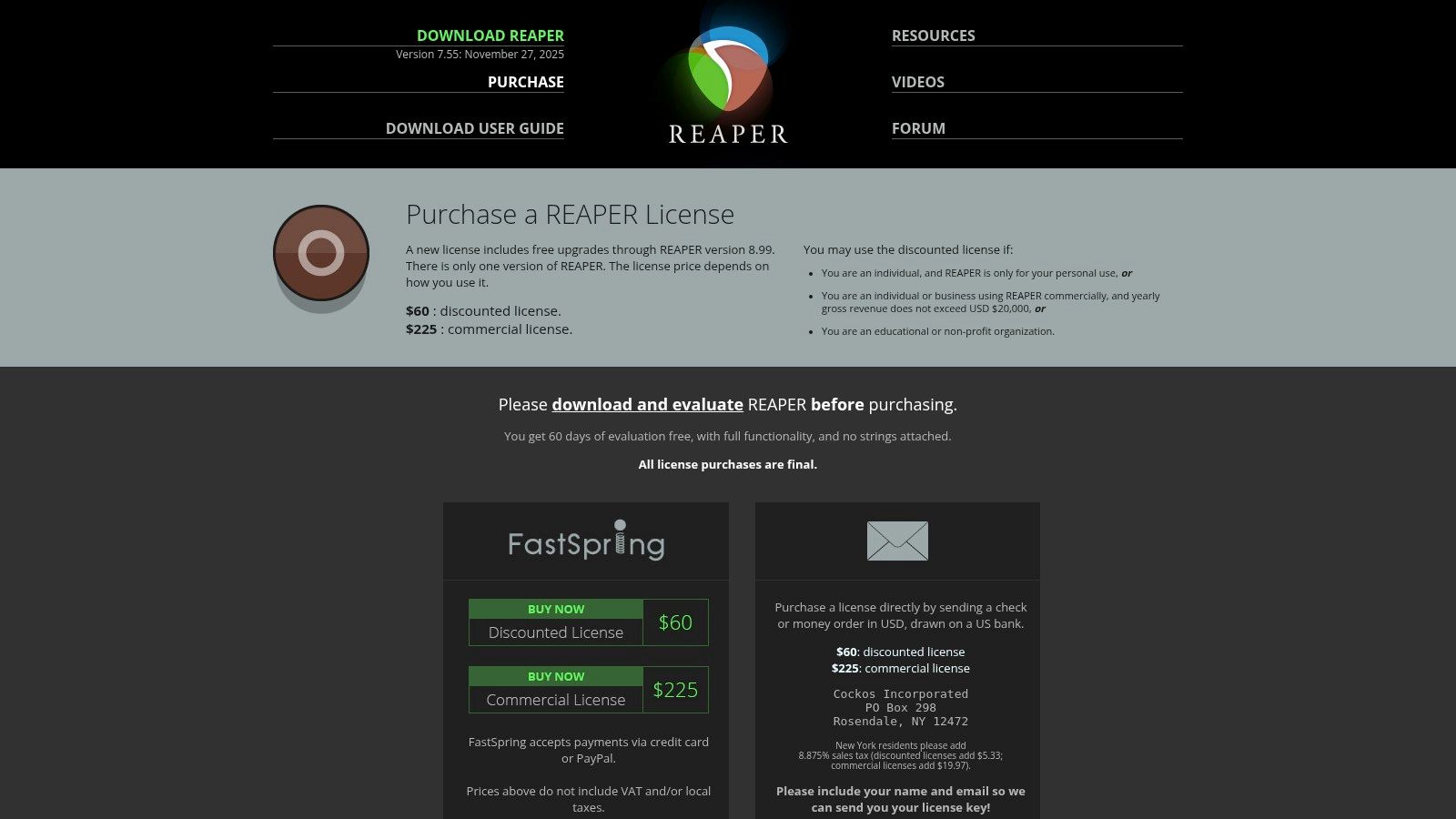
The platform's philosophy centers on providing a stable, no-frills core that users can build upon with scripts, macros, and themes to create their perfect editing environment. This makes it exceptionally fast for repetitive tasks like cutting breaths or arranging segments once you've set up your custom actions. REAPER's extended, fully functional 60-day trial allows users to completely master the software before committing to its very affordable license.
Key Features & Use Case
REAPER is built for podcasters who want to optimize their editing process down to the millisecond. Its strength lies in its "Actions list," which allows you to map virtually any command or sequence of commands to a single keystroke. This level of customization is unparalleled, enabling workflows that can significantly cut down editing time.
- Best Use Case: Ideal for DIY podcasters, audio engineers, and creators on a budget who are willing to invest time in customization to build an incredibly fast and efficient workflow.
- Standout Features: The ability to create Custom Actions and Macros is REAPER's killer feature, automating complex editing sequences. Its Ripple Editing modes are also fantastic for quickly removing sections without leaving gaps in your timeline.
- Practical Tip: Spend time exploring the Actions list ("?") and creating custom keyboard shortcuts for your most common tasks, such as trimming silence, applying a favorite effect chain, or inserting intro music.
Pricing & Platform Availability
- Pricing: A one-time purchase. A discounted license for personal use or small businesses is $60, and a commercial license is $225. Both come with a generous 60-day free trial.
- Platforms: macOS, Windows, and Linux (experimental).
| Feature Analysis | Rating & Summary |
|---|---|
| Ease of Use | ★★☆☆☆ (Steep initial learning curve due to high customizability) |
| AI & Automation | ★★☆☆☆ (Relies on user-created macros and scripts, no built-in AI tools) |
| Professional Toolset | ★★★★☆ (Extremely powerful and flexible for editing, routing, and mixing) |
| Value for Cost | ★★★★★ (Unbeatable value; a one-time fee provides a perpetually updated DAW) |
| Visit REAPER |
Pros:
- Incredible value with a low, one-time license fee.
- Highly efficient and lightweight, runs well on older hardware.
- Endlessly customizable with actions, scripts, and themes.
Cons:
- The interface can feel dated and intimidating for newcomers.
- Requires a significant time investment to set up and learn.
8. Logic Pro for Mac (Apple – Mac App Store)
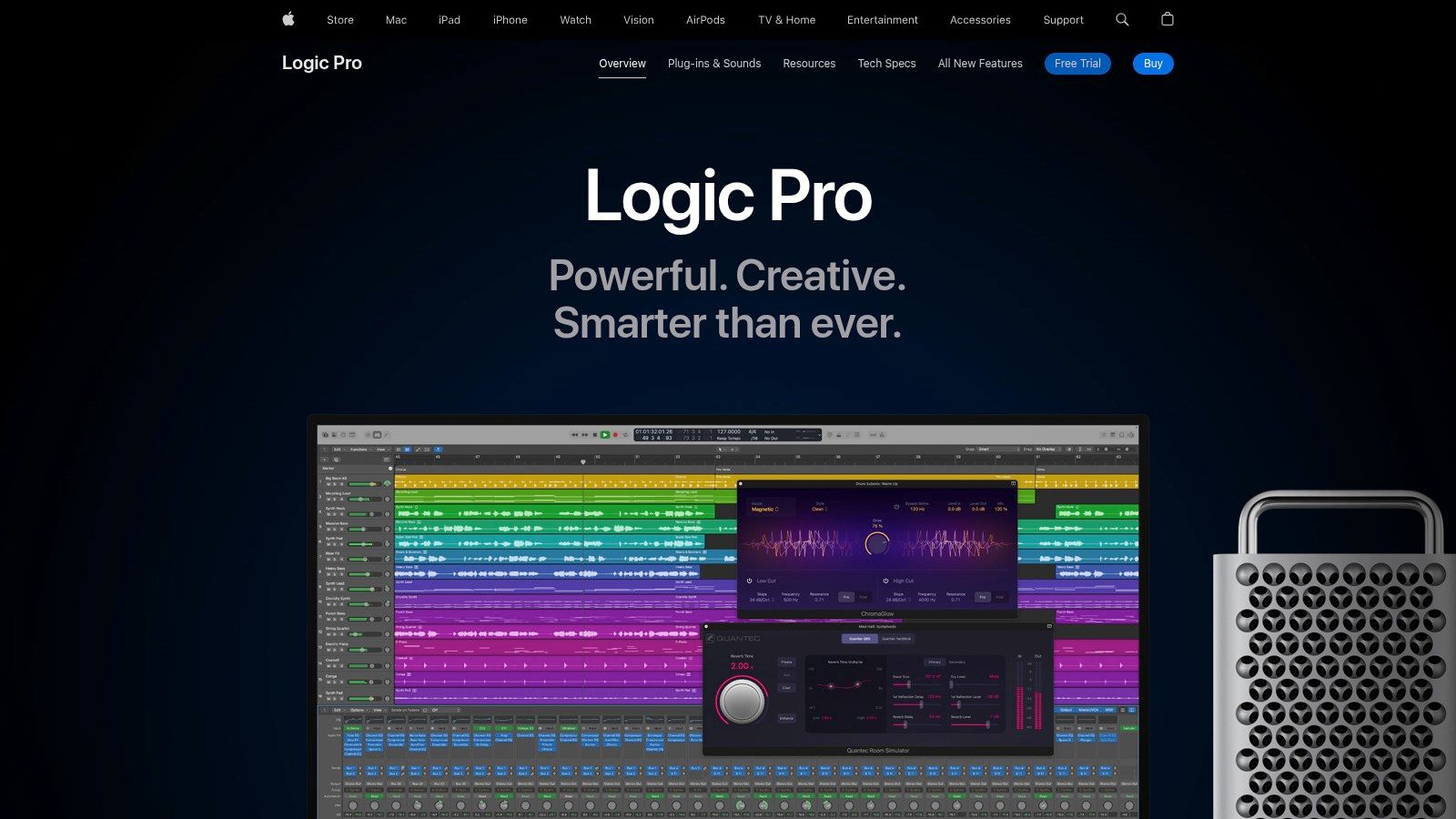
Logic Pro is Apple's professional digital audio workstation (DAW) that has earned a loyal following among Mac-based podcasters and musicians. While famed for its music production capabilities, its robust suite of tools for vocal editing, mixing, and mastering makes it a powerhouse and one of the best editing software for podcasts. Its one-time purchase model is a significant draw for creators who prefer to own their software outright rather than commit to a monthly subscription.
Optimized for incredible performance on Apple silicon, Logic Pro provides a smooth and stable editing environment. The deep integration with Apple's ecosystem, including features like Logic Remote for iPad control, creates a seamless and intuitive workflow for producers invested in the Mac platform. For those seeking professional-grade features without recurring costs, Logic Pro is a top-tier choice.
Key Features & Use Case
Logic Pro is designed for podcasters who need precise control over every aspect of their audio, from initial edits to the final master. Its extensive collection of built-in plug-ins means you can achieve a professional sound without needing to purchase third-party tools for compression, EQ, or loudness metering.
- Best Use Case: Excellent for Mac-based podcasters, from hobbyists to professionals, who want a feature-rich DAW with a one-time purchase price and outstanding system performance.
- Standout Features: Flex Time and Flex Pitch allow for granular adjustments to the timing and pitch of dialogue, perfect for correcting mistakes or tightening up conversations. The "Take Folders" feature makes it easy to comp together the best parts of multiple takes.
- Practical Tip: Use the built-in Loudness Meter plug-in on your master track to ensure your final episode complies with the LUFS standards for major podcasting platforms. Apple also offers a generous 90-day free trial.
Pricing & Platform Availability
- Pricing: A one-time purchase of $199.99 from the Mac App Store, which includes all future updates. A 90-day free trial is available from Apple.
- Platforms: macOS only.
| Feature Analysis | Rating & Summary |
|---|---|
| Ease of Use | ★★★☆☆ (Powerful and deep, but less intimidating for beginners than some other pro DAWs) |
| AI & Automation | ★★☆☆☆ (Lacks modern AI-driven features like auto-transcription or text-based editing) |
| Professional Toolset | ★★★★★ (Comprehensive suite of high-quality plug-ins, mixing tools, and mastering options) |
| Value for Cost | ★★★★★ (Exceptional value for a one-time purchase with lifetime updates) |
| Visit Logic Pro for Mac |
Pros:
- Incredible value with a one-time purchase and free updates.
- Deep stability and optimized performance on macOS.
- Comprehensive built-in toolset for professional results.
Cons:
- Mac-only, making it unsuitable for cross-platform teams.
- No integrated text-based editing or AI transcription features.
9. Ferrite Recording Studio (iOS/iPadOS – App Store)
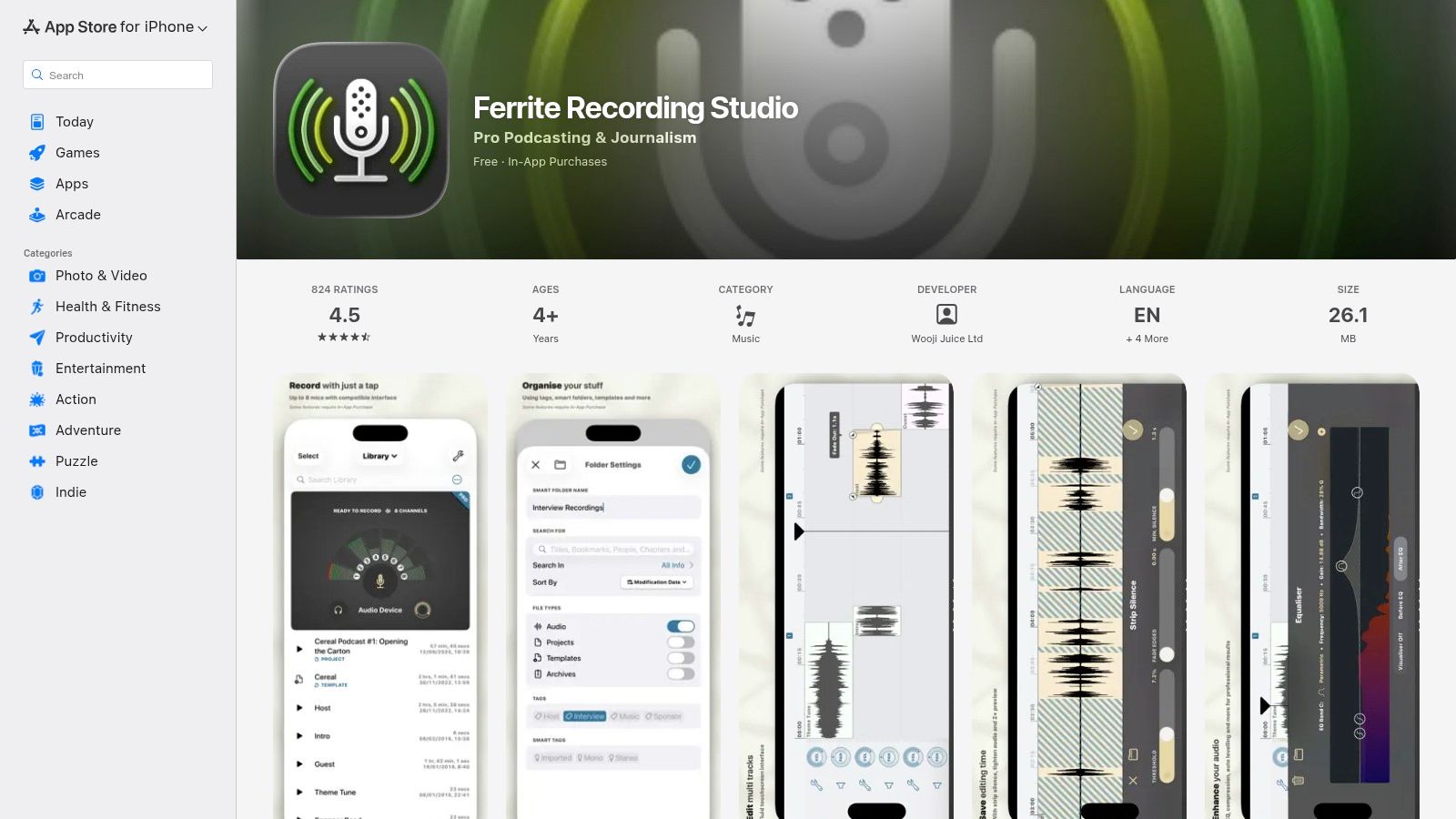
Ferrite Recording Studio is a powerhouse mobile digital audio workstation (DAW) designed specifically for journalists and podcasters working on an iPhone or iPad. It transforms your Apple device into a professional-grade multitrack editor, making it an exceptional choice for creators who need to record, edit, and produce high-quality audio on the go. Ferrite proves that you don't need a desktop to create polished podcast episodes, offering a workflow that is both fast and surprisingly deep for a mobile app.
Its standout quality is the intuitive, touch-based interface that makes complex editing tasks feel natural. Whether you're assembling an interview recorded in the field or producing a narrative podcast from a coffee shop, Ferrite provides the tools to get the job done efficiently. This makes it one of the best editing software for podcasts for mobile-first creators who value portability without compromising on essential features.
Key Features & Use Case
Ferrite is built for speed and convenience, allowing users to move from recording to final mixdown all within a single application. The multitrack editor supports fades, automation, and markers, giving you a level of control that rivals many entry-level desktop DAWs. Its support for long-form projects (up to 24 hours with the Pro upgrade) ensures it can handle even the most ambitious podcast formats.
- Best Use Case: Perfect for journalists, solo podcasters, and content creators who frequently record and edit outside of a traditional studio and rely on an iOS workflow.
- Standout Features: The lightning-fast, gesture-based editing system allows for quick cuts, trims, and arrangements. Audio automation lets you precisely control volume and panning over time, a feature often missing in mobile editors.
- Practical Tip: Use the Bookmarks feature during recording to mark important moments or mistakes. This saves a massive amount of time later, as you can instantly jump to these points in the editing timeline.
Pricing & Platform Availability
- Pricing: Free to download with core features. A one-time in-app purchase for Ferrite Pro unlocks unlimited track duration, automation, and advanced effects.
- Platforms: iOS and iPadOS only.
| Feature Analysis | Rating & Summary |
|---|---|
| Ease of Use | ★★★★☆ (Incredibly intuitive for a mobile DAW with a minimal learning curve) |
| AI & Automation | ★★☆☆☆ (Features excellent track automation but lacks AI-driven cleanup tools) |
| Professional Toolset | ★★★☆☆ (Powerful for a mobile app, but lacks advanced desktop restoration tools) |
| Value for Cost | ★★★★★ (The one-time purchase for Pro features offers exceptional long-term value) |
| Visit Ferrite Recording Studio |
Pros:
- Best-in-class mobile editing experience on iOS.
- Excellent for on-the-go recording and production.
- Affordable one-time purchase for pro features.
Cons:
- Exclusively available on Apple's iOS and iPadOS.
- Lacks the advanced audio repair tools of desktop software.
10. iZotope RX 11 (Official)
iZotope RX 11 isn't a traditional podcast editor but rather a specialized audio repair suite that works alongside your main DAW. It is the industry-standard tool for rescuing problematic audio, providing surgical-level control to fix issues like background hum, harsh clicks, distracting mouth noises, and excessive room reverb. For podcasters who record in less-than-ideal environments or encounter unexpected audio problems, RX 11 is an essential utility for salvaging recordings that would otherwise be unusable.
Its power lies in its advanced algorithms and spectral editing capabilities, which allow you to visually identify and remove unwanted sounds without damaging the core vocal performance. While it functions as a powerful standalone editor, its real strength for podcasters comes from its seamless integration as a plug-in within DAWs like Audition, Logic Pro, or Reaper, making it a critical part of a professional post-production workflow.
Key Features & Use Case
iZotope RX 11 is built for the specific task of audio cleanup and restoration, making it one of the best editing software for podcasts where audio quality is non-negotiable. Its tools are designed to solve common and complex audio issues with unmatched precision, leveraging some of the most advanced AI in the industry. As you can see from our list of the best AI tools for content creators, intelligent audio processing is a game-changer.
- Best Use Case: Podcasters and audio engineers who need to perform deep audio repair on challenging recordings, such as interviews recorded over Zoom or in noisy locations.
- Standout Features: The Dialogue Isolate tool is legendary for its ability to separate spoken word from complex background noise. Spectral Repair allows you to visually paint away unwanted sounds like a cough or a door slam from the audio waveform.
- Practical Tip: Use the Repair Assistant to quickly analyze your audio and get intelligent, automated suggestions for fixing common problems. This is a great starting point before diving into manual adjustments.
Pricing & Platform Availability
- Pricing: One-time purchase. The "Standard" version, ideal for most podcasters, is typically priced around $399, though sales are common. Other versions (Elements and Advanced) are also available.
- Platforms: macOS and Windows. Functions as a standalone application and as a plug-in (AU, VST, AAX) for most major DAWs.
| Feature Analysis | Rating & Summary |
|---|---|
| Ease of Use | ★★★☆☆ (The Repair Assistant is easy, but manual spectral editing requires practice) |
| AI & Automation | ★★★★★ (Best-in-class AI for intelligent audio repair, isolation, and de-noising) |
| Professional Toolset | ★★★★★ (The industry benchmark for surgical audio restoration and repair) |
| Value for Cost | ★★★★☆ (High initial cost but invaluable for its ability to save unusable audio) |
| Visit iZotope RX 11 |
Pros:
- Unmatched, best-in-class tools for repairing damaged audio.
- Can salvage recordings that would be impossible to fix otherwise.
- Integrates smoothly as a plug-in with your primary DAW.
Cons:
- It is an additional expense on top of your main editing software.
- The advanced spectral editing tools have a significant learning curve.
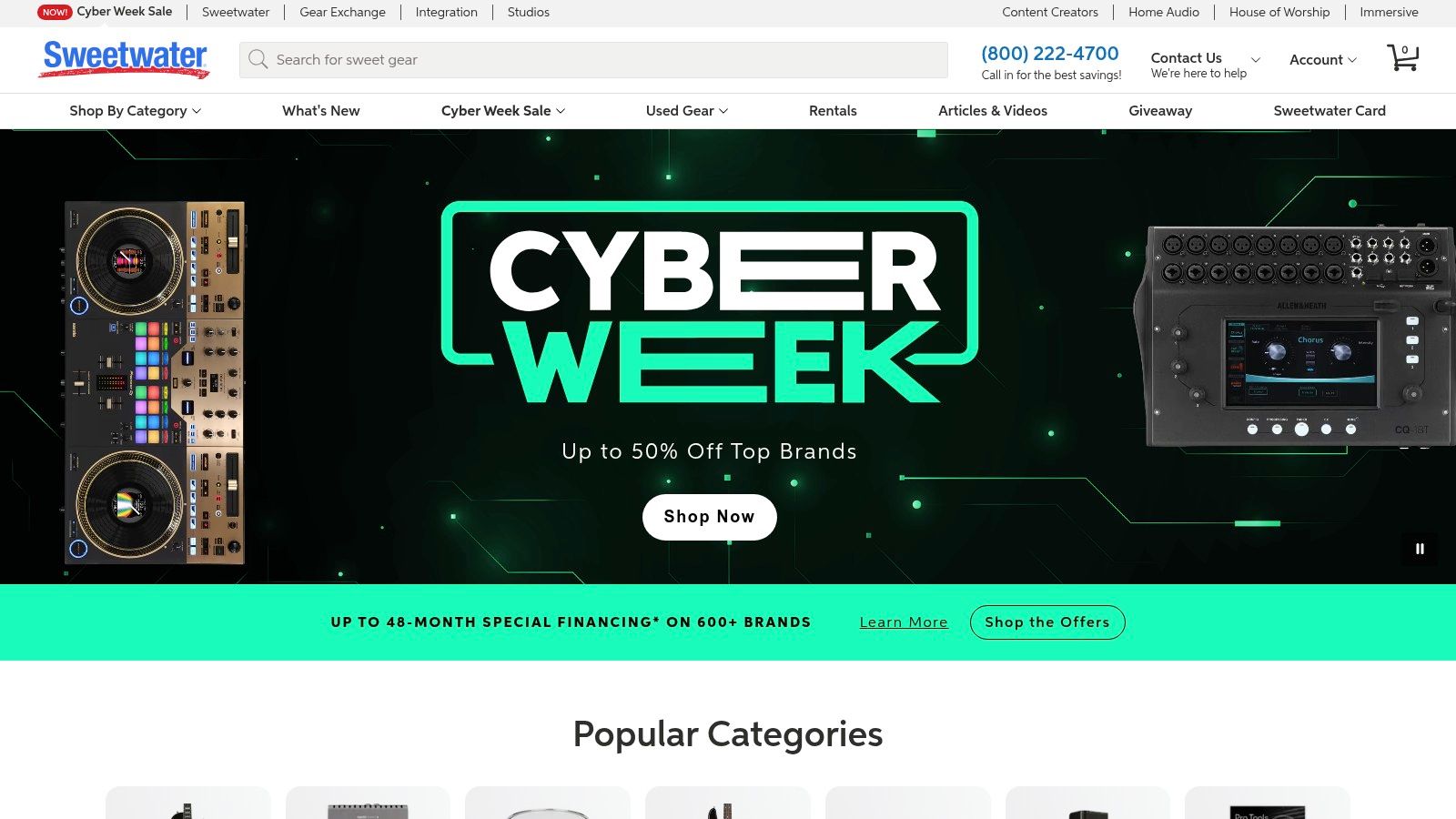
11. Sweetwater (US Retailer)
Sweetwater is a leading authorized US retailer for professional audio gear, including a vast catalog of DAWs, plug-ins, and audio software. While not a piece of software itself, it earns its spot on this list as a crucial resource for podcasters looking to purchase perpetual licenses, find competitive bundles, and get expert guidance. It’s an ideal one-stop shop for acquiring the best editing software for podcasts, especially for those who prefer to own their tools outright rather than subscribe.
The standout benefit of using Sweetwater is its customer-centric approach, which includes dedicated Sales Engineers who provide personalized advice to help you choose the right software for your specific needs and budget. This level of support is invaluable for creators navigating the complex world of audio plug-ins and repair tools, ensuring you invest in a setup that will grow with your show.
Key Features & Use Case
Sweetwater excels as a purchasing platform for podcasters who want to build a customized, professional-grade audio toolkit. Instead of being locked into a single ecosystem, you can mix and match DAWs like Pro Tools with repair plug-ins from iZotope or Waves, often receiving instant digital delivery for your software licenses.
- Best Use Case: Podcasters and producers looking to purchase perpetual software licenses, access financing options, and receive expert purchasing advice from experienced audio professionals.
- Standout Features: Access to dedicated Sales Engineers offers free, personalized consultation. Financing options and frequent promotions make high-end software more accessible.
- Practical Tip: Keep an eye out for promotional periods and bundle deals, which can offer significant savings over buying software directly from the developer. Don't hesitate to call their Sales Engineers for advice; they can help you avoid compatibility issues.
Pricing & Platform Availability
- Pricing: Varies by product. Sweetwater sells software at manufacturer-suggested retail prices (MSRP) but frequently runs sales and special promotions. Financing is available for larger purchases.
- Platforms: Serves as a retailer for software compatible with both macOS and Windows.
| Feature Analysis | Rating & Summary |
|---|---|
| Ease of Use | ★★★★★ (Intuitive website with excellent customer support for purchasing) |
| AI & Automation | ★★★☆☆ (Sells many AI-powered plug-ins, but the platform itself has no AI features) |
| Professional Toolset | ★★★★★ (Offers a comprehensive catalog of industry-standard DAWs and plug-ins) |
| Value for Cost | ★★★★☆ (Competitive pricing, excellent bundles, and valuable free support) |
| Visit Sweetwater |
Pros:
- Strong after-sale support and fast digital delivery.
- Reliable US channel for perpetual licenses and upgrades.
- Expert sales staff provide free, valuable purchasing guidance.
Cons:
- Prices may be MSRP outside of promotional periods.
- Some academic or upgrade software may require eligibility verification.
12. Capterra – Audio Editing Software Category (Comparison/Discovery)
While not an editing tool itself, Capterra is an essential resource for discovering the right one for your needs. It serves as a comprehensive directory and comparison hub where you can filter dozens of audio editing applications by feature, price, and user rating. This platform is invaluable for creators who want to make an informed decision by weighing community feedback against vendor claims, making it a critical research stop when searching for the best editing software for podcasts.
Capterra's strength lies in its aggregated user reviews, which provide a real-world snapshot of a tool's performance, ease of use, and customer support. Instead of relying solely on marketing copy, you can read detailed pros and cons from actual podcasters and audio professionals. This allows you to identify potential deal-breakers or standout features that might not be obvious from a vendor's website, helping you shortlist the top contenders for your specific workflow and budget.
Key Features & Use Case
Capterra is a research platform designed to simplify the software selection process. Its powerful filters allow you to narrow down options based on specific criteria, such as AI transcription, multitrack recording, or VST plugin support. The side-by-side comparison tool is particularly useful for evaluating the feature sets of your top two or three choices.
- Best Use Case: Perfect for podcasters at any level who are researching new or alternative editing software and want to compare options based on features, pricing, and genuine user reviews.
- Standout Features: The extensive User Reviews section provides unbiased insights with detailed pros and cons. The Feature Filters and Comparison Tool are excellent for creating a personalized shortlist of potential software.
- Practical Tip: Use the filters to search for specific features you need, like "noise reduction" or "automatic mixing." Always cross-reference the information on Capterra with the official vendor website, as pricing and features can change.
Pricing & Platform Availability
- Pricing: Free to use for research and comparison. You are redirected to vendor websites for purchases.
- Platforms: Web-based (accessible from any browser).
| Feature Analysis | Rating & Summary |
|---|---|
| Ease of Use | ★★★★★ (Intuitive filtering and comparison tools make research simple) |
| AI & Automation | ★★★☆☆ (Does not have its own AI, but allows you to filter for software that does) |
| Professional Toolset | ★★★★☆ (A comprehensive directory of professional tools, but not a tool itself) |
| Value for Cost | ★★★★★ (Completely free resource that can save you money and time) |
| Visit Capterra |
Pros:
- Aggregates hundreds of real user reviews and ratings.
- Powerful filtering to shortlist software by specific features.
- Free resource for comparing pricing and functionality.
Cons:
- Information may not always be up-to-date; verify on vendor sites.
- Sponsored listings can influence the initial search results.
Top 12 Podcast Editing Tools Comparison
| Tool | Core Focus | Target Audience | Key Strengths | Price / Value |
|---|---|---|---|---|
| Adobe Audition | Professional DAW for speech cleanup & post‑production | Pro editors, post houses | Multitrack & waveform + spectral tools; adaptive noise reduction; Premiere Pro integration | Subscription (Adobe CC); higher cost, industry‑grade |
| Descript | Text‑based audio/video editor (transcript-first) | Fast editors, podcasters, teams | Transcript editing edits audio; Studio Sound; filler removal; social clip tools | Tiered plans with media hours/AI credits; fast ROI for speed |
| Hindenburg PRO 2 | Spoken‑word DAW for narrative production | Journalists, radio producers, narrative podcasters | Voice‑optimized leveling; clipboard for story assembly; one‑click publish | Subscription or perpetual license; purpose‑built value |
| Auphonic | Cloud‑based final‑polish processor | Small shows, teams needing consistency | Intelligent leveler; noise/reverb reduction; AutoEQ; publishing integrations | Free monthly allowance + credits; pay‑as‑you‑go scaling |
| Alitu | All‑in‑one podcast builder (record → publish) | Solo creators, beginners who want simplicity | Auto‑cleaning, hosting, transcripts, drag‑and‑drop assembly | Subscription; good value replacing multiple tools |
| Audacity | Free open‑source audio editor | Hobbyists, low‑budget creators, cross‑platform users | Multitrack editing; VST/AU support; spectrograms; large community | Free; zero cost but fewer AI conveniences |
| REAPER | Highly customizable, efficient DAW | Power users who customize workflows | Macros, scripting, themes; fast editing; portable installs | Low‑cost license; excellent long‑term value |
| Logic Pro (Mac) | Pro DAW optimized for macOS | Mac‑based podcasters/producers | Flex Pitch/Time, strong plug‑ins, Apple silicon optimized | One‑time purchase (Mac‑only); high performance |
| Ferrite Recording Studio | Mobile multitrack editor for iOS/iPadOS | On‑location journalists, mobile podcasters | Touch gestures, markers, long‑form support, iCloud sync | Free/basic with Pro in‑app purchases |
| iZotope RX 11 | Surgical audio repair suite | Editors needing advanced repair & restoration | Dialogue Isolate, Spectral Repair, De‑plosive; Repair Assistant | Premium add‑on cost; best‑in‑class repair tools |
| Sweetwater | Authorized retailer & sales support | Buyers seeking licenses, financing & advice | Instant license delivery, financing, sales engineers, broad catalog | Retail pricing; good support and promotions |
| Capterra (Audio category) | Discovery & comparison directory | Buyers researching audio tools | Side‑by‑side filters, user reviews, buyer guides | Free to use; helps shortlist options before purchase |
Choosing Your Editor and Supercharging Your Content Library
Navigating the landscape of podcast editing software can feel overwhelming, but the journey to finding the right tool is a crucial step in defining your production workflow and unique sound. We've explored a diverse range of options, from industry-standard digital audio workstations (DAWs) like Adobe Audition and REAPER that offer surgical precision, to revolutionary AI-powered platforms like Descript that redefine editing as a text-based exercise. Your final choice hinges on a personal calculation of your budget, technical expertise, and long-term creative goals.
The best editing software for podcasts isn't a one-size-fits-all solution; it's the tool that empowers you to work efficiently without sacrificing quality. For the professional audio engineer or ambitious creator who demands granular control over every sonic detail, a combination of a robust DAW and specialized plugins like iZotope RX 11 remains the pinnacle of audio post-production. Conversely, for the solo creator or small team focused on speed and content velocity, an all-in-one solution like Alitu or Descript can dramatically reduce production time, automating tedious tasks and allowing you to focus on the narrative.
Key Takeaways and Your Next Steps
Before you commit to a subscription or a one-time purchase, it's vital to reflect on your specific needs. Here’s a simple framework to guide your decision-making process:
- Assess Your Skill Level and Time Commitment: Are you willing to invest time in learning a complex interface like REAPER, or do you need a tool like Alitu that lets you publish quickly with a minimal learning curve? Be honest about your capacity to learn and the time you can dedicate to editing each week.
- Define Your Budget: Your financial constraints will immediately narrow the field. If your budget is zero, Audacity is your clear starting point. For those with a modest budget, REAPER offers incredible value. If you view this as a business investment, the comprehensive features of Adobe Audition or Hindenburg PRO might justify the subscription cost.
- Identify Your "Must-Have" Features: Do you need multi-track recording for interviews? Is AI-driven filler word removal a non-negotiable for you? Do you prioritize seamless video and audio editing in one platform? Make a list of your top three to five essential features to use as your primary filter.
- Leverage Free Trials: Nearly every premium software on this list offers a free trial or a limited free tier. There is no substitute for hands-on experience. Test drive your top two or three contenders with a short audio clip to see which interface feels most intuitive and best suits your creative flow.
Beyond Editing: Activating Your Content Library
Finalizing an episode is a significant achievement, but it shouldn't be the end of that content's life. Each published podcast represents a valuable asset, a repository of insights, stories, and data. The true challenge for creators moving from hobbyist to professional is not just producing content, but effectively managing and repurposing it to maximize its reach and value. This is where the editing workflow ends and a broader content strategy begins.
Once your audio is polished using the best editing software for podcasts you've chosen, the next step is to integrate it into a system that unlocks its full potential. By organizing your finished episodes, transcripts, show notes, and related assets, you transform your back catalog from a passive archive into an active, searchable knowledge base. This allows you and your team to collaborate more effectively, discover hidden connections between topics, and strategically create new content. You can effortlessly pull quotes for social media, identify themes for new episodes, or bundle related discussions into a new compilation, reigniting your content library and driving sustainable audience growth.
Ready to organize your podcast library and unlock its hidden value? Contesimal helps you and your team manage, search, and collaborate across all your content, transforming your archive into a dynamic engine for growth. Discover how to create infinite value from the content you've already produced at Contesimal.