
You've probably got a folder full of promise right now, and it's a little embarrassing how much of it never gets a second life. The podcast episode that still gets occasional listens. The video series that introduced your best ideas. The long article you spent days on, then moved on from because the next deadline showed up. A content optimization platform is the difference between that archive sitting and that archive starting to work like a real asset.
The Hidden Gold in Your Content Library
A creator can spend years building a library and still feel like they're starting from zero every week. The work is there, but it's scattered across uploads, transcripts, old outlines, research notes, and posts that only ever got one chance to perform. That's where the frustration starts, because the archive looks valuable and feels underused at the same time.

A smart team stops treating that library like a graveyard and starts treating it like a working inventory. One episode can become a clip series, a newsletter segment, a research brief, and a blog post. One long article can seed topic clusters, social posts, and an updated guide when the market changes.
The reason this matters is simple, most creators don't have a content problem, they have a content retrieval problem. If you can't quickly find the strongest arguments, recurring themes, or reusable evidence inside your own archive, you keep creating from scratch. That wastes time and hides the work that already earned trust once.
A useful way to think about this is to separate publishing from value extraction. Publishing is the act of shipping a piece once. Value extraction is the act of finding every useful part of that piece and turning it into something new. The second workflow is what makes historical content feel alive again.
For a practical starting point, I like the framing in unlocking new value through your content library, because it pushes the conversation away from “What should I post next?” and toward “What can my archive already teach me?” That shift is where old work starts becoming new income.
What a Content Optimization Platform Is
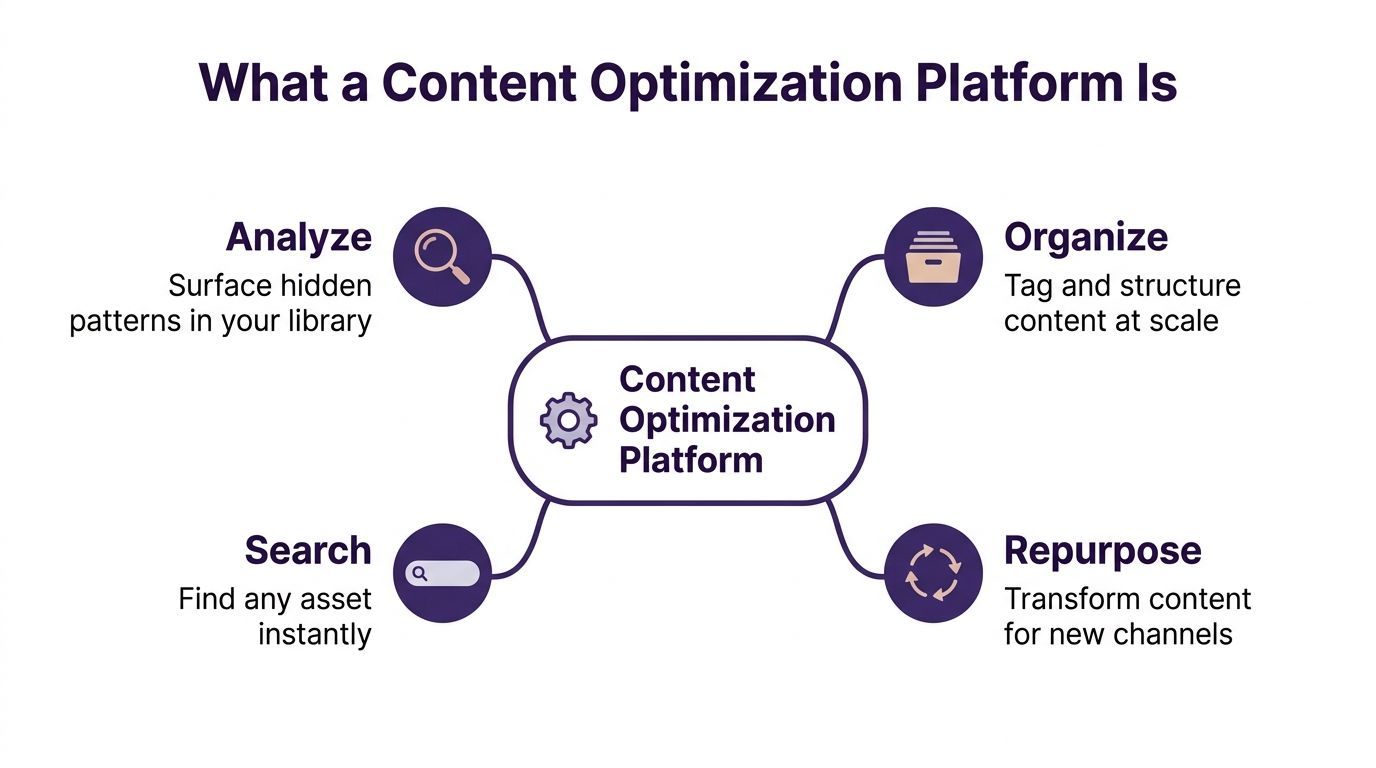
A content optimization platform is software that helps you analyze, organize, search, and repurpose content across a large library. The scope is broad because the work is broad. The platform does more than score one draft, it helps you understand what you already have, what is missing, and what can be turned into something new.
From keyword checker to knowledge system
The narrow view of content optimization stays on-page SEO. A tool checks headings, suggests terms, and compares your draft to top-ranking pages. That is useful, but it covers only one layer of the job. Modern platforms go further by ingesting archives, tagging assets, and making past work searchable across formats.
A spreadsheet lists your files; a platform explains what they mean, how they connect, and which ones deserve another life. That difference matters because a library of podcasts, videos, and long-form articles behaves more like a knowledge base than a static inventory. You are not just tracking assets, you are mapping ideas, evidence, and formats so the archive can keep working after the original publish date.
If you want a practical comparison point, find winning post strategies shows how optimization thinking changes once you move from a single post to a repeatable workflow. It makes the shift visible, from isolated edits to a system that can find patterns, reuse strengths, and turn older work into new formats.
Why the architecture matters
A technically sound platform treats optimization as a layered pipeline. It ingests content first, normalizes formats next, then runs semantic analysis, then checks outputs against publishing rules before distribution. That order matters because each layer can change without breaking the others, which suits teams working across articles, podcasts, and video metadata.
Practical rule: if a platform cannot handle both structure and reuse, it is not really solving content operations, it is only decorating a draft.
The best systems also leave room for human judgment. Google's guidance on AI search visibility still emphasizes foundational SEO best practices, clear technical structure, and unique, valuable content, because those remain the base for visibility in both generative experiences and traditional search Google Search's AI optimization guide. That reminder matters for anyone trying to find winning post strategies, because automation should support editorial judgment, not replace it.
For teams that want to see how product capabilities fit together, the broader feature set is described in Contesimal's platform features overview.
Core Features That Make These Platforms Work
The strongest platforms do more than score a page in the moment. They help you make sense of a library that has grown over time, with podcasts, videos, articles, transcripts, and notes that were never built for reuse from the start. If your archive feels scattered, the right system gives it shape.
Taxonomy and search that work together
Taxonomy management is the backbone. It lets you define categories, tags, themes, formats, and relationships so content does not disappear into folders no one opens. Smart search sits on top of that structure and lets you find an episode, transcript, or article even when the exact keywords do not match.
Semantic search makes the difference. A platform can surface a relevant interview because it understands the topic and related concepts, rather than only matching a phrase in the title. For a large archive, that shift saves time and helps older work reappear in new contexts. It also shows why basic keyword tools feel cramped once a library gets larger.
A clear taxonomy also supports better discovery inside the product itself, which is why teams often compare search behavior with the broader features of the product before they commit to a workflow.
AI insights, collaboration, and ingestion
AI insights help you see patterns humans miss at scale, recurring questions, overlooked themes, and gaps between what you've published and what your audience keeps asking for. Collaboration tools matter because optimization becomes a team activity fast. Editors need context, marketers need notes, and creators need a way to hand off work without losing the thread.
Ingestion is the quiet capability that makes the rest possible. A platform should accept podcasts, videos, articles, transcripts, and documents without turning setup into a part-time job. If bringing in a new asset means manual cleanup every time, the workflow slows down and the archive stays harder to use.
For a broader scan of AI-assisted creator tools, best AI tools for content creators is worth looking at alongside platform demos, especially if you are comparing repurposing features against general-purpose AI software.
What to look for in the product layer
A strong platform should make content operations feel less fragile.
- Taxonomy control: You should be able to define labels and categories that match your actual workflow, not a vendor's generic template.
- Semantic retrieval: Search should find related assets even when the wording changes across episodes, posts, or transcripts.
- Shared context: Comments, notes, and tasks need to live with the content, not in disconnected threads.
- Flexible ingestion: Mixed file types should come in cleanly, with minimal manual intervention.
- Reuse signals: The system should help you identify which assets are ready to be refreshed, remixed, or expanded.
Contesimal fits this category because it combines searchable research, layered taxonomy, and AI-assisted content intelligence in one workflow. That kind of structure matters once archives get large and the goal shifts from storing content to turning older work into new formats and new revenue paths.
Benefits for Podcasters, Publishers, Creators, and Researchers
The same platform solves different problems depending on who's holding the keys. A podcaster wants clip ideas. A publisher wants older articles to earn again. A marketing team wants consistency. A researcher wants to stop rebuilding notes from scratch every time a new project starts.
Podcasters and video creators
For podcasters, the biggest win is turning episodes into a usable source of smaller assets. One interview can yield quote cards, social posts, newsletter sections, and short-form scripts. Video creators get a similar advantage, because themes that performed once can be grouped into playlists, series, or follow-up episodes without starting over.
That matters if your channel is growing and your output is already too big to hold in your head. A platform helps you see which topics keep repeating, which guests generated strong material, and which moments deserve a second pass. The work becomes less about guessing the next upload and more about building on what already connected.
If you want a practical framing for audience growth and repeatable format ideas, LesFM's guide on going viral is a useful companion because it pushes you toward structured experimentation instead of random posting.
Publishers, marketers, and researchers
Publishers often sit on back catalogs that still have value, just not in their original form. A strong platform helps them find older stories that can be updated, re-angled, or redistributed to new audiences. Content marketers use the same logic to keep messaging aligned across channels without rewriting the same idea ten different ways.
Researchers and academics get a different kind of gain. Notes, citations, interview transcripts, and source documents stop living in separate silos. Once those materials are searchable and connected, new projects start from a stronger base and collaboration gets much easier.
A library creates value twice, once when it's published, and again when someone can actually find and reuse it.
The broader market is moving in this direction too. The market for SEO content optimization platforms is estimated at USD 2.8 billion in 2025 and is projected to reach USD 7.2 billion by 2033, implying a 12.5% CAGR from 2026 to 2033, which reflects growing demand for keyword research, content intelligence, rank tracking, technical SEO audits, and AI-assisted workflow automation market projection. That growth makes sense when more teams realize their archives can produce new value, not just new clutter.
How to Evaluate and Choose the Right Platform
A poor buying decision usually starts with a polished demo that hides the actual work. The better starting point is your archive as it exists today, including the file types you store, the size of the library, who needs access, and the tools already inside your workflow. If a platform cannot fit those conditions, its features lose value fast.
The criteria that decide value
Start with ingestion speed. A system that struggles with your mix of podcasts, video, articles, and documents forces your team into cleanup before any reuse can begin. Taxonomy deserves the same attention, because a rigid tagging model can turn a large archive into a maze instead of a map.
Search relevance comes next. You need to find an episode, a source quote, or a recurring theme even when the wording changes. Collaboration tools should fit the way your team already moves work forward, whether that means shared notes, editorial review, or handoff between research and publishing.
Two checks are easy to overlook. AI insight accuracy needs to be reliable enough for the team to trust, and integrations need to fit your publishing stack so data does not have to be copied between systems all day. Each extra handoff adds another place where the workflow can break.
Compare tools against your actual workflow rather than a vendor's ideal scenario.
A simple evaluation table
| Criterion | What to Look For | Red Flag |
|---|---|---|
| Ingestion | Handles podcasts, video, articles, and documents without heavy manual cleanup | Import requires repeated formatting fixes |
| Taxonomy | Custom categories, tags, and relationships that reflect your library | Rigid labels that don't match your workflow |
| Search | Finds related assets by meaning, not just exact wording | Search only works on titles or exact terms |
| Collaboration | Notes, tasks, and review comments stay attached to assets | Feedback lives in disconnected tools |
| Integrations | Fits your publishing and storage stack cleanly | Constant exports, imports, or duplicate data entry |
For teams formalizing the buying process, a structured internal brief helps. A request for information template keeps vendor comparisons grounded in the same questions instead of whatever each sales deck chooses to highlight.
Budget check: hidden costs usually show up in setup time, storage needs, and seat-based pricing, so ask how long it takes before the system becomes useful, not just how fast the contract gets signed.
Real-World Use Cases and Team Workflows
A platform becomes easier to understand once you watch it in motion. The value doesn't come from a feature list, it comes from the way a team's day changes once searching, tagging, and repurposing are no longer separate chores.

A podcaster with fifty archived episodes can search across interviews, group recurring themes, and pull three or four ideas for a newsletter series without relistening to everything. A magazine publisher can revisit older articles, update them for current search patterns, and package them for new distribution instead of starting from a blank page. A marketing team can map existing coverage against audience questions and fill topic gaps before they become missed opportunities.
The workflow shift is subtle but important. Before adoption, the team remembers where a useful idea might be buried. After adoption, the team can retrieve it, compare it, and assign the next step. That reduces the friction between research and production.
For teams working across media types, the same logic applies to transcripts, source docs, and clips. The archive stops being a storage problem and becomes a working inventory. Once that happens, the team spends less time hunting and more time shaping what comes next.
A research group sees a similar payoff. Notes from one project can be linked to citations from another, so every new paper doesn't begin at zero. That makes collaboration easier because people can follow the trail of evidence instead of rebuilding it from scratch.
Your Content Optimization Action Checklist
Start with the archive you already own, not the one you wish you had. Audit what's there, group content by format and theme, and identify the assets that still have clear audience or commercial value. If the library is messy, don't try to fix everything at once, because that's where adoption usually slows down.
Before you choose a platform
Define your outcome in plain language. Maybe you want faster retrieval, better repurposing, or a cleaner way to collaborate across editorial and marketing. Then compare tools against your actual workflow, not against a vendor's ideal scenario.
- Inventory first: List your highest-value podcasts, videos, articles, transcripts, and research docs.
- Set one success metric: Decide what improvement matters most for your team, then measure against that.
- Map your workflow: Identify who uploads, who reviews, who searches, and who publishes.
- Test the archive: Run a small sample through the platform before committing the full library.
During the first month
Configure taxonomy carefully. If your labels are vague, everything downstream gets harder. Set up ingestion rules, test search behavior, and train the team before you expect consistent results.
Don't launch with every file you own. Start with a focused batch, learn from the friction, then expand.
Once the system is live, treat optimization as ongoing maintenance. Refresh the structure when your editorial strategy changes, review what users are searching for, and keep an eye on which assets keep getting reused. That's how an archive turns into a workflow instead of a storage bin.
If you want a platform built for that kind of library-first work, Contesimal helps teams classify, organize, search, and repurpose large content sets so older assets can support new research, new formats, and new revenue paths. Visit Contesimal to see how your archive can start carrying more of the load.