
You've finished the edit. The thumbnail is done, the title is sharp, the description is loaded, and then YouTube asks for one more decision that most creators rush past: category.
That dropdown looks minor until you run a large library, audit old uploads, or try to repurpose content across channels and formats. Then the list of youtube categories stops being a form field and starts acting like infrastructure. It affects how you classify your archive, how your team stays consistent, and how cleanly your content strategy maps to monetization.
That matters because category choice sits right next to niche strategy. Some niches command premium ad rates. As of 2026, personal finance content leads high-earning YouTube niches with CPM rates between $15-22, followed by make money online at $15-20 CPM and legal/court drama at $12-18, according to OutlierKit's profitable YouTube niches analysis. The category field alone won't turn a comedy channel into a finance business, but sloppy classification can absolutely make a strong library harder to understand, search, and scale.
Most creators need two things, not one. They need the official category list, and they need tools that help them verify what is assigned to videos in the wild. That's what this guide covers. You'll get the best official sources, the most useful checkers, and the practical trade-offs between them so you can manage YouTube metadata like a professional, not like someone guessing at upload time.
1. YouTube Data API v3 videoCategories.list

If you want the source of truth, use the official YouTube Data API videoCategories.list documentation. Everything else on this page is either a convenience layer, a teaching layer, or a checker built downstream from this.
The advantage isn't just accuracy. It's structure. You can request categories by region, retrieve localized names, and plug the results into your own publishing, auditing, or archival workflow. For teams managing more than a handful of uploads, that's the difference between “we think we're consistent” and “we know exactly how every asset is classified.”
Why practitioners start here
When you pass a region code such as US and request part=snippet, you get the canonical category names and IDs that your systems can rely on. That makes this the right choice for anyone building spreadsheets, internal databases, upload tooling, or a taxonomy layer on top of YouTube.
I especially like this route for creators building a repeatable upload operation. If your team already has SOPs for titles, thumbnails, and playlists, category assignment should sit in the same process. That becomes even more useful when you're coordinating cross-platform publishing from a content archive after a fresh upload workflow on YouTube.
Practical rule: If a category decision matters to reporting, automation, or metadata governance, don't rely on a blog post screenshot. Pull it from the API.
What works and what doesn't
- Best for production use: Engineering teams, agencies, publishers, and advanced creators can refresh category lists on schedule.
- Best for localization: If you publish across markets, region-aware retrieval matters.
- Not ideal for non-technical users: You'll need an API key or OAuth setup, and someone has to manage quotas and implementation details.
There's also a strategic reason to keep this official list close. Mixed Analytics notes ongoing confusion between official category IDs and the explosion of sub-niches creators target in practice, in its YouTube video category ID guide. That confusion is why disciplined metadata beats guesswork. Categories are the stable layer. Niches are the strategic layer you map on top.
2. Google APIs Explorer interactive videoCategories.list

Some creators need the official answer without touching code. That's where the Google APIs Explorer earns its place.
It's attached to Google's documentation ecosystem, and for this use case it gives you the fastest possible “live check” workflow. Pick the method, set the parameters, run the request, inspect the response. No custom script. No wrapper. No third-party interpretation.
Best use case
I use tools like this for spot validation. You're updating a taxonomy doc, checking whether a category exists in a target region, or verifying an ID before handing instructions to an editor. The Explorer is perfect for that.
It's also a solid bridge tool between strategy and engineering. A content lead can confirm the right response format and hand the exact request pattern to a developer who'll later automate it. That reduces misunderstandings fast.
Use the Explorer when you need certainty today, and the API when you need repeatability tomorrow.
Trade-offs you should know
The upside is speed and trust. The downside is that it's still manual. You won't use it to audit a back catalog at scale or maintain a metadata refresh job.
A second limitation is workflow friction. Once your archive grows, category verification becomes one step inside a much larger metadata operation that may include playlists, format labels, repurposing tags, guest names, themes, and sponsorship status. At that point, the Explorer remains valuable, but only as a validation layer.
That matters because some YouTube verticals scale on volume rather than premium CPM alone. Gaming content commands over 500 million monthly active users on YouTube as of 2026, according to VidIQ's overview of the best YouTube niches. For channels in those high-volume spaces, quick category validation helps keep a large publishing machine clean, even when monetization depends on breadth and retention more than a premium ad niche.
3. Ayrshare YouTube Categories API
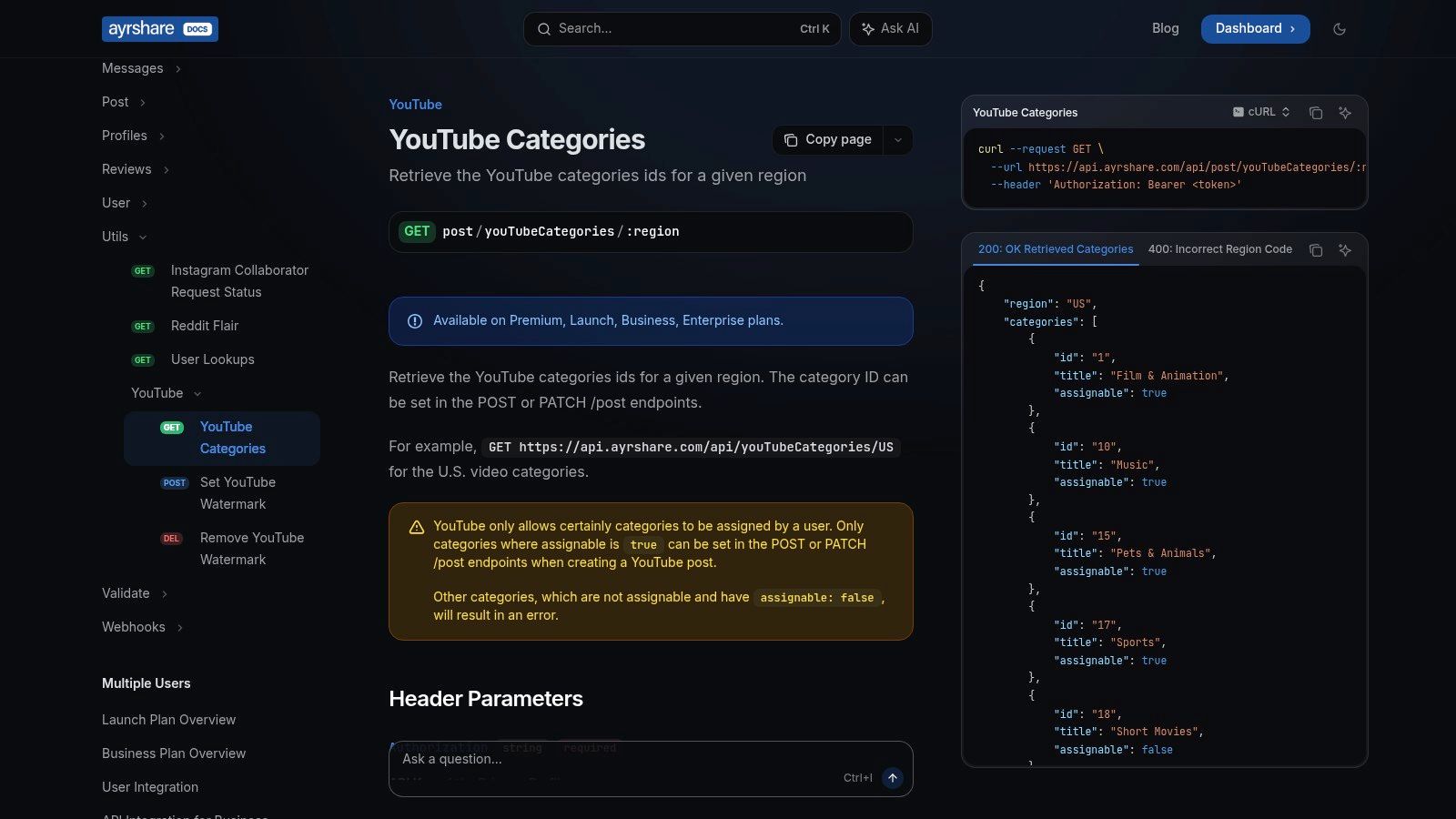
A common scenario looks like this. The content team has a publishing workflow, the developer has already wired in a social API, and nobody wants to bolt on another separate Google-specific process just to check category IDs. In that setup, Ayrshare's YouTube Categories API earns its place.
Its practical advantage is not that it replaces Google's source of truth. It makes category handling easier inside an existing multi-platform publishing system. If your team already uses Ayrshare for scheduling, posting, or metadata operations, pulling YouTube categories from the same environment keeps implementation cleaner and reduces handoffs between editorial and engineering.
The detail I pay attention to here is assignability. That matters in real operations because category confusion usually starts when a team sees a valid-looking ID and assumes it can be used on a normal upload. Ayrshare exposes whether a category is assignable, which helps teams filter out IDs that create avoidable errors or bad instructions.
Where it fits best
Ayrshare is strongest when category data is one field inside a larger automation chain. That includes upload forms, approval workflows, metadata templates, and cross-network publishing rules. A developer can standardize the response format once, then let editors work from approved values instead of checking raw docs every time.
That saves time in a way creators feel. Fewer failed uploads. Fewer Slack messages asking whether an ID is valid. Less cleanup after someone copies a category from an outdated list.
The real trade-offs
You are adding a third-party layer. For many teams, that is a fair trade because speed and consistency matter more than talking directly to every platform API. But the dependency is real.
- Best fit: Teams already building on Ayrshare and managing content across multiple networks.
- Useful feature: Assignable status is operationally helpful, not just informative.
- Less ideal: Creators who only need to verify YouTube category IDs occasionally.
- Operational caution: Keep the official Google endpoint in your process if audits, compliance, or internal reporting require direct source validation.
That last point is the professional way to use tools like this. Use Ayrshare for workflow efficiency. Keep Google in the stack for verification and edge cases.
As your library grows, category management stops being a one-time setup task. It becomes part of metadata governance. The teams that handle that well usually treat category IDs the same way they treat titles, playlists, tags, and publishing rules. As noted earlier, category choice can shape how content is grouped and interpreted at scale, so clean metadata is not clerical work. It supports discovery, reporting, and monetization discipline.
4. WildandFree Tools All 15 YouTube Categories plus Free Category Checker
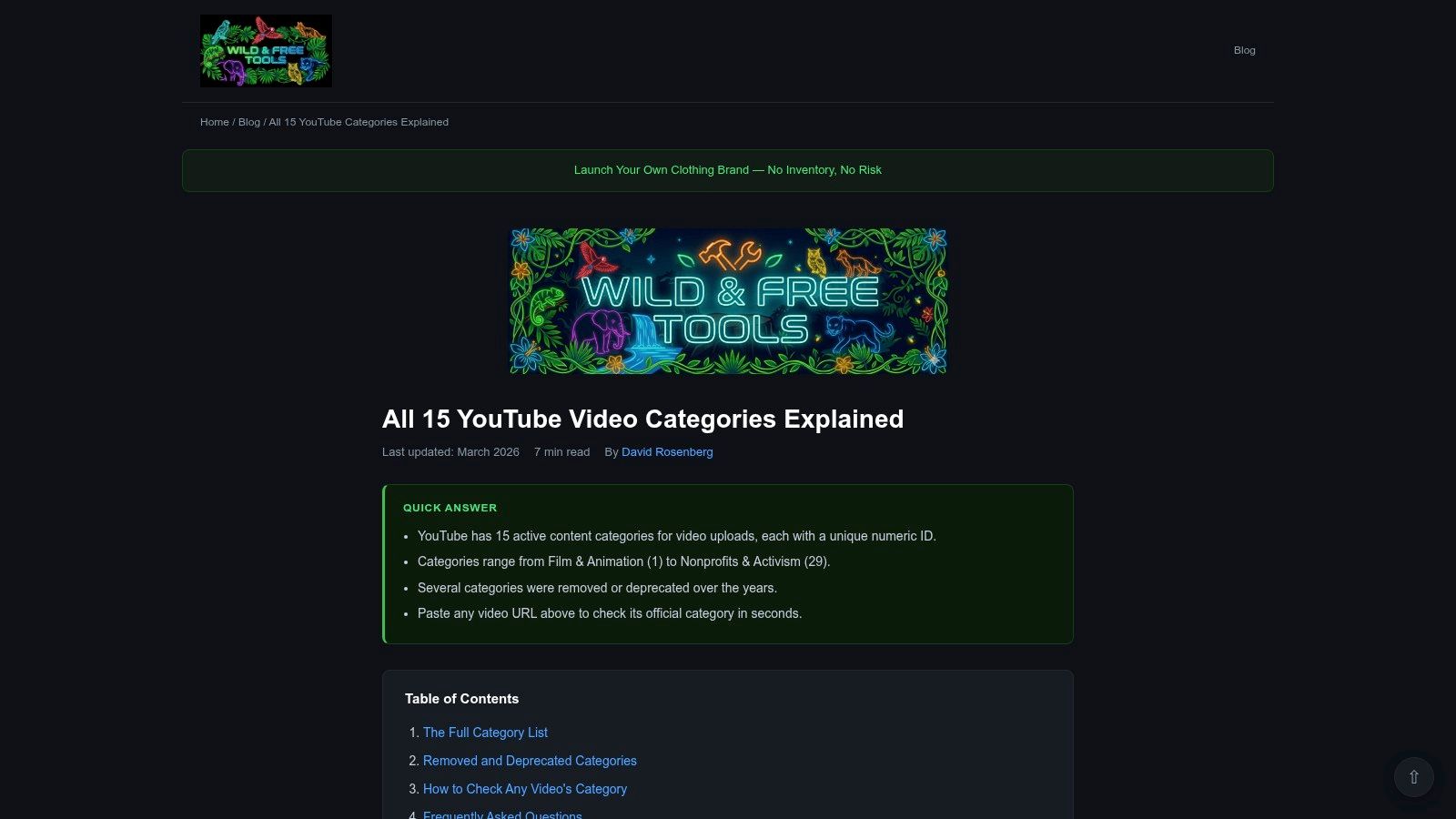
The fastest non-technical option in this roundup is WildandFree Tools' guide to all 15 YouTube categories. It does two jobs well. First, it gives a readable reference list. Second, it includes a free checker that lets you paste a video URL and retrieve the category.
That combination is ideal for managers, researchers, and editors who need clarity more than infrastructure. You don't need an API key. You don't need developer support. You just need to verify what's there.
Why this one is so practical
A lot of category confusion comes from mixing active upload categories with legacy or internal labels. A simple human-readable reference removes friction quickly. Then the checker gives you an immediate reality check on any live video you're auditing.
That's especially useful during content audits. If you're reviewing old uploads before repurposing them into clips, articles, playlists, or syndication packages, you need a fast way to confirm metadata without opening developer docs every five minutes.
Field note: For editorial teams, a good checker often beats a great API. Speed wins when the task is verification, not automation.
What it's good at, and where it stops
- Best for quick audits: Great for checking competitor videos or your own archive.
- Best for training editors: New team members can understand the category system fast.
- Not enough for production systems: If your process needs scheduled refreshes or bulk logic, use the official API.
It also helps expose the wider business question behind category choice. Some categories attract massive audiences even with lower ad rates, while others monetize better with fewer views. OutlierKit reports that ASMR and dance covers sit at $0.29 and $0.035 CPM respectively in its profitable niche analysis. That's not a reason to avoid those formats if they fit your brand, but it is a reason to classify your archive carefully so you know which assets are traffic plays and which are revenue plays.
5. NicheProwler YouTube Video Category Finder
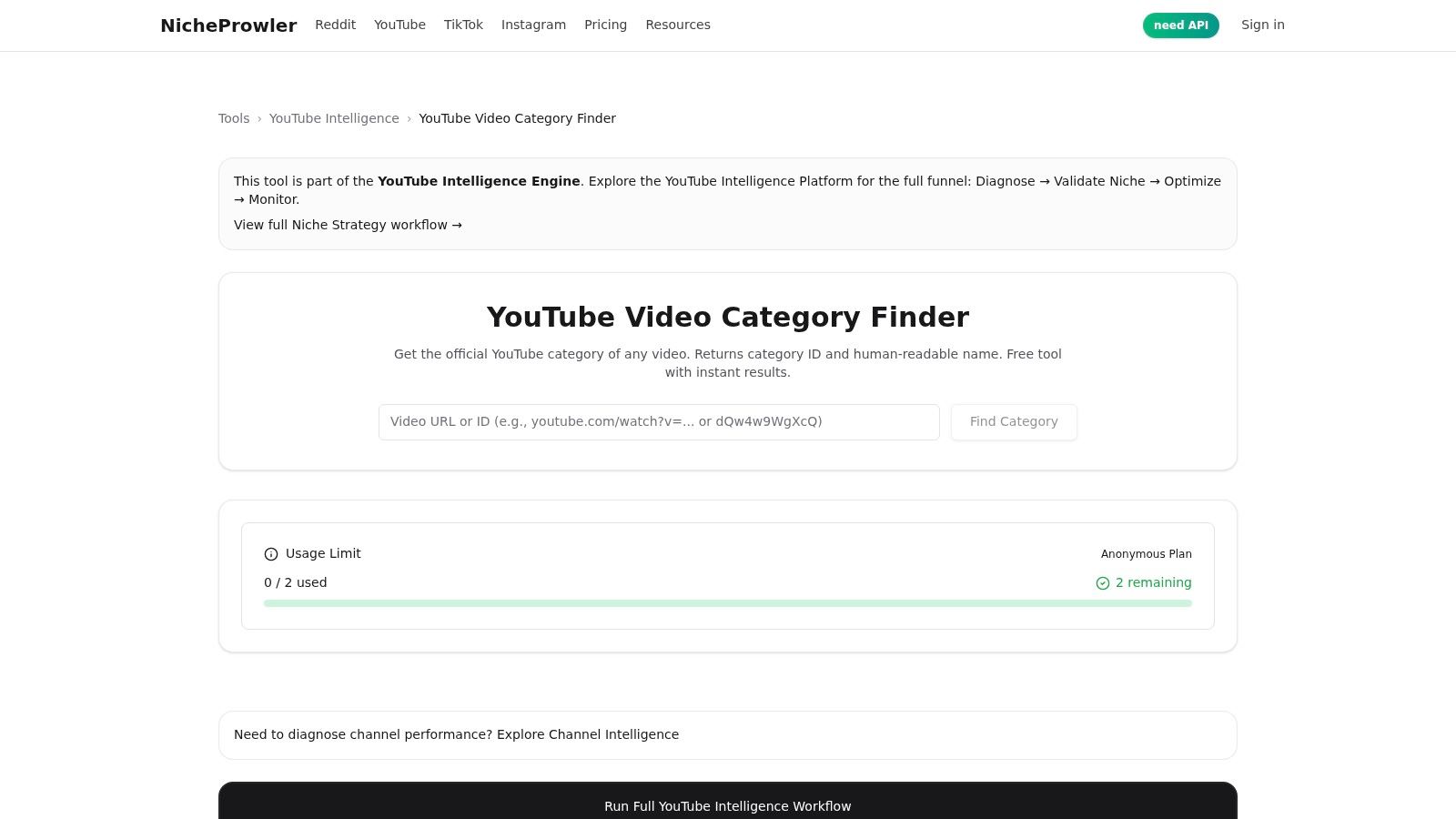
NicheProwler's YouTube Video Category Finder is lean, simple, and useful. Paste a URL, get the category name and numeric ID. That's it.
And that's enough more often than people admit. Not every metadata job needs a platform account, API integration, or technical setup. Sometimes you're reviewing a rival's publishing patterns, checking whether your own uploads were categorized consistently, or cleaning up a spreadsheet before a content strategy meeting.
Where this tool shines
This is a good fit for one-by-one validation, especially in the research phase. If you're mapping competitors, auditing a playlist, or aligning category labels with your broader search optimization workflow, a fast URL-based checker is hard to beat.
It's also good for content libraries that have grown unevenly over time. Many creators started as hobbyists, shifted formats later, and never normalized old metadata. A quick checker helps you see those inconsistencies before they turn into bigger editorial problems.
The limit is scale
NicheProwler doesn't pretend to be a bulk system. That's the right call. For a creator or small team, simplicity is the feature. For a publisher with hundreds or thousands of uploads, manual checking becomes a bottleneck fast.
What makes that worth fixing is the monetization spread across content types. OutlierKit notes that betrayal and revenge narratives reached $12.82 RPM in its analysis, outperforming many categories people traditionally assume are more commercially attractive. If your archive spans multiple themes and tones, category audits help you identify where repackaging, retitling, and content clustering may produce stronger business outcomes.
Metadata audits don't just clean up the past. They reveal what your library is really built to monetize.
6. Inside Créateurs All YouTube categories in 2026 complete list
Inside Créateurs' 2026 YouTube categories guide is the strongest editorial explainer in this list. It's not just a raw lookup. It helps creators understand which category IDs are relevant and which ones are internal or non-assignable.
That distinction matters more than most creators think. The category field becomes messy when teams blur three separate ideas: official ID, content niche, and format. This guide does a good job separating them.
Best for strategy discussions
If I were onboarding an editorial team, I'd hand them this before I handed them an API doc. It gives enough context to help people make better judgment calls, especially when a video could plausibly sit in more than one category.
That's useful for growing channels. A creator moving from hobby uploads to structured publishing needs more than a dropdown list. They need a classification philosophy. That's where a readable reference like this supports a stronger plan for starting a successful YouTube channel, because category discipline is part of channel discipline.
For an external reference with similar intent, this ultimate YouTube categories list is another example of how creators are trying to make the official labels more usable in practice.
Where editorial guides beat raw data
- They reduce ambiguity: Especially for hybrid formats like interviews, explainers, or commentary.
- They help teams standardize: One clear interpretation prevents random category choices across editors.
- They're still not the final source: For production metadata, verify against official tools.
One more strategic point. Education maintains $9.89 CPM in OutlierKit's analysis of profitable YouTube niches. That's a reminder that “best category” is not always about matching the broadest label. Often it's about aligning your actual content package with the business model you want, then applying that choice consistently across your archive.
7. googleapis.dev YouTube Java client VideoCategories.List
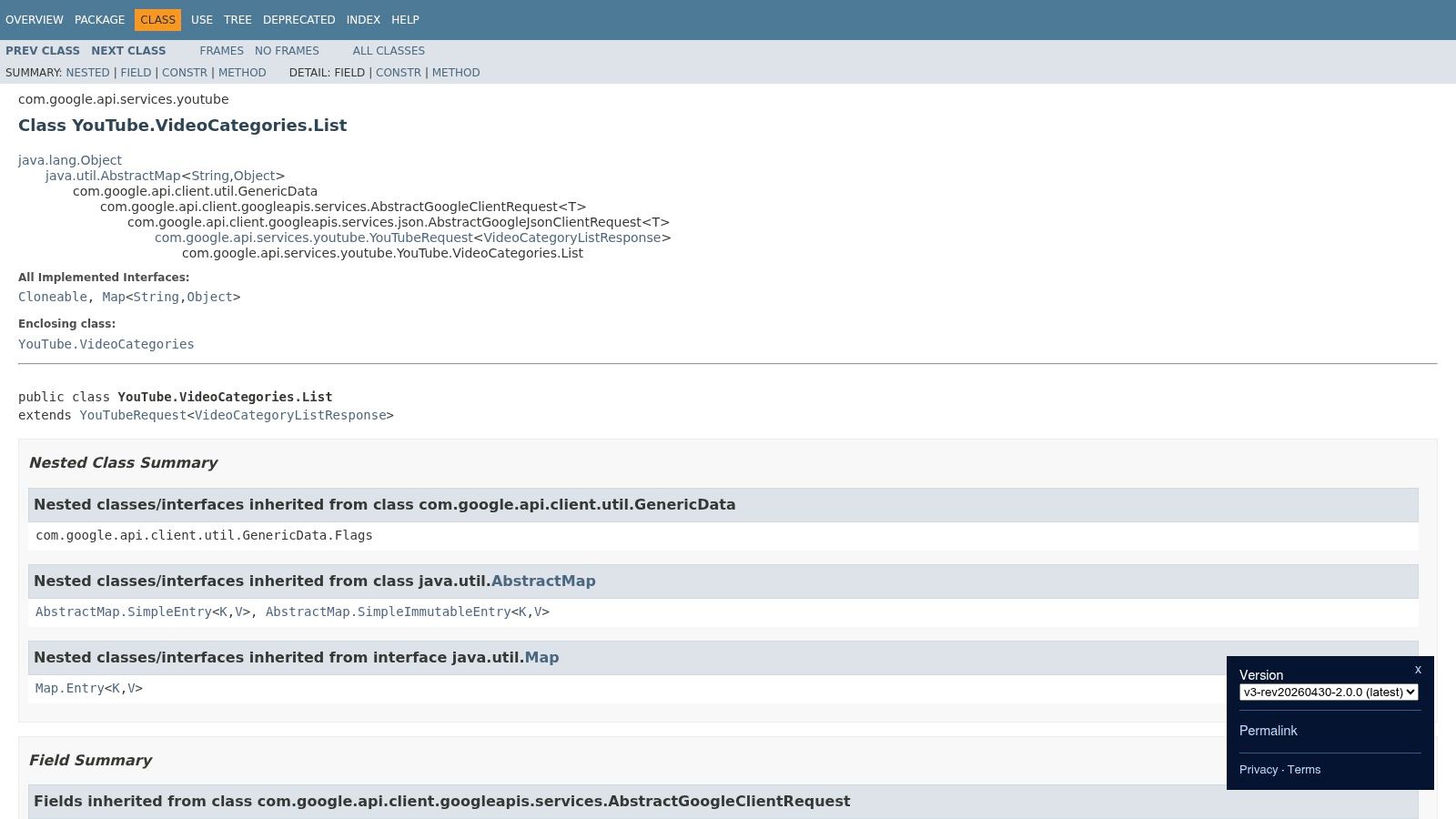
A common turning point looks like this. The content team is publishing across multiple channels, the analytics team wants category-level reporting, and engineering is tired of copying values from one-off scripts into internal tools. At that point, the official googleapis.dev Java reference for YouTube.VideoCategories.List becomes useful because it turns category lookup into a maintained part of your metadata stack.
For JVM teams, this is the practical path to production use. The client is typed, it follows Google's auth model, and it fits scheduled refresh jobs better than ad hoc browser checks. If category IDs feed upload workflows, archives, QA checks, or reporting tables, using the official Java client reduces avoidable errors.
The actual advantage is operational consistency.
A static list helps an editor choose a label. A client library helps engineers retrieve category data by region, validate IDs before publish, and keep internal systems aligned with what YouTube currently returns. That matters when category data is joined with playlists, series fields, language settings, publishing calendars, or downstream BI dashboards. Small mismatches in metadata usually show up later, during audits or reporting disputes, when they are expensive to trace.
Where the Java client fits best
Use this reference when categories are part of your system of record. It is a strong fit for media companies, agencies with custom publishing infrastructure, and SaaS products that ingest YouTube metadata as part of a larger workflow.
It is less useful for solo creators, editorial teams without developers, or anyone who only needs to check a single video now and then. In those cases, the API Explorer and free checkers above are faster.
That trade-off is the key point. This source is not better because it is more technical. It is better when your goal is repeatability, verification, and clean integration with the rest of your content operations.
YouTube Category Sources, 7-Item Comparison
| Item | Implementation complexity | Resource requirements | Expected outcomes | Ideal use cases | Key advantages |
|---|---|---|---|---|---|
| YouTube Data API v3, videoCategories.list (Official) | Moderate, HTTP calls with API key/OAuth | Google API credentials, quota management, developer time | Authoritative, localized category IDs and names | Production ingestion, analytics, automated refresh | Source of truth; stable IDs and localization |
| Google APIs Explorer, interactive videoCategories.list (Official) | Very low, web UI, no code | Browser and optional Google sign-in (consumes quota when auth'd) | Live API responses for quick checks | Ad-hoc validation and testing | Zero setup; reflects current API output |
| Ayrshare, YouTube Categories API | Low–Moderate, REST integration with token | Ayrshare account and API token (paid tiers possible) | JSON list with IDs plus assignable=true/false flags | Centralized publishing stacks using Ayrshare | Provides assignability metadata in consistent JSON |
| WildandFree Tools, All 15 YouTube Categories + Free Category Checker | Very low, static reference and URL checker | Browser; free to use | Human-readable list and single-URL lookups | Non-technical teams, quick research and audits | Accessible, free reference with a URL checker |
| NicheProwler, YouTube Video Category Finder (Free utility) | Very low, paste-URL tool | Browser; no signup required | Single-video category name and numeric ID | Spot audits and manual validation of archives | Fast, no signup, easy one-off checks |
| Inside Créateurs, All YouTube categories in 2026: complete list | Very low, editorial article | Browser; free article | Up-to-date list with guidance and non-assignable notes | Creators choosing categories; editorial guidance | Practical recommendations and clarified non-assignable IDs |
| googleapis.dev, YouTube Java client: YouTube.VideoCategories.List (Official library reference) | Moderate, integrate Java client and auth flows | JVM environment, Google credentials, dev effort | Typed client calls that mirror API behavior | JVM-based ingestion pipelines and scheduled jobs | Low-friction integration for Java; maintained client library |
From Categories to a Content Goldmine
The list of youtube categories is useful. A well-managed category system is valuable.
That's the difference most creators discover too late. At first, category selection feels like a one-time upload detail. Then the library grows. You have old interviews categorized three different ways, a tutorial series split across mismatched labels, a few breakout videos you can't easily cluster, and a repurposing pipeline that keeps stalling because nobody trusts the metadata. The problem isn't the dropdown. The problem is that the dropdown was never treated like part of your content database.
That's why the best tool here depends on the job. If you need canonical accuracy, use Google's API or official client references. If you need fast live validation, use APIs Explorer. If you need an editor-friendly category checker, WildandFree Tools and NicheProwler are much more practical. If your team already works inside a broader social distribution stack, Ayrshare can save time by standardizing how metadata moves through your system. And if your editors keep debating where content belongs, an explanatory guide like Inside Créateurs can get everyone speaking the same language.
This isn't just about organization. It's about growth and monetization. Music remains one of YouTube's most watched content types globally, while gaming maintains massive reach with a lower average CPM of $1.40 in VidIQ's niche overview. Those differences tell you something important. Some content earns through volume, retention, and audience breadth. Some earns through advertiser value. Your metadata should help you see which is which inside your own archive, not hide the pattern.
The next level is treating category as one layer in a richer taxonomy. That's where content intelligence platforms become much more useful than standalone checkers. Once your library spans hundreds of videos, podcasts, clips, articles, and derivatives, you need a system that can classify assets, surface patterns, and help your team decide what to repurpose next. That's how old content becomes new inventory.
A clean category structure also strengthens editorial planning. You can cluster winning topics, spot underused formats, standardize metadata across editors, and pair category decisions with search, packaging, and monetization strategy. Even supporting assets matter. Teams that document category logic alongside production workflows often produce better spin-offs, stronger archives, and more consistent distribution. Good systems make that easier, especially when paired with resources like these essential video script templates.
Treat category choice like professional metadata, not admin trivia. That's when your back catalog starts acting less like storage and more like an asset base.
If you're ready to go beyond one-off category checks, Contesimal helps you organize your entire content library into a system you can use. You can ingest videos, podcasts, articles, and documents, build layered taxonomies around them, collaborate with your team and AI, and uncover repurposing and monetization opportunities hidden in your archive. For creators and publishers sitting on years of content, that's how you turn metadata into strategy and strategy into new revenue.