
You've probably got a content library that looks productive from the outside and feels impossible from the inside. There are podcast episodes on one drive, video exports in another folder, article drafts in a CMS, and the one brilliant quote you need hiding inside a file with a name like final_final_v7.mp4. The problem isn't a lack of creativity. It's that your archive lacks a useful system for finding meaning.
That system starts with categorization. Understanding what categorization means, how it differs from folders and tags, and how AI can apply it responsibly helps creators, publishers, marketers, and research teams turn old content into searchable, reusable material. The practical journey is simple: organize what you have, understand the patterns inside it, and take action on the value you've already created.
Why Your Content Library Feels Like a Messy Attic
A video creator may remember recording an interview about audience growth, but not the episode title. A podcaster may know an old conversation contains a strong passage about creative burnout, but search only returns filenames. A publisher may have years of articles that are individually valuable yet difficult to reuse because each piece is filed by project, author, or publication date.
That's the digital equivalent of an attic filled with unlabeled boxes. The content exists, but retrieval depends on memory. If the person who created or uploaded it leaves, much of the meaning leaves with them.

The hidden cost of scattered content
Folders give an asset a location, but they rarely describe its full value. An interview might belong to a series, a topic, an audience segment, a funnel stage, a format, and several future campaigns at the same time. A single folder can't express all those relationships without creating duplicates or forcing a team to choose one artificial home.
Categorization solves a different problem. It gives content descriptive structure, so people and software can ask useful questions:
- Topic: Which episodes discuss audience development?
- Format: Which longform recordings contain short, quotable sections?
- Audience: Which assets suit beginner creators?
- Purpose: Which pieces support discovery, education, or conversion?
- Reuse potential: Which recordings can become clips, newsletters, posts, or research notes?
Information retrieval research defines categorization as assigning documents to pre-existing categories. It also explains that taxonomy design structures the category space used by search and retrieval systems, for both humans and machines. Research on taxonomy structure and information retrieval shows why a content library needs more than storage locations. It needs a map.
From archive anxiety to archival value
The shift is important for anyone moving from hobbyist publishing toward a revenue-generating operation. You don't always need to produce something completely new to create value. You may need to expose the connections among the material you've already made.
This article treats categorization as the engine behind that process. You'll see why humans categorize naturally, how different models work together, why folders fail for mixed-media libraries, and how a governed AI workflow can help you revive old podcasts, videos, and articles without turning your taxonomy into another pile of digital clutter.
What Categorization Really Means Beyond Simple Sorting
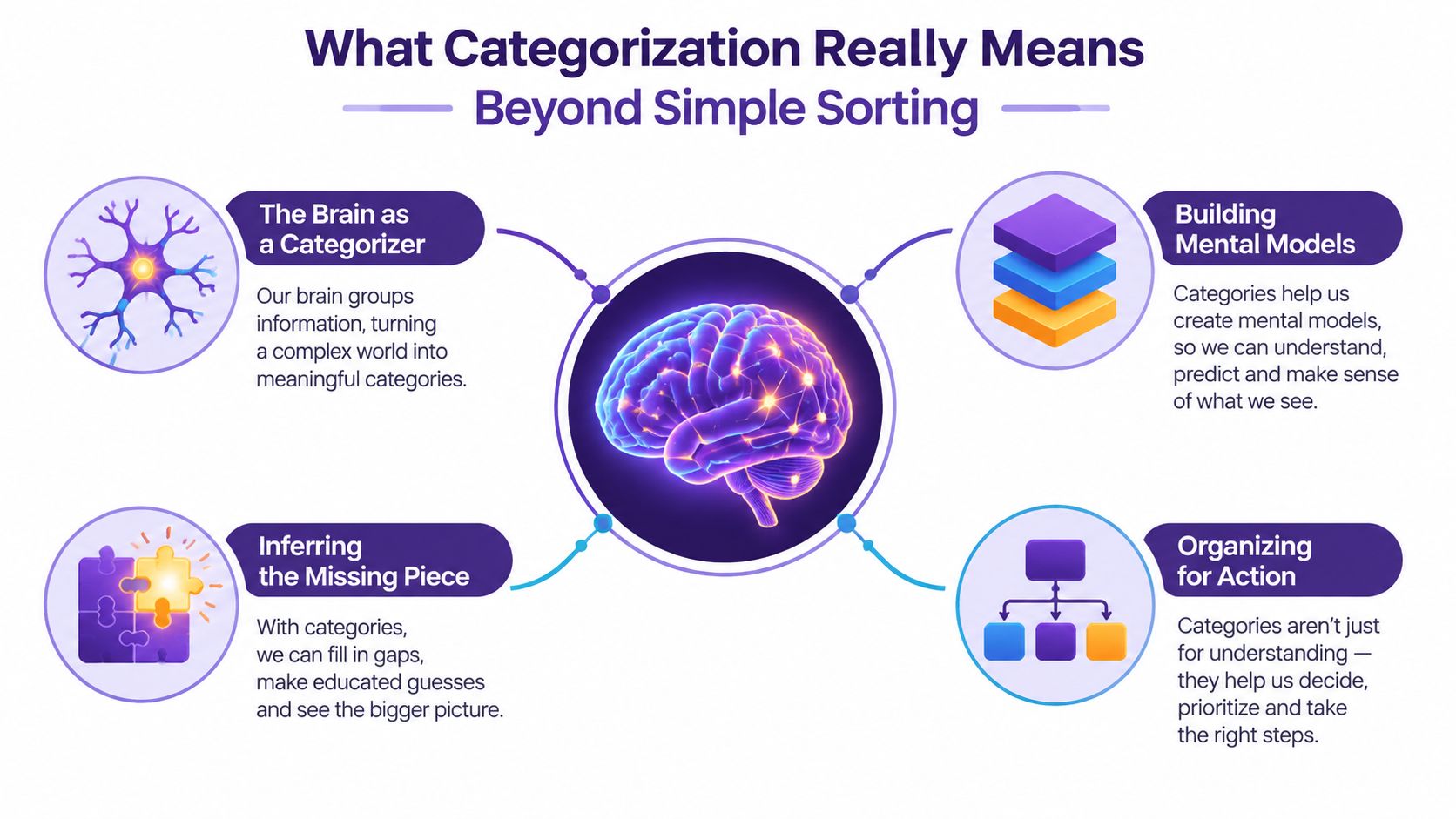
So, what is categorization in plain language? It's the act of grouping things according to meaningful similarities, differences, or relationships so you can understand and use them more effectively.
Sorting puts socks in a drawer. Categorization tells you which socks are warm, formal, athletic, clean, or ready for the laundry. The first action creates order. The second creates useful meaning.
Humans rely on categorization to handle more information than they can examine one item at a time. Research describes categorization as a core mechanism in perception and cognition because it helps people overcome cognitive-perceptual bottlenecks and extract the gist of a scene. The field has often modeled categories as rule-based groups with clear boundaries, but later work developed geometric and multi-process models that account for more flexible patterns. This review of categorization theory and models traces that progression from mathematical theories in the early 1970s through models including the Generalized Context Model, General Recognition Theory, COVIS, and ATRIUM.
The three jobs a category performs
A useful category does more than answer “what is this?” It helps you:
- Recognize a pattern. You notice that several episodes address the same underlying problem, even when their titles use different words.
- Infer what matters. You can predict that an interview tagged for first-time creators may contain examples useful to a beginner newsletter.
- Choose an action. You can decide whether to clip, update, combine, promote, archive, or research an asset.
Developmental research indicates that perceptual grouping appears very early in life, with grouping observed in human infants as early as 3 months. The same research tradition uses several task families, including rule-based, information-integration, prototype-distortion, and weather prediction tasks. This review of the development of categorization also notes that researchers still debate whether categorization depends on one system or multiple systems.
For content teams, the practical lesson is straightforward. A strong library usually combines stable rules, flexible examples, and learned patterns. A video can fit a controlled category such as “audience growth,” resemble other assets through prototype similarity, and connect to related ideas such as “distribution,” “retention,” and “creator business.”
Categorization, then, isn't just naming files. It's a framework for turning a large information set into something people can work with, interpret, and reuse.
How Taxonomies Ontologies Tags and Clustering Work Together
Content teams often treat taxonomy, ontology, tags, and clustering as competing choices. They're better understood as different layers of the same system.
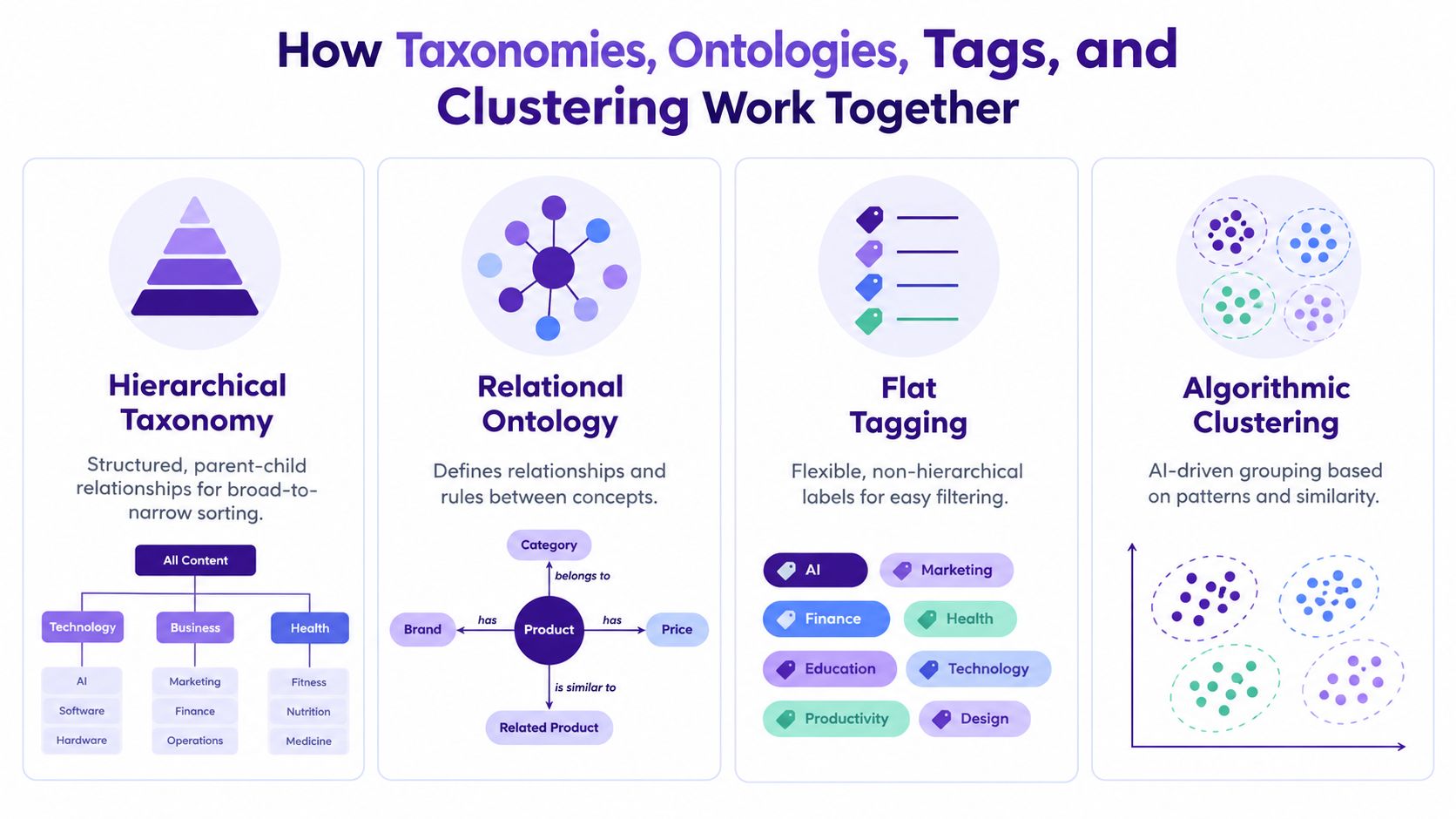
A taxonomy creates an ordered structure, often moving from broad categories to narrower ones. “Content” might contain “Video,” which might contain “Interview,” which might contain “Expert interview.” Taxonomies provide consistency and help users browse.
An ontology adds relationships between concepts. It can express that a guest is associated with a topic, a topic supports a funnel stage, or a video is a source for a newsletter. Ontologies describe meaning across the system instead of forcing every relationship into a parent-child tree.
Tags offer lightweight labels. They're useful for filtering and quick annotation, but uncontrolled tags can create duplicates such as “YouTube,” “youtube,” and “YT.” Clustering uses patterns and similarity to group items that may not yet have clear labels. It can help a team discover themes hiding in a large archive.
| Model | Structure | Best For | Flexibility |
|---|---|---|---|
| Taxonomy | Parent-child hierarchy | Consistent browsing and controlled classification | Moderate |
| Ontology | Connected concepts and relationships | Meaning-rich discovery across formats | High |
| Tags | Flat labels | Fast filtering and descriptive notes | High, but can become inconsistent |
| Clustering | Similarity-based groups | Finding emerging themes and unknown patterns | High, with human review needed |
Choosing the right layer
Use a taxonomy for categories that need stable definitions. Examples include content type, funnel stage, audience level, and product line. Use tags for details that change frequently or need quick filtering, such as guest names, campaigns, locations, or production status.
Use an ontology when relationships carry more value than labels alone. A publisher might connect an article to a book chapter, an author, a theme, and a reader persona. A podcast team might connect an episode to a guest, a recurring question, a clip, and a follow-up idea.
Clustering is particularly useful during discovery. It can surface a group of episodes that repeatedly mention monetization, even if the original team never created a “monetization” category.
Practical rule: Keep the categories people must apply consistent, and let exploratory methods reveal what your current structure might be missing.
For search-facing content, structure also affects how category pages support navigation and discoverability. Sibley Digital's guide to category page best practices offers useful context for designing category pages that serve users instead of becoming thin collections of links. For a deeper treatment of controlled labels and relationships inside a content library, see this guide to content tagging and taxonomy.
Why Categorization Is Your Shortcut to Discovery and Repurposing
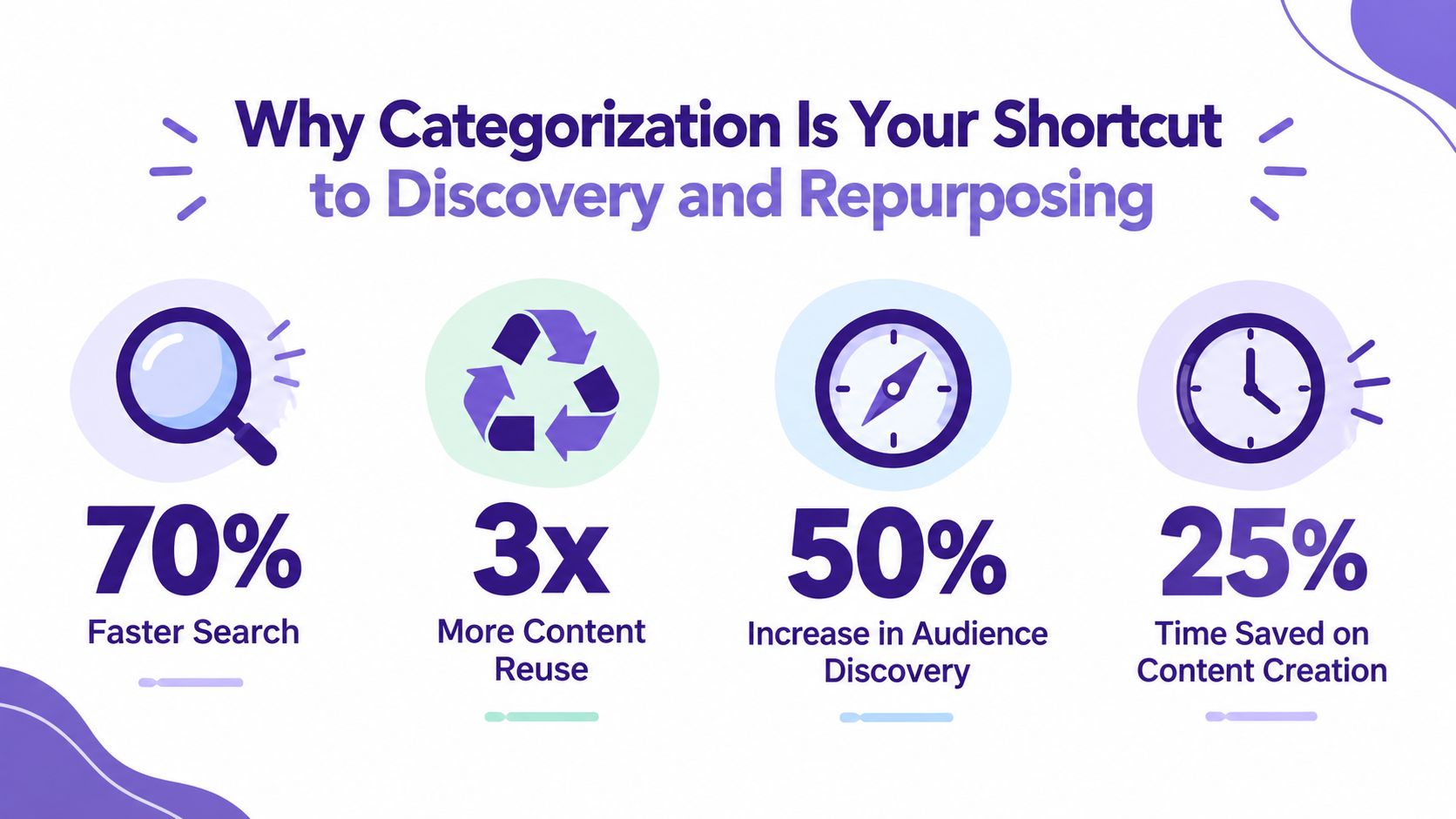
A categorized archive changes the starting point of content production. Instead of asking, “What should we create from scratch?” your team can ask, “What do we already know, and where can that knowledge travel next?”
Suppose a longform video contains a strong explanation of audience research, a personal story about finding a niche, and a practical checklist for planning content. Without categorization, those moments remain buried inside one file. With meaningful labels, you can find each segment by topic, audience, format, tone, and reuse purpose.
One source, many useful outputs
A repurposing workflow might turn one recorded conversation into:
- Short video clips for discovery
- A written article for search
- A newsletter section for subscribers
- Social posts built around individual insights
- Research notes for a future episode
- A themed collection that helps audiences explore related material
That isn't merely reformatting. It's matching the right piece of knowledge to the right context. Categorization provides the retrieval layer that makes those matches practical.
A 2026 operator-audit summary estimates that repurposing one source piece across 6 to 8 platforms can reach roughly 4 to 7 times the unique audience of publishing on one platform. The content repurposing statistics summary frames the result as a distribution multiplier, not just a production shortcut.
The business case for your archive
The same logic applies to monetization. A categorized library can help a content marketer assemble a campaign around a specific audience, help a publisher package related material, or help a creator identify recurring questions that deserve a new product or series.
A 2026 summary reports that 60% of marketers say repurposed content generates more leads than original content, citing earlier HubSpot research. It also reports that 46% of marketers identified content repurposing as the single best-performing content marketing strategy. The cited content repurposing statistics connect library reuse with performance outcomes, although the figures should be read in the context of the underlying survey claims.
The strongest workflow is selective, not mechanical. Your team should still edit for platform conventions, verify facts, update outdated references, and preserve the original context. Categorization makes the right source material visible before everyone rushes to produce another blank-page masterpiece.
How to Classify Content Reliably When AI Does the Work
AI can assign categories quickly, but speed doesn't create a reliable system by itself. The quality of AI classification depends on the clarity of the taxonomy, the consistency of the labels, and the review process around uncertain decisions.
Four methods are especially useful:
- Zero-shot models classify content against labels without task-specific training examples. They're useful when the taxonomy is new or the archive lacks labeled data.
- Embedding similarity compares the meaning of an asset with category descriptions or reference examples. It works well when concepts are semantic and labels may vary in wording.
- Trained classifiers learn from examples your team has already labeled. They can provide consistent decisions when the taxonomy is stable and representative training data exists.
- LLM prompting asks a language model to apply rules, return labels, explain uncertainty, or extract metadata from text and transcripts.
The right choice depends on taxonomy stability and labeled data volume. A stable taxonomy with well-reviewed examples can support a trained classifier. A changing taxonomy may benefit from prompting or embedding-based methods because teams can update category descriptions without rebuilding the entire system. A mixed workflow can use AI for initial assignment and people for exceptions.
Governance prevents taxonomy drift
Taxonomy drift happens when categories slowly change meaning. One editor adds “creator economy,” another uses “creator business,” and a third creates “monetization” for the same idea. AI then learns from inconsistent signals and spreads the confusion faster.
Set a canonical label, define what belongs in it, and record examples of borderline cases. Review new categories before they enter production. Align important concepts with established knowledge references where appropriate, rather than inventing a fresh synonym for every team preference.
Class imbalance creates another challenge. A survey of imbalance in machine learning distinguishes global and local forms and identifies issues involving proportion, variance, distance, neighborhood, and quality. This survey of class imbalance explains why overall counts can look healthy while minority examples remain sparse or poorly separated in particular regions of a dataset.
That matters for content archives. If most assets concern broad marketing topics, an AI system may overlook a smaller but strategically important category such as accessibility, regional audiences, or specialist production methods. Sample minority categories deliberately, monitor uncertain assignments, and give reviewers a clear way to correct the model.
Teams comparing workflows can also examine document classification software as part of their evaluation. The goal isn't to remove human judgment. It's to give human experts better search, clearer exceptions, and a repeatable way to improve classification over time.
Best Practices That Keep Your Categories Useful Over Time
A categorization system stays useful when people can apply it without guessing. That requires governance at upload, during search, and after publication.
Start with a small pilot rather than importing the entire archive. One content-library framework recommends beginning with 20 to 30 assets, then reviewing search analytics after about a week to identify what users can and can't find. This content library guidance also recommends organizing around exactly three dimensions, funnel stage, content type, and one custom dimension such as industry, product line, persona, use case, or region.
Build rules people can follow
Define your vocabulary before importing existing assets. Use controlled-vocabulary dropdowns instead of free-text fields, so “video,” “Video,” and “vid” don't become separate categories. Independent content-library guidance recommends that every asset have at least one tag, which gives each item a minimum retrieval signal.
Design top-level collections around user workflows, not your internal org chart. A sales team may need “first conversation,” “evaluation,” and “renewal” collections, even if the content was produced by separate departments. The same framework recommends collections for the 3 to 5 most common deal types or sales motions.
A practical baseline looks like this:
- Require a minimum label. Every upload receives at least one approved tag.
- Use stable fields. Keep content type, funnel stage, and audience definitions consistent.
- Add review dates. Assign a review date when an asset enters the library.
- Automate reminders. Send notifications 30 and 7 days before expiry, as recommended by this content-library organization guidance.
- Record ownership. Give someone responsibility for definitions, exceptions, and changes.
Treat maintenance as part of publishing
A separate framework recommends 90-day aging alerts and archiving content older than a year that hasn't been shared in six months. Those rules don't mean old content has no value. They create a review queue, so teams can refresh strong assets, retire weak ones, or mark historical material clearly.
For detailed practices around fields, ownership, and review workflows, use this resource on metadata management best practices. A tidy taxonomy isn't a one-time filing project. It's part of your editorial operations.
Turning Your Archive Into Infinite Content Value With Contesimal
A small publishing team can start with a library of historical podcast transcripts, video files, article drafts, and research notes. Instead of arranging everything only by date or project, the team applies layers for topic, audience, format, funnel stage, and reuse opportunity. An episode can then appear in several meaningful searches without being copied into a dozen folders.
The team uses chat-based research to ask questions across the archive. Which conversations address beginner creators? Which guests discuss audience growth from different perspectives? Which old episodes contain material that could support a new video series? The answers don't replace editorial judgment. They shorten the distance between a question and the source material that can answer it.
Contesimal is an AI-powered platform that helps content organizations classify, organize, and search documents, podcasts, videos, and articles. Its workflow can build layered taxonomies, apply thematic labels related to topics and audiences, and support collaboration between human contributors and AI. Teams can use those connections to generate ideas, plan derivative content, and coordinate research across an existing library.
The result is a loop:
- Organize historical and new assets with meaningful categories.
- Understand recurring themes, audience needs, and content gaps.
- Take action by turning selected material into clips, articles, newsletters, episodes, or new research.
Categorization is the engine that turns a content history into a working creative resource. Your archive doesn't need to sit in storage. With the right structure, it can keep producing relevance long after the original upload.
Visit Contesimal to organize your content library with AI-assisted categorization, layered taxonomies, and collaborative search across documents, podcasts, videos, and articles. Start with a focused group of assets, identify the ideas worth reusing, and turn your archive into a more searchable source of new content value.