
You've built a valuable archive, but the moment someone asks for last quarter's interview, the clean transcript excerpt, or the short clip about pricing strategy, the search turns into detective work. Files sit across podcast folders, video projects, articles, transcripts, and spreadsheets. Everyone remembers the content, but nobody remembers which label another contributor used.
A content tagging taxonomy gives that library a shared language. It defines which labels your team uses, what each label means, where it belongs, and how it should change as your archive grows. The result isn't just tidier storage. It's a practical foundation for finding, understanding, repurposing, and eventually monetizing the content you've already created.
Why Content Libraries Need a Tagging Taxonomy
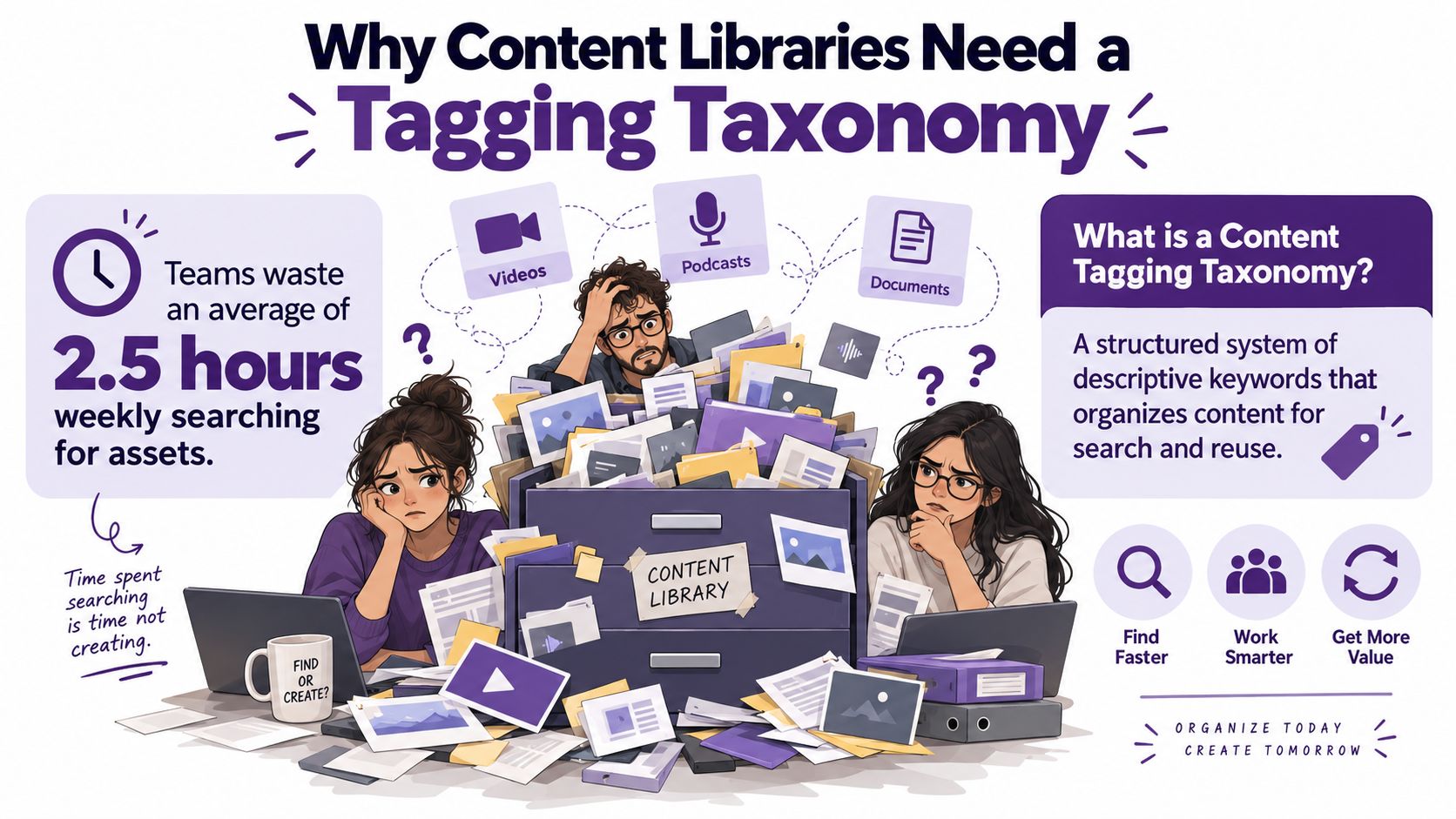
A taxonomy gives a content team a shared method for describing what it stores. It combines a controlled vocabulary and organizing structure, so one producer does not enter “pricing,” another “pricing strategy,” and a third “cost models” for the same subject. Approved terms make records easier to compare, filter, and maintain.
The need for that shared method became clearer as tagging systems shifted from rigid, expert-built classification toward flexible, user-generated organization during the mid-2000s. A 2006 study of tagging systems examined systems available in early 2005 and proposed a two-dimensional taxonomy based on who applied tags and whether the creator or another user supplied them. It treated tagging as a distinct information architecture pattern, rather than merely a feature of social websites.
Scale exposes weak labeling
Personal memory can support a small archive. It becomes unreliable as the library grows. Podcasts, YouTube videos, newsletters, blog posts, books, and research files may start as separate projects, while audiences experience them as connected ideas. A long interview can produce a full episode, transcript, quote card, short video, newsletter excerpt, and social post. One folder label cannot describe all those uses.
In a working archive, inconsistent tagging leads to:
- Duplicated research: Contributors repeat searches and reread old material because they cannot trust the first result.
- Missed connections: A useful podcast insight remains hidden from the editor preparing an article on the same subject.
- Weak reporting: The team cannot reliably compare subjects, formats, audiences, or series across the library.
- Slower repurposing: Producers spend time locating and checking source material instead of creating the next asset.
Research on social tagging found strong statistical regularities in tag behavior. A KDD Explorations review reports power-law patterns in tag distributions, vocabulary growth over time, and the number of distinct tags used for a resource. In practice, a small group of labels becomes popular while a long tail of rarely used terms makes discovery harder.
For a closer examination of the principles behind organizing information, see our guide to information organization.
Practical rule: Build the taxonomy around the work your team needs to find and reuse, not around every word that appears in a file.
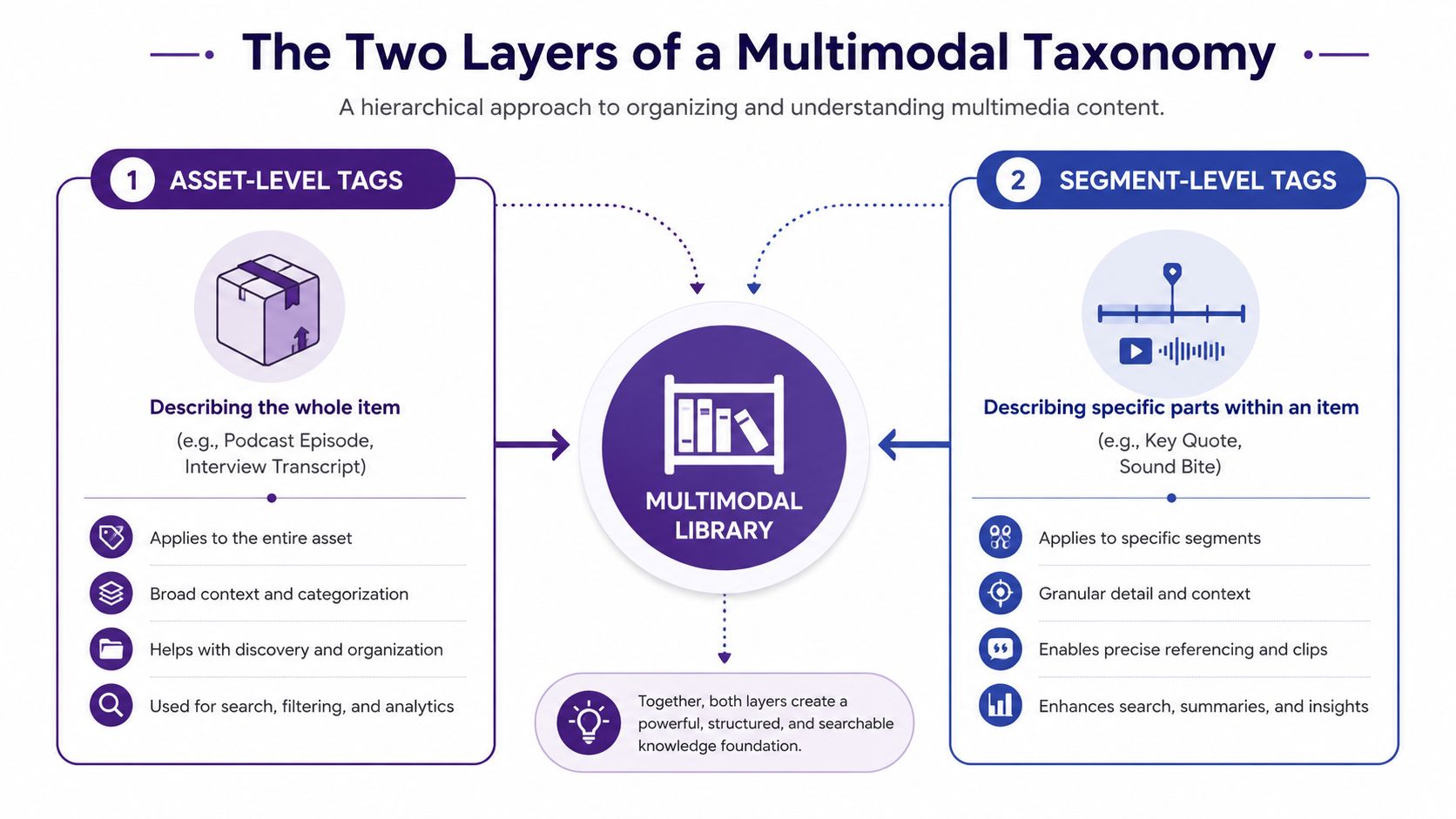
A useful operating model separates the asset from the moments inside it. Describe the whole interview, episode, or article once, then tag reusable clips, quotes, and findings at their own level. Governance can define how both layers are applied, while AI-assisted tagging can suggest terms for review. The result is one working system for discovery, reuse, and ongoing maintenance.
The Two Layers Every Multimodal Taxonomy Needs
A podcast episode, a video, and an article can all discuss the same subject, but they don't behave like the same object. An episode has a guest, series, recording date, and format. A clip has a timestamp, a speaker, a specific claim, and possibly a different intended audience. An article has a headline, author, publication status, and sections that may later become standalone assets.
Treating all of those labels as one flat tag set creates confusion. You'll either make asset tags too broad to help with reuse, or you'll attach every possible detail to the parent item until the record becomes an unmanageable pile of keywords.
Asset-level tags describe the container
Asset-level tags describe the item as a whole. For a podcast interview, that might include:
- Format: Podcast episode
- Series: Founder conversations
- Guest type: Operator
- Primary topic: Pricing strategy
- Audience: Early-stage creators
- Status: Published
An article can use the same topic and audience terms, even though its format is different. A video can share the subject while carrying additional production metadata, such as aspect ratio, rights status, or platform destination.
This layer answers, “What is this asset?” It supports broad library searches, collection building, playlists, reporting, and editorial planning.
Clip-level tags describe reusable meaning
Insight-level or clip-level tags describe a specific part inside the asset. A twelve-minute interview might contain separate moments about pricing experiments, customer objections, packaging, and renewal conversations. Each moment can receive its own subject tag, speaker, timestamp, quote type, editorial angle, and reuse status.
The same pricing strategy concept might apply to an entire article, a ninety-second video segment, and one quote from a podcast. The shared concept connects the material, while the layer preserves the context needed to reuse it safely.
Recent guidance for research repositories recommends separating artifact-level and insight-level tagging because one tag set is too coarse for transcripts, clips, quotes, and findings. That layered model is especially useful for podcasters, video teams, and publishers mining historical libraries for new outputs, as described in this research repository tagging taxonomy guide.
Search should respect both layers
A search for “Founder conversations” should return complete episodes. A search for “customer objection” should surface relevant clips, transcript passages, and quotes, even when the parent episode has a different primary theme. If your search system can distinguish those relationships, a producer can move from broad discovery to precise reuse without losing the original source.
This is also where teams need to distinguish ordinary filtering from meaning-based discovery. A practical explanation of semantic search versus vector search can help your team think through how labels, transcript text, and related concepts should work together.
For teams combining video, audio, transcripts, and social data, it's useful to understand the role of multimodal AI for social data pipelines. The key design decision remains human: keep the parent asset stable, and let its internal insights become separately searchable children.
Building Your Taxonomy From Real Content
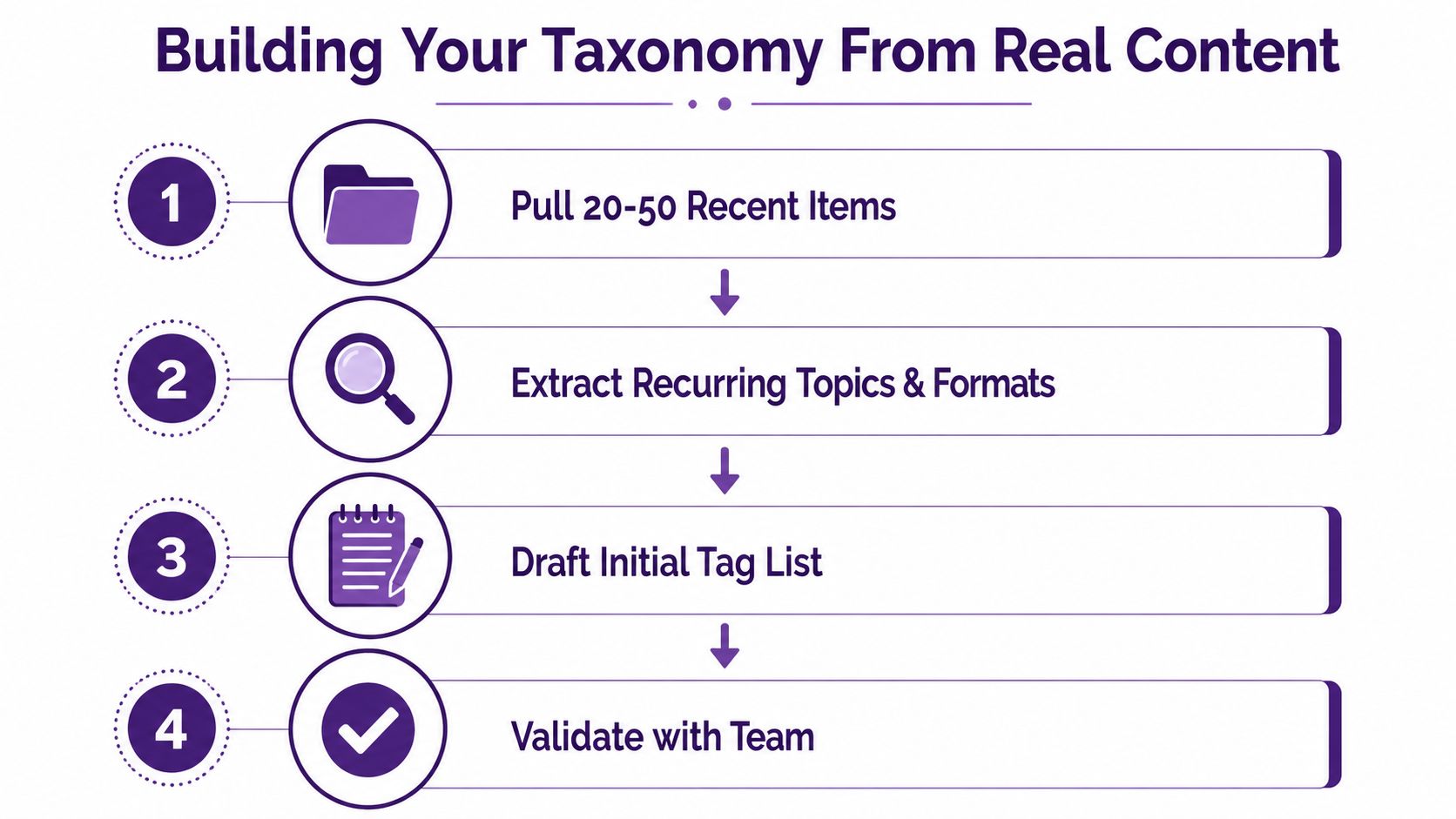
Start with the archive you have. Abstract brainstorming produces attractive category diagrams, but real files reveal the language your contributors use, the subjects you return to, and the gaps nobody has named.
A bounded review is easier to manage. Dovetail recommends reviewing the last 6–12 months of research material, including study reports, interview notes, usability findings, and survey results. For a content library, apply the same principle across formats and pull 20 to 50 recent items from podcasts, videos, articles, transcripts, and social outputs.
Pull evidence before categories
Create a worksheet with columns for asset name, format, primary subject, recurring themes, audience, lifecycle stage, series, and obvious reuse opportunities. Don't try to tag every sentence. Look for repeated concepts and the distinctions your team already makes during production.
You'll often find “ghost topics,” subjects that appear repeatedly but have no approved label. You may also find the opposite problem, several labels describing nearly the same idea. Both discoveries are valuable because they come from real retrieval needs rather than a whiteboard's idealized structure.
Group related terms into parent and child relationships. The guidance above recommends two to five child tags under each parent, while another practical approach keeps the core taxonomy in the 50–150 tag range to reduce sprawl. For a smaller team, a tighter starting set is often easier to remember. The precise size matters less than whether contributors can apply it without opening a manual every time.
Decide what must be captured
Required fields should support the searches and reports your team uses repeatedly. A useful core might include:
- Asset type: Podcast, video, article, transcript, or clip
- Primary topic: The main subject of the item
- Audience: The group the asset serves
- Status: Planned, in production, published, or retired
Optional fields can capture useful nuance without blocking production. Campaign, region, content series, platform destination, and secondary topics may be optional when they don't apply to every item.
Use this validation checklist before rollout:
- Can a producer find a complete asset by format and subject?
- Can an editor locate a specific insight inside a long-form item?
- Can the team distinguish audience from topic?
- Can two contributors classify the same item in the same way?
- Can a new tag be proposed without editing the master list directly?
For a visual explanation of the process, use the embedded walkthrough below.
Tagging Rules That Keep Contributors Consistent
A taxonomy becomes operational when a second person can use it without guessing. The rules don't need to be academic. They need to be visible at the point of tagging and short enough to follow during a busy upload.
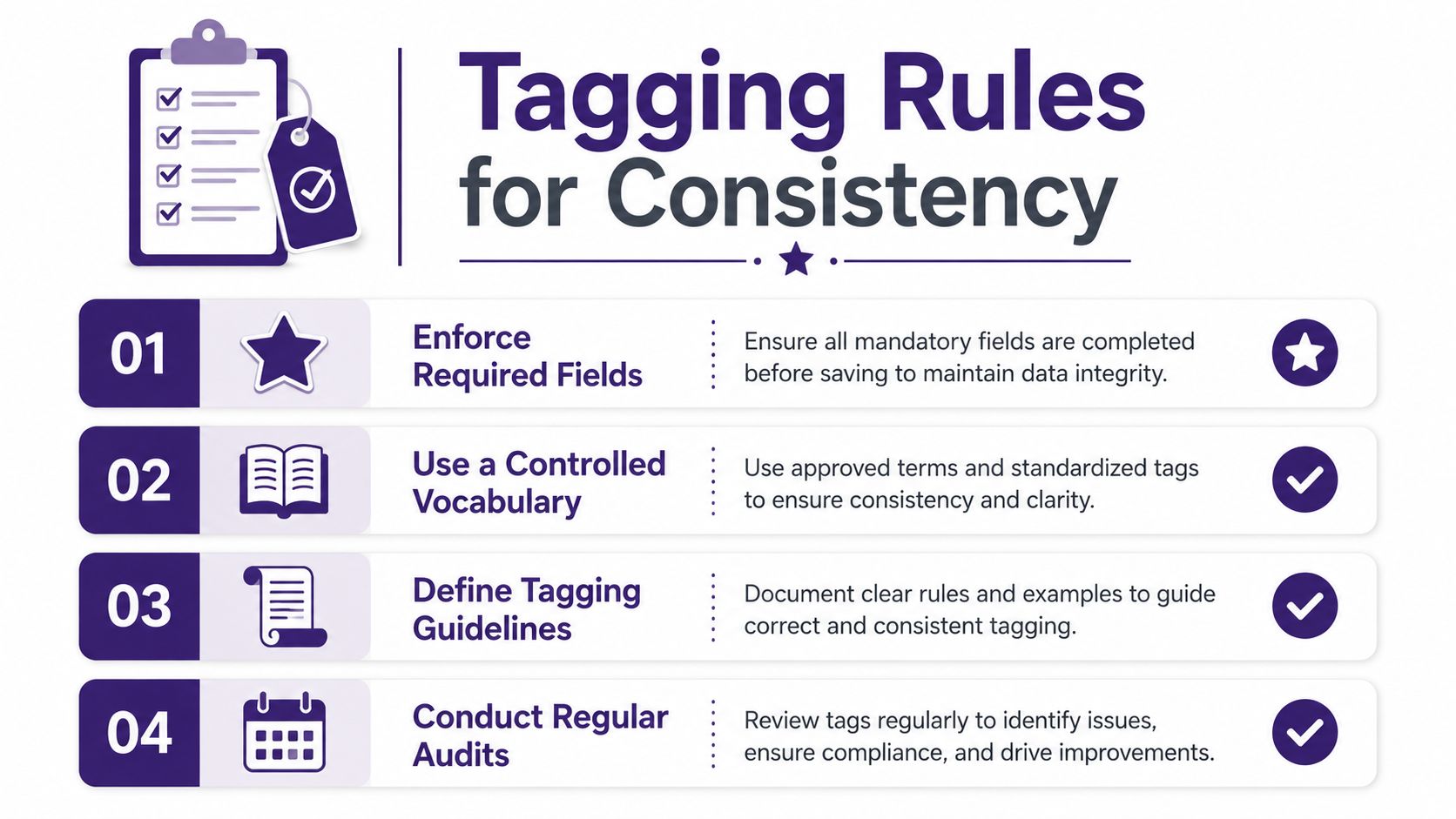
Begin by separating required metadata from optional context. Enforce the fields that protect discovery across the whole library, such as asset type, primary topic, audience, and status. Keep campaign, region, and series optional when forcing them would encourage fake values or empty placeholders.
Set a naming standard
Use lowercase labels, singular forms, and a controlled vocabulary. Write multi-word concepts with hyphens, such as pricing-strategy or audience-research. Choose one approved term for each concept, then store synonyms as references rather than creating separate searchable tags.
A contributor facing an ambiguous label can use three questions:
- Is this describing the asset or a moment inside it?
- Does this concept recur across multiple assets?
- Does the tag belong at the parent level, or should it describe a clip or insight?
If the answer still isn't clear, the contributor should choose the closest approved parent and flag the case for review. That keeps production moving without allowing every uncertain decision to expand the taxonomy.
Decision test: If a producer needs a long explanation to decide whether a tag applies, the definition needs editing.
Prevent predictable errors
Watch for these patterns during onboarding and audits:
- Source instead of subject: Tagging an interview as “YouTube” describes distribution, not meaning.
- Audience mixed with topic: “Content marketers” and “video editing” answer different questions and belong in separate fields.
- Synonyms split apart: “Customer acquisition” and “user acquisition” shouldn't become competing labels without a deliberate mapping.
- Granularity drift: One contributor tags a video by broad topic while another tags an article by tiny subtopics.
- Narrative language used as taxonomy: A catchy episode title may not be a stable classification term.
Your team can document these choices alongside broader metadata management best practices. The useful document is the one contributors consult while working, not the one that sits untouched in a governance folder.
AI Assisted Tagging and External Standards
AI can accelerate tagging, but it shouldn't become the owner of your vocabulary. The strongest workflow connects automated suggestions, editorial judgment, and external standards inside one review process.
Use AI for work that benefits from scale:
- Archive triage: Generate first-pass candidates for older episodes, videos, and documents.
- Upload assistance: Suggest likely topics, formats, audiences, or clip labels as a contributor adds new content.
- Language cleanup: Flag inconsistent spelling, near-duplicate terms, and labels that don't match the approved vocabulary.
- Insight discovery: Identify possible clips, quotes, claims, or recurring themes inside transcripts.
AI can still misread context. It may treat a person's name as a topic, over-tag a niche reference, or create a plausible term that doesn't exist in your controlled vocabulary. Treat every suggestion as a candidate, not a final classification.
External standards provide useful anchors. The IAB Tech Lab Content Taxonomy can help with advertising and audience-oriented subject categories. IPTC NewsCodes can support publishing and news workflows. schema.org types can help describe content in machine-readable web contexts, while Library of Congress Subject Headings can offer established subject language for research-heavy collections.
| Standard | Best Fit For | How to Use It | Watch Out For |
|---|---|---|---|
| IAB Tech Lab Content Taxonomy | Advertising and audience categories | Map relevant internal subjects to compatible external categories | Imported categories may be too broad for editorial reuse |
| IPTC NewsCodes | News and publishing workflows | Use where newsroom or media interoperability matters | Don't force non-news content into news-specific structures |
| schema.org types | Web discovery and structured content | Map asset types and relationships for machine-readable pages | Schema types don't replace your internal editorial taxonomy |
| Library of Congress Subject Headings | Research and library-oriented collections | Use as a reference for stable subject terminology | Editorial teams may need plainer working labels |
A practical pipeline sends AI suggestions into an editorial inbox. Editors accept, reject, or remap each suggestion, and the approved mapping becomes part of the system. The arXiv research on subject tagging frames tag assignment as a two-stage retrieval problem, which fits this approach: retrieve likely candidates first, then apply controlled editorial judgment.
Governance, Stewards, and Review Cycles
A taxonomy needs named people, not just a document. Without ownership, contributors add labels to solve immediate problems, and the library slowly develops parallel vocabularies that no search interface can reconcile.
Use three lightweight roles:
- Taxonomy owner: Maintains the master list, definitions, relationships, and change history.
- Stewards: Review proposed tags and synonyms within their content area.
- Taggers: Apply approved labels during production and report unclear cases without changing the structure themselves.
This separation keeps classification close to the work while protecting the vocabulary from uncontrolled edits. A producer shouldn't need permission to tag an episode, but they also shouldn't create a new parent category because one file feels unusual.
Make review a routine
A quarterly review gives the team a predictable point to inspect what's happening. Dovetail's taxonomy guidance recommends quarterly usage reviews, naming one to three taxonomy stewards, and merging or retiring tags aggressively when they stop serving the team.
Review the following:
- Tags that appear rarely or no longer match current content.
- Near-duplicates that divide searches unnecessarily.
- New recurring concepts producers keep requesting.
- Assets with missing required fields.
- Differences in granularity between audio, video, and written content.
- AI suggestions that editors repeatedly reject or remap.
Retirement should be deliberate and reversible. Use a soft-retirement status with a sunset date, redirect old terms to approved replacements, and keep an archive log containing the retired label, reason, date, and owner. Don't delete a term from history if old records still depend on it.
Document the decisions
Your governance record should state the taxonomy's purpose, scope, intended users, indexing method, sources, maintenance rules, and update responsibility. The IAC taxonomy guidance also highlights operational field rules, including whether metadata is required, repeatable, or dependent on another field.
Use a simple change request with the proposed term, definition, examples, parent, reason, affected formats, and steward decision. Teams working with product and content metadata can also adapt these DPP-ready implementation steps when they need clearer ownership, structured records, and repeatable review processes.
Governance isn't bureaucracy for its own sake. It's what keeps a useful library from becoming another search pile.
Common Tagging Mistakes and How to Avoid Them
A producer searches for a hiring clip and receives an entire interview, several loosely related episodes, and transcripts with different labels for the same idea. The archive contains information, yet retrieval still feels like sorting through a crowded desk. More tags do not automatically improve discovery. A small set of frequently used labels usually carries much of the activity, while a long tail of rarely used terms can make navigation noisy, as noted in the KDD Explorations review.
The failures that recur
Tag inflation attaches every plausible concept to an asset. Results become broad, and the primary subject loses meaning. Ask whether a label helps someone find, compare, or reuse the asset. If it does none of these, leave it off.
Near-duplicate synonyms divide one idea across several labels. A searcher uses “creator economy,” while other records use “creator-business” or “creator monetization.” Choose one approved term, then map older or alternate wording to it.
Uneven granularity makes formats difficult to compare. A video may receive one broad topic, while its transcript receives a long list of tiny observations. Both records appear complete, but reporting cannot compare them fairly. Set shared rules for asset-level fields and format-specific rules for clips, quotes, or insights.
Layer confusion puts a moment-specific idea on the entire episode. A guest may mention hiring once, but that does not make the full interview a hiring resource. Keep episode context at the asset level, then tag the relevant passage at clip level with its time range or transcript span.
Run a practical audit
Use this quarterly checklist:
- Check the core: Does every important asset have its required format, primary topic, audience, and status?
- Check the layer: Are claims, moments, and quotes tagged only at clip or insight level?
- Check synonyms: Can overlapping labels be merged or mapped?
- Check balance: Are some formats consistently over-tagged or under-tagged?
- Check retrieval: Can producers complete real searches without unrelated results?
- Check lifecycle: Are obsolete terms redirected, documented, and softly retired?
A smaller, trusted vocabulary beats a larger vocabulary nobody applies consistently.
Each taxonomy choice affects reuse. A clear asset and clip distinction helps an editor find a quote, assemble a playlist, prepare a newsletter, or develop a video without reviewing the entire archive. A sloppy label may seem harmless on one upload, but repeated across a growing library it creates structural friction.
Contesimal helps content teams organize document sets, podcasts, videos, and articles with layered taxonomies, custom tagging, and AI-assisted discovery so historical assets can support new research and creative work. Visit Contesimal to see how the platform supports a repeatable content repurposing workflow.