
You open a folder looking for one useful clip and find a small archaeological site instead: half-edited videos, podcast recordings with vague filenames, abandoned blog drafts, duplicate transcripts, and research notes nobody has touched in years. The content exists, but it isn't available when the next episode, campaign, article, or product idea needs it.
Information organization is the discipline that turns those raw files into a working content library. It gives each asset a place, a description, a relationship to other assets, an access rule, and a clear path to reuse. That makes it the missing layer between content you've already created and new value you can generate from it.
For creators, publishers, marketers, editors, and production teams, the opportunity isn't just tidier folders. It's the ability to find an old interview, connect it to a current theme, adapt it for another platform, and involve collaborators without rebuilding the research from scratch. A useful content audit checklist can help you see what you already own before you decide what to create next.
Why Your Content Library Feels Stuck
A content library becomes difficult to use when storage grows faster than meaning. A filename such as final_podcast_v3.mp4 tells a future editor almost nothing about the speaker, topic, audience, campaign, rights status, notable quotes, or related articles. The same problem appears in publishing archives, where a transcript may sit separately from its episode, images, source documents, and later updates.
The files aren't necessarily useless. They're unprepared for discovery and reuse. Information organization adds the structure that lets people answer practical questions: What do we have? Where is it? What does it cover? Who can use it? What can we make from it next?
From storage to an operating asset
Think of a library as a production system rather than a warehouse. A podcast episode can become a transcript, short video, newsletter, article, quote card, research reference, or new episode angle. That only happens reliably when the team can connect the episode to its component parts and understand the conditions attached to each one.
A workable system usually records:
- Identity: The title, creator, format, date, version, and location.
- Meaning: The themes, audience, entities, claims, and subject areas represented.
- Relationships: The connection between an interview, episode, transcript, campaign, and derivative asset.
- Use conditions: The permissions, restrictions, review status, and expiration details that govern reuse.
Practical rule: If a teammate can find an asset but can't tell whether it can be reused, the library isn't organized enough yet.
Why surplus changed the job
Libraries once faced a problem of scarcity. Digital teams face the opposite problem, an expanding supply of messages, files, and channels that people can't process evenly. Pew Research Center's information overload research reported that 20% of Americans said they felt overloaded by information in 2016, down from 27% a decade earlier, while 77% said they liked having so much information at their fingertips. In the workplace, a Harvard Business Review article summarizing Gartner research reported that 38% of surveyed employees and managers received an “excessive” volume of communications.
That tension explains why organization has become a business capability. Your audience may want more useful information, but your team needs filters, relationships, and retrieval paths to deliver it without repeatedly starting from a blank page.
The Core Vocabulary Every Organizer Needs
Information organization gets easier once the vocabulary stops blurring together. A tag, a taxonomy, and an ontology aren't interchangeable, even though teams often use the words as if they were.
A librarian analogy helps. The taxonomy is the building's arrangement of floors and rooms. Metadata is what appears on the index card for each item. The controlled vocabulary is the approved wording used on those cards. The classification scheme is the broader rule for assigning items to categories. The ontology describes how the items and categories relate to one another.

Taxonomies create navigable structure
A taxonomy is a hierarchical arrangement of categories. For a video library, the top level might contain “Interviews,” “Tutorials,” and “Commentary.” Each category can branch into subjects, audience segments, or production stages.
A taxonomy answers, “Where does this belong?” It's useful when people need predictable browsing, consistent reporting, or repeatable editorial workflows. The Nielsen Norman Group reference on taxonomy describes a taxonomy as a closed list of acceptable terms arranged hierarchically and used as controlled-vocabulary metadata for retrieval.
Metadata describes the individual asset
Metadata is information about an item. A podcast episode might include its title, host, guest, recording date, transcript, format, language, campaign, themes, and editorial status. Good metadata gives search systems and humans more than a filename to work with.
For example, “episode 14” is weak metadata. “Interview with documentary filmmaker about archival research, audience: emerging creators, campaign: storytelling series, reuse status: approved” is much more useful.
Controlled vocabularies prevent synonym chaos
A controlled vocabulary limits the terms people can use for a specific field. A team might approve “short-form video” and reject variations such as “short video,” “shorts content,” or “snackable video” for the same classification field.
That doesn't mean natural language should disappear. Free-text notes and user tags can capture nuance, while controlled fields protect consistency in reporting and retrieval.
Ontologies capture relationships
An ontology describes relationships among concepts. It can connect a guest to an episode, an episode to a campaign, a campaign to an audience, and an audience to a distribution channel. This is more expressive than placing an asset in one folder.
A classification scheme is the overall method used to group and label information. It may include a taxonomy, metadata fields, rules, and ownership responsibilities. A detailed metadata management guide can help teams turn these distinctions into operating practices.
Taxonomy Versus Tagging and Why the Trade-Off Matters
The choice between taxonomy and tagging isn't a contest with one universal winner. It's a design decision about where you want to spend effort, during entry or during retrieval.
A controlled comparison of taxonomical and tagging systems found that participants organized photographs faster with taxonomies, taking 973 seconds compared with 1132 seconds using tags. The same study found that taxonomy-based retrieval required more mouse clicks, which reveals the trade-off clearly: a predefined structure can speed classification, while a flexible tag set can make some discovery paths less constrained. The study's comparison of taxonomical and tagging systems provides the underlying results.
For a small creator, a full enterprise taxonomy may create more maintenance than value. Start with a short list of stable terms such as format, audience, core topic, and editorial status. Let free tags capture unexpected details, emerging language, and ideas that haven't earned a permanent place in the hierarchy.
An established publisher or content operation usually needs stricter structure. Consistent categories support cross-platform planning, rights review, analytics, and collaboration among editors who can't rely on personal memory. The practical answer is often a blend: controlled fields for high-value decisions, flexible tags for discovery.
| Approach | Best For | Strength | Watch Out For |
|---|---|---|---|
| Taxonomy | Publishers, archives, and teams with repeatable categories | Predictable browsing and consistent classification | Deep hierarchies can slow retrieval and require maintenance |
| Tagging | Exploratory projects and changing subject areas | Flexible language and unexpected connections | Synonyms, spelling differences, and inconsistent usage weaken search |
| A blend | Most growing content libraries | Combines reliable reporting with open-ended discovery | Requires clear rules for which information belongs in each layer |
Use a taxonomy when the same categories recur across many assets. Use tags when contributors need to record detail that the taxonomy can't anticipate. Choose a blend when your library must support both operational consistency and creative exploration.
A Practical Workflow That Works in Weeks Not Months
A useful system doesn't begin with a perfect model. It begins with a bounded collection and a question the team needs to answer. The workflow below keeps the work concrete by giving each stage a deliverable, a rough effort window, and a failure to avoid.
Start with an audit
Spend the first week inventorying a meaningful slice of the library. Record the asset name, format, location, owner, date, subject, related content, rights status, and likely reuse value. The deliverable is a spreadsheet or database that exposes duplicates, missing files, unclear ownership, and valuable material hidden behind poor labels.
The common mistake is auditing every file before testing the method. Choose one content line, campaign, show, or archive segment first. The Nielsen Norman Group guidance on information organization recommends beginning with a content inventory and audit before applying a taxonomy.
Define a starter taxonomy
Next, identify the categories people already use successfully. Keep the first version small enough that an editor can explain it without opening a manual. Write definitions for terms that could be interpreted differently, and assign an owner who can approve additions or changes.
The deliverable is a controlled list with examples. The pitfall is designing categories around the organization chart instead of the questions users ask. Your audience may care about “career transitions” and “creative process,” even if internal teams are divided into departments with different names.

Enrich and ingest
Add metadata in batches. Begin with fields that change decisions, such as topic, audience, format, campaign, rights, and review status. Then ingest the records into a searchable system that can preserve the original files while exposing their descriptions and relationships.
Avoid copying information manually from one tool to another whenever a controlled import is available. A flexible repurposing framework described in academic publishing research decomposes legacy content into individual components, enriches those components with metadata, and reassembles them through standard authoring tools rather than relying on repeated copy and paste academic publishing research on digital content repurposing.
Build usage into the week
The final stage is behavioral. Ask editors to use the system during an actual research session, repurposing sprint, or production meeting. Track which searches fail, which categories cause disagreement, and which assets people repeatedly request.
The deliverable is a review log, not a polished dashboard. Revise the taxonomy only when real use reveals a problem. That feedback loop keeps the system connected to editorial work instead of turning it into an abandoned documentation project.
How Contesimal Fits Into a Modern Information Organization Stack
A creator might begin with a simple problem: find every conversation about audience growth, identify the strongest examples, and develop the next video without replaying an entire archive. A system built for information organization should support that question across formats, not force the creator to search separate folders for videos, transcripts, articles, and notes.
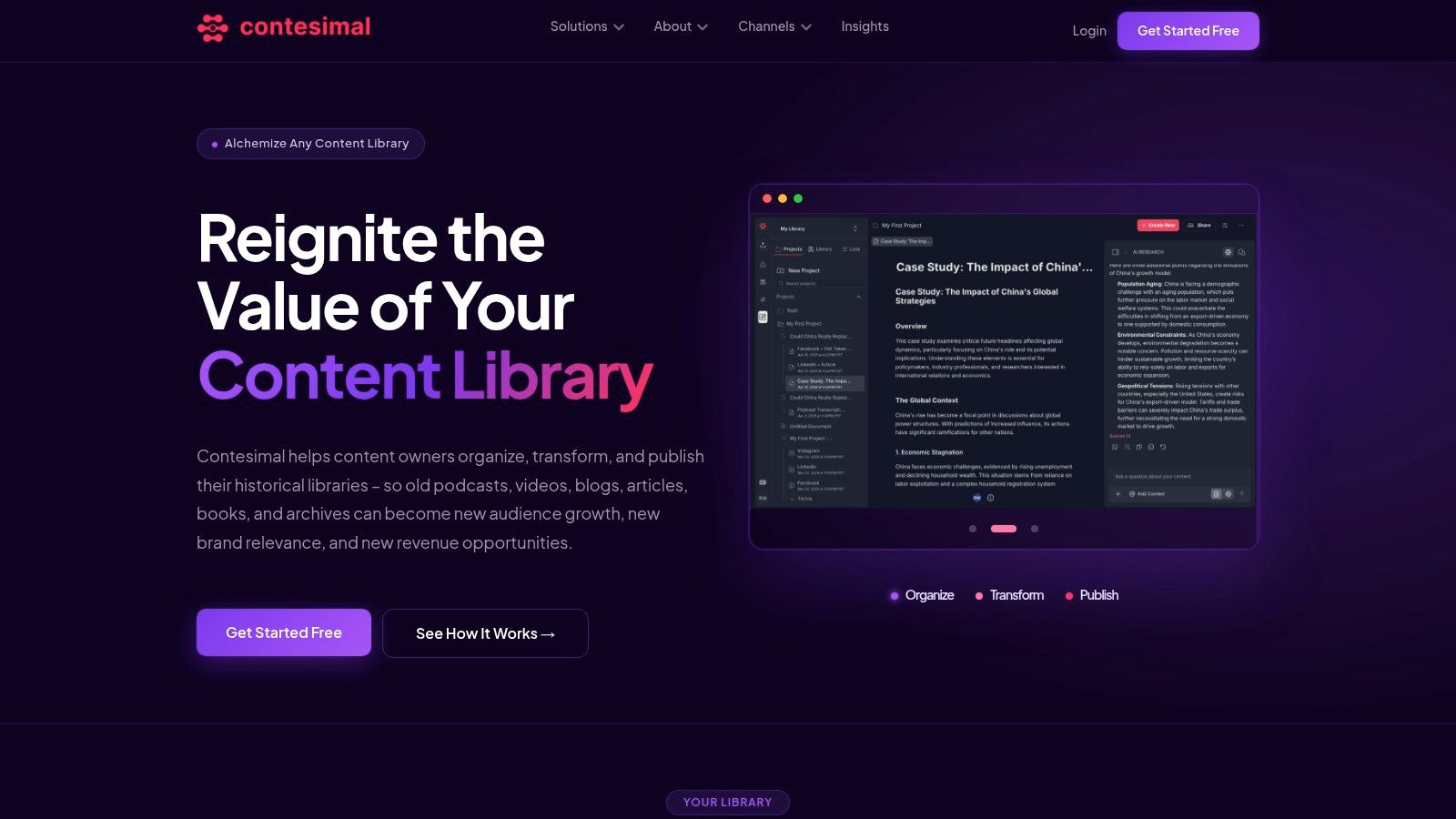
Contesimal is one option for this kind of workflow. It combines a chat-based research interface with tools for classifying, organizing, and searching document sets, podcasts, videos, and articles. Its stated workflow includes a Discovery and Organization step that connects sources such as YouTube channels, podcast uploads, or document archives and builds a thematic map with tags for themes, topics, and audiences.
From messy archive to research conversation
Suppose a podcast producer has several seasons of interviews and wants to plan a new series about creative careers. Instead of searching only episode titles, the producer can work with transcripts and thematic classifications, then ask questions in ordinary language about recurring subjects, guests, or story angles.
That interaction doesn't replace editorial judgment. It changes the starting point. The editor can inspect the underlying material, compare related assets, invite collaborators into the research process, and decide which findings deserve development into a script, article, clip, or campaign.
Programmatic uploads and fast file ingestion matter when the archive is larger than a handful of assets. Layered taxonomies can separate broad themes from narrower topics and audiences, while human review can correct classifications that lack context or reflect an ambiguous phrase.
Make collaboration part of retrieval
Search becomes more valuable when it leads directly to shared work. A researcher can save a useful passage, a producer can attach it to a developing concept, and an editor can turn the discussion into an assignment or production brief. The library then records not only what exists, but how the team interpreted and reused it.
That pattern supports human-AI collaboration without handing the archive over to an unexamined system. People define the editorial purpose, check the evidence, manage permissions, and choose the output. AI can help surface relationships, summarize material, and propose routes through a large collection.
The platform's features for content research and organization illustrate how a tooling layer can sit alongside storage, search, taxonomy, and editorial production. The important design question remains independent of the product: can a person move from discovery to a trustworthy next action without losing context?
Governance, Measurement, and the Hidden Layer of Permissions
A searchable archive can still be unsafe or commercially ineffective. Information organization has to cover the content, the people who access it, the software that processes it, and the decisions made from it.
Recent reporting on AI security readiness found that 74% of organizations lack a unified view of sensitive data and the identities that can access it, 76% don't fully govern or monitor non-human identities, and only 11% say they're fully prepared for AI security challenges. Those figures come from reporting on the Netwrix data and identity findings. The issue is not only technical. An AI assistant that retrieves an unreleased interview, licensed material, or private customer record can create editorial, legal, and trust problems.
Treat agents as participants
Give every automated system an explicit identity, scope, and purpose. Decide whether an agent can read transcripts, write metadata, retrieve restricted research, or publish an output. Record the source material behind generated suggestions so a human can verify context and rights.
A recent survey reported that 83% of organizations are already running AI agents, but only 36% had connected those agents to trusted internal content across multiple use cases. The same reporting found that 34% had formal standards for agent access, while 18% cited poorly organized or classified content as a barrier reporting on AI agent adoption and content access. These results point to a practical requirement: classification and permissions must work together.
Measure usefulness, not folder neatness
Track whether the system improves decisions and reuse. Useful measures include:
- Time to find: How long does it take someone to locate a trustworthy source?
- Reuse rate: How often do existing assets contribute to new work?
- Classification coverage: Which high-value assets still lack meaningful metadata?
- AI-mediated discovery: How often does a search or assistant surface useful archival material?
- Correction rate: Which fields or categories require repeated human repair?
Watch for warning signs. Teams keep duplicate research notes, search results return assets without rights information, editors ask one person for “the good episodes,” and AI suggestions cannot show their sources. A working search box doesn't solve those failures.
Information management also needs a value conversation. Info-Tech's analysis of AI and information management gaps notes that AI can expose difficulty prioritizing initiatives, aligning data and knowledge terminology, and quantifying the business impact of better information management. Organization earns executive support when teams connect it to faster research, stronger reuse, better decisions, and safer collaboration.
Putting It All Together and Your First Three Moves
A well-organized library isn't merely tidy. It gives every finished episode, draft, interview, image, and research note a chance to contribute again. The value comes from the connections among assets, the rules around their use, and the habits that help people act on what they find.
Start with three moves:
- Run a one-week content audit. Choose one show, campaign, archive segment, or platform and record what exists, where it lives, what it covers, and whether the team can reuse it.
- Define a starter taxonomy with no more than fifty terms. Include only categories that support real decisions, then add definitions and examples for ambiguous terms.
- Choose one live workflow. Test the system during a podcast search, video research session, or blog repurposing sprint. Record failed searches and classification disagreements for the next revision.
Frequently asked questions
When should you bring in an outside consultant? Bring one in when ownership is disputed, permissions are complex, multiple systems must connect, or the team can't agree on the purpose of the taxonomy. A consultant should clarify decisions and transfer knowledge, not leave you dependent on an opaque model.
How often should you revise a taxonomy? Review it after meaningful usage patterns appear or when people repeatedly create workarounds. Don't change terms merely because a new phrase sounds fashionable. Keep stable concepts stable and document intentional changes.
Do small teams need an ontology? They may not need a formal ontology at the start. Still, recording important relationships, such as episode to guest, campaign to audience, and source to derivative asset, can prevent the library from becoming a set of disconnected labels.
Contesimal helps content teams organize documents, podcasts, videos, and articles, then use chat-based research, layered taxonomies, and human-AI collaboration to turn existing material into new editorial work. Visit Contesimal to explore a practical way to make your library easier to discover, govern, and reuse.