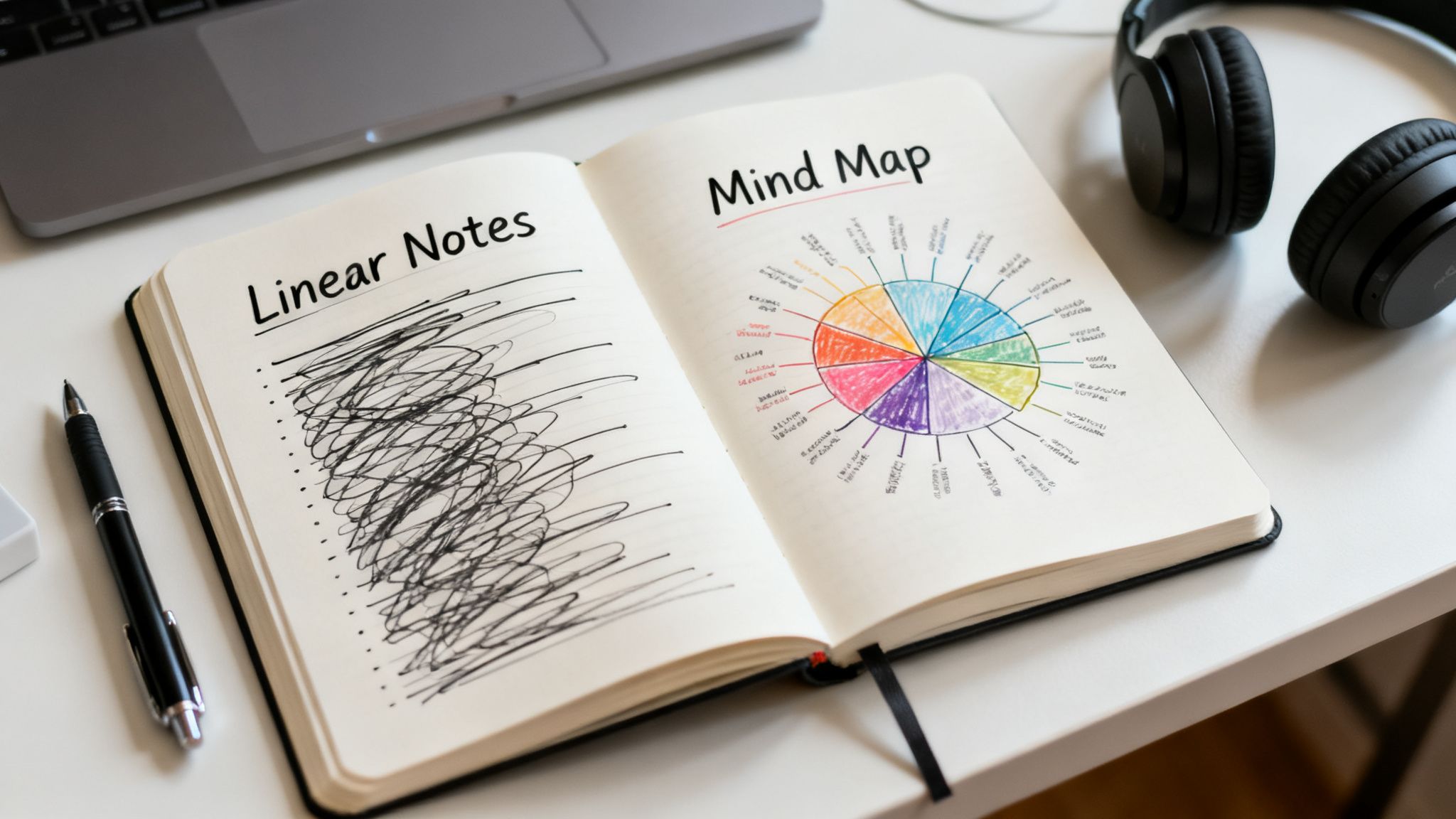
Ever feel like your best ideas are trapped inside endless pages of linear notes? It's a creative dead end, especially for content creators. A mind map for note taking flips the script entirely. It’s a dynamic, visual way to capture and connect ideas that actually mirrors how our brains work, turning note-taking from a chore into a creative powerhouse.
This isn’t just about taking better notes; it’s about building a system that fuels your content library for years to come.
Why Traditional Notes No Longer Work For Creators
If you're a YouTuber mapping out a new series or a podcaster trying to structure an interview, you know the feeling. Sticking your creative, non-linear thoughts into a rigid, one-dimensional format like a scrolling list of bullet points just kills the vibe. That method actively stifles the very connections that spark breakthrough ideas.
This problem gets worse as your content library grows. Trying to find one specific gem buried in pages of text is a nightmare. You can't easily see how a concept from an old podcast episode might spark a new blog post. The value of your past work stays locked away, almost impossible to access and repurpose.
Unlocking Your Brain's Natural Potential
Mind mapping shatters those linear chains. You start with a central topic and let related ideas branch out, creating a visual web of your thoughts. This approach clicks with how our brains naturally operate, firing up both the logical and creative hemispheres at the same time.
And this isn't just some productivity hack; it's backed by science. Studies show that using a mind map for note taking can actually boost memory retention by 10-15% compared to old-school methods. The combination of color, images, and spatial layout mirrors how we scan and recall information, making it faster and far more intuitive.
For creators, this means you stop being a simple transcriber. Instead of just writing down what you hear or read, you're actively organizing, connecting, and building on information in real time.
From Static Lists To Dynamic Blueprints
Let's be honest, traditional notes often make it tough to remember what you’ve read. It's why methods like mind mapping are so much better when you need to take notes on a book and actually retain the information. A mind map transforms your notes from a dusty archive into a dynamic blueprint for action.
Think about how this plays out for creators:
- A Podcaster can map out an entire interview, using main questions as primary branches and potential follow-ups as smaller branches. This allows for a much more fluid and responsive conversation.
- A Content Marketer can brainstorm a whole campaign on one canvas, visually linking target audiences to content formats, distribution channels, and KPIs.
- A Writer can organize complex research for an article or book, visually tying sources, key arguments, and character arcs together to build a solid narrative structure.
This isn't just about organizing your current project. It's a fundamental shift that helps you build a smarter content library, brainstorm your next viral hit, and turn raw ideas into a clear plan.
Linear Notes vs. Mind Mapping: A Quick Comparison
To really see the difference, let's put them side-by-side. The table below breaks down how these two approaches stack up.
| Feature | Linear Note-Taking | Mind Map for Note Taking |
|---|---|---|
| Structure | Rigid, top-to-bottom hierarchy | Flexible, radiating from a central idea |
| Information Flow | One-dimensional and sequential | Multi-dimensional, showing relationships and connections |
| Creativity | Tends to be restrictive, focuses on recording | Encourages brainstorming and free association |
| Recall | Relies on memorizing lists and sequences | Boosts memory through visual cues, color, and spatial layout |
| Big Picture | Often obscured by details, hard to see the whole scope | The central topic and main themes are always visible |
| Repurposing | Difficult to pull out and connect related ideas later | Easy to see links between topics for new content |
It quickly becomes clear that for anyone whose job is to generate and connect ideas, mind mapping offers a massive advantage over the old way of doing things.
The Core Principles of Effective Mind Mapping
To really get the most out of a mind map for note taking, you have to go beyond just doodling spider diagrams. We're talking about a structured, brain-friendly way to organize information. A good mind map isn't just a bunch of scribbles; it follows a few key rules that turn it into a powerhouse for any creator.
Everything kicks off with a single, central idea. This is the main character of your story, the core theme of your next video series. If you're a filmmaker, this might be your protagonist's name. For a content marketer, it could be the "Q3 Product Launch." All other thoughts and details will radiate outward from this one concept.
The Art of Organic Structure
From that central point, you’ll draw thick, organic branches for your main subtopics. Don't use rigid, straight lines—your brain finds flowing curves much more engaging. Each main branch represents a key pillar of your central idea, like the different acts in a screenplay or the various channels in a marketing campaign.
Smaller "child" branches then sprout from these main ones, holding more granular details. This naturally creates a visual hierarchy, letting you see both the big picture and the nitty-gritty in a single glance.
The real magic happens when you ditch full sentences for single, powerful keywords. This forces you to distill information to its very essence, which does wonders for your memory and sparks unexpected connections.
Color, Keywords, and Images
This is where the technique truly comes alive. Using color and images isn't just for decoration; it’s a core function that boosts memory and comprehension. Try assigning a specific color to each main branch to instantly categorize information. A YouTuber might use different colors for "Script," "Visuals," and "Promotion" to keep all the project elements distinct.
Adding small icons or doodles next to keywords further engages the right side of your brain. The British psychologist Tony Buzan, who popularized this whole technique, laid out a clear set of rules built on four key features: a radiant structure, organic form, full-color imagery, and strong keyword association. You can discover more about the history of mind mapping if you want to dive into his foundational ideas.
To really optimize how you take notes, it helps to know where mind mapping fits in with other strategies. Take some time to explore the best note taking methods to round out your toolkit for learning and retention. By pulling these principles together, your mind map becomes a powerful visual language, turning your content library into a connected ecosystem of ideas ready for you to explore.
Putting Mind Maps to Work: Real-World Creator Workflows
Theory is great, but let's get our hands dirty. The real power of a mind map for note taking comes alive when you drop it into the chaos of a real creator’s workflow. Forget the abstract principles for a minute; let's talk about how you can actually use this stuff today.
Picture this: you're a podcaster, mid-interview, live on the air. Instead of furiously clacking away at a linear document and missing a golden follow-up question, you sketch out a quick mind map. Your guest's name goes in the center, your main questions become the primary branches, and as they talk, you jot down little offshoots for killer quotes, wild stories, or new ideas that just sparked. This keeps you locked into the conversation while building a dynamic, visual record of the entire interview.
Deconstruct What Works, Then Build Your Own
Mind mapping is also my secret weapon for reverse-engineering success. If I see a competitor's YouTube video absolutely crushing it, I’ll break it down with a mind map. The video title is the central hub. From there, I create main branches for the "Hook," "Key Points," "Call to Action," and "Pacing." On those branches, I'll add smaller nodes detailing the specific editing tricks, music cues, or emotional beats I noticed. What you end up with is a visual blueprint of a winning formula—invaluable stuff when planning your own content.
For bloggers and writers, this is a total game-changer for turning a mountain of research into a clean, coherent article. Instead of staring at a daunting document filled with disconnected facts, you can funnel everything into a single map. The article's main topic sits at the core, with branches shooting out for each major section. This not only gets your thoughts in order but also becomes the skeleton of your entire piece, guaranteeing a logical flow from your intro right through to the conclusion.
To see how these core concepts come together, this simple visual breaks down the foundational process of building any mind map.
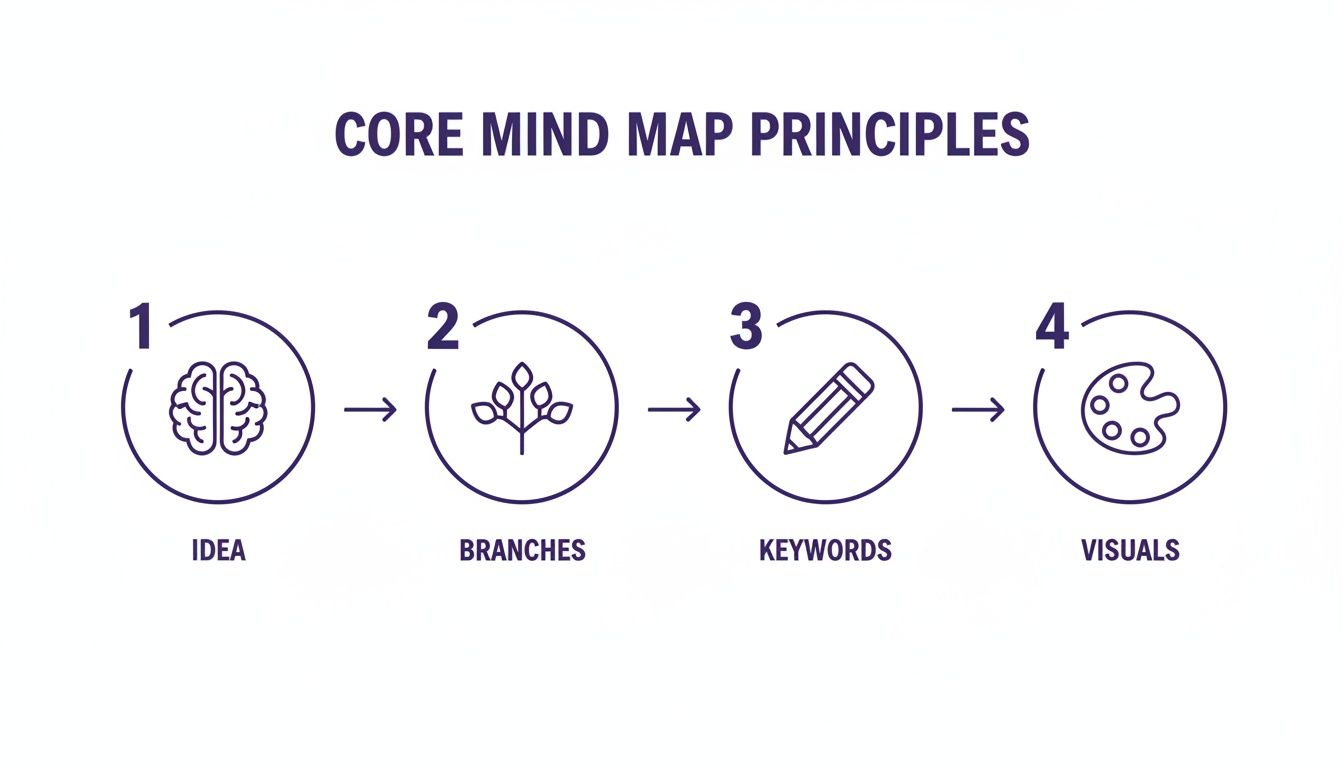
It’s a great reminder that every map, no matter how complex it gets, always starts with one central idea and grows organically with branches, keywords, and visuals.
Visualizing the Creative Process
This is where digital mind mapping tools really shine. They give these workflows a digital home with some serious horsepower. An app like XMind, for example, gives you a clean canvas to structure your ideas without friction. A clean, simple interface lets you focus purely on connecting your thoughts instead of getting lost in formatting tweaks.
The goal is to create a living document that evolves with your project. It’s a space where you can brainstorm a new series, organize a complex narrative, and see connections you would have otherwise missed.
These workflows are incredibly flexible and can be adapted to almost any creative challenge you're facing. By weaving mind mapping into your daily routine, you shift from just passively gathering information to actively building a connected web of knowledge. This is especially useful when you're deep in the different forms of research required to produce top-tier content. It hands you a clear roadmap for your ideas, helping you create more efficiently and with way more clarity.
Choosing Your Tools: Pen and Paper vs. Digital Apps
It’s the classic debate, isn't it? Analog versus digital. When it comes to mind mapping, picking your tool can feel like a major commitment. But here’s the thing I’ve learned: the best tool is simply the one that fits what you’re trying to do right now. There’s no single right answer, because both pen-and-paper and digital apps have their own magic.
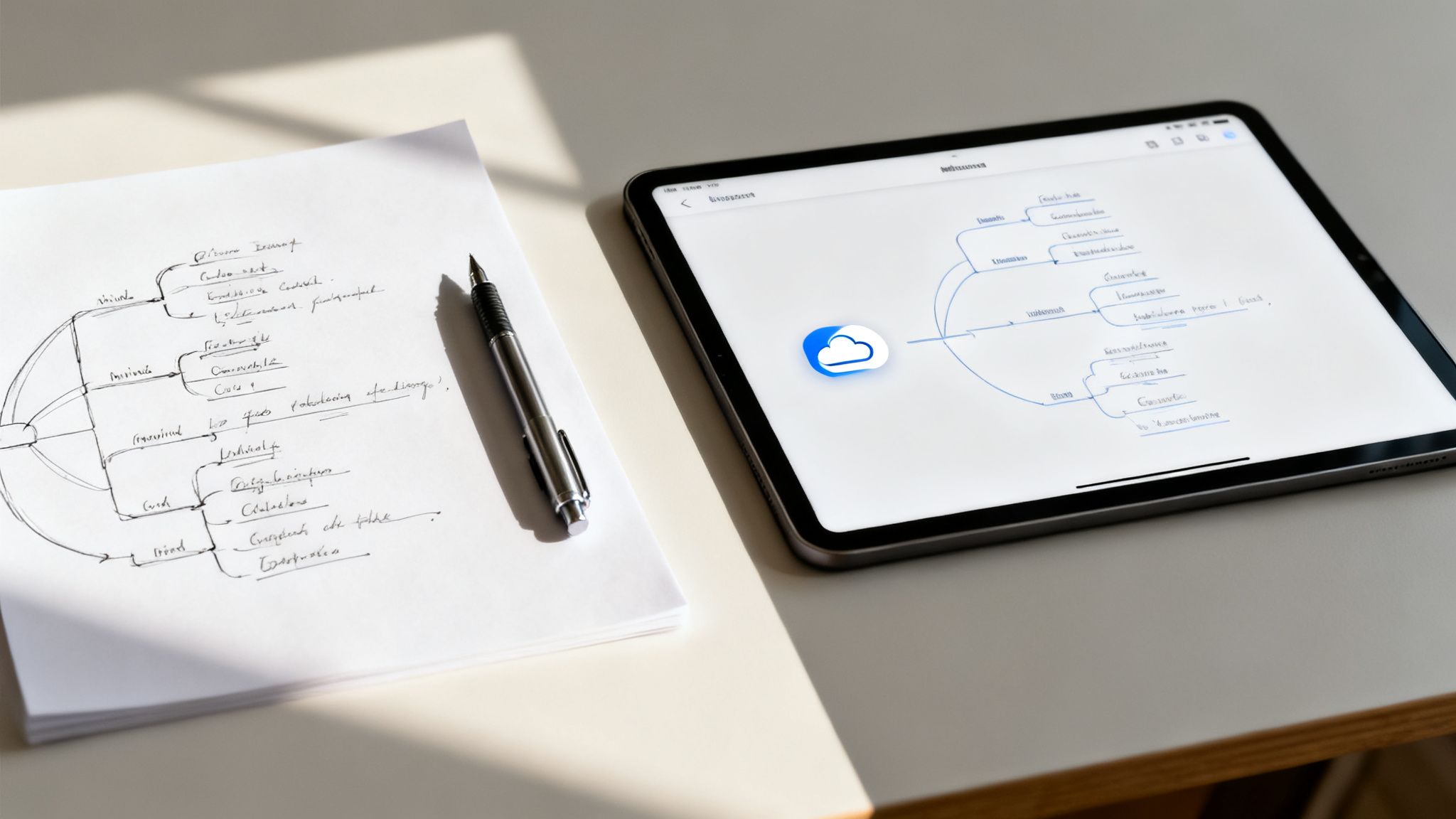
Sometimes, the old-school pen and paper approach just can't be beaten. There’s a certain freedom to it that digital tools still struggle to capture. No menus, no lag, no formatting getting in your way—just you, a blank page, and your thoughts. This tactile connection is amazing for getting those initial, messy ideas out.
The Power of Pen and Paper
There's real science to this, too. Studies have shown that the physical act of writing—drawing your own branches, doodling little icons—activates parts of your brain tied to memory and learning much more effectively than just typing away. You’re literally building stronger neural pathways to the information.
I find this analog approach is perfect for a few key scenarios:
- Initial Brainstorming: When you need a completely unfiltered idea dump without the distraction of a screen.
- Live Events: Trying to quickly capture points during a lecture or conference? A notebook is often faster than fumbling with an app.
- Personal Reflection: Mapping out personal goals or the plot of a story just feels more intimate and focused on paper.
For creators, starting on paper is a fantastic way to escape the digital noise and just let ideas flow. But let’s be real, its limits show up fast when you need to scale up or work with a team.
Stepping Up With Digital Apps
This is exactly where digital mind mapping software comes in to save the day, especially for professional creators and teams. The right app transforms your static drawing into a living, breathing workspace. For anyone building complex, layered content, digital tools are a game-changer. In fact, if you’re doing heavy research, check out our guide on note-taking on PDF documents to see how this fits into a larger workflow.
A solid digital app brings features to the table that are just indispensable once you start building a real content library:
- Easy Editing and Reorganization: This is huge. You can drag and drop entire branches to restructure your thoughts in a second.
- Cloud Syncing: Essential for collaborating with a team in real-time, whether you're outlining a video series or planning a podcast season.
- Integrations: The ability to connect your mind map to project management tools like Asana or Trello turns your brainstorm into actionable tasks.
- Infinite Canvas: You never run out of room. This lets you build massive, comprehensive maps that can link out to other projects and resources.
To make the choice clearer, let's break down the core differences between going analog and digital.
Digital vs. Analog Mind Mapping Tools
| Attribute | Pen and Paper | Digital Apps |
|---|---|---|
| Flexibility | High creative freedom, but difficult to edit or reorganize. | Easy to edit, restructure, and expand. Some formatting limits. |
| Collaboration | Limited to in-person sessions. Sharing requires scanning or photos. | Real-time, remote collaboration with version history and comments. |
| Portability | Requires carrying notebooks and pens. Can be bulky. | Accessible on any device with cloud sync. Highly portable. |
| Integration | Standalone. No direct connection to other digital tools. | Integrates with calendars, project managers, and storage services. |
| Cost | Low initial cost (just a notebook and pen). | Can involve subscription fees, but many free options exist. |
| Searchability | Not searchable. Finding specific notes can be time-consuming. | Instantly searchable, making it easy to find information quickly. |
Ultimately, many people—myself included—land on a hybrid approach. I'll often sketch out my initial messy ideas on paper to get the creative juices flowing, and then transfer that structure into a digital app like Miro or MindNode for refinement, collaboration, and long-term storage.
For our publishing team, a digital mind map has become our central research hub. We have branches that link directly to articles, video assets, and source files. It’s created this interconnected web of knowledge that fuels new ideas and makes production so much smoother.
Don't feel pressured to pick one and stick with it forever. The best workflow is the one that adapts to your needs, project by project.
Advanced Techniques for Deeper Creative Insights
Once you get the basics down, the real fun begins. Advanced mind mapping isn't just about taking notes; it's about turning your diagrams into powerful tools for analysis. These strategies are perfect for creators managing complex projects or anyone trying to synthesize a mountain of information from their content library.
One of my favorite advanced methods is creating a "map of maps." Imagine each of your major content pillars—a video series, a podcast season, a book chapter—has its own detailed mind map. A master map then links these individual maps, giving you a high-level, interactive dashboard of your entire creative world. It’s an incredible way to spot hidden connections and find new repurposing opportunities you’d otherwise miss.
Deconstructing Complexity with Specific Map Types
Different creative challenges demand different approaches. Instead of sticking to one generic mind map for everything, you can adapt the structure to fit the task. For a YouTuber, this might mean creating a "Deconstruction Map" for a big video project.
This goes way beyond a simple outline. You'd start with a central node for the video, then create dedicated primary branches for each distinct production element:
- Script & Narrative: This branch is where you map out the story arc, key talking points, and emotional beats.
- Visuals & B-Roll: Here, you can plan specific shots, graphic overlays, and animation sequences.
- Audio & Sound Design: This branch details music choices, sound effects, and microphone setups.
This layered approach helps you see how every piece of the puzzle fits together, ensuring a cohesive final product. It's also a lifesaver for authors and researchers trying to break down complex arguments or organize huge amounts of source material. To get the most out of this, a solid grasp of good structure in writing is essential.
Mapping Data to Drive Strategy
A mind map for note taking can also morph into a powerful strategic tool. For content executives, this means moving beyond creative brainstorming and into audience analysis. You can build maps that visually connect audience feedback—from comments, surveys, and social media—with your existing content. It's a quick, visual way to spot content gaps, popular topics, and areas ripe for a follow-up.
This method has a huge impact across industries. In media organizations, mapping audience preferences helps spot 25% more opportunities for new content. For podcasters scripting episodes or bloggers clustering posts, using flow maps can streamline production and cut creation time by as much as 40%. As content volume explodes, mind mapping’s non-linear freedom counters linear fatigue, with studies showing it can lift productivity by 23%.
By applying these advanced techniques, you elevate a mind map from a simple note-taking tool to a central hub for creative strategy and project management. It becomes the bridge connecting your raw ideas to polished, impactful content.
Common Questions About Mind Mapping for Notes
Jumping into any new technique brings up questions. Adopting a mind map for note taking is no different, but getting past these initial hurdles is how you really integrate it into your workflow. Let's tackle the questions I hear most often from other creators.
One of the biggest fears right out of the gate is creating a map that spirals into a tangled, unreadable mess. Clutter is a legit concern, but it’s easy to manage with a few simple ground rules. The key is to embrace simplicity from the start.
How Do I Keep My Mind Maps From Getting Too Cluttered?
The secret to a clean mind map is a mix of structure and self-control. Think of it like tidying up your thoughts as you go.
First, stick to single keywords or very short phrases on your branches. No full sentences allowed. This forces you to get right to the core of an idea. Second, build a clear visual hierarchy. Make your main branches thicker and then let the sub-branches get progressively thinner as they extend outward.
Strategic color-coding also works wonders for grouping related ideas so you can see connections at a glance. Finally, don't be afraid of white space! It gives your ideas room to breathe and makes the whole map feel less chaotic. Most digital apps also let you collapse branches, which is a lifesaver for focusing on the big picture without getting lost in the weeds.
Can I Use Mind Mapping for Collaborative Projects?
Absolutely. In fact, this is where digital mind mapping really shines for content teams. A cloud-based tool like Miro or Mural transforms a static diagram into a living, breathing workspace where everyone can jump in and contribute in real-time.
Imagine your entire team brainstorming a new content series on a single, shared map. A podcaster and their producer can outline an entire season. A YouTube team can plan a multi-video project. A marketing team can structure a whole campaign.
You can even assign tasks by adding names or deadlines to specific branches, turning a creative brainstorm directly into an actionable project plan. It pulls collaboration out of a boring linear document and into an interactive, visual hub.
What Is the Biggest Mistake Beginners Make?
By far, the most common mistake is treating a mind map like a glorified to-do list that just happens to be bent into a circular shape. People fall back into old habits, writing long sentences on straight, rigid branches. This totally defeats the purpose and kills the free-flowing, associative thinking that makes mind mapping so powerful in the first place.
To sidestep this trap, consciously force yourself to use just one or two keywords per branch. Let the lines curve and flow naturally. Don't be afraid to add little icons or doodles to engage the more visual, creative side of your brain.
Remember, a mind map is a thinking tool, not just a recording device. Embrace the creative 'messiness' of it. The goal is to spark connections and organize thoughts in a way that linear notes never could.
Keeping these pointers in mind will help you dodge the usual pitfalls and quickly make mind mapping a go-to tool in your creative arsenal.
Ready to organize your entire content library and turn your ideas into value? Contesimal uses AI to help you connect, collaborate, and create new opportunities from your existing content. Discover how to build a smarter content ecosystem at https://contesimal.ai.