
At its core, building a wiki is about choosing the right platform, designing a logical structure, and then filling it with interconnected content. You’re not just making a digital filing cabinet; you're creating a centralized, collaborative knowledge base—a single source of truth for your entire content library, whether it’s for a small internal team or a huge public community.
Why A Wiki Is Your Content Library's Secret Weapon

If you're a content creator, your library is your most valuable asset. But as that library grows, it can quickly turn into a chaotic digital attic crammed with scattered videos, podcast transcripts, and old blog posts.
Finding a specific clip or a half-forgotten idea feels like digging for a needle in a haystack. It kills your momentum and wastes precious time. This is where building a wiki completely changes the game.
A wiki isn't just a fancy folder system. It's a dynamic, living hub for your entire creative universe. It transforms that disorganized archive into an interconnected, searchable, and ultimately, profitable resource. Think of it as the central brain for your whole content operation.
Unlocking Your Content's Hidden Value
Imagine you're a YouTuber planning a "best of" compilation. Instead of manually scrubbing through hours of old footage, you could just search your wiki for every time you mentioned a specific topic. Instantly, you’d have a list of timestamped links ready to go. That’s the power of an organized knowledge base.
For content teams, a wiki is non-negotiable for seamless collaboration. It guarantees everyone is working from the same playbook, which is absolutely critical for keeping your brand voice consistent across different platforms. New hires can get up to speed in record time by just browsing a central hub of brand guidelines, past campaign results, and audience research.
A wiki helps you:
- Streamline Content Repurposing: Instantly find related assets to bundle into new formats, like turning a series of blog posts into a killer ebook.
- Deepen Audience Engagement: Build a public wiki for your community—think a lore bible for a fantasy series or a detailed guide for a software product. It becomes a valuable resource that keeps fans invested and coming back for more.
- Accelerate New Content Creation: Your wiki becomes an idea factory. You can start connecting seemingly unrelated concepts from your library to spark genuinely fresh, innovative content.
From Static Archive to Dynamic Asset
Ultimately, a wiki reframes your content library from a dusty collection of past achievements into a strategic tool for future growth. Every piece of content you add enriches the entire system, making it smarter and more valuable over time. This gets even more powerful when you pair it with tools like Contesimal, which uses AI to help you spot hidden patterns and opportunities within your organized library.
A well-structured wiki does more than just organize your files; it organizes your thoughts. It creates a space where collaboration thrives, and old content finds new life, turning your historical library into a perpetual-motion machine for generating new value.
Before we dive into the nuts and bolts of building a wiki, it's crucial to really get this strategic shift. You're not just creating a storage solution; you're building the operational backbone for your entire content empire. This is the foundation that allows creators to move from being hobbyists to running a scalable, revenue-generating media business.
2. Choosing The Right Wiki Platform For Your Goals
Picking your platform is the first real decision you'll make, and it sets the foundation for everything that comes next. Forget generic pros-and-cons lists for a minute. The right choice hinges entirely on your goals, the size of your team, and how comfortable you are getting your hands dirty with tech.
What works for a solo podcaster trying to organize show notes is a world away from what a media company needs to manage a sprawling fictional universe. It all comes down to one big question: are you optimizing for convenience or for control?
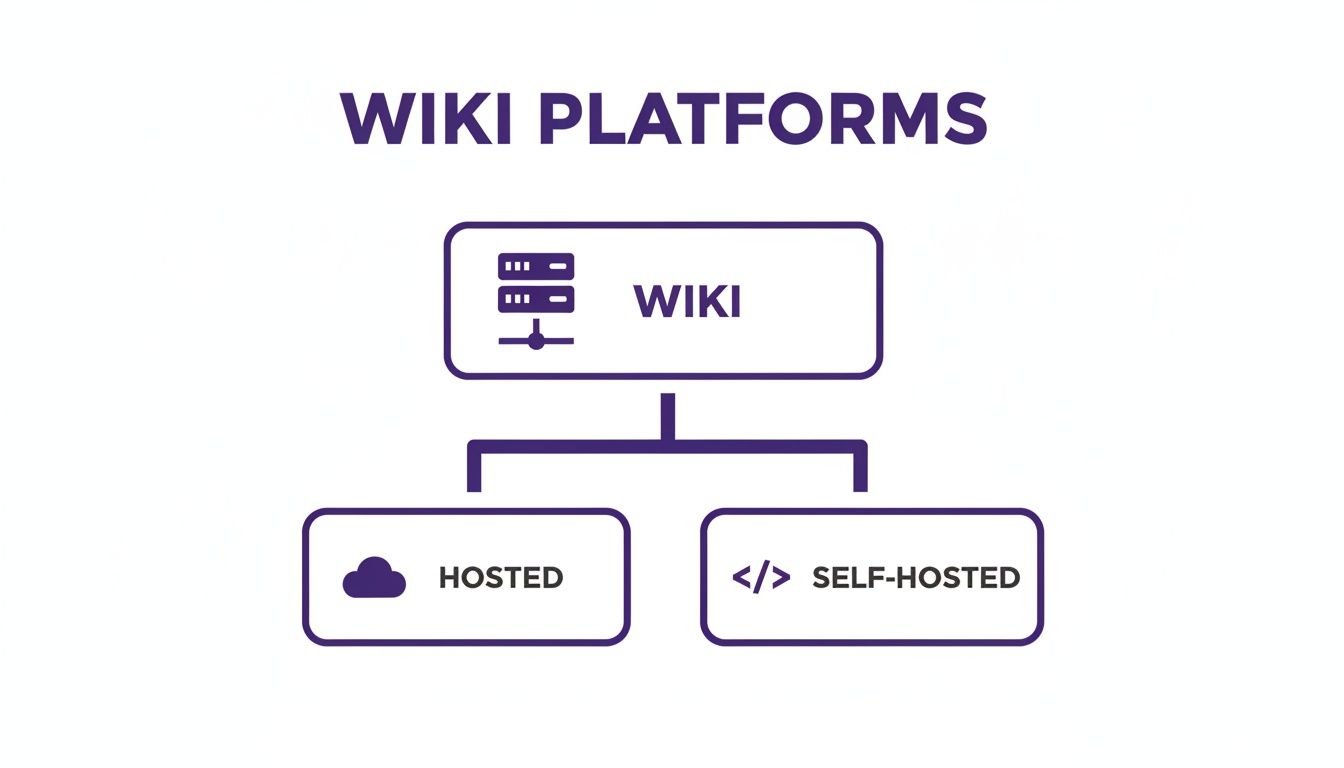
Hosted SaaS Solutions: The Quick Start
Hosted platforms, often called SaaS (Software as a Service), are your express lane to a functional wiki. Think of them as a turnkey solution. A provider handles all the technical headaches—the hosting, maintenance, security patches, and updates—so you don't have to.
If you're a creator just starting to get serious, this is almost always the best place to start. You can sign up for a service like Notion, Slab, or Confluence and be building your knowledge base in minutes, not days. This approach lets you get back to what you actually do best: creating great content, not messing around with server configurations.
The real win with a hosted solution is speed and simplicity. You're trading deep, granular customization for the ability to organize and collaborate on your content library almost immediately.
These tools are designed to be slick and easy to use, often with built-in collaboration features and integrations with other services you probably already use, like Slack or Google Drive. To see how these fit into a larger content strategy, it's worth understanding what a knowledge management system is and how it can supercharge your entire workflow.
Self-Hosted Wikis: Ultimate Control and Customization
On the other side of the fence, you have self-hosted wikis. With this route, you download the software yourself—often powerful, open-source platforms like MediaWiki (the engine behind Wikipedia)—and install it on your own server. This path gives you unparalleled control.
For a media company with a massive content archive or a software team building out extensive documentation, self-hosting is a no-brainer. You can tweak everything. The look, the feel, the specific features—you can even integrate it directly with your own internal systems. You’re never stuck with a SaaS provider’s feature roadmap or pricing tiers.
But that freedom comes with responsibility. You, or someone on your team, needs the chops to install, configure, and maintain the whole thing. That means handling security updates, managing your own backups, and troubleshooting when things go wrong. For teams already using version control, exploring a GitHub-based CMS can offer a glimpse into the self-hosted mindset, as many modern setups lean on similar principles of control and collaboration.
Making The Call: A Practical Comparison
So, how do you actually decide? It's time to get practical. The table below is designed to cut through the noise and help you figure out which path makes the most sense for you right now.
Hosted SaaS vs Self-Hosted Wiki Platforms: A Creator's Guide
A practical comparison to help you decide which wiki platform type is the right fit for your content organization's needs, budget, and technical resources.
| Factor | Hosted (SaaS) Wiki | Self-Hosted Wiki |
|---|---|---|
| Setup & Maintenance | Minimal effort. The provider handles all technical aspects. You can be up and running in minutes. | Requires technical skill. You are responsible for installation, updates, security, and backups. |
| Cost Structure | Predictable subscription fees (monthly/annually). Often has free tiers for small teams. | Low software cost (often free) but requires paying for hosting, a domain, and potential developer time. |
| Customization | Limited. You can change themes and layouts but are bound by the platform's features. | Virtually limitless. You have full access to the code and can modify or extend it as needed. |
| Scalability | Easy but can be costly. Scaling usually means upgrading to a higher-priced subscription plan. | Highly scalable but requires you to manage server resources and infrastructure as you grow. |
| Best For | Solo creators, small to medium-sized teams, and anyone prioritizing ease of use over deep customization. | Large organizations, tech-savvy teams, and creators needing complete control over their data and features. |
Ultimately, choosing your wiki platform isn't just a technical decision—it's a strategic one. A SaaS solution is a fantastic way to get your content library organized quickly and efficiently. Down the road, if your team and your needs expand, you can always migrate to a more powerful self-hosted solution. The goal is to pick the foundation that empowers you today while leaving room for the growth you're planning for tomorrow.
Laying the Foundation: How to Structure Your Wiki
A wiki without a solid structure isn't a knowledge base—it's a digital junk drawer. I've seen it happen time and time again: creators get excited about a new tool but completely neglect the blueprint. This is where things go wrong. Nailing your wiki’s information architecture (IA) is the single most important step you can take to turn a messy pile of content into an asset your team can actually use.
Before you write a single page, you have to think about how everything will fit together. If you're new to this, it's worth understanding what information architecture is on a deeper level. This groundwork is what stops your wiki from collapsing into chaos a year from now when you have hundreds or thousands of pages.
Good IA is really just about empathy. You need to get inside your team's heads. How is a video editor going to look for B-roll? Where will a new writer find the brand voice guidelines? The answers to these questions form the very bones of your wiki.
Building Your Category Tree
Think of your wiki’s structure like a tree. You have the main trunk, which splits into big branches, and then smaller branches sprout from those. This top-down hierarchy gives people a logical path to follow, so they aren't just clicking around aimlessly.
Start by figuring out your biggest content buckets. These will become your top-level, or parent, categories. For a content team, that might look something like this:
- Content Library: The home for all final, published assets.
- Brand & Marketing: Logos, style guides, and campaign plans.
- Production Workflows: Checklists, editing templates, and process docs.
- Audience Research: Personas, survey results, and analytics reports.
Once you have those main branches, you can build out more specific child pages. For example, under "Content Library," you could have pages for 'Podcast Episodes,' 'YouTube Videos,' and 'Blog Articles.' Suddenly, you have a clean, intuitive navigation system that anyone can understand at a glance.
The Power of Tags and Taxonomy
If categories are the rigid skeleton of your wiki, then your taxonomy—the system of tags and metadata—is the flexible connective tissue. This is what makes your wiki truly powerful, allowing for discovery across different categories.
For instance, a single video might live under the 'YouTube Videos' category, but you could tag it with 'Product A,' 'Audience Persona B,' and 'Q3 Campaign.'
This is where the magic happens. Now, when you're planning your next campaign for 'Product A,' you can instantly pull up every blog post, podcast clip, and piece of audience feedback ever created on that topic. Your wiki just went from being a simple storage unit to a powerful research and brainstorming tool.
Your taxonomy needs to be consistent and controlled. Create a master list of approved tags and categories to avoid "tag chaos." Nothing makes a system useless faster than having tags like 'YouTube,' 'YT,' and 'You-Tube' for the same thing.
Designing for Future Growth
Finally, you have to build your information architecture to scale. A system that works for 50 articles will absolutely break when you hit 5,000. As you map everything out, constantly ask yourself, "Will this still make sense in two years?"
Here are a few tips I've learned for future-proofing a wiki's design:
- Start simple. Don't over-engineer your categories on day one. It's much easier to add new branches to the tree later than it is to rip the whole thing up and start over.
- Use templates. Create standard page layouts for recurring content types, like podcast show notes or video scripts. This keeps everything consistent, especially as your team grows.
- Review and refine. Your IA isn't set in stone. Schedule a quarterly check-in to see what’s working, spot any content gaps, and prune pages that are no longer relevant.
Putting in the time to build a solid architecture upfront pays off in a huge way. It ensures your wiki becomes the central nervous system of your content operation, helping your team find what they need, connect ideas, and create better work. For a deeper dive into this, check out our guide on metadata management best practices.
Creating Content Workflows and Page Templates

A solid structure is a great start, but consistency is what really turns a wiki from a messy pile of notes into a true knowledge powerhouse. This is where standardized page templates and clear content workflows make all the difference.
Without them, your wiki slowly drifts into chaos. Every team member starts formatting pages their own way, and before you know it, nothing lines up. It becomes a digital junk drawer.
Think of templates as fill-in-the-blank blueprints for your most common content. They enforce a uniform structure that saves everyone time and makes the information incredibly easy for both people and AI tools to scan, connect, and use later.
Designing Your Core Page Templates
First things first: identify the types of content you create over and over again. Anything you do on a recurring basis deserves its own template. This isn't about being rigid; it's about being smart and efficient.
For a creator, a few essential templates might look like this:
- Podcast Episode Template: Build a page with fields for the guest's name, a short bio, their social links, key topics with timestamps, and a link to the final transcript.
- Video Script Template: Create a structure with sections for the video title, a YouTube description, the full script, a list of B-roll shots needed, and a publishing checklist.
- Character Bio Template (for Writers): If you're building a lore bible for a novel or series, a template with fields for a character’s backstory, physical traits, relationships, and major story arcs is a lifesaver.
Standardizing these inputs means every critical piece of information gets captured the same way, every single time. That consistency pays off big time when you need to search your entire library for, say, every podcast guest who mentioned a specific product.
Establishing a Clear Editorial Workflow
Okay, you've got your templates. Now you need a process for how content actually gets into the wiki. A free-for-all approach where anyone can publish anything is a recipe for clutter and bad information. An editorial workflow is just a simple map that a piece of content follows from idea to final publication.
The goal of a workflow isn't to create bureaucracy; it's to build a system of quality control. A simple process ensures that every page in your wiki is accurate, well-structured, and aligned with your overall content strategy.
Your workflow just needs to answer a few basic questions:
- Who can create new pages? Is it open season for the whole team, or is it limited to specific people like writers or producers?
- Is there a review process? Even a simple "draft" vs. "published" status works wonders. One person writes the draft, and a designated editor gives it a once-over for accuracy and formatting before it goes live.
- How do you handle updates? If someone spots an error or has new info, what's the protocol? Should they edit the page directly or leave a comment for the original author?
For many creators making the leap from hobbyist to professional, putting these systems in place is a game-changer. A solid process ensures that as your team grows, the quality of your shared knowledge base doesn't fall apart. You can learn more about how to structure these systems in our guide to editorial workflow management software. This is how you turn raw information into a valuable, collaborative asset.
Driving Team Adoption And Managing Your Wiki Long-Term
You can architect the world’s cleanest wiki and design the most intuitive templates, but none of it matters if your team never uses it. The technical setup is one thing; the human element is a whole different beast. This is where most knowledge management projects fall apart.
A wiki that no one touches is just a digital ghost town—a sad monument to good intentions. To keep that from happening, you have to actively shift your team's habits. The goal is simple: make checking the wiki faster and easier than tapping a coworker on the shoulder.
Turning Your Team into Active Contributors
A strong launch is non-negotiable. Don't just email a link and call it a day. You need to host a quick onboarding session to show everyone the ropes. Walk them through the layout, demonstrate the key templates, and—most importantly—show them exactly how it solves a real, painful problem they deal with every single week.
If you’re a YouTube team, show them how the new "Video Project" template ends the chaos of hunting for asset links and deadlines. For a team of writers, maybe you highlight the "Story Bible" that finally keeps character details straight. You have to connect the wiki directly to their daily wins, right from the start.
After that, it's all about consistent reinforcement.
- Lead by Example: When someone asks you a question, make it a habit to answer with a link to the wiki page. This isn't being difficult; it's gentle training.
- Assign Ownership: Make people responsible for specific corners of the wiki. The lead editor owns the "Style Guide," and the social media manager is the keeper of the "Campaign Archives." A little ownership fosters a lot of pride.
- Recognize Power Users: Give a public shout-out to the folks who are adding pages, making updates, and helping others. People love to be recognized, and it encourages others to get involved.
Setting Up Smart Permissions and Governance
As your wiki grows, you need a way to maintain quality without killing participation. This is where user permissions and a clear governance plan come in. A total free-for-all leads to chaos, but locking everything down makes people afraid to contribute.
Most wiki platforms offer role-based access. Here's a simple setup that works well for most content teams:
- Administrators: These are the keys to the kingdom. They can change settings, manage users, and delete anything. Keep this group small—just one or two people.
- Editors/Contributors: This is your core team. They can create new pages and edit existing ones across most of the wiki.
- Viewers: This role is for people who just need to find information, like new hires, freelancers, or stakeholders. They can read everything but can't make any changes.
A great wiki strikes a balance between control and creativity. You want to empower your team to share what they know while having safeguards in place to keep the information accurate and organized.
The Art of Long-Term Curation
A wiki is a garden, not a statue. You have to tend to it, or it gets overgrown with weeds. I recommend scheduling quarterly reviews to prune outdated pages, archive old project docs, and look for knowledge gaps. This simple act keeps your wiki from turning into a messy, untrustworthy archive.
This is also where AI-assisted tools like Contesimal can be a game-changer for long-term health. As your wiki gets bigger, these tools can automatically tag new content, flag duplicate information, and even suggest connections between pages that a person might miss. It helps you keep things organized at scale.
Keeping people engaged is a timeless challenge. Wikipedia's mind-boggling success, with over 825 million edits from 11.9 million users, proves what's possible with countless small contributions. Yet, a projected 36% drop in new editor sign-ups from 2016 to 2025 shows just how hard it is to retain contributors today. It underscores the need for tools that make it easier for people to jump in, which you can read more about on erkansaka.net.
Ultimately, managing a wiki is about fostering a culture of shared ownership. When everyone on the team sees the wiki as their collective brain, they'll have a vested interest in keeping it healthy, updated, and useful for the long haul.
A Few Lingering Questions About Building a Wiki
Even with a killer plan, jumping into the wiki world can stir up a lot of questions. Let's tackle the common head-scratchers and hurdles that pop up when you're ready to build your own knowledge base. Think of this as the rapid-fire round.
How Much Does It Cost To Make A Wiki?
The real cost can swing from absolutely free to hundreds of dollars a month. It all comes down to the path you choose. It’s a classic "it depends" scenario, but let’s break it down with some actual numbers.
Hosted (SaaS) solutions are where most people start. Plenty of them offer free plans that are perfect if you're a solo creator or have a tiny team. Once you start growing, you can expect to pay anywhere from $10 to $50 per month for a solid plan. For huge operations with complex needs, enterprise plans can easily run into the hundreds.
Then there's the self-hosted route. Software like the legendary MediaWiki is free to download, but you're on the hook for all the operational costs. This includes:
- Web Hosting: You can get by with shared hosting for $5-$15 per month, but a more powerful virtual private server (VPS) for better performance will likely cost $20-$60 per month.
- Domain Name: This is usually a small annual cost, around $10-$20 per year.
- Developer Time: If you’re not the type to get your hands dirty with server configs, you might need to hire a freelancer. That could be a one-time cost of a few hundred bucks to get everything humming.
Can I Make My Wiki Private For My Team Only?
Absolutely. In fact, this is one of the most critical features for creators trying to organize sensitive information. We're talking unreleased video scripts, secret marketing strategies, or internal process docs. Keeping your creative playbook under lock and key is non-negotiable.
Pretty much any respectable wiki platform—hosted or self-hosted—gives you powerful permission controls. You can easily lock down the entire wiki, making it totally invisible to anyone without an approved login.
But you can get way more specific than that. For instance, you could give a freelance writer access to only the "Blog Post Drafts" section while keeping your financial planning pages completely walled off. That level of control isn't just nice to have; it's essential for secure collaboration as your team grows.
How Long Does It Take To Set Up A Basic Wiki?
The setup time is night and day between hosted and self-hosted options.
With a hosted SaaS platform, you can genuinely go from signing up to writing your first page in under an hour. The whole experience is built to be as smooth as possible: create an account, pick a name for your wiki, and start inviting your team. Done.
A self-hosted wiki is a different beast. If you’re comfortable with web servers and databases, you could have the software installed and running in a few hours. If you're new to that world, it might take a weekend of following tutorials and figuring things out.
The real time investment isn't the technical setup—it's the strategic planning. Block out a few days to a full week just to map out your information architecture and create your initial page templates. That upfront work is what makes a wiki actually succeed.
What's The Best Way To Get My Team To Actually Use The Wiki?
This is the million-dollar question, and the answer has more to do with human behavior than technology. You have to make the wiki the path of least resistance. If it’s faster to find an answer in the wiki than to ping a coworker on Slack, people will use it. Simple as that.
First, you have to establish the wiki as the single source of truth. If a piece of info isn't in the wiki, it's not official. Period. When someone asks you for a file or a link, don't just DM it to them. Send them the link to the wiki page where it lives. This gently trains everyone to look there first.
Weave it directly into your daily workflows. For example, make it a hard rule that all new video ideas must be submitted using the "Video Pitch" template in the wiki. To create a sense of ownership, assign key team members to be the "gardeners" of specific sections. When people feel responsible for a corner of the wiki, they're way more likely to contribute and keep it fresh.
Ready to stop hunting through scattered files and start building a powerful, collaborative brain for your content? Contesimal is designed to help you organize your entire library, surface hidden connections with AI, and turn your past work into your next big idea. Discover how you can create new value from your existing content at https://contesimal.ai.