
Media assets are reusable digital content objects, including images, audio, video, documents, animations, podcasts, and related files. Their value depends on more than the file itself, because metadata, rights, and taxonomy determine whether people can find, reuse, and safely distribute the content.
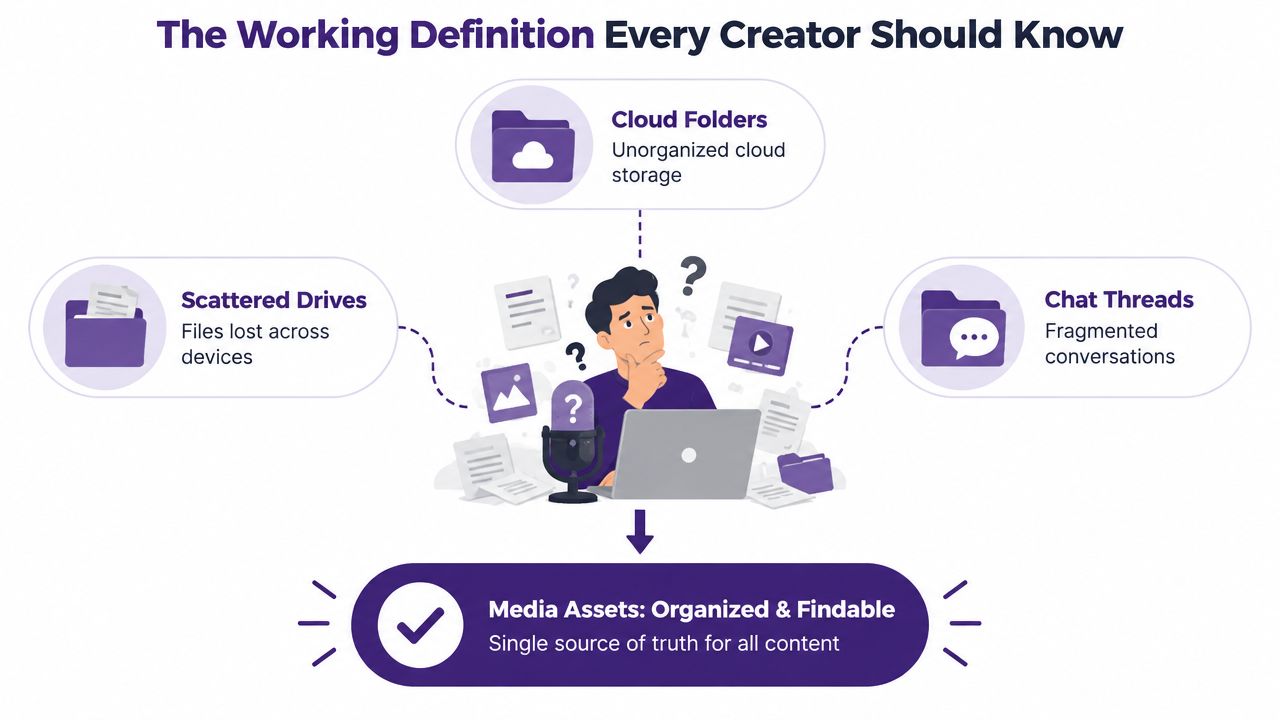
You may already have a library full of valuable material. A podcast archive contains strong guest quotes, a YouTube channel holds hours of useful footage, and a publisher's folders contain research that could support future stories. Yet if those materials are scattered across drives, cloud folders, editing projects, and chat threads, they behave less like a library and more like a locked storeroom.
That distinction matters for creators moving from hobby projects toward real revenue. Organize the library, understand what it contains, and take action on the material you already own. Repurposing turns long-form work into clips, newsletters, posts, playlists, research assets, and commercial opportunities. Content becomes more valuable when your team can identify the right piece quickly and understand whether it's approved for reuse.
The Working Definition Every Creator Should Know
A podcaster has three years of episodes spread across external drives, cloud folders, and chat threads. One day, a producer remembers a guest explaining the exact topic needed for a new episode. The team knows the quote exists, but nobody remembers the episode title, the file location, or the timestamp. They search manually, give up, and record a new explanation.
That situation shows the difference between a file and a media asset. A file is a digital object stored somewhere. A media asset is a digital object with reusable content value, an identifiable identity, and enough information around it for someone to find and use it again.
Start with the source file, then attach the information that makes it useful:
- Content: The image, recording, video, document, transcript, design, or other material.
- Metadata: Details such as title, creator, topic, date, speakers, format, duration, and summary.
- Rights: Information about ownership, licensing, approvals, restrictions, and expiration.
- Taxonomy: The organized system of categories and controlled terms used to group related assets.
- Renditions: Alternate versions, such as a vertical clip, compressed preview, captioned video, or social thumbnail.
- Workflow state: A practical status such as draft, approved, published, archived, or restricted.
A raw MP3 is difficult to work with when its filename is something like final_episode_27_new.mp3. The same recording becomes a usable asset when it includes the guest's name, central topic, transcript, relevant chapters, licensing status, and links to edited excerpts. A creator can search it, assign it to a new project, share an approved segment, or build a sponsorship package around it.
For plain-language definitions of related content and marketing terms, a browse glossary can help you build a shared vocabulary with collaborators. The important mindset shift is simple: storage preserves files, while asset management preserves future options. Your library becomes a source of new value when each important piece has an identity that survives beyond its original publication.
The Main Types of Media Assets You Actually Manage
Creators often start with the obvious formats, images and videos, then discover that the production materials surrounding those formats matter just as much. A publisher may need the final article, the interview recording, the transcript, the author's research notes, the headline variants, and the approved social graphics. Each object can support a later workflow.
| Asset Type | Typical Examples | Commonly Excluded by Mistake |
|---|---|---|
| Images | Hero photos, thumbnails, illustrations, logos, brand graphics | RAW files, layered designs, unused campaign variations |
| Audio | Podcast episodes, interviews, sound effects, voiceovers, music beds | Isolated guest tracks, recording sessions, cleaned excerpts |
| Video | Long-form episodes, vertical shorts, B-roll, interviews, screen recordings | Project files, alternate cuts, footage on local drives |
| Documents | Transcripts, show notes, whitepapers, scripts, sponsor decks | Research notes, briefs, spreadsheets, approval documents |
| Design files | Templates, title cards, lower thirds, thumbnails, presentation graphics | Source files kept only in a designer's workspace |
| Newsletters and webinars | Email editions, webinar recordings, slide decks, Q&A sessions | Recording exports, captions, follow-up materials |
Images carry more than visual appeal
A hero photograph can appear on an article, a thumbnail, a social post, or a sponsor presentation. A brand graphic may have several approved versions for different platforms. Keep the source design, exported versions, dimensions, usage context, and approval state connected rather than treating each export as an unrelated file.
Audio includes the parts nobody sees
The published podcast episode is only one layer. Raw interviews, separate speaker tracks, clean dialogue, intro music, sound effects, transcripts, and short quote clips can all support future work. If a guest grants permission for an episode but not for paid advertising, that distinction belongs with the audio asset.
Video has a long tail of usable material
A long-form YouTube cut may contain several short explainers, reactions, transitions, and B-roll sequences. Project files and unused takes also deserve attention when they're difficult to recreate or contain moments that could support a later concept. A folder named “old footage” hides value that a topic, speaker, and scene description would reveal.
Documents often provide the context for everything else
Transcripts make recordings searchable. Show notes preserve the episode's structure. Sponsor decks explain commercial positioning. Scripts and research documents help an editor understand why a scene or quote matters. Modern asset definitions extend beyond pictures and video to include text-based and production-support materials, as described in this guide to digital asset management software.
Newsletters and webinar recordings belong in the same conversation because they can be updated, excerpted, bundled, or used as source material. The format label is only the first tag. The downstream value depends on the metadata beneath it, including who appears in the content, what it covers, where it can be used, and which related assets belong with it.
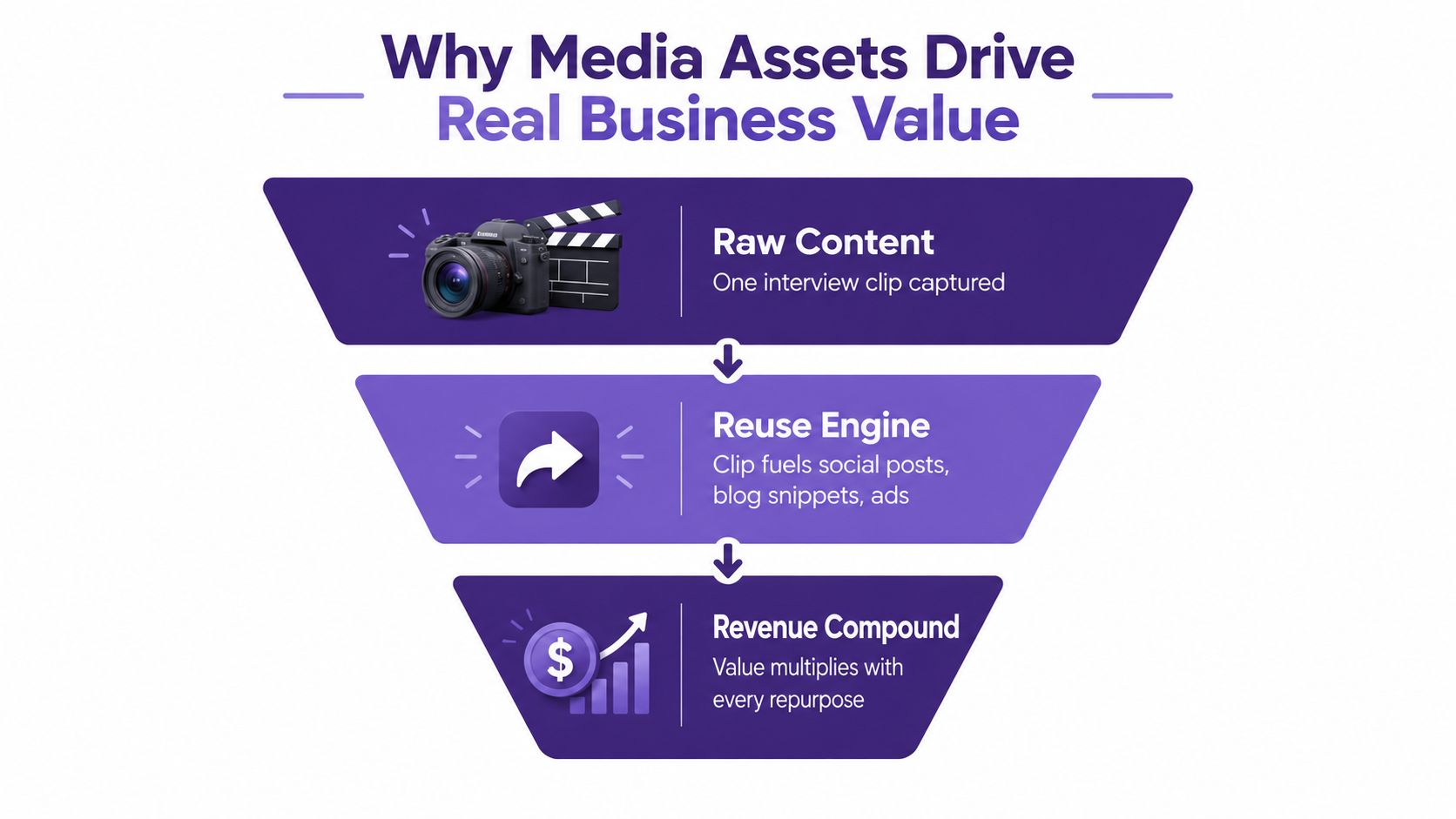
Why Media Assets Drive Real Business Value
A content library becomes commercially useful when a team can reuse its material without rebuilding the same work from the beginning. One interview can produce a full podcast episode, short clips, a newsletter quote, a blog section, a research reference, and a sponsorship pitch. The original recording stays the same, but its usefulness expands through better organization.
Independent content-repurposing survey summaries report that 94% of 48 marketers said they repurpose content, while 65% selected repurposing as the most cost-effective workflow. The same summary says 31% chose video as the most effective repurposing format. These figures come from TapVid's content repurposing statistics summary, and they reinforce a practical point: creators already see reuse as a way to extend production effort.
Search reduces production friction
A searchable archive helps a producer find the right speaker, explanation, visual, or scene without asking the original creator to remember where it lives. That improves handoffs because the next person receives context with the material instead of a bare download link. It also reduces duplicate creation, especially when a team regularly produces social clips, educational posts, or recurring playlist themes.
Rights determine whether reuse is safe
A valuable clip can still be unusable if nobody knows who owns it or where permission applies. Rights metadata should answer practical questions:
- Ownership: Who created or supplied the material?
- Permission: Which channels and uses are allowed?
- Expiration: Does approval end at a defined point?
- Restrictions: Are paid ads, syndication, or editing excluded?
- Approval: Has the final version passed the required review?
Without this information, teams either take unnecessary legal risks or avoid good material because checking permission takes too long. A well-managed asset library therefore combines creative content with governance. That combination supports licensing, sponsorship packaging, syndication, and controlled collaboration.
The market context reflects this operational shift. One Fortune Business Insights estimate places the global digital asset management market at USD 5.36 billion in 2025, with a projection of USD 19.36 billion by 2034. The exact market estimates vary by methodology, but the direction is clear. Organizations increasingly treat media libraries as working inventory, not passive storage.
For a creator team, the business case is visible in ordinary decisions. A producer finds an approved clip for a sponsor presentation, an editor locates a clean quote for a short, and a marketer identifies related content for a campaign. Each successful retrieval turns existing work into another opportunity. Explore how this connects with revenue optimization for content operations.
How Taxonomy and Metadata Turn Files into Assets
Think of taxonomy as the shelving system in a library and metadata as the index card attached to each book. Taxonomy tells you where related material belongs. Metadata tells you what an individual item contains. Together, they help people browse, search, filter, compare, and govern a large collection.
Taxonomy includes categories, hierarchy, controlled vocabulary, and relationships. A video library might organize material by format, series, topic, audience, and campaign. Controlled vocabulary prevents one editor from tagging content “YouTube short” while another uses “YT short” and a third uses “vertical video” for the same concept.
Metadata gives the asset its searchable detail. A DAM system can use it to frame browsing and navigation, and to power search so users can identify the correct results, as explained in AssetBank's guide to taxonomy and metadata.
Three layers worth maintaining
Descriptive metadata explains what the asset is. Use a clear title, summary, topic tags, creator name, guest name, and audience label. This layer helps a producer discover a relevant episode or image when the original filename offers no clue.
Structural metadata explains how the asset is built. For audio and video, that may include chapters, segments, speakers, timestamps, duration, resolution, language, and related files. Structural detail turns a two-hour recording into a set of retrievable moments rather than one indivisible object.
Administrative metadata explains how the asset can be managed. Include rights holder, license terms, approval status, source, version history, expiration, and access permissions. This layer prevents a team from using an expired clip or sending an unapproved draft to a client.
A practical metadata template might ask for the project, rights, and audience before a file enters the library. For image-heavy workflows, teams comparing tools can find photo metadata software that supports inspection and editing of embedded information.
The common failure is inconsistency. One file has a topic, another has only a date, and a third has a creator's private shorthand. The content still exists, but retrieval becomes unreliable. A consistent taxonomy gives your library a structure that humans and software can use for discovery, rights tracking, and remix workflows. For a deeper explanation of the management layer, see what metadata management means for content libraries.
How Contesimal Surfaces Latent Value in Your Library
A creator doesn't need more storage merely because the archive is growing. The harder problem is discovering what the archive already contains and connecting that material to the next piece of work. A discovery layer helps people query mixed formats together, so a topic search can lead to a podcast segment, a related blog post, a video passage, and supporting documents.
Contesimal can organize and search documents, podcasts, videos, and articles in a shared content-library environment. Its workflow combines indexing with layered classification, so creators can build relationships across formats instead of keeping each channel in a separate silo.

One index across mixed formats
A unified index gives a content marketer one place to search for a campaign idea across articles, video transcripts, podcast audio, and documents. That matters when the next deliverable needs evidence, a quote, a visual, and an existing explanation. Instead of exporting files into another temporary folder, the team can work from the identity and context already attached to the material.
Related content can appear during editorial work
A creator editing an episode may need a previous explanation, a stronger introduction, or a supporting clip. Topic tags, transcripts, and relationships between assets make those connections visible. The workflow shifts from remembering the archive to querying it.
Sharing can preserve control
Collaboration works better when people can access approved segments without receiving every source file. Permission-aware sharing helps distinguish what a freelancer, editor, sponsor, or client may view, download, edit, or distribute. That protects sensitive material while keeping handoffs practical.
Contesimal's role is best understood as a discovery and collaboration layer, not just another folder. Its value comes from making existing material queryable, remixable, and available for new commercial or editorial use. For a hobbyist becoming a professional creator, that can support a more repeatable workflow: curate knowledge, invite collaborators around it, and turn shared understanding into new content.
A Real Library Before and After Asset Thinking
Consider a representative podcast and video creator with roughly four years of weekly episodes. The archive has plenty of material, but folders are named by date, transcripts aren't searchable, rights questions return every season, and producers rebuild the same introductory clips from source footage.
The team changes its operating model without changing the underlying library. They apply topic tags across episodes, add segment-level metadata, record rights status for individual clips, and connect related transcripts, videos, and show notes. Editors can search for a subject, speaker, or phrase, then review the relevant passage instead of opening every episode.
The result is a collection that behaves differently. Editors assemble new episodes from existing material in minutes instead of days, producers hand off projects with context attached, and the team can identify approved clips for short-form distribution without repeating the same rights investigation.
The gain isn't that the old content suddenly became better. The team made its existing value visible and usable. Reuse becomes easier to measure because each clip, segment, and supporting document has an identity. That gives the creator more options for playlists, experiments, sponsor packages, and cross-platform publishing.
Your own archive may contain the same hidden cost. Look at the last time someone asked for an old quote, visual, or clip. Did the team find it through search, or did someone rebuild it because searching took longer than creating?
Three Habits to Start Unlocking Your Library Today
Audit once: List every drive, cloud folder, editing workspace, and chat location, then record rough file counts. This baseline exposes the silent cost of fragmentation.
Standardize one area: Choose one naming convention and folder structure today. Apply it first to the assets people search for most often, not the entire archive.
Tag every new file: Add project, rights, and audience to each new asset. The small commitment compounds, turning uploads into assets-in-the-making rather than finished files.
Contesimal helps creators organize, classify, and search documents, podcasts, videos, and articles so existing content can support new research and repurposing workflows. Visit Contesimal to see how your library can become easier to discover, remix, and put to work.