
Content repurposing is the strategic process of adapting existing content for new formats, platforms, and audiences to maximize its value and reach. 94% of marketers actively repurpose content, and strong workflows can save teams 10 to 20+ hours per week while turning one long-form asset into 5 to 7 additional pieces.
If you're sitting on a backlog of YouTube videos, podcast episodes, blog posts, interviews, newsletters, or half-forgotten recordings, you're not behind. You're asset-rich. Most creators hit a point where making the next thing starts to feel harder than it should, not because they lack ideas, but because their best ideas are buried inside content they've already made.
That's where repurposing stops being a nice trick and becomes an operating principle. It helps you upcycle old work into new value, carry winning ideas across platforms, and build a library that earns attention more than once. For creators moving from hobbyist mode into something more professional, that's a serious shift. You're no longer just publishing. You're organizing, understanding, and taking action on a body of work that can grow audience, sharpen positioning, and open up revenue paths.
What Is Content Repurposing Anyway
A lot of creators think repurposing means reposting the same thing everywhere. It doesn't. What is content repurposing? It's taking the core idea from an existing piece and rebuilding it so it fits a different context. A podcast episode becomes a blog post. A YouTube tutorial becomes Shorts, a newsletter, and a checklist. A strong article becomes a webinar, a carousel, or a script for a video.
That matters because the content treadmill is real. You publish, promote for a day or two, then rush to make the next piece. Meanwhile, your archive starts collecting dust. The smarter move is to treat your existing library like a pantry, not a landfill. You don't throw out good ingredients just because dinner's over. You turn them into the next meal.
The difference between recycling and upcycling
Plain recycling usually means breaking something down. Repurposing is closer to upcycling. You preserve the value and often increase it by making the content more accessible to different audiences.
For example:
- A long interview can become a written summary for readers who won't listen to the full audio.
- A research-heavy blog post can become a visual explainer for social platforms.
- A recorded talk can become a searchable knowledge asset for your team, editor, or production partner.
According to industry-reported Referral Rock statistics on content repurposing adoption, 94% of marketers actively repurpose their content. That tells you this isn't a fringe tactic. It's standard practice for teams that want more reach from the work they've already paid for, recorded, researched, or edited.
Practical rule: If a piece was hard to make, it should probably exist in more than one format.
Why this matters when you're trying to grow
Repurposing is one of the clearest shifts from creator chaos to creator strategy. Instead of asking, "What should I make today?" you start asking, "What else can this asset do?" That's a better question if you're trying to grow a channel, a media brand, a publication, or a creator business.
It also changes how you view your back catalog. Your old content isn't old if the idea is still useful. Often, the value is still there. It just needs a new wrapper, a sharper hook, or a better distribution path. If you want a deeper look at that mindset, this piece on how content repurposing adds value is a useful companion.
Strategic Frameworks for Repurposing Content
The biggest mistake I see is volume without design. A creator records one solid video, then chops it into endless clips, reposts similar captions, repeats the same quote graphics, and wonders why the audience stops caring. More output isn't the same as better distribution.
True repurposing has structure. It asks what form best serves the idea, what platform fits that form, and what audience behavior you're designing for. If you skip those questions, you don't have a strategy. You have duplication.

The pillar and spoke model
One of the cleanest frameworks is pillar and spoke. You start with a substantial anchor asset, then spin off smaller pieces that each do a specific job.
A pillar could be:
- A YouTube video essay
- A podcast interview
- A long-form blog post
- A webinar or keynote
- A chapter from a book or report
The spokes aren't copies. They're translations. A sharp quote for LinkedIn does one job. A short-form video clip does another. A blog article can add detail, structure, and search value that the original audio or video didn't provide.
Content atomization works when the atoms still matter
Another useful framework is content atomization. Instead of seeing a piece as one finished unit, you break it into the smallest valuable parts. Not random snippets. Valuable parts.
For a podcast, that might include:
- A contrarian opinion that makes a strong social post
- A step-by-step process that becomes a blog article
- A memorable story that becomes a short video
- A recurring audience question that becomes an FAQ page or newsletter segment
Creators start thinking like editors. You're not just publishing episodes or posts. You're identifying reusable ideas, moments, arguments, and teaching points.
Sustainable repurposing has to match your actual capacity, not your fantasy content calendar.
That trade-off matters because repurposing fatigue is real. The problem isn't repurposing itself. The problem is when content becomes too derivative and repetitive. As noted in this analysis of repurposing fatigue and strategy-first workflows, sustainable systems match capacity, and real repurposing is strategy-driven, not a volume game.
What works and what doesn't
What works:
- Platform-native adaptation so the asset feels built for the channel
- Fresh framing that highlights a different angle from the source material
- Editorial judgment about which moments deserve expansion
What doesn't:
- Copy-paste captions across every platform
- Endless clipping with no narrative or takeaway
- Publishing because the calendar says so, even when the idea is spent
Repurposing should extend meaning, not drain it.
Repurposing in Action for Every Creator
Repurposing gets easier when you stop thinking in abstract terms and start with the format you already make. Different creators have different raw materials, but the logic is the same. Start with one anchor asset, then convert it into assets that match how people discover, skim, save, and share.
For podcasters
A podcaster usually has more usable material than they think. One long interview can produce a standout quote graphic, a written article built around the guest's strongest insight, a short audiogram, and a brief post that tees up one sharp takeaway for a professional audience.
The before-and-after shift is simple. Before, the episode lives and dies in one RSS feed. After, the same episode starts feeding search, social, email, and community conversations.
For YouTubers and video creators
Video creators already work in a format packed with reusable moments. A tutorial can become a blog walkthrough. A commentary video can become a thread or carousel built around its central argument. Behind-the-scenes footage can support Stories, community posts, or creator updates that make the audience feel closer to the process.
What changes is the mindset. You're no longer asking how to squeeze one more upload out of your week. You're designing a small media system around each strong video.
For bloggers, authors, and publishers
Writers often have the opposite problem. They have strong ideas but not enough format diversity. A published article can become a narrated video, an editor's note in a newsletter, a podcast talking point, or a workshop outline. A chapter from a book can become a standalone teaching piece, a webinar topic, or a script for short educational videos.
That shift is especially useful if your audience spans readers, listeners, and viewers.
Content Repurposing Cheat Sheet
| Original Content (Anchor) | Repurposed Format 1 (Social) | Repurposed Format 2 (Web) | Repurposed Format 3 (Short-Form Video) |
|---|---|---|---|
| Podcast interview | Quote graphic or insight post | Summary article or transcript-based post | Audiogram or talking-head takeaway |
| YouTube tutorial | Carousel with key steps | Blog guide with screenshots | Short clip answering one question |
| Blog post | LinkedIn post or thread | Expanded resource page | Reel or Short explaining one lesson |
| Webinar | Live quote snippets | On-demand landing page with notes | Highlight clip with one strong point |
| Book chapter | Pull-quote series | Standalone article | Author video on one theme |
Good repurposing doesn't ask every format to do the same job. It gives each format a distinct role.
If you're a creator with playlists, recurring themes, or audience buckets, this becomes even more powerful. One idea can support discovery on one platform, depth on another, and conversion somewhere else.
Unlocking Your Content Librarys Hidden Goldmine
Most repurposing advice starts with the latest post. That's useful, but it's not where the biggest upside usually sits. The bigger opportunity is your archive.
Old podcast episodes, recorded interviews, webinars, livestreams, vlogs, conference talks, editorial drafts, even voice notes can hold ideas you haven't fully used. The problem isn't lack of value. It's that most libraries are messy. Files live in scattered folders. Audio isn't searchable. Video is hard to scan. Great moments disappear because nobody can find them when it's time to create again.
Why archives get ignored
Creators often revisit written content first because it's easy to skim. You can scan headers, pull quotes, and copy sections. Audio and video don't offer that convenience unless you've built a system around them.
That's why so many strong archives stay dormant. They aren't dead assets. They're inaccessible assets.
A lot of teams also don't have a taxonomy for their content. They know they recorded something useful six months ago, but they can't locate the exact section, angle, or quote. That slows down production and pushes everyone back toward making something from scratch.
The biggest missed opportunity is non-text media
One of the clearest gaps in current guidance is what to do with non-textual archival media. As noted in this discussion of repurposing podcasts, videos, and archival media, creators keep asking how to turn old podcast episodes into new, search-optimized content because most advice doesn't really cover atomizing audio and video or using AI-assisted discovery to surface hidden patterns.
That matters if you're a podcaster, filmmaker, publisher, or YouTuber with years of material. Your archive can become more than a clip bank. It can become a knowledge base.
Here are a few ways to consider this:
- Theme-first sorting groups assets by recurring idea, not by publish date.
- Moment extraction identifies segments worth turning into standalone teaching assets.
- Narrative bundling combines old pieces into a new series, guide, or audience pathway.
Your archive isn't a graveyard. It's a library without a catalog.
Once you start organizing around themes, questions, and use cases, old content becomes easier to revive. That's when repurposing moves from occasional recycling to a system for creating fresh relevance from years of work.
Measuring What Matters Repurposing ROI
If you're moving from creator mode into business mode, you need more than "this feels efficient." You need a way to judge whether repurposing is pulling its weight.
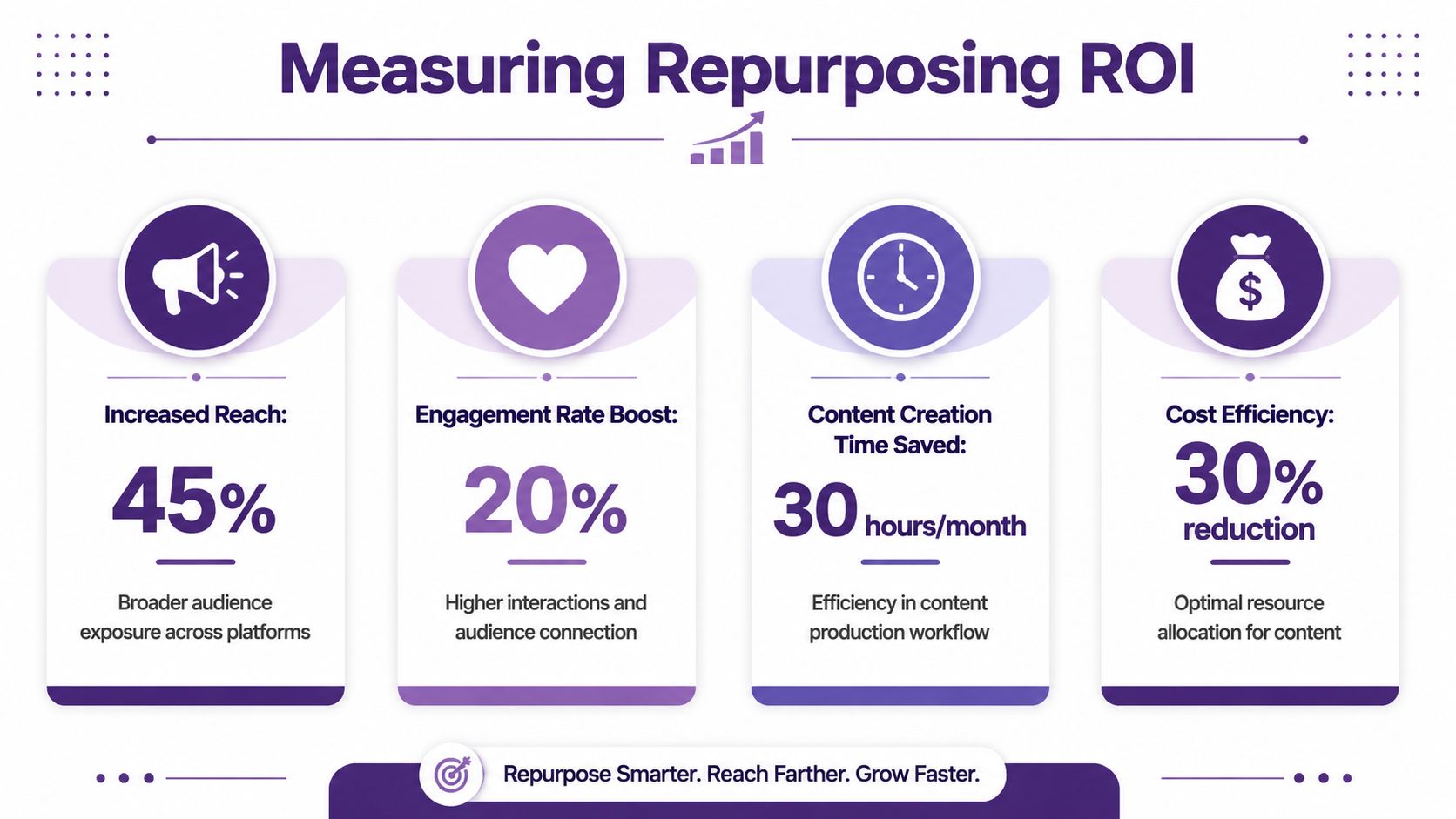
The good news is that repurposing has measurable operational value. According to Cloud Present's guide to repurposing workflows and ROI, a structured workflow can save teams 10 to 20+ hours per week, with successful campaigns targeting 25% to 40% organic traffic growth. The same guide recommends extracting 5 to 7 repurposed pieces from each long-form asset.
Start with business-facing metrics
A lot of creators stop at likes and views. Those signals matter, but they don't tell the whole story. Better questions include:
- Time saved by producing from existing material instead of starting cold
- Traffic movement from repurposed assets back to owned channels
- Audience expansion into formats or platforms where the original asset didn't reach
- Engagement quality, especially on adapted content built for a specific use case
The same source notes that strong repurposing workflows often aim for 3% to 7% engagement rates on social posts derived from repurposed content, and often schedule repurposed content 2 to 4 weeks after original publication. Those details matter because timing and adaptation influence whether the content feels fresh or stale.
What to track in practice
Use a simple scorecard around each anchor asset.
Production efficiency
How long did the original piece take? How long did each derivative asset take?Distribution return
Which repurposed pieces drove site visits, watch time, replies, or email signups?Longevity
Did the asset keep working after the original launch window?Conversion support
Did repurposed content help a product launch, consultation funnel, sponsorship pitch, or subscriber path?
If you want to put a stronger financial lens on this, this guide on the ROI of content marketing offers a helpful way to connect content effort to business outcomes.
Repurposing ROI often shows up first as efficiency, then as reach, and then as revenue support.
That sequence is useful because it keeps expectations realistic. First, the system saves effort. Then it strengthens distribution. Then it compounds into growth.
Smarter Workflows with the Right Tools
Repurposing usually breaks down in the same place. Not at the idea stage. At the workflow stage.
Creators know they should reuse existing material, but their files are scattered across drives, editing folders, publishing tools, notebooks, transcripts, and cloud storage. Teams run into the same problem on a larger scale. The knowledge exists, but nobody has a practical command center for finding, sorting, and using it.
What a good repurposing stack should do
A useful workflow tool shouldn't just store files. It should help you make editorial decisions faster.
Look for systems that support:
- Centralized organization for articles, transcripts, videos, audio, and supporting files
- Searchable archives so strong moments don't disappear inside long recordings
- Theme and taxonomy building to group content by topic, audience, or intent
- Collaboration between creators, editors, researchers, and AI-assisted workflows
- Actionable outputs that help turn research into scripts, summaries, clips, and briefs
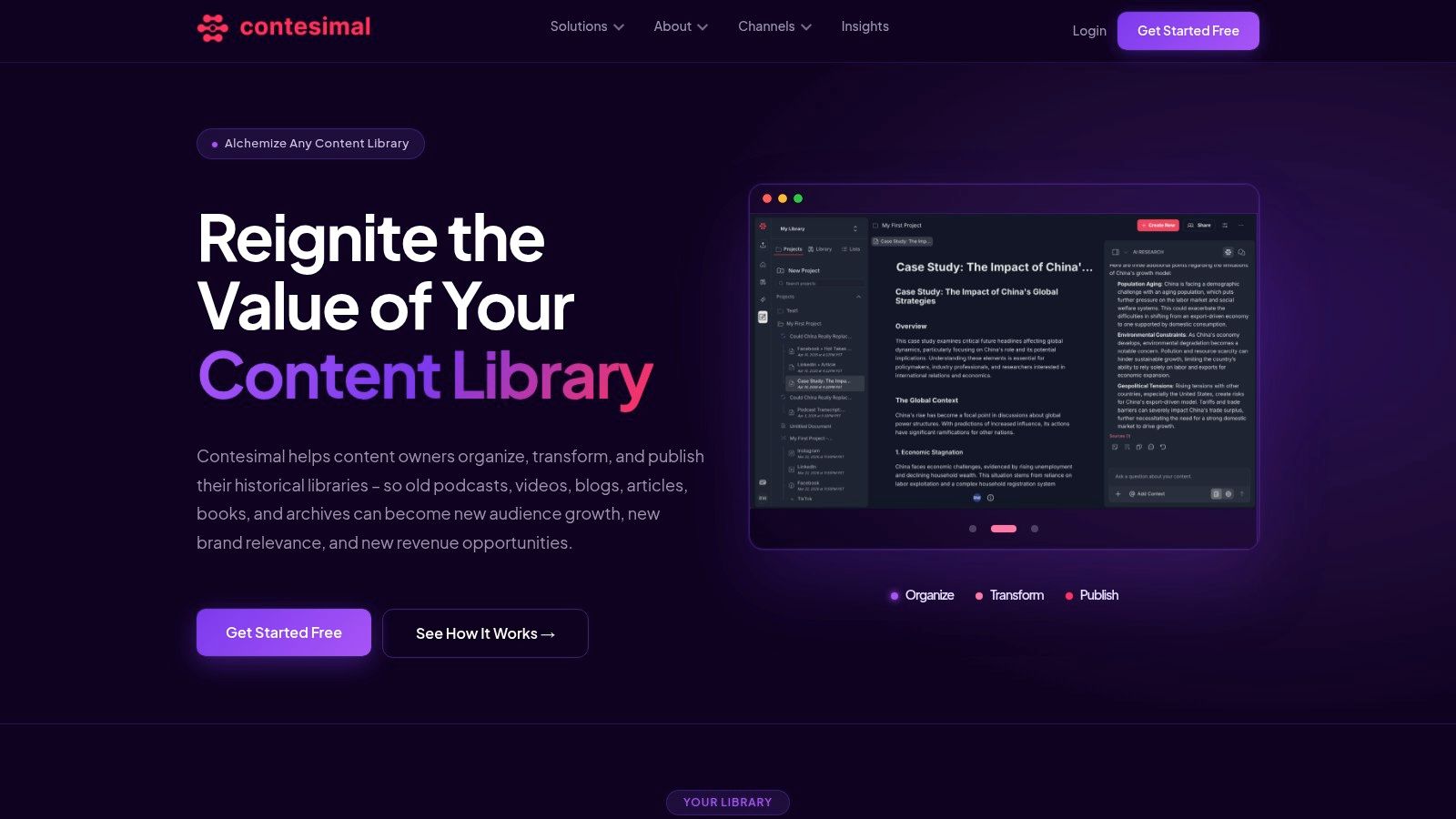
That combination matters more than flashy automation. The key benefit isn't speed by itself. It's clarity. You want a system that helps humans and AI work together without turning your library into a black box.
Why creators need a content operating system
Once your library gets large enough, folders aren't strategy. Search bars alone aren't strategy either. You need a repeatable way to organize your content, understand what it contains, and act on what you find.
That's especially true for creators stepping into professional workflows. A solo YouTuber starts collaborating with an editor. A podcaster brings in a producer. A publisher needs researchers, writers, and distribution leads working from the same source material. Without a shared system, repurposing becomes guesswork and duplicated effort.
A good tool stack should help you:
- Organize your library so assets are easy to retrieve
- Understand patterns, themes, and reusable ideas inside the archive
- Take action by turning that insight into publishable outputs
For a broader view of the software environment, this roundup of content repurposing tools for reigniting your library is a solid starting point.
Your First Repurposing Action Plan
You don't need a giant system to start. You need one deliberate pass through your best material.
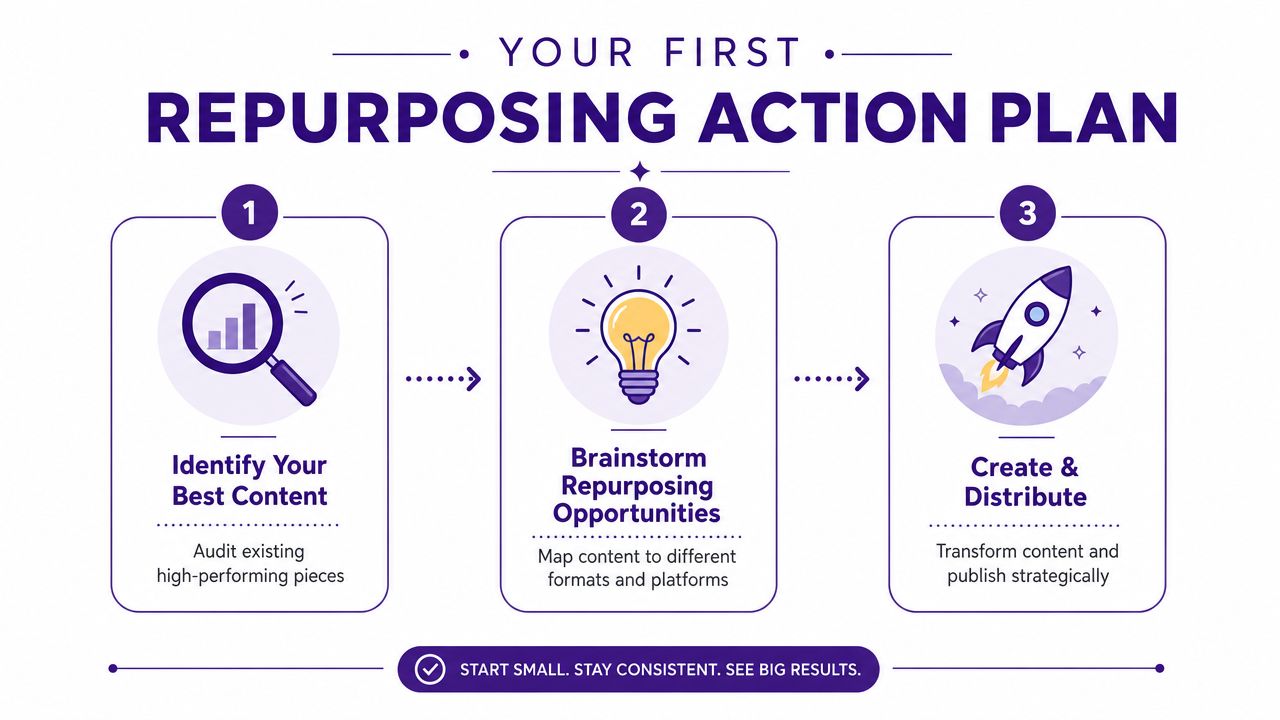
The simplest approach is this: Organize. Understand. Take Action. That's enough to move from content clutter to momentum.
Step one and step two
Start by gathering your top five long-form assets in one place. Pick the pieces that are still relevant and still represent how you want to be known. That might be a podcast episode, a YouTube video, a blog post, a webinar, or a chapter draft.
Then identify the core takeaway in each one. Not the whole outline. Just the one idea that matters most. If you can't summarize the value cleanly, it will be hard to repurpose well.
Step three and your next move
Choose one anchor asset and make one derivative piece. Keep it small. Turn a video lesson into a Short. Turn a podcast insight into a blog post. Turn an article into a carousel. Publish it where it has a real chance to get seen and saved.
If you want a practical companion for turning source material into polished clips, a tool like the LunaBloom AI video app can be useful for short-form video workflows.
This walkthrough is worth watching before you build your first repeatable system:
The point isn't to flood every platform tomorrow. It's to prove to yourself that your library already contains more value than you're currently extracting. Once you do that a few times, your archive stops feeling heavy and starts feeling useful.
Contesimal helps creators, publishers, and content teams turn scattered archives into organized, usable knowledge. If you're ready to transform old videos, podcasts, interviews, and articles into a searchable system that supports collaboration and new content creation, explore Contesimal.