
You've been grinding. You have a back catalog of videos, podcast episodes, blog posts, show notes, lead magnets, maybe even book drafts and research docs spread across drives, CMS folders, and publishing platforms. A lot of creators hit the same wall at this stage. You know there's value in the archive, but it's hard to see what should be refreshed, clipped, consolidated, republished, or turned into something that makes money.
That's where content audit tools stop being “SEO software” and start becoming creative infrastructure. A good audit helps you spot the episode that should become a newsletter series, the article that deserves a video update, the underperforming post with strong backlinks that needs a rewrite, or the forgotten transcript packed with ideas for short-form content. For publishers and multi-platform creators, this matters more than pumping out another net-new piece every week.
The trap is thinking an audit is only about deleting weak posts or fixing metadata. It's bigger than that. Nielsen Norman Group frames content audit evaluation around both best practices for web writing and your own standards, including user needs, performance metrics, and whether content supports business goals like leads or traffic, as explained in Nielsen Norman Group's content audit guidance. This marks the key shift. You're not just cleaning house. You're organizing, understanding, and taking action.
If you're a YouTuber moving into sponsorships, a podcaster building a serious media brand, or a publisher trying to get more value from years of output, the right tool can help you reignite your content library instead of letting it collect digital dust.
1. Contesimal
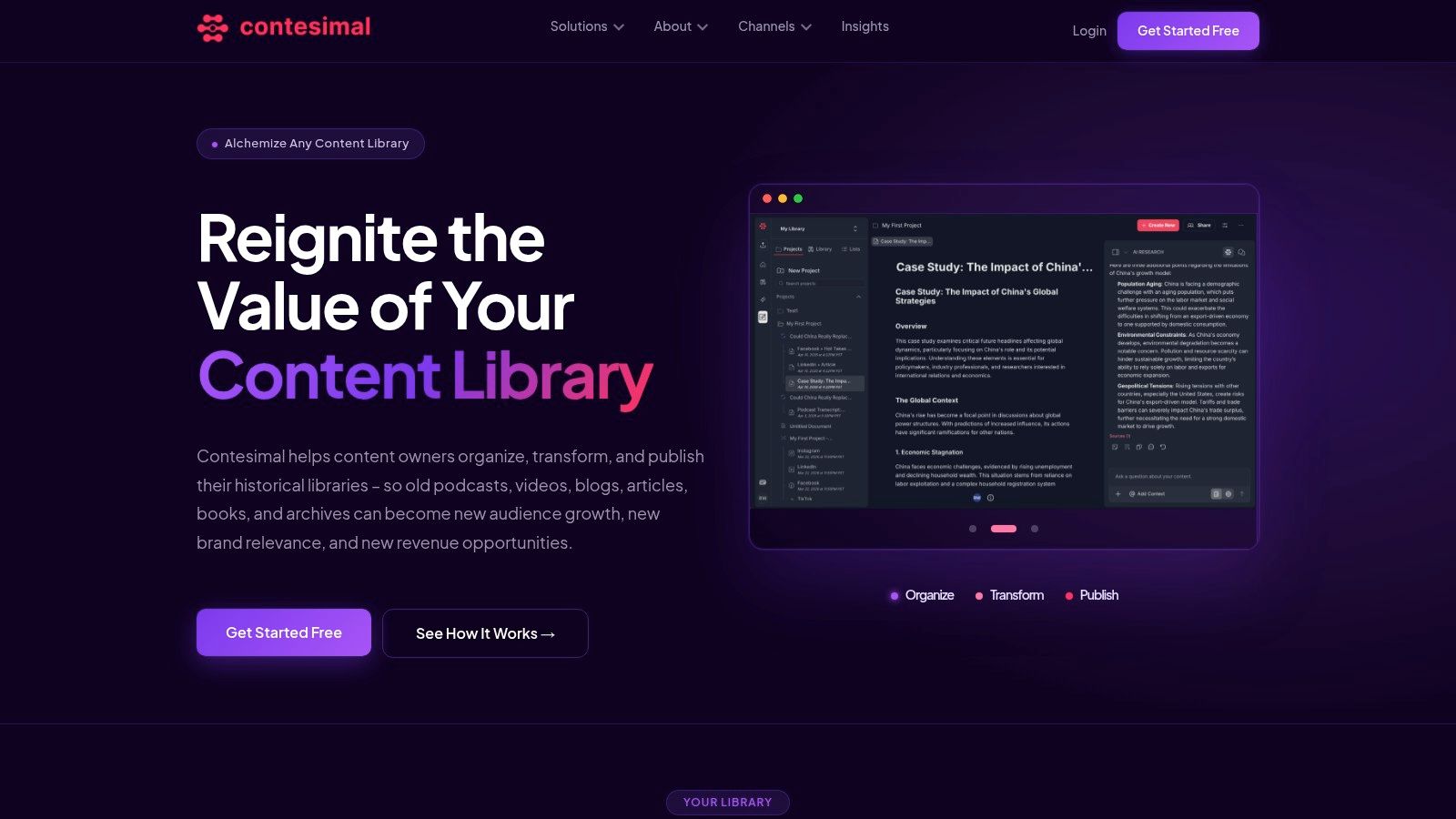
Contesimal is the one I'd put in front of creators who are sitting on a mixed media archive and need more than a site crawler. If your library includes podcasts, videos, transcripts, articles, documents, or research collections, it approaches the audit as a content intelligence problem, not just an SEO hygiene task.
That distinction matters. Most audit platforms are strongest when the asset is a web page. Contesimal is more useful when the asset is an idea trapped in a backlog, a transcript no one has mined, or a body of research your team needs to turn into editorial output and monetizable derivatives.
Where Contesimal stands out
The platform combines chat-style exploration with structured search, taxonomy layers, and workflow tooling. In practice, that means you can search broadly, classify deliberately, and keep the findings useful after the first conversation ends. That's a big difference from throwing a question into a generic AI interface and losing the thread a day later.
It also supports fast ingestion and programmatic uploads, which is important for organizations with years of archived material. If you're a publisher, agency, or production team, that setup makes it possible to treat your library like an operating asset instead of a pile of old files.
Practical rule: If your audit goal is “find broken pages,” choose a crawler. If your audit goal is “find hidden revenue and repurposing opportunities across formats,” choose a system built around discovery and organization.
There's also a collaboration angle here that smaller creators eventually run into. Once you move from solo creator to team, the problem isn't just finding information. It's sharing context, building repeatable research, and making sure editors, producers, strategists, and AI tools are working from the same base.
Best fit for creators building a business
Contesimal makes the most sense for:
- Archive-heavy creators: YouTubers, podcasters, and bloggers who want to turn old longform content into clips, posts, guides, and new series.
- Publishing teams: Editors and content leads who need shared research, taxonomies, and reusable dossiers instead of one-off notes.
- Monetization-focused operators: Teams looking for licensing angles, topic packages, audience-growth opportunities, and refresh candidates inside historical content.
The trade-off is straightforward. Pricing details aren't public, so smaller teams that want instant self-serve comparison may find evaluation slower. Results also depend on setup quality. Good transcripts, sensible metadata, and clear taxonomy design make a big difference.
If you want a more practical framework before choosing software, this content audit checklist for creators is a good companion. For creators trying to organize, understand, and take action across a whole library, Contesimal is the most aligned tool on this list.
2. Semrush Content Audit
A common creator scenario looks like this. The site has 300 posts, 80 episode pages, a few dated landing pages, and no clear answer to which assets still deserve attention. Semrush is useful here because it gives you a working view of what is published, how those pages are performing, and where cleanup or refresh work will pay off first.
Its Content Audit tool can pull URLs from a sitemap or subfolder, then layer in signals such as traffic, backlinks, social shares, and on-page issues. For teams that publish across articles, show notes, resource hubs, and conversion pages, that combination makes triage faster. You can sort the archive into practical buckets: update, merge, redirect, rewrite, or leave alone.
Why it works for mixed content teams
Semrush earns its place when editorial and SEO work happen in the same sprint. The audit sits close to Site Audit and On-Page SEO Checker, so a strategist can spot a decaying page, confirm whether technical problems are part of the decline, and hand off a clearer brief to an editor or SEO lead. Fewer exported spreadsheets. Less chasing context across tools.
The bigger advantage is prioritization. Semrush does not just surface what is broken. It helps teams decide what is worth fixing first. That matters for creators with a backlog of tutorials, old campaign pages, affiliate posts, and episode notes that could be refreshed into stronger monetization assets.
For that planning step, a simple content gap analysis template for creators and content teams pairs well with Semrush. The audit shows what already exists. A gap template helps map what the archive is missing, what should be consolidated, and where a repurposed asset could fill a revenue or audience need.
Where Semrush falls short
Semrush works best when the content already exists as indexable web pages. That is the trade-off.
If the true value of your archive sits inside raw podcast audio, YouTube transcripts, webinar recordings, or internal research docs, Semrush only sees the published layer. It can still help you find underperforming show notes or outdated articles tied to those assets, but it will not reveal the deeper repurposing opportunities hiding inside the source material itself.
That makes it a solid fit for teams asking, “Which published pages should we improve next?” It is less helpful for teams asking, “What can we turn into a course, sponsor package, clip series, or gated guide across the whole library?”
A few practical pros and cons:
- Good for page-level decisions: Refresh, consolidate, redirect, and optimization choices are easy to organize.
- Useful for editorial plus SEO workflows: Writers, editors, and search leads can work from the same audit trail.
- Limited outside the web layer: It does not behave like a media archive tool for audio, video, or research repositories.
- Plan limits matter: Some features creators want for deeper analysis may sit behind higher tiers.
If your workflow starts with published content and you need clearer priorities, Semrush is a strong pick. If your revenue strategy depends on mining years of audio, video, and unpublished material for new offers, clips, or licensing angles, it usually works better as one part of a broader stack. For a broader look at adjacent workflows, this roundup of content analysis tools for creators helps frame where Semrush fits.
3. Ahrefs Site Audit

A common creator problem looks like this. The archive is full of posts, landing pages, episode notes, and old resource pages. A few still attract links or rankings, but nobody is sure which ones deserve a refresh, a rewrite, or a repurposed follow-up. Ahrefs is strong in that moment because it ties crawl issues to search demand and link equity in one place.
Its Site Audit tool helps surface the pages that are technically weak but still have business value. That matters more than a long list of warnings. For a publisher, YouTuber, or podcast team, the fundamental question is not just “What is broken?” It is “Which existing asset is close enough to value that fixing it could produce traffic, leads, sponsors, or a new derivative piece?”
Best use case for creators
Ahrefs works best for teams that already publish on the web and need sharper content triage. If a page has backlinks, rankings, impressions, or a topic cluster around it, Ahrefs makes it easier to justify the next move. Update it. Consolidate it. Build supporting content around it. Turn the underlying topic into a guide, email series, or sales asset.
I use Ahrefs less as a pure audit dashboard and more as a prioritization tool. It helps answer a practical question fast. Which pages have enough authority or search traction to earn another round of work?
That makes it useful for monetization planning too. A neglected article with solid links can support a refreshed lead magnet. A high-intent comparison page can become a sponsor target or a stronger affiliate asset. A cluster of related posts can point to a course, template pack, or members-only resource. Ahrefs will not manage that repurposing workflow for you, but it does help identify where the opportunity is hiding.
Where Ahrefs helps, and where it stops
Ahrefs is easier to adopt than many enterprise crawlers, especially for smaller teams that want audit data without a heavy setup process. Verified site owners can start with limited access through Ahrefs Webmaster Tools on Ahrefs' site, which lowers the cost of getting a first pass on content debt.
The trade-off is scope. Ahrefs sees the published web layer well. It does not see the raw interview transcripts, private podcast notes, webinar decks, or research folders that often contain the best repurposing ideas. If your growth plan depends on mining the whole content library, not just URLs, Ahrefs belongs in the stack but rarely serves as the whole system.
A few practical pros and cons:
- Strong for priority setting: It connects technical issues with backlinks, rankings, and topic opportunity.
- Useful for commercial content decisions: It helps spot pages worth updating for affiliate, lead gen, or sponsor-driven goals.
- Lower-friction starting point: Smaller publishers can begin with basic site verification instead of a large rollout.
- Limited beyond the site itself: Off-site media libraries and unpublished source material stay invisible.
- Less suited to editorial coordination: It does not function as a shared workspace for repurposing plans across formats.
Ahrefs is a good fit if your main job is deciding which published assets deserve attention first. If you also need to map what your site has missed by topic, this content gap analysis template for planning new content opportunities pairs well with Ahrefs data.
4. Screaming Frog SEO Spider
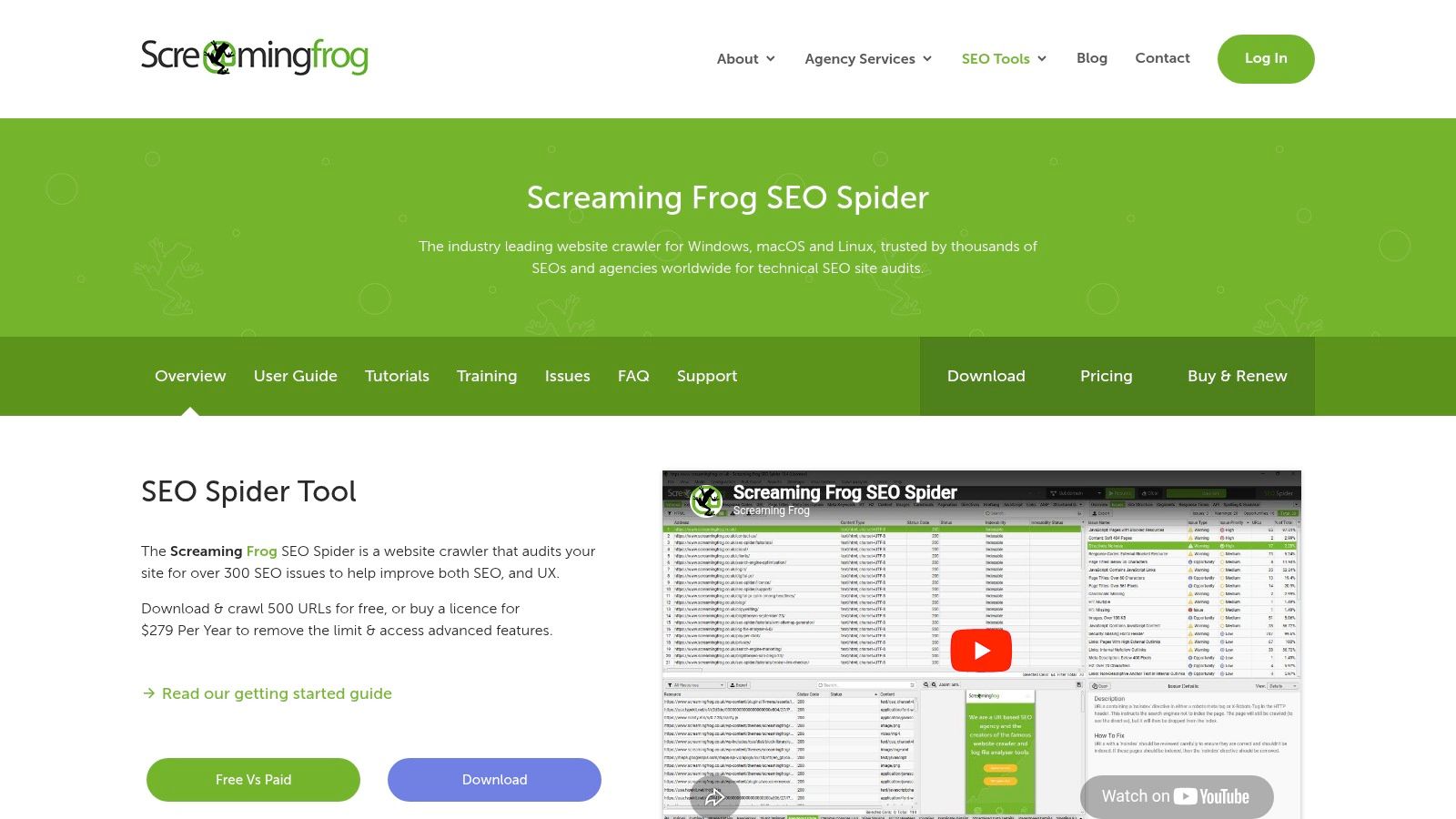
A familiar scenario. You inherit a site that says it has 2,000 articles, but nobody trusts the count. Old campaign pages are still live, author archives are thin, category pages overlap, and half the podcast show notes look like copy-paste jobs from three years ago. Screaming Frog is one of the fastest ways to get an accurate inventory and see what is sitting on the domain.
That matters for more than cleanup. If you publish across formats, the crawl helps surface assets that can be reused for revenue. A webinar landing page with strong links might deserve a refreshed transcript and YouTube cut. A neglected episode page might be one update away from ranking for a commercial query. Screaming Frog will not tell you the business model, but it gives you a reliable map of what you own so you can make those calls with evidence.
Why experienced operators keep it in the stack
Screaming Frog is strong when the CMS version of reality is incomplete. It pulls titles, headings, status codes, canonicals, word counts, indexation clues, structured data, and internal link signals into one place. For large libraries, that alone is useful. For messy libraries, it is often the starting point.
Its real advantage is control. You can crawl specific folders, isolate templates, extract custom elements, and export the data in a format that fits your process. I still use it when I need to answer questions generic dashboards gloss over, especially on sites that grew through years of redesigns, migrations, and inconsistent publishing habits.
Where it earns its keep, and where it slows people down
Screaming Frog rewards teams that are comfortable working through exports and patterns. It connects with GA4, Google Search Console, and PageSpeed Insights, and custom extraction through XPath, CSS, or regex makes it useful well beyond standard SEO checks. That opens up more interesting audit work. You can identify thin resource hubs, spot repeated intro blocks across episode pages, or pull schema elements to see which content types are ready for richer search presentation.
The trade-off is effort. The interface is dense, setup choices matter, and the best insights usually come after sorting, filtering, and combining crawl data with performance data. It runs on your machine too, so very large audits can become slow if the hardware is limited.
A few practical takeaways:
- Best for true content inventories: It shows what is live, indexable, duplicated, redirected, and underlinked.
- Useful for repurposing decisions: You can find legacy pages with authority, traffic, or structure worth reworking into videos, newsletters, guides, or updated monetized posts.
- Strong for custom audits: Advanced users can extract on-page elements that matter to their editorial model, not just default SEO fields.
- Less approachable for newer teams: The learning curve is real, especially if nobody on the team likes spreadsheets.
- Only sees the published layer: Raw recordings, internal research, and unpublished drafts stay outside the crawl.
The free version is enough for a sample audit or a smaller creator site. Serious publishers will hit the limit quickly. Even so, Screaming Frog remains one of the most useful reality checks in content operations because it forces a simple question. What do you have, and which pieces deserve to become assets instead of archive clutter?
5. Sitebulb
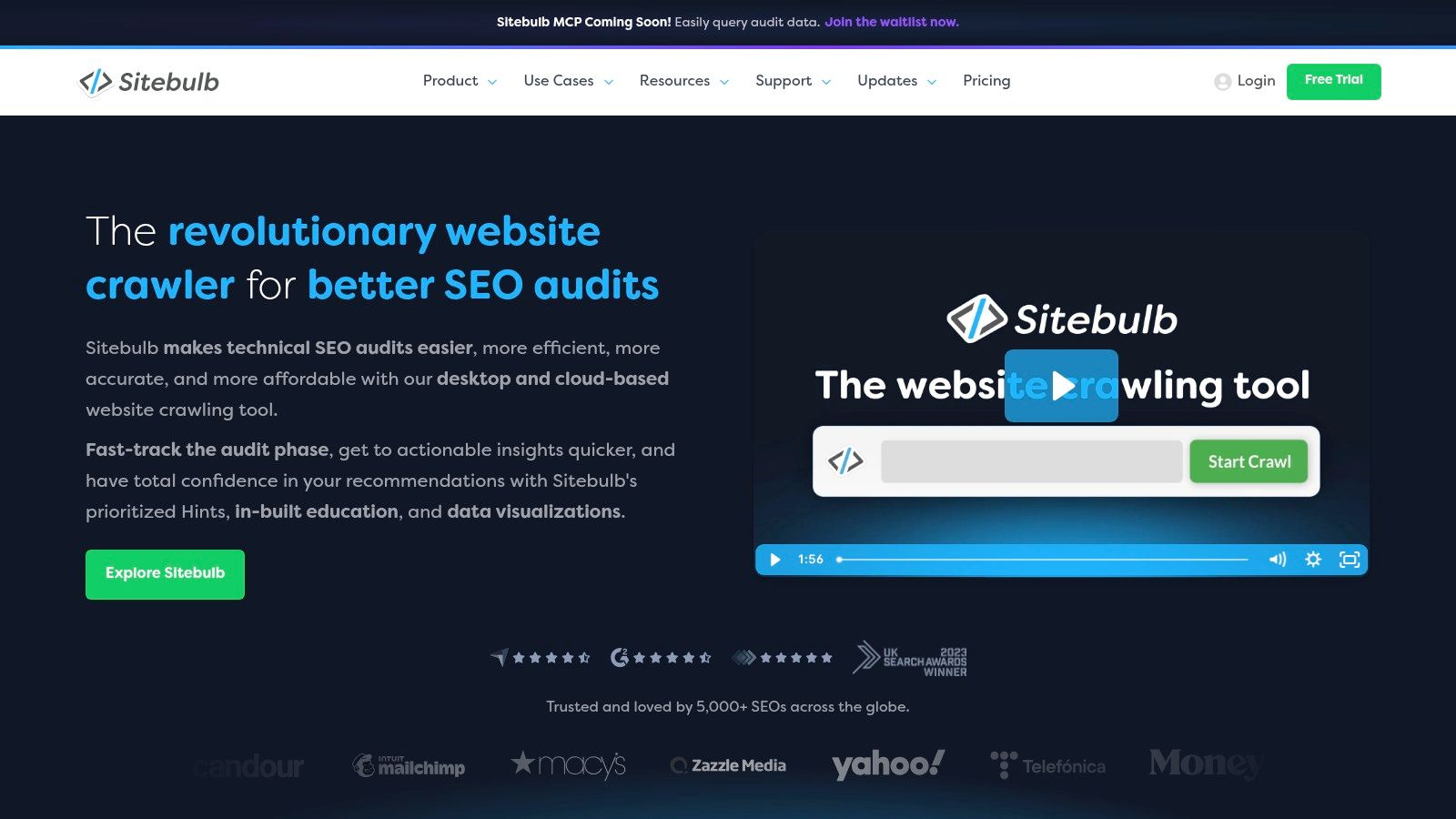
Sitebulb solves a problem a lot of audit tools create. It doesn't just find issues. It explains them in a way non-specialists can follow. If you've ever had to present crawl findings to editors, executives, or clients who don't speak technical SEO, that's a serious advantage.
Its “Hints” system and visual reports make it one of the friendliest technical crawlers for mixed teams. You still get serious depth, but the output is easier to turn into action plans.
Why teams like it
Sitebulb is particularly strong when an audit has to move through multiple stakeholders. You can show visual crawl maps, compare audits over time, and give people a clearer picture of what changed and why it matters. That lowers friction between strategy and implementation.
Working heuristic: The best audit tool for your team isn't always the one with the most data. It's the one your team will actually understand and use.
The desktop version suits solo consultants and lean teams. The cloud version adds browser access, scheduling, collaboration, and support for larger crawls, which makes it more attractive once content operations become more distributed.
Trade-offs to know before you buy
Sitebulb doesn't try to be an all-in-one media repurposing platform, and that's fine. It's a crawler with strong communication skills. If your main job is inventorying pages, identifying issues, and getting buy-in for fixes, it's excellent.
A few grounded takeaways:
- Great for stakeholder communication: The visuals and prioritized hints help explain what needs attention.
- Flexible setup: Desktop works for hands-on operators, cloud works for teams.
- Still bound by crawl context: It's strongest on websites, not off-site content archives.
- Desktop performance depends on your machine: Big jobs still need enough local resources.
For creators with growing websites and teams, Sitebulb often feels more approachable than Screaming Frog while still being technical enough to matter.
6. Lumar
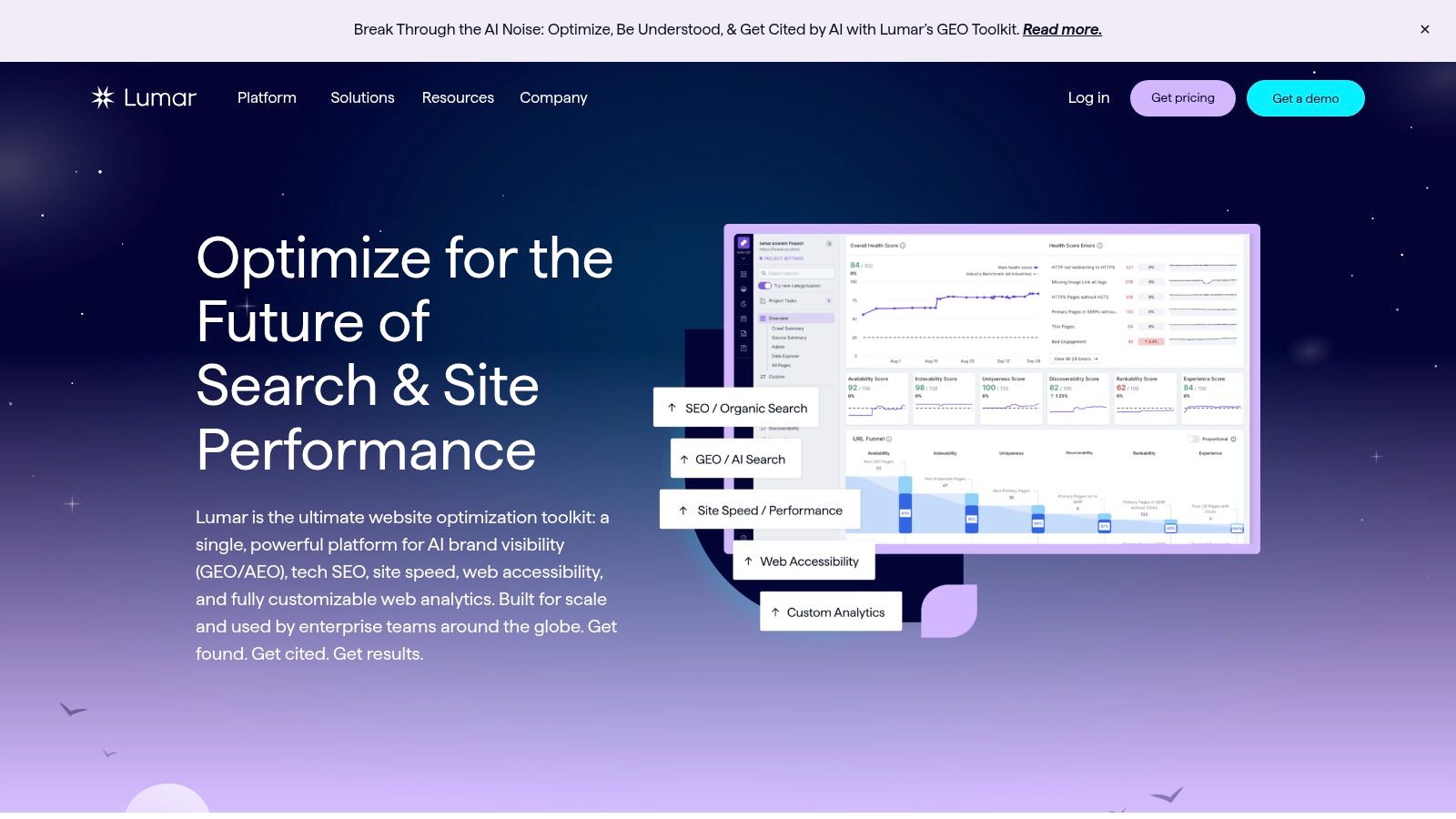
A familiar scenario. The site keeps growing, new templates ship every month, multiple teams publish into the same ecosystem, and nobody wants to find broken content paths after traffic or revenue slips. Lumar is built for that kind of environment.
It works best as an always-on auditing platform for large organizations that need visibility across SEO, accessibility, technical health, site structure, and AI search readiness. That matters when your content library is bigger than a blog. Publisher archives, learning centers, product education hubs, video landing pages, and podcast episode pages all create content debt if nobody monitors them consistently.
Where Lumar stands out is operational control. Teams can segment sections in detail, set custom metrics, schedule recurring checks, and feed findings into broader workflows. For enterprise content operations, that shifts audits from occasional cleanup to ongoing governance.
That has a practical upside for creators with serious archives. If your business repurposes interviews into articles, webinars into resource pages, or podcast episodes into searchable show notes, Lumar can help you spot weak templates, orphaned hubs, and performance issues that bury monetizable assets. The tool itself will not tell you which YouTube clip should become a paid newsletter series. It will show where your published library loses discoverability, usability, and search visibility.
Where it fits, and where it doesn't
I would shortlist Lumar when the primary problem is coordination. Large teams need shared standards, recurring audits, and a way to catch issues before they spread across hundreds or thousands of pages.
Smaller creator businesses usually will not get the same return. The platform is sales-led, the setup is heavier, and the value comes from scale, process, and multiple stakeholders using the data regularly.
A few trade-offs to keep in mind:
- Best for large content ecosystems: Strong choice for enterprises managing many sections, templates, and contributors.
- Useful beyond classic SEO: Accessibility, technical health, and site quality monitoring are part of the package.
- Better for governance than ideation: It helps protect and surface content value, but it is not a repurposing strategy tool by itself.
- Hard to justify for lean teams: If you mainly need to review a few hundred URLs and decide what to refresh, merge, or prune, lighter tools are usually enough.
Lumar makes sense when content auditing has become an operating system problem, not just a spreadsheet problem.
7. Botify
Botify is for teams that need to connect content decisions to how bots behave on the site. That's the key difference. Instead of relying only on crawl simulation and analytics overlays, it also pulls in log-file analysis so you can see what search bots are doing in practice.
For very large sites, that changes prioritization. You stop guessing whether a section is crawl-efficient or discoverable enough. You can inspect the behavior directly and make sharper calls about where technical fixes and content improvements intersect.
Why it matters for content-heavy businesses
Retailers, marketplaces, and large publishers often have too many pages to treat every issue equally. Botify helps technical and content teams focus on the areas where discovery, indexation, and business impact line up.
That executive-level reporting is one reason bigger organizations like it. It doesn't just surface problems. It helps teams explain why a fix matters to revenue outcomes, which is often the hardest part of getting resources.
The practical downside
Botify is not a lightweight tool for creator businesses. It's enterprise-oriented, implementation-heavy, and usually part of a larger technical SEO operating model. If your team doesn't have scale, the sophistication may go unused.
What works well:
- Log analysis plus crawling: Better understanding of real bot behavior.
- Strong for complex sites: Useful when catalogs, large archives, or dynamic systems make simple crawls misleading.
- Executive reporting: Easier to connect fixes to business conversations.
What doesn't:
- No public pricing: Evaluation usually means a sales process.
- Too much for modest libraries: Smaller teams won't use most of the platform.
Botify is excellent at enterprise web visibility management. It's just not where most creators should start.
8. Oncrawl
Oncrawl sits in a similar neighborhood to Botify, but some teams prefer its data model and analysis style. It combines crawling, log analysis, and performance data to help technical and editorial teams prioritize what deserves attention.
This is useful when a content library has grown past the point where page-level spot checks are enough. You need structural understanding, not just isolated issue lists.
Strong fit for catalogs and large content systems
Oncrawl is good at connecting structural health with actual bot behavior. That matters for sites with lots of listings, archives, faceted pages, or large editorial inventories. If a site has complexity baked into its architecture, this kind of visibility is hard to replace.
It's also increasingly relevant as teams try to understand how search and AI bots move through content systems. A platform that cross-references crawl data, logs, and performance gives stronger prioritization than any one source alone.
On big sites, the audit question shifts from “what's wrong?” to “what's worth fixing first?”
Why smaller teams usually pass
Like other cloud enterprise crawlers, Oncrawl is usually more than a creator-led brand or mid-sized editorial team needs. It's data-rich, useful, and advanced. It also asks for a level of operational maturity that smaller organizations often don't have yet.
- Great for large inventories: Especially helpful for marketplaces and catalog-driven sites.
- Better prioritization: Crawl, log, and performance crossover improves decision-making.
- Complex by nature: Smaller teams may struggle to translate all that data into action without a specialist.
If you run a very large content operation, Oncrawl deserves consideration. If you publish a podcast, a blog, and a newsletter, keep moving.
9. ContentKing
ContentKing is less about occasional audits and more about constant vigilance. It continuously monitors your site and alerts you when something changes that could hurt search visibility. For publishers and frequently updated sites, that can save a lot of pain.
This matters when many hands touch content. An editor changes a title template. A developer edits canonicals. A migration strips metadata. A monitoring tool catches that faster than a quarterly audit ever will.
Best use case
ContentKing is especially useful for teams publishing often and updating often. News sites, active blogs, and content hubs with many contributors can use it as a safeguard against accidental damage. The change tracking also helps teams stop arguing about what changed. You can just check.
That's practical, not glamorous, but very valuable in live environments.
Main limitation
ContentKing doesn't replace broader content strategy. It won't tell you how to turn a podcast archive into a multi-platform growth engine or how to package legacy ideas for monetization. It protects what's already live.
- Excellent for monitoring: Strong choice for dynamic sites with frequent updates.
- Useful alerts: Teams can react before small issues become ranking losses.
- Enterprise orientation: Sales-led pricing and broader platform packaging may be too much for smaller teams.
If your content operation is mature enough that change management is now an SEO risk, ContentKing is worth serious attention.
10. MarketMuse
A familiar scenario. You have years of articles, episode notes, transcripts, and videos spread across channels, but the core question is not whether a page has a missing tag. It is which ideas still have demand, which assets deserve a refresh, and which topics can be turned into new revenue.
MarketMuse is useful for that editorial decision-making layer. It focuses on content inventory, topic coverage, authority gaps, decay, and prioritization, so teams can decide what to update, expand, merge, or retire. For creators and publishers with a large library, that matters more than another technical crawl report.
I use tools like this when the bottleneck is editorial judgment. A crawler can tell you a page exists. MarketMuse helps you decide whether that page should become a stronger article, a content brief, a newsletter series, or the basis for a video or podcast segment.
Why it stands out
MarketMuse is built for teams trying to organize knowledge, not just fix pages. It helps surface thin topic areas, identify older content with room to grow, and map coverage across a subject instead of reviewing URLs one by one.
That makes it useful beyond blog operations.
If you publish in multiple formats, the value is in spotting reusable ideas across the whole library. A strong but aging article can become a script. A transcript with weak search visibility can become a tighter article. A cluster with partial coverage can point to a paid guide, sponsorship package, or content series. That is the angle many SEO-first audit tools miss.
Best fit and trade-offs
MarketMuse works well for editorial teams that need clearer refresh priorities and stronger briefs. Publishers building topical authority will get more from it than teams focused mainly on crawl depth, JavaScript rendering, or infrastructure issues.
The trade-off is straightforward. You will still need another tool for technical SEO. MarketMuse helps you choose what to say, where to expand, and which content assets deserve more investment. It does less for diagnosing site architecture problems.
- Strong for editorial planning: Useful for refresh decisions, topic gap analysis, and content brief creation.
- Helpful for multi-format libraries: Good fit for publishers, educators, and creators repurposing articles, transcripts, videos, or show notes.
- Less suited to technical troubleshooting: Pair it with a crawler if site health is the main issue.
- Harder to evaluate quickly: Limited public pricing can slow down shortlisting for smaller teams.
For content teams that want an audit to drive publishing decisions and new asset creation, MarketMuse is one of the better picks in this category.
Top 10 Content Audit Tools Comparison
| Tool | Core capabilities | Target audience | Unique selling points | Pricing & access |
|---|---|---|---|---|
| Contesimal, Recommended | AI content intelligence: chat-style research + layered taxonomies, fast ingestion of audio/video/docs, exportable dossiers | Creators, publishers, podcasters, agencies, researchers, rights owners | Search + taxonomy + collaboration + publishing; monetization workflows; AI+human collaboration for repurposing | Start Free Trial / demo; no public pricing (enterprise quotes) |
| Semrush – Content Audit | Content inventory by sitemap/subfolder; GA4/GSC overlays; issue tagging | Marketers, SEO teams, agencies | Integrates content + technical audits; actionable To‑Do lists | Part of Content Toolkit (paid); some limitations by plan |
| Ahrefs – Site Audit | 170+ technical checks; rendered & HTML page search; backlink & keyword integration | SEOs, backlink-focused teams | Strong crawling and backlink/keyword dataset; free option for verified sites | Freemium (Ahrefs Free); full features require paid tiers |
| Screaming Frog SEO Spider | Desktop crawler; duplicate detection; custom extraction; GA4/GSC integration | Agencies, technical SEOs, consultants | Extremely deep, flexible audits; predictable annual license | Free up to 500 URLs; paid annual license for unlimited audits |
| Sitebulb (Desktop + Cloud) | Visual crawl maps; 300+ prioritized "Hints"; audit comparison reports | Freelancers to enterprise teams who need clarity | Stakeholder-friendly visuals and next-step guidance; desktop/cloud choice | Desktop license or Cloud plans (cloud starts higher) |
| Lumar (formerly Deepcrawl) | High-speed cloud crawling; AEO/GEO modules; accessibility & performance checks | Enterprise sites, governance teams, large publishers | Built for scale, CI/CD and multi-team governance; AI/Generative search insights | Sales-led enterprise pricing |
| Botify | Large-scale crawling + server log analysis; revenue dashboards | Retailers, marketplaces, very large complex properties | Combines real bot behavior with crawl data; executive-level reporting | Enterprise sales-led pricing |
| Oncrawl | Cloud crawling + log analysis + performance data; AI visibility analytics | Catalogs, marketplaces, large web properties | Zero-sampling data model; strong cross-referencing of crawl/log/perf data | Demo / sales-led pricing |
| ContentKing (Conductor) | Continuous real-time crawling, change tracking, alerts and task management | Publishers and teams that update content frequently | Real-time alerts to catch risky changes before rankings drop | Sales-led; offered within Conductor enterprise platform |
| MarketMuse | Automated content inventory; Content Score; topic modeling and brief generation | Editors, publishers, content strategists | Focus on topical authority and prioritized refresh/create briefs | Limited public pricing; many tiers require demo and have limits |
From Audit to Action Create Infinite Content Value
You finish an audit and end up with 400 pages, 120 podcast episodes, 60 videos, and a pile of transcripts sorted into a spreadsheet. Nothing has improved yet. The value comes from what you do next.
That next step is where a lot of teams stall. They treat the audit as a reporting exercise instead of a production system. For creators, publishers, podcasters, and YouTubers, the core job is to turn the archive into assets that can earn again through refreshes, repackaging, distribution, sponsorship inventory, lead generation, and new product ideas.
Old content is inventory.
A strong audit process shows more than broken links, thin pages, or metadata gaps. It helps you spot episodes that should become articles, articles that should become video scripts, transcripts that can feed newsletters, and topic clusters that can support a course, report, or sponsorship package. That broader view matters if your library lives across a site, a YouTube channel, a podcast feed, and a shared drive full of research notes.
The tools in this guide support different parts of that work. Ahrefs, Screaming Frog, and Sitebulb help teams find structural and page-level problems. Semrush adds content workflows that are easier for mixed SEO and editorial teams to act on. Lumar, Botify, Oncrawl, and ContentKing fit better when a large publishing operation needs monitoring, governance, and ongoing control. MarketMuse helps editors decide what to refresh, expand, merge, or create next based on topical gaps.
Contesimal is aimed at a different practical question. How do you find value across the full content library, not just the blog? That matters for media brands and creator businesses that already have plenty of source material but have not organized it into reusable formats.
Audit cadence matters too. WG Content's guidance on audit cadence recommends a mix of periodic full audits and lighter ongoing reviews. That lines up with how good content teams operate. Run a deeper review a few times a year, then keep a lighter weekly or monthly rhythm for performance changes, updates, and repurposing decisions.
A simple operating model works well:
- Inventory everything: Pages, videos, episodes, transcripts, downloads, research, and supporting assets.
- Score for potential: Look at traffic, conversions, audience fit, search demand, update effort, and repurposing value.
- Assign one next action: Refresh, merge, clip, rewrite, redistribute, package, redirect, or retire.
- Build a repeatable workflow: Put owners, deadlines, and review cycles in place so the audit leads to shipped work.
I have seen small teams get more revenue from this approach than from publishing another batch of rushed net-new content. A neglected webinar becomes a lead magnet. A strong podcast episode becomes six short clips and a search-friendly article. An outdated post becomes a current comparison page that supports affiliate or product revenue. None of that happens because the tool produced a nice dashboard. It happens because the team made editorial and commercial decisions from the audit.
As noted earlier, audit software is getting more attention across the market. That trend makes sense. Content libraries keep growing, and the cost of letting useful material sit untouched keeps rising.
If you also use AI in your workflow, the audit has another job. It gives you cleaner source material, clearer structure, and fewer duplicate or low-value assets to feed into downstream systems. That is one reason these Markdown Converters for AI conversion can make a content library easier to reuse.
Your archive is not a cleanup project. It is a backlog of assets with uneven packaging, unclear ownership, and missed revenue paths. Audit it with that in mind, then act on it consistently.
If you're ready to turn scattered videos, podcasts, articles, and research into a usable system, Contesimal is worth a close look. It's built for creators and content teams who want to organize their library, uncover repurposing opportunities, collaborate with AI in a practical way, and turn past work into new audience growth and revenue.