
You've published for years. There are old podcast interviews with great insights buried in episode archives, blog posts that still explain your best ideas better than your latest drafts, and videos that took days to make but now sit untouched after the first release cycle.
Most creators don't have a content problem. They have a retrieval problem.
That's why review and response deserves a new meaning for creators. Not just replying to comments, ratings, or public feedback. It can also be the internal habit of reviewing your own library, deciding what still matters, and responding to that archive with deliberate action. When you treat your backlog like a strategic asset instead of digital storage, old work starts producing new reach, new formats, and new revenue paths.
Rethinking Review and Response for Creators
If you search for guidance on review and response, you'll mostly find advice for classrooms, student review methods, or customer feedback handling. That leaves a real gap for creators with libraries full of episodes, articles, videos, transcripts, show notes, drafts, and research. As noted in this review-strategy discussion, existing content overwhelmingly focuses on K-12 educational strategies, while mainstream coverage doesn't address how podcasters, publishers, or video producers can use rapid retrieval-style protocols to audit archival libraries.
That gap matters because mature creators don't work piece to piece anymore. They manage a body of work.
Your archive is not storage
A backlog feels heavy when it's unorganized. It feels valuable when it's classified.
A YouTuber with a few hundred videos usually knows the broad themes they've covered, but they often can't quickly answer practical questions. Which episodes introduced ideas that still convert new viewers? Which interviews can be turned into short clips? Which topics were covered well once but never updated? Which content buckets deserve a playlist, a newsletter sequence, or a paid guide?
Those answers rarely come from memory alone. They come from a review process.
Practical rule: If you can't locate your best past thinking within minutes, your library is underperforming.
Response is an internal action, not only a public one
For creators, “response” can mean something more useful than replying to external feedback. It can mean choosing what to do next with what you already own.
That response might be:
- Refreshing an old article with a stronger angle
- Combining several short videos into one flagship guide
- Extracting clips, quotes, and frameworks from a podcast archive
- Reframing an old topic for a new platform
- Retiring content that no longer matches your standards
Overwhelmed creators usually get stuck at this point. They know there's value in the archive, but they approach it casually. They skim, remember a few things, and repurpose randomly. That creates more activity, not more advantage.
The strategic shift
A strong review and response practice turns your archive into an operating system.
Instead of asking, “What should we make next?” every week, you start asking better questions. What already works? What's incomplete? What deserves expansion? What should be rebuilt for a different audience segment? Which ideas belong across YouTube, newsletters, podcasts, social clips, and a website resource hub?
That shift is especially useful for creators moving from hobbyist mode into a professional publishing rhythm. Once you have a real library, growth doesn't come only from creating more. It comes from organizing, understanding, and acting on what already exists.
The Foundation Auditing Your Content Archive
An archive audit sounds tedious until you do it properly. Then it feels like getting your memory back.
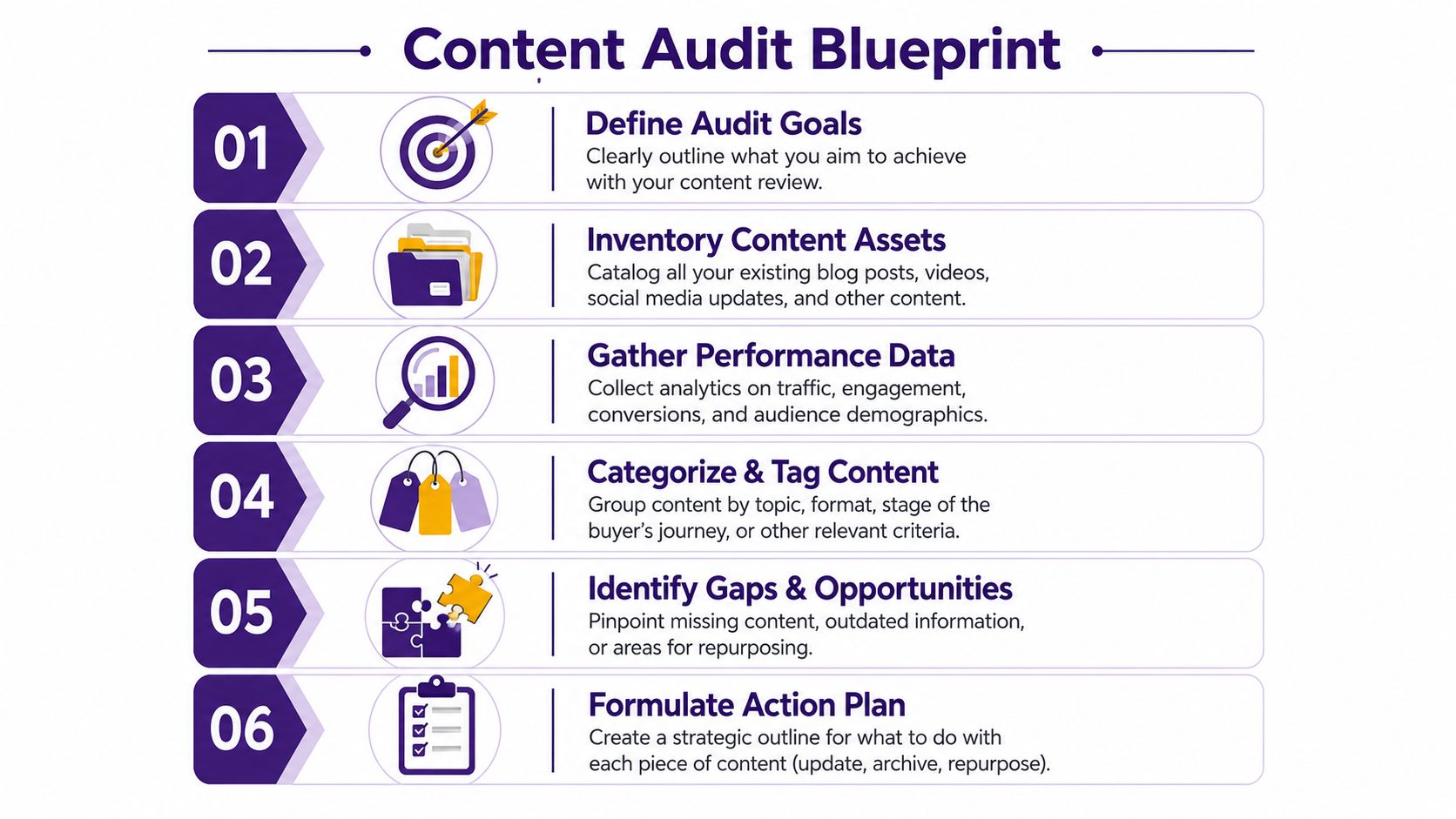
A useful audit doesn't start with vanity. It starts with intent. Are you trying to find repurposing candidates, identify broken topic coverage, clean up outdated assets, or map content to offers and audience needs? If you skip that step, you'll collect a lot of information and still won't know what to do with it.
What to capture in the first pass
Keep the first pass simple enough to ensure you finish it. A spreadsheet is fine. A database is better if your library is large. The point is to create a usable map, not a perfect museum catalog.
Start with these fields:
- Asset type. Video, podcast, article, newsletter, live stream, short clip, research note.
- Core topic. The main idea, not every sub-point.
- Format potential. Could this become a thread, short-form video, FAQ, guide, pitch deck, or lead magnet?
- Status. Current, outdated, evergreen, incomplete, off-brand.
- Evidence of usefulness. Views, comments, saves, shares, replies, inbound questions, sales conversations, or editorial reuse.
- Related assets. Other pieces that belong in the same cluster.
If your team also cares about discoverability, an outside check like an AI Search Audit can help reveal how your content themes appear across search surfaces while you're reviewing the archive itself.
Move beyond the inventory
A weak audit just counts files. A strong audit interprets them.
That means asking editorial questions such as:
- Which topics recur because the audience cares, and which recur because the team keeps repeating itself?
- Where do you have a strong flagship piece but no supporting distribution assets?
- Which assets still contain sharp thinking but are packaged poorly for current platforms?
- Where are you missing perspective, representation, or audience relevance?
That last point deserves more attention than it commonly receives. As discussed in this article on support strategies and culturally responsive review contexts, people often ask how to measure the ROI of reviewing historical material versus creating new assets, yet current data doesn't answer that question for content teams. It also highlights a useful adjacent idea: there's no established data for applying comparable frameworks to historical content to identify diversity gaps. For creators and publishers, that makes bias-auditing through review a meaningful editorial practice, even if the measurement model is still emerging.
An archive audit shouldn't only ask, “What performed?” It should also ask, “Whose perspective dominates this library, and what's missing?”
A practical audit rhythm
You don't need a quarter-long initiative to make this work. Use a layered rhythm:
| Audit layer | What you review | What you decide |
|---|---|---|
| Weekly | Recent output and quick reuse opportunities | Clip, quote, repost, thread, email |
| Monthly | Topic clusters and underused assets | Update, combine, redistribute |
| Quarterly | Entire categories and editorial gaps | Build series, retire themes, reframe positioning |
If you want a practical template for structuring the process, this content audit checklist is a solid starting point.
From Audit to Action Classifying and Prioritizing
An audit creates visibility. It doesn't create momentum unless every asset gets a decision.
That's where many teams drift. They review a library, notice patterns, talk about opportunities, and then leave everything in a state of “interesting.” Professional review workflows work better because they force a clear position. According to guidance on review comment responses, the strongest methodology requires explicit agreement or disagreement and specific actions undertaken, while a common failure is responding from an individual perspective instead of an organizational one.
That principle maps perfectly to content operations. Each asset needs a decision the team can act on.
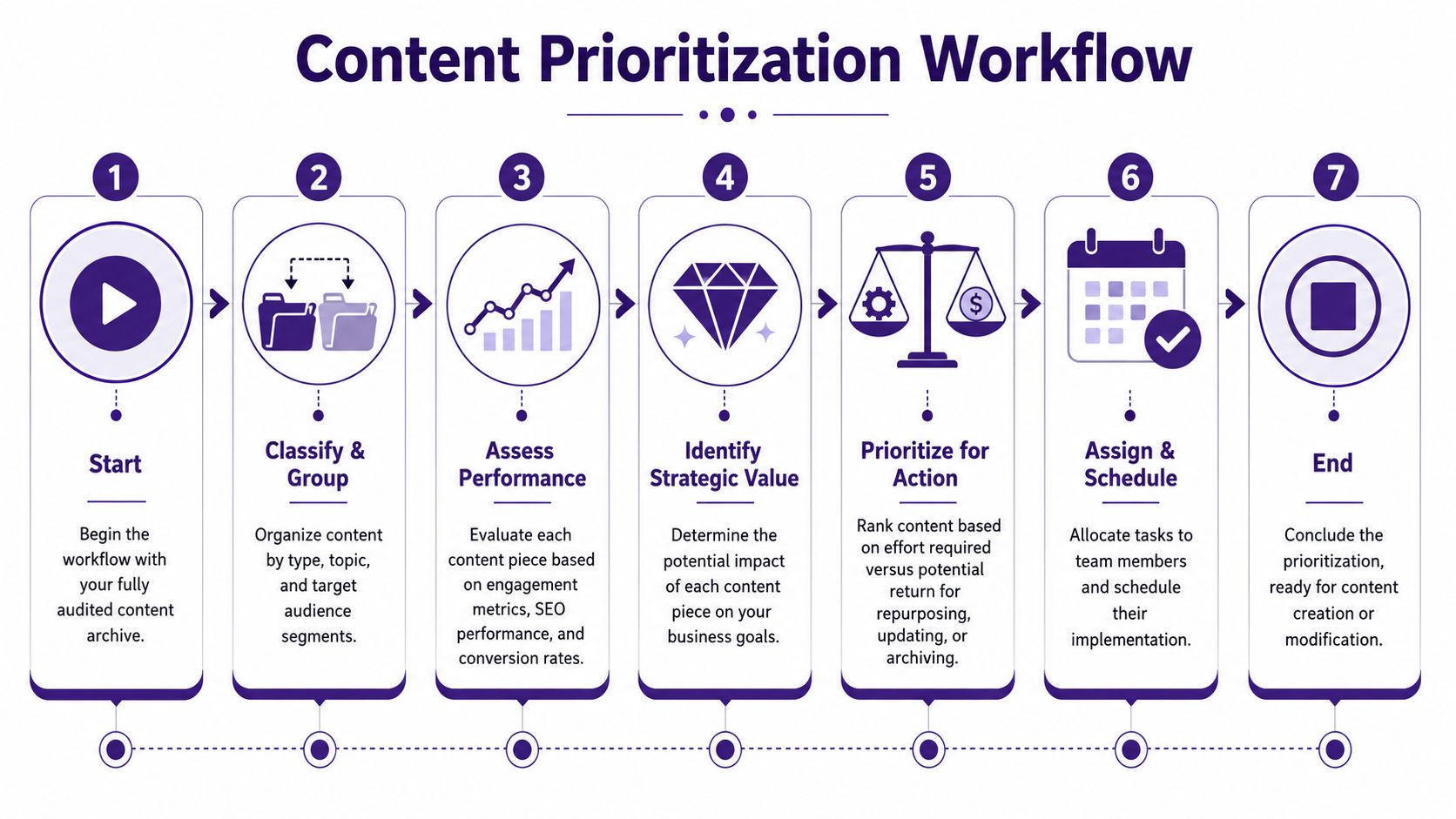
Use four buckets only
Too many categories create fake sophistication. Four are enough.
Keep
Some assets already do their job. They're accurate, aligned with your brand, and still useful in journeys like search discovery, subscriber education, or sales support.
Keep content that has enduring explanatory power. A creator's old “beginner guide” might not be flashy, but if it still introduces the topic better than anything else in the library, preserve it. Add internal links, improve packaging, and leave the core intact.
Kill
Not every asset deserves another life.
Retire pieces that are off-positioning, confusing, redundant, or attached to ideas you no longer want to lead with. Keeping weak content because you worked hard on it is one of the easiest ways to clutter your catalog and confuse your audience.
If a piece no longer represents your standards, archiving it is a strategic decision, not a loss.
Combine
A lot of creators have “fragment wealth.” Ten decent assets. No definitive one.
That's where combining wins. Pull three related podcast segments into one article. Merge scattered newsletter lessons into a downloadable guide. Turn several small YouTube explainers into a coherent playlist and landing page. Combination creates authority because it replaces repetition with structure.
Repurpose
Repurposing is the most visible action, but it should come after classification, not before it.
Repurpose when the underlying idea is still strong and the issue is packaging, format, channel fit, or timing. A strong long-form interview may become a set of shorts, a blog post, a Q&A email, and a talking-points doc for your sales or partnerships team.
Prioritize by strategic value, not emotional attachment
Creators often overvalue the pieces that were hardest to make and undervalue the pieces that are easiest for audiences to use.
A better prioritization lens looks like this:
- High value, low effort. Update first.
- High value, high effort. Schedule deliberately and assign ownership.
- Low value, low effort. Batch if useful, otherwise ignore.
- Low value, high effort. Archive and move on.
Make decisions at the team level
This matters for solo creators too. You still need an “organizational” view, even if the organization is just you in different roles.
Ask yourself:
- Am I evaluating this as a creator protecting old work?
- Or as a publisher deciding what belongs in the catalog now?
That mindset changes everything. It reduces indecision, cuts sentimental clutter, and makes the next move obvious.
Drafting Your Response The Art of Content Repurposing
Once you know what deserves action, the response has to fit the destination.
That's where content repurposing often breaks down. Teams treat it like duplication when it's translation. The source idea stays intact, but the expression changes based on platform, audience intent, and context.

Lazy repurposing versus smart repurposing
Consider a creator with a strong one-hour interview on audience growth.
The lazy version of repurposing looks like this: cut random clips, paste the transcript into a blog post, write a generic caption, and post the same summary everywhere. That saves time, but the audience can feel the sameness immediately. It reads like a template.
The better version starts with the same source material and asks different questions:
- What would make this useful on YouTube Shorts?
- What quote would work in a LinkedIn post for marketing leaders?
- Which section has enough substance for a newsletter essay?
- What belongs in a search-focused article versus a spoken clip?
- What story belongs on Instagram Reels and what belongs in a podcast feed?
That's still repurposing. It's just done with respect for the platform.
Personalization applies to content too
The same mistake businesses make in review replies shows up in repurposing. They automate tone, flatten detail, and remove the human texture that made the original content good in the first place.
As explained in this guide to review response best practices, a major pitfall is robotic, templated messaging, while personalization through names and specific details improves sentiment recovery and continued engagement. For creators, the parallel is simple. Repurposed content works better when it keeps concrete references, vivid examples, and audience-specific language.
Editorial test: If the repurposed version could have been generated from any episode, it probably won't land.
One idea can become a system
A single flagship asset can branch into multiple useful forms:
| Source asset | Response format | Best use |
|---|---|---|
| Long-form video | Search article | Captures topic intent in text |
| Podcast interview | Highlight clips | Extends life on short-form platforms |
| Research-heavy newsletter | Carousel or infographic | Simplifies complex ideas visually |
| Webinar | FAQ page | Converts repeated questions into evergreen help |
| Essay or script | Talking points for live content | Improves consistency without sounding scripted |
For creators working on cross-platform distribution, this guide to boosting reach with smart content repurposing gives a useful outside perspective on matching assets to formats.
One practical walkthrough is worth watching before you build your own workflow:
A deeper written companion on the same operating style is this overview of content repurposing strategies.
Think like Disney, not a copier
Big entertainment companies rarely squeeze value from an idea once. They adapt stories across formats, audiences, and release windows. Creators can do the same at a smaller scale.
A podcast episode can become a blog post for search, a clip series for discovery, a members-only takeaway for monetization, and a future script for a larger channel pillar. The topic stays coherent. The packaging evolves.
That's the core art of the response. You're not reposting old work. You're giving proven ideas a native form for the next place they need to live.
Supercharging Your Workflow with AI Collaboration
Manual review works when the library is small. Once the archive gets deep, manual review becomes selective memory with a spreadsheet attached.
That's the scale problem. Not a lack of ideas, but a lack of retrieval speed.
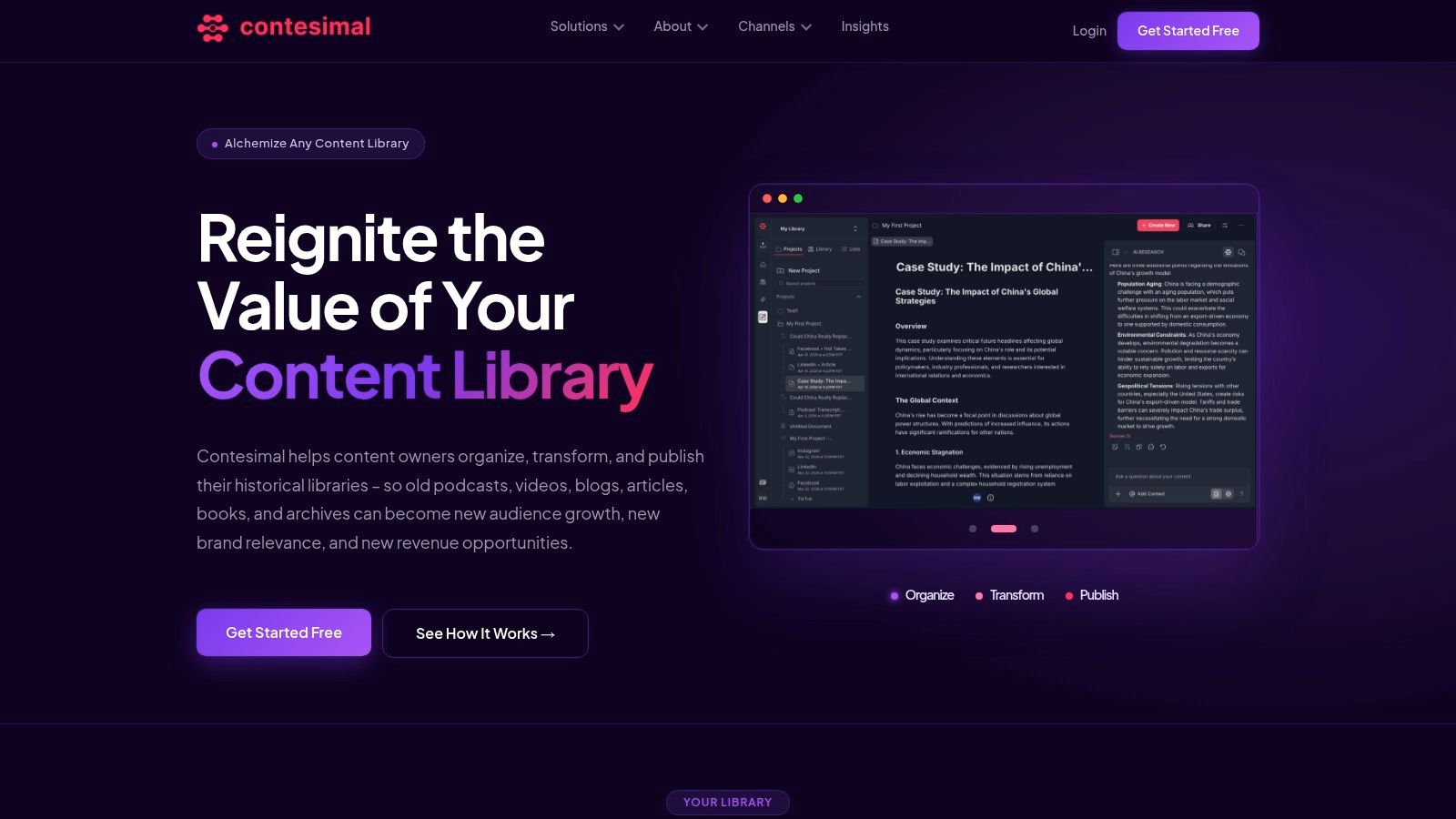
For creators, AI is most useful here when it acts as a collaborator in the review layer. It can surface where you covered a topic, cluster related assets, find recurring questions, identify unfinished series, and pull together material that belongs in one new output. The human still decides what matters, what fits the brand, and what gets published.
Speed changes what's possible
Audience expectations around response have hardened in public review environments. 53% of customers expect businesses to respond to negative reviews within one week, according to ReviewTrackers' online reviews survey. For creators, the lesson isn't only about customer service. It's about how speed shapes relevance.
If your audience starts asking about a topic you covered six times in the past three years, the winning move isn't always creating from scratch. Often it's retrieving the strongest material quickly, reframing it, and publishing a sharper version while the interest is active.
That's where AI collaboration earns its place. It shortens the gap between noticing demand and responding with substance.
What AI should handle and what it shouldn't
A practical split looks like this:
- AI handles retrieval. Search across transcripts, articles, notes, and media libraries.
- AI handles clustering. Group repeated themes, recurring questions, and overlapping assets.
- AI handles drafting support. Summaries, candidate outlines, title variations, and first-pass extraction.
- Humans handle judgment. Positioning, nuance, brand voice, editorial standards, and final approval.
This keeps the workflow healthy. AI does the heavy lifting. The creator or editor does the deciding.
AI should accelerate discovery. It shouldn't replace editorial accountability.
For teams also thinking about external review workflows, this piece on AI-powered customer feedback is useful because it shows how organizations are already using AI to shorten the distance between signal and action.
Collaboration beats replacement
The biggest mistake isn't using AI. It's using it to avoid thinking.
When creators dump archives into a system and publish whatever comes back, the output gets generic fast. When they use AI to uncover patterns they couldn't find alone, the quality of strategy improves. They can build stronger content buckets, connect episodes across time, revive forgotten research, and answer audience demand faster without lowering standards.
A good mental model is this: AI reviews at scale, humans respond with intent.
If you want a closer look at that working relationship, this article on human and AI collaboration lays out the operating mindset well.
Measuring Impact and Closing the Loop
Repurposing only becomes a system when results feed the next round of decisions.
A lot of creators stop at publication. They refresh an article, cut the clips, send the email, and move on to the next production cycle. That misses the most useful part of review and response, which is learning what your archive can reliably do for you.
Track outcomes that affect future decisions
You don't need a complicated dashboard. You need one that helps you decide what to review again, what to expand, and what to stop touching.
Focus on signals like these:
- Format performance. Which repurposed formats earn stronger attention, replies, or completion than the original form?
- Topic durability. Which older themes still attract interest when refreshed?
- Channel fit. Which ideas travel well across platforms, and which only work in one environment?
- Subscriber movement. Which reused assets bring in new audience members or reactivate quiet ones?
- Commercial relevance. Which repurposed pieces support inquiries, product interest, partnerships, or downstream sales conversations?
Compare repurposed work against new work
The point isn't to prove that repurposed content always wins. It won't.
The point is to understand where archival advantage is stronger than blank-page creation. Some ideas deserve fresh reporting. Others just need better packaging, better timing, or a better distribution path. When you know the difference, planning gets calmer and output gets smarter.
The healthiest content teams don't choose between new creation and archival reuse. They build a repeatable balance between both.
Keep the loop simple
At the end of each cycle, record three things for every meaningful response action:
- What you changed
- What happened after publication
- What that result suggests you should do next
That last note matters most. It turns content operations into accumulated intelligence rather than repeated effort.
A creator who does this consistently starts seeing the library differently. Not as a pile of past work, but as a living catalog that can be organized, understood, and activated. That's when review and response stops feeling like maintenance and starts working like strategy.
If your archive is valuable but hard to search, classify, and reuse, Contesimal is built for that exact stage of growth. It helps creators, publishers, and content teams organize their libraries, surface patterns across past work, and collaborate with AI without losing human judgment. If you're ready to turn old episodes, articles, videos, and research into a usable system for new output, it's worth a closer look.