
Your archive is probably bigger than your publishing calendar. Years of videos, podcast episodes, transcripts, articles, interviews, research notes, and drafts may be sitting in folders, drives, and platforms, while your team still spends hours asking, “Where did we cover that?” The problem isn't a lack of content. It's that valuable context is difficult to find, compare, verify, and turn into the next publishable asset.
The strongest AI knowledge management tools do more than answer questions. They connect ingestion, taxonomy, search, permissions, collaboration, and content activation, so an old interview can become a script, an article can become a campaign angle, and a research file can support a new editorial package. That matters as the category moves beyond isolated pilots. The 2026 State of KM & AI Report found that 78% of organizations were already using AI in 2024, although only 5% described AI as extensively integrated into knowledge management workflows.
This comparison focuses on the practical questions content teams face: Can the platform handle mixed media? Does it connect to existing tools? Can editors collaborate around sources? Are privacy, permissions, and governance credible? How much setup does a large archive require? Does the system help content travel from discovery to publication and revenue, or does it just create another clever search box? For an additional perspective on knowledge-source outcomes, see ContentBuck's client results.
1. Contesimal
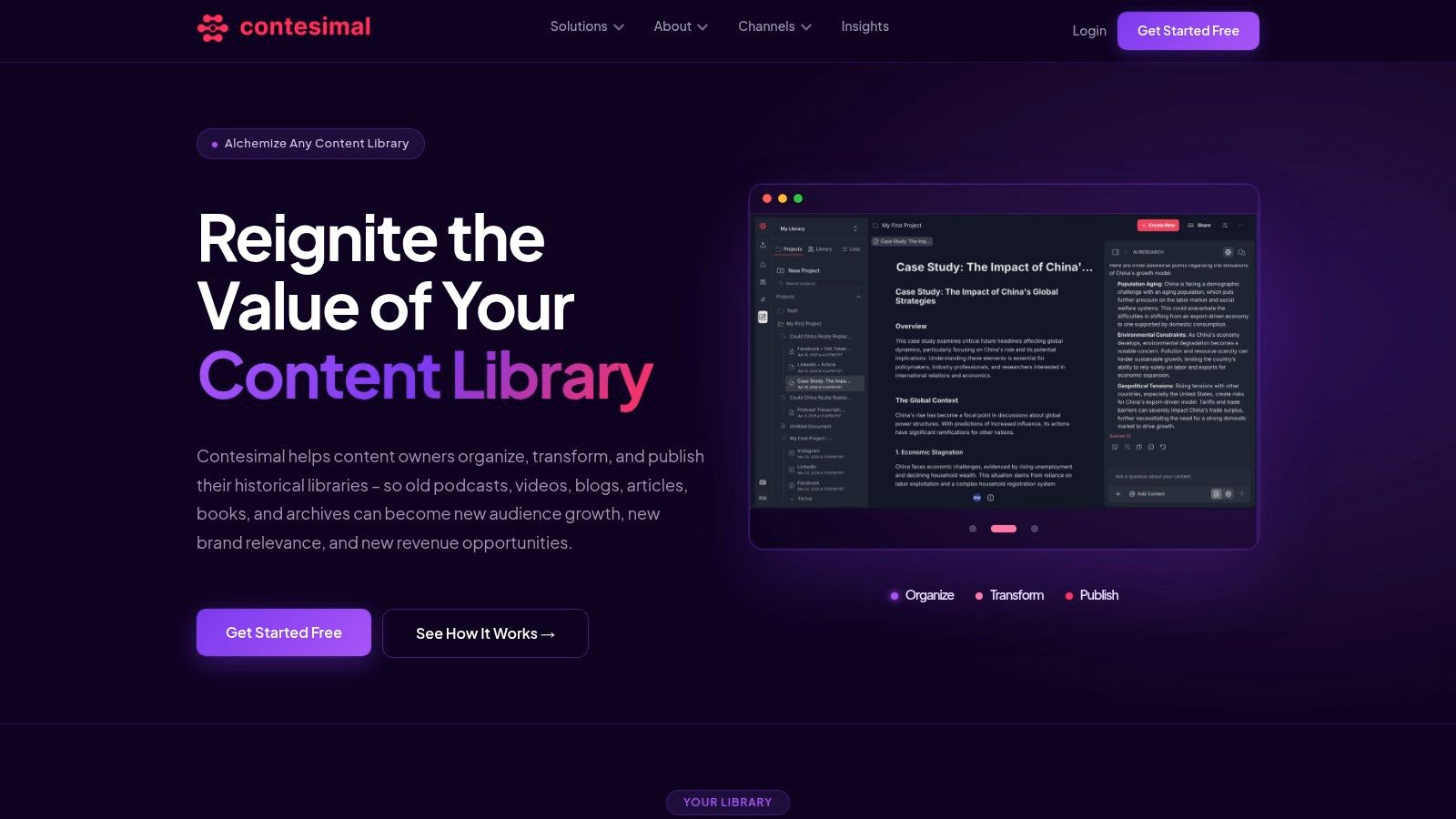
A content team can have years of interviews, videos, articles, and research while still struggling to answer a simple question: where is the material for the next story? Contesimal is designed for that gap, helping podcasters, YouTubers, publishers, agencies, researchers, and other content organizations work with documents, podcasts, videos, articles, and transcripts in one research environment.
The platform combines chat-style research with classification, taxonomy building, content enrichment, and structured discovery. A researcher can search an archive, trace recurring themes, collect snippets, build lists, assemble dossiers, and prepare material for republishing or campaigns. That supports practical jobs such as finding previous coverage of a topic, gathering sources for a new episode, or turning several transcripts into a short-form video plan.
Where Contesimal earns its place
Its clearest value appears between historical content and new content. A podcast team can ingest episode transcripts, identify repeated audience questions, and shape a new episode brief. A publisher can revisit older articles, connect related coverage, and prepare an updated package. A research or licensing team can assemble a dossier from scattered files without reopening each document by hand.
The platform also treats taxonomy as an operating layer rather than decorative labeling. A DAM reference on taxonomy and metadata explains how taxonomy supplies standard values for metadata attributes, supporting more consistent classification and search. For a large archive, agreed categories matter because an unstructured pile of tags still produces an unreliable library.
Practical rule: Start with the smallest taxonomy that supports real searches. A DAM best-practices reference recommends limiting commonly searched or followed details to around 12 fields instead of covering every asset with an exhausting tag forest. Read the metadata guidance.
Contesimal offers a free trial and demo options through its official website, while detailed pricing tiers are not published publicly. Budgeting therefore requires a sales conversation. Onboarding also takes work, including transcript cleanup, metadata preparation, and taxonomy decisions, particularly for large or inconsistent archives.
Pros
- Archive activation: Makes older podcasts, videos, blogs, and documents researchable and reusable.
- Integrated discovery: Brings AI-assisted research together with search, layered taxonomies, snippets, lists, and dossiers.
- Mixed-media ingestion: Supports transcripts, videos, documents, and programmatic uploads.
- Collaboration: Gives editors, researchers, creators, and AI contributors a shared knowledge base.
Cons
- Pricing opacity: The site offers a trial and demo, but no detailed public tiers.
- Setup effort: Large archives need preparation before classification and insight workflows work well.
2. Notion with Notion AI
Notion is a strong choice for content teams that want their knowledge base, editorial calendar, research hub, and working documents in one flexible workspace. Its doc-first experience feels familiar to creators, which lowers the barrier to writing, organizing, and sharing material.
Notion AI supports writing assistance, summaries, translation, tone edits, workspace questions, and meeting notes. Relational databases let teams connect an editorial calendar to topics, audiences, formats, owners, and publication status. That structure can support a repurposing workflow, such as linking one long-form interview to its transcript, article draft, social cutdowns, thumbnail concepts, and distribution checklist.
The trade-off is that flexibility can become clutter. Teams often start with a tidy wiki and gradually create overlapping databases, duplicate pages, and unclear ownership. Notion can hold a lot, but it won't automatically create a disciplined content architecture for you. You'll need naming rules, page owners, archive policies, and a clear distinction between source material and finished editorial assets. This guide to making a wiki is useful when designing that structure.
Advanced AI, administration, and enterprise search capabilities depend on plan level, while Custom Agents introduce usage-based credit considerations. Large workspaces may also feel slower or harder to manage as the database scales.
Best fit: Creator-led teams that value flexible documentation and editorial planning over specialized archival intelligence.
Watch for: A workspace that looks organized to its builders but feels like a maze to everyone else.
3. Atlassian Confluence with Atlassian Intelligence and Rovo
Confluence works best when content operations already run inside the Atlassian ecosystem. It provides a mature team wiki and knowledge hub, with AI capabilities for page creation, editing, summarization, and question answering across Confluence and connected Atlassian data.
For a content organization using Jira, the connection can be valuable. A research request can become a tracked issue, an editorial brief can move through review, and a production task can remain linked to the documentation behind it. AI-assisted labeling and automation can reduce some of the repetitive maintenance work, although the most advanced capabilities sit at higher plan levels.
Confluence is less compelling for a small creative team that doesn't use Jira or other Atlassian products. Its structure and administration are designed for organizations with formal projects, permissions, and operational processes. That's useful for a publisher with many departments, but it can feel like bringing a production control room to a two-person podcast.
Teams building a new publishing knowledge base should first define source ownership, page templates, review status, and archival rules. This guide to building a knowledge base offers a practical foundation for those decisions.
Best fit: Larger editorial, product, or technical organizations already standardized on Atlassian Cloud.
Watch for: Paying for enterprise depth that your creative workflow doesn't use.
4. Guru
Guru combines a governed company wiki with an AI search layer designed to provide verified, sourced answers inside the tools where people work. That trust-oriented approach makes it a useful option for content operations that need reliable answers about brand rules, product details, editorial standards, or campaign procedures.
Its AI can draw from cards and connected applications such as Google Drive, Salesforce, Confluence, and Slack. Knowledge Agents can be configured around domains or sources, while the browser extension helps people capture information and retrieve answers in context. Guru also provides a developer and MCP Server path for external AI tools to query governed knowledge.
For a content team, Guru is strongest when the material already has clear owners and a relatively defined operational purpose. An editor can ask about the approved positioning for a product, find the source card, and apply that guidance during a campaign. A support-content team can surface a verified answer without leaving Slack or a browser tab.
It's not the obvious choice for turning years of video and podcast archives into a rich editorial map. Its connector coverage is useful, but teams with sprawling, multi-format media libraries may need a more specialized ingestion and discovery layer. Public pricing is quote-based, so budget planning requires vendor engagement.
Best fit: Teams that prioritize governed, cited answers inside daily work tools.
Watch for: Treating a verified internal wiki as a substitute for deep archival research.
5. Glean
Glean is designed for enterprise search across distributed workplace content. Its appeal comes from bringing together knowledge from many applications while preserving permissions, relevance, and organizational context. The platform states that it connects to 275+ apps, making it a serious candidate for organizations with content scattered across departments and systems. Explore Glean's enterprise search platform.
For a large publisher or media organization, Glean can help employees find material across collaboration tools, documents, project systems, and internal applications. Permission-aware answers are particularly important when an archive contains embargoed research, private contributor information, licensed material, or department-specific planning.
Glean also extends beyond retrieval with natural-language actions across connected systems. That can help teams move from “find the campaign brief” to updating a task, routing an approval, or initiating a related workflow, depending on the configured integrations.
The downside is scale and implementation effort. Glean is enterprise-focused, quote-based, and usually requires substantial connector setup, identity alignment, governance work, and change management. It may find an old article or transcript if that content is indexed in a connected system, but search breadth isn't the same as a content-repurposing workflow. Editors may still need specialized tools to transform discovery into scripts, dossiers, clips, or refreshed articles.
Best fit: Large organizations with fragmented workplace knowledge and serious permission requirements.
Watch for: Assuming broad enterprise search will automatically understand editorial context or monetization potential.
6. Microsoft SharePoint with Copilot for Microsoft 365
SharePoint remains a practical foundation for organizations already committed to Microsoft 365. It connects closely with Teams, OneDrive, Outlook, Microsoft Graph, and other parts of the Microsoft environment, while Copilot adds capabilities for drafting, editing, summarizing, and answering questions grounded in SharePoint content.
That ecosystem fit is the main reason to choose it. A publishing group can store editorial policies, production documents, research files, and campaign materials in familiar libraries, then use Copilot to summarize or interrogate those sources. Enterprise compliance and security controls also make SharePoint attractive where governance requirements matter more than a polished creator experience.
The weakness is content quality. Copilot can only work as well as the libraries, permissions, naming conventions, and metadata behind it. If one team stores transcripts in OneDrive, another keeps briefs in Teams, and a third uses inconsistent SharePoint folders, the AI layer won't magically turn the mess into a coherent archive. Someone still needs to design information architecture and maintain ownership.
Copilot licensing requires separate budgeting from standard Microsoft 365 seats. The strongest experience also assumes the organization is willing to organize content in SharePoint rather than treating it as a dumping ground.
Best fit: Microsoft-standardized content organizations with established compliance and identity controls.
Watch for: Adding Copilot before fixing duplicate files, unclear permissions, and inconsistent library structures.
7. Amazon Kendra
Amazon Kendra is a managed enterprise search service for teams that want to build search and retrieval into their own applications. It supports connectors, semantic ranking, permission-aware search, and a GenAI Enterprise Edition, with indexing across formats such as PDFs, Office documents, and HTML.
Kendra makes sense for an AWS-native organization with engineering resources. A media company could build a custom archive search experience, connect it to a research portal, and add retrieval-augmented generation to an internal editorial application. Capacity controls also give technical teams more control over how the service is configured and scaled.
That control comes with responsibility. Kendra is not a turnkey editorial workspace, and it won't provide the complete collaboration, taxonomy, approval, and publishing layer that content teams often need. Your team owns much of the front end, governance design, user experience, and workflow integration.
The pricing model is usage-oriented, with hourly costs tied to index and capacity choices, so idle resources need monitoring. For a technical organization, that can be manageable. For a small creator team, it's likely too much infrastructure for the job.
Best fit: AWS-based organizations building a custom retrieval or RAG application.
Watch for: Confusing a powerful search service with a finished knowledge-management operating system.
8. Document360
Document360 is a documentation-first platform for customer-facing help centers, internal SOPs, and structured knowledge bases. It offers AI-assisted writing and organization, versioning, review workflows, granular permissions, and analytics that can expose content gaps.
For publishers and content marketers, its value comes from editorial control. A team can create a branded knowledge center, manage approval stages, publish public documentation, and keep internal material separate. That's a good fit for product education, contributor guidelines, production playbooks, and audience-facing support content.
Document360 is less suited to exploratory research across a sprawling archive of videos, podcasts, and loosely structured articles. It excels once the team knows what documentation it wants to maintain. It's not primarily designed to discover hidden themes in years of source material or turn archival content into new creative packages.
The platform has moved toward quote-based tiers, which reduces price visibility during early evaluation. Still, its structured authoring and workflow model can be easier to adopt than an enterprise search platform for teams focused on documentation rather than broad workplace discovery.
Best fit: Teams publishing help centers, SOPs, and controlled documentation.
Watch for: Using a documentation platform as the main engine for archival content intelligence.
9. Tettra
Tettra is a lightweight internal knowledge base for teams that live in Slack. Its AI bot, Kai, answers questions from Tettra content and connected sources in Slack or the application, making it useful for recurring how-to questions, policies, and everyday operational guidance.
That Slack-first workflow can help a growing content team capture knowledge where questions already happen. When a producer asks how an episode should be labeled, or a marketer needs the approved campaign process, the answer can appear without sending everyone into another sprawling wiki. Simple page creation, suggestions for keeping content fresh, and lightweight approvals help teams maintain a practical internal reference.
Tettra isn't designed for massive archives, complex taxonomy programs, or heavily regulated deployments. It also won't replace a specialist system for ingesting and interpreting video, podcast, and article libraries. Its strength is speed and approachability, not deep archival discovery.
For smaller teams moving from informal Slack knowledge to a shared source of truth, that trade-off is sensible. A concise, maintained knowledge base often beats a grand system nobody updates.
Best fit: Smaller or growing teams that need fast answers inside Slack.
Watch for: Allowing quick pages to become a collection of disconnected tips with no source ownership.
10. Coveo Relevance Cloud
Coveo Relevance Cloud is an enterprise platform for unified search, recommendations, and generative answers across portals, support environments, intranets, and commerce experiences. It combines content indexing, relevance tuning, permissions, analytics, and a generative layer that produces grounded answers from indexed knowledge.
For a large media or publishing organization, Coveo fits when discovery is part of the product. A publisher could connect subscriber help content, an internal research library, customer portals, and workplace systems, then apply entitlements so people see only material they can access. Connectors and centralized controls support mixed repositories, while relevance tuning can help surface related reporting, past episodes, or reusable campaign material.
The trade-off is implementation effort. A small editorial team looking for a quick archive-to-brief workflow may find solution scoping, connector planning, partner support, and a longer rollout difficult to justify. Pricing is custom and quote-based, so teams should assess Coveo as an enterprise program, not a casual subscription.
Coveo can strengthen discovery, yet it does not create the editorial process that follows it. Editors still need a way to turn search findings into briefs, scripts, articles, clips, and campaigns, then measure whether historical content produces new audience or revenue opportunities. Read our review of Coveo Relevance Cloud before choosing it for a broad enterprise search initiative.
Best fit: Enterprises that need governed, scalable relevance across customer and workplace experiences.
Watch for: Building a polished search layer without defining what editors do after finding the answer.
Top 10 AI Knowledge Management Tools Comparison
| Solution | Core features | Target audience / use cases | Unique selling points | Pricing & deployment |
|---|---|---|---|---|
| Contesimal | Chat-style research; layered taxonomies; transcript & media ingestion; exportable dossiers | Podcasters, YouTubers, publishers, agencies, researchers; archive-to-republish workflows | Unlocks archival value; AI + workflow integration; multi-format scalable ingestion; collaboration-first | Free trial & demos; pricing not public (contact sales) |
| Notion (with Notion AI) | Docs/wiki/databases; AI writing, summarization, workspace Q&A; custom agents | Content teams wanting doc-first UX, editorial calendars, research hubs | Familiar doc UX; relational DB model; large template/integration ecosystem | Freemium tiers; advanced AI and agents on Business/Enterprise |
| Atlassian Confluence (Rovo) | Team wiki; AI generation & summarization; Q&A across Atlassian data; automation | Organizations on Atlassian Cloud, engineering and ops teams | Tight Jira integration; mature governance and SLAs; enterprise admin controls | Tiered plans; best AI features on Premium/Enterprise |
| Guru | Governed company wiki; AI answers with sources; Knowledge Agents; browser extension | Support, product, and content ops needing verified, sourced answers | Emphasis on trust and citations; in-context Slack/browser answers; auditable responses | Quote-based pricing; sales engagement required |
| Glean | Enterprise AI search; 275+ connectors; permission-aware answers; natural-language actions | Large enterprises unifying distributed content across apps | High-relevance search at scale; strong security/identity support; partner ecosystem | Enterprise pricing (quote); connector setup and governance time |
| Microsoft SharePoint + Copilot | Copilot drafting/summarization/Q&A over SharePoint; Copilot Studio & Graph integrations | Organizations standardized on Microsoft 365 (Teams/OneDrive) | Native M365 integration; enterprise compliance and admin controls | Copilot licensing separate from M365 seats; additional budgeting |
| Amazon Kendra | Managed semantic search; connectors; capacity-based indexing; GenAI Enterprise Edition | Teams building RAG or custom search apps on AWS | Elastic AWS service with fine-grained capacity control; strong AWS integration | Usage-metered capacity pricing; monitoring needed to avoid idle cost |
| Document360 | Knowledge base with AI authoring; versioning; review workflows; analytics | Customer help centers, internal SOPs, documentation teams | Purpose-built docs UX; editorial workflows; fast to stand up | Pricing moved to quote-based tiers |
| Tettra | Slack-first KB; AI answer bot (Kai); simple pages and approvals; integrations | Small Slack-centric teams and startups needing quick how-tos | Fast adoption; in-channel Slack answers; lightweight governance | Simple subscription tiers (self-serve) |
| Coveo Relevance Cloud | Unified indexing; relevance generative answering; connectors; central management | Enterprises needing governed search/recommendations for portals, support, commerce | Mature enterprise relevance tech; grounded cited answers; analytics & governance | Enterprise solution pricing (quote); longer deployments |
Choose the System Your Library Needs
The best AI knowledge management tool depends less on the loudest feature list and more on the shape of your archive. Start by identifying what you own: transcripts, video files, audio, articles, PDFs, research notes, social posts, briefs, campaign assets, and production records. Then inspect the metadata. If files have inconsistent titles, missing dates, unclear rights, or overlapping topic labels, even a capable AI system will need help separating useful context from digital attic dust.
Permissions deserve the same attention. A public article, an unreleased interview, a licensed clip, and an internal campaign brief shouldn't sit behind identical access rules. Ask how each platform handles role-based access, connected-source permissions, versioning, audit trails, and exports. A fluent answer isn't trustworthy if the system exposes material to the wrong person or draws from an outdated source.
Search expectations also vary. Some teams need a fast answer to “What's our approved process?” Others need to find every historical mention of a subject, compare themes across episodes, identify an unused story angle, or assemble evidence for a new package. Those are different jobs. A workplace assistant may be excellent at answering operational questions, while a content intelligence platform may be better at turning an archive into structured research and reusable assets.
Measure the handoff, not just the answer. A tool earns its place when discovery leads smoothly to a brief, script, article, clip plan, campaign, or other publishable output.
Pilot before migrating everything. Choose one representative archive that includes the formats your team uses, then measure ingestion effort, search quality, answer usefulness, permission behavior, collaboration, and export. Include imperfect material, because a clean demo folder tells you almost nothing about how the platform will handle old transcripts, duplicate drafts, missing metadata, or inconsistent naming.
The market signals a category still expanding. One estimate places the AI-driven knowledge management system market at $7.66 billion in 2025, rising to $11.24 billion in 2026 and projecting $51.36 billion by 2030, with a projected 46.2% CAGR over that period, according to Intel Market Research. Another estimate places the broader AI in knowledge management market at $6.7 billion in 2023 and projects $62.4 billion by 2033, with North America representing 37.4% of revenue in 2023, as reported in the same market source. The numbers point to growing infrastructure investment, but they don't remove the need for a practical workflow test.
Contesimal is the most directly aligned choice when the priority is accessing mixed-format historical content, organizing it into layered knowledge, collaborating around research, and converting old assets into new editorial or revenue opportunities. Notion may be better for a flexible workspace, Confluence for Atlassian-centered operations, SharePoint for Microsoft governance, Glean for enterprise-wide search, and Kendra for custom AWS development. Document360 and Tettra can be more appropriate when the archive is really a documentation problem, while Coveo fits organizations treating relevance and search as enterprise infrastructure.
The choice becomes clearer when you define the distance between finding and publishing. If your team finds great material but loses hours turning it into a usable asset, prioritize a system that connects discovery, taxonomy, collaboration, and export. If the main problem is fragmented workplace information, prioritize connectors, permissions, and enterprise administration. If both problems matter, pilot the workflow that exposes the most friction, then select the platform that removes the largest number of manual handoffs without weakening trust.
Contesimal helps content teams ingest, classify, search, and reuse podcasts, videos, documents, transcripts, and articles through AI-assisted research and collaborative workflows. If your archive is full of ideas waiting for a second life, visit Contesimal to explore how historical content can become organized research, new editorial assets, and fresh audience or revenue opportunities.