
An information retrieval (IR) system is the engine that finds exactly what you need from a massive, messy pile of digital stuff—your articles, videos, podcasts, you name it. It’s the magic that happens when you ask Google a question and it pulls up the perfect answer, or when Netflix just knows what show you want to binge next.
Think of it this way: an IR system turns a chaotic digital library into a searchable, organized asset.
Your Content Library's Hyper-Intelligent Librarian
Imagine trying to find a single idea you mentioned once in a library filled with thousands of unmarked books. Total nightmare, right?
Now, picture that same library run by a librarian who’s read every single book, understands every concept, and can instantly hand you the exact page you need. That’s what an information retrieval system does for your content.
For creators, your archive of videos, podcasts, and articles is a goldmine. The problem is, that gold is often buried. An IR system acts as your personal librarian, making every piece of your work instantly discoverable and ready for action. It goes way beyond simple keyword matching to figure out the intent behind a search, which unlocks all sorts of creative possibilities.
From Dewey Decimals to Digital Search
This core idea isn't new. The roots of modern IR systems actually go back to the late 19th century with Melvil Dewey’s invention of the Dewey Decimal System in 1876. This system completely changed how libraries worked, classifying over 10 million books worldwide and leading to a 300% improvement in retrieval speed.
Today’s systems apply that same principle to your digital files. They create a structured index so you can find what you need in seconds, not hours. This concept of organizing vast collections is foundational, much like how a knowledge base management system (KBMS) brings order to company-wide information.
To make these core ideas a bit clearer, here’s a quick breakdown of the moving parts inside an Information Retrieval system.
Key Information Retrieval Concepts at a Glance
| Concept | Simple Explanation | Why It Matters for Creators |
|---|---|---|
| Indexing | Reading every piece of content and creating a "map" of where every word and concept is located. | Makes your entire archive instantly searchable, so you're not digging through files manually. |
| Query Processing | Understanding what a user is actually asking for, even if they use different words or phrases. | Goes beyond simple keyword matching to find truly relevant clips, even if the search term isn't exact. |
| Ranking | Sorting the search results by what's most relevant or important, putting the best stuff at the top. | Surfaces your most impactful content first, saving you and your team a ton of time. |
| Retrieval Models | The "rules" or algorithms the system uses to match a query to the content (e.g., Boolean, Vector Space). | Different models are better for different tasks, like finding exact phrases vs. finding conceptually similar ideas. |
These components work together to turn a simple search box into a powerful tool for navigating your creative assets.
Why This Matters for Modern Creators
Getting a handle on IR systems is a game-changer if you’re moving from a hobbyist to a pro. It’s the tech that lets you:
- Organize your assets: Finally get your entire back catalog structured and easily accessible.
- Create new value: Instantly find related clips, quotes, or articles to build compilation videos, round-up posts, or social content.
- Accelerate research: Quickly pull up every single time you've talked about a specific topic, brand, or idea across all your content.
In short, an information retrieval system transforms your static content archive into a dynamic, interactive knowledge base. It's the engine that powers collaboration and helps you and your team organize, understand, and take action on the value you've already created.
How Information Retrieval Systems Actually Work
Ever wonder how platforms like Google, Netflix, or even Contesimal pull up that perfect result in a blink? It’s not magic. It’s a sophisticated process designed to connect your question with the most relevant tidbit of information buried in a massive content library.
Let's pull back the curtain and look under the hood. The whole thing is really a three-act play.
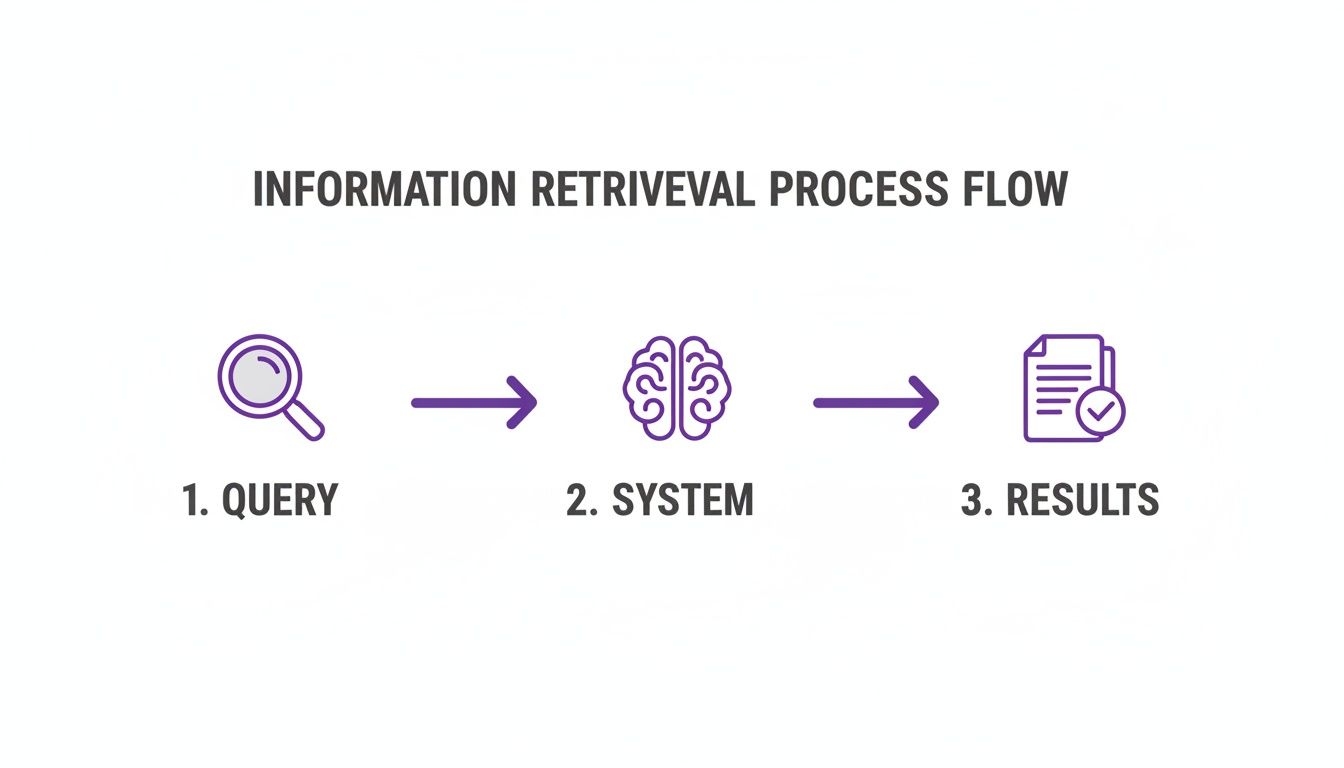
It starts with you asking a question, then the system does its thing, and finally, it spits out the best possible answers it can find. Simple on the surface, but the details are where the genius lies.
Step 1: Crawling and Indexing Your Content
Before a system can answer any questions, it has to read the room. Or in this case, it has to read every single piece of content you've ever created. This first step is called crawling and indexing.
Think of it like a hyper-caffeinated librarian creating a massive, impossibly detailed card catalog for your entire library of videos, blog posts, and podcasts. But this librarian doesn't just write down the title. They note every single word, concept, and idea inside.
This involves two key actions:
- Crawling: The system methodically goes through all your files—documents, video transcripts, audio files, you name it.
- Indexing: It then builds a searchable "index." This is basically a giant, hyper-linked map that points to where every word or concept lives across your entire library.
For a YouTuber, this means the system doesn't just know a video's title. It knows you mentioned "brand collaboration tips" at exactly 03:15 in that one video you made two years ago. This groundwork is what makes lightning-fast search possible.
Step 2: Processing the User's Query
Okay, so the library is indexed and ready to go. Now someone shows up with a question. This is where the system gets really smart. Query processing is the art of figuring out what someone actually means, even if their words are vague or don't perfectly match your content.
If your team member searches for "advice on monetization," the system gets that they're also looking for "making money with videos," "sponsorship strategies," or "ad revenue." It’s not just matching keywords; it’s understanding the intent behind them.
This crucial step bridges the gap between how people ask questions and how information is stored. An effective retrieval system decodes user intent to find conceptually related material, not just exact word matches.
This is what separates a clunky search bar from a powerful retrieval tool. It translates messy human language into something a machine can act on, looking for meaning instead of just matching characters. That way, great content never gets missed just because someone didn't type the "perfect" search term.
Step 3: Ranking the Results
The final act. The system has found all the pieces of content that might be relevant. Now it has to decide which ones to show you first. This is ranking, and it's the secret sauce that makes the whole thing genuinely useful. Without it, you’d just get a chaotic data dump of every single document that contained your search term.
Ranking algorithms use dozens of different signals to sort the results, including things like:
- How often your search term pops up in the content.
- Whether the term is in a title or headline.
- How new or fresh the content is.
- How popular or authoritative a piece of content seems to be.
For a creator using a tool like Contesimal, this means the system automatically surfaces the most relevant video clip or blog post and puts it right at the top. This saves countless hours of manually scrubbing through archives, helping you find that perfect quote or example to repurpose for a new project in seconds.
The Different Flavors of Retrieval Models
Just as a chef has a specific knife for every job, an information retrieval system uses different "models" to find what you're looking for. These models are the brains of the operation—the set of rules and logic the system follows to match your query to the right piece of content. Getting to know them helps you appreciate what's happening under the hood of the tools you use every day.
The story of retrieval models is one of evolution, moving from rigid, literal commands to a much more nuanced understanding of human language.
The Classic Boolean Model
The oldest and simplest of the bunch is the Boolean model. If you've ever typed "content marketing AND video" or "podcasting NOT interviews" into a search bar, you've used Boolean logic. It’s a dead-simple, exact-match system built on three operators:
- AND: Narrows your search, demanding all your terms be present.
- OR: Broadens your search, finding documents with at least one of your terms.
- NOT: Excludes documents containing a specific term you don't want.
This model is incredibly precise. A creator needing to find every single video script that mentions "sponsorships" but not "affiliates" will find it perfect. The big drawback? It's all or nothing. A piece of content either matches your strict rules or it doesn't. There's no middle ground, no concept of partial relevance or ranking.
The Vector Space Model
This is where things start to get a lot more interesting. The Vector Space Model (VSM) treats every document and query as a point in a massive, multi-dimensional space. Picture a star chart where every piece of your content is a star, and your search query is a brand new star you just plopped onto the map.
The system then calculates the distance and angle between your query-star and all the content-stars. The ones closest to your query are deemed the most relevant. This was a huge leap forward because it introduced the idea of similarity. Even if a video transcript doesn't use your exact keywords, it can still rank highly if it's conceptually close to what you're asking. For a publisher trying to find articles with a similar theme, this is way more useful than a rigid Boolean search. To get a better sense of the different strategies these systems use, it's worth exploring various Information Retrieval Techniques.
The Probabilistic Model
Next up are probabilistic models, which frame information retrieval as a game of odds. This model doesn't just ask, "Does this document match?" Instead, it asks, "What's the probability that this document is actually relevant to what the user is looking for?"
It figures out the likelihood of relevance by looking at the terms in a document and comparing them to how those terms are spread across your entire content library. It's a more sophisticated approach that tries to predict user satisfaction before you even see the results.
This shift toward probability was a critical step in making search smarter. It moved beyond simple geometry (like VSM) to a system that could learn and adapt based on the statistical properties of the language in your content.
This evolution couldn't have come at a better time. The explosive growth of the web in the 1990s demanded automated systems, with the number of sites ballooning from 100 in mid-1993 to over 1,500 by the end of that year—a 1,400% surge. Google’s launch in 1998 with PageRank changed everything, improving relevance by up to 50% over its competitors by analyzing how pages linked to each other.
Modern Language Models
Today, we're living in the era of Language Models (LMs), the powerhouse technology behind the AI tools that are reshaping how we work. These models, like the ones that run ChatGPT or Contesimal, are trained on enormous datasets and have a deep, intuitive grasp of context, nuance, and human intent.
They don't just see keywords; they understand the relationships between concepts. This is the magic that fuels semantic search, where the system actually gets the meaning behind your query. You can ask something like, "Find clips where I sound excited about a new product launch," and the system understands "excited" through your tone and the context, not by looking for a specific word. Check out our guide on how semantic search works for a deeper dive.
For creators sitting on extensive content libraries, this is a game-changer. It turns vague ideas into instantly discoverable moments.
Measuring Success in Information Retrieval
An information retrieval system is only as good as its results. You can have the most sophisticated models and the cleanest index, but if the answers it spits out are useless, the whole thing is a failure. So, how do we actually measure what "good" looks like when it comes to search? We need some real, concrete metrics to judge performance.

This is where two make-or-break concepts come into play: Precision and Recall. Getting a handle on these two metrics is non-negotiable for any content executive or creator trying to pick a search tool for their website or internal library.
The Fishing Analogy: Precision vs. Recall
Let's use a simple analogy to wrap our heads around this. Picture your content library as a huge ocean teeming with fish. Your goal is to catch only the golden ones—the truly relevant results.
-
Precision: Think of this as casting a small, specialized net and catching only golden fish. Your haul is pure gold. No junk, no irrelevant results. High precision means the results you get are spot-on and genuinely useful.
-
Recall: This is like throwing out a massive dragnet that catches every single golden fish in the ocean. The good news? You didn't miss a thing. The bad news? You also scooped up a ton of seaweed, old boots, and other fish you never wanted. High recall means you didn't miss anything relevant, but you have to wade through a lot of noise to find it.
The real challenge is that these two metrics are constantly pulling in opposite directions. If you tighten your net for perfect precision, you’ll probably miss a few golden fish. If you widen it for total recall, you’re guaranteed to get a lot of junk.
The perfect information retrieval system finds the right balance, delivering a high number of relevant results (high recall) without burying them in a pile of irrelevant ones (high precision).
This balancing act is what separates a frustrating search experience from a genuinely helpful one. For a publisher, it’s the difference between a site search that helps readers find exactly what they need and one that sends them packing.
Finding the Sweet Spot with the F1-Score
Because of this constant tug-of-war, data scientists came up with a third metric to get a more complete picture. The F1-score is the harmonic mean of precision and recall, mashing them together into a single number that reflects a system's overall accuracy.
A high F1-score tells you a system is both precise and comprehensive—it finds what you’re looking for and doesn't surround it with clutter. When you’re evaluating tools to organize your content library, a strong F1-score is a clear signal of a quality retrieval engine.
These core evaluation standards have been around for a long time. The ideas of precision and recall were formalized way back in 1955, quickly becoming the bedrock for judging how well a system performed. By the 1970s, systems were hitting precision rates of 60-70% on small test collections—a massive leap from the 30% seen in earlier manual systems. These metrics pushed the development of smarter models that improved performance by another 20-30%. You can learn more about how these early standards shaped search technology and its evolution.
Ultimately, these measurements are what empower you to choose tools that deliver real value. Whether you’re a YouTuber trying to find a specific clip or a content executive managing a massive digital archive, understanding these metrics helps you know if your "hyper-intelligent librarian" is actually earning its keep.
Information Retrieval in the Real World
Theory and metrics are one thing, but the real magic of an information retrieval system is seeing how it solves actual problems. This technology is the invisible engine behind countless digital experiences that creators and publishers lean on every single day. It's what turns a dusty, static archive of content into a dynamic asset, ready to jump on new opportunities.

While Google Search is the most obvious example, IR systems are humming away behind the scenes in a ton of other places—helping us discover products on Amazon, dig through academic papers, and find that one specific file buried in a massive company network. For organizations that live and breathe content, the applications are especially powerful.
Unlocking Value in Multimedia Content
Modern content libraries aren't just text anymore. They are bursting with video, audio, and images. This is where a sophisticated what is information retrieval system really shows its worth, by making every single piece of content just as searchable as a blog post.
-
Video Retrieval: Picture a YouTuber with a library of 500+ videos. Instead of manually scrubbing through hours of footage, they can use an IR system to instantly pinpoint every single clip where they mentioned a specific brand or product. This makes whipping up compilation videos, highlight reels, or sponsored content reports almost effortless.
-
Audio Retrieval: A podcaster can search their entire back catalog of audio transcripts to find every time they discussed an emerging trend. Suddenly, gathering material for a follow-up episode, creating social media audiograms, or writing a summary blog post based on past insights is a quick job, not a week-long project.
-
Image Retrieval: Publishers and content marketers can sift through thousands of images using metadata and AI-powered image analysis. A search for "optimistic team meeting" can pull up relevant photos without anyone needing to remember the exact filename, which dramatically speeds up finding the right visual for an article or campaign.
These capabilities are no longer just for giant companies. Platforms like Contesimal are making this tech accessible, letting individual creators and small teams organize and repurpose their work at a scale that was once impossible.
A powerful retrieval system doesn't just find files; it finds moments. By indexing the actual content within your videos and podcasts, it turns your entire library into a granular, searchable database of ideas.
Powering Discovery and Engagement
Beyond just helping you get organized internally, information retrieval systems are absolutely critical for any application your audience touches. They directly shape how users discover and interact with your content, which is the lifeblood of growth.
Just think about these scenarios:
-
E-commerce Product Search: When a customer searches for a "red running shoe," the retrieval system doesn't just look for that exact phrase. It gets the bigger picture, understanding synonyms ("crimson," "scarlet"), related attributes ("athletic," "jogging"), and what the user is really trying to do. The result? It delivers the most relevant products, boosting sales and making customers happy.
-
Publisher Site Search: A major media outlet can use an advanced IR system to power its on-site search. When a reader looks for articles about a breaking news event, the system can rank results by recency, relevance, and the article's authority, making sure the user sees the most important information first. This keeps them engaged and on the site longer.
-
Academic Databases: Researchers rely on these systems to navigate millions of scholarly articles. A good IR system can handle incredibly complex, multi-part queries to find highly specific papers, saving researchers countless hours and helping to speed up the pace of discovery.
Each of these examples boils down to one core benefit: turning a massive pile of information into a resource that's actually valuable and easy to use. For any content creator or publisher, this is the key to reigniting your content library, bringing old assets back to life, and creating infinite value from the work you’ve already done.
Putting Information Retrieval to Work for You
Knowing the theory behind information retrieval is one thing, but actually making that tech work for you is a whole different ballgame. For content teams, getting an IR system up and running is how you unlock the real value hiding in your archives. It’s what turns your library from a passive pile of files into an active, revenue-generating machine.
The journey starts with good old-fashioned data hygiene. High-quality metadata and consistent tagging are the absolute bedrock of making your content discoverable. Think of metadata as the helpful labels on a filing cabinet—the more detailed and accurate they are, the faster you can find exactly what you need. When you use the same tags across all your videos, articles, and podcasts, you create a unified map for your IR system to follow.
Build Versus Buy for Content Teams
As you start thinking about adding these capabilities, you’ll hit that classic crossroads: should you build a custom system from scratch or buy a solution that’s ready to go?
For most content creators and publishers, the answer is a no-brainer. Building a bespoke IR system is a massive project. It demands specialized expertise, a ton of time, and a seriously hefty budget. Buying a ready-made platform is a much faster and more cost-effective way to get your content house in order.
- Off-the-shelf solutions are designed specifically for the unique workflows of content teams. They handle all the complex indexing, query processing, and ranking for you, so you can stay focused on what you do best—creating.
- Custom builds are usually reserved for massive companies with very specific security or integration needs that off-the-shelf products just can’t meet.
For creators who want to organize their library and squeeze new value out of it, a dedicated platform delivers the quickest return on investment. It lets you immediately start speeding up research, sparking new ideas, and creating derivative works from the content you've already made.
Letting Humans and AI Work Together
Ultimately, the goal here is to create a seamless workflow where human creativity gets a massive boost from AI's processing power. An effective IR system is the bridge that makes this partnership possible. It allows you to ask incredibly complex questions of your entire content history, instantly pulling up the perfect clips and data points for your next project.
To get a better sense of how different platforms are tackling this, it's helpful to compare various content intelligence platforms and their features.
This human-AI collaboration is what turns your content operation into a well-oiled machine. You can quickly find every single time you've mentioned a specific topic, analyze audience engagement patterns across your entire library, and spot opportunities for new content that you know will land with your audience. By putting an IR system to work, you breathe new life into your library and kick off a cycle of creating infinite value from the work you’ve already done.
Got Questions? We've Got Answers.
Alright, let's wrap this up by hitting some of the most common questions that pop up around information retrieval. Think of this as the lightning round to clear up any lingering confusion and show how this tech isn't just for the big players.
What’s the Difference Between Information Retrieval and Data Retrieval?
They sound almost the same, right? But they solve completely different problems.
Think of data retrieval like asking your contacts app for a specific phone number. You make a precise request ("John Smith's mobile"), and it pulls the exact, structured piece of data you asked for. It’s clean, direct, and leaves no room for interpretation.
Information retrieval, on the other hand, is built for the messy, glorious world of unstructured content—articles, videos, podcasts, you name it. When you type something into a search bar, you’re not looking for a single, perfect data point. You're looking for documents about your topic. It’s designed to handle ambiguity, understand context, and deliver relevance, not just exact matches.
How Does AI Make Information Retrieval Better?
AI has completely changed the game here, mainly by introducing something called semantic search. This is a massive leap forward. Instead of just playing a keyword matching game, AI-powered systems can actually understand the intent behind a search.
For example, AI models get the nuances of human language. They know that "content strategy" and "editorial planning" are related concepts, even if the exact words are different. They grasp synonyms, context, and the relationships between ideas.
For creators, this is huge. It means a system can automatically classify your content, suggest personalized recommendations to your audience, and help you organize a massive library without spending weeks on manual tagging.
Can a Small Creator Actually Benefit From an IR System?
Absolutely. This is the most important takeaway.
Not too long ago, this kind of powerful tech was locked away in enterprise-level software with a price tag to match. But that’s changed. Modern platforms have made sophisticated information retrieval accessible to individual creators and small teams. It's no longer just for massive corporations.
If you have a growing library of blog posts, a back catalog of podcast episodes, or a channel full of videos, an IR system is your secret weapon for scaling. It helps you:
- Turn everything you've ever made into a single, searchable asset.
- Find that perfect clip or quote in seconds to whip up new content.
- Spot content gaps and figure out what topics your audience is hungry for.
- Breathe new life into old work by repurposing it for new formats and audiences.
Ultimately, it’s the engine that helps you monetize the goldmine of content you’re already sitting on, transforming your archive from a dusty digital shelf into an active, revenue-generating resource.
Ready to unlock the hidden value in your content library? Contesimal is an AI-powered platform that helps creators and publishers organize, search, and repurpose their archives with ease. Turn your past content into future opportunities today. Learn more at Contesimal.ai.