
A lot of content teams don't have a production problem. They have a clarity problem.
Someone says, “We need a new video about AI.” A strategist hears thought leadership. An editor hears a tutorial. The host thinks it should be opinionated. The social lead expects clips. By the time the draft lands, everybody has worked hard and nobody is sure whether the piece serves the audience it was meant for.
That's where user stories become useful for creators.
They're often associated with software teams, but the core idea translates cleanly to YouTube channels, podcast networks, newsletters, blogs, and media brands with sprawling content libraries. If your team needs a better way to organize, understand, and act on content opportunities, creating user story statements can give you a lightweight structure that protects creativity instead of squeezing it.
Why Your Content Team Needs User Stories
A vague content brief usually creates fake momentum. People get moving fast, but they're moving in different directions.
A producer starts gathering references. A writer drafts an outline. A designer makes a thumbnail route. Then the group realizes the actual audience was never defined. Was this for loyal subscribers, first-time visitors from search, or a sponsor-facing industry audience? Once that confusion appears, the revision cycle starts.

What a user story actually solves
A user story forces one simple discipline. Answer three questions before the work expands.
Who is this for
Not “the audience” in general. A specific person or persona.What do they need
Not what the team wants to publish. What the user is trying to accomplish.Why does it matter
The value behind the piece. The reason it deserves space in your calendar.
That structure didn't appear by accident. User stories became a core Agile practice in the late 1990s and were shaped around Card, Conversation, and Confirmation, which means the written story is only the starting point for discussion and acceptance testing, not a full specification, as described in ICAgile's overview of user stories.
For content teams, that idea is liberating.
You don't need a giant brief for every blog post, episode, or video. You need a clear starting point that keeps the team focused on audience value, then a conversation that sharpens the work before production. If your team already plans in cycles, this pairs well with a more structured workflow like Agile sprint planning for content teams.
Practical rule: If a content request can't clearly state who it serves and why they care, it isn't ready for production.
Why this helps creative work
Some creators hear “Agile” and assume bureaucracy. In practice, a good user story removes the kind of ambiguity that kills good creative work.
Think about planning a video series. “Make a series on creator burnout” is broad enough to create ten conflicting versions. A user story like “As a full-time creator who's losing publishing consistency, I want a simple weekly content planning method so that I can keep showing up without burning out” gives the team a usable center of gravity.
That doesn't lock the script, visuals, or voice. It gives them purpose.
And purpose is what lets creative teams improvise well. When people know the audience, the need, and the payoff, they make better decisions faster. The editor trims harder. The host stays focused. The designer chooses visuals that support the promise instead of decorating around it.
The Anatomy of a Powerful User Story
The basic template is familiar for a reason:
As a [persona], I want to [goal], so that [outcome].
For content teams, this is one of the most practical frameworks for creating user story drafts that don't drift into vague editorial wish lists.

Breaking down the template
Each part does a specific job.
As a [persona]
This names the audience segment. “Creator” is too broad. “New YouTuber publishing their first tutorial” is better.I want to [goal]
This captures the user's desired action or result. It should describe what they want to achieve, not what format your team wants to produce.So that [outcome]
This is the value clause. It's the difference between a content asset and a useful one.
Here's a creator-friendly example:
As a new YouTuber, I want a simple video editing walkthrough, so that I can publish my first vlog without getting stuck in the software.
The format looks simple because it is simple. That's the point. If your team struggles with the nuance of writing good stories, Aakash Gupta's user story guide is a useful companion because it helps separate a real user need from a disguised task list.
A strong story also helps you distinguish an epic from a workable piece of content. If you're trying to sort that out in your backlog, this guide to Agile epic examples is helpful context.
Use INVEST as a quality filter
After you write the story, test it against INVEST. Atlassian defines a good story as Independent, Negotiable, Valuable, Estimable, Small, and Testable, and notes that teams often keep stories concise enough for a single sprint with 3-5 acceptance criteria so they stay clear and workable in short iterations in Atlassian's user story guide.
Here's what that means for content work:
Independent
A story should stand on its own. “Create clips from episode 12” may depend on the episode being finished. “Help first-time listeners understand the show format” can often stand separately as a trailer or explainer.Negotiable
The story shouldn't dictate the exact creative solution. “I want a 5-minute animated video” is too prescriptive. The team may decide a carousel, short article, or talking-head segment solves the user need better.Valuable
If the audience gains nothing meaningful, the story is weak. “Write a post because we haven't published this week” isn't value.Estimable
The team should be able to judge the scope. If nobody can tell whether it's a quick publish or a multi-stage production, the story is still muddy.Small
“Launch a cross-platform series on monetization” is too large. “Help part-time creators choose one sponsorship pricing model” is closer to a workable item.Testable
You should be able to say whether the content met the story's conditions.
A short explainer can make the framework easier to visualize before you start drafting stories.
Good stories leave room for craft. Bad stories replace audience insight with production instructions.
How to Write User Stories for Your Content
Organizations often don't fail at creating user story drafts because they lack a template. They fail because they skip the thinking that should happen before the sentence gets written.
A practical workflow usually includes 8 steps: identify the user persona, define the need, clarify the value, outline acceptance criteria, convert the idea into story format, break down the work, prioritize it, and review or refine it, as outlined in Maze's user story workflow. For content teams, that sequence works best when it feels like editorial planning, not process theater.
Start with a real audience, not a channel goal
A user story for content should begin with someone recognizable.
Not “we want more search traffic.” That's a business objective. Useful, but not a user story. Start with the person on the other side of the content.
For example:
- A busy marketing manager who needs a quick explanation before a team meeting
- A new podcaster who wants a simple gear setup without technical jargon
- A returning subscriber who wants a deeper follow-up on a topic you already introduced
That audience definition should come from what the team already knows through comments, audience research, observed behavior, inbox questions, search intent, or recurring listener feedback. If the persona is fuzzy, the story will be fuzzy too.
Build the sentence around need and payoff
Once the persona is clear, write the goal in user language and finish with the reason the content matters.
Here are three examples across formats:
For a blog post
As a content marketer managing multiple channels, I want a simple framework for repurposing one longform article, so that I can turn one idea into several publishable assets without starting from scratch.
For a podcast episode
As a founder with limited time, I want an interview that surfaces practical audience-growth lessons, so that I can apply one useful idea this week instead of collecting vague inspiration.
For a YouTube tutorial
As a first-time course creator, I want to understand how to outline a teaching video, so that I can record something structured instead of rambling through the topic.
Notice what these stories don't say. They don't prescribe camera angles, episode length, article structure, or editing style. They anchor the value, then let the team solve creatively.
Compare the vague request with the usable story
This is usually the moment where teams feel the difference.
| Element | Vague Task | Clear User Story |
|---|---|---|
| Audience | Write blog post on AI | As a marketing executive evaluating AI tools |
| User need | Unclear | I want a practical explanation of where AI helps content operations |
| Value | Implied, not stated | So that I can decide what to test with my team |
| Scope | Broad and unstable | Focused on a specific decision |
| Creative direction | Easy to overbuild | Easier to tailor tone, examples, and format |
A vague task sends the team inward. A clear user story points them outward.
Break large ideas before production starts
One of the most common content mistakes is writing a story that's really a campaign, series, or strategic initiative.
If you catch phrases like these, you're probably looking at an epic:
- Launch a creator education hub
- Build a video series on monetization
- Create our podcast growth pillar
- Own the topic of AI for publishers
Those aren't wrong. They're just too large to function as one user story.
Break them down into smaller audience-centered pieces. A video series can become a set of individual stories for beginners, intermediate operators, or decision-makers. A pillar topic can split into search-driven explainers, opinion pieces, interviews, and templates.
When a story starts describing your publishing strategy instead of one user need, split it.
Refine in conversation, not in isolation
A story gets better when the people doing the work challenge it a little.
An editor may spot that the persona is too broad. A host may realize the outcome is weak. A strategist may flag that the value statement sounds like an internal KPI, not an audience benefit. That friction is healthy. It's where the story becomes useful.
For content teams, the best user stories are rarely written in one perfect pass. They're drafted quickly, discussed openly, tightened, and then attached to production.
Defining Done with Acceptance Criteria
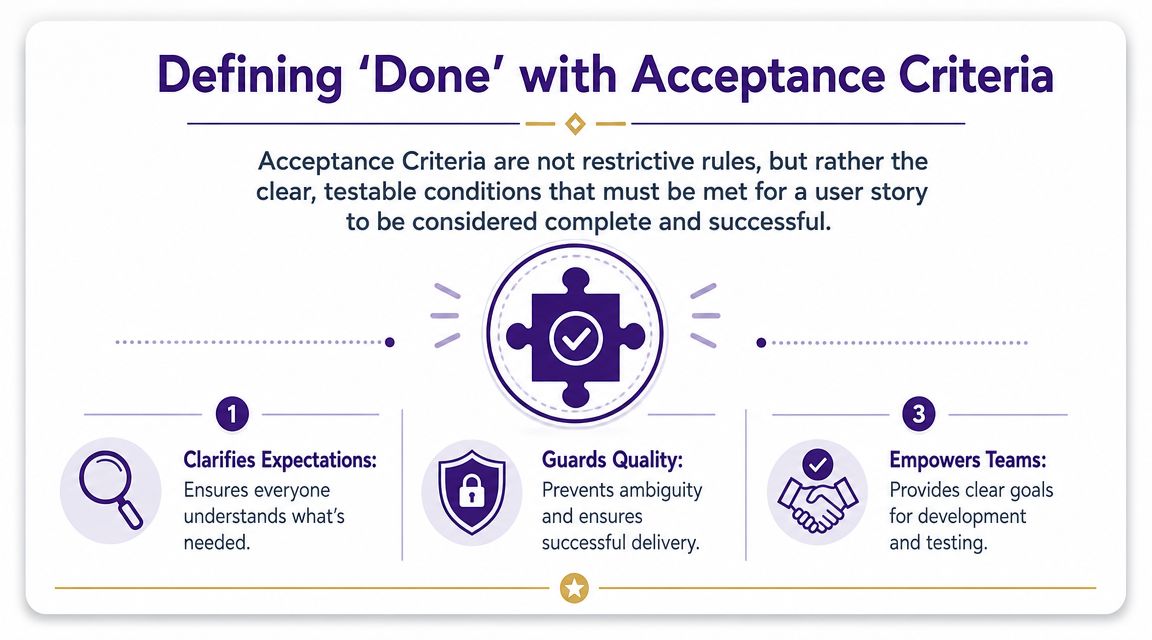
The story tells you what value to create. Acceptance criteria tell you what “done” looks like.
That distinction matters more than most content teams think. Without acceptance criteria, people keep polishing past the point of usefulness or arguing about standards after the work is nearly complete. With them, the team knows what must be true before the content ships.
Why acceptance criteria free up creativity
Creators sometimes resist acceptance criteria because they sound rigid. In practice, they remove the wrong kind of uncertainty.
You don't want your writer guessing whether a post needs examples, your editor guessing whether clips are required, or your producer guessing whether supporting assets are part of the deliverable. You want those decisions made early.
A clean set of criteria works like guardrails. The team still has room to shape the story, voice, pacing, and presentation. They just aren't improvising around basic requirements.
If your team needs examples of how operating standards can be documented clearly, these process documentation examples show the kind of precision that prevents downstream confusion.
Acceptance criteria don't reduce creativity. They reduce rework.
What strong criteria look like
Good acceptance criteria are specific, observable, and practical. They should describe outcomes you can verify.
For a blog post, that might include:
Search visibility basics are covered
The draft includes the target keyword in the opening section and a clear meta description.Editorial depth is present
The piece uses original examples and links to relevant internal content.Publish readiness is clear
The article is edited, formatted, and approved for upload.
For a podcast episode, criteria might look different:
The listening experience is polished
Audio is cleaned and normalized for release quality.Support assets are complete
Show notes include the guest bio, mentioned resources, and episode summary.Distribution prep is done
A short promotional clip and episode title are ready for publication.
For a YouTube tutorial:
| Content type | Weak definition of done | Strong acceptance criteria |
|---|---|---|
| Blog post | “Looks good” | Includes target topic clearly, has internal links, and is edited for publish |
| Podcast | “Episode is finished” | Final audio approved, show notes complete, promo asset prepared |
| Video | “Ready to upload” | Hook is clear, visuals support the lesson, title and thumbnail route are approved |
Keep the list short enough to use
Teams often overcorrect. They start with no criteria, discover the value, then create a giant checklist nobody reads.
Shorter is better if the items matter. Criteria should settle the important questions, not reproduce the entire workflow. If the list turns into a full production manual, it belongs somewhere else.
A good test is simple. Can the team review the criteria quickly and agree whether the story is complete? If yes, you're close. If not, trim or rewrite.
Common Pitfalls and How to Refine Your Process
The first version of a user story process usually feels clumsy. That's normal. Participants swing between two extremes. They either write stories so vague they're useless, or they write miniature spec documents disguised as user stories.
The fix isn't more formality. It's better judgment.
Pitfalls that weaken content stories
Some problems show up constantly.
Stories that are too big
“As a creator, I want to master content repurposing so that I can grow everywhere” is not one story. It's a broad ambition.Stories that are too small
“Write intro paragraph” or “design thumbnail” are tasks. They may belong in production, but they aren't user stories.Stories that prescribe the solution
“As a viewer, I want a 5-minute video with motion graphics” skips over the actual need. The team should solve for the need, not inherit a fixed format too early.Stories with a weak value clause
If the “so that” feels generic, the story usually is too. “So that I can learn more” doesn't give the team much to work with.
When not to use a user story
This is the part many guides skip. A user story is not the right artifact for every kind of work.
Guidance from Roman Pichler emphasizes that stories should stay lightweight and often need support from other tools such as story maps, mockups, or workflows for more complex work in Roman Pichler's advice on writing good user stories.
That matters for content teams.
If you're planning a season arc for a documentary-style YouTube series, a story map may help more than a pile of isolated stories. If you're redesigning a newsletter template, a mockup will communicate faster than a sentence. If your podcast team is coordinating booking, scripting, recording, clipping, approvals, and distribution, a workflow may be an essential control tool.
Use user stories to frame audience value. Use other artifacts to handle complexity.
How mature teams refine the process
The strongest teams treat user stories as living backlog items, not static briefs.
A few habits help:
Refine stories before production starts
Don't wait until the writer is halfway through the draft to realize the persona is too broad.Estimate loosely
Some teams use story points. Others use t-shirt sizing. The exact method matters less than the conversation about scope.Split recurring patterns
If one story type repeatedly blows up in production, it's probably hiding multiple deliverables.Review what shipped
After publishing, ask whether the story helped the team make better decisions. If not, improve the next one.
For creator-led brands, this is especially helpful when the content library gets large. The backlog fills with ideas, repurposing opportunities, follow-ups, spin-offs, and audience requests. User stories help you sort those ideas by audience value. Refinement keeps them from becoming clutter with better formatting.
FAQs for Creating User Stories
User stories give content teams a practical way to turn fuzzy requests into clear, audience-centered work. They help you organize ideas, understand who each piece is for, and take action without overbuilding the brief.
What's the difference between a user story and a task
A task describes work to be done. A user story describes value to be created for a specific person.
“Draft newsletter copy” is a task. “As a returning subscriber, I want a quick roundup of this week's best insights, so that I can catch up fast” is a user story. The story explains why the task matters.
Can solo creators use user stories
Yes. Solo creators often benefit faster because they play multiple roles at once.
When you're the strategist, writer, host, editor, and publisher, it's easy to confuse an interesting idea with a useful one. A user story gives you a quick decision filter before you spend hours scripting or recording.
How detailed should a user story be
The story itself should stay brief. The detail usually belongs in the acceptance criteria or in the production notes that support the work.
If the sentence gets overloaded with implementation details, you're probably mixing the story with the execution plan.
What if one piece of content serves multiple audiences
That can happen, but it's risky to start there. Multi-audience stories usually create vague content.
Pick the primary audience first. If a second audience also benefits, that's a bonus. If both groups need very different things, write separate stories.
Should every content request become a user story
No. Use them when the team needs clarity, prioritization, or alignment around audience value.
For routine tasks with stable requirements, a checklist may be enough. User stories are most helpful when the team is deciding what to make, why it matters, and how to keep the work small and meaningful.
How do you know the process is working
You'll notice fewer circular revisions, better alignment in planning, and stronger confidence about what each piece is supposed to do.
The best way to start is small. Write stories for a handful of upcoming pieces, refine them with your team, and adapt the process until it fits your content style.
If your team is sitting on a growing library of videos, podcasts, articles, and research, Contesimal can help you organize that archive, surface usable insights, and turn past work into new content opportunities. It's built for creators and content teams that want better collaboration between people and AI, without losing editorial judgment.