
You finish a stream, close OBS, and tell yourself you'll download the VOD later. Later turns into tomorrow, then next week, then a scramble through old broadcasts when you finally want clips for YouTube, shorts, a podcast segment, or a sponsor reel.
That's usually the moment creators realize a Twitch VOD isn't just a replay. It's raw inventory.
If you want to download Twitch VODs well, the question isn't only “how do I save this file?” It's “what kind of archive am I building?” A casual streamer can get by with one-off downloads. A creator turning streams into a content library needs a system that preserves useful material, keeps it organized, and makes repurposing faster instead of harder.
Why Saving Your Twitch VODs Is a Smart Move
Most creators start saving VODs for one reason. They don't want to lose a good stream. That's valid, but it's too small a frame.
A saved VOD can become a highlight video, an edited interview, a reaction cutdown, a teaching clip, a shorts batch, a blog source, or a reference archive for future episodes. Once you think like that, downloading stops being cleanup and starts becoming asset management.
For creators moving from hobby mode into a real publishing workflow, that shift matters. A stream that lives only on Twitch is hard to reuse. A stream that lives in your archive, with the right file handling and supporting metadata, becomes something you can work with.
Downloading isn't always the best first move
A point that doesn't get enough attention is whether you should download the Twitch VOD at all. One creator-focused tutorial argues for recording locally in OBS during the live stream because it avoids relying on Twitch's post-stream VOD workflow and lets creators start editing as soon as the stream ends, as noted in this OBS-focused creator tutorial.
That's the trade-off serious creators run into:
- Twitch VOD download is convenient when you forgot to record locally or need a simple backup.
- Local recording gives you more control over your production workflow.
- A hybrid setup often works best when the stream matters enough to repurpose later.
Practical rule: If a stream has any chance of becoming long-term content, treat it like source footage, not disposable live output.
If you're still getting your setup dialed in, a practical place to start is this guide on how to learn to stream on Twitch. It covers the fundamentals that affect your archive quality later, especially if you're building toward a more professional workflow.
What changes when you think like an archivist
Creators who repurpose well don't just save files. They save future options.
That means asking a few simple questions after every stream:
- Will this become edited content later
- Do I need the full stream or just key segments
- Do I need chat, context, or timestamps preserved
- Is Twitch storage enough, or do I need my own archive
Those questions shape which download method makes sense. They also save you from the common mistake of building a pile of giant video files that nobody can search, label, or reuse efficiently.
Using Twitch's Built-In VOD Download Tool
If you want the simplest official path, Twitch's own dashboard is the place to start. It's straightforward, works for your own broadcasts, and doesn't require extra software.
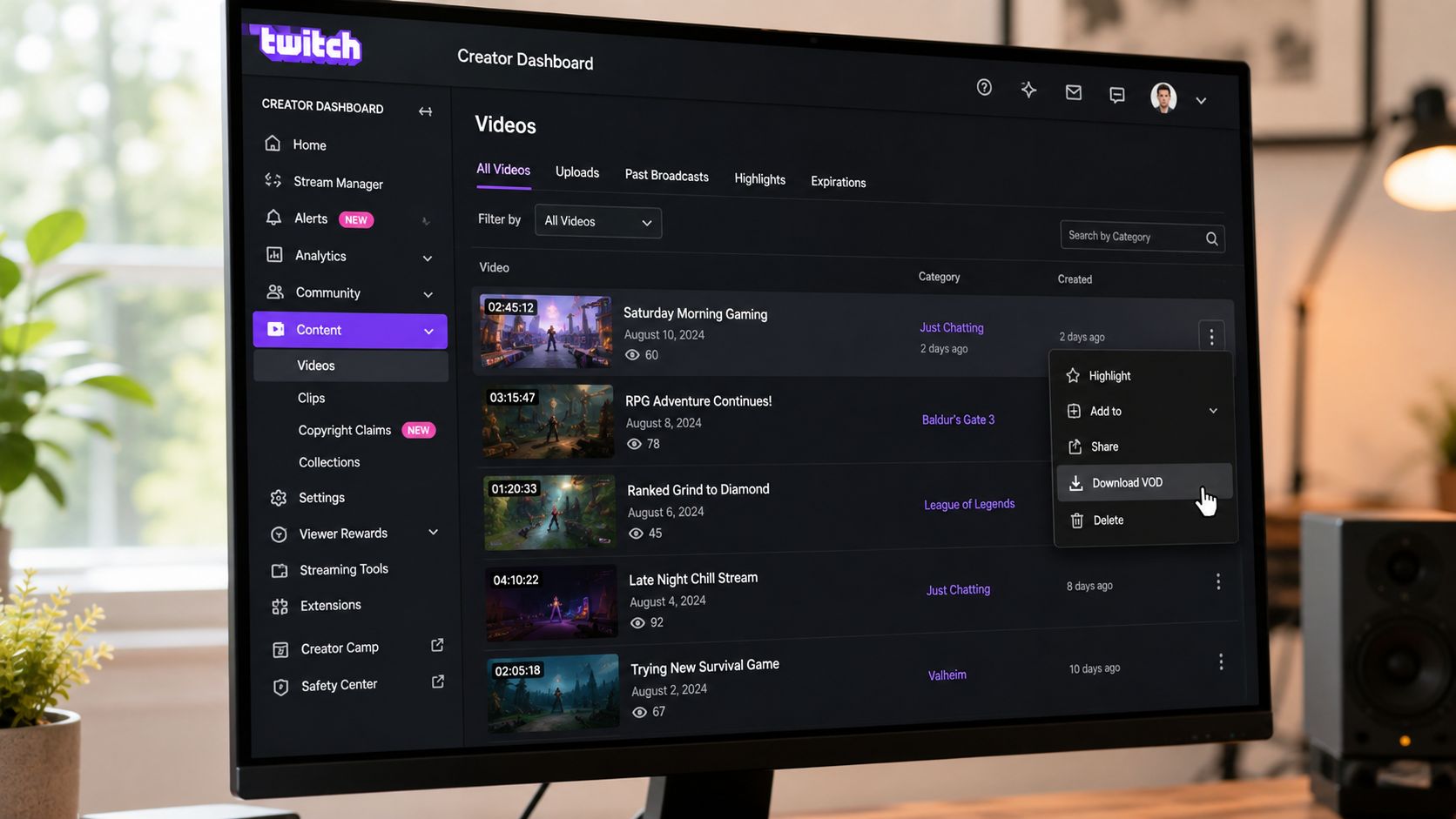
Twitch documents the workflow clearly in its Video on Demand help article. You first enable Store Past Broadcasts, then go to Content → Video Producer, open the three-dot menu beside a past broadcast, and click Download. Twitch also notes that VODs are only available to download from the creator's own Video Producer, not through the public API.
The cleanest way to save your own broadcasts
Here's the practical walkthrough most creators need:
- Turn on storage first: In your Twitch settings, make sure Store Past Broadcasts is enabled. If it isn't, there may not be anything to download later.
- Open Video Producer: Inside your creator dashboard, go to Content, then Video Producer.
- Use the menu beside the broadcast: Find the past stream you want, click the three-dot menu, and choose Download.
That's it. For one-off saves, it's the least complicated method.
The big advantage is trust. You're using Twitch's own interface, not a browser add-on or a separate app. If you're downloading a recent stream and just need the file on your machine, this is usually the first method to try.
Where the built-in tool starts to break down
The problem isn't that Twitch's downloader is bad. The problem is that it's basic.
It's built for simple retrieval, not long-term library management. You can't use it as a public API workflow, and you're limited to your own content in your own Video Producer. For creators with lots of streams, that turns into repetitive manual work.
The native Twitch download option is best when you need one file quickly. It's not built for bulk archiving, metadata preservation, or deeper reuse workflows.
That matters if you're saving streams for more than backup. A producer clipping interviews, a podcaster reusing live discussions, or a media team logging recurring segments usually needs more than a single downloaded video file.
If you want a visual walkthrough before clicking around your dashboard, this overview is useful:
When the native tool is the right choice
Use Twitch's built-in downloader when your situation looks like this:
| Use case | Fit for Twitch's built-in tool |
|---|---|
| Saving your latest stream manually | Good fit |
| Downloading your own VOD without extra software | Good fit |
| Archiving many streams at once | Weak fit |
| Preserving chat alongside the video | Weak fit |
| Building a reusable content library | Limited |
If your archive is still small, the official route is fine. If your channel has grown into a real content operation, you'll probably outgrow it fast.
Choosing the Right Third-Party Downloader
Once your archive gets bigger, the question changes from “can I save this VOD?” to “how do I save it in a way that helps me later?”
That's where third-party tools become useful. They don't just grab the file. They can support bulk workflows, clip retrieval, and a more organized archive.
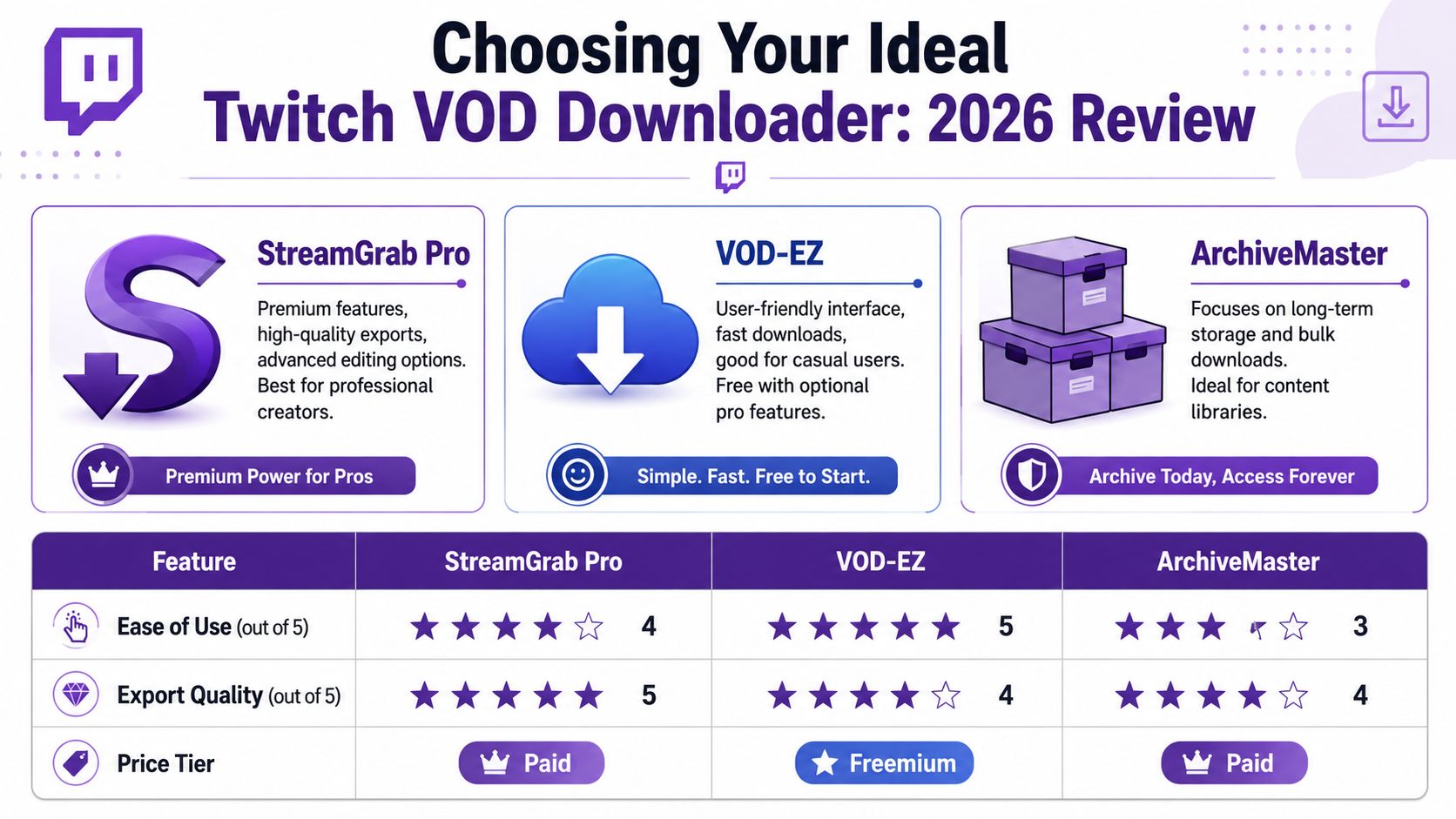
TwitchDownloader for serious archive work
If you're managing more than occasional manual downloads, TwitchDownloader is one of the more practical options. According to the project's GitHub repository, it supports downloading VODs and clips, exporting chat as JSON, HTML, or text, creating download jobs from a list of VOD or clip links, and searching or downloading multiple items from a streamer within the app.
Those features matter more than they might seem.
A plain video file is useful, but a video file plus chat export gives you context. That can help when you're trying to find the exact moment a joke landed, a viewer asked a useful question, or a segment generated strong engagement. For long-term content libraries, preserving that layer is often worth the extra effort.
What makes a tool good in practice
A downloader earns its place in your workflow when it solves one of these problems:
- Bulk retrieval: You need to save more than one stream without repeating the same browser clicks over and over.
- Context preservation: You want chat logs saved with the VOD so the stream isn't separated from audience reaction.
- Segment handling: You care about clips as much as full broadcasts.
- Library consistency: You want a repeatable process, not a random folder full of unlabeled MP4 files.
That last point is where many creators get stuck. They use whatever tool works today, then discover six months later that their archive is chaotic. Naming conventions drift. Chat isn't saved. Clip source material is missing. Nobody remembers which stream had the great story, the great rant, or the sponsor read that worked.
Simple versus flexible
There are two broad categories of third-party downloader thinking.
The first is the easy desktop app. You open it, paste a link, click download, and move on. That's ideal if you want less friction.
The second is the workflow tool. It may take a little longer to learn, but it supports repeatable archive habits. TwitchDownloader leans in that direction, especially for creators who value clips, chat export, and larger libraries.
A downloader should match your archive ambition. If you're only saving one stream, convenience wins. If you're building a reusable catalog, structure wins.
A useful mental model comes from broader media handling. The same reason creators look for cleaner video conversion workflows, like this guide to Streamable to MP4 workflows, applies here too. Saving the file is only part of the job. Making that file useful later is the real work.
A practical chooser
Pick based on your actual workflow, not feature envy.
- Use a simple tool if you only download occasionally and don't care much about chat or batch jobs.
- Use TwitchDownloader if you archive regularly, want clip support, or need chat preserved in a structured format.
- Rethink your process entirely if you keep downloading VODs just to edit around quality or timing limitations. In that case, local recording may belong earlier in your setup.
The right tool isn't the one with the longest feature list. It's the one that keeps your archive usable.
Quick Downloads and Advanced Archiving Strategies
Sometimes you don't need the whole broadcast. You need one segment. Maybe it's a reaction, a coaching moment, a guest quote, or a clean gameplay stretch that can become a standalone clip.
That's where quick in-browser tools can help.
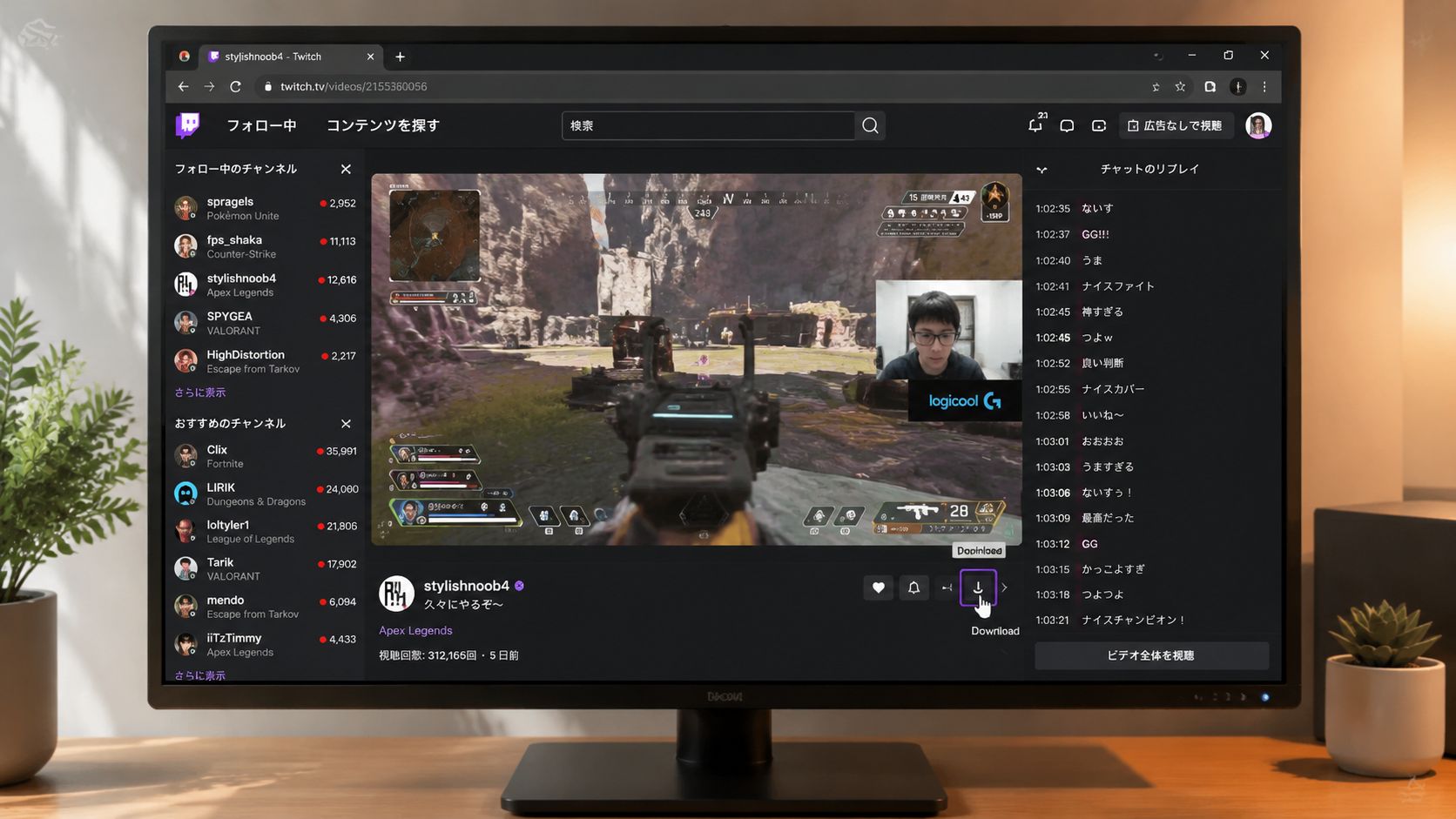
A Chrome extension listed in the Chrome Web Store advertises downloading only sections of a Twitch VOD in-browser, while broader open-source tooling supports VOD and clip downloads plus chat export in JSON, HTML, or text, and even chat re-rendering with emotes, as described in the Twitch VOD Downloader listing. That points to a real need beyond “download the whole stream.” Many creators want partial retrieval and structured archival data.
Quick grabs have a place
Browser-based options are useful when speed matters more than process.
They work well for:
- Immediate clipping: You spot a segment you want to reuse today.
- Lightweight access: You don't want to install a full desktop app for a small task.
- Testing content ideas: You want a short excerpt before committing to a full archive pass.
That said, quick tools can encourage short-term thinking. You save a segment, post it, and move on. That's fine for social turnaround. It's weaker for anyone building a searchable library.
The archive gets smarter when metadata survives
The more professional approach is to think of each VOD as more than one giant file.
A strong archive keeps layers together:
| Archive layer | Why it matters |
|---|---|
| Full VOD | Preserves the complete source material |
| Clips or selected sections | Makes reuse faster |
| Chat export | Keeps audience context attached |
| Consistent labels | Helps you find the right stream later |
Once those layers are in place, your stream history starts behaving less like a folder and more like a database. You can group recurring topics, recurring guests, product mentions, jokes that landed, Q&A moments, and community reactions.
Field note: The value of an archive usually shows up later, when you need to find a moment fast and can't remember which stream it came from.
That's also why creators eventually run into digital asset management questions. If your backlog is getting large, it helps to understand what good media organization looks like beyond simple local folders. This guide to digital asset management software is useful background for that shift.
A better way to think about VODs
The common framing is wrong. It treats Twitch VODs as files to rescue before they disappear.
A better framing is this: each stream contains many reusable content units. Some are obvious clips. Others are themes, conversations, FAQs, audience reactions, or narrative beats that only become useful when you can retrieve them later.
That's why quick download methods and advanced archive workflows aren't opposites. They're part of the same system. One gets you speed. The other protects future value.
Copyright Rules and Repurposing Your VODs
The easiest legal rule is also the one people most often try to blur. Download your own content, or content you have explicit permission to use.
That standard should guide everything. A tool making a VOD easy to grab doesn't make the content yours. If you're building an archive for repurposing, rights come first. Otherwise, you're investing time into material you may not be able to publish, edit, or monetize safely.
Keep your archive clean from the start
A usable library isn't just organized. It's rights-aware.
That means being disciplined about:
- Ownership: Save broadcasts you created or have clear authorization to reuse.
- Collaborator clarity: If a stream includes guests, co-hosts, or shared material, make sure reuse expectations are settled early.
- Music and third-party media: If your stream includes assets you don't control, those issues can follow the file into every later edit.
This matters more as your archive becomes production inventory. Once streams feed YouTube edits, clips, blog posts, podcasts, or social packages, rights confusion multiplies fast.
Repurposing is where the real value shows up
Creators often treat the download as the finish line. It's the starting point.
A well-managed VOD archive can feed:
- highlight reels
- vertical clips
- topic-based compilations
- podcast segments
- transcripts and blog ideas
- recurring series built from old live material
If you're moving from long stream files into edited deliverables, a practical next step is learning fast-track MP4 video editing with this guide from Satura AI on how to edit MP4 videos. That's where archived footage starts turning into publishable assets.
Save with repurposing in mind. The best archive isn't the largest one. It's the one your team can actually reuse.
There's also a strategic upside. Once you stop thinking in terms of isolated broadcasts, your back catalog becomes a content engine. One stream can become many outputs across platforms, especially if you've organized the archive around retrieval instead of storage alone. If you want a broader framework for that process, these content repurposing strategies are a strong next read.
If you're sitting on a pile of streams, podcasts, videos, or articles and want to turn that backlog into something searchable, reusable, and revenue-ready, Contesimal is built for that job. It helps creators and content teams organize large libraries, collaborate around what they already have, and uncover new publishing opportunities inside old material.