
Your archive keeps growing, but finding anything inside it gets harder. A podcast episode sits beside an unedited video, an article draft, a research document, and several exports with filenames that made sense months ago. The value is still there, but folders and filenames no longer provide enough context.
Media tagging software adds searchable meaning to those assets. It can identify topics, speakers, scenes, text, brands, faces, rights information, and other metadata, then connect that information to the systems your team already uses. Some products are turnkey digital asset management platforms, while others are developer APIs or content-intelligence systems that power a custom workflow.
This comparison looks beyond automatic tagging. It considers media coverage, metadata depth, taxonomy control, workflow fit, integration effort, repurposing potential, and monetization use cases for podcasters, publishers, video teams, and growing creator businesses. Tagging is the foundation for organizing, understanding, and taking action across a content library. Contesimal works as a complementary layer, helping teams discover patterns in tagged archives and turn those findings into editorial ideas, refreshed content, and new revenue opportunities.
1. Contesimal
A producer may remember a strong interview quote but forget which episode contains it. A publisher may have useful research spread across documents, videos, podcasts, and articles. Contesimal addresses this retrieval problem with an AI-powered content intelligence platform for podcasters, YouTubers, publishers, content marketers, researchers, authors, and creative teams.
The workflow begins with ingestion. Teams can bring together documents, podcasts, videos, articles, YouTube channels, and podcast archives, then use automatic thematic tagging to add context. Tags can cover themes, audiences, speakers, topics, brands, and key concepts. This gives a library more structure than filenames alone, although teams still need to review and refine results for dependable use.
Where Contesimal stands out
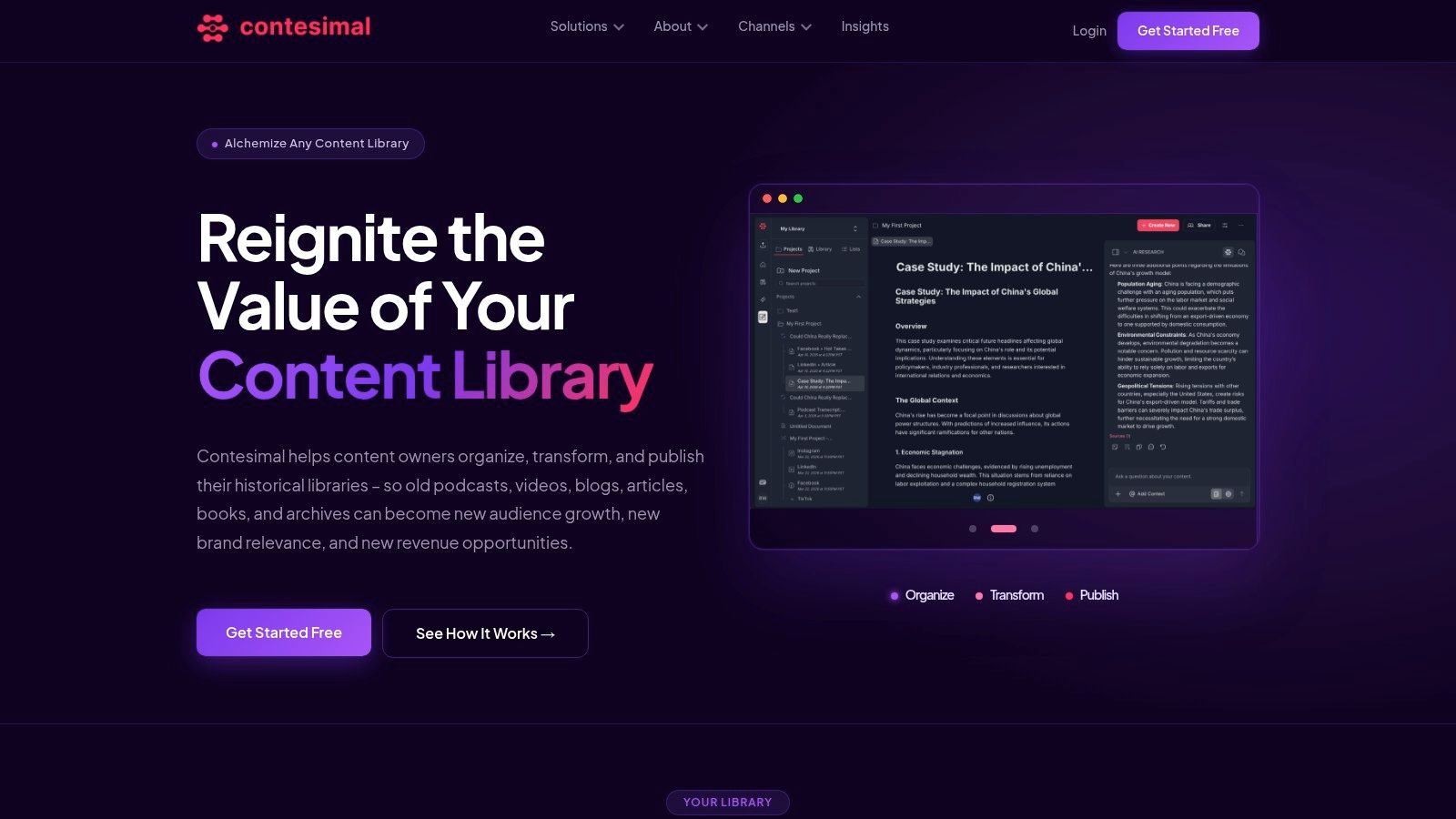
Contesimal combines a chat-style research interface with structured library tools. Users can ask questions across connected content, trace recurring ideas, and find relationships between formats. Its layered taxonomies and enriched transcripts support discovery, while information surfaced during interaction can guide editorial planning.
The lifecycle continues after search. A team might locate an interview segment, group it with related research, and turn the material into a dossier, list, snippet, script, social short, blog post, or SEO refresh. Those outputs can also support licensing discussions and other monetization paths. Programmatic uploads, fast ingestion, exportable assets, and push-to-publish workflows help connect research with production.
Human review remains part of the process. A producer can identify a promising clip, an editor can organize related material, and a marketer can adapt it for a specific channel without maintaining separate research copies.
Practical rule: Tagging creates value only when people can use the result. Test whether a tool helps your team move from “Where is that clip?” to “What can we publish or sell from this material?”
Trade-offs for buyers
Contesimal may suit publishers, agencies, research-heavy teams, and creators developing a revenue-generating operation. It can help revive an older archive, establish repeatable content buckets, and identify ideas that can be developed across platforms.
The public site does not list pricing details, and the supplied public-site review found no customer testimonials, awards, or certifications. Ask for a demo or case studies, then confirm how onboarding, taxonomy design, transcript quality, permissions, exports, and publishing connections will work with your archive. Inconsistent files and incomplete transcripts may require setup and human review before the results become reliable.
Learn more about Contesimal, including its trial and demo options. Teams planning the broader library architecture can also consult this digital asset management software guide.
2. Cloudinary
A publishing team can upload a video, analyze it, apply approved tags, create channel-specific versions, and make the result searchable through its own application. Cloudinary brings these steps together through media storage, transformations, delivery, and asset discovery. Its tagging model suits teams whose files need to reach websites, applications, commerce experiences, or custom publishing systems instead of remaining inside a traditional DAM.
Cloudinary supports AI auto-tagging for images and video, configurable confidence thresholds, and connections to external engines such as Google and AWS Rekognition. Search and tag-management APIs let engineers build ingestion pipelines, synchronize metadata, and send tagging events to internal applications. The practical workflow is sequential: capture metadata at upload, review uncertain labels, map accepted terms to the team taxonomy, then expose those fields through search and publishing tools.
Best fit and limitations
Cloudinary fits creator and publishing teams with engineering capacity. SDKs and automation can place media operations inside an existing product stack, while delivery variants support repurposing for different channels. Editors still need agreed rules for terms, confidence levels, rights, and review ownership. Without those rules, automated labels can make a large library look organized while producing inconsistent search results.
Its Taxonomy Agent can support governance across larger libraries. A free-text system may contain “behind the scenes,” “BTS,” and “production diary” for similar material. A controlled vocabulary connects those labels to one approved term, improving discovery, reporting, and later reuse.
Pros
- Developer flexibility: APIs and SDKs support custom ingestion, search, transformation, and delivery workflows.
- Choice of AI engines: Teams can use native capabilities or add services from Google and AWS.
- Operational scale: Storage, transformations, and global delivery operate alongside tagging.
Cons
- Add-on complexity: Advanced AI engines may bring extra costs and administration.
- Engineering requirement: Teams seeking a ready-made editorial research workspace may need to build that layer themselves.
Cloudinary's delivery-oriented approach differs from collaboration-first DAM products. Teams comparing these models can use this guide to digital asset management software and explore digital assets content for related workflow ideas.
Visit Cloudinary to review its tagging APIs, AI options, and media delivery architecture.
3. Adobe Experience Manager Assets
Adobe Experience Manager Assets is an enterprise DAM for teams that must manage metadata, permissions, brand rules, and distribution workflows alongside automated tagging. Smart Tags uses Adobe Sensei automation to add metadata to images and video. Model training can then connect those labels to a taxonomy that matches the organization's work.
Consider a publisher uploading a photo of a building. Generic recognition may produce “building,” while the editorial system may need “retail location,” “approved campaign setting,” or “regional storefront.” AEM Assets helps teams map machine-generated descriptions to terms that marketing, editorial, legal, and brand users can search consistently. That improves discovery and makes later repurposing easier, provided someone reviews the labels and maintains the vocabulary.
The workflow spans the asset's full lifecycle. Metadata is defined before upload, tags are applied during ingestion, permissions govern access, and Adobe Creative Cloud or Experience Cloud connections support editing and distribution. Controlled vocabularies also give reporting and monetization teams a clearer way to group approved material for campaigns, licensing, or other reuse.
Governance shapes the value
AEM Assets suits organizations already using Adobe tools. Creative teams can work in familiar applications, while publishing and marketing teams manage approvals, usage rules, and delivery from a shared asset system.
The same breadth creates operational work. Administrators must define metadata fields, configure models, review permissions, and update taxonomies as products and campaigns change. Pricing is quote-based and typically premium, so buyers should assess administration, integrations, storage, review, and distribution costs together rather than judging the tagging feature alone.
Pros
- Enterprise governance: Metadata, permissions, brand, and workflow controls support managed reuse.
- Business-specific tagging: Smart Tag training can reflect internal terminology.
- Creative integration: A natural fit for teams already using Adobe tools.
Cons
- Premium buying process: Pricing is quote-based and may require a substantial platform commitment.
- Administrative effort: Model tuning and taxonomy maintenance need dedicated ownership.
Choose Adobe Experience Manager Assets when controlled discovery, lifecycle governance, and Adobe ecosystem integration matter as much as automated tagging.
4. Bynder
A campaign team may receive thousands of images, videos, and audio files from different contributors. Bynder organizes that flow in a DAM workspace, adding Automated Tags during upload and using speech-to-text to make spoken content searchable. Contributors can find approved material without learning APIs, model configuration, or metadata schemas.
The tagging layer covers more than filenames. Smart filters and face recognition can help brand teams retrieve imagery by subject, person, or visual characteristic. For video and audio, transcripts create searchable text from dialogue, giving editors another route to a specific clip.
Usability across the content lifecycle
Bynder's interface is built for marketing and brand users. A contributor can upload an asset, a reviewer can confirm its status and usage context, and a campaign manager can locate it later through filters or transcript search. That shorter path between metadata capture and discovery can reduce duplicate downloads and unmanaged copies.
Its integrations, including connections with tools such as Smartsheet, extend the workflow into campaign coordination. An editor may find approved footage, attach it to a project, and pass the same file to a designer for repurposing. Governance still depends on the organization defining naming rules, approval states, taxonomies, and ownership. If those rules remain loose, an easy interface cannot prevent inconsistent tags.
For creator and publishing teams, this makes Bynder more useful when assets must move from production to review, distribution, and later reuse. Teams considering licensing or other monetization should also confirm that rights information and approval records fit their process, rather than treating automated tags as a substitute for lifecycle governance.
Pros
- Accessible workflow: A clear interface supports adoption among marketing and brand users.
- Automatic enrichment: Upload-time automation reduces manual metadata entry.
- Multimedia search: Speech-to-text extends discovery beyond still images.
- Collaboration support: Integrations connect asset retrieval with campaign work.
Cons
- Enterprise orientation: Buyers should expect a sales-led evaluation and organization-wide planning.
- Higher-tier dependencies: Advanced capabilities and add-ons may require a larger plan.
Bynder suits teams that prioritize adoption, collaboration, and repurposing over deep developer customization. A small creator seeking an inexpensive archive search tool may find its broader platform approach difficult to justify.
See Bynder to evaluate its automated tags, collaboration experience, and fit with your marketing workflow.
5. Veritone Digital Media Hub
A broadcaster searching for a player, sponsor, phrase, or event needs more than a file name. Veritone Digital Media Hub targets media organizations, sports groups, broadcasters, and rights-holders that need detailed indexing across video and audio. Built on Veritone's aiWARE, it can generate time-coded metadata, so teams can search within a file instead of treating the entire program as one item.
The workflow can then move from discovery to action. A team may locate a segment, review its context, check rights and approval status, and prepare it for editing, distribution, licensing, e-commerce, or archive maintenance. That sequence makes metadata useful throughout the content lifecycle, rather than only at ingestion.
Turning searchable archives into usable inventory
Veritone includes functions for discoverability, sharing, editing, distribution, and commerce. For a rights-holder, searchable historical footage can work like an inventory system: each result still needs clearance, packaging, and delivery before it can generate value.
Taxonomy governance remains a team responsibility. Buyers should define naming rules, accepted categories, rights fields, approval states, and ownership before automated analysis fills the library. They should also map ingestion, review, exports, and destination systems, because the platform may augment or replace parts of an existing MAM or DAM while requiring more planning than a lightweight marketing DAM.
Pros
- Media-specific indexing: Frame-level and time-coded analysis supports detailed video and audio operations.
- Rights and monetization orientation: Distribution and commerce features connect discovery with licensing workflows.
- Archive support: Historical collections can become easier to search, review, and reuse.
Cons
- Enterprise procurement: Pricing is quote-based and requires a sales conversation.
- Implementation depth: Existing media operations may need specialist integration planning.
Rights-holders should evaluate Veritone Digital Media Hub by tracing one segment from search result to approved, usable, and monetizable asset.
6. Acquia DAM
A creator team may begin with clean filenames, then watch its library grow into a maze of near-duplicates, inconsistent labels, and hard-to-find video. Acquia DAM, formerly Widen, addresses that problem through AI Search, AI Tagging, people recognition, and searchable video transcripts. Its DAM foundation also includes governance, privacy, and administrative controls for reviewing automated metadata.
The workflow is deliberately shared between software and people. AI can suggest terms and identify transcript content, while administrators decide which vocabulary the library accepts, how tags support search, and which assets require additional review. That checkpoint matters for brand, privacy, rights, and regional concerns. It also gives teams a place to correct errors before metadata spreads into exports, repurposed content, or publishing systems.
A governed path from capture to reuse
Acquia's opt-in approach to AI features lets organizations decide whether particular recognition or analysis functions fit their process. Procurement should still cover retention, permissions, data processing, and export behavior, especially when tagged assets move into other tools or revenue workflows.
Its Workgroup, Mid-Market, and Enterprise options may make initial scoping clearer than an undefined enterprise package. Quote-based pricing and advanced modules can still raise both cost and implementation effort.
Pros
- Metadata control: Administrators can refine tags and manage governance.
- Multimedia discovery: Image tagging and video transcripts support broader search.
- Privacy awareness: Opt-in AI features create a clear review point.
Cons
- Module costs: Advanced capabilities may require additional investment.
- Implementation complexity: Larger libraries need careful configuration and adoption work.
Acquia DAM fits teams seeking a conventional DAM with AI assistance, taxonomy oversight, and a practical route from metadata capture to discovery and reuse, rather than a pure computer-vision API.
7. Clarifai
A sports archive may need tags for player actions, uniform details, and sponsorship marks. A medical publisher may require terms that general-purpose recognition cannot supply. Clarifai supports these specialized workflows through computer vision and multimodal AI, pretrained models, custom training, face recognition, content moderation, APIs, SDKs, and deployment options for cloud or edge environments.
The platform suits teams building their own tagging layer rather than buying a finished DAM. They can define domain labels, test existing models, add representative examples, and adapt results through transfer learning. The trade-off is ownership: engineers must connect analysis to ingestion, storage, review, search, permissions, and publishing systems.
A workable process starts with a limited asset group:
- Define approved labels and their relationships, using content tagging taxonomy principles to separate broad subjects from useful subcategories.
- Run a pretrained model and inspect recurring false positives, missing labels, and ambiguous results.
- Add domain examples, retrain or configure the model, then send low-confidence outputs to human reviewers.
- Record corrections as governed metadata so approved tags can support search, editorial reuse, distribution, and later monetization.
That loop makes model improvement part of the content lifecycle, instead of treating tagging as a one-time export. It also requires clear ownership for taxonomy changes, permissions, retention, and integration behavior.
Pros
- Custom taxonomy support: Fits domain-specific labels and classification.
- Model choice: Prebuilt models and transfer learning can reduce development time.
- Deployment flexibility: Cloud and edge options suit different technical environments.
Cons
- Usage-based variability: Costs change with usage and model selection.
- Engineering ownership: Buyers must build the surrounding DAM and editorial workflow.
Review Clarifai when custom AI control matters more than a ready-made asset library interface.
8. Google Cloud Video Intelligence API
A publisher processing an archive can use Google Cloud Video Intelligence API to locate scene changes, detect objects and labels, read on-screen text with OCR, and create time-coded video metadata. Those results can turn a long file into searchable moments, provided the team connects them to editorial records, rights information, and review decisions.
The API is a developer building block rather than a finished media library. It can provide face and celebrity recognition capabilities, while the organization decides which outputs become approved tags, which remain review candidates, and how sensitive results are handled. A governed taxonomy keeps automatically detected labels from becoming an inconsistent collection of near-duplicates.
A practical workflow begins with analysis, then moves through validation. The service processes the video, the application stores its labels and timestamps, and reviewers correct uncertain or irrelevant results. Approved metadata can then support search, clip selection, repurposing, distribution, and monetization. Teams can also connect the output to a DAM, MAM, archive, or custom search interface.
The trade-off is control versus implementation work. Pay-as-you-go processing can suit uneven workloads, such as a large backfile followed by occasional additions, but the operating plan still needs storage, egress, monitoring, retries, human review, and taxonomy maintenance. For guidance on connecting analysis to practical editorial workflows, see AI content analysis workflows.
Pros
- Granular video analysis: Labels, shots, OCR, and recognition features can produce useful time-coded metadata.
- Flexible consumption: Usage-based processing accommodates workloads that change over time.
- Custom architecture: Teams choose how metadata enters search, permissions, review, and publishing systems.
Cons
- Integration burden: Engineers must build taxonomy controls, approvals, authentication, and metadata storage.
- No complete DAM: Collaboration, rights management, and publishing features come from connected systems.
Choose Google Cloud Video Intelligence when you need a video analysis layer inside an architecture your team can maintain. Small teams seeking searchable folders may find a turnkey media library easier to operate.
9. Azure AI Video Indexer
A producer searching for one spoken phrase in a long interview needs more than a filename or folder label. Azure AI Video Indexer analyzes video and audio to create labels, face detections, topics, and transcriptions with time codes. Those markers can turn a whole-file search into a search for a specific moment.
The workflow is easiest to understand as a pipeline. A technical team submits media for analysis, receives extracted metadata, then decides which fields enter its search index, DAM, MAM, analytics system, or internal application. Editors can use approved terms to find clips for a new cut, social post, or publishing package. Rights and taxonomy rules still need to travel with those results, so discovery does not outrun permission.
For organizations already using Azure Media Services and related Azure data tools, the service can fit the existing architecture. Its analysis SKUs support different processing needs, while per-minute pricing helps teams estimate the analysis layer. Storage, data movement, indexing, and human review remain separate budget items, so the processing quote is only part of the lifecycle cost.
The practical question is who owns the handoffs. Someone must define approved tags, review uncertain detections, represent restrictions in search, and route a selected clip to distribution or monetization. That work makes the service a tagging layer rather than a finished media library.
Strengths
- Rich extraction: Labels, faces, topics, and transcripts support moment-level discovery and repurposing.
- Azure integration: It suits teams operating within Microsoft's cloud ecosystem.
- Cost visibility: Per-minute processing and analysis SKUs aid workload planning.
Limitations
- System-building requirement: Teams must connect insights to governance, permissions, and editorial tools.
- Additional cloud costs: Storage and egress require separate planning.
Choose Azure AI Video Indexer when your team wants structured media intelligence inside an Azure architecture and can maintain the surrounding workflow.
10. Amazon Rekognition
A video editor searching for every product shot or on-screen name needs more than a file title. Amazon Rekognition analyzes images and video for labels, faces, text, unsafe content, and celebrities. Its video label detection can return timestamps, linking a detected subject to the moment where it appears.
Rekognition works best as one service in a larger pipeline. AWS customers can combine it with services and media blueprints such as Media2Cloud and Media Insights Engine. A typical workflow ingests the asset, runs analysis, stores the resulting metadata, sends uncertain detections for review, and exposes approved tags to editors or applications. That sequence connects metadata capture with discovery, repurposing, and later distribution.
A configurable tagging layer
Usage-based pricing and AWS integration suit developer-led teams that want control over consumption. DAM and MAM vendors can also use Rekognition as an auto-tagging engine, providing recognition features without building the full AI layer. Teams still need to define their taxonomy, map detected labels to approved terms, and decide which results can support search or monetization.
Feature availability can vary by region and workflow. Some streaming and batch capabilities have changed availability for new customers, so buyers should verify the current status for their planned architecture. Privacy, consent, retention, moderation, and human-review policies also require review before enabling face or sensitive-content analysis.
Pros
- Composable AWS design: Connect analysis with storage, queues, search, and media services.
- Detailed detection: Labels, faces, text, moderation, and timestamps support varied workflows.
- Third-party support: Rekognition is available as an engine inside some DAM and MAM products.
Cons
- Service changes: Verify availability for intended streaming or batch functions.
- Regional differences: Feature support may depend on location.
Evaluate Amazon Rekognition as a tagging component, then add taxonomy governance, editorial review, permissions, and content-operations steps around it.
Top 10 Media Tagging Tools, Feature Comparison
| Product | Core capabilities | Target audience | USP / Value proposition | Pricing & onboarding |
|---|---|---|---|---|
| Contesimal | AI ingestion, chat-style research, layered taxonomies, transcript & asset enrichment, push-to-publish | Podcasters, YouTubers, publishers, content marketers, research teams | Turns dormant archives into monetizable assets; chat + taxonomy for contextual discovery and collaborative workflows | Free trial & demo; demo/quote pricing, onboarding and taxonomy setup recommended |
| Cloudinary (AI Vision + DAM) | Image/video upload, auto-tagging, transformations, CDN, robust APIs | Dev teams, product and marketing teams needing automation | Mature SDKs, flexible AI add-ons (Google/AWS), scalable delivery | Usage-based; AI add-ons may incur extra cost; developer-friendly |
| Adobe Experience Manager Assets (Smart Tags) | Enterprise DAM, Sensei Smart Tags, model training, governance & permissions | Large enterprises using Adobe CC/Experience Cloud | Deep Adobe integration, custom Smart Tag training, strong governance | Quote-based premium pricing; significant admin effort for tuning |
| Bynder | Automated tags on upload, face recognition, speech-to-text, collaboration UI | Marketing & brand teams, non-technical users | Polished UX tailored to marketing workflows; fast time-to-value via automations | Enterprise pricing; advanced features often in higher tiers |
| Veritone Digital Media Hub | Frame-by-frame AI indexing, time-coded metadata, distribution/licensing tools | Broadcasters, media rights-holders, sports organizations | Purpose-built for media monetization and deep archival indexing | Enterprise/quote pricing; implementation can be involved |
| Acquia DAM (formerly Widen) | AI auto-tagging, searchable transcripts, admin tag refinement, privacy controls | Mid-market to enterprise teams needing packaged DAM | Clear packaging, privacy-aware AI, strong integrations and onboarding options | Tiered plans; quote-based for enterprise modules |
| Clarifai | Pretrained & custom computer-vision models, APIs, edge deployment, custom taxonomies | Teams building domain-specific tagging and vision pipelines | Strong custom model support and transfer learning for domain accuracy | Usage/model-based pricing; enterprise plans via sales |
| Google Cloud Video Intelligence API | Label/object detection, shot detection, OCR, face/celebrity recognition, time-coded metadata | Engineers building custom video tagging/indexing systems | Granular, accurate labeling at scale with pay-as-you-go billing | Per-minute pricing; requires engineering to integrate |
| Azure AI Video Indexer | Automatic labels, faces, topics, transcriptions, time-coded output; Azure integrations | Azure-centered enterprises, media & analytics teams | Tight Azure Media Services integration, transparent SKUs, cost-optimizations | Per-minute pricing; engineering integration and separate Azure costs |
| Amazon Rekognition (Image + Video) | Image/video labels, face recognition/search, moderation, text/celebrity detection | AWS-centric dev teams and DAM integrations | Fine-grained usage pricing, strong AWS ecosystem integration, supported by many DAMs | Usage-based with free tier options; regional feature availability varies |
Choose the Tagging Layer Your Library Can Sustain
The best media tagging software isn't necessarily the product with the longest feature list. It's the layer your team can govern, afford, connect, and use consistently after the initial launch. A technically impressive tagging engine won't create much value if editors don't trust its labels, engineers can't maintain the integration, or rights information remains disconnected from search.
Start by separating three categories. Turnkey DAM platforms such as Adobe Experience Manager Assets, Bynder, and Acquia DAM suit teams that need governed storage, permissions, collaboration, and asset workflows in one environment. Developer APIs such as Google Cloud Video Intelligence, Azure AI Video Indexer, Amazon Rekognition, and Clarifai suit organizations with engineering capacity and a reason to build a custom pipeline. Media and content intelligence platforms such as Veritone Digital Media Hub and Contesimal are more relevant when discovery needs to lead into archive activation, research, licensing, repurposing, or editorial planning.
Your content type should narrow the field. A marketing department managing approved campaign images may prioritize Bynder's usability and workflow controls. A broadcaster or sports rights-holder may need Veritone's time-coded indexing and monetization orientation. A video platform with a strong engineering team may prefer Cloudinary or one of the cloud APIs. A publisher with podcasts, articles, books, research files, and ongoing collaboration may value Contesimal's combination of layered taxonomies, conversational research, and repurposing workflows.
The durable choice is the one that keeps tags meaningful after the pilot ends.
Run a pilot with representative assets, not a polished sample folder. Include podcast episodes, raw and edited video, articles, documents, transcripts, archival material, and files with incomplete metadata. Define controlled fields and naming rules before ingestion. Dublin Core offers a practical baseline with 15 top-level categories, including Title, Creator, Subject, Description, Publisher, Contributor, Date, Type, Format, Identifier, Source, Language, Relation, Coverage, and Rights, as documented in Dublin Core metadata guidance.
Don't force every format into one template. Smithsonian DAMS guidance specifies IPTC for images, BEXT, INFO, and ID3 for audio, plus a limited set of XMP Dublin Core fields, demonstrating why format-aware rules matter. Adobe's metadata guidance also recommends defining metadata before upload and using controlled vocabularies, so teams should decide which terms are approved rather than letting every contributor invent labels.
Test search quality with real questions. Can an editor find every interview mentioning a subject? Can a producer locate a usable clip by speaker and topic? Can a rights manager identify material that is cleared for a particular reuse? Have humans review uncertain or high-risk tags, then record corrections instead of overwriting them.
Finally, estimate the complete cost. Include storage, analysis, API usage, add-ons, implementation, taxonomy design, review time, training, exports, and maintenance. Document how approved tags move into discovery, editorial planning, distribution, audience growth, licensing, and revenue-generating reuse. That final connection is what turns an organized archive into a working library.
Contesimal helps creators, publishers, researchers, and content teams classify, search, and explore podcasts, videos, articles, books, and documents with layered AI-assisted tagging. Visit Contesimal to start a free trial or book a demo, then test how your existing archive can become a source of new research, publishing ideas, and revenue-bearing content.