
A lot of creators hit the same wall at the same moment. The channel is growing, the podcast has a back catalog, clips are spread across cloud drives, transcripts live in one app, show notes in another, and nobody can find the original segment that would make a perfect short, reel, newsletter excerpt, or lead magnet.
At first, it looks like a search problem. Then it becomes a workflow problem. Then it becomes a money problem, because content you can't find is content you can't reuse, package, license, relaunch, or turn into a new series.
That's where taxonomy stops being an academic word and starts becoming operational. If you want to reignite your content library, create infinite content value, and give both humans and AI something usable to work with, you need a clear way to organize what you already have.
The Content Library Problem Every Creator Hits
A creator spends two years publishing interviews, solo episodes, articles, clips, and newsletters. The work is good. The audience is real. The library is a mess.
The team remembers there was a strong discussion about sponsorship strategy in an older episode, but nobody knows whether it lived in a podcast transcript, a YouTube upload, a draft article, or a producer's notes folder. Someone recreates the research from scratch. Someone else clips the wrong segment. A writer titles a post one way, the editor tags it another way, and the video producer uses a third phrase entirely.
That's usually the point where people start shopping for new tools. But the problem often appears earlier than the tool decision.
The symptoms show up before the system breaks
You can spot a taxonomy problem long before anyone calls it that:
- Duplicate work: A researcher pulls quotes for a topic that was already covered in another format.
- Lost source files: The final video is easy to find, but the transcript, b-roll, and rights notes aren't.
- Broken repurposing: A great longform asset exists, but nobody can quickly slice it into shorts, threads, carousels, or email content.
- Confused collaborators: A freelancer joins the team and asks a basic question. “Where do I find all the episodes for this series?”
Search won't rescue a library like that if the underlying labels are inconsistent. One person writes “monetization,” another writes “revenue,” another writes “making money,” and a fourth doesn't tag the asset at all.
Practical rule: Search is only as good as the structure beneath it.
Why gut-feel tagging stops working
Small libraries survive on memory. One creator can remember where things live. Two or three collaborators can usually work around inconsistency. After that, “I'll know it when I see it” stops being a system.
Taxonomy is the first real lever to pull because it creates recognizable groups. Once content sits inside consistent categories, you can browse it, filter it, hand it off, analyze it, and repurpose it across platforms.
That matters for creators moving from hobbyist mode into a real business. If you're trying to build playlists around winning concepts, grow across channels, onboard help, and make older assets valuable again, your library needs structure before it needs more output.
What a Taxonomy Actually Does in a Content Library
At the simplest level, a taxonomy is a way of putting things into groups and naming those groups consistently. In a content library, that means agreeing on what kinds of buckets exist and what belongs in each one.
The idea has old roots. Modern taxonomy was formalized by Carolus Linnaeus in 1758, when he used binomial nomenclature consistently and established the standard hierarchy of class, order, genus, and species. That framework is still foundational because it relies on layered levels of abstraction, from broad groups down to specific entities, which is the same basic logic content libraries use for scalable retrieval across large archives, as described in Britannica's overview of the Linnaean system.
Taxonomy is structure, not decoration
Creators often confuse several nearby ideas:
- Tags are individual labels.
- Metadata schemas define descriptive fields such as author, format, publish date, or rights status.
- Folksonomy is community or ad hoc tagging, where users create labels freely.
- Taxonomy is the agreed structure and rule set for classification.
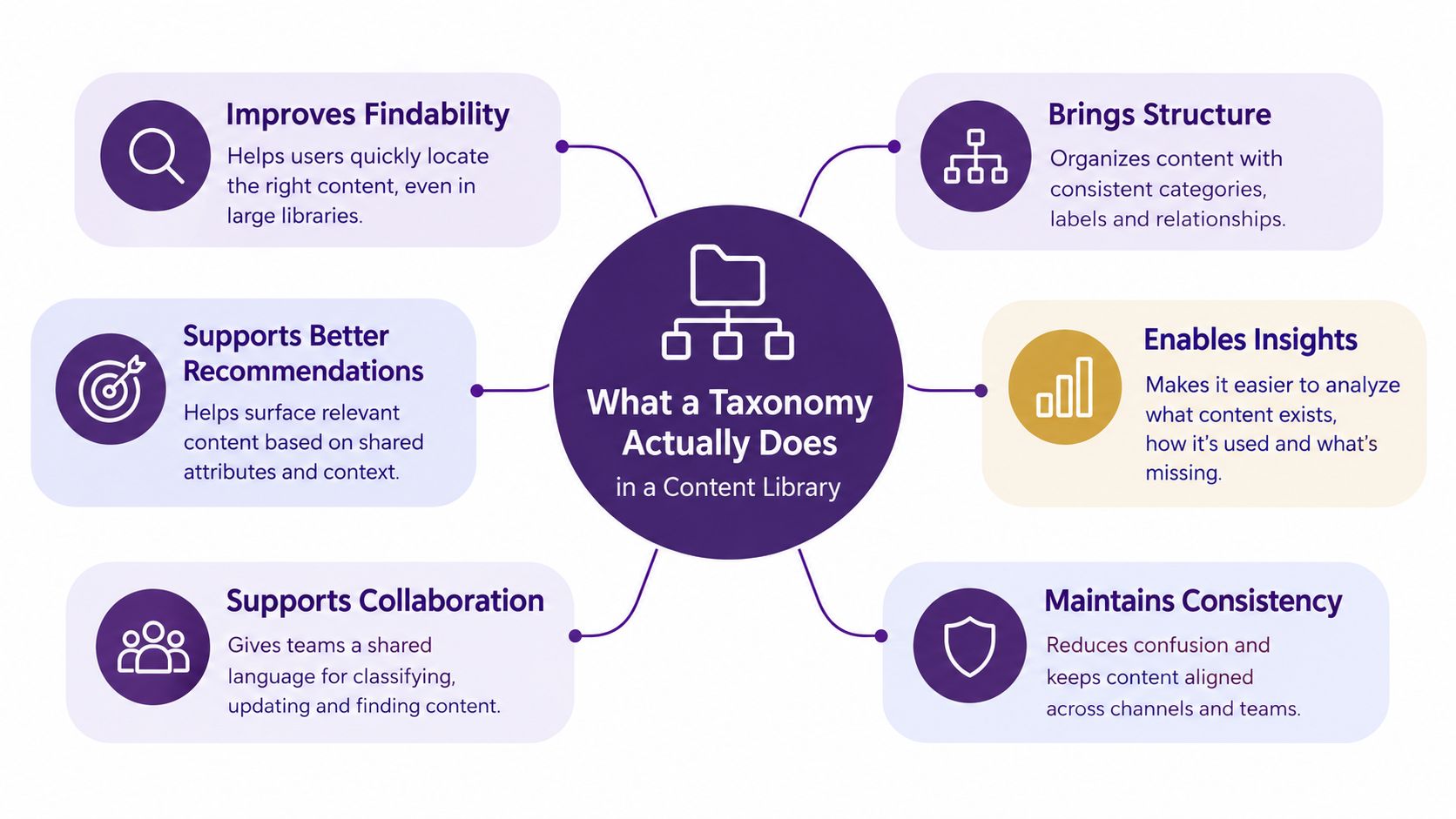
That distinction matters because taxonomy doesn't just label posts. It shapes navigation, filters, search behavior, archive pages, and recommendation logic.
If you want a plain-language primer on the broader idea of grouping content, this guide to categorization is a useful companion concept.
One asset can live in several structural layers
Take a single podcast episode.
A team might classify it as:
- Content type: Podcast episode
- Primary topic: Audience growth
- Format: Interview
- Intended use: Repurposable for shorts
- Audience: Professional creators
Those aren't random labels. They express different retrieval needs. An editor may want all interview episodes. A marketer may want everything about audience growth. A producer may want only assets ready for clipping. The same piece of content serves all three if the taxonomy is designed deliberately.
Taxonomy tells your library how to be understood, not just how to be stored.
That's why a taxonomy is a structural layer. It gives your team, your tools, and your AI workflows a shared map of what exists.
The Main Types of Taxonomies Explained
Not all taxonomies organize content the same way. The main types of taxonomies differ in how rigid they are, how many paths they allow, and what kind of discovery they support.
Five Core Taxonomy Types at a Glance
| Taxonomy Type | Structure | Best For | Content Library Example |
|---|---|---|---|
| Hierarchical | Parent-child tree | Clear browse paths | Videos under Marketing > Email > Deliverability |
| Polyhierarchical | One item can have multiple parents | Cross-topic libraries | One episode under Monetization and Sponsorships |
| Faceted | Separate attributes combined at search time | Filtering mixed media | Filter by format, topic, audience, and status |
| Flat | Single-level list of terms | Small libraries or lightweight tagging | Tags like tutorial, guest, launch, beginner |
| Network or ontology-based | Categories linked by defined relationships | Semantic search and research-heavy libraries | “Creator economy” related to “sponsorship,” “pricing,” and “audience growth” |
For teams designing labels and relationships, this article on content tagging and taxonomy pairs well with the structural choices below.
Hierarchical taxonomy
A hierarchical taxonomy organizes content in a parent-child structure. It works like a table of contents or a folder tree.
A creator picks this when they want predictable top-down browsing. It works well when the audience expects broad topics to narrow into subtopics.
Example: a media brand might sort assets into Business, Production, and Distribution, then narrow Distribution into YouTube, Podcasting, and Newsletter.
Polyhierarchical taxonomy
A polyhierarchical taxonomy loosens the strict tree. One item can belong to more than one parent branch.
Creators choose this when a single asset legitimately spans multiple themes and forcing one home would hide it from part of the team. That's common in mixed libraries where one conversation covers audience growth, sponsorship sales, and platform strategy at the same time.
Example: a podcast episode about turning interviews into revenue could sit under both Repurposing and Monetization.
Faceted taxonomy
A faceted taxonomy classifies content through independent attributes such as topic, format, audience, purpose, or production stage. Rather than forcing one path, it lets users combine filters.
This structure is especially useful because each facet stands alone and can be recombined at query time, which helps complex digital libraries avoid category explosion while preserving browseability, as explained in Liverpool University Press on hierarchical, polyhierarchical, and faceted structures.
Example: a user filters for Video + Beginner + Content Strategy + Ready to Repurpose.
Flat taxonomy
A flat taxonomy is a single-level list with no hierarchy. Every term sits at the same level.
A creator uses this when speed matters more than nuance, especially in an early-stage library. It's simple to launch, but it gets messy fast if terms overlap or multiply without rules.
Example: a solo creator may start with labels like clips, interviews, case study, newsletter, evergreen, and launch.
Network or ontology-based taxonomy
A network or ontology-based taxonomy links concepts through relationships beyond parent-child. A topic can be related to another topic, be a subtype of it, depend on it, or connect through shared entities.
Creators pick this when they need richer semantic discovery across research, interviews, transcripts, and reference material. It's less about shelf placement and more about meaning.
Example: an article on pricing strategy may connect to podcast episodes about sponsorships, guests who discussed brand deals, and video clips tagged with negotiation tactics.
A practical distinction creators often miss
There's another useful split between vertical and horizontal taxonomies. A vertical taxonomy classifies by core features, while a horizontal taxonomy classifies by task, form, and context. In information retrieval, the horizontal layer can include ad hoc retrieval, known-item search, browsing, filtering, clustering, mining, gathering, and crawling, which shows why the same library may need different classification paths for different user behaviors, as outlined in this information retrieval taxonomy paper.
That's why taxonomy choice isn't just about neat categories. It's about whether your editor is browsing for ideas, your producer is hunting for one exact clip, or your audience is filtering a library for a specific need.
Pros and Cons of Each Taxonomy Type
No taxonomy type wins on every dimension. The right choice depends on how your team tags content, how your audience finds it, and how much governance you can maintain.
Pros and Cons of Common Taxonomy Types
| Taxonomy Type | Strengths | Weaknesses | Best Fit |
|---|---|---|---|
| Hierarchical | Easy to understand, strong navigation, clear ownership | Rigid, weak for cross-topic assets | Editorial sites with stable topic trees |
| Polyhierarchical | Reflects real overlap, supports multiple browse paths | Harder to govern, more chances for inconsistency | Libraries with recurring crossover topics |
| Faceted | Excellent filtering, flexible growth, strong for mixed media | Requires tagging discipline, can confuse teams if facets overlap | Podcast, video, article, and research collections |
| Flat | Fast to set up, low overhead, simple for small teams | Collapses under scale, duplicates terms easily | Early-stage creator libraries |
| Network or ontology-based | Rich semantic links, strong for discovery and AI workflows | Higher maintenance, harder to explain and validate | Research-heavy or entity-rich archives |
What looks elegant on paper can fail in practice
Hierarchical systems are tidy. Editors usually understand them quickly. But the minute one episode fits two real themes, someone has to choose a single shelf, and discoverability drops for the other use case.
Polyhierarchies fix that, but they introduce governance questions. If an episode can live in several branches, who decides when that's justified versus sloppy duplication?
A taxonomy should match how people retrieve content under pressure, not how the library looks in a planning document.
Facets scale well, but only with rules
Faceted systems often work better in complex libraries because users can narrow results by selecting relevant attributes, and they can ignore a facet that isn't needed for a search. One practical advantage is that expansion stays lightweight because a new year, department, or content type may require only one new tag, as noted in Picturepark's explanation of faceted taxonomies.
Still, facets don't run themselves. If your team can't agree on the difference between topic, format, and audience, you'll end up with cluttered filters that feel precise but behave unpredictably.
Flat and ontology models sit at opposite ends
Flat taxonomies are forgiving at the beginning. A creator can move quickly without designing a whole information architecture. The downside is drift. Terms multiply. Near-duplicates appear. Search gets noisier.
Ontology-based systems do the opposite. They bring precision and richer meaning, especially when teams need semantic links across people, episodes, ideas, and source material. But they carry real maintenance overhead. Someone has to manage the relationships, validate term usage, and keep the map coherent.
Matching Taxonomy Types to Real Content Library Use Cases
The easiest way to choose among types of taxonomies is to stop thinking about theory and start with jobs. What job does your library need to do this week?
A podcast archive has one set of pressures. A publisher's article repository has another. A video team clipping shorts from longform episodes has a third.
Podcast archives with overlapping themes
A podcast library often breaks a strict tree. One episode can belong to a series, cover multiple business themes, feature a notable guest, and contain several reusable moments.
In that case, a polyhierarchical or faceted approach usually fits better than a rigid hierarchy. Topic may describe what the episode is about. Format may describe whether it's solo, interview, panel, or recap. Reuse status may show whether clips, quotes, or newsletter excerpts already exist.
Video libraries that need both browse and filter behavior
Video teams often need two different discovery modes at once. A viewer may want to browse broad topics, while an internal team member may need to filter by length, platform, speaker, production stage, or rights status.
That's where a hybrid model earns its keep. Hierarchical “aboutness” handles the main subject tree, while faceted tags manage functional retrieval. Kentico makes a useful distinction here between semantic taxonomies, which classify content by type or theme, and functional taxonomies, which support filtering, data retrieval, or UI behavior, in its guide to taxonomy types in content systems.
A short training video may be about sponsorship sales, but functionally it may also be “approved for social clipping” and “for new subscribers.”
Here's a short visual walkthrough before the next example.
Research collections and evergreen article libraries
Research-heavy collections tend to need subject precision. Those searching for a concept may also need related entities, prerequisite ideas, and connected themes. That leans toward ontology-style relationships or at least a richer semantic layer.
Evergreen article repositories usually benefit from a simpler mix. A top-level hierarchy can guide readers through major themes, while facets handle author, audience level, content format, or update status.
If your library serves both readers and internal production teams, one taxonomy rarely does the whole job well.
That's why many modern systems land on hybrid models. Public explanations often force a choice between flat, hierarchical, and faceted structures, but organizations increasingly combine hierarchical subject trees with facets and cross-links. One reason is fragmentation in practice. A recent survey found 45 topic ontologies across research-field knowledge organization systems, which reflects how rarely real-world taxonomies remain clean single trees, as discussed in this research on knowledge organization systems.
How to Implement a Taxonomy That Stays Useful
The cleanest taxonomy on a whiteboard can still fail in production. The test isn't whether it looks logical. The test is whether your team uses it consistently when deadlines are tight and the library keeps growing.
Start with the library you actually have
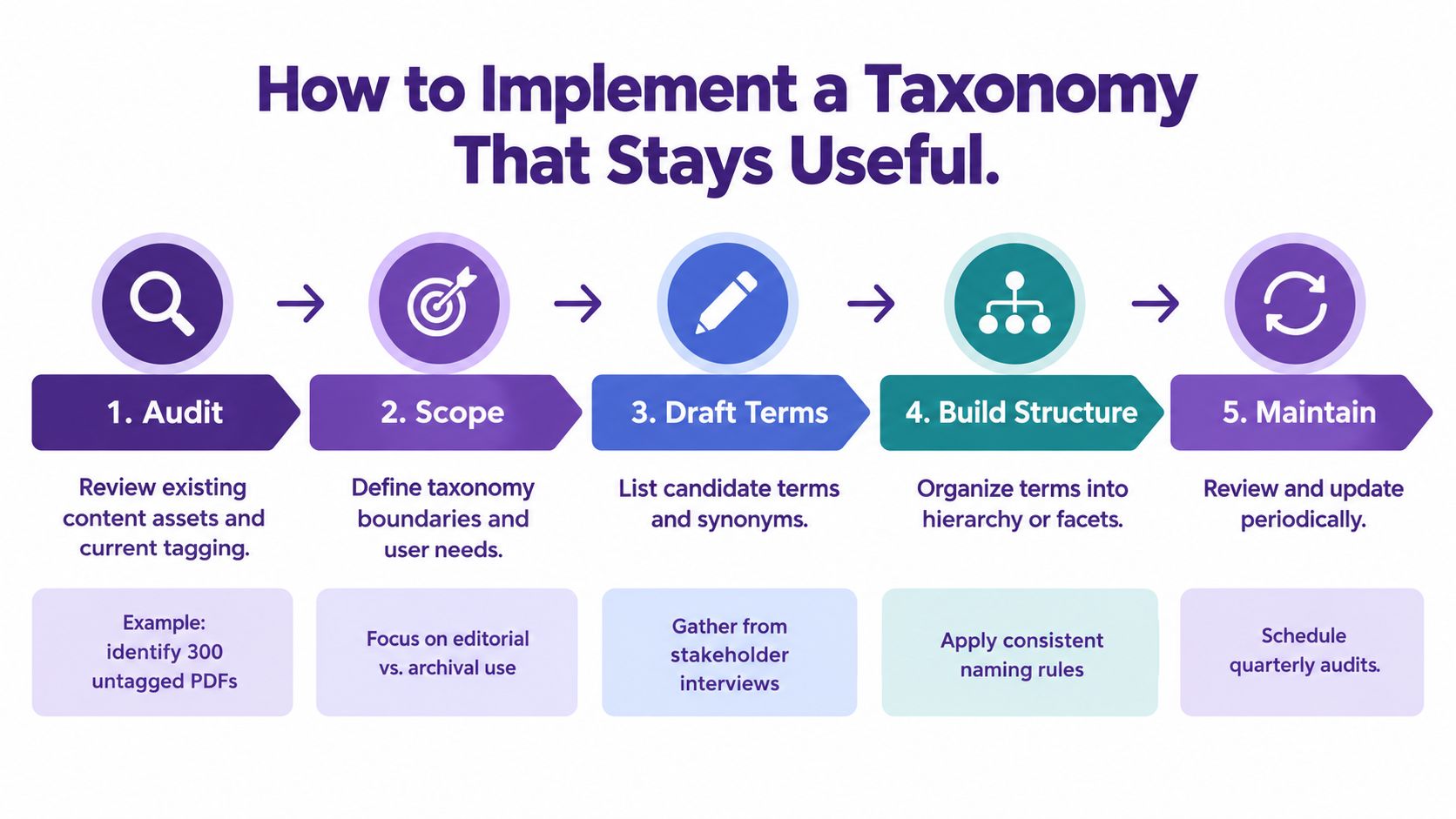
Audit the content first. Don't begin by inventing the perfect structure. Look at your real assets: podcast episodes, transcripts, shorts, articles, decks, research docs, and file attachments.
Then define scope. Maybe you only need to organize published assets first. Maybe your bottleneck is archived research. Maybe your biggest pain is clip retrieval for cross-platform repurposing.
Build vertical and horizontal layers together
A practical model is to combine:
- Vertical classification: deep topic trees that describe what content is about
- Horizontal classification: cross-cutting facets such as format, audience, funnel stage, language, status, or reuse potential
That split matters because different retrieval behaviors need different pathways. Some users browse by subject. Others perform known-item search. Others filter by workflow context.
Put governance in writing
A usable taxonomy needs rules, even for a small team:
- Define term ownership: Decide who approves new terms.
- Write naming rules: Choose singular or plural, abbreviations or full names, and preferred synonyms.
- Set retirement criteria: Remove stale labels and merge duplicates.
- Review on a schedule: Taxonomies drift when nobody revisits them.
This is becoming more important as content ecosystems change quickly. Governance now has to account for versioning, validation, and migration across systems. That concern shows up in current standards activity too, including the SEC's notice about 2026 XBRL taxonomy updates and incompatibility handling in financial reporting, which is a good reminder that taxonomy maintenance is an operational issue, not a one-time setup task, as noted in the SEC's 2026 XBRL taxonomies update.
Start lighter than you think
Many teams should begin with a controlled flat list plus a few facets, then evolve. A controlled vocabulary gives you predefined standardized terms for consistent tagging, while hierarchical, flat, and faceted taxonomies each solve different structural needs, as summarized in Kentico's taxonomy glossary.
If you're evaluating tools that can support layered structures across documents, podcasts, videos, and articles, platforms such as Airtable, Notion, dedicated DAM systems, and Contesimal can support taxonomy-centered organization in different ways depending on your workflow and retrieval needs.
From Structure to Discovery and Collaboration
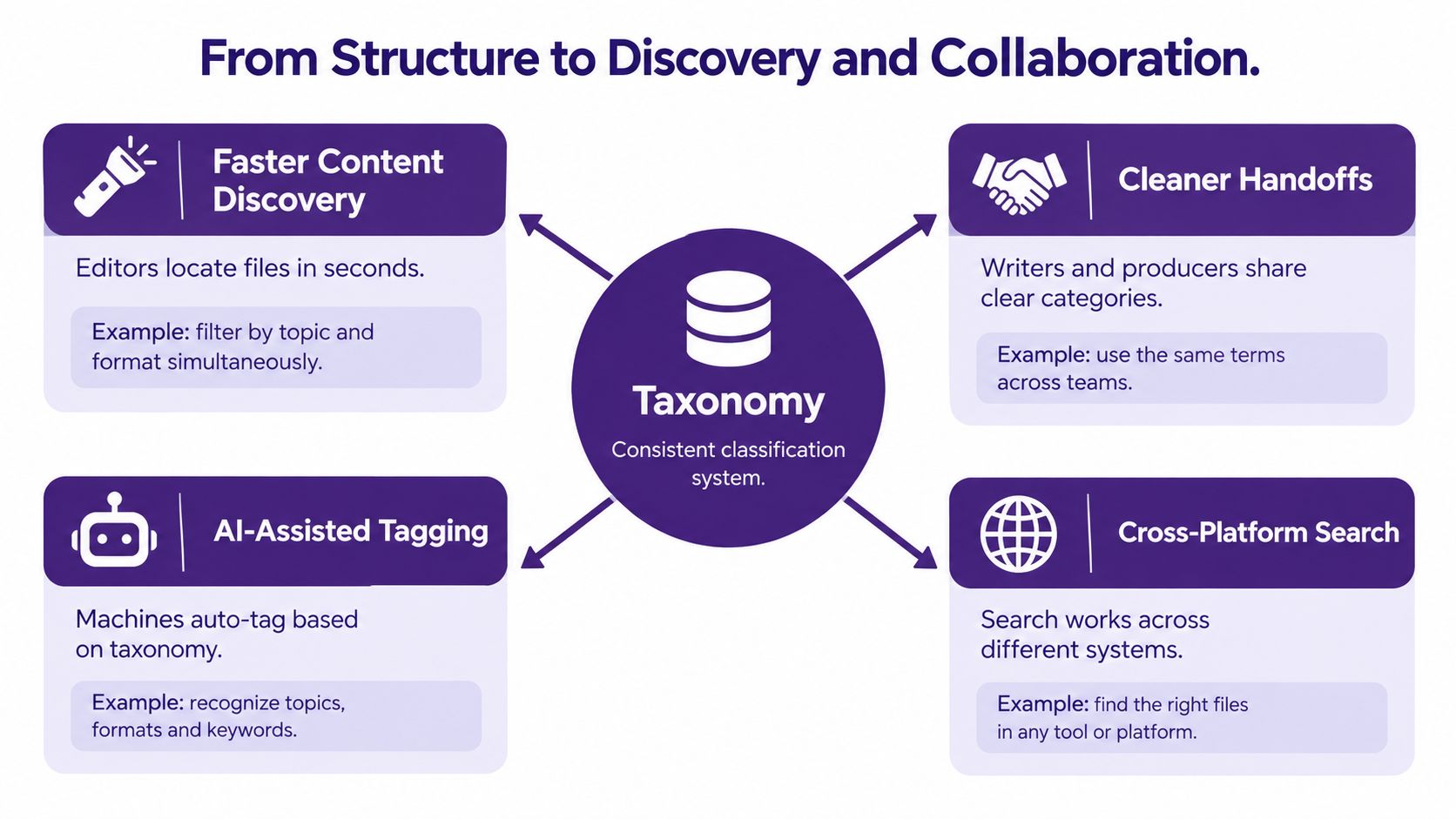
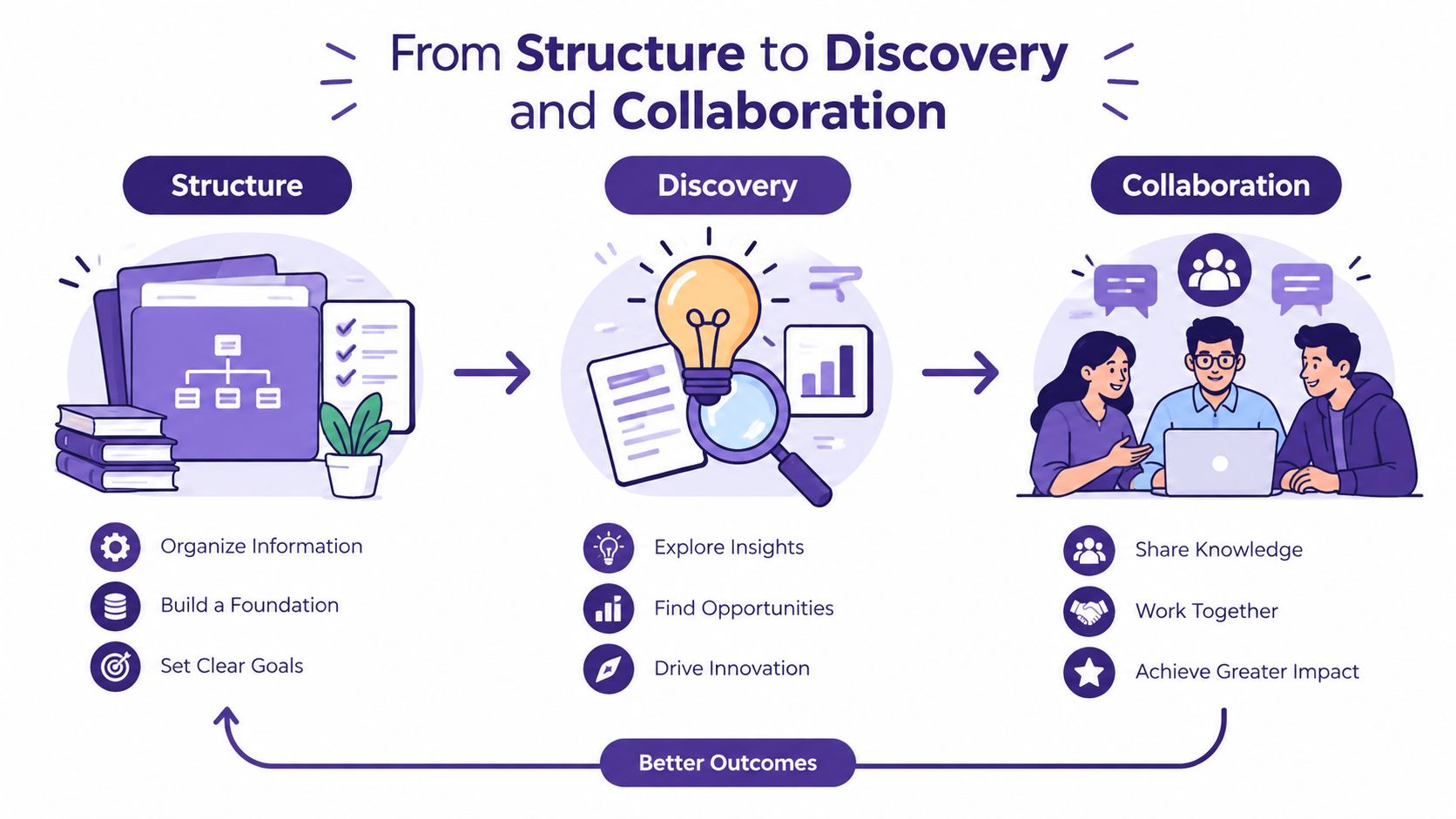
The best taxonomy isn't the one with the prettiest diagram. It's the one that helps a producer find the right clip, helps an editor understand what already exists, and helps a team turn old work into new value.
Most modern libraries end up hybrid for a reason. A hierarchical layer helps people browse by subject. Faceted filters help them narrow by format, audience, or production state. A lightweight semantic layer can connect guests, themes, and related source material.
That combination usually beats a single rigid structure, especially in mixed libraries that include podcasts, videos, articles, and research notes. The goal isn't theoretical purity. The goal is smoother handoffs, clearer ownership, and stronger retrieval under real deadlines.
If you're building a system that needs to support search, reuse, and collaboration across multiple formats, a content discovery platform should make those structural layers visible rather than hiding them behind one search box.
When a taxonomy works, teams stop asking where things are and start asking what else they can do with what they already have.
That's when organization turns into an advantage.
Contesimal helps creators and content teams organize large libraries of podcasts, videos, articles, and research so those assets are easier to search, classify, and reuse across platforms. If you're trying to turn an archive into a working system for discovery, collaboration, and repurposing, visit Contesimal to see how a layered taxonomy approach can support that work.