
A permalink is the permanent address for one specific piece of content on the internet. Unlike a regular URL that might change as a site gets reorganized, a permalink is meant to stay stable for years so people, search engines, and collaborators can keep finding the same item.
If you've ever tried to reuse an old blog post, reshare a podcast episode, or send someone back to a valuable page you published months ago, you've probably felt how messy this gets fast. One link has random numbers in it. Another changed when you renamed a category. A third still exists somewhere, but nobody can remember where.
That's why permalinks matter more than most creators think. They look boring. They sound technical. But they subtly shape how your content library holds together over time. If your content is an archive, a catalog, or a growing portfolio, each asset needs an address people can trust.
For creators moving from “I post things online” to “I run a real content business,” this matters even more. Stable links support sharing, search visibility, citations, collaboration, and repurposing. They make your content easier to find today and easier to monetize later.
Your Content Needs a Permanent Address
You publish a great tutorial, mention it in your newsletter, link to it from a podcast episode, then return to it months later when you want to turn it into a lead magnet or paid resource. The idea is still strong. The problem is the address. The link changed, the slug is messy, or the page now sits in a different corner of your site.
That breaks more than convenience. It weakens the long-term value of the work you already made.
A content library works like an archive. Each article, video, download, and resource needs a stable place on the shelf, with a catalog entry people can return to later. A permalink gives you that stable reference point. It keeps one asset findable over time, even as your site grows, your offers change, and your publishing workflow gets more advanced.
For creators and small teams, this matters because content is rarely a one-time event. One post can become a sales page reference, a portfolio sample, a source in a future article, a link in a partnership deck, or the foundation for a new product. If the address keeps shifting, every reuse opportunity gets harder. If the address stays clear and consistent, the asset keeps earning attention.
Practical rule: If a piece of content is worth reusing, citing, repackaging, or selling later, give it a permanent address from the start.
Reliable permalinks also make your brand feel organized. A reader clicks and lands on the exact resource. A collaborator can save the link with confidence. Your own team can trace older work without digging through categories, tags, or site search.
That is one reason a thoughtful publishing setup matters. Teams using a CMS with clear URL controls usually have an easier time maintaining a durable archive, which is one of the less obvious benefits of content management systems.
A few simple distinctions help:
- A changing URL creates friction. Links in emails, social posts, decks, and old articles can stop working.
- A permalink is built for continuity. It keeps pointing people back to the same asset.
- A stable address preserves reuse options. Old content stays useful for promotion, collaboration, and future offers.
- A clear archive supports revenue. Content becomes easier to resurface, bundle, reference, and build into products.
Creative work ages better when people can still find it. A strong permalink helps your best ideas stay accessible, reusable, and valuable long after publish day.
Deconstructing the Permalink
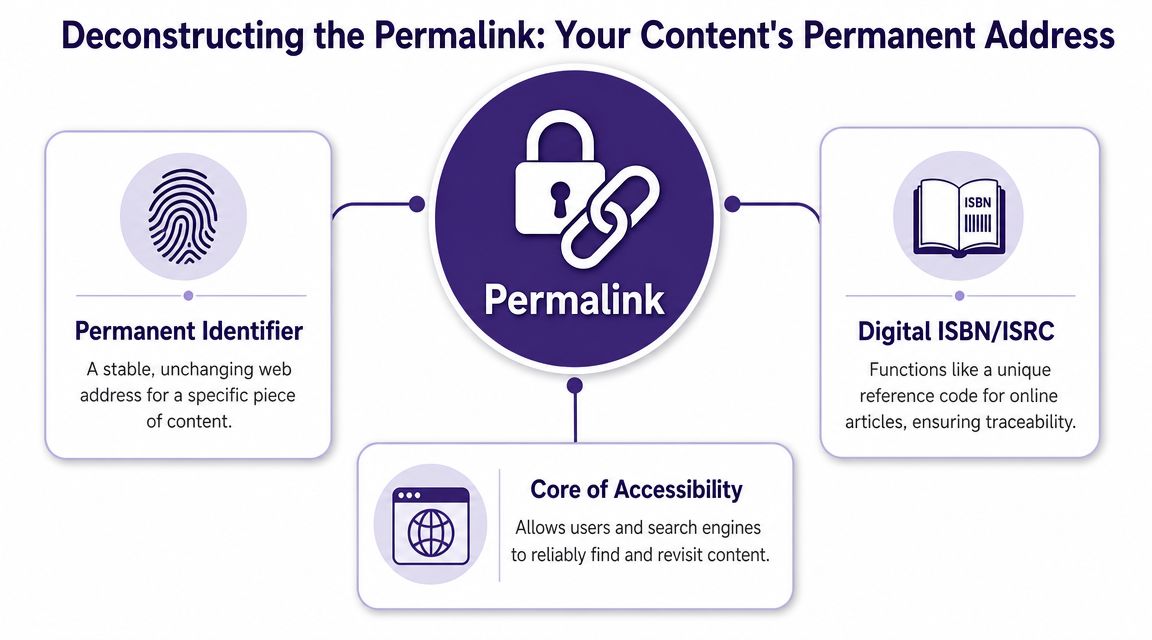
A permalink isn't just “the thing in the browser bar.” It's better to think of it as the identity tag for a single digital asset.
Libraries use catalog records. Books use ISBNs. Songs use industry identifiers. On the web, a permalink plays a similar role. It gives one article, one page, one record, or one post a stable reference point.
According to Southern New Hampshire University's library guidance, a permalink is a stable identifier intended to remain unchanged for years and to point to one specific resource, such as a post, article, record, or page. That stability matters because it helps avoid link rot and preserve inbound links, bookmarks, and search visibility (SNHU Library FAQ on permalinks).
The parts people mix up
People often use URL, permalink, and slug as if they mean the same thing. They're related, but they're not identical.
Here's a simple example:
https://yourwebsite.com/blog/what-is-permalink
You can break it down like this:
- Protocol:
https:// - Domain:
yourwebsite.com - Path:
/blog/ - Slug:
what-is-permalink
In many publishing systems, the permalink usually refers to the stable page address as a whole, while the slug is the editable last part. That distinction matters because creators often change the slug and accidentally change the address of the page.
What counts as the permalink
A practical way to think about it is this:
| Part | Example | What it does |
|---|---|---|
| Domain | yourwebsite.com |
Your site's main home on the web |
| Path | /blog/ |
Shows the section or structure |
| Slug | what-is-permalink |
Names the specific piece of content |
| Parameters | ?utm_source=email |
Extra tracking or filtering info, not usually the core permalink |
| Fragment | #comments |
Jumps to a section on the page, not the core permalink |
The key confusion point is that parameters and anchors are usually not the permalink itself. They can appear in a URL, but they aren't the stable identity of the content.
A permalink should point to one specific resource and keep doing that even as your site evolves behind the scenes.
That's why this isn't just technical housekeeping. A permalink becomes part of your metadata. It helps define how content is stored, referenced, shared, and rediscovered later. For a creator or publisher with a real archive, that's not a tiny detail. It's infrastructure.
Why Permalinks Are Critical for SEO and Audience Growth
A permalink helps two audiences at once. Search engines read it as a content signal. Humans read it as a trust signal.
That's a rare overlap, and it's why this small detail carries so much weight in publishing.

Ryan Robinson's permalink guide explains the practical side clearly. URL structure affects crawlability and ranking signals because search engines use the URL as a content signal, while users use it as a trust cue. The same guidance recommends short, descriptive, lowercase, hyphen-separated slugs instead of opaque IDs (Ryan Robinson on permalink structure).
Search engines read the words in your link
If your URL says:
yourwebsite.com/blog/podcast-monetization-tips
a search engine immediately gets context.
If your URL says:
yourwebsite.com/?p=482
that context is missing.
This doesn't mean a perfect slug magically makes weak content rank. It means your URL can support clarity instead of fighting it. For creators publishing articles, episode pages, resource hubs, or landing pages, that's a useful advantage.
HubSpot also notes that the slug is the last part of the permalink and that targeted keywords in the slug can help search engines understand and index the page. Clean, readable permalinks also improve sharing and SEO (HubSpot guide to permalinks).
If you want a broader workflow for improving discoverability across your library, this guide on optimizing content for search engines is a useful companion.
People decide whether to trust the click
Readers do this instinctively. They glance at a link before they click it.
Compare these:
yourbrand.com/how-to-start-a-podcastyourbrand.com/post?id=73&ref=archiveyourbrand.com/2021/04/14/final-v2-new
The first feels intentional. The others feel temporary, cluttered, or outdated.
That matters on social media, in email newsletters, in show notes, in Slack, and in group chats. A readable permalink looks like a place worth visiting. It's easier to copy, easier to remember, and easier to say out loud on a podcast or video.
Clean URLs do quiet marketing work. They make your content feel organized before the page even loads.
For podcasters especially, discoverability depends on how well each episode page signals its topic. If that's your world, SparkPod's guide to podcast SEO is a strong practical resource because it connects transcripts, search intent, and episode-level optimization.
Here's a short visual explainer if you want to see the concept in a different format:
Good and bad examples
| Type | Example | Why it works or fails |
|---|---|---|
| Strong | yourwebsite.com/email-subject-line-formulas |
Clear topic, readable, shareable |
| Weak | yourwebsite.com/post-78439 |
No topic signal for users |
| Strong | yourwebsite.com/podcast/interview-story-structure |
Helpful hierarchy and clear subject |
| Weak | yourwebsite.com/2020/08/untitled-final-edit |
Looks old and confusing |
For audience growth, that clarity compounds. The easier your content is to interpret, click, and reshare, the easier it is to keep your back catalog working for you.
Common Permalink Structures and How to Choose
You publish a great piece today, then turn it into a newsletter, a video script, a lead magnet, and a resource you link to for years. The permalink structure you choose decides whether all those versions point back to a stable home or to an address system that keeps changing as your site grows.
That is why permalink structure is not only a technical setting. It is part filing system, part street map, and part archive plan for your content library.

The most common structures
A permalink works like a library call number paired with a mailing address. The format should help people and systems find the right item without forcing you to relabel the whole shelf later.
| Structure Type | Example | Best For | Pros | Cons |
|---|---|---|---|---|
| Post Name | yoursite.com/what-is-permalink/ |
Evergreen articles, creator sites, portfolios | Readable, topic-focused, easy to share | Can get long if titles are long |
| Date and Name | yoursite.com/2023/10/26/what-is-permalink/ |
News updates, time-sensitive publishing | Shows timing clearly, supports chronological archives | Can make older content look outdated |
| Numeric | yoursite.com/?p=123 |
Rarely a deliberate choice | Simple system default | Gives readers no topic clue |
| Category and Post Name | yoursite.com/category/what-is-permalink/ |
Large sites with stable taxonomies | Adds context, helps section-based organization | Breaks down if categories change often |
How to choose without regretting it later
Start with the lifespan of the content.
If you create tutorials, opinion pieces, case studies, portfolio entries, or podcast episode pages that should keep earning traffic, links, and revenue over time, a post-name structure is usually the safest choice. It keeps the address centered on the idea, not the publish date or a category label you may later rename.
If timing is part of the value, a date-based structure can make sense. Newsrooms, event coverage, and fast-moving industry updates often benefit from showing the date in the URL because the reader wants that context before clicking.
A category-based structure helps when your site behaves more like a well-run library than a simple blog. If you have stable sections such as /podcast/, /guides/, or /research/, that hierarchy can make the archive easier to browse. But stability matters. If your categories change every few months, you create future cleanup work for yourself.
Numeric URLs are usually the weakest option. They may function, but they do not explain what the page contains, and they give you very little branding or editorial value.
Match the structure to your content model
A few examples make the decision easier.
Evergreen tutorial blog
Use post name. A guide like yourwebsite.com/how-to-light-youtube-videos stays useful even after you update screenshots, examples, or recommendations.
Magazine or newsroom
Use date and name if recency affects trust and relevance. A URL that includes the publication date helps readers place the story quickly.
Large media brand or education site
Use category and post name only if your taxonomy is disciplined and likely to stay stable. If your team treats categories casually, the structure will age poorly.
Editorial shortcut: Choose a permalink structure based on how you want your archive to work in three years, not how convenient it feels on publishing day.
For many creators, that means post name wins by default. It is cleaner, easier to reuse across campaigns, and less likely to create maintenance problems later.
As your library grows, permalink structure becomes an information architecture decision, not just a checkbox in WordPress. Teams that manage articles, videos, podcasts, and research assets together often need the same discipline they use for tagging and classification. This guide to metadata management best practices is useful if you are building that larger system.
Contesimal is one example of a tool built for that kind of work. It helps teams organize large content libraries and work across documents, podcasts, videos, and articles through a research and taxonomy workflow.
If you do choose a structure that may need cleanup later, document it early. Even a short internal rule like "tutorials use post name, news uses date" can prevent a messy archive. If your stack runs through Cloudflare and you later need to tidy old paths, NameSnag's tutorial on Cloudflare setup can help you configure redirects correctly.
Handling Redirects and Canonical Links
A common moment of panic looks like this. You refresh an old article title, clean up the slug, hit publish, and then realize that the old URL may still live in Pinterest pins, newsletters, backlinks, course materials, and bookmarked browser tabs.
That reaction makes sense. A permalink is the filing address for a piece of content in your archive. Change the address carelessly, and people end up at a locked door.
Redirects help you preserve continuity.
A redirect works like a mail forwarding request
When a page moves, the old URL needs instructions. A 301 redirect tells browsers and search engines that the page now belongs at a new address. Visitors still reach the right content, and the reputation built by the old link has a better chance of carrying over.
For a creator or editorial team, that matters beyond SEO. Your content library is a business asset. Old podcast notes may link to a guide. A partner may cite a resource page. A sales deck may point to a case study from two years ago. If those addresses break, the value of earlier work starts leaking out of the archive.
A simple process keeps that from happening:
Pause before changing the URL
If the current permalink is clear enough, keeping it is often the safer choice.Choose the final destination first
Avoid changing a slug twice. Pick the version you want to keep for the long run.Add the redirect right away
The old URL should point straight to the new one, not to another redirect.Fix your own internal links
Redirects catch stragglers. Your navigation, related posts, and content hubs should use the current URL.Keep a record of the change
A shared note or spreadsheet can save hours later, especially when several people publish and update content.
If you're handling redirect setup at the domain or site edge, NameSnag's tutorial on Cloudflare setup is a useful technical walkthrough.
Canonical tags solve a different filing problem
A redirect is for a page that has moved. A canonical tag is for pages that are still live but overlap.
Libraries use one catalog record to identify the primary copy of a book, even if that book appears in several collections. Canonical tags do something similar for the web. They tell search engines which version should be treated as the main record.
That comes up when you have:
- Syndicated articles on partner publications
- Topic hub pages that echo parts of a resource
- Filtered or tracked URLs that create alternate versions
- Repurposed content assets where one page should remain the main reference point
Canonical tags do not replace redirects. They answer a different question. Redirects say, "the page moved." Canonical tags say, "several versions exist, but this one is the official copy."
The confusion usually starts with title changes
Creators often assume a new headline should mean a new slug. It does not have to.
If the URL is already accurate and readable, keep it. Headlines change for clarity, campaigns, and testing. The permalink should stay more stable, like the call number on a library book that keeps the item findable even after the cover design changes.
This matters more as your archive grows. A mature content library has assets reused in many contexts: social posts, collaboration docs, repackaged courses, affiliate content, media kits, and internal references. Once that web of connections exists, URL changes stop being small editorial tweaks and start becoming asset management decisions. Teams that want a cleaner system for tracking primary URLs, duplicates, and archived versions usually benefit from a clear set of metadata management best practices.
Stable archives are built on small, careful choices. The permalink holds the address. Redirects preserve it when you need to move. Canonical tags protect the master copy when duplicates appear.
Actionable Best Practices for Perfect Permalinks
Permalinks are one of those foundational choices that look small and age slowly. A good one keeps working in the background. A bad one keeps asking for cleanup.
If you're still wondering what is permalink in practical terms, here's the plain answer: it's the long-term address of your content asset. Treat it with the same care you'd give a file naming system, a library shelf label, or a catalog record.
A practical checklist
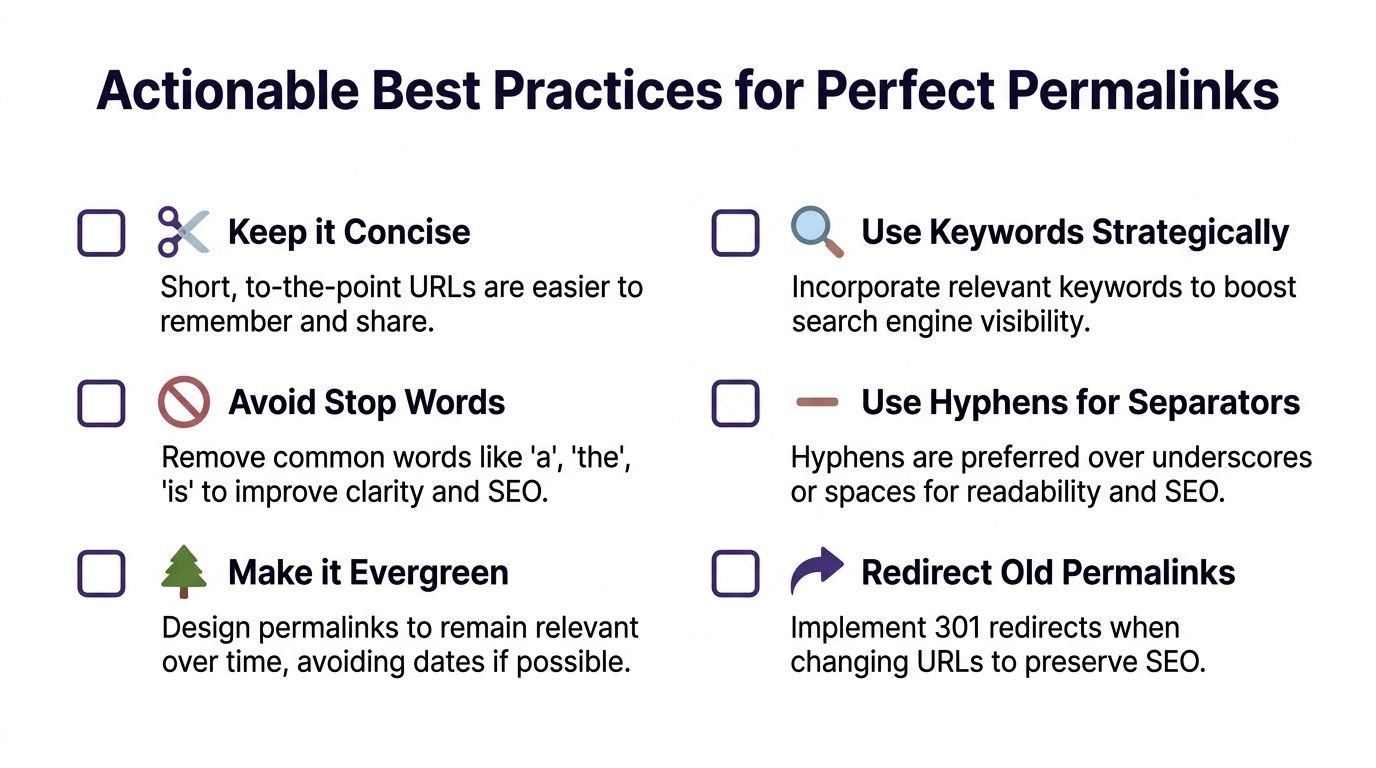
- Keep it short. Use only the words needed to identify the page clearly.
- Use the main topic phrase. The slug should help a reader and a search engine understand the page.
- Choose lowercase. This keeps things consistent and avoids unnecessary variation.
- Use hyphens between words. They're easier to read than mashed-together terms.
- Skip filler words when possible. “The,” “and,” or “of” often aren't doing much work.
- Avoid dates unless the date matters. News content and event recaps are different from evergreen guides.
- Set it thoughtfully before publishing. Changing later creates extra work.
- If you must change it, redirect it. Don't leave the old address orphaned.
Yoast points to a common gap in understanding here. A permalink is intended to be stable, but the slug is often the editable part that changes for SEO reasons. When a URL must change, the important best practice is to decide on a redirect strategy that prevents link rot (Yoast on changing permalinks and redirect strategy).
One final distinction worth keeping
A page can be updated many times without needing a new permalink. That's the whole point. The content evolves, but the address remains dependable.
If duplicate versions of a page are part of your workflow, it also helps to understand the importance of canonical URLs for rankings. Canonicals and redirects solve different problems, and knowing which one to use keeps your archive cleaner.
Your permalink isn't just a URL setting. It's the label that helps your future self, your audience, and your team find the asset again.
Get this right and your library becomes easier to search, share, repurpose, and package into new offers. That's where the creative upside lives. A stable archive is easier to turn into courses, lead magnets, newsletters, resource hubs, research collections, and long-tail search traffic. The link itself isn't glamorous, but it helps preserve the value of everything behind it.
If you're sitting on a growing archive of posts, episodes, transcripts, videos, or research, Contesimal can help you organize that library so old assets become easier to find, connect, and reuse. Stable content systems create more than order. They create options for collaboration, repurposing, and revenue.