
Build Consistency, Build Your Creative Empire
If you're publishing videos, writing newsletters, managing a podcast, or trying to turn a creative side project into a real business, consistency becomes the bottleneck fast. Ideas usually aren't the problem. The hard part is repeating the right actions often enough that your output compounds instead of stalling every few weeks.
That's where a good habit tracker template earns its place. It isn't just a self-improvement toy. For creators, it's a lightweight operating system for repeatable behaviors: writing daily, reviewing analytics weekly, clipping old episodes, pitching partnerships, posting shorts, updating content calendars, and following up on promising ideas before they go cold.
The market momentum around these tools makes sense. Independent market reporting projects the global habit-tracking app market at either $13.06 billion in 2025 with growth to $50.21 billion by 2035 at 14.41% CAGR, or $8.6 billion in 2025 growing to $24.3 billion by 2034 at 12.2% CAGR. That doesn't mean you need another app. It does mean demand for better tracking systems is real, and templates remain one of the fastest ways to build one without friction.
If you're still deciding between app-based tracking and a simpler system, this Pretty Progress habit app review is a useful contrast point.
1. Notion Template Gallery Habit Tracking Category
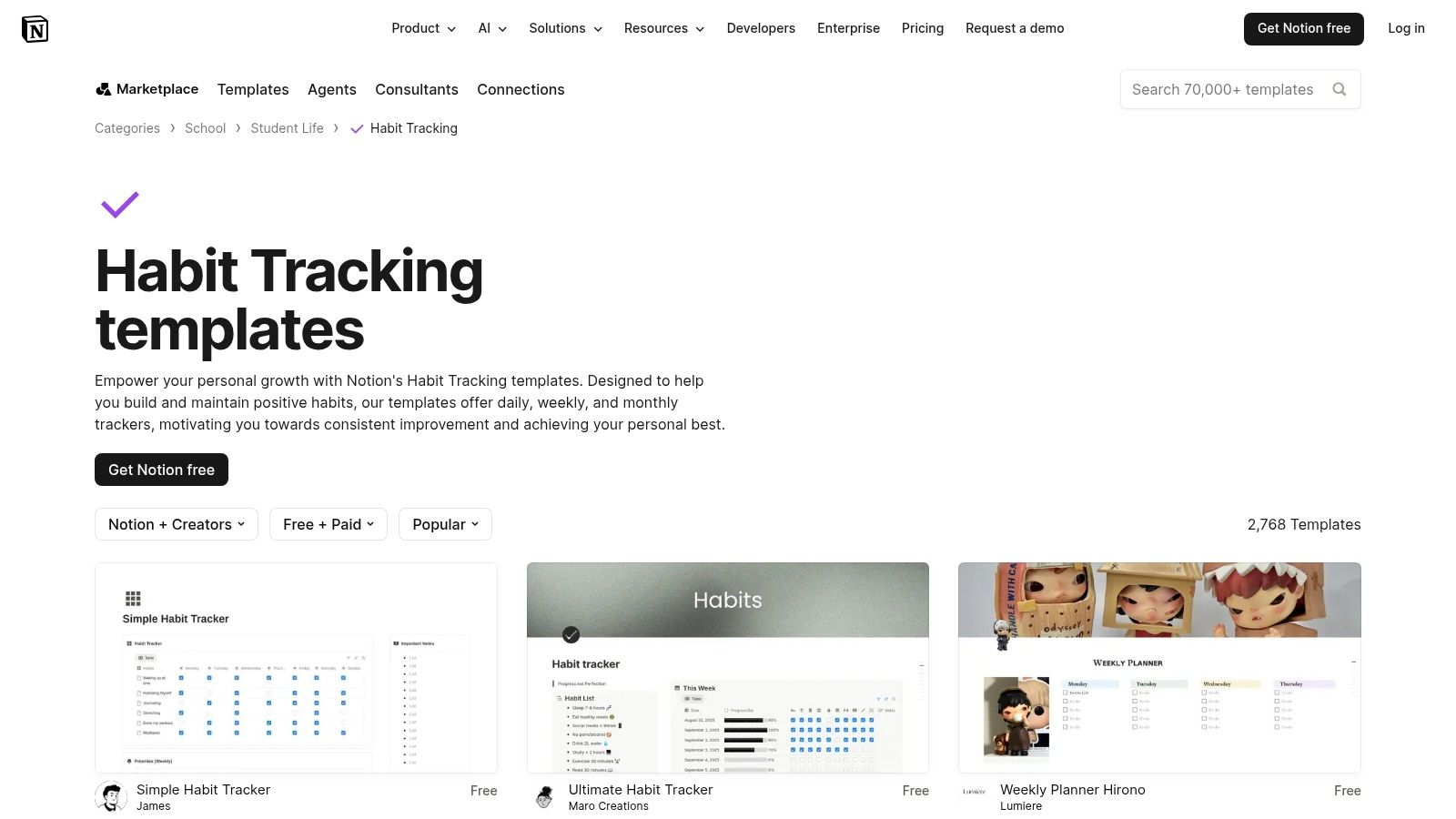
If you already live in Notion, this is the easiest place to start. The Notion Habit Tracking template gallery gives you range without forcing you to build formulas, views, and databases from scratch.
That range is the main advantage and the main problem. You can find minimalist trackers, more visual dashboards, and systems built around daily, weekly, or monthly views. But because the templates come from different creators, quality isn't consistent. Some are clean and practical. Some look better in the preview than they feel in daily use.
Best fit
This gallery works best for creators who want to test a few workflow styles before committing. If you're unsure whether you need a simple checkbox grid or a fuller dashboard, browsing several templates side by side helps you spot what you'll maintain.
A lot of creators make the mistake of choosing the prettiest template. Better filter for friction instead. If logging a habit takes too many clicks, you'll stop using it during your busiest publishing weeks.
- Strong starting point: You can duplicate templates directly into your workspace, which removes setup drag.
- Good format variety: Daily, weekly, and monthly approaches are all represented.
- Weak point: Some templates depend on formulas or relational databases that newer Notion users won't enjoy configuring.
For creative operations, Notion shines when habit tracking sits next to planning and documentation. Pairing it with something like a daily activities log for ongoing work capture usually makes the tracker more useful than keeping it isolated.
Practical rule: In Notion, choose the template you'll still use on a low-energy day, not the one that impresses you on setup day.
2. Minimalist Habit Tracker by Thomas Frank
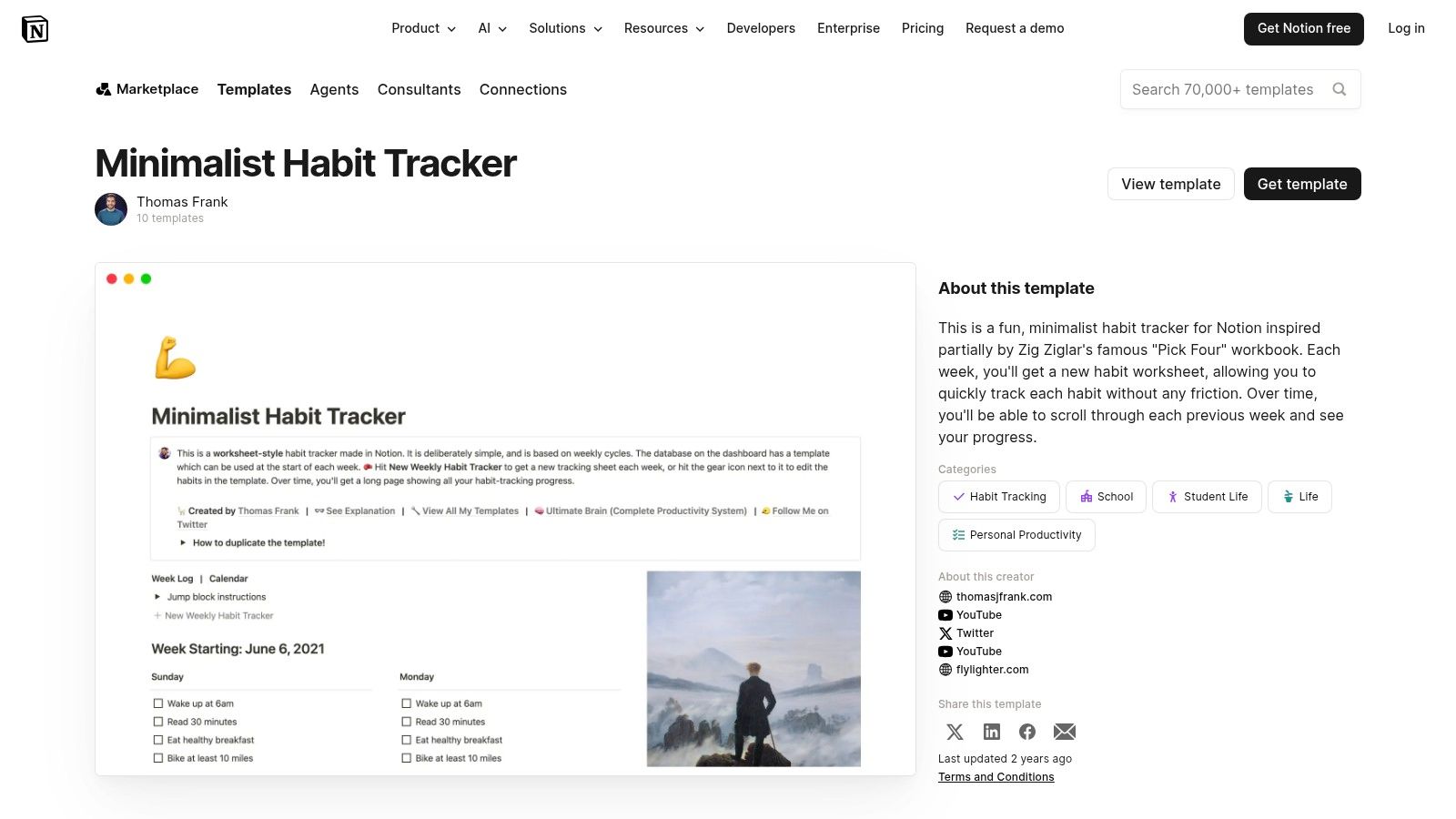
Thomas Frank's Minimalist Habit Tracker is the one I'd recommend to creators who keep abandoning more ambitious systems. It's simple enough that the tracking itself doesn't become another project.
The weekly worksheet feel is the point. You aren't opening a full operating system. You're opening a clean place to mark whether you did the work. For people trying to build a writing cadence, publish on schedule, or maintain a small set of essential routines, that's often enough.
Where it wins
This template is good at reducing cognitive load. You don't need to interpret a dashboard every morning. You just check in and move on.
That matters more than typically assumed. Habit systems fail when they ask for too much attention, especially from creators whose energy already gets burned by production, editing, and promotion.
- Best for beginners: The setup is straightforward and the template is easy to adapt.
- Easy to expand: If you later want notes, tags, or review sections, Notion makes that possible.
- Main limitation: It doesn't come with advanced analytics, streak depth, or gamified layers by default.
One official Notion template page focused on analytics highlights completion rate, current and longest streaks, and weekly and monthly progress. That contrast is useful. Thomas Frank's version intentionally prioritizes ease over measurement depth.
If you've tried complex trackers and bounced off them, that's not a flaw. It's a clue.
Keep your first habit tracker template boring. Boring systems survive real workloads.
3. ClickUp Personal Habit Tracker Template
The ClickUp Personal Habit Tracker Template makes sense when your habits are tightly connected to project execution. That's a different use case from personal routine tracking. Here, habits can sit inside the same environment as tasks, deadlines, dashboards, and reminders.
For creators running a serious content machine, that integration can be valuable. Habits like script review, repurposing old episodes, thumbnail testing, outreach, and weekly analytics checks often belong next to the work itself, not in a separate app.
The real trade-off
ClickUp is powerful, but it isn't light. If all you want is to check off "write for 20 minutes" or "read before bed," this will feel oversized. If you already run your production workflow in ClickUp, though, the template can reduce fragmentation.
Its recurring tasks, statuses, and dashboard-friendly structure are more useful for operational habits than reflective habits.
- Best for power users: Good if habits need to connect with broader workflows.
- Helpful reminders: Notifications can catch routines that tend to slip.
- Downside: The learning curve is real if you aren't already comfortable inside ClickUp.
This is one of the few options on the list that feels naturally suited to small teams as well as solo creators. If your editor, producer, or assistant also works in ClickUp, recurring process habits become visible and harder to lose.
I wouldn't hand this to a beginner. I would absolutely hand it to a creator-operator who wants habits tied directly to execution.
4. ClickUp Free Habit Tracker Generator
The ClickUp Free Habit Tracker Generator is a different beast. It isn't trying to become your digital workspace. It's trying to help you make a printable tracker fast.
That's useful because many creators still do better with paper on the desk, especially for routines they want visible while working. If your problem is remembering your daily reset, filming checklist, warm-up routine, or publishing cadence, a printable sheet can outperform a hidden dashboard.
Why paper still works
A paper-first habit tracker template reduces app switching. It stays in front of you. It doesn't compete with notifications. It doesn't tempt you to tweak views instead of doing the work.
The generator's layout options matter here. The fact that common advice often treats formats as interchangeable is a miss. One source on habit templates highlights mini-calendars, tables, and circular trackers as separate structures but doesn't really explain when each format is the better choice for different routines, which leaves a practical gap for users trying to pick the right system shape (Goodnotes on habit tracker template formats).
- Grid layout: Best for straightforward daily repetition.
- Checklist layout: Better for routines with steps or sequence.
- Circular layout: More visual, often better for people motivated by design and pattern visibility.
The downside is obvious. Once you print it, there's no built-in analytics, no automatic history, and no cross-device continuity. But that's also why it works for many people. Less infrastructure. Less maintenance.
5. Google Sheets Habit Tracker Template with Streaks by Mursa
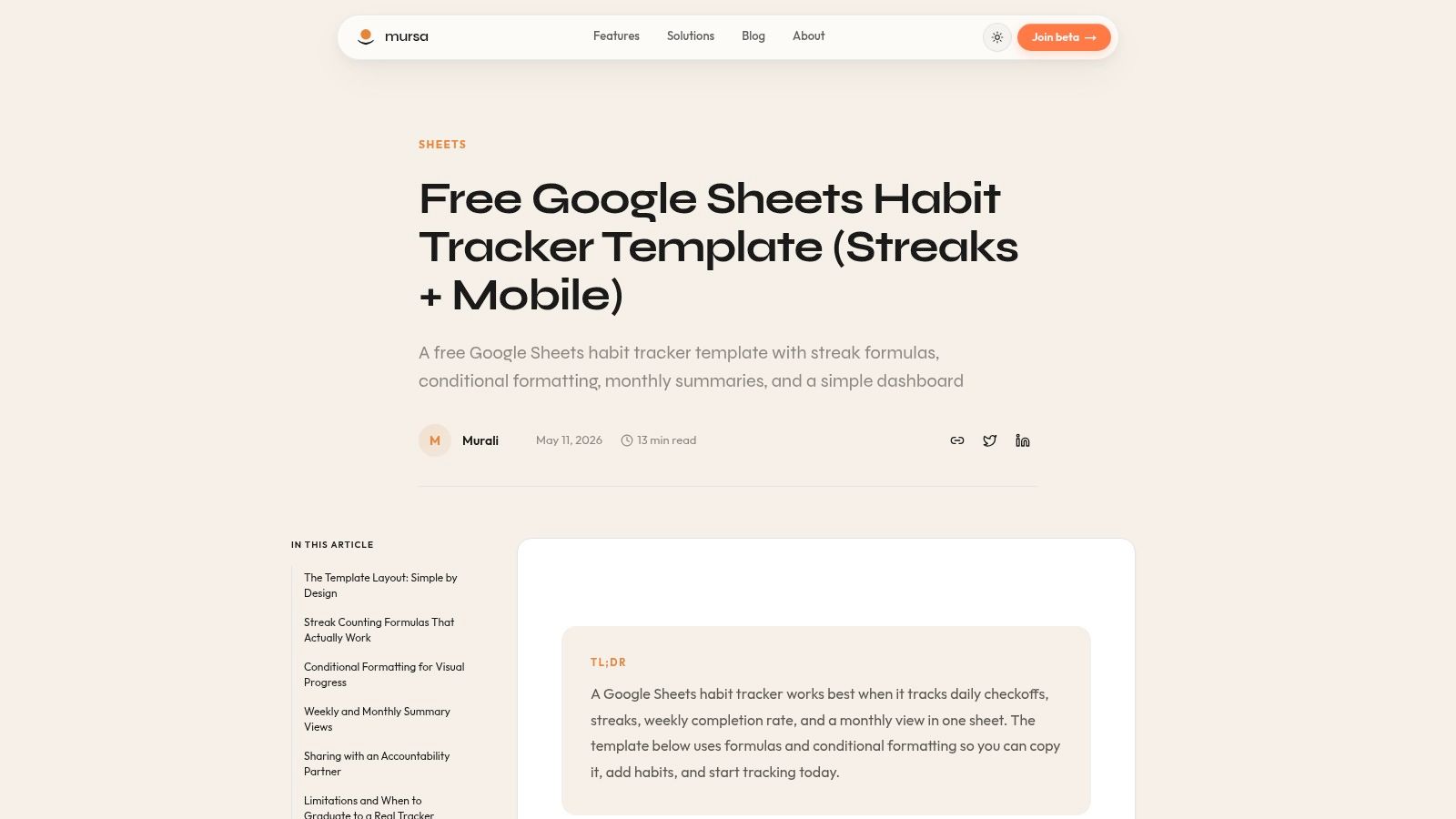
The Mursa Google Sheets habit tracker template is a strong middle ground. It has more feedback than a printable sheet, but it keeps the ownership and flexibility that spreadsheet users usually want.
For creators, Google Sheets often feels more natural than a dedicated habit app because it already fits how they track publishing schedules, sponsorship outreach, repurposing pipelines, and backlog ideas. Habits become one more tab in an environment they already trust.
Why spreadsheet ownership matters
A spreadsheet-based habit tracker template is easier to reshape around your actual workflow. You can add columns for content themes, posting platforms, editing blocks, or review notes without fighting a closed product.
That flexibility also reflects a larger shift in what templates can do. A You Exec spreadsheet tracker is built to handle up to 10 daily, weekly, and monthly habits across each of 15 habit types, for a maximum of 450 habits at one time. It also connects completed daily habits to reward amounts. That's far beyond a basic checklist. It shows how a spreadsheet tracker can become a structured behavior database.
- Best for control: You own the file and can modify it freely.
- Practical feedback: Streaks and status tracking add enough visibility without overload.
- Weakness: Manual entry is still manual entry unless you build extra automation.
If your broader system already depends on collaborative docs and adaptable workspaces, a website like Google Docs for structured knowledge work often pairs well with a Sheets-based habit stack.
Field note: Spreadsheet trackers are excellent when your habits overlap with measurable production work, because they let you mix routine data with operational data in one place.
6. Ultimate Habit Tracker by Flexabits
The Ultimate Habit Tracker by Flexabits is for people who want a spreadsheet that behaves more like a full product. It has more structure, more guidance, and more built-in motivation than a blank or lightly customized Google Sheet.
That's appealing if you like analytics but don't want to engineer them yourself. This template comes preloaded with habit ideas, dashboard views, and a more gamified feel, which can help if you stay engaged by visible progress rather than plain logs.
Where it works best
This is a good choice for creators who want to track several routines at once and review them across longer windows. If you care about monthly and yearly patterns, this style of tracker gives you more context than a barebones daily sheet.
The risk is feature creep. More depth can become more maintenance. If you're the kind of person who spends an hour color-coding the tracker instead of doing the work, a premium system can become a procrastination surface.
- Good for depth: Better than minimalist templates when you want dashboards and longer-range views.
- Motivating for some users: Gamified elements can keep engagement high.
- Less ideal for minimalists: If you only need a tiny accountability grid, this is too much.
I like this category of tool for creators entering a more professional phase. Once your output affects income, habit review becomes less about self-help and more about protecting the systems behind publishing consistency.
7. SpreadsheetPoint Goal Tracker with Habit Mode
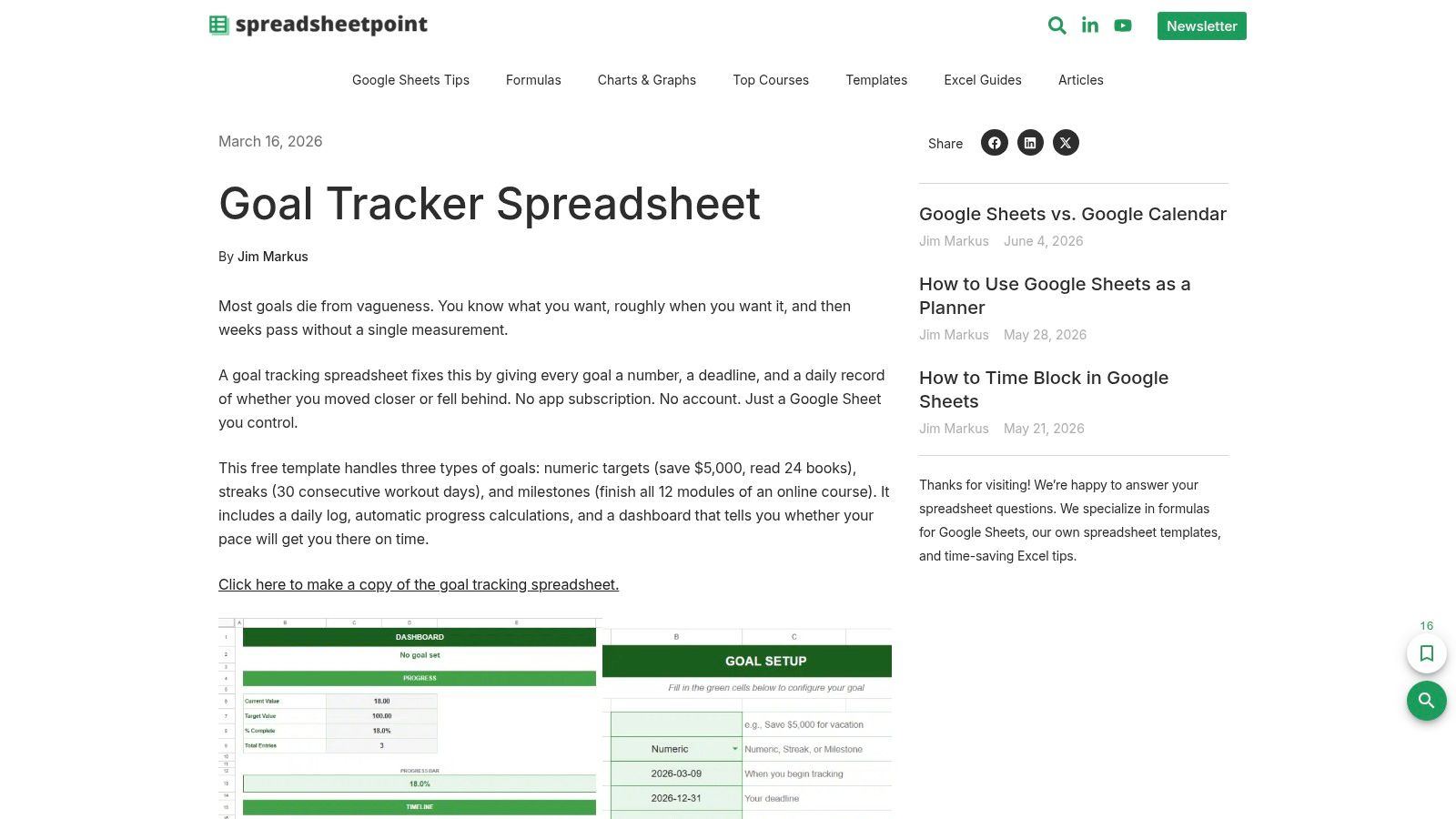
The SpreadsheetPoint goal tracker spreadsheet is the best pick here if your habits need to connect directly to targets. Some creators don't just want to mark that they showed up. They want to tie habits to output, milestones, and pacing.
That's where this template has an edge. It isn't a pure habit tracker. That's also why it's useful. You can track recurring behaviors alongside numeric goals, which helps when the habit exists to drive a larger result like publishing cadence, word count, outreach volume, or backlog reduction.
Better for results-linked routines
If your system needs to answer both "Did I do it?" and "Is it moving the metric I care about?" this template is stronger than a visual-only grid.
The downside is that parts of the sheet may feel unnecessary if you're only tracking personal routines. It has a more utilitarian flavor, and not everyone wants their habits sitting inside a goal framework.
- Strongest use case: Output-oriented creators with measurable production goals.
- Nice flexibility: Downloading to Excel is helpful if you work offline or prefer Microsoft tools.
- Main drawback: It can feel broader than necessary for simple daily behavior tracking.
This is a practical choice for people who think in systems, not streaks. If you run your creative work like a business, that's often the right lens.
8. Goodocs Habit Tracker Templates
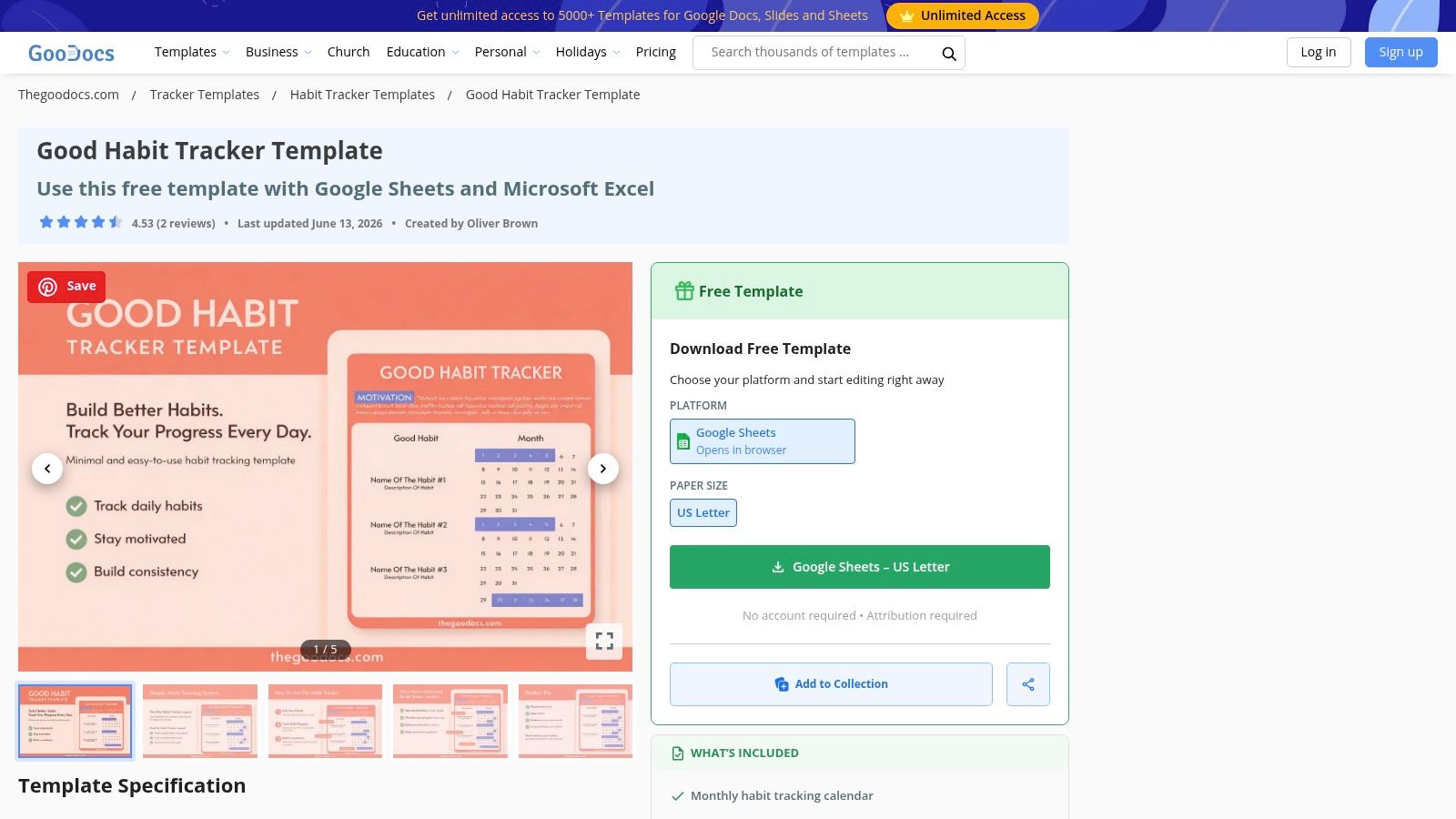
Goodocs habit tracker templates are a good reminder that not every useful template needs to be complex. Sometimes you need a clean, editable layout that takes almost no time to understand.
These are especially good for creators who want a visual routine monitor without getting dragged into analytics. If your goal is to stay consistent with a handful of key practices, clean grids and printable-friendly layouts are often enough.
Simple isn't a downgrade
A common mistake is assuming a habit tracker template needs formulas, streak math, and dashboards to be effective. It doesn't. For many people, the strongest system is the one they can duplicate, tweak, and use immediately.
Goodocs works well in that lane. The designs are basic, but that's often an asset. You can reshape them for creative habits, publishing workflows, or even team rituals with minimal effort.
The best template is the one you don't need to "learn" before Monday starts.
A few quick trade-offs stand out:
- Easy to customize: Good for fast edits in Google Sheets or Excel.
- Print-friendly: Useful if you prefer a paper-digital hybrid.
- Limited feedback: You won't get advanced insight without adding your own formulas.
If you know you tend to abandon elaborate systems, a simple template library like this can be the smarter pick.
9. Habit Tracker by Tiger Kim in Coda
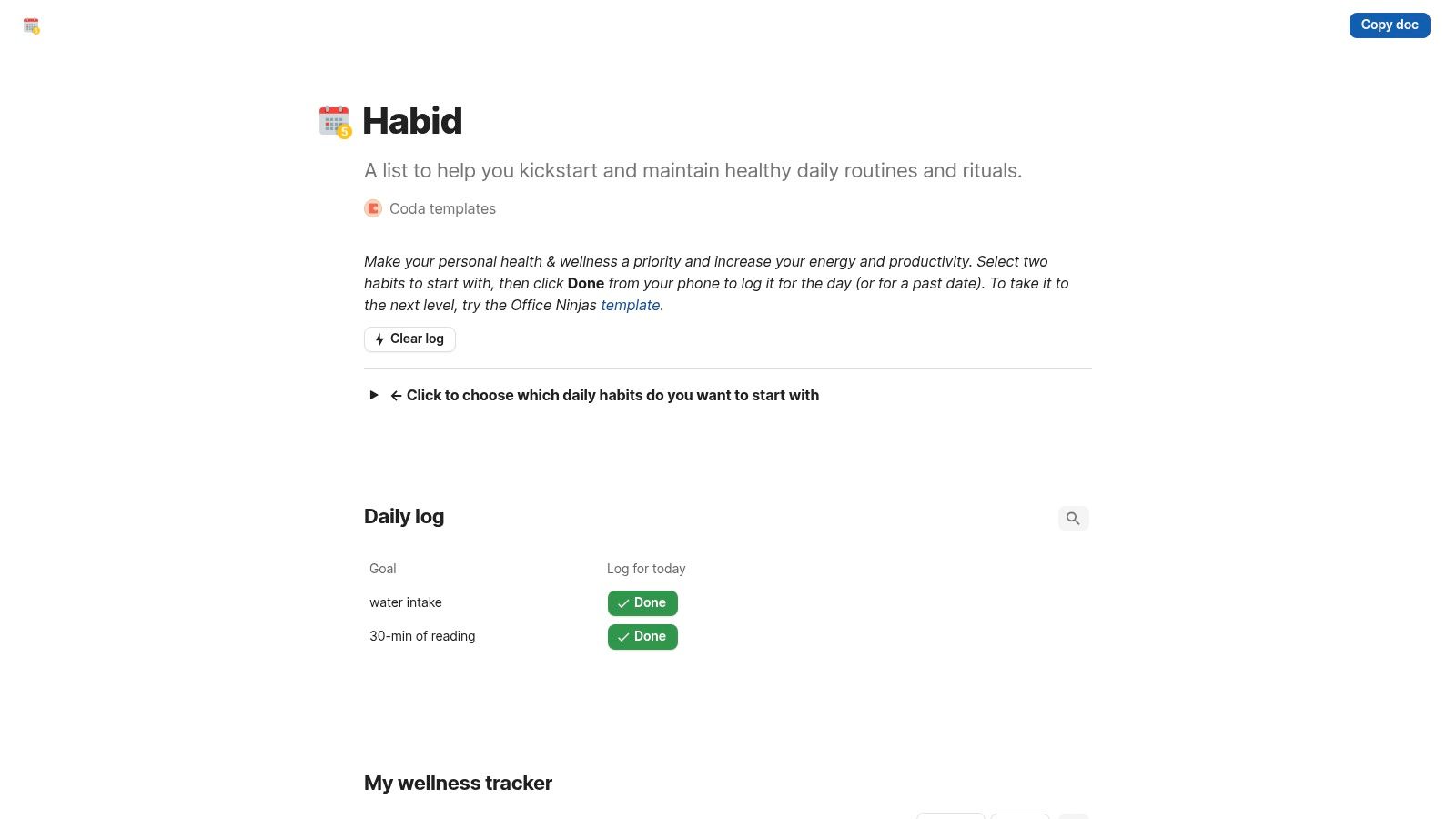
The Tiger Kim habit tracker in Coda makes sense for people who like documents that behave like lightweight apps. Coda sits in a useful middle space between a doc, a database, and an internal tool, which can be great for routines that connect with notes and planning.
This template is especially appealing if you're tracking more than one habit and want easy phone or desktop logging without building a full custom system. Coda's interactions are fast once you're used to them.
Best for integrated thinking
Coda tends to suit creators who don't like separating planning from context. You can keep routines, notes, editorial thinking, and process documents close together.
That said, the ecosystem isn't as deep for habit tracking as Notion's, and first-time Coda users usually need a little orientation. If you've never worked with tables, buttons, or automations in a doc-like interface, the first week may feel unfamiliar.
- Useful expansion path: Good if you want habits plus dashboards, notes, and process docs in one place.
- Mobile-friendly logging: Helpful for routines you need to check off on the go.
- Constraint: Fewer habit-specific template options than larger marketplaces.
For the right user, Coda feels elegant. For the wrong user, it feels like one more system to learn. That's the true dividing line.
10. Microsoft Create Health and Habit Tracker Templates
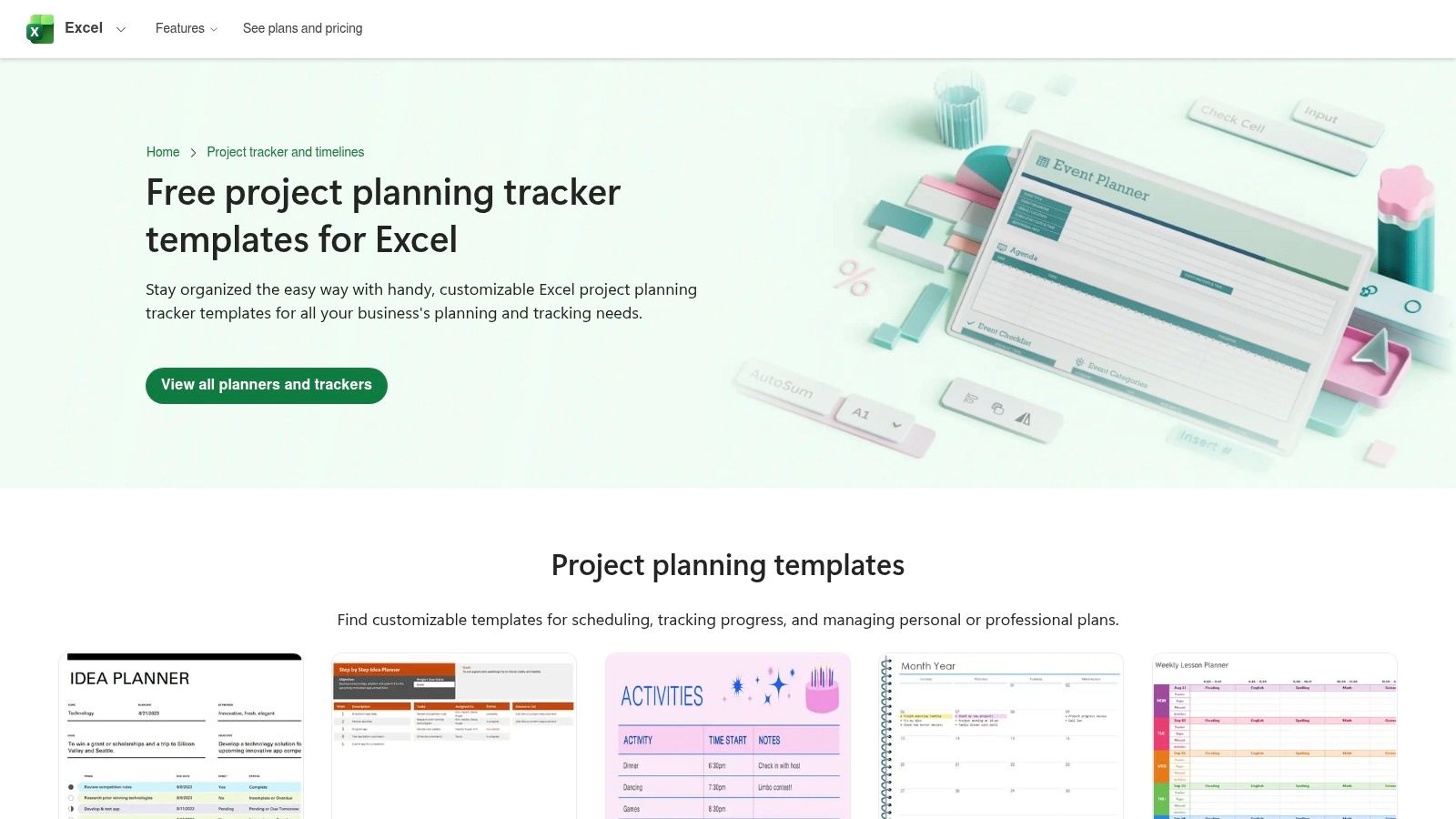
The Microsoft Create health and workout tracker templates are the practical choice for Excel-first users who want familiar tools, offline access, and easy printing. They aren't all built specifically as habit trackers, but many adapt well.
This matters more than it sounds. A lot of creators already use Excel for budgets, campaign planning, content inventories, and production schedules. If that's your native environment, staying there reduces friction.
Familiarity beats novelty
A habit tracker template doesn't need to be trendy to work. It needs to be easy to maintain. Microsoft templates benefit from that kind of familiarity. The formulas are understandable, the files are portable, and the layouts are easy to restyle.
They're less polished than some dedicated tracker products, and you'll probably customize them to fit creative work rather than health routines. But for many users, that's a fair trade.
- Best for Excel users: Strong fit if you already manage work inside Microsoft 365.
- Reliable offline option: Helpful for people who don't want cloud dependency.
- Customization required: Many templates need adaptation before they feel like true habit systems.
If your professional growth plan includes building steadier routines around learning, output, and review, a simple Excel template can be a better foundation than a flashy app. That's also why broader planning resources like a career development plan template often pair naturally with Microsoft-based tracking.
Top 10 Habit Tracker Templates: Feature Comparison
| Item | Core features | UX & quality | Target audience | Unique value / Price |
|---|---|---|---|---|
| Notion Template Gallery: Habit Tracking Category | Large curated library; daily/weekly/monthly layouts; one-click duplicate | Varies by creator; previews & notes help selection | Notion users wanting variety without building from scratch | Wide style range & community support; Mostly free (varies by template) |
| Minimalist Habit Tracker by Thomas Frank (Notion) | Weekly grid; simple setup; usage guidance | Clean, low-bloat, beginner-friendly | Beginners or lightweight Notion users | Battle-tested simplicity and easy adaptation; Free |
| ClickUp Personal Habit Tracker Template | Recurring tasks, statuses, custom fields; dashboards | Powerful but steeper learning curve in ClickUp | ClickUp power users and teams wanting integration | Integrates habits with tasks, automations & reminders; Free (needs ClickUp account) |
| ClickUp Free Habit Tracker Generator (Printable) | Multiple layouts (grid/checklist/circular); quick export | Fast, no-account flow; print-first UX | Paper-first or hybrid users who want quick printables | Instant custom printable trackers; Free, no account required |
| Google Sheets Habit Tracker (Mursa) | Automatic streaks; daily check-ins; easy tweaks | Spreadsheet-first control; manual entry common | Users who prefer ownership in Sheets (desktop/mobile) | Streak-focused analytics with full data control; Free (copy) |
| Ultimate Habit Tracker (Flexabits, Google Sheets) | 1–50 habits, monthly/yearly analytics, 100+ prompts | App-like depth in Sheets; robust dashboards | Users wanting deep analytics and gamification | Premium, guided system with tutorials; Paid one-time purchase |
| SpreadsheetPoint Goal Tracker (Sheets) with Habit Mode | Numeric targets, streaks, pacing & progress calcs | Utilitarian visuals; clear tutorial on-ramp | Goal-oriented spreadsheet users | Combines numeric goals with habit logs; Free & extensible |
| Goodocs Habit Tracker Templates (Sheets/Excel) | Multiple formats (Sheets/Excel/PDF); print-ready grids | Clean, minimalist, easy to duplicate | Users needing quick, printable layouts | Cross-format, printable templates for fast customization; Free |
| Habit Tracker (Coda doc by Tiger Kim) | Quick "Done" logging; mobile-friendly tables & automations | Integrates notes + habits; modest learning curve | Coda users wanting docs-as-apps workflows | Easy to expand with packs & dashboards; Free (Coda template) |
| Microsoft Create – Health & Habit Tracker Templates | Excel & Word editable templates; familiar formulas | Offline-friendly; basic visuals by default | Microsoft 365 / Excel-first users | Trusted, offline-capable templates adaptable for habit tracking; Free |
From Tracking Habits to Unlocking Content Value
A habit tracker usually proves itself on the week your plan falls apart. You miss a day, client work spills over, ideas pile up in three different places, and the tracker either helps you reset fast or becomes one more thing to manage. That is the standard that matters for creators.
The better templates in this list do more than record checkmarks. They help you protect the behaviors that keep creative work shipping. Writing. Research. Publishing. Review. Asset organization. If a template supports those habits without adding maintenance, it earns a place in your workflow. If it looks good but takes too much effort to keep current, it will fade as soon as production gets busy.
Format shapes that outcome. Notion fits creators who want habits close to planning docs, content calendars, and idea capture. ClickUp makes sense when habits sit inside execution, deadlines, and team accountability. Sheets and Excel work well for creators who want visible formulas, full control, and a tracker they can reshape at any time. Printable layouts still have a place too, especially for routines that benefit from staying in sight all day.
That choice affects more than convenience. It changes how quickly you log progress, how clearly you spot missed patterns, and whether the tracker stays useful after the first burst of motivation. In practice, creators do better with a system that matches the way they already work than with a feature-heavy setup they have to force themselves to open.
There is also a second layer here for anyone trying to turn creative output into a profession. Habit tracking is not only about consistency. It is about building repeatable production systems.
A steady publishing habit creates an archive. A steady research habit builds a body of notes you can reuse. A steady review habit turns raw output into ideas for repurposing, distribution, and improvement. Over time, drafts, clips, transcripts, articles, and episode notes stop feeling like leftovers. They become working assets.
Contesimal helps creators handle that growing body of work. It organizes content libraries, supports collaboration between people and AI, and makes it easier to reuse past material instead of starting from zero each time.
If your habit tracker helps you show up, Contesimal helps your output stay useful long after publication.
If you're ready to go beyond tracking daily habits and start leveraging the value inside your growing archive, explore Contesimal. It's built for creators, publishers, and teams who want to organize content libraries, collaborate with AI and humans in one workflow, and turn existing work into fresh ideas, stronger distribution, and new revenue paths.