
A library of videos, podcasts, articles, interviews, drafts, and research can keep creating value long after its original publication. The surprising part is that preservation alone doesn't release that value. A file your team can't find, interpret, verify, or legally reuse is closer to a forgotten attic box than a working business asset.
That's why archival best practices matter to creators, publishers, filmmakers, podcasters, bloggers, and content marketers moving beyond scattered folders and one-off production. The archive should help you find the next episode, refresh an old article, build a new playlist, support a campaign, or discover a pattern your audience already responds to.
The progression is practical: classify the library, describe each asset, inspect its condition, protect it with redundancy, prepare for changing formats, and track the rights that govern reuse. Then add collaborative workflows where human judgment and AI-assisted discovery work together. Finally, connect preservation choices to sustainability, audience growth, engagement, conversions, and revenue.
Your archive isn't finished when a file is stored. It becomes valuable when your team can confidently bring it back to life.
1. Implement a Comprehensive Content Classification System
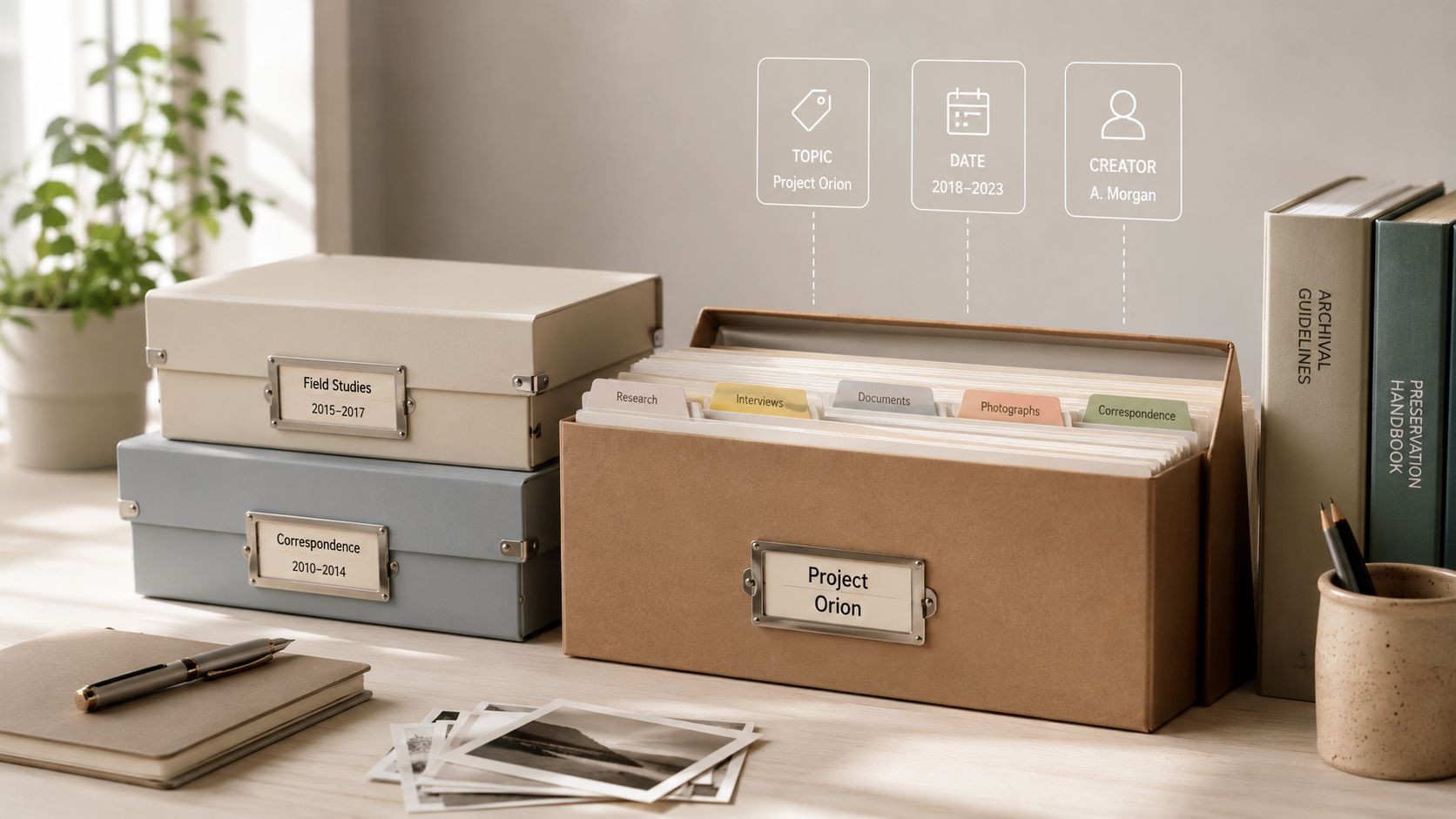
A useful archive starts with a shared language. If one producer labels a file “customer story,” another calls it “case study,” and a third saves it under a guest's name, the team has created three paths to the same material. A classification system brings those paths together through consistent topics, formats, dates, creators, audiences, projects, and status labels.
Start with the content your team already reaches for. Tag a successful video series, a popular podcast run, or a frequently updated article collection, then work backward to identify the fields that make retrieval easy. A creator might classify an interview by guest, theme, audience segment, platform, recording date, publication status, and possible reuse. A publisher might add edition, author, subject, rights status, and related assets.
Your taxonomy shouldn't become a museum exhibit that nobody updates. Review it as new formats, recurring themes, and audience questions appear. Keep the rules documented so freelancers, editors, and collaborators make similar decisions instead of inventing private systems.
Make discovery lead to action
Classification becomes more useful when it connects content to creative decisions. Add fields for performance signals such as views, engagement, conversions, or audience feedback, but keep those fields distinct from descriptive metadata. “Leadership interview” tells you what an asset is. “Strong response from founders” suggests how you might use it next.
A structured content tagging taxonomy can help your team move from loose labels to a repeatable system. AI can assist with first-pass tagging across a large backlog, but a person should validate ambiguous names, sensitive topics, and strategic categories.
Practical rule: Classify for the question you'll ask later, not only for the file you're storing today.
Use playlists, series, and thematic collections as visible layers on top of the archive. A YouTube creator can group related episodes for sequential viewing. A podcaster can gather every conversation about a recurring idea. A screenwriter can connect research clips, notes, drafts, and visual references around one project. The archive then becomes a map of possible next moves.
2. Establish Standardized Metadata and Documentation Protocols
Tags tell you where an asset belongs. Metadata tells you what it means.
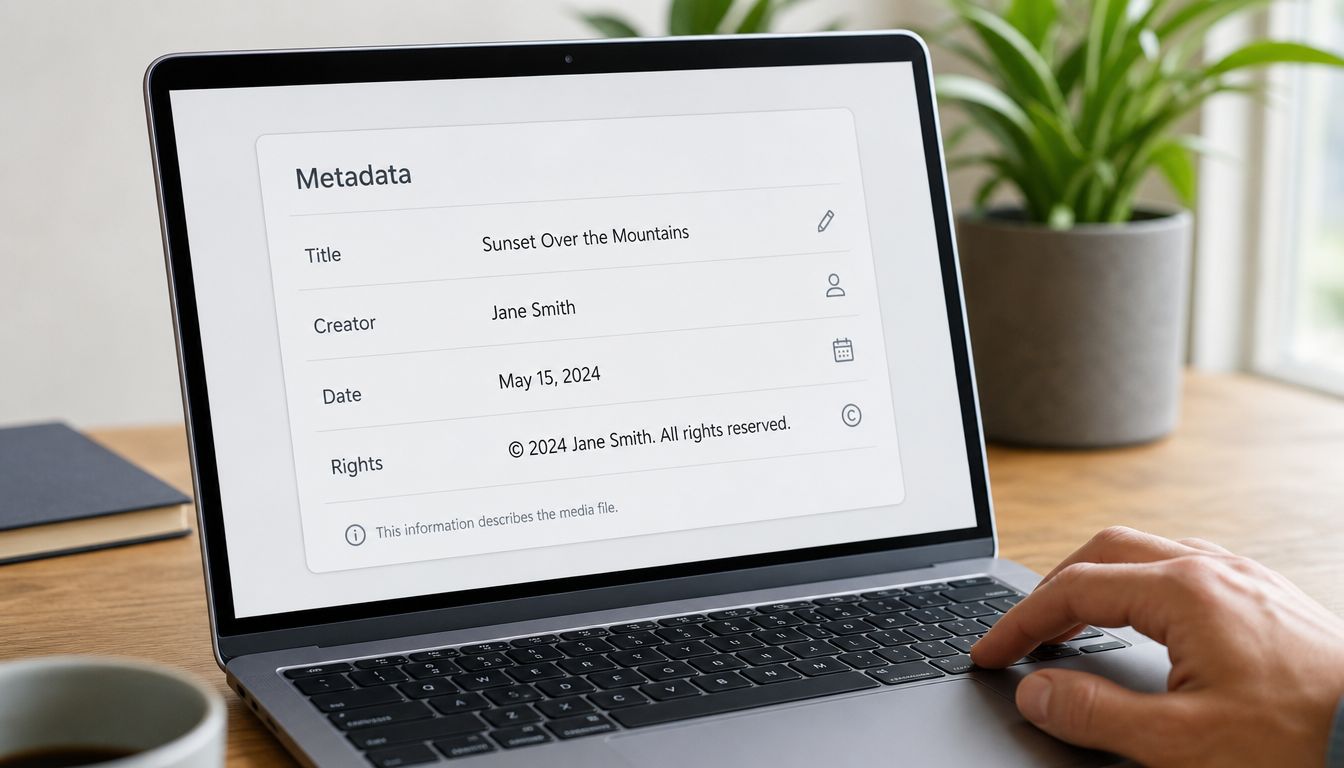
For each important file, record its creator, origin, creation date, format, project context, related files, rights position, and intended use. Add technical details that help a future teammate open, interpret, or migrate the asset. A podcast episode might need its raw recording, edited master, transcript, artwork, guest agreement, music information, and distribution notes connected in one record.
This documentation matters when staff change or a platform disappears. The person who remembers why a clip was recorded may leave, while the file remains. Without context, a future editor can't tell whether a document is a final version, a draft, a licensed excerpt, or material restricted to internal use.
The metadata management best practices you adopt should match your content types. Video, audio, images, articles, and book files need different technical fields, even when they share core fields such as title, creator, date, subject, and rights.
Build portable context into the files
Metadata should travel with the asset where possible. Audio may carry ID3 information, images may contain EXIF data, and documents may support embedded descriptive fields. A central catalog still matters, but embedded information gives the file a better chance of remaining understandable when it moves between systems.
Use controlled vocabularies for recurring fields. Decide whether the team writes “YouTube,” “youtube,” or “YT,” then choose one. Validate required fields before an asset enters the archive, and train new contributors during onboarding rather than correcting every record later.
The ISO 15489-1:2016 standard applies to creating, capturing, and managing records “regardless of structure or form,” and it addresses metadata, responsibilities, policies, monitoring, training, business context, controls, and processes through the International Organization for Standardization. For a content team, the practical lesson is simple: documentation isn't clerical decoration. It's part of the record's usability and accountability.
3. Implement Regular Audit and Inventory Practices
An archive can look organized while filling with duplicates, broken links, missing transcripts, obsolete files, and unclear ownership. Regular audits turn assumptions into an accurate picture of what your team has and what it can use.
Begin with an inventory. Record file locations, formats, relationships, metadata completeness, rights status, and current storage arrangements. Then inspect the collection from two angles. A technical review checks whether files open, whether copies match, and whether formats remain practical. A creative review asks whether an overlooked interview could become a short video, whether an old article needs updating, or whether several episodes point toward a new series.
A small-to-mid-sized organization may find that digitization, access copies, and redundant storage are easier to maintain than fixity checking or formal preservation planning. A study of current practices identified staffing as the hardest challenge, ahead of funding, infrastructure, and communication, as documented in this survey of digital preservation practices. That finding has a direct operational implication: assign ownership and protected time, instead of assuming audits will happen between deadlines.
Turn audit findings into a queue
Don't let an audit end as a report in another folder. Convert findings into actions with owners and priorities.
- Repair access problems: Restore missing files, broken references, or unreadable media.
- Complete high-value metadata: Start with assets likely to be reused or licensed.
- Resolve duplicates: Keep the authoritative master and document related derivatives.
- Review format risk: Flag files that depend on unavailable software or aging hardware.
- Surface creative opportunities: Mark assets suitable for clips, updates, compilations, or new research.
The content audit checklist can help teams make this review repeatable. Active libraries may need more frequent attention than dormant collections, but the cadence should fit your production reality. What matters most is that someone checks the collection, records decisions, and returns unresolved issues to the next planning cycle.
4. Maintain Multiple Storage and Backup Systems with Redundancy
A backup restores work after an error. An archive must also keep copies durable, organized, verifiable, and available for future reuse. That difference matters when a team wants to turn past production into new campaigns, platform versions, or licensed assets.
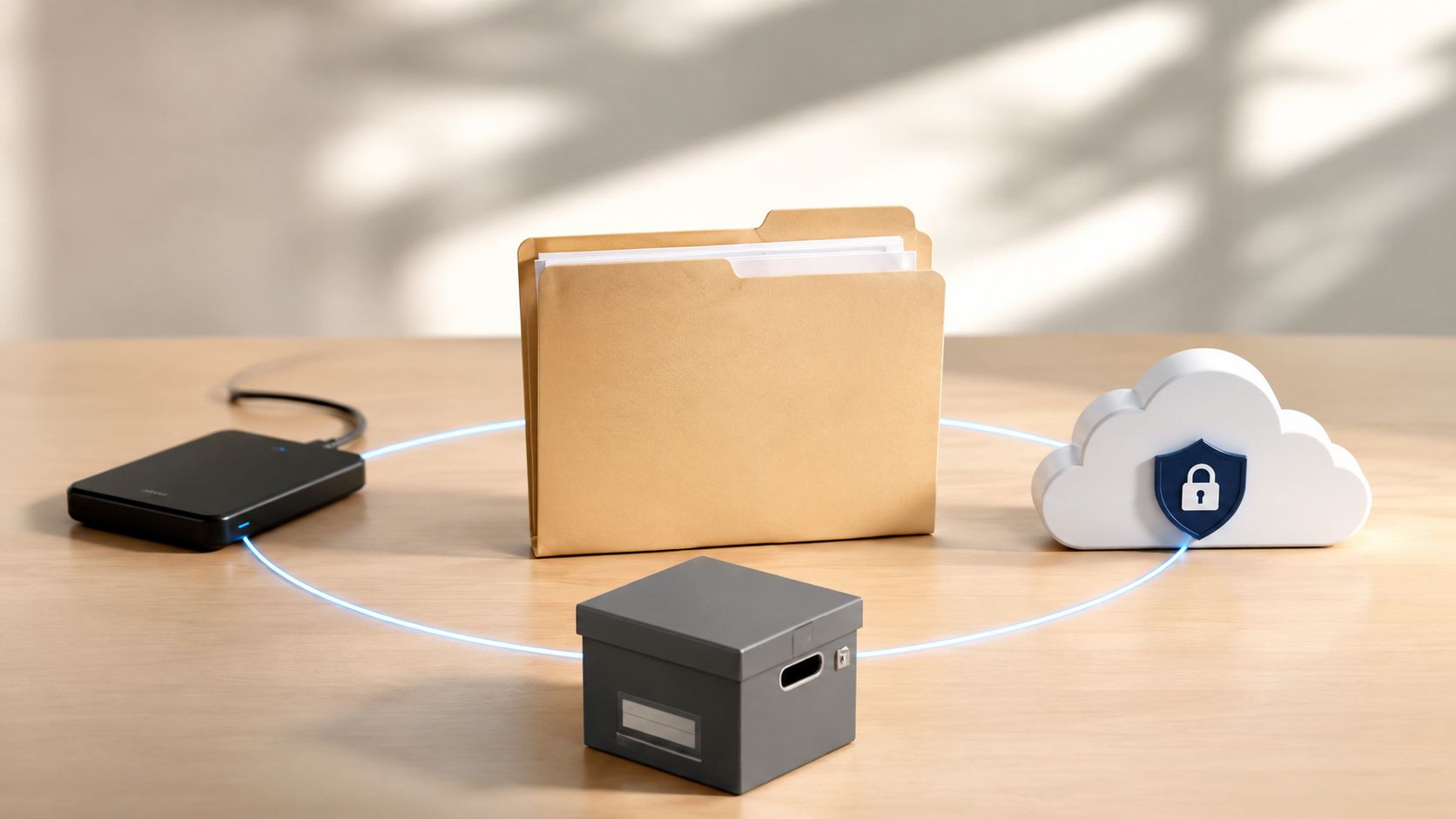
The Smithsonian's digital preservation guidance recommends the 3-2-1 rule: keep 3 copies of important data, use 2 different media, and place at least 1 copy off-site or in the cloud. Its data storage and preservation guidance also recommends descriptive metadata, open and non-proprietary formats, plus retention and access rules established in advance.
Use this rule as a starting design, not a complete archive plan. A practical setup could contain an active production copy, a local preservation copy, and an off-site copy. Separate permissions where possible, so ransomware, accidental deletion, or a mistaken overwrite cannot reach every version at once. Clear structure also helps editors and AI tools identify the right master before creating derivatives.
Test the copies, not just the process
A backup that has never been restored remains an assumption. Schedule recovery tests, confirm that files open correctly, compare copies with fixity information, and record who handles recovery. Checksums can reveal unexpected changes, while a written procedure gives a new team member a reliable response under pressure.
Backups and archives serve different jobs. Digital preservation guidance from the Digital Preservation Coalition explains that backups support business continuity or disaster recovery, capture a point-in-time image, may be difficult to search, and should not serve as the recordkeeping system.
A backup helps you get yesterday's workspace back. An archive helps you understand, verify, and reuse the right asset later.
Keep masters separate from delivery files, limit unnecessary encryption on preservation copies, and document retention and access restrictions. A content team with a growing audience cannot rely on its production drive as the whole business. Redundancy protects the work. Metadata, permissions, and tested recovery make that protection useful for discovery, repurposing, and revenue decisions.
An organized preservation system can support more than recovery. It gives a team a dependable source for future edits, social cutdowns, research, and new creative combinations. This video offers a visual starting point for discussing how files are organized, protected, and retrieved.
5. Develop a Format Migration and Technology Obsolescence Strategy
A file can survive physically and still become inaccessible. If it depends on software, hardware, codecs, or a platform your team can no longer use, its presence in storage doesn't guarantee future access.
Create a format inventory alongside your content inventory. Record the format of each master, access copy, transcript, image, and project file. Identify which assets depend on proprietary tools, unusual codecs, removable media, or outdated production systems. Then prioritize migration by value, risk, and likely reuse.
Preservation masters should use lossless formats, while lossy formats should generally remain delivery or access versions. The Digital Preservation Handbook's file format guidance recommends selecting a well-documented, widely implemented standard and ideally checking whether it appears in the PRONOM registry.
Preserve the master, create the derivative
A video creator might keep a high-quality master for future editing and create smaller platform versions for distribution. A podcaster might preserve the original recording, a production master, an access file, and a transcript. An editor might retain the source document while exporting a stable reading copy.
Use descriptive names that include context and date. The Tasmanian guidance recommends avoiding spaces and special characters other than hyphens or underscores, using ISO 8601 dates in the YYYY-MM-DD form, and applying consistent version labels such as v1, v2, or v_final in its digital preservation formats guideline.
Migration should be documented, tested on sample files, and checked after conversion. Preserve the original where feasible, record the software and settings used, and compare the migrated result with the source. Treat migration as a planned maintenance activity, not an emergency response after the old format has already become unreadable.
For long-term access, formats that embed metadata are preferred because metadata carries provenance and technical characteristics. The OpenAIRE preservation format guidance also recommends preserving uncompressed and unencrypted files because they're more transparent and easier to access later.
6. Create Collaborative Workflows That Blend Human and AI Insights
An archive becomes more useful when people and AI examine it together. AI can scan a large library for repeated subjects, names, phrases, visual patterns, and relationships that a busy editor may miss. Human judgment remains necessary for sensitive interviews, ethical quotations, historical context, provenance, and editorial purpose.
Assign the work clearly. AI can suggest tags, produce transcripts, group related files, identify themes, and surface material for review. Researchers and editors then verify the source, assess its meaning, and decide whether it belongs in a new story, format, or campaign. This division turns stored material into a working content engine rather than a collection that only waits for retrieval.
AI readiness also depends on preparation. The AI preparedness guidelines for archivists recommend documenting excluded data, strengthening item- and collection-level metadata, preserving coherent file structures, and defining evaluation measures before an AI project begins. They also describe paradata, information about how AI-assisted records were created, selected, and organized. Recording that background helps future users judge how a result was produced and how much confidence it deserves.
A practical review path can run like this:
- AI proposes: It gathers episodes, articles, and clips connected to a theme.
- A researcher verifies: They check source files, dates, rights, and surrounding context.
- An editor interprets: They select the angle, audience, format, and platform.
- The team records the decision: They preserve prompts, selection logic, exclusions, and final assets.
The record of those decisions matters as much as the output. It lets a team revisit why a clip was selected, adjust the search, and reuse the method for another channel. It also prevents automated visibility from being mistaken for editorial truth.
Contesimal supports this kind of interaction through a chat-based research interface and tools for organizing documents, podcasts, videos, and articles. Teams can use AI to speed discovery while human contributors remain responsible for verification, meaning, and final creative choices. That approach helps identify the next video, build playlists around proven concepts, and shape a research library into coordinated campaigns with clearer reuse potential.
7. Implement Rights Management and Intellectual Property Tracking Systems
Rights determine whether an archived asset can become a new product, campaign, or platform format. A guest may approve one episode without approving promotional clips. A client may own the finished campaign while your team owns the underlying method. A music license may cover one platform, territory, or period but exclude another.
Store these boundaries beside the asset, rather than in an inbox that only one person can search. Record copyright ownership, contributor agreements, performer permissions, music and image licenses, platform restrictions, geographic limits, duration, exclusivity, renewal terms, and approved uses. Connect each agreement to the exact episode, article, footage batch, photograph, or manuscript it governs.
Turn rights into a working decision record
A useful rights entry should let an editor answer five questions without opening a legal scavenger hunt:
- Who owns the asset: Is it controlled by your organization, a client, a collaborator, or a licensor?
- What can you do: Can you edit, translate, excerpt, syndicate, monetize, or license it?
- Where can it appear: Are there platform, territory, or channel limitations?
- When does permission change: Is there an expiration, renewal, or termination condition?
- What evidence supports the claim: Which signed agreement or delivery record establishes the rights?
Use a centralized system with clear status labels, such as approved, restricted, pending review, or expired. Send unusual or disputed cases to legal review. Maintain a chain of title for commissioned work and collaborative projects. If a new contributor joins a podcast, documentary, newsletter, or book project, capture the agreement before publication. Reconstructing permissions during a licensing opportunity wastes time and can close the opportunity entirely.
Rights records also guide revenue decisions. A publisher may find subsidiary rights it can license. A video team may identify footage for a new campaign. A content marketer may discover that an old interview can support a new format after restricted material is removed.
Keep rights information with descriptive and technical metadata. The archive then works like a catalog with usage instructions, helping teams find material, check permission, and prepare it for another channel. “I think we can use this” becomes a documented decision that an editor, producer, partner, or AI-assisted search workflow can inspect before reuse.
8. Build Sustainability Plans for Long-Term Archival Access and Cost Management
A sustainable archive is an active content engine, not a storage endpoint. As files accumulate, teams also take on costs for storage, migration, metadata upkeep, security, rights review, training, and recovery testing. Without a plan, yesterday's material can become tomorrow's technical liability instead of supporting a new campaign, platform, or licensing opportunity.
Set access tiers according to use. Active masters need quick retrieval, while valuable older material may belong in a lower-cost preservation tier. Re-creatable files, such as OCR text, can have a shorter retention period when better tools can regenerate them. The archival preservation recommendations also emphasize making deliberate preservation choices.
Retention is not casual deletion. Record why an asset was retained, migrated, restricted, or deprioritized, along with its next review point. That context helps a new team member make a sound decision instead of repeating past research.
Budget for knowledge, not only storage
A storage invoice shows only part of the cost. Staff time, undocumented procedures, failed migrations, lost context, security work, and format updates can consume more resources than expected. Review total ownership costs across infrastructure, labor, software, rights administration, training, and recovery.
Build the plan around a few practical questions:
- Tiered preservation: Does access speed match the asset's likely use?
- Succession documentation: Can another person maintain the archive after staff turnover?
- Value reviews: Could an asset support views, engagement, conversions, licensing, research, or a new format?
- Deaccession policies: Who approves removal, and what evidence records the decision?
- Environmental awareness: Do energy use and infrastructure efficiency affect the chosen service?
The 2023 National Digital Stewardship Alliance storage survey received 138 completed responses from organizations across 18 national and international listservs and examined preservation storage systems, service providers, planning, organizational commitment, and environmental awareness in its published survey record. Its broader lesson is practical: long-term access depends on governance, vendor choices, and sustainability as well as duplicate copies. A well-managed archive therefore helps teams find proven material, adapt it across channels, and decide which preservation work can support future revenue.
8-Point Archival Best Practices Comparison
| Practice | Implementation complexity | Resource requirements | Expected outcomes | Ideal use cases | Key advantages |
|---|---|---|---|---|---|
| Implement a Comprehensive Content Classification System | High, taxonomy design, governance, tool integration | Taxonomists, metadata tools, AI tagging, significant setup time | Faster retrieval, easier repurposing, improved discoverability | Growing content libraries; teams scaling from hobby to professional | Rapid search & reuse; reveals content patterns; institutional knowledge |
| Establish Standardized Metadata and Documentation Protocols | Medium–High, standards adoption and embedding processes | Metadata standards, templates, validation tools, team training | Long-term findability, rights clarity, automation-ready assets | Publishers, media orgs, multi-platform distributors | Compliance, provenance, machine-readability, workflow automation |
| Implement Regular Audit and Inventory Practices | Medium, periodic processes and technical verification | Audit tools, checksum/validation expertise, scheduled staff time | Accurate inventory, integrity checks, gap and duplication detection | Large/aging archives; teams needing quality control | Prevents data loss, surfaces hidden assets, informs strategy |
| Maintain Multiple Storage and Backup Systems with Redundancy | Medium, apply 3-2-1 rule and verify backups | Multi-location storage, bandwidth, backup software, budget | Resilience to failure, recoverability, business continuity | Revenue-generating creators, critical media libraries | Protects assets, enables recovery, supports compliance |
| Develop a Format Migration and Technology Obsolescence Strategy | High, continuous monitoring, migration projects | Format specialists, migration tools, testing environments, storage | Continued accessibility, reduced obsolescence risk, format consistency | Archives with legacy media; long-term preservation mandates | Future-proof access, flexibility across platforms, quality preservation |
| Create Collaborative Workflows That Blend Human and AI Insights | Medium, tool integration and change management | AI platforms, training, governance, human curators/analysts | Faster analysis, better ideation, scalable content discovery | Teams seeking rapid repurposing and insight-driven creation | Pattern detection at scale, automation of routine tasks, human oversight |
| Implement Rights Management and Intellectual Property Tracking Systems | Medium–High, legal complexity and detailed tracking | Legal counsel, rights database/system, admin processes | Clear ownership, safe repurposing, monetization and compliance | Publishers, music/film, multi-contributor projects | Reduces legal risk, enables licensing revenue, ownership transparency |
| Build Sustainability Plans for Long-Term Archival Access and Cost Management | Medium, strategic planning and regular reassessment | Financial planning, analytics, tiered storage strategy, governance | Controlled costs, prioritized preservation, institutional continuity | Organizations managing large archives on limited budgets | Cost-effectiveness, scalability, resilience to staff/tech changes |
Make the Archive Part of the Next Campaign
Archival best practices work best as an operating loop, not a once-a-year cleanup. Classify incoming work while the context is fresh. Document its creator, date, format, relationships, rights, and intended uses. Protect the masters with redundant storage, verify that the copies remain usable, and audit the collection before gaps become emergencies.
Then ask the commercial question without reducing the archive to a spreadsheet. Which interview could become a short series? Which podcast theme deserves a new season? Which article can support a campaign, newsletter, video, or downloadable resource? Which research thread has appeared across several projects but hasn't received a dedicated treatment?
Human judgment should lead those choices. AI-assisted discovery can help surface related material, identify recurring language, group assets, and reveal connections across a large library. Your team still needs to validate provenance, rights, exclusions, audience fit, and editorial quality. The archive becomes a creative engine when automation increases discovery without removing responsibility.
Start with one high-value batch. Choose a successful podcast run, a video series, a research folder, or a set of articles that your team already knows matters. Classify it, add the missing metadata, connect the rights records, create or verify preservation copies, and document the decisions. Then turn the result into one new format or campaign and record what happened.
Measure the outcome in the language your organization already uses, such as views, page views, engagement, conversions, subscriber response, licensing interest, or production time. Those signals shouldn't replace preservation priorities, but they can help you decide where deeper description, better search, and human review will create the most value.
Contesimal is one relevant option for teams that need to organize, search, and collaborate around a growing content library. Its platform supports document and media ingestion, thematic maps, layered taxonomies, filtering, research workflows, and interaction between human and AI contributors. That can help a creator, publisher, or content executive move from “we have years of material somewhere” to “we know what we have and what we can make next.”
The goal isn't to preserve everything equally or publish every old idea again. The goal is to build enough trust and structure that your best material remains findable, understandable, protected, and ready for a thoughtful second life.
Contesimal helps content teams classify, organize, and search documents, podcasts, videos, and articles while collaborating with AI-assisted research workflows. Visit Contesimal to explore how your archive can support new ideas, cross-platform content, and more deliberate reuse.