
You probably have more usable content than you think.
A podcaster with a few hundred episodes has years of stories, guest insights, objections, punchy one-liners, and recurring themes sitting in old audio files. A YouTuber has B-roll, product mentions, tutorials, failed experiments, audience questions, and half-finished concepts buried in drives called “final_v2_REAL.” A publisher has article archives full of ideas that still matter, but no clean way to connect them, update them, or package them into something new.
That's the moment when document organization software stops being an IT purchase and starts becoming a creative business tool. If your back catalog is hard to search, hard to trust, and impossible to reuse, you're not just disorganized. You're leaving creative advantage and revenue on the table.
Your Content Library Is a Goldmine Waiting to Be Mapped
Success creates clutter fast. One podcast becomes fifty episodes. Fifty becomes three years of interviews, bonus clips, transcripts, ad reads, guest assets, and show notes spread across Dropbox, Google Drive, external hard drives, and a laptop desktop you swear you'll clean up later.
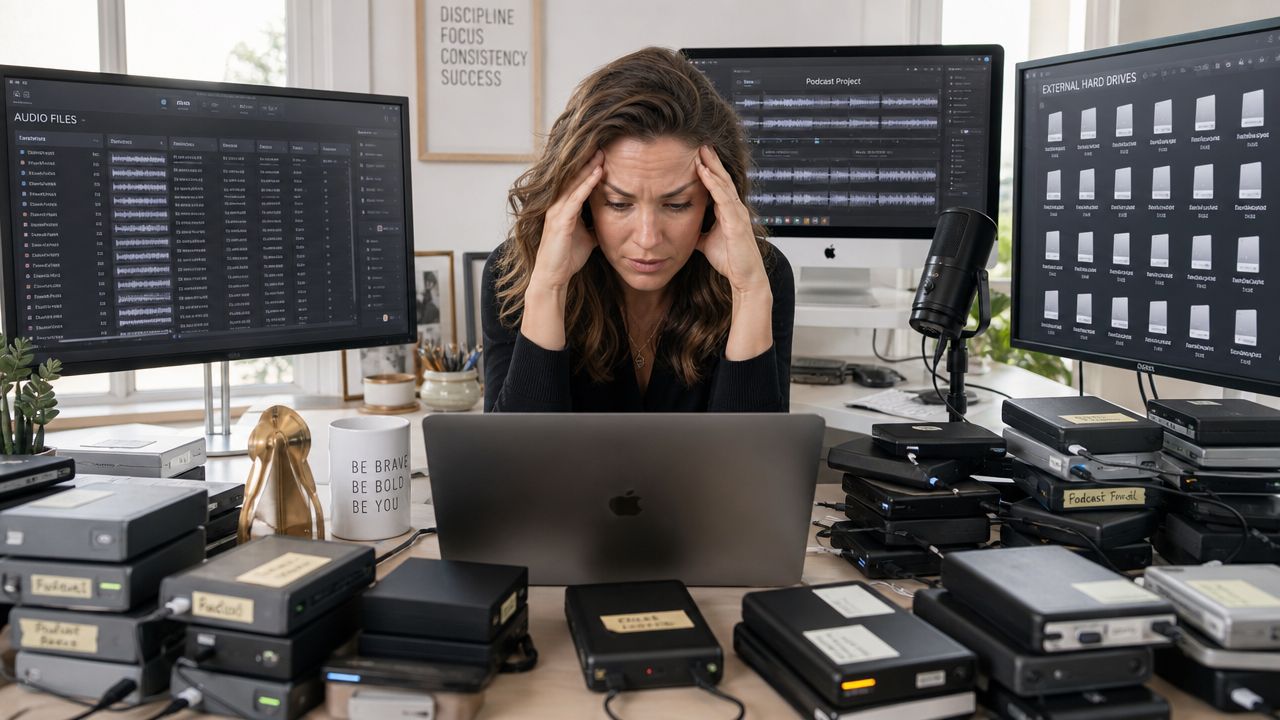
For creators, this usually looks normal until the day you need something specific. You want the clip where a guest explained burnout perfectly. You need every episode where you mentioned a product before renewing an affiliate deal. You want to turn old articles into a new series, but you can't tell which posts overlap and which ones still hold up.
The problem isn't storage
Most creators don't have a storage problem. They have a retrieval and reuse problem.
A folder tree can hold files. It can't tell you which five interviews all touched the same emotional theme. It can't reveal that your strongest ideas keep showing up across video, audio, and text. It can't help your editor, producer, and researcher work from the same dependable library.
Practical rule: If your archive only helps you store finished work, it isn't helping you grow.
That's why this category matters now. The global document management system market is projected to reach US$14.82 billion by 2029, growing at a 14.5% CAGR, according to Tiny's market overview of document management software. That growth reflects a broader shift toward automated file management that helps teams save time, reduce costs, and realize value hidden in digital archives.
What a mapped library changes
Once you treat your archive like an asset instead of an attic, your old content starts working again.
- For creators: old episodes become clips, compilations, email series, and premium resources.
- For publishers: archives become topic hubs, research bases, and updated packages.
- For teams: your library becomes easier to brief from, collaborate around, and build on.
If your archive feels messy, start by seeing what you have. A simple content inventory template for auditing your library is often the first useful move because it turns vague overwhelm into visible material.
Your content history isn't dead weight. It's undeveloped inventory.
Beyond Folders A New Way to Organize Content
Basic cloud storage does one job well. It keeps files somewhere other than your laptop. For creators, that's useful but limited.
Modern document organization software does something else. It helps you ingest, classify, search, and relate assets across formats so your library becomes intelligible. That's a very different job from syncing folders in Google Drive or Dropbox.
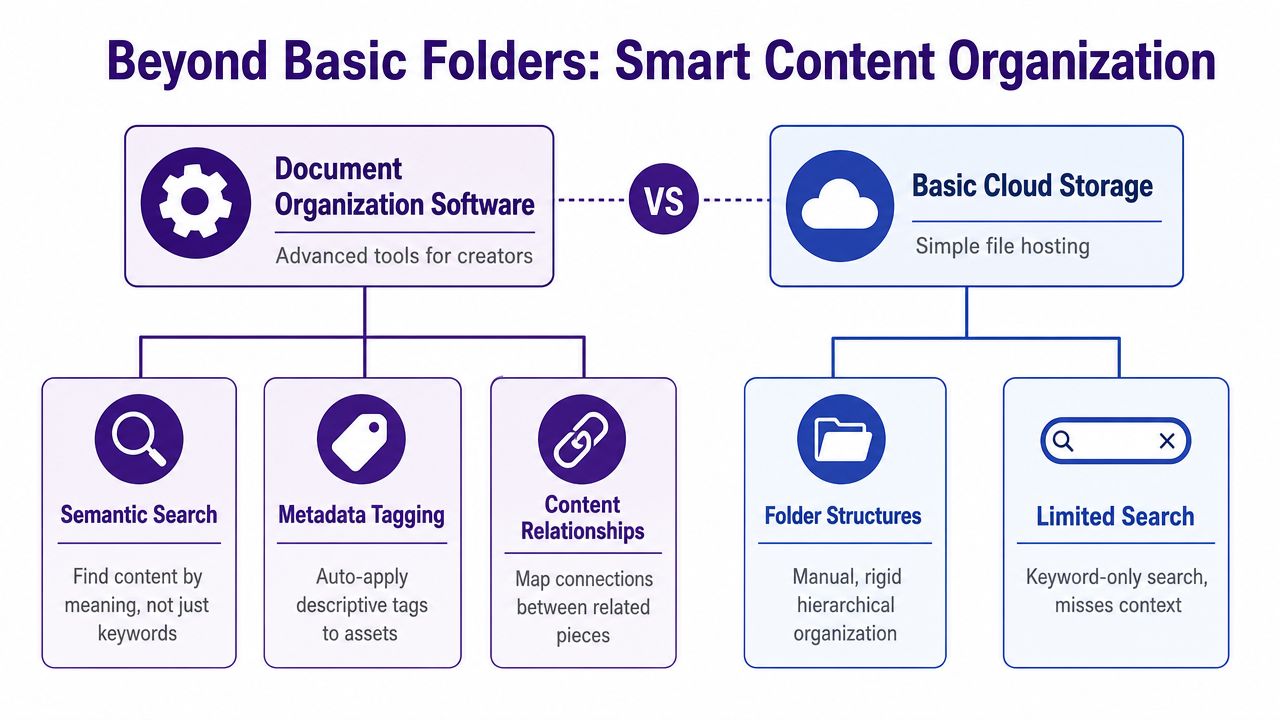
What basic storage does well and where it breaks
Dropbox, Drive, and similar tools are fine for delivery, backup, and lightweight collaboration. They break down when your library gets large, media-heavy, and strategically important.
A creator archive usually includes raw video, edited video, audio masters, transcripts, notes, thumbnails, contracts, briefs, drafts, and social cutdowns. Put that into a rigid folder structure and you've built a filing cabinet, not a thinking system.
Good storage answers “Where did we save it?” Better organization answers “What does this asset contain, how does it connect, and what can we do with it now?”
The creator version of document organization software
For content teams, three capabilities matter most.
Ingestion across formats
A modern system should absorb more than PDFs and Word docs. It should fit the way creators work, with videos, podcasts, articles, research docs, visual assets, and supporting files entering the same environment.
That matters because your best future idea often sits across formats. A podcast insight turns into a short-form video. A blog post becomes a lead magnet. A YouTube explanation becomes the core of a sales page.
Metadata and version control
Serious organization starts with these systems. Metadata intelligence and version control are core to these systems. Defined data tags like file name, title, and upload date, along with automated version tracking, help you find the right file and make sure collaborative changes are monitored, recorded, and reversible, as explained in PowerDMS's guide to document management systems.
That sounds operational, but the payoff is creative. When your team trusts the library, they use it. When they use it, they find more value in it.
Relationships, not just categories
The strongest systems don't just sort files into buckets. They help you map relationships across them.
- Theme connections: one idea recurring across episodes, articles, and clips
- Series logic: assets grouped by campaign, playlist, book launch, or topic cluster
- Reuse potential: source material connected to derivative content
That's the leap. You stop building folders and start building a searchable map of your content universe.
How AI Supercharges Your Content Workflow
The most useful AI in document organization software doesn't feel flashy. It removes friction from work you already know needs to happen.
For creators, that usually starts with one painful reality. Your best material is trapped inside media files. A brilliant line in a podcast episode is useless if nobody can find it. A perfect product explanation in a long YouTube video won't help your next campaign if it disappears into an hour of footage.
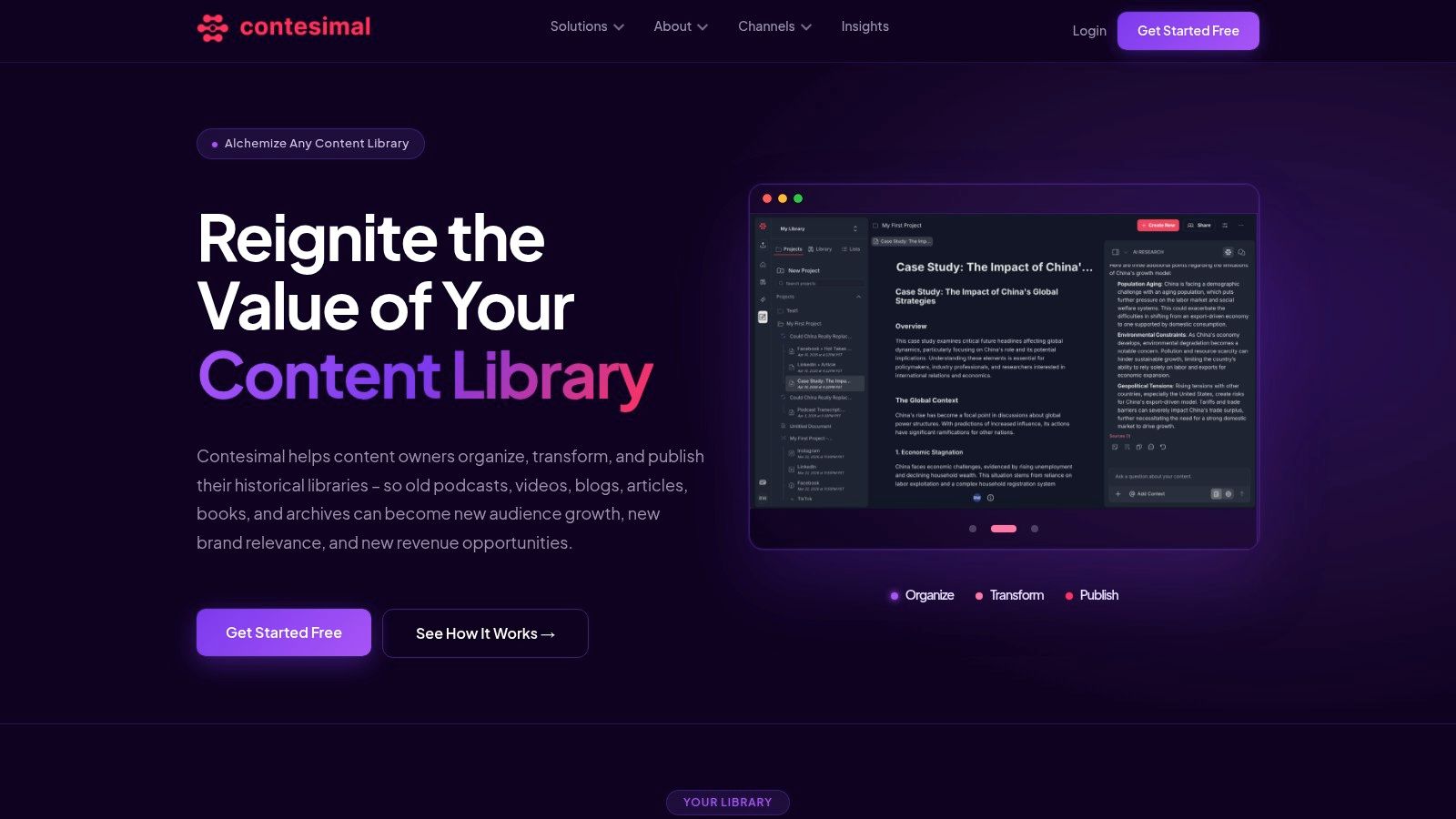
AI turns media into usable working material
Once audio and video become searchable text, your archive changes shape. You're no longer hunting through timelines and filenames. You're working with ideas, topics, moments, and patterns.
That's why semantic search matters more than keyword search. Systems using AI-powered natural language processing can help users find documents 85% faster than traditional keyword searches, according to Terralogic's breakdown of document management features. The reason is straightforward. The system reads inside files and interprets meaning, so you can search conversationally instead of guessing exact terms.
For creators, that means you can ask for intent instead of syntax. You're not limited to “find the episode with the word retention.” You can search for the discussion where you explained why audiences leave, or every place a guest talked about recovering from failure.
What that looks like in practice
Here's the before-and-after shift.
Before AI support:
- You remember a useful moment, but not the episode title.
- Your assistant searches transcripts manually.
- Different versions of clips create confusion.
- Research for a new piece starts from scratch.
After AI support:
- You search by concept, tone, or question.
- The system surfaces likely matches across formats.
- Related assets appear together.
- Your team starts from previous work instead of rebuilding context.
If you want a broader look at this shift, this guide to content intelligence platforms for modern teams is worth reading.
AI is best when it supports human judgment
AI won't decide what your audience cares about most. It won't replace editorial taste. It won't know your brand voice better than you do.
What it can do is clear the mechanical work out of the way so you can make better decisions faster.
The real win isn't automation for its own sake. It's giving creators a way to see their own archive clearly enough to use it again.
That's where a live demo helps more than abstract feature lists.
When AI is used well, it doesn't make your process less human. It makes your past work more available to the humans doing the next round of creative work.
Putting Your Organized Library Into Action
An organized library starts paying off when you stop treating it like a backup and start treating it like production infrastructure.
The value isn't abstract. It shows up when a podcaster builds a fast “best of” episode from years of interviews, when a YouTuber assembles a smart affiliate video from past product mentions, or when a publisher turns scattered archive pieces into a focused content hub.
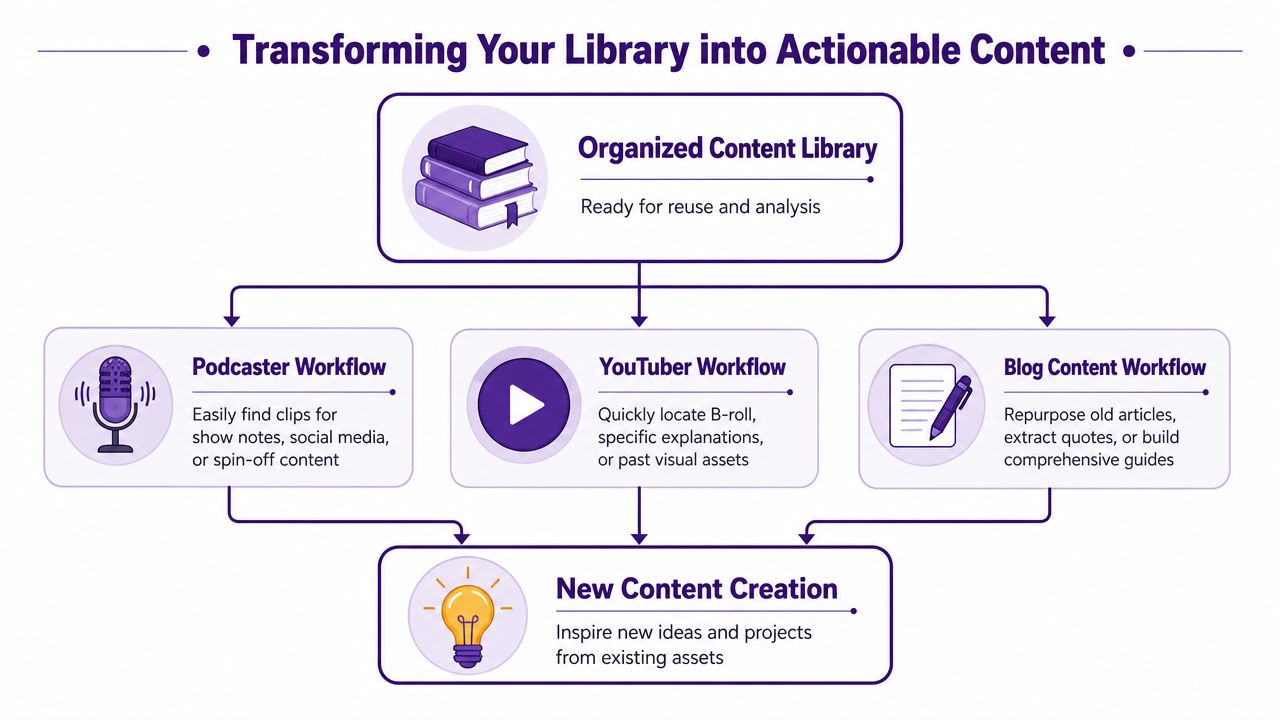
Three practical creator scenarios
The podcaster with years of buried insight
A podcaster wants to release a themed compilation on burnout, resilience, or creative discipline. Without a well-organized library, that turns into a painful review process across old transcripts, notes, and audio files.
With a clean system, the producer can pull every relevant mention, compare recurring ideas, grab strong clips, and build show notes that connect the new episode to old ones. That creates a new asset from existing material and reactivates the back catalog at the same time.
The YouTuber building commercial content from past work
A creator has mentioned the same tool, camera, supplement, or workflow across multiple videos. Those mentions are useful, but they're buried in unrelated episodes.
An organized library lets the team locate every appearance of that product or theme, review what performed well, and package the best parts into a focused buying guide, sponsorship proof pack, or affiliate-led video. That's the difference between having content and having inventory you can monetize.
Old footage becomes more valuable when you can pull it by purpose, not by memory.
The publisher responding quickly to a trend
A magazine team sees a topic spike in their space. They know they've covered it before, but coverage sits across years of features, interviews, and explainers.
Instead of commissioning from zero, the editorial team can gather related pieces, identify gaps, update what still holds up, and ship a tighter package faster. That's not laziness. It's smart use of institutional knowledge.
The pattern behind all three examples
A key advantage is that organization shortens the gap between idea and execution.
- You find source material faster
- You reuse proven ideas instead of guessing
- You connect formats that usually stay separate
- You create from context, not from panic
For creators trying to grow across platforms, that matters. You don't need every asset perfectly labeled before you begin. You need enough structure that your archive becomes useful during planning, production, and packaging.
That's when “organize, understand, take action” stops sounding like a slogan and starts feeling like a practical workflow.
Choosing the Right Document Organization Software
Picking document organization software isn't really about picking software. It's about choosing what kind of content business you want to run.
If your workflow is still mostly office documents, basic records, and static approvals, a traditional document system may be enough. If your business runs on podcasts, videos, articles, clips, transcripts, and collaborative research, you need something built for media complexity.
What to ask before you commit
A major market gap sits right here. 65% of content marketers require software that supports programmatic uploads for non-text formats, yet 90% of DMS comparison guides omit AI-driven tagging or semantic search for video and audio libraries, according to TrustLineage's guide to choosing document management software.
So ask direct questions.
- Does it handle media natively: Not just store video and audio, but analyze and organize them in a usable way.
- Can you search by meaning: Keyword search alone won't help much with spoken content or recurring themes.
- Does it support discovery: You want more than retrieval. You want help finding repurposing opportunities.
- Can a team collaborate in it: Editors, researchers, producers, and strategists need a shared environment.
- Will it scale with your archive: Today's neat folder system often collapses under tomorrow's volume.
Traditional storage versus modern organization
| Creator Need | Traditional Storage (Dropbox, Drive) | Modern Software (e.g., Contesimal) |
|---|---|---|
| Find the right clip or quote | Search filenames and folders | Search across content meaning and context |
| Organize podcasts, video, and articles together | Stored together, but loosely connected | Structured as one searchable library |
| Track revisions and source of truth | Possible, but often messy in practice | Built for version visibility and collaboration |
| Spot reuse opportunities | Depends on memory | Designed to surface patterns and relationships |
| Support research workflows | Separate docs and manual handoffs | Shared workspace for discovery and action |
Choose for the next stage, not the current mess
Creators moving from hobbyist mode into a real operation usually underestimate this decision. They buy for storage, then discover they needed research support, reuse support, taxonomy support, and collaborative support.
If you're comparing your broader stack too, this roundup of Flexwork Studios' content creation tools is useful because it places organization software in context with the rest of a creator's workflow. For a more focused shortlist, this guide to digital asset management software for content libraries helps clarify where storage ends and intelligent organization begins.
The wrong tool keeps your archive passive. The right one helps your archive produce.
Your Game Plan for a Successful Migration
Migration feels intimidating when you imagine moving everything at once. Don't start there.
Start with one valuable slice of your library. One podcast series. One YouTube playlist. One publication archive tied to a commercial priority. You're not trying to achieve perfect order in a week. You're trying to create momentum and prove usefulness fast.
Step one starts with a single source of truth
Best practices for document management include consistent file-naming conventions, metadata tagging, and housing documents in a Single Source of Truth, so everyone accesses reliable and consistent information, as outlined in ShareFile's document management best practices.
That principle matters even more for creators because duplicate files create editorial confusion fast. One editor cuts from an outdated export. A producer grabs the wrong transcript. A strategist plans around the wrong draft.
A simple three-step migration approach
Pick one high-value collection
Choose content that already has reuse potential. A flagship podcast, a strong article category, or a proven video series works well because you'll see the payoff sooner.Clean naming before deep tagging
You don't need a perfect taxonomy on day one. You do need sane file names, dependable dates, and a clear distinction between source files, working files, and published assets.Define a small metadata model
Keep it practical. Topic, format, series, contributor, publish status, and reuse notes are often enough to start. You can deepen your taxonomy later once the team sees how they search.
Start with the minimum structure that makes retrieval reliable. Complexity can come later.
Keep migration tied to outcomes
If your team is also dealing with Microsoft-heavy environments, permissions issues, or broader records migration, this practical piece on expert M365 migration advice from Ollo adds useful operational context.
The key is to tie migration to something visible. Build a themed clip package. Refresh an archive section. Create a new newsletter from old material. When people see the library produce value, adoption gets much easier.
Migration succeeds when it feels like activation, not housekeeping.
Turn Your Content History Into Your Future
The old way to think about document organization software was simple. Store files. Protect files. Retrieve files when needed.
That's no longer enough for creators, publishers, and media teams sitting on years of audio, video, and written work. Your archive can do more than sit still. It can help you research faster, spot patterns earlier, repurpose stronger material, collaborate with more clarity, and turn finished work into fresh value.
The shift is strategic. A messy archive makes you recreate what you already know. An organized library provides an advantage. It helps you connect ideas across platforms, revive strong concepts, and build new revenue paths from content you've already paid to produce.
Your best next asset may already exist in your history. It just hasn't been surfaced, connected, and reused yet.
If you've been treating old content as finished, start treating it as active inventory. Organize it. Understand it. Take action on it.
That's how creators stop drowning in their back catalog and start building from it.
If you want a smarter way to turn podcasts, videos, articles, and research archives into usable creative assets, take a look at Contesimal. It's built to help content teams organize their libraries, collaborate with AI in a practical way, and uncover new value inside the work they've already created.