
You know the clip exists. You remember saying it. It was that great two-minute explanation in an interview, or that off-the-cuff joke in episode 43, or the paragraph from an old article that would be perfect for today's newsletter.
Then the hunt begins.
You open hard drives, cloud folders, YouTube dashboards, transcript docs, half-named MP3 files, and an old Notion database you haven't touched in months. Forty minutes later, you've found three almost-right assets and one folder called “final_FINAL_use-this-one,” which tells you nothing. The problem isn't that you don't have enough content. It's that your library has stopped being usable.
That's where metadata management tools start to matter for creators.
Most explanations of metadata sound like they were written for people managing warehouses full of SQL tables. If you make videos, podcasts, articles, courses, or branded media, that framing doesn't help much. You need a way to organize your library so you can find moments, spot patterns, repurpose faster, collaborate better, and turn old work into new revenue.
Your archive isn't dead storage. It's inventory.
Your Content Library Is a Goldmine Not a Graveyard
A creator can publish for years and still feel like they're starting from scratch every Monday.
YouTubers with hundreds of uploads often know they've already covered parts of a topic, but they can't quickly pull the right clip, B-roll sequence, quote, or thumbnail pattern. Podcasters remember a guest made a brilliant point six months ago, yet the only way to find it is to scrub through audio or search rough transcripts. Publishers sit on years of articles and interviews that should be reusable, but the material is trapped in a pile instead of functioning like a system.
That's the primary pain. Not content creation. Content retrieval.
The archive problem creators don't talk about enough
Most creators organize content by platform and date because that's how tools present it. YouTube shows uploads. Your podcast host shows episodes. Google Drive shows folders. WordPress shows posts. Each system is useful on its own, but none gives you a full map of your ideas.
So your library slowly turns into a digital attic.
Your best ideas often aren't missing. They're buried under weak naming, inconsistent tags, and no reliable way to connect one asset to another.
A healthy content library lets you answer practical questions fast:
- What have I already said about this topic
- Which guest clips fit this new episode
- Where are all my examples about pricing, lighting, burnout, or storytelling
- What older content can I turn into a course, reel series, or paid guide
Those questions sound creative, but they're also operational. If you can't answer them quickly, your library can't compound.
What changes when the library becomes searchable
When creators start treating their archive like an asset instead of a storage problem, the mood shifts. Old videos stop feeling stale. Past episodes become source material. Historical articles become building blocks for new verticals, bundles, and audience journeys.
That's why this topic matters beyond neatness. Organize your content well enough, and you can upcycle old work, create fresh value across platforms, and make your archive useful to both humans and AI.
For creators moving from hobbyist to professional, that shift is huge. A messy library costs time. A structured one can support research, collaboration, repurposing, and eventually revenue.
What Metadata Really Is for Content Creators
Metadata sounds technical because the word is technical. The idea isn't.
For creators, metadata is the information that tells you what a piece of content is, what's inside it, who it's for, and how it connects to your other work. Think of it as the card catalog for your creative universe.
If the content is the book, metadata is the set of clues that helps you find the right book without opening every shelf.
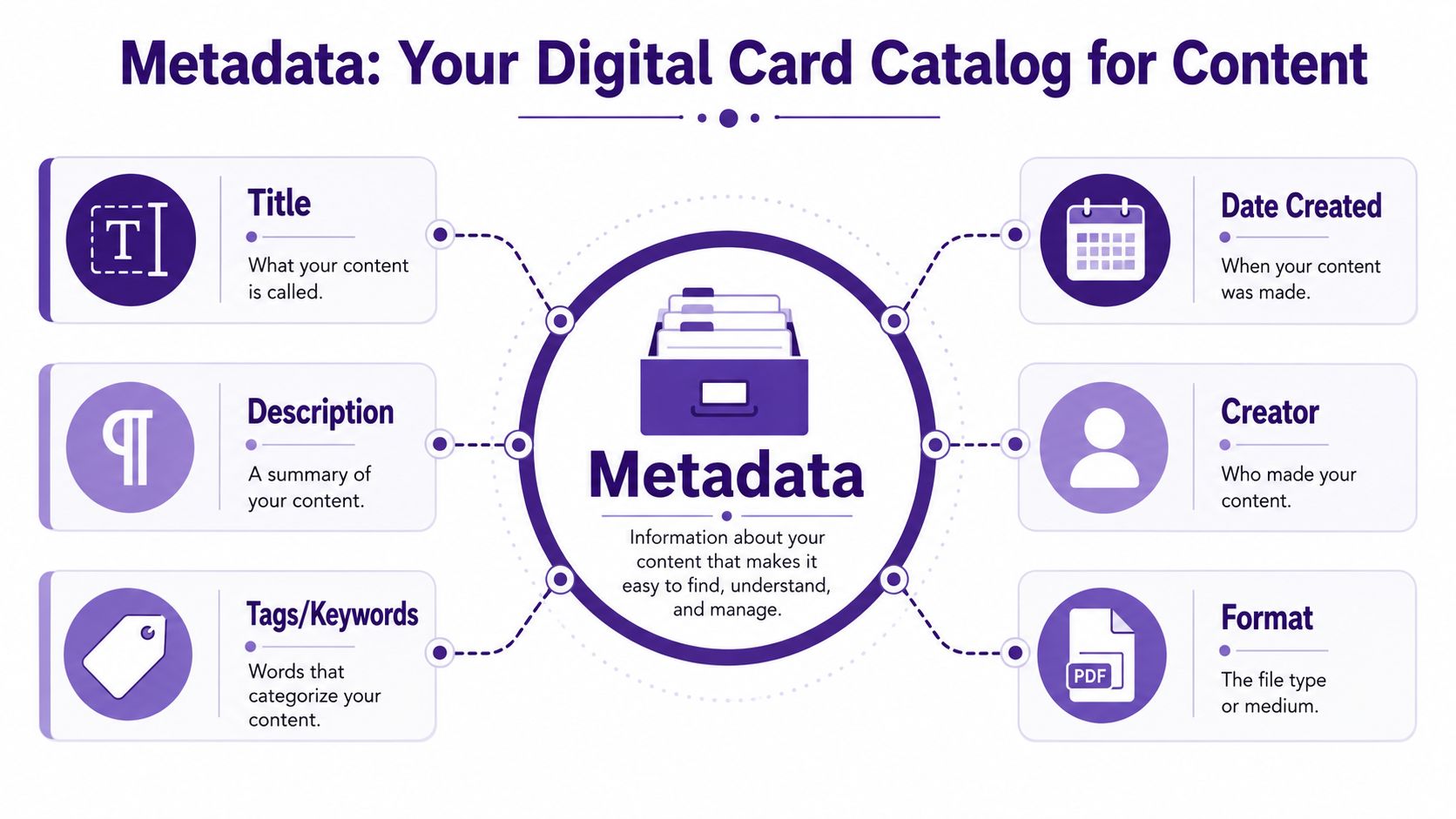
What metadata looks like in creator language
A lot of enterprise articles miss this creator angle. A critical underserved angle in metadata management literature is the disconnect between enterprise-grade technical metadata tools and the unstructured media workflows essential for content creators. While 90% of top-ranked articles focus on SQL lineage and BI dashboards, a 2025 industry report notes that adoption of metadata tools for unstructured media like video and audio remains under 15%, creating a major gap for content organizations trying to operationalize their historical libraries (OvalEdge on metadata management tools).
That gap becomes obvious when you look at actual creator assets.
Here's a simple breakdown:
| Content type | The content itself | Useful metadata |
|---|---|---|
| Video | A 22-minute YouTube tutorial | Title, publish date, topic, named products, on-screen demo moments, guest name, timestamps, tone, format |
| Podcast | A 45-minute interview | Guest, themes discussed, quotable sections, sponsor mentions, industries mentioned, episode series, transcript keywords |
| Blog post | A longform article | Author, category, target audience, linked sources, content stage, refresh date, related posts |
Three kinds of metadata you already use
Even if you've never called it metadata, you're already using some of it.
- Descriptive metadata helps you identify the asset. This includes title, summary, tags, speaker name, and main topic.
- Structural metadata explains how the asset is put together. For a video, that might mean chapters, timestamps, or clip relationships.
- Administrative metadata helps you manage the asset. Think file type, usage rights, version, creator, or approval status.
A creator doesn't need a lecture on database architecture. You need a practical map.
Why this matters for repurposing
Say you run a podcast about entrepreneurship. One episode includes a guest story about hiring, a tangent about burnout, and a sharp quote about pricing. Without metadata, that episode is one giant audio file. With metadata, it becomes several reusable ingredients.
Practical rule: If a future version of you might want to find it, clip it, quote it, bundle it, or sell it, it deserves metadata.
That same idea applies to a YouTube channel, a blog archive, a publisher's library, or a documentary team's footage vault. Metadata gives your old work handles. Once it has handles, you can move it, search it, sort it, and reuse it.
How Modern Metadata Management Tools Work
Modern metadata management tools aren't magic. They just do three jobs really well: ingest, classify, and discover.
That sounds dry, but the workflow is pretty intuitive when you translate it into creator terms. You connect your sources, the system reads or watches your material, and then you search it in plain language instead of guessing filenames.
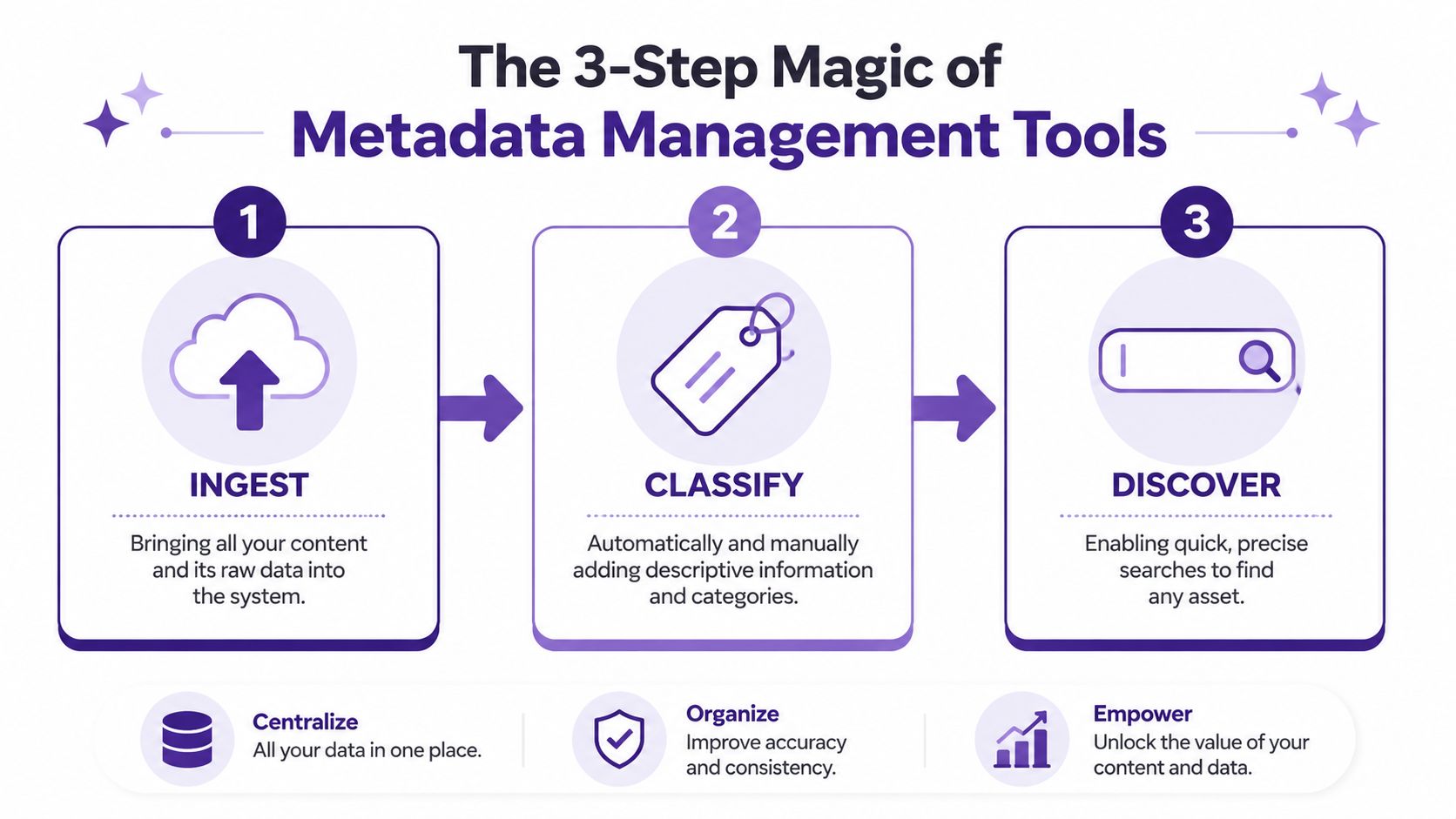
Ingest means bringing your scattered stuff into one system
Ingest is just the boring-sounding word for connection.
A tool might pull in assets from cloud folders, video libraries, audio archives, documents, transcripts, CMS platforms, and production systems. If you're comparing stack decisions, this is also where your publishing setup matters. Teams thinking through Headless or traditional content management systems often discover that content architecture affects how easily metadata can travel across sites, apps, and workflows.
For creator teams, ingest should answer one question: can the tool see the places where your content lives?
Classify means the system adds meaning
People tend to get confused. Classification isn't just attaching a few tags by hand.
Strong tools analyze transcripts, filenames, structure, speakers, categories, and usage patterns. They can help identify topics, recurring entities, relationships between assets, and organizational labels that make content reusable later. Some teams also look at broader platforms that combine search, enrichment, and workflow support, like the category covered in content intelligence platforms.
The key concept here is active metadata. Instead of a static tag that sits there forever, active metadata updates as content changes, transcripts improve, or teams add context.
Discover means you can finally ask normal questions
This is the payoff.
Instead of remembering whether a clip is in Folder B inside Folder Final inside Folder Archive 2024, you can search for things like:
- Show me every clip where I talked about audience retention
- Find past interviews mentioning book launches
- Pull all podcast moments with a skeptical or humorous tone
- Locate the approved version of the transcript used in the newsletter
One source on active metadata notes that advanced metadata management tools continuously ingest, enrich, and synchronize metadata in real time, and that this kind of synchronization can reduce manual documentation errors by up to 70% while keeping trust signals current for AI agents (active metadata architecture overview).
A good metadata system doesn't just store labels. It keeps your library usable as the library grows.
That's why “modern” matters. Static organization goes stale. Active systems keep your search layer alive.
Designing a Taxonomy That Powers Creativity
Taxonomy sounds like something you'd avoid at a conference. For creators, it's just your chosen system for naming and grouping the things that matter in your library.
Done badly, taxonomy feels like paperwork. Done well, it becomes a creative engine.
A taxonomy helps you stop thinking in terms of random uploads and start thinking in reusable patterns. That shift matters because your best future ideas usually come from recombining things you've already made.
Start with how you think, not how software thinks
If you build your taxonomy around generic labels like “video,” “podcast,” and “blog,” you won't get much value. Those labels describe format, not meaning.
Start with categories that reflect your editorial brain.
A few examples:
- Book creator channel might use genre, author, trope discussed, audience reaction, and recommendation strength.
- Business podcast might use guest role, industry, key takeaway, recurring problem, and actionable quote.
- Publisher archive might use topic cluster, historical period, primary source type, named people, and reuse rights.
The point isn't to make the perfect system on day one. The point is to make a system your team will actively use.
A small taxonomy beats a grand unfinished one
Most libraries collapse under the weight of overthinking. Keep it lean at first.
Try picking three to five categories that answer the questions you ask most often. Not every possible question. The frequent ones.
For example:
Core topic
What is this fundamentally about?Content format
Interview, tutorial, reaction, essay, roundtable, feature.People involved
Host, guest, editor, cited author, speaker.Intended reuse
Short clip, newsletter pull quote, compilation, premium resource.Status
Draft, published, approved, evergreen, needs refresh.
When teams standardize definitions using taxonomies, they can improve data discoverability by 60% and reduce content versioning errors by 40% (taxonomy and active metadata guidance).
Why taxonomy helps creativity instead of limiting it
A lot of creators resist structure because they think it will flatten the work. Usually the opposite happens.
When you can see patterns across your archive, new ideas appear faster. You notice that every top-performing interview includes one emotional turning point. You realize you've mentioned the same framework in videos, articles, and podcast episodes. You spot enough material to turn a scattered theme into a series, a lead magnet, or a workshop.
If your taxonomy helps you ask better questions of your archive, it's doing its job.
Taxonomy isn't there to police creativity. It's there to make your back catalog legible, so your next idea doesn't have to begin from zero.
The True ROI Unlocking Your Content Library
Creators don't need another abstract productivity sermon. You need to know whether organizing metadata leads to better output, faster workflows, and more opportunities to make money from work you've already done.
It does, because metadata turns archives into systems.
When your library is structured, research gets faster. Repurposing gets cheaper. Collaboration gets cleaner. Teams spend less time asking “where is that thing?” and more time shaping it into something useful.
Why the market growth matters
This isn't a niche back-office trend. The global metadata management tools market reached $11.69 billion in 2024 and is projected to reach $36.44 billion by 2030, with a projected 20.9% CAGR over that period (market projection for metadata management tools ).
That growth matters because it signals a broader shift. Organizations aren't treating metadata as optional filing anymore. They're treating it as infrastructure for AI, governance, discovery, and self-service access.
For creators, the enterprise language can sound distant, but the underlying lesson is relevant: the more content you publish, the more value depends on retrievability.
What ROI looks like in creator operations
The return usually shows up in plain, unglamorous places first.
- Research gets lighter because past work is easy to surface
- Repurposing gets smarter because you can pull moments by topic, speaker, or tone
- Editorial planning improves because recurring themes become visible
- Team handoffs smooth out because everyone works from the same labels and relationships
Then the higher-value outcomes appear. Old episodes become course material. Archived interviews become special series. Article clusters become membership libraries. B-roll collections become reusable production assets.
The business case in one table
| Before metadata discipline | After metadata discipline |
|---|---|
| Old work is hard to search | Old work becomes reusable inventory |
| Knowledge lives in one editor's head | Context is shared across the team |
| Repurposing starts with manual hunting | Repurposing starts with targeted discovery |
| AI outputs feel generic or shaky | AI has better context to work with |
| Archive value is mostly theoretical | Archive value becomes operational |
ROI isn't just speed. It's compound use. A well-structured library lets one idea support many outputs across platforms, formats, and teams.
That's how old content starts earning twice.
Use Cases and Workflows for Creative Teams
A creative archive becomes useful the moment your team can ask better questions of it.
A good metadata system works like the labeling system in a professional kitchen. Ingredients are still ingredients, but the labels tell you what is fresh, what pairs well, what is prepped, and what can go out on tonight's menu. For creators, the ingredients are clips, transcripts, drafts, thumbnails, interviews, B-roll, and rough cuts. Metadata turns that pile into something a team can cook with.
The podcaster building a timely roundup
A podcaster spots a new trend in her niche on Monday morning. By lunch, she wants a short episode, three social clips, and a newsletter angle. The raw material already exists in older interviews, but buried inside long audio files, half-remembered transcripts, and episode notes written in different styles.
Metadata changes the job from hunting to selecting. She searches by topic, guest, sentiment, and quote type, then pulls the strongest moments into one working set. One clip fits TikTok. Another becomes a newsletter excerpt. A third supports a bonus episode that connects past conversations into one timely story.
If you're looking for practical ideas on repurposing content effectively, metadata gives you the missing map. It tells you what you have, where it lives, and why it might be useful again.
The YouTube team assembling faster
A small YouTube team is cutting a cinematic vlog with a very specific feel. The editor needs rainy-city B-roll, two reaction shots from a past shoot, and every approved clip filmed in Lisbon. Without metadata, that request travels through Slack, old hard drives, and one producer's memory.
With metadata, the producer filters by location, mood, shot type, and approval status. The editor starts with a tight batch of usable footage instead of a junk drawer.
That difference matters more as a library grows. If your work spans video, audio, design files, and editorial assets, a creator-friendly asset platform often sits next to metadata workflows. This guide to digital asset management software for creative teams can help you see where those systems overlap and where they solve different problems.
The publisher reactivating historical content
A publisher wants to package older reporting around a breaking news angle. The archive includes articles, interview audio, photos, and scanned documents from different years. Everything exists. The hard part is trust. Which version is approved? Which photo rights have expired? Which interview quote was already used in print?
Metadata gives the editorial team a paper trail. Rights status, source, date, contributor, topic, and version history help them group related assets and spot risks before republication. Box explains the enterprise side of this idea in its article on enterprise metadata management, but the lesson applies cleanly to creator teams too. Better labels mean fewer guesswork decisions.
A quick product walk-through makes this easier to picture in practice:
The marketing team coordinating across formats
A content marketing team rarely publishes in one format at a time. One campaign might include a webinar, blog post, email sequence, podcast interview, social cutdowns, and sales deck. Without metadata, each asset behaves like a separate project. The team repeats research, misses good supporting material, and hands off context unevenly.
With metadata, those pieces stay connected. Campaign tags, audience labels, funnel stage, product theme, featured speaker, and usage rights help writers, editors, designers, and producers work from the same map.
That is the practical workflow shift for creative teams. Metadata does not make the content better on its own. It makes your existing work easier to find, trust, combine, and reuse.
Your First Steps in Metadata Management
Most creators make this harder than it needs to be. You don't need to tag your entire archive this weekend. You need a small starting point and a system that teaches you what matters.
That means beginning with your most valuable material, not your whole digital life.
A simple checklist you can actually follow
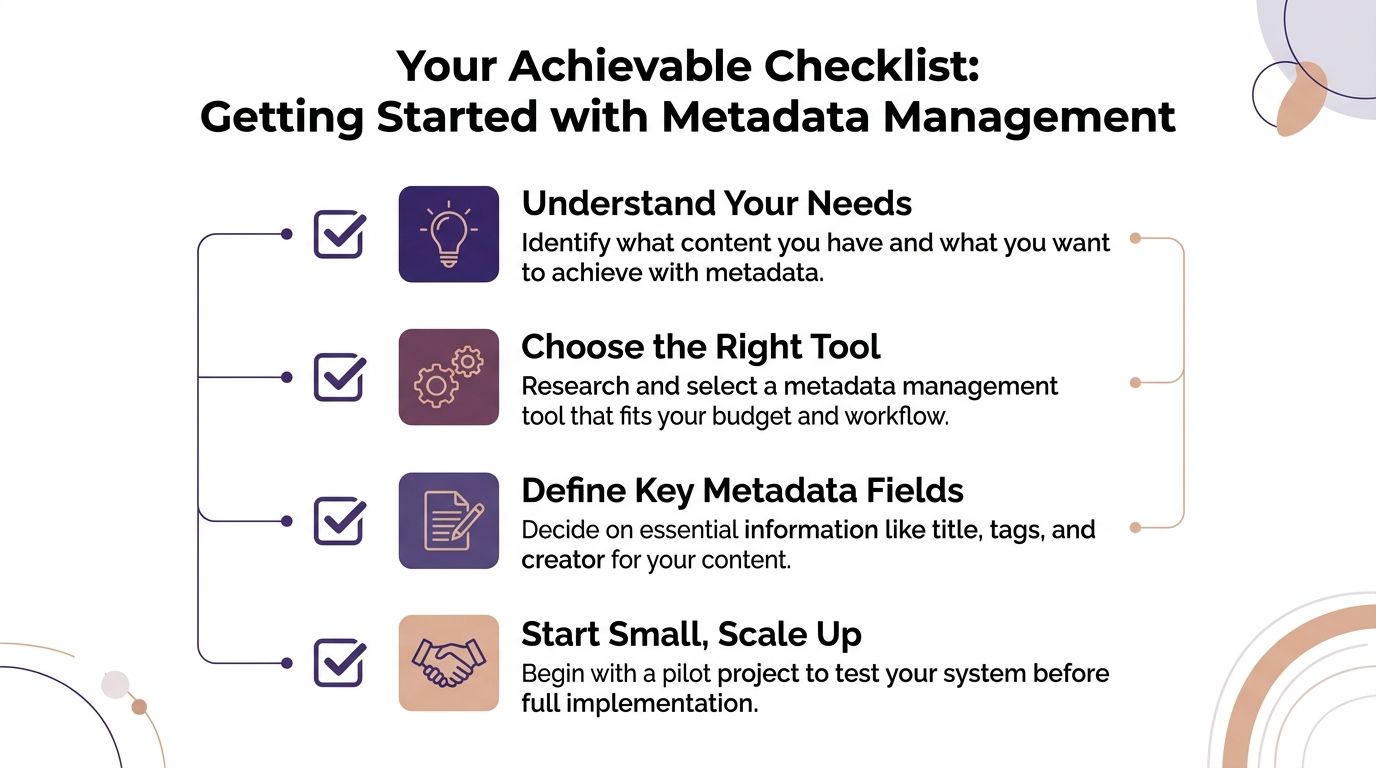
Try this sequence:
Pick your top content first
Choose ten pieces that already matter. Your best videos, strongest episodes, or highest-performing articles are enough.Define a few useful fields
Keep it simple. Topic, people involved, content type, reuse potential, and status are a strong start.Tag by hand before you automate
Manual tagging for a small sample teaches you what your library needs. You'll spot unclear categories fast.Notice the questions you're trying to answer
Are you trying to find clips faster, connect related articles, prepare a research library, or support a team workflow? Your use case should shape your metadata.Choose tools built for your kind of content
If your library is mostly video, audio, and editorial material, avoid systems that only make sense for database teams. A practical overview of metadata management best practices for modern teams can help you frame what to evaluate.
What to watch for early
The first warning sign is overengineering. If your schema needs a meeting every time someone uploads a new episode, it's too complicated.
The second is inconsistency. If one editor tags “AI,” another tags “artificial intelligence,” and a third tags “machine learning” for the same theme, search quality will drift. Agree on a shared language early.
Start with a vocabulary your team will actually say out loud. Fancy taxonomy terms are useless if nobody remembers them.
The mindset that makes this work
Your old content isn't finished work sitting in storage. It's a living asset.
Once you can organize it, understand it, and act on it, the archive changes character. It becomes a source of future episodes, shorts, essays, compilations, research sets, premium products, and creative prompts. That's how you reignite a content library and create new value from what you already own.
Frequently Asked Questions
| Question | Answer |
|---|---|
| Do small creators need metadata management tools? | If you publish regularly and already struggle to find old material, yes. You don't need a giant enterprise setup, but you do need a consistent way to label and retrieve content. |
| Is metadata just tags? | No. Tags are one part of it. Metadata also includes titles, descriptions, dates, people, structure, status, rights, relationships between assets, and other context that makes content usable later. |
| What's the difference between storage and metadata management? | Storage keeps files somewhere. Metadata management helps you understand what those files are, what's inside them, and how they connect to each other. |
| Can this help with AI workflows? | Yes, because AI performs better when your library has clear context. If your assets are poorly labeled or inconsistent, AI has less reliable information to work with. |
| Should I build a taxonomy before picking a tool? | Start with a lightweight taxonomy first. Even a rough set of categories helps you evaluate whether a tool fits your workflow. |
| What content should I organize first? | Start with your highest-value assets. Focus on content you already know you'll want to repurpose, quote, compile, or turn into something new. |
| Is this only for publishers and large teams? | No. Solo creators, editors, podcasters, and YouTubers often feel the pain first because they rely on memory and ad hoc folder systems until the library gets too big. |
| How long does it take to see value? | Usually sooner than people expect, because the first win often comes from finding something quickly that used to take a frustrating amount of time to locate. |
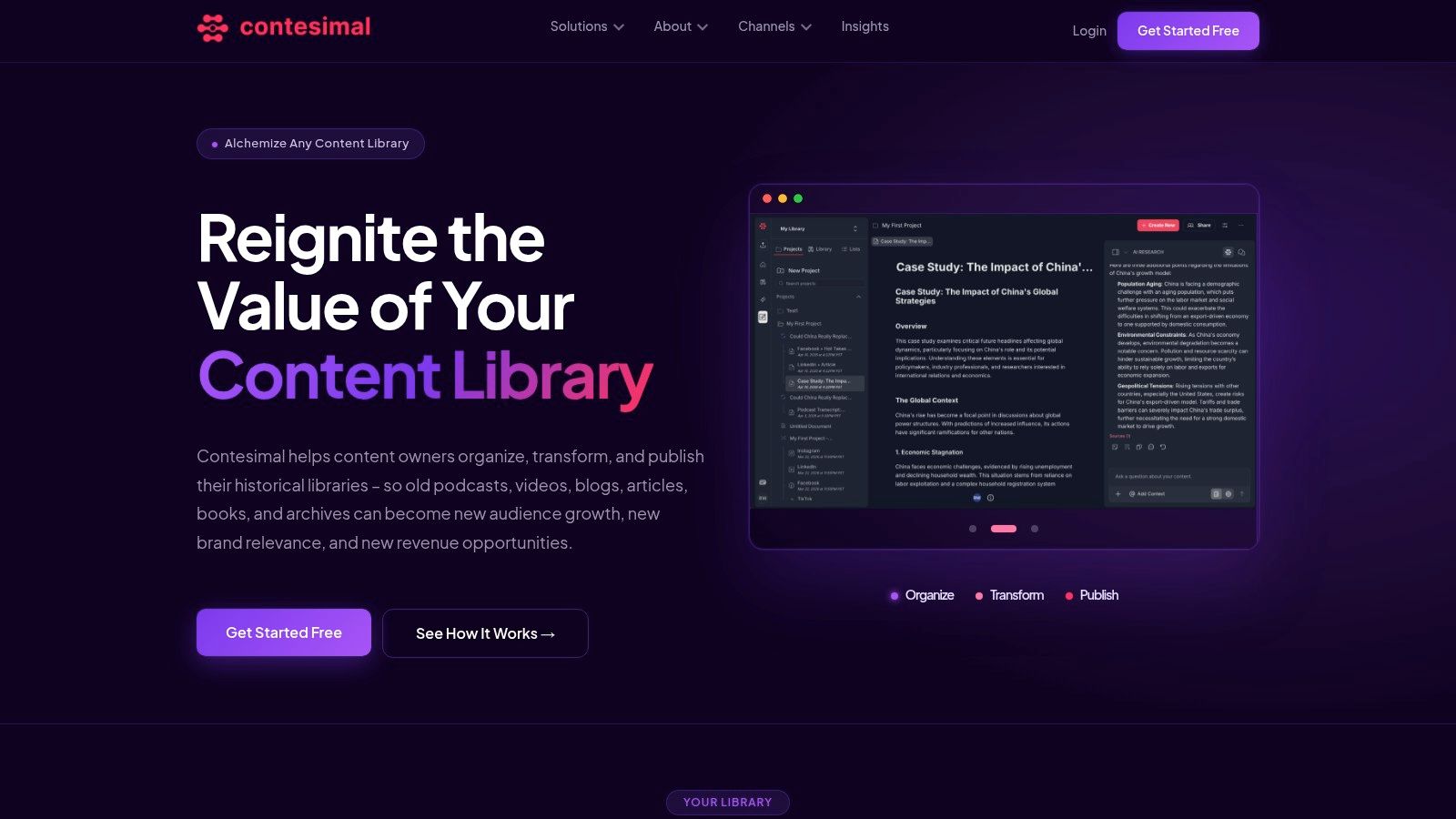
If you're ready to turn your archive into something searchable, reusable, and revenue-friendly, take a look at Contesimal. It's built to help content teams classify, organize, and discover value across documents, podcasts, videos, and articles so your past work can power what you make next.