
You've recorded the episodes, built a small audience, and probably upgraded your mic at least once. But the primary bottleneck usually isn't the microphone. It's the room, the workflow, and the fact that every episode keeps turning into a pile of scattered assets you barely have time to reuse.
That's where better podcast studio ideas start to matter. Not as decor inspiration, but as business infrastructure. A studio that only captures audio is fine for a hobby. A studio that helps you record, organize, clip, analyze, and repurpose content becomes a content engine.
That shift matters more now because podcasting isn't a niche side format anymore. One industry analysis projects the podcasting market will grow from USD 10.10 billion in 2025 to USD 115.57 billion by 2035, with advertising making up 50% of revenue and North America holding 40% of global share in 2025, according to Precedence Research's podcasting market outlook. In practical terms, the studios that win won't just sound good. They'll support fast production, repeatable workflows, and content packaging built for distribution.
And the audience is big enough to justify building for more than one format. An industry guide notes that in 2024 more than 40% of Americans listened to a podcast monthly and podcast ad revenue passed $2 billion annually, which helps explain why studio planning now leans toward audio quality plus video-ready presentation, as discussed in Fame's guide to podcast studio design.
If you're moving from hobbyist to operator, these are the podcast studio ideas worth stealing.
1. AI-Powered Content Repurposing Studio
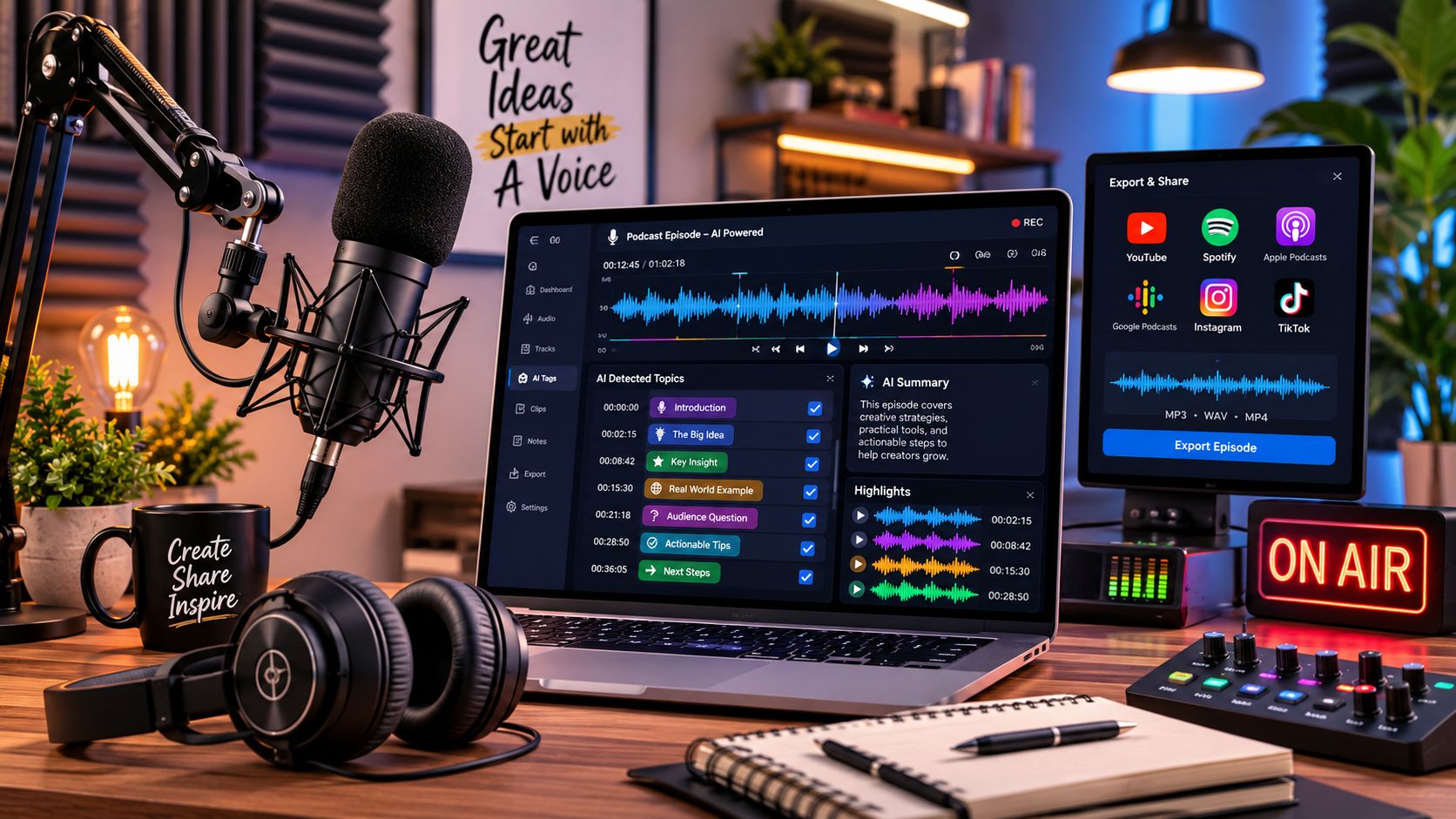
The smartest studio upgrade often happens after the recording ends. A repurposing-first studio is built around capture, transcription, tagging, clipping, and reuse from the start. That means your mic, camera, switcher, notes, and file structure all feed the same system instead of living in separate folders nobody wants to open later.
This is the setup I recommend for creators who already know one episode should become many assets. Think long-form YouTube episode, short clips, quote graphics, newsletter angles, and follow-up blog posts. Big shows already do this with teams. Smaller creators can now build the same logic into the room itself with AI content repurposing workflows and tools for efficient content distribution with AI.
Build around extraction, not just recording
Joe Rogan's clip ecosystem exists because the source material is easy to mine. Huberman Lab also treats every episode like an asset library, not a one-time upload. That's the mindset to copy.
A good repurposing studio includes:
- A clean naming system: Every session should save with a consistent show name, episode ID, guest name, and date.
- A live note layer: Mark strong moments during the recording so editors or AI tools can find likely clips fast.
- A taxonomy plan: Tag episodes by topic, format, guest type, sponsor category, and audience intent.
Practical rule: If a teammate can't find your best quote from six months ago in under a minute, your studio workflow is underbuilt.
What doesn't work is dumping everything into a drive and assuming software will magically organize it later. AI gets much better results when your inputs are structured. One camera feed named “final_final_new” is not structured.
2. Hybrid Remote-In-Studio Production Hub
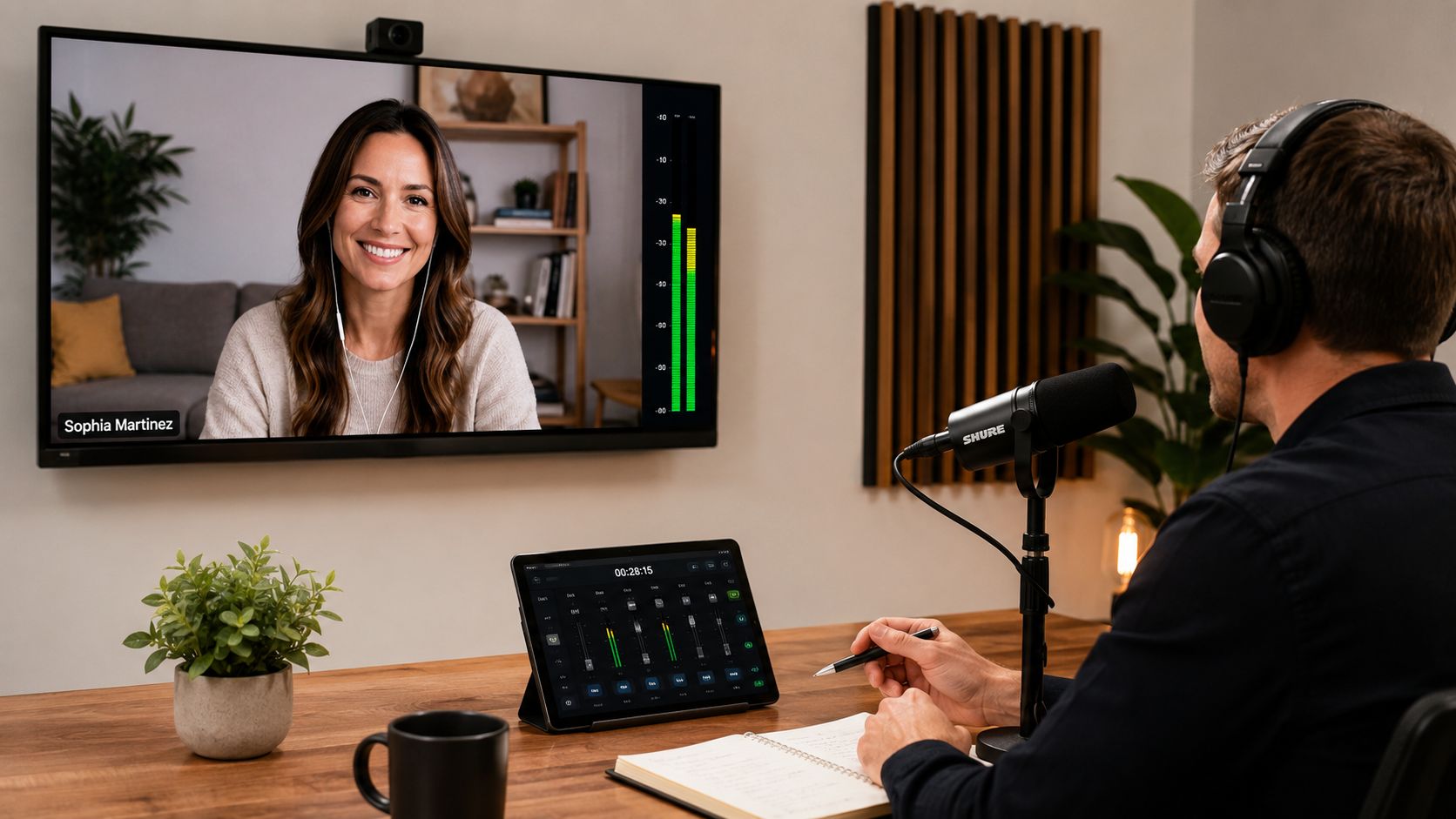
Most shows don't live in one room anymore. Hosts might be local while guests join from another city, another country, or a hotel with terrible lighting and a laptop mic that sounds like a tunnel. A hybrid studio accepts that reality and designs around it instead of treating remote interviews like a compromise.
Tim Ferriss built a global interview model long before most creators normalized remote production. Today, tools like Riverside and StreamYard make that workflow more accessible, but the room still needs to support it. The host must hear clearly, monitor levels, watch framing, and keep the conversation natural even when the technical stack gets messy.
Make the remote guest feel built in
The best hybrid rooms have a dedicated guest monitor at eye line, not off to the side. They also have local monitoring that lets the producer catch bad internet audio before the whole interview becomes unusable.
A practical setup usually includes:
- A hardwired main connection: Wi-Fi is convenient. Ethernet is what you trust.
- A backup path: A phone hotspot or second connection keeps a good interview from dying on a bad upload day.
- A remote guest protocol: Send guests simple prep notes about headphones, mic placement, and camera angle before the session.
What fails here is trying to patch remote production into a studio designed only for in-person conversation. If the screen is too high, too low, or off-axis, the host's eyeline looks wrong on camera. If the producer can't isolate remote audio quickly, the room stops the conversation instead of supporting it.
Remote production works best when the studio treats the guest feed like a core input, not an exception.
3. Content Mining and Historical Archive Studio
Some of the best podcast studio ideas have nothing to do with furniture. They have to do with memory. If you've published dozens or hundreds of episodes, your archive probably contains unused angles, recurring themes, forgotten quotes, and whole topic clusters that could become fresh content again.
NPR has long treated archive material as reusable editorial value, and many publishers have similar resurfacing workflows. Podcasters should do the same. A historical archive studio gives your team a dedicated place to search past recordings, compare topic patterns, and identify what deserves a second life. That might mean a throwback episode, a new compilation, a written article, or a thematic clip package.
Turn old episodes into active inventory
This kind of setup needs a different workstation than a standard recording desk. You want one screen for transcript search, one for content mapping, and a system that lets researchers or producers build insight from your back catalog. Tools designed for mining your content library for fresh ideas are useful because they help teams move from “we have a lot of episodes” to “we know what's inside them.”
A few patterns work well:
- Start with the obvious winners: Popular episodes are easier to classify because you already know they resonated.
- Build metadata going forward: It's much easier to organize each new episode than to repair a huge archive later.
- Schedule archive reviews: Make rediscovery part of production, not a someday project.
What usually doesn't work is treating old episodes as dead inventory. That's a mistake. A strong archive can drive newsletters, short-form video, guest prep, sales material, and editorial planning for months.
4. Multi-Format Adaptive Recording Studio
A lot of creators still record one “main” podcast and then hope they can carve social content out of it later. That approach usually creates weak clips and awkward framing. A multi-format studio fixes that by recording with several outputs in mind at the same time.
The room needs to support a clean wide shot, tighter speaker framing, isolated audio tracks, and enough visual consistency that a short clip still feels native to your brand. TED's distribution discipline is a useful model here. One talk can become a full video, excerpts, article tie-ins, and social assets because the production system expects multiple outcomes.
Record once, publish many ways
The layout matters more than people think. If your camera is too wide, short clips feel distant. If the room is designed only for close-ups, your full episode looks cramped. The best middle ground is a set that works in layers.
This walkthrough shows the kind of production thinking worth borrowing:
When I build this kind of workflow, I focus on three things first:
- A primary hero angle: This is your default long-form shot.
- A clip-friendly secondary frame: Usually tighter, cleaner, and better for Shorts or Reels.
- Consistent graphics zones: Leave visual space where captions, lower thirds, or headlines can sit without covering faces.
What doesn't work is trying to retrofit every platform from one badly composed source image. If your room only produces one usable frame, you've limited your content before editing even starts.
5. Research and Interview Preparation Booth
Great interview shows rarely start with the first question. They start in prep. A research booth is one of the most underrated podcast studio ideas because it sharpens the episode before anyone hits record.
This American Life built its reputation partly on deep preparation and editorial discipline. Long-form interview hosts who consistently get strong answers usually know the guest's history, prior talking points, blind spots, and likely repeat stories before the session begins. That kind of prep deserves a physical place in your studio, even if it's just a separate desk, wall, or corner with a different function.
Give pre-production its own space
Your prep booth doesn't need fancy aesthetics. It needs focus. Keep it quieter than the main set, reduce visual clutter, and make research material easy to scan quickly before a recording.
Useful elements include:
- A reusable guest brief template: Bio, current work, likely themes, past appearances, and open questions.
- A searchable archive of your own past mentions: So you don't ask a guest something you already covered poorly.
- A visible pre-show board: Key angles, tension points, and fallback prompts.
I've seen too many creators spend heavily on set design while winging the actual conversation. That's backwards. Better prep gives you stronger episodes, stronger clips, stronger newsletters, and better follow-on content. The room should reflect that priority.
A polished backdrop won't rescue a shallow interview. Better questions will.
6. Modular Scalable Studio Pod System
If you're building beyond one show, fixed studio design starts to break down fast. Different hosts need different schedules, formats vary, and one room becomes a bottleneck. A modular pod system solves that by creating standardized recording units that can operate alone or as part of a larger network.
Professional studio networks do this because consistency matters. If every pod uses the same mic family, acoustic treatment approach, camera height, and file structure, producers can move talent between rooms without rebuilding the workflow each time. That's a serious advantage when you're growing from solo creator to multi-show operation.
Standardize what should be boring
The trap here is over-customization. Creators love unique spaces, but networks need repeatability. The pod should be flexible in branding and fixed in function.
What works best:
- Consistent signal chain: Matching equipment across pods reduces troubleshooting and keeps tone more uniform.
- Centralized ingest: Every room should save files into the same organized system.
- Acoustic separation: If one pod leaks into the next, your schedule gets more complicated than it needs to be.
What doesn't work is building each room like a separate creative experiment. That looks exciting for a month, then becomes a production headache. If you want scale, design a system first and decorate second.
7. Community-Integrated Recording Studio
Some podcasts grow fastest when the audience feels involved, not just spoken to. A community-integrated studio supports guest submissions, audience questions, live sessions, local contributors, and collaborative content without wrecking your production quality.
The Moth offers a useful reference point. Its storytelling format is powered by people outside the core production team, but the final experience still feels curated. That balance matters. Community input can expand your show's range, but only if the studio and workflow can receive, filter, normalize, and shape that input into something listenable.
Invite participation without inviting chaos
This model works especially well for niche communities, local media, educational creators, and business podcasts with active customer bases. You can build recurring audience segments, voicemail prompts, listener roundtables, or event-based recordings into the editorial plan.
A few guardrails make a huge difference:
- Submission standards: Tell contributors what audio quality, length, and topic format you expect.
- A review workflow: Someone needs to vet material before it reaches the main edit.
- A visible feedback loop: Let contributors see how their ideas influenced the final episode.
The weak version of this studio is “open mic energy” with no curation. The strong version is structured participation. Your audience can absolutely make the show better, but only if your process protects the listener experience too.
8. Analytics-First Studio Design with Real-Time Dashboards
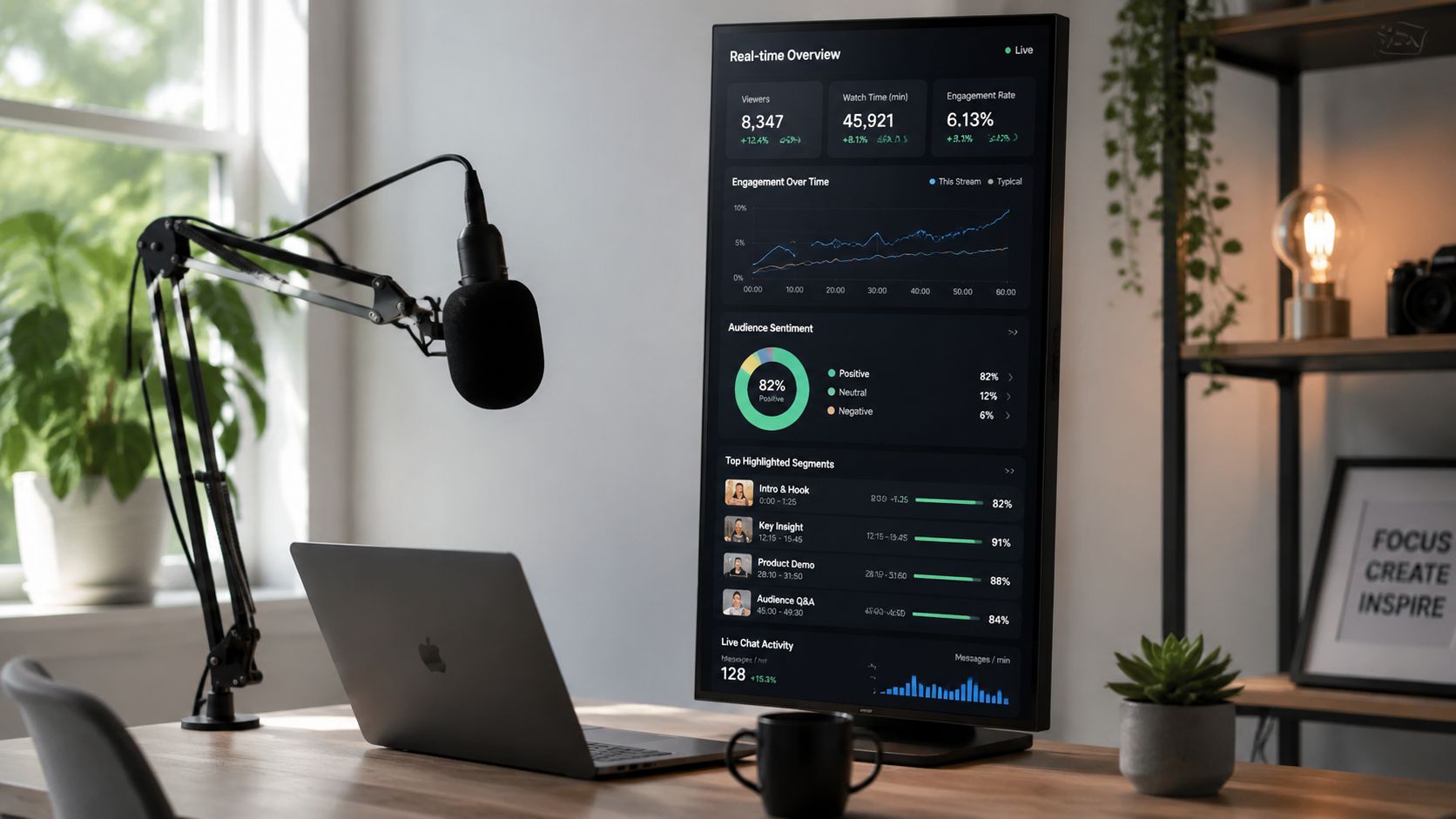
A studio becomes much more useful when performance data lives close to the creative work. Not in a spreadsheet someone opens once a month. In the actual environment where decisions get made.
That doesn't mean hosts should stare at dashboards mid-sentence. It means the team should be able to review episode patterns, retention clues, clip performance, topic categories, and distribution outcomes without leaving the production flow. Tools focused on podcast analytics workflows and adjacent measurement disciplines like SEO KPI tracking can help teams connect content production to audience response.
Show the signals that change decisions
Keep the dashboard visible but selective. Too much data distracts people. A few clear indicators are enough to guide better choices after the session.
I'd prioritize:
- Topic-level performance: Which themes keep generating engagement across formats.
- Clip behavior: Which excerpt styles travel well.
- Conversion paths: What content leads listeners into email, community, products, or related episodes.
One caution: Don't let analytics dictate your on-air personality. Use them to refine packaging, cadence, and editorial focus, not to make the show sound anxious.
The worst version of an analytics-first studio turns the host into a reacting machine. The best version gives the team a fast feedback loop and sharper editorial instincts.
9. Niche Expertise and Subject-Matter-Expert Studio
Generalist shows can survive with a clean set and a decent outline. Expert-led shows need more. If you cover science, law, finance, health, or technical business topics, the studio should support deeper research and tighter verification.
Huberman Lab is a strong example of domain-led podcasting. The set is recognizable, but its primary differentiator is subject depth and a clear sense that the content sits inside a larger knowledge system. A niche studio should make that system visible to the team. Think reference materials, glossaries, source logs, and a prep workflow built around precision.
Design for depth, not just polish
In practice, that can mean a side monitor with source notes, a producer station for live checks, or a shared knowledge base where recurring concepts stay organized. If the same technical terms appear every week, the team shouldn't keep redefining them from scratch.
The strongest setup usually includes:
- A living glossary: Especially useful for recurring technical language.
- Editorial verification habits: Clear internal standards for checking claims before publishing.
- Advisory input: Subject specialists who can pressure-test your framing when needed.
What doesn't work is trying to fake expertise with visual credibility alone. A dark set, a nice mic arm, and dramatic lighting can make a show look serious. They can't make weak research sound authoritative for long.
10. Distributed Creator Network Studio System
The final evolution of many podcast operations is distribution across people, not just platforms. That means a network of contributors, correspondents, affiliate creators, or in-house experts all feeding one broader content system.
NPR's distributed bureau logic is the classic media example. Independent creator businesses now have versions of the same challenge. How do you let multiple voices contribute without losing consistency, quality, or editorial direction? A distributed creator network studio system answers that with standard kits, shared workflows, centralized review, and structured publishing rules.
Build the network before you need it
This is less about one physical room and more about designing the studio as a repeatable package. Each contributor should know what camera setup, mic technique, framing, metadata, and delivery process the network expects.
The strongest systems rely on:
- A contributor playbook: Recording standards, visual guidelines, naming conventions, and delivery rules.
- Cloud-based organization: Everyone submits into the same logic, not their own personal filing habits.
- Editorial oversight: One team or lead producer keeps the final output coherent.
I've seen creator networks struggle because they scale voices before they scale systems. That creates duplicate topics, uneven quality, and assets nobody can find later. If you want a network, build the operating model first. Then invite more contributors in.
10-Point Podcast Studio Ideas Comparison
| Studio Type | Implementation complexity | Resource requirements | Expected outcomes | Ideal use cases | Key advantages |
|---|---|---|---|---|---|
| AI-Powered Content Repurposing Studio | Moderate–High, AI integration and workflow changes | AI platform, transcription, integrations, team training | Rapid multi-format output, 60–70% post-production reduction | Shows aiming to maximize distribution and ROI per episode | Automated clip extraction, real-time taxonomy, scalable output |
| Hybrid Remote‑In‑Studio Production Hub | Medium, AV + conferencing orchestration | Reliable high‑bandwidth, conferencing gear, monitoring tools | Broadcast-quality hybrid episodes, organized archives | Programs with frequent remote guests or distributed teams | Flexibility for global guests, reduced travel, professional remote quality |
| Content Mining & Historical Archive Studio | High, digitization and taxonomy buildout | Archival digitization, AI search, research staff | New ideas from archives, reduced need for constant new content | Publishers/podcasters with large back catalogs | Unlocks evergreen content, data-driven topic discovery |
| Multi‑Format Adaptive Recording Studio | High, multi-camera and adaptive tech complexity | Multi‑camera, multi‑bitrate recorders, large storage, skilled ops | Single-session multi-format delivery, ~50% production time saved | Creators distributing across many platforms at scale | Simultaneous format capture, consistent cross‑platform assets |
| Research & Interview Preparation Booth | Low–Medium, setup of tools and workspace | AI research tools, access to databases, producer time | Deeper interviews, 40–60% faster prep, richer content | Interview-driven and investigative shows | Better interview depth, faster prep, unique angles |
| Modular Scalable Studio Pod System | Medium–High, networked pods and coordination | Multiple pod units, centralized control, standardized gear | Easy scale from single to multi-show operations | Networks scaling production or co‑working studios | Modular growth, independent pods, reconfigurable setups |
| Community‑Integrated Recording Studio | Medium, live event and moderation systems | Audience tech, moderation, live‑event infrastructure | Higher engagement, user‑generated content, event revenue | Community-driven shows and live storytelling formats | Strong audience loyalty, unique community-sourced content |
| Analytics‑First Studio with Real‑Time Dashboards | High, real‑time data pipelines and UX design | Analytics platform, data infra, dashboards, staff training | Immediate optimization, trend insights, data-driven decisions | Performance-driven creators testing ideas rapidly | Real-time insights, faster iteration, segment-level feedback |
| Niche Expertise & Subject‑Matter‑Expert Studio | Medium, specialist workflows and vetting systems | Expert networks, domain databases, fact‑checking resources | Authoritative deep‑dive content, loyal niche audience | Science, law, business and specialist topic shows | Credibility, defensible niche authority, premium collaborations |
| Distributed Creator Network Studio System | High, coordination, editorial and rights systems | Standardized kits, cloud workflows, editorial oversight | Exponential content scale, diverse local perspectives | Large networks, affiliate models, multi‑creator platforms | Scales production, maintains consistency, broad contributor pool |
Your Studio Is Your Content's Future
The best podcast studio ideas aren't really about gear lust. They're about maximizing your effectiveness. A good room helps you record. A smart room helps you publish better, repurpose faster, search your archive, support collaborators, and turn each episode into something that keeps working long after release day.
That's the difference between a hobby setup and a professional content engine. A hobby setup asks, “How do I sound better?” A professional setup asks, “How do I make every recording easier to distribute, easier to analyze, and more valuable over time?” Those are very different design briefs.
This matters even more if you already have a growing library. Old episodes aren't dead files. They're raw material for clips, summaries, thematic compilations, newsletter ideas, guest research, and follow-up content. But that only happens if your studio workflow captures information in a way you can retrieve later. Otherwise, your archive becomes expensive clutter.
Small-space creators should pay close attention here. A lot of content about podcast studio ideas still defaults to solo setups that look great in photos but don't solve real recording conditions for two hosts or a guest. Better setup guides point out that multi-person rooms need different camera positioning, a centered camera, and separate light placement for each speaker, which is why modular planning matters so much in spare rooms and home offices, as shown in this small-space two-person podcast setup example. If you're recording conversations, your room can't be designed like a single-seat portrait.
The same goes for acoustics. Plenty of studios look polished on camera and still sound harsh because the visual choices do nothing for reflections. Independent setup guidance consistently notes that hard surfaces increase echo, while carpets, curtains, blankets, and acoustic panels help reduce reflections, which makes dual-purpose design much more important in homes and multipurpose rooms, as explained in this podcast room acoustics overview. If an item only looks good and hurts the sound, it probably doesn't deserve floor space.
That's why future-proofing your studio means thinking in layers. Start with audio clarity. Add video framing that supports clips and full episodes. Build file organization that makes reuse realistic. Add research support, analytics visibility, and room for collaboration as your operation grows. You don't need to build all ten ideas at once. You do need to stop treating the room like a backdrop and start treating it like infrastructure.
For creators moving toward sponsorships, services, memberships, publishing, or network-style production, that shift pays off in ways that compound. Better organization improves repurposing. Better repurposing improves reach. Better reach creates more opportunities to monetize the work you've already done.
If you want help turning recordings and archives into something easier to search, organize, and reuse, Contesimal is one option built for that kind of workflow.
If your podcast library is growing faster than your ability to reuse it, Contesimal can help you organize episodes, search past content, surface new angles, and build a workflow that turns recordings into lasting content assets.