
You've probably had this exact moment. You find a perfect SoundCloud track for a YouTube intro, a podcast transition, a rough cut, or even just offline reference on an MP3 player. Then the friction starts. Can you download it legally? Will the file quality hold up? Where should it live once you've got it?
That's where most SoundCloud to MP3 player guides fall short. They treat the job like a quick rip-and-save task. Professional creators can't afford to think that way. Audio files aren't random downloads. They're reusable assets that need permission, context, naming standards, and a place in a broader content system.
For creators moving from hobbyist work into real publishing, the better question isn't just how to get an MP3. It's how to turn scattered audio finds into an organized library you can use again.
From Stream to Asset The Modern Creator's Challenge
A SoundCloud track can start as a simple discovery and quickly become part of a much bigger workflow. Maybe it's a moody bed for a video essay. Maybe it's a reference track for your podcast editor. Maybe it's a cue you want to load onto a dedicated music player for review during travel. In every case, the file moves from stream to asset only when you can access it responsibly, identify it clearly, and retrieve it later without digging through a mess.
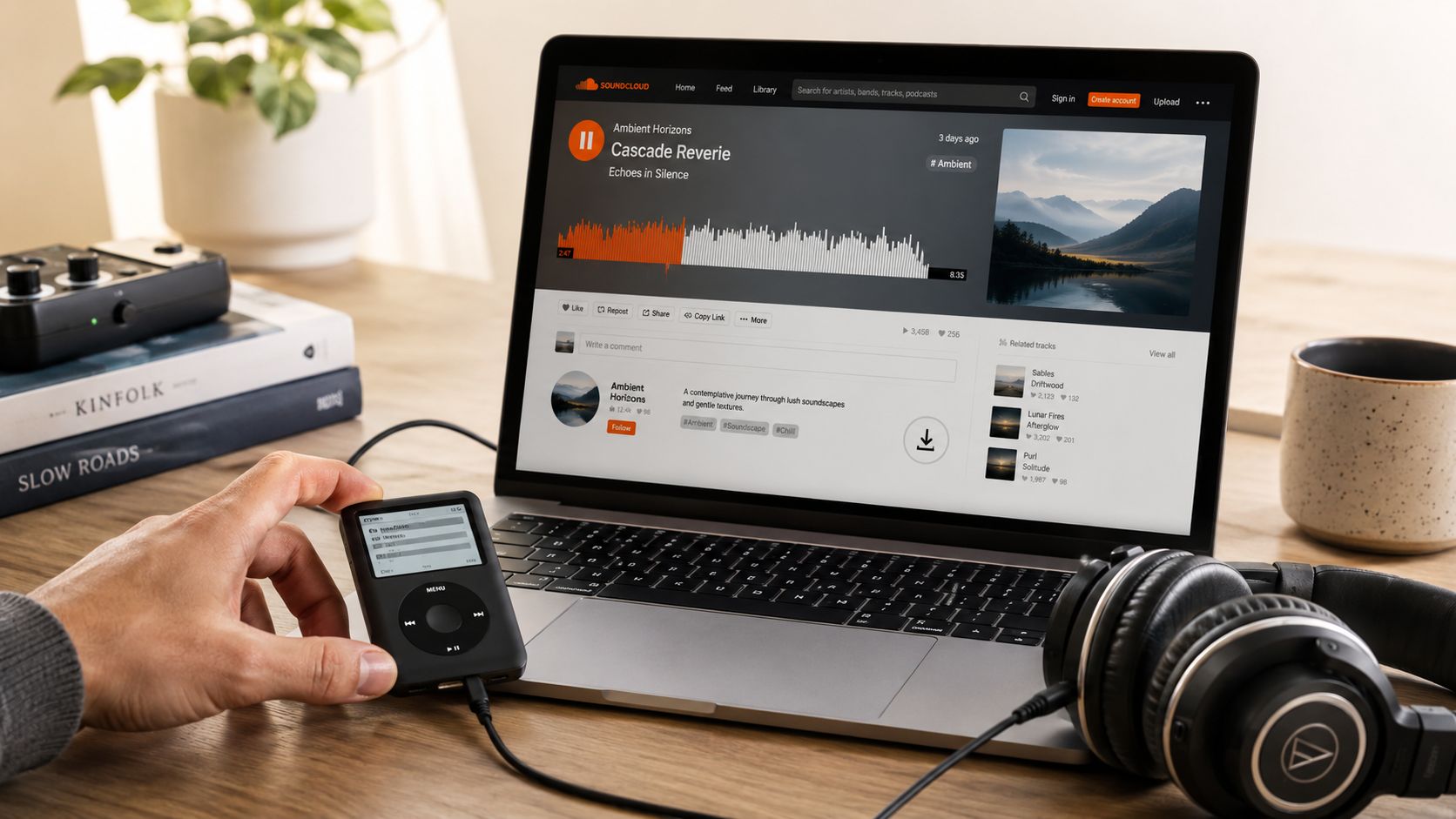
The scale of the platform is a big reason this matters. With over 375 million tracks from 40 million creators, SoundCloud is the largest audio repository for content repurposing in 2026. Its ecosystem, valued at over $1 billion, represents a massive stream of potential assets for your projects, according to SoundCloud platform statistics.
Why creators get stuck
Individuals often encounter one of three problems:
- Rights confusion. They assume that if a track is streamable, it's downloadable or reusable.
- Quality confusion. They trust a converter's label instead of understanding the source.
- Library chaos. They save a file once, then lose track of where it came from or what they're allowed to do with it.
Practical rule: If you can't answer who made the file, what rights you have, and where it belongs in your library, it isn't ready for production.
The workflow shift that changes everything
A strong SoundCloud to MP3 player workflow isn't really about the player. It's about building a repeatable system for discovery, intake, verification, storage, and reuse. That applies whether you're a podcaster collecting intro options, a YouTuber building music buckets for recurring formats, or a publisher organizing source audio for future edits.
Treat each audio file the way you'd treat a usable research note, a B-roll clip, or a licensed photo. Once you do that, old tracks stop being disposable downloads and start becoming part of a content library that can keep producing value.
Securing Audio The Official and Ethical Pathways
The cleanest path is still the best one. Before you touch a third-party tool, check whether the track owner has enabled downloading inside SoundCloud itself. That's the closest thing you'll get to a direct green light on the platform.
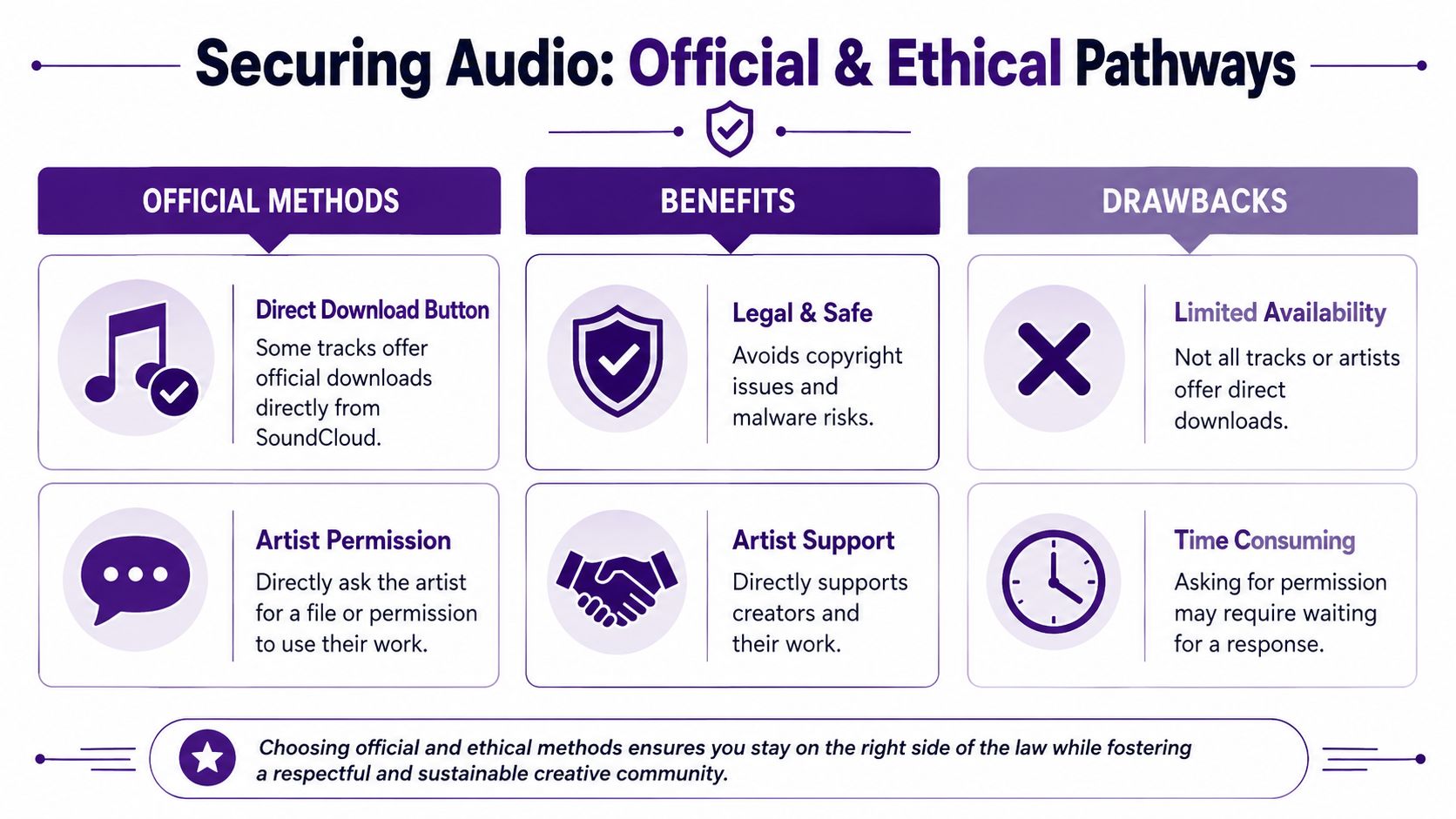
SoundCloud's official policy states that downloads are only permitted when an author explicitly enables the "download file button," often via an RSS feed. Bypassing this for commercial use can cross the line from fair use into copyright infringement, as explained in SoundCloud's track downloading policy.
Start with the platform's built-in options
If a track includes a download button, use it. Don't go hunting for a workaround when the creator has already chosen the approved path.
Here's the order I'd follow:
- Check the track page for a native download option.
- Review the track description for licensing notes, contact details, or usage terms.
- Save the original file and source info together so you don't separate the asset from its permissions context.
For offline listening only, staying inside the app can also be enough. That won't solve a production-use need, but it does solve a review and discovery need. There's a difference between listening offline and extracting a transferable MP3 for editing.
Ask the artist when the use matters
If the audio is heading into a public-facing project, direct permission is the professional move. A short message can save you from copyright trouble and often gets you a better file than any converter would.
A useful outreach note is simple:
- State the project. Name the channel, episode, video, or format.
- Describe the use. Intro music, background bed, excerpt, or reference.
- Ask for the file and permission together. Don't assume one implies the other.
- Clarify attribution. Offer to credit them in the description or show notes.
Getting permission often does more than clear rights. It opens the door to future collaborations, better source files, and a cleaner paper trail.
If you create content regularly, it also helps to understand the broader copyright side of downloading and reuse. This podcast copyright guide is a useful companion when you're deciding what belongs in a production workflow versus what should stay in personal listening.
What works and what doesn't
A quick comparison makes the trade-offs obvious:
| Path | Best for | Limitation |
|---|---|---|
| Native SoundCloud download | Cleanest legal route | Not every artist enables it |
| Direct artist permission | Production use and collaboration | You may need to wait for a reply |
| In-app offline listening | Research and personal review | Doesn't give you a reusable MP3 |
The temptation is always speed. The better habit is clearance first, file second. That mindset becomes more valuable as your library grows.
Navigating Third-Party SoundCloud Conversion Tools
Third-party converters are popular because they're fast. Paste a URL, click download, and you've got a file. For casual listening, that convenience is why people keep using them. For creators, the shortcut comes with technical and legal compromises that most tool pages don't explain.

The biggest misconception is quality. The vast majority of SoundCloud streams are encoded at 128 kbps MP3. Third-party downloaders capture this stream. Even if a tool offers a "320 kbps" option, it cannot create quality that isn't present in the source file, a common point of confusion for users, as noted in this discussion of SoundCloud download quality limits.
The quality trap
A lot of converter sites use better-looking labels than the audio deserves. “High quality,” “best quality,” and “320 kbps” sound reassuring, but they don't change the source. If the platform stream is already compressed, exporting it again with a bigger label doesn't restore lost detail.
For an MP3 player in the gym or on a commute, that may not matter much. For a voiceover mix, a branded podcast intro, or a video that needs clean low-end and consistent texture, it matters more than people think.
A larger file isn't automatically a better file. In this corner of the web, it's often just the same stream wearing a nicer badge.
The practical risks beyond sound quality
Conversion tools differ, but the risk categories are predictable.
- Browser-based tools are convenient because they don't require installation. They're still often cluttered with redirects, misleading buttons, or aggressive ads.
- Desktop downloaders can feel more stable, but asking users to install software for one-off audio grabs is a common way to introduce unnecessary security risk.
- Playlist promises are often shaky. Single-track conversions tend to be simpler than bulk jobs.
A few creators also use adjacent tools for other media formats, and the trade-offs are similar. If you want a parallel example from video workflows, this piece on Streamable to MP4 conversion shows how convenience claims often hide format and quality limits.
A safer decision framework
If you still choose to use a converter for personal workflow reasons, screen it hard before pasting anything in.
Look for these signs:
| Green flag | Red flag |
|---|---|
| Works in-browser without forced install | Requires an app download before showing output |
| Clear single-track workflow | Claims every file is lossless or studio quality |
| Minimal interface clutter | Multiple fake download buttons |
| No account required for basic use | Pushes signups for basic access |
And keep your expectations narrow:
- Use it for reference listening, not as your assumed master file.
- Don't trust bitrate labels alone.
- Don't treat a scraped file as licensed just because it downloaded successfully.
The workflow reality
The common SoundCloud to MP3 player habit is simple: copy the URL, paste it into a converter, and download the file. That's why these tools keep spreading. But “works” and “works well for a professional library” aren't the same thing.
If the file is important, go back to permission and source quality. If it's just for temporary listening, keep it separate from your cleared production assets so you don't accidentally use the wrong file later.
Mastering Your MP3s From Download to Library
Downloading the file is the easy part. The part that saves time later is everything that happens after. A good library doesn't look like audio_final2.mp3, track123.mp3, and sc-download.mp3 scattered across your desktop. It looks like a system.
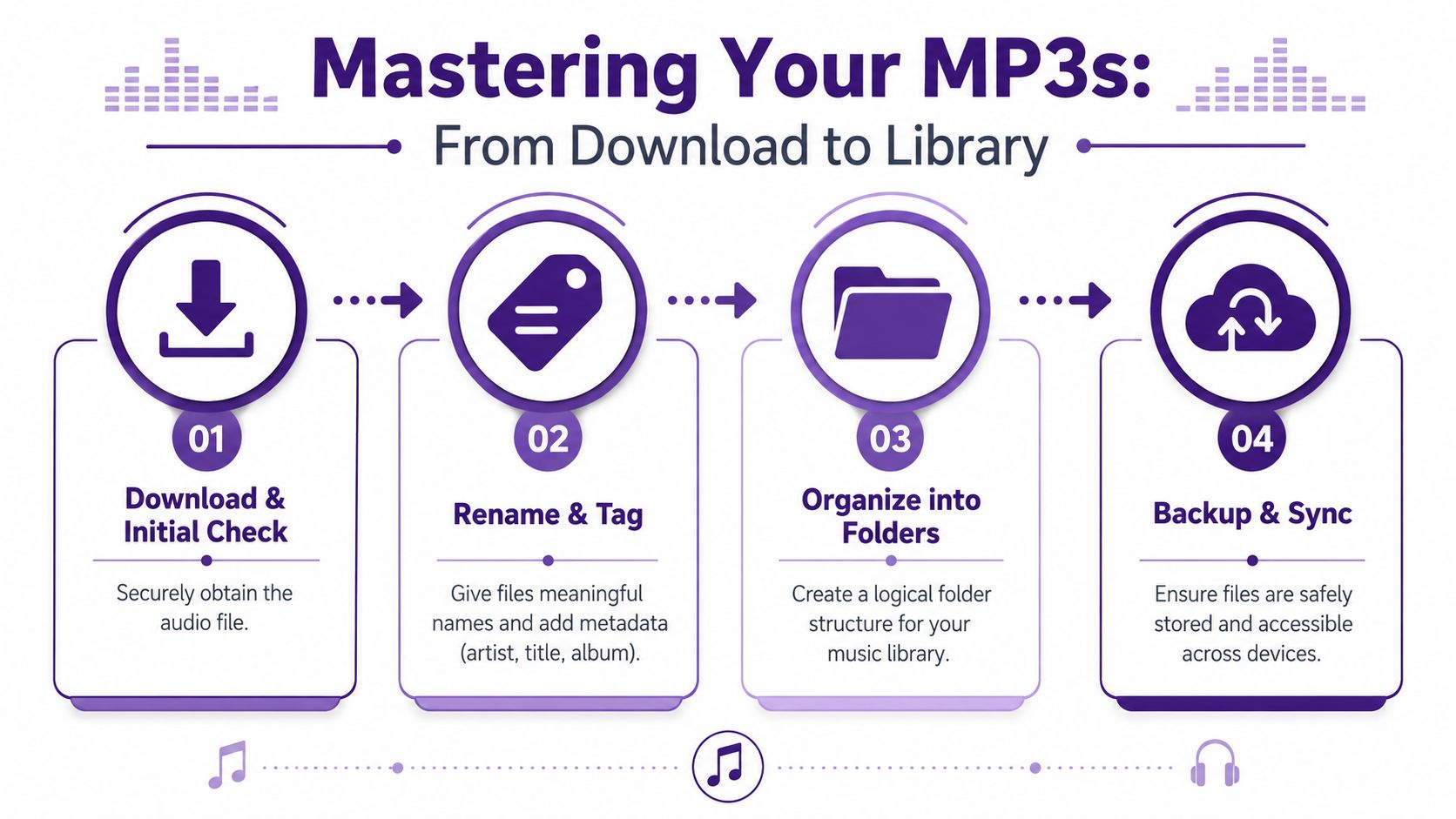
The first cleanup pass should happen immediately after download. Open the file, confirm it plays correctly, and decide whether it belongs in your permanent collection or a temporary review folder.
Rename first, then tag properly
Filename and metadata do different jobs. The filename helps in Finder, Windows Explorer, or cloud storage. Metadata helps in media players, editing software, and search.
A simple convention works well:
- Filename format:
Artist - Title - [Usage Status].mp3 - Usage status examples:
Permission Granted,Review Only,Royalty-Free
For metadata editing, practical options include MP3Tag and MusicBrainz Picard. These tools help standardize artist name, title, album field, artwork, and comments. The comments field is useful for rights notes such as who approved use and where that approval lives.
Working rule: Every file should answer three questions at a glance. What is it, who made it, and can I use it?
If you want to see a broader stack beyond tagging apps, this roundup of essential tools for producers is useful for filling in the surrounding workflow around downloads, organization, and audio handling.
Build folders around use, not just genre
Genre folders are helpful, but creators usually need something more functional than Ambient or Lo-fi alone. The faster path is to combine creative purpose with rights clarity.
A workable structure might look like this:
By use case
Podcast Intros,Video Background Beds,Trailer ReferencesBy rights status
Licensed,Permission Granted,Review OnlyBy mood or style
Tension,Warm,Minimal,High Energy
That lets you find the right file from different angles. Editors often remember a cue by feeling, while producers often remember it by where it can legally be used.
Here's a short workflow you can adopt:
| Step | What to do | Why it matters |
|---|---|---|
| Initial check | Play the file and confirm it's the right track | Prevents bad saves from entering the library |
| Rename | Apply a consistent filename | Makes folders scannable |
| Tag | Add artist, title, artwork, notes | Improves search and player display |
| Sort | Move it into a rights-aware folder | Reduces accidental misuse |
A stronger library also benefits from asset management habits borrowed from publishing teams. This guide to digital asset management software is helpful if your audio collection is starting to sprawl across projects, collaborators, and devices.
A quick walkthrough helps if you're training a team member or tightening your own process:
Backup and sync matter more than people think
The final step is boring until it isn't. Keep one working copy, one backup, and one synced location if you move between machines. The moment an approved track disappears before publication, you realize library management wasn't admin work. It was production insurance.
Playback and Integration Into Your Creative Workflow
Once your files are tagged and sorted, using them becomes easy. That's the payoff. You're no longer hunting through generic filenames or wondering whether a track is safe to drop into a timeline.
For simple listening, transfer the MP3 to a dedicated device or load it into a desktop player like VLC or Foobar2000. If you're still getting familiar with standalone players and what they support, this beginner's guide to DAPs gives useful context around portable music players and file handling.
In a video workflow
Say you run a YouTube channel with recurring formats. You've built folders for Explainers, Vlog Beds, and Trailer Music. In Premiere Pro or DaVinci Resolve, that structure saves real friction. You browse by use case, drag in a cleared track, and keep moving.
The important detail is consistency. If every approved file carries clean metadata and a rights note in your comments field or companion doc, you won't have to stop editing to investigate whether a song is safe.
In a podcast workflow
Podcast teams get even more value from organization because intros, outros, transitions, and mood beds get reused constantly. In Audacity, Descript, or another editor, well-tagged MP3s are faster to locate and less likely to be confused with rough references.
A simple split works well:
- Recurring assets for intro and outro themes
- Episode-specific assets for one-time segments
- Reference tracks that inform tone but aren't cleared for publication
That distinction prevents a common mistake. A producer grabs a great-sounding reference file and drops it into the final mix because it was sitting beside approved assets.
Keep approved files and inspiration files in separate folders. That one habit prevents a lot of accidental misuse.
In writing and publishing workflows
Writers, bloggers, and multimedia publishers also benefit from a disciplined audio library. If you embed players, cite source tracks, or build companion playlists for articles, your archive becomes easier to maintain when every file has a clear origin and usage note.
Attribution should be part of the publishing checklist, not an afterthought. If an artist gave permission, credit them in the place your audience will see it. That might be a YouTube description, podcast show notes, a newsletter, or a blog post footer.
A straightforward attribution line can be as simple as:
Music: [Track Title] by [Artist Name], sourced from SoundCloud. Used with permission.
That closes the loop cleanly. You've discovered the track, secured access, organized the file, used it in context, and credited the creator properly. That's a professional workflow, even if you're a solo creator.
Conclusion Turn Your Audio Library Into Content Gold
The strongest SoundCloud to MP3 player workflow isn't built around ripping faster. It's built around making better decisions. You check whether the creator allowed downloads. You understand the limits of the source file. You name, tag, sort, back up, and document what you're keeping.
That discipline does two things at once. It protects your projects from rights and quality mistakes, and it turns old audio finds into reusable building blocks. A good file library helps you publish faster because you stop solving the same discovery problem over and over.
For creators with growing back catalogs, this matters even more. An organized audio archive isn't separate from content strategy. It's part of it. Intro music, transition beds, references, spoken clips, and licensed tracks all become easier to redeploy across formats once they're stored like assets instead of downloads.
Systematic content repurposing, which includes leveraging an organized audio library, can multiply your distribution reach by 3 to 5 times, helping you connect with more of your target audience for every hour of creative work, according to this guide on content repurposing workflows.
That's the bigger opportunity. The audio you collect today can support tomorrow's podcast package, short-form cut, recap video, newsletter embed, or refreshed archive post. Organize it once, and it keeps paying you back.
If you're ready to turn scattered files, old episodes, published posts, and research archives into something you can search, reuse, and monetize, Contesimal is worth a look. It helps creators and content teams organize their libraries, surface hidden value across existing assets, and build smarter workflows for repurposing work across platforms.