
You probably already have enough content to stay active on social for months.
The problem isn't raw material. It's the grind. You publish a podcast episode, a video, or a long-form article, then immediately face the same question again: what do I post today, where do I post it, and how do I keep showing up without spending my whole week slicing one piece of content into ten smaller ones?
That's where social media automation gets useful. Not as a lazy autopilot. Not as a machine that spits out generic captions. As a system that helps you organize your archive, repurpose it intelligently, publish it consistently, and still sound like a real person.
For creators moving from hobbyist mode into operator mode, that shift matters. The difference between random posting and a workable automation engine is often the difference between constantly feeding the machine and building a content business.
What Social Media Automation Is Today
A lot of creators still hear “social media automation” and think “scheduler.”
That definition is too small now. A scheduler is one feature. Modern social media automation is a content operating system that helps you decide what to publish, when to publish it, what to monitor, and what needs a human response.
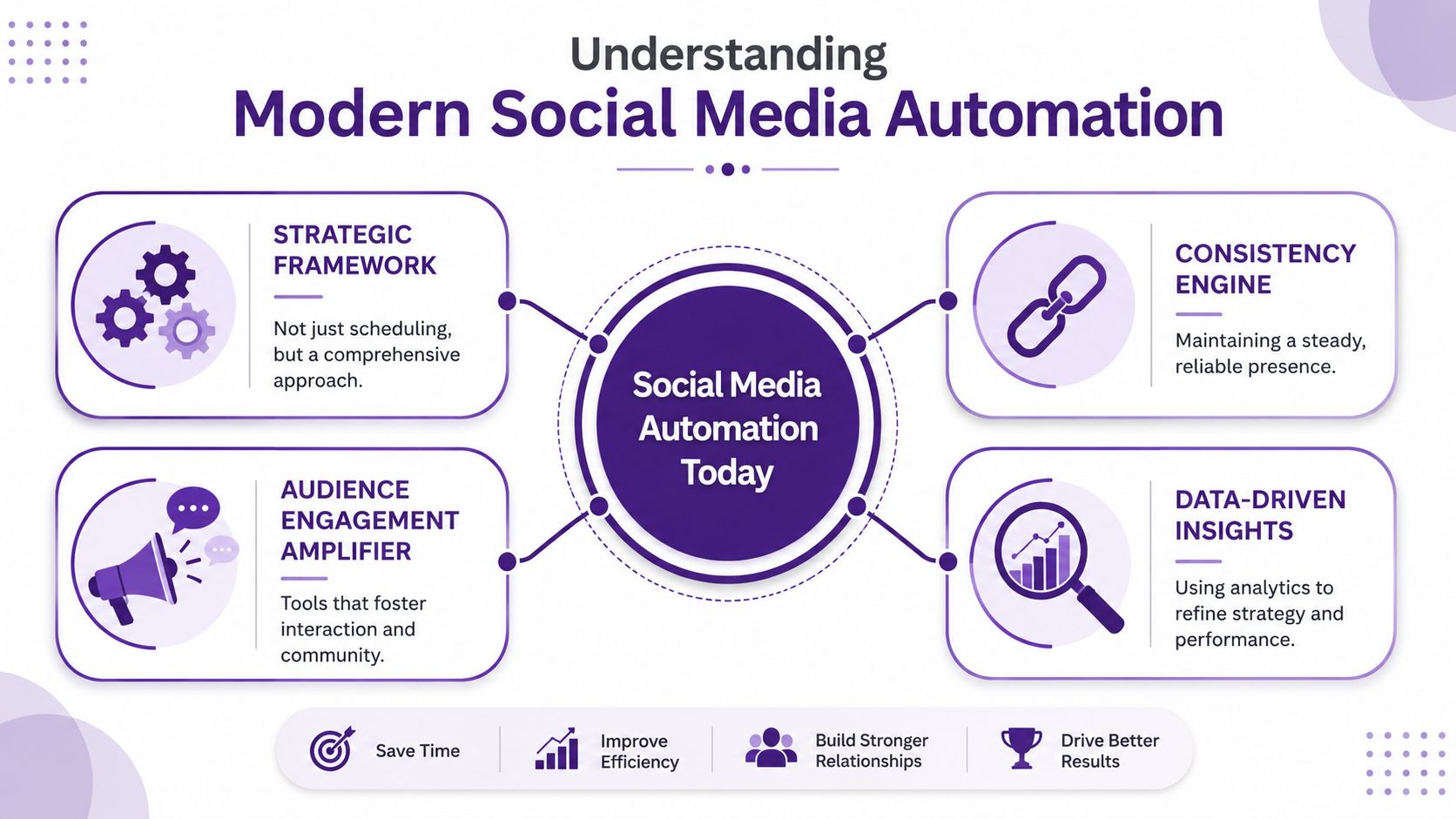
It's a digital chief of staff for your content
The best way to think about automation is this: it acts like a digital chief of staff for your publishing workflow.
It doesn't replace your voice. It handles coordination. It keeps the calendar moving, surfaces what deserves attention, and gives you a clearer view of what's working. That includes:
- Publishing support that queues and spaces posts across platforms
- Content curation that helps pull usable moments from longer assets
- Social listening that collects mentions, comments, and intent signals
- Performance analysis that informs better future decisions
This shift is already mainstream. A 2024/2025 industry compilation reported that 83% of marketing departments automate social media posting, with automation reducing content-creation time by about 30% and saving marketers 30–40 hours per month. That's not niche behavior anymore. It's standard operating practice.
If you're still handling every post manually, you're not being more authentic. You're often just spending creative energy on repetitive tasks.
The old model was posting. The new model is orchestration
Basic automation asks, “Can this go out at 10 a.m.?”
Useful automation asks better questions:
| Function | Basic setup | Modern setup |
|---|---|---|
| Publishing | Queue a post | Match format, timing, and channel to the asset |
| Planning | Fill a calendar | Pull themes from existing content and sequence them |
| Engagement | Auto-reply to everything | Surface what needs a human answer |
| Analytics | Count likes | Feed results back into future decisions |
That's why many creators first need to streamline social media publishing, then quickly realize publishing is only one part of the system. Once you start treating your content library as a strategic asset, the workflow expands into repurposing, listening, and optimization. That larger shift shows up clearly in broader content marketing automation practices, where the goal isn't just speed. It's repeatable output without chaos.
Practical rule: If your automation only schedules posts but doesn't help you decide what to repurpose, what to monitor, or what to improve, you don't have a system yet. You have a timer.
The Strategic Benefits for Content Creators
Creators don't need automation because they're lazy. They need it because growth creates operational drag.
Once you have a real library of episodes, videos, newsletters, interviews, or articles, your bottleneck usually stops being ideas. It becomes coordination. You know there's value buried in your backlog, but pulling it out manually every week eats the same hours you need for writing, recording, editing, and selling.
Consistency stops being fragile
Manual posting works until life gets busy. Then your social presence disappears for a week, sometimes longer, and every platform starts to feel like a restart.
Automation gives you a buffer. It turns “I need to post today” into “I already prepared the next wave of distribution.” That changes your relationship with content. You stop treating every post as a one-off task and start treating publishing as a recurring system.
For creators, that matters in a few specific ways:
- Your archive keeps working instead of collecting dust after launch week.
- Your audience sees you more regularly across different time zones and browsing habits.
- Your best ideas get more than one chance to find the right audience and format.
You protect creative energy for higher-value work
The strongest strategic reason to automate isn't efficiency for its own sake. It's attention management.
A creator who spends hours renaming clips, pasting captions into tools, and rebuilding the same publishing workflow each week is using top-tier energy on low-impact work. That's the expensive part.
Here's the trade-off in plain terms:
| If you do everything manually | If you automate the repeatable layer |
|---|---|
| You spend time on formatting and logistics | You spend time on themes, hooks, and stories |
| Posting depends on your daily availability | Posting keeps moving even when you're recording or editing |
| Each asset gets limited reuse | One asset can feed multiple channels over time |
The business impact shows up over time, not overnight. Better consistency usually leads to a cleaner brand signal, more frequent touchpoints, and more opportunities to guide people back to your deeper work.
That's also why the conversation shouldn't stop at “time saved.” The better question is what that reclaimed time gets reinvested into. Usually, it should go into stronger source material, sharper offers, and better audience research. That's where the true ROI of content marketing starts to compound.
Most creators don't have a content problem. They have a distribution stamina problem.
It helps you act like a media operator, not just a maker
There's a mindset shift that happens when automation is working well. You stop asking, “What should I post today?” and start asking, “How should this idea travel across the ecosystem?”
That's a more professional question.
A YouTube episode becomes short-form clips, quote cards, a thread, a newsletter teaser, a community prompt, and a resurfaced callback weeks later when the topic becomes timely again. A blog post becomes a month of social prompts. A podcast archive becomes a searchable bank of reusable insights.
That's how creators move from output to assets.
Avoiding the Pitfalls of Robotic Content
The biggest mistake with social media automation isn't using it. It's using it without taste.
Creators usually notice the failure mode quickly. The captions sound flattened. Replies feel canned. Platform differences get ignored. Everything is technically “consistent,” but none of it feels alive. That's when people say automation hurts authenticity.
It can. But usually the problem isn't automation itself. It's mindless automation.

What should stay human
Some tasks are perfect for systems. Others need judgment, context, or lived experience.
A simple way to separate them:
Good candidates for automation
- Drafting first passes for captions, clip descriptions, and post variants
- Scheduling and queuing approved content across channels
- Collecting mentions and comments into one review flow
- Tagging content themes across your archive for easier reuse
Bad candidates for full automation
- Personal replies to meaningful audience comments
- Opinion-led posts where nuance matters
- Sensitive responses involving criticism, confusion, or trust
- Final approval on content that represents your voice
Practitioner guidance on human-centered social media automation is direct on this point: automation can surface conversations, but replies should remain human. One practical workflow is to let automation collect mentions, then review and reply manually once a week. That keeps the listening efficient without turning the interaction fake.
Generic AI content is the real trap
Much automation disappointment starts upstream, at the content level.
If you feed a tool vague prompts and ask it to generate “engaging social posts,” it will usually produce polished mush. It will be grammatically fine. It may even sound confident. But it won't sound like you, and it often won't sound like anyone worth following.
The audience can forgive imperfect polish. They rarely forgive empty specificity.
That problem gets worse when creators post the same AI-shaped language everywhere. LinkedIn gets a thread that should have been a personal story. Instagram gets a caption with no visual instinct. X gets a generic “value list” that reads like recycled productivity sludge.
Current debates around whether using ChatGPT counts as plagiarism often circle the wrong issue. The bigger practical concern for creators is sameness. If the output has no original framing, no real example, and no lived point of view, it won't build trust even if it's technically “new.”
The safer workflow is semi-automated
The strongest setup is usually a hybrid one.
Use AI and automation to organize, draft, sort, and suggest. Then make a human responsible for the parts that create distinctiveness.
Here's what that looks like in practice:
| Workflow stage | Let automation help | Keep human control |
|---|---|---|
| Idea extraction | Pull themes and quotes from long-form content | Choose which ideas match your current strategy |
| Draft creation | Generate platform variations and hooks | Rewrite for tone, context, and specificity |
| Publishing | Queue posts by platform and timing rules | Approve final copy and visuals |
| Engagement | Collect mentions and flag priority conversations | Reply with context and relationship awareness |
Creators who get this right don't sound less human as they scale. They sound more focused.
Designing Your Content Automation Engine
Most automation setups fail because they're built backward. People start with the tool, not the source material.
The engine works better when you begin with your library. Every podcast episode, interview, webinar, article, and video transcript is raw material. If that material is disorganized, your automation will produce shallow outputs. If it's structured well, the whole system gets smarter.

Start with the source layer
Treat your archive like inventory, not storage.
Before you automate anything, sort your existing content into usable buckets. For creators, those buckets often look like recurring topics, flagship episodes, audience questions, evergreen advice, strong stories, and conversion-oriented moments.
A practical audit should answer a few things:
- Which assets still have shelf life
- Which themes repeatedly connect with your audience
- Which formats travel well across platforms
- Which pieces are strong enough to repackage without forcing it
If you skip this step, you end up automating random fragments. If you do it well, your archive becomes a supply chain.
Build a cycle, not a checklist
The better model is a loop with four working stages.
Source and classify
Pull material from your library, then label it in a way that makes future reuse easy. Tag by topic, audience stage, tone, platform fit, and business relevance. A clip about a common beginner mistake should be easy to find later when you need a short educational post.
Create and repurpose
Turn one long-form asset into multiple draft outputs. That can include quote posts, threads, short captions, hooks, clip summaries, follow-up questions, and callback posts that revive older ideas in a new context.
Not every idea deserves every platform. Repurposing isn't copy-paste. It's adaptation.
Schedule with intelligence
Modern social media automation transcends a mere queue. The most valuable systems combine historical-performance modeling with platform-specific rules, using past engagement metrics and audience activity patterns to create a predictive feedback loop that improves future scheduling recommendations, as described in this guide to AI-driven social media automation.
That matters because timing and content choice affect each other. A strong post at the wrong moment underperforms. A decent post at the right moment can travel further than expected. Better historical data leads to better predictions, and better predictions lead to less wasted publishing.
Working principle: Clean inputs improve automated decisions. Messy archives produce messy recommendations.
Engage and feed the loop
Once posts go live, the system shouldn't stop. Review comments, saves, shares, click behavior, and audience questions. Then route those signals back into your next content cycle.
A repeated question in comments might become your next video. A strong short-form clip might point to a larger theme worth revisiting. A weak-performing post may reveal that the angle was wrong, not the topic.
The simplest engine is often the best one
You don't need a giant workflow on day one. You need a repeatable one.
A useful starter engine for a creator or small team often looks like this:
- Weekly source review from one long-form asset plus one archival asset
- Draft generation for multiple platform variants
- Human edit pass for tone and specificity
- Scheduled publishing across the week
- Engagement review that captures future content ideas
That's enough to create momentum. Once the loop works, then you can expand it.
Repurposing Your Archives with AI Tooling
Your archive is probably undervalued.
Most creators treat older work like a finished chapter. They publish the episode, push it for a few days, then move on. But a deep library is closer to a refinery. The original asset goes in once, and useful outputs can keep coming out for a long time if the system can find and reshape what matters.
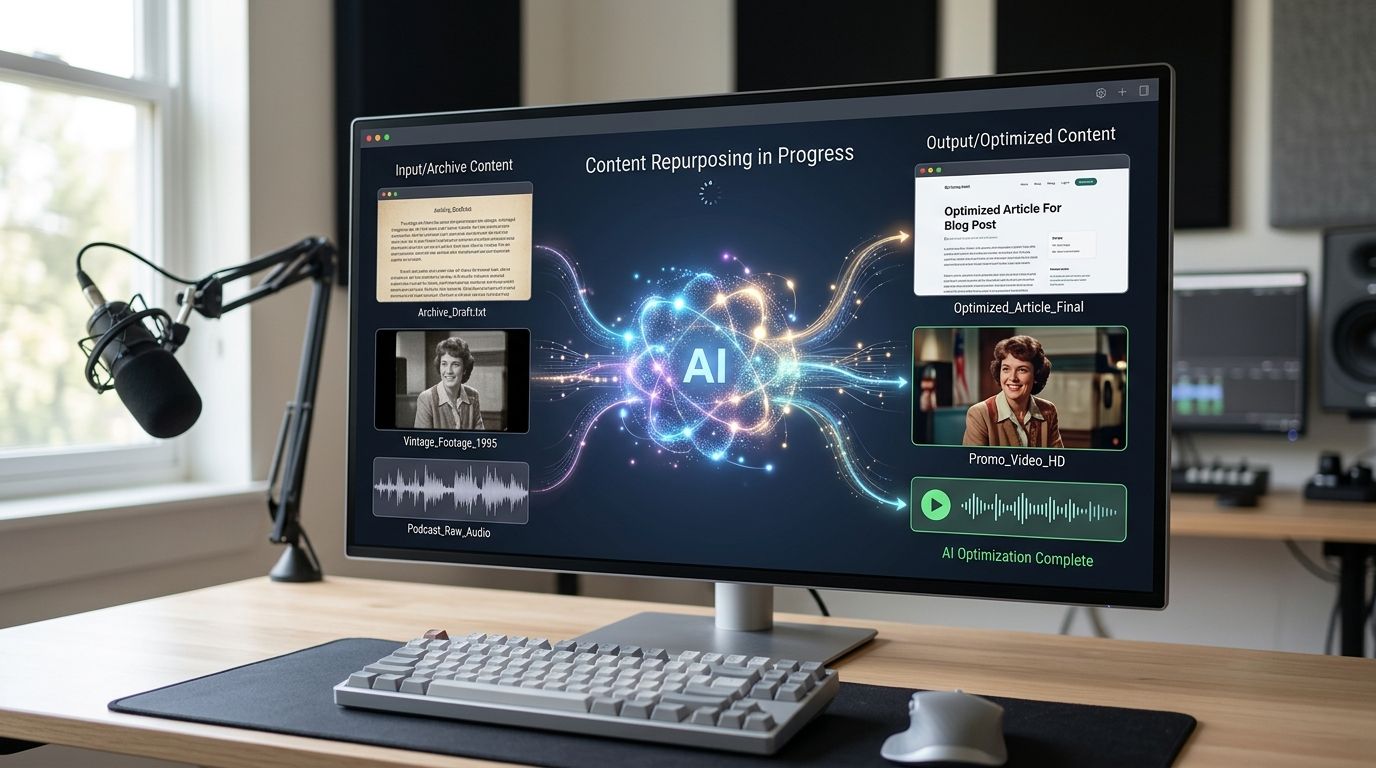
Turn old assets into new distribution fuel
AI tooling is most helpful when it works against a real body of source material. That means transcripts, article archives, video libraries, interview notes, published newsletters, and episode descriptions.
Once those materials are searchable and structured, you can use AI to pull out:
- Quote-worthy moments from older interviews
- Topic clusters that reveal recurring audience interests
- Short-form drafts based on proven themes
- Platform-specific rewrites of the same core idea
- Series concepts built from multiple assets on the same subject
Creators gain an advantage. A podcast episode from last year might contain six short clips, three quote graphics, a contrarian thread, a newsletter callback, and a community question for this month. None of that requires inventing new ideas from scratch. It requires retrieval and reframing.
Use AI as a discovery layer, not just a writing layer
Many users employ AI too late in the process. They open a blank prompt box and ask for captions.
A better use is earlier. Ask the system to scan your archive for repeated problems, standout stories, controversial opinions, memorable phrases, or underused high-quality material. That changes AI from a generic writer into a discovery assistant.
For example, instead of prompting “write five LinkedIn posts,” you'd ask for something sharper:
- Which past episodes mention the same audience pain point?
- Which blog posts include a strong one-sentence takeaway?
- Which old videos contain opinion-led statements that still feel current?
- Which themes have depth enough to become a recurring content bucket?
That's how old content turns into present value.
Here's a useful walkthrough to pair with that process:
Event-driven workflows make social more responsive
The advanced version of social media automation doesn't stop at publishing and repurposing. It connects social activity to other operating systems.
A strong example is event-driven workflow orchestration. In this setup, a social trigger starts a downstream action. According to this explanation of event-based social media automation workflows, a comment containing the word “demo” can automatically create a CRM contact and notify a sales team in seconds. The same logic can apply to support, community management, approval flows, or lead qualification.
For creators and media brands, that idea is bigger than sales.
A keyword mention can trigger a saved internal note for a future episode. A repeated question can route into a content planning board. A high-intent comment can notify the right person to follow up. A sponsorship inquiry can move into a business workflow instead of getting buried in notifications.
Social automation becomes more valuable when it stops acting like a megaphone and starts acting like a switchboard.
Repurposing works best when the archive is organized
This is the non-glamorous truth.
AI can help write, summarize, cluster, and suggest. But if your content library is scattered across folders, unlabeled transcripts, old docs, and forgotten uploads, the results will stay partial. The strongest repurposing systems depend on retrieval. Retrieval depends on structure.
That's why creators who want scale should spend less time chasing endless newness and more time operationalizing what they already made.
Creating a Governance and Measurement Framework
Automation gets messy fast when nobody owns the rules.
That's true for solo creators, and it's even more true for small teams handling podcasts, newsletters, blogs, clips, sponsor mentions, and social distribution at the same time. The workflow may feel lightweight at first, but once multiple tools and contributors are involved, you need a governance layer or quality slips.
Set rules before speed exposes the gaps
Governance sounds corporate, but the practical version is simple. Decide in advance who can draft, who can edit, who can approve, and what never gets published without human review.
A clean governance framework usually includes:
- Voice rules that define what your brand sounds like, and what it doesn't
- Platform rules for how the same idea changes across Instagram, LinkedIn, X, YouTube, or email
- Approval rules for sensitive posts, promotional claims, and audience replies
- Escalation rules for criticism, support issues, or partnership inquiries
If you don't define those rules, the tool ends up making hidden decisions for you. That's where creators start sounding inconsistent even when the calendar looks organized.
Measure business signals, not vanity comfort
A lot of social reporting gives people the illusion of control. The dashboard is full, but the insight is thin.
The more useful question is whether your automation system is creating better outcomes for the work that matters. Depending on your business model, that may include stronger engagement quality, more site traffic from social, more qualified conversations, more repeat audience behavior, or more conversions from repurposed content.
Use a simple scorecard like this:
| Area | What to review | Why it matters |
|---|---|---|
| Content quality | Which post types earn thoughtful responses or meaningful saves | Indicates resonance, not just reach |
| Traffic behavior | Which social posts send people to deeper assets | Shows whether distribution supports your broader ecosystem |
| Conversion signals | Which topics or formats lead to inquiries, signups, or sales actions | Connects social activity to business value |
| Workflow health | Where approvals stall or drafts need heavy rewrites | Reveals whether the system is helping or creating cleanup work |
Keep strategy and final review manual
This is the part many teams learn late.
A more nuanced view of automation is gaining traction: generic AI output often underperforms, and the winning approach is to automate the parts that benefit from scale while keeping content strategy and final review manual to preserve distinctiveness and trust, as argued in this analysis of what to automate in AI-driven social media work.
That distinction should shape your dashboard too. Don't just ask whether the machine published consistently. Ask whether the system protected your voice while improving throughput.
A healthy automation system reduces effort on repeatable work and increases attention on judgment-heavy work.
Review the system on a cadence
Set a recurring review rhythm. Weekly is usually enough for active creators. Monthly works for higher-level pattern reviews.
Look for signs such as:
- Over-automation when captions are getting approved too quickly because nobody is really reading them
- Under-automation when team members still rebuild the same social assets manually
- Archive neglect when recent content gets reused but older high-value material is ignored
- Signal loss when audience questions and comments never feed back into planning
A good automation framework doesn't just push content out. It creates a learning loop that sharpens the next round of content, distribution, and audience understanding.
If you're sitting on a backlog of episodes, videos, transcripts, articles, or research notes, there's a lot of value hiding in plain sight. Contesimal helps creators and content teams organize those archives, surface the ideas worth reusing, and turn old assets into new outputs without losing the human judgment that makes the work worth following.